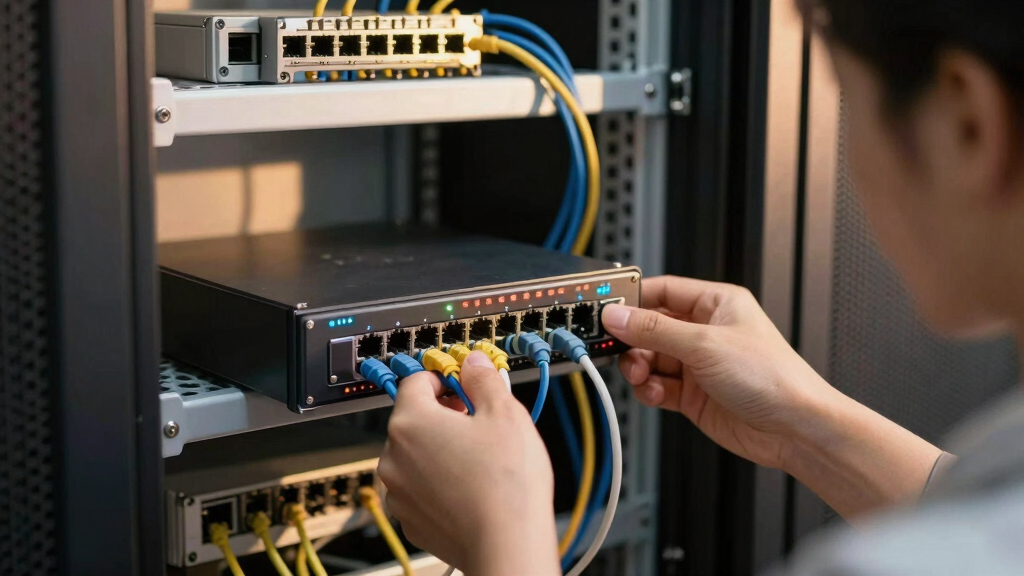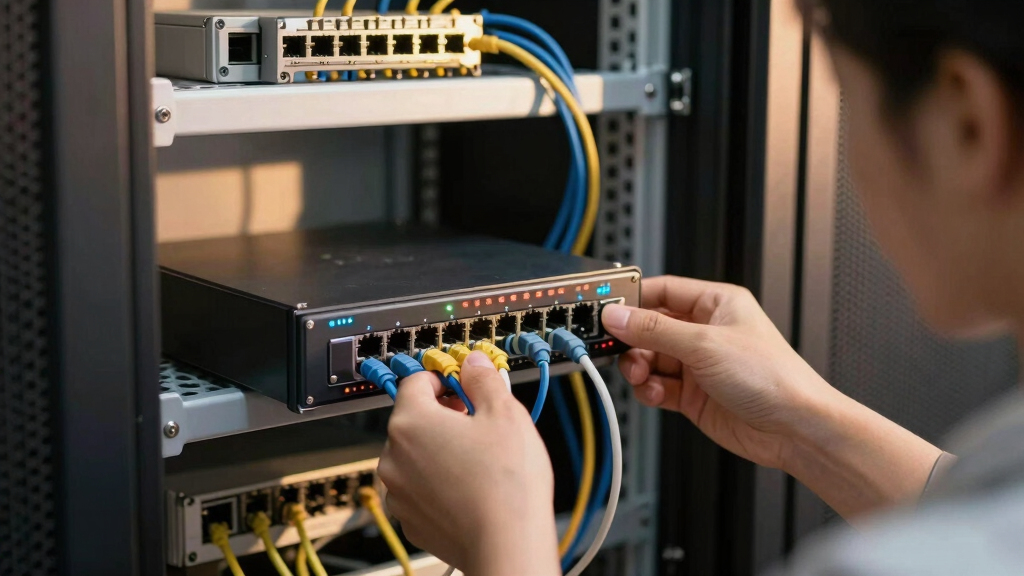

Choosing the best compact managed switch for branch deployments requires balancing size, performance, and manageability. The D-Link DGS-1100-24V2 stands out as the overall best for its reliable performance and NDAA compliance. For those prioritizing cloud management, the NETGEAR GS724TP offers extensive PoE and remote control features. However, buyers must weigh tradeoffs like port count versus size, and advanced features versus simplicity. Continue reading for a detailed breakdown of each option and what makes them suitable for various deployment needs.
Key Takeaways
- The best switches balance compact size with sufficient port count for branch needs.
- Cloud management features are a key differentiator for remote deployment control.
- PoE capabilities vary widely, influencing suitability for powering devices like VoIP phones or cameras.
- Build quality and compliance (like NDAA) matter for enterprise deployments with strict standards.
- Ease of use, including plug-and-play and management interface, impacts deployment speed.


More Details on Our Top Picks
D-Link 24-Port Gigabit Smart Managed Switch | Web Managed | Cable Diagnostics | NDAA Compliant – (DGS-1100-24V2)
This model stands out for its extensive port count and robust management features, making it suitable for larger branch deployments that demand high-speed connectivity. Compared with the NETGEAR GS724T, it offers a fanless, silent operation which is ideal for noise-sensitive environments, and it is NDAA compliant, a key factor for government or regulated sectors. Its web-based management is straightforward, supporting traffic optimization through QoS, VLAN, and IGMP Snooping, ensuring smooth voice and video traffic. The tradeoff is that it lacks SFP ports, which might limit fiber connectivity options for some setups, and its 24 ports may be overkill for smaller branches. This switch makes the most sense for organizations prioritizing regulatory compliance, low noise, and high port density in a single package.
Pros:- High port count (24 ports) for expanding network capacity
- Fanless, silent operation suitable for quiet environments
- NDAA compliant for regulatory standards
- Energy-efficient with IEEE 802.3az support
Cons:- No SFP fiber ports, limiting fiber connectivity options
- Lacks advanced management features found in higher-end switches
- Limited to web management, no CLI or SNMP for advanced controls
Best for: Large branches or government offices needing high port density, silent operation, and NDAA compliance.
Not ideal for: Small offices or setups requiring fiber uplinks, as it doesn’t include SFP ports.
- Number of Ports:24
- Switch Type:Managed
- Form Factor:Desktop or Rackmount
- Energy Efficiency:IEEE 802.3az
- Regulatory Compliance:NDAA
- Operation Mode:Fanless
Bottom line: Ideal for sizable branch deployments that require reliable, regulation-compliant high-speed switching with quiet operation.
NETGEAR 24-Port Gigabit Ethernet Smart Switch (GS724T) – Managed, Optional 1 Year Insight Cloud Management, with 2 x 1G SFP, Desktop or Rackmount, and Limited Lifetime Protection
This switch makes a compelling choice for branch offices seeking flexible remote management, thanks to its optional Insight cloud control. Compared with the D-Link DGS-1100-24V2, it offers 2 SFP ports for fiber uplinks, providing more versatility in connecting distant branch locations. Its managed interface is user-friendly, with SNMP support for integrating into larger network management systems. While it is not as silent as the fanless D-Link, its cloud-based control enables easy remote configuration and troubleshooting, which is beneficial for distributed deployments. The main tradeoff is that the switch’s hardware warranty is limited to a year, and the management relies on cloud services that may introduce latency or dependency concerns. This device suits SMBs or branches prioritizing remote control and cloud integration over absolute regulatory compliance.
Pros:- Includes 2 GFP ports for fiber uplinks
- Optional cloud management with NETGEAR Insight
- User-friendly web interface with SNMP support
- Compact rack-mount or desktop form factor
Cons:- Limited hardware warranty of 1 year
- Not fanless, so noise may be an issue
- Dependence on cloud service can affect control during outages
Best for: Branches needing cloud management, remote control, and fiber uplink options.
Not ideal for: Organizations prioritizing NDAA compliance or silent operation, as it relies on cloud services and has fan noise.
- Number of Ports:24
- Switch Type:Managed
- SFP Ports:2
- Form Factor:Desktop or Rackmount
- Management:Optional Cloud (Insight)
- Warranty:Limited 1 Year
Bottom line: Best suited for SMB branches that value cloud-based remote management and fiber connectivity options.
TP-Link 8 Port Gigabit Switch | Easy Smart Managed | Plug & Play | Desktop/Wall-Mount | Sturdy Metal w/ Shielded Ports | Support QoS, Vlan, IGMP and LAG (TL-SG108E)
This pick makes the most sense for small branches or remote offices with limited device counts, offering essential managed features in an easy-to-use, plug-and-play design. Compared with the NETGEAR GS308EP, it provides fewer ports but is more straightforward and budget-friendly, suitable for simple deployments. Its support for VLAN, QoS, IGMP, and LAG helps optimize traffic, yet it lacks SFP ports for fiber uplinks, making it less versatile for larger or more remote branches. The sturdy metal case and shielded ports add durability for wall or desktop installation. The main tradeoff is that it doesn’t include advanced management options like CLI or SNMP, making it less suitable for complex networks. It’s ideal for small branches where ease of use and affordability are priorities.
Pros:- Compact 8-port design
- Sturdy metal case for durability
- Support for VLAN, QoS, IGMP, and LAG
- Plug & Play setup for quick deployment
Cons:- Limited to 8 ports, not scalable for larger deployments
- No SFP ports for fiber uplinks
- Lacks CLI or SNMP for detailed management
Best for: Small branch offices or remote sites with limited device needs and budget constraints.
Not ideal for: Larger branches or those requiring fiber uplinks or advanced management features.
- Number of Ports:8
- Switch Type:Managed
- Form Factor:Desktop or Wall Mount
- Management Features:VLAN, QoS, IGMP, LAG
- Build Material:Sturdy Metal
- Uplink Ports:None
Bottom line: Perfect for small, budget-conscious branches seeking straightforward managed switching without fiber options.
NETGEAR 8 Port PoE Gigabit Ethernet Easy Smart Managed Essentials Switch (GS308EP) – with 8 x PoE+ @ 62W, Desktop or Wall Mount
This switch excels in branch environments needing PoE for IP cameras, VoIP phones, or access points, with a simple managed interface. Compared to the TP-Link TL-SG108E, it offers PoE capabilities and a higher power budget, making it suitable for powering network devices directly. Its 8 ports are adequate for small to medium branch setups where PoE power is essential. The fanless design ensures silent operation, and its management interface supports basic configuration, but it lacks advanced features like VLAN or LAG. Its main drawback is that it’s limited to 62W total PoE budget, which might be insufficient for larger PoE deployments. This switch makes the most sense for branches with PoE device needs but minimal management complexity.
Pros:- PoE+ support with 62W budget
- Silent fanless operation
- Easy-to-use management interface
- Wall or desktop mounting options
Cons:- Limited PoE power budget for larger deployments
- No VLAN or advanced management features
- No fiber uplink ports
Best for: Branches with PoE device deployment, such as IP cameras or VoIP phones, requiring simple management.
Not ideal for: Large branches or those needing advanced traffic management or fiber uplinks.
- Number of Ports:8
- PoE+ Support:Yes
- PoE Power Budget:62W
- Switch Type:Managed
- Operation Mode:Fanless
- Form Factor:Desktop or Wall Mount
Bottom line: Ideal for small branch deployments with PoE device needs and basic management requirements.
R8N85A 48-Port Gigabit PoE+ Layer 2 Managed Switch with 4 SFP Uplinks (New Sealed)
This switch offers expansive port count and high PoE power, making it suitable for large branch deployments with multiple PoE devices and advanced traffic management. Compared with the NETGEAR GS724TP, it provides more ports (48 vs. 24) and a higher total PoE budget of 370W, supporting numerous IP phones, cameras, and access points simultaneously. Its Layer 2 features like VLANs, link aggregation, and QoS provide enterprise-grade control, while its fanless design offers silent operation. The main tradeoff is that it’s less compact and more complex to configure, favoring organizations with in-house IT resources. It’s perfect for large branches or enterprise environments needing extensive PoE and sophisticated traffic segmentation.
Pros:- 48 PoE+ ports with 370W budget
- 4 SFP uplink ports for fiber
- Layer 2 features including VLAN, LAG, QoS
- Fanless, silent operation
Cons:- Larger footprint, less suitable for small spaces
- Requires in-depth network management knowledge
- Higher cost and complexity
Best for: Large branch offices and enterprise deployments with extensive PoE device requirements and traffic segmentation needs.
Not ideal for: Small branches or offices with limited IT support, as the switch’s complexity and size may be overkill.
- Number of Ports:48
- PoE+ Support:Yes
- PoE Power Budget:370W
- SFP Ports:4
- Layer:2
- Fanless:Yes
Bottom line: Best for large, power-hungry branches needing enterprise-level control and extensive PoE capacity.
NETGEAR S350 Series 10-Port Gigabit Ethernet PoE+ Smart Managed Essentials Switch – 8 x 1G PoE+ @ 55W, 2 x 1G Dedicated SFP – Desktop or Wall-Mount (GS310TPv2)
This switch stands out for its combination of high PoE budget and fiber uplink options, making it ideal for branch deployments that need to power VoIP phones and IP cameras while maintaining high-speed backbone connectivity. Compared with the larger GS724TP, it offers a more space-efficient form factor without sacrificing essential management features. Its intuitive web GUI simplifies setup for smaller teams, though the limited number of ports means it’s less suitable for high-density environments. The Per-Port PoE controls are especially valuable for remote power management of connected devices, but the modest 55W PoE budget might limit the number of powered devices. This pick makes the most sense for branch sites with moderate PoE needs and space constraints, where simplicity and flexibility matter most.
Pros:- Compact form factor suitable for desktop or wall-mount placement
- Includes fiber SFP ports for uplinks to the core network
- Intuitive web GUI with CLI option for advanced users
- Per-Port PoE controls with operation scheduling
Cons:- Limited to 8 PoE ports, restricting power-hungry device support
- PoE budget of 55W may be insufficient for multiple high-power devices
- No stacking capability for future expansion
Best for: Small branch offices requiring PoE support for IP devices and space-efficient deployment.
Not ideal for: Larger deployments needing higher port density or greater PoE power budget.
- Ports:8 x Gigabit PoE+
- Fiber Ports:2 x 1G SFP
- PoE Budget:55W
- Management:Web GUI, CLI
- Mounting:Desktop or Wall-mount
- Switch Type:Smart Managed
Bottom line: This switch is ideal for branch deployments that need a balance of PoE, fiber connectivity, and space efficiency, but not for high port or power requirements.
NETGEAR 26-Port PoE Gigabit Ethernet Smart Switch (GS724TP) – Managed, 24 x 1G, 24 x PoE+ @ 190W, 2 x 1G SFP, Optional Insight Cloud Management, Desktop or Rackmount, and Limited Lifetime Protection
This model caters well to branch deployments needing extensive PoE support and remote management, especially with its 190W PoE budget that can power multiple cameras, VoIP phones, and IoT devices simultaneously. It offers a larger port count than the GS310TPv2, making it suitable for slightly denser environments, yet its management interface and Insight cloud management provide flexible control from anywhere. Compared to smaller unmanaged switches like the TL-SG1024S, it delivers managed features and PoE, but at a higher cost and complexity. The device’s energy-efficient design and quiet operation suit office environments, although its size and weight are less ideal where space is tight. It’s perfect for branch sites that need a balance of power, control, and expandability.
Pros:- 24 PoE+ ports with 190W power budget for multiple devices
- Optional Insight cloud management for remote control
- Includes SFP uplinks for fiber connectivity
- Supports managed control with SNMP and security features
Cons:- Heavier and larger than smaller switches, requiring rackmount or space
- Higher price point compared to unmanaged or smaller managed switches
- Limited lifetime warranty, which may concern some buyers
Best for: Branches with moderate to high PoE device needs and remote management requirements.
Not ideal for: Very small branches or setups with minimal PoE or budget constraints.
- Ports:24 x Gigabit PoE+
- PoE Budget:190W
- Fiber Ports:2 x 1G SFP
- Management:Insight cloud, SNMP
- Switch Type:Smart Managed
- Mounting:Desktop or Rackmount
Bottom line: This switch is suited for branches with significant PoE needs and remote management, but less so for very compact or low-budget deployments.
NETGEAR 48-Port Gigabit Ethernet Smart Switch (GS748T) – Managed, Optional 1 Year Insight Cloud Management, with 2 x 1G SFP and Combo, Desktop or Rackmount, and Limited Lifetime Protection
This switch offers a high port count at a manageable size, making it ideal for larger branch deployments that require extensive device connectivity and management. The inclusion of Insight cloud management, even for just a year, adds a layer of remote control and troubleshooting that smaller unmanaged switches lack, such as the TL-SG1024S. Its 48 ports support a broad range of connected devices, with fiber uplinks for backbone integration. Compared with the GS724TP, the GS748T features more ports but slightly less PoE support, which is acceptable in scenarios where power is supplied separately. Its energy-efficient design and quiet operation suit office environments, though its size and cost are higher considerations. This is a great option when dense device connections and manageability are priorities.
Pros:- 48 Gigabit Ethernet ports for extensive device support
- Supports optional Insight cloud management for remote oversight
- Includes fiber SFP uplinks for flexible backbone connections
- Managed switch with SNMP and security features
Cons:- No PoE support, limiting use for powered devices
- Slightly larger footprint requiring dedicated space
- Limited lifetime warranty, which could impact long-term cost
Best for: Larger branch offices or deployments with high device density and management needs.
Not ideal for: Small branches or setups where PoE power is the primary concern, or where budget is tight.
- Ports:48 x Gigabit Ethernet
- PoE:None
- Fiber Ports:2 x 1G SFP
- Management:Insight cloud (1 year optional)
- Switch Type:Managed
- Mounting:Desktop or Rackmount
Bottom line: This switch is best suited for large branch deployments needing high port density and remote management, but not for PoE-dependent setups.
TP-Link 24 Port Gigabit Ethernet Switch Desktop/ Rackmount Plug & Play Shielded Ports Sturdy Metal Fanless Quiet Traffic Optimization Unmanaged (TL-SG1024S)
This unmanaged switch provides a straightforward, reliable connection for branch deployments where simplicity and silence are key. Its sturdy metal casing and fanless design ensure durability and quiet operation, making it suitable for placement in customer-facing areas or small offices. Compared to managed switches like the GS748T, it lacks advanced control features but excels in plug-and-play setup and low maintenance. Its 24 ports support a broad range of devices, though without PoE support, it limits direct powering of connected IP devices. The energy-efficient design helps reduce operational costs, but the lack of management features makes it unsuitable for environments requiring detailed control or security segmentation. This switch makes sense for branches prioritizing simplicity over manageability.
Pros:- Sturdy metal case for durability
- Fanless design ensures silent operation
- Plug and play setup with no configuration needed
- Energy-efficient technology reduces power consumption
Cons:- No management features for traffic segmentation or security
- Lacks PoE support, limiting device powering options
- Limited to basic connectivity in a more complex network environment
Best for: Branches needing a simple, reliable, and silent switch without management features.
Not ideal for: Deployments requiring PoE or detailed network control and security.
- Ports:24 x Gigabit
- PoE:None
- Switch Type:Unmanaged
- Form Factor:Desktop or Rackmount
- Fan:Fanless
- Material:Sturdy Metal
Bottom line: This unmanaged switch is perfect for small branches needing reliable, silent connectivity without management overhead, but not for PoE or security-sensitive deployments.
TP-Link 24 Port Gigabit Switch Easy Smart Managed Plug & Play Desktop/Rackmount Sturdy Metal w/ Shielded Ports Support QoS, Vlan, IGMP & LAG (TL-SG1024DE)
This switch provides essential managed features like VLAN, QoS, and IGMP, making it suitable for small branch deployments that need some level of control but without complexity. Its plug-and-play design simplifies installation, while the sturdy metal case ensures durability. Compared with the GS724TP, it offers fewer advanced management options and a lower PoE capacity—but it excels in straightforward setups where basic segmentation and traffic management are enough. Its 3-year warranty and support add peace of mind, but it doesn’t support PoE or advanced stacking. It’s an appealing choice for branches looking to upgrade from unmanaged switches with minimal fuss and budget impact.
Pros:- Supports VLAN, QoS, IGMP, and LAG for traffic control
- Plug-and-play setup for quick deployment
- Sturdy metal case with shielded ports
- 3-year warranty with technical support
Cons:- Limited PoE support, unsuitable for powered devices
- Fewer advanced management features compared to higher-end switches
- No fiber uplinks or stacking options
Best for: Small branches seeking manageable features with easy setup and basic security.
Not ideal for: Branches that require PoE, high port density, or advanced management capabilities.
- Ports:24 x Gigabit
- PoE:None
- Management:Smart Managed
- VLAN:Yes
- QoS:Yes
- Form Factor:Desktop or Rackmount
Bottom line: This switch offers a practical balance of manageability and simplicity for small branches with modest network control needs, but lacks PoE support and advanced features.