
When choosing a NAS for video teams, speed, scalability, and reliability are the main concerns. Among the top options, the Synology DiskStation DS1823xs+ stands out for demanding large-scale storage with flexible expandability, while the Synology DS1525+ excels in high-speed editing workflows with its 4K/8K support. The QNAP TS-h973AX offers a compelling balance of enterprise features and affordability, but may require technical expertise. Each has unique tradeoffs: larger capacity vs. ease of use, or premium features vs. initial cost. Below, I break down the key differences to help you decide which fits your team’s needs best.

Get business pricing on networking and server gear
- Business-only prices and quantity discounts
- Tax-exempt purchasing
- Multiple users, one account, clear invoices
Key Takeaways
- The Synology DS1823xs+ provides the highest capacity for large media libraries but requires additional drives and setup effort.
- The Synology DS1525+ is optimized for real-time 4K/8K editing with fast network speeds, ideal for active workflows.
- The QNAP TS-h973AX combines enterprise features with good scalability, but is more complex to configure.
- All options support 10GbE networking, but their target users differ from small teams to large editing operations.
- Tradeoffs include capacity versus ease of setup, initial cost versus long-term performance, and advanced features versus user-friendliness.
| Synology DiskStation DS1823xs+ NAS Server with Ryzen 3.35GHz CPU, 32GB Memory, 80TB Storage, 1TB NVMe SSD, 10GbE LAN |  | Best Overall for Large-Scale Storage and Flexibility | Processor: Ryzen V1780B 4-Core 3.35GHz | Memory: 32GB DDR4 ECC | Storage Capacity: 80TB (8 x 10TB SATA HDDs) | VIEW ON AMAZON | See Our Full Breakdown |
| QNAP TS-h973AX-32G 9-Bay QuTS Hero NAS with 10GbE/2.5GbE Connectivity |  | Best for Enterprise-Grade Data Management | Processor: AMD Ryzen V1500B 2.2 GHz | RAM: 32GB DDR4 (max 64GB) | Drive Bays: 5 x 3.5-inch SATA, 2 x U.2 NVMe, 2 x SATA SSD | VIEW ON AMAZON | See Our Full Breakdown |
| Synology DiskStation DS1823xs+ NAS Server with Ryzen 3.35GHz CPU, 32GB RAM, 128TB Storage, 1TB NVMe SSD, 10GbE LAN | | Best for High-Capacity Demanding Workloads | Processor: Ryzen V1780B 4-Core 3.35GHz | Memory: 32GB DDR4 ECC | Storage Capacity: 128TB (8 x 16TB SATA HDDs) | VIEW ON AMAZON | See Our Full Breakdown |
| Synology DS1525+ 5-Bay Diskless NAS Server for Video Editing and Production |  | Best for Real-Time 4K/8K Video Editing | Storage Capacity: Starting at 100TB, expandable | Number of Bays: 5 | Network: 10GbE Ready | VIEW ON AMAZON | See Our Full Breakdown |
| Synology DiskStation DS1823xs+ NAS Server with Ryzen 3.35GHz CPU, 32GB Memory, 64TB Storage, 1TB NVMe SSD, 10GbE LAN | | Best for Balanced Performance and Scalability | Processor: Ryzen V1780B 4-Core 3.35GHz | Memory: 32GB DDR4 ECC | Storage Capacity: 64TB (8 x 8TB SATA HDDs) | VIEW ON AMAZON | See Our Full Breakdown |
| nas with 10gbe for video team | Processor | Storage Capacity | Memory | SSD Storage |
|---|---|---|---|---|
| Synology DiskStation DS1823xs+ | Ryzen V1780B 4-Core 3.35GHz | 80TB (8 x 10TB SATA HDDs) | 32GB DDR4 ECC | 1TB NVMe SSD |
| QNAP TS-h973AX-32G 9-Bay QuTS | AMD Ryzen V1500B 2.2 GHz | — | — | — |
| Synology DiskStation DS1823xs+ | Ryzen V1780B 4-Core 3.35GHz | 128TB (8 x 16TB SATA HDDs) | 32GB DDR4 ECC | 1TB NVMe SSD |
| Synology DS1525+ 5-Bay Diskles | — | Starting at 100TB, expandable | — | — |
| Synology DiskStation DS1823xs+ | Ryzen V1780B 4-Core 3.35GHz | 64TB (8 x 8TB SATA HDDs) | 32GB DDR4 ECC | 1TB NVMe SSD |
More Details on Our Top Picks
Synology DiskStation DS1823xs+ NAS Server with Ryzen 3.35GHz CPU, 32GB Memory, 80TB Storage, 1TB NVMe SSD, 10GbE LAN
This model is a powerhouse designed for teams needing extensive storage capacity and robust performance. Its Ryzen CPU and 32GB RAM support demanding workflows, and the 80TB capacity can be expanded further, making it ideal for media archives or large editing farms. Compared to other options, it offers more scalability, but it also demands more technical skill to set up and maintain, especially since drives are sold separately. Its multiple network ports, including 10GbE, ensure fast access for multiple users simultaneously.
Pros:- High storage capacity with scalable options
- Powerful Ryzen processor handles intensive tasks
- Supports multiple network connections including 10GbE
Cons:- Drives and RAM sold separately, adding initial cost and complexity
- Setup can be challenging for less technical users
- No included drives or RAM
Best for: Large media libraries and teams requiring scalable, high-capacity storage
Not ideal for: Smaller teams or users seeking a plug-and-play solution with minimal setup
- Processor:Ryzen V1780B 4-Core 3.35GHz
- Memory:32GB DDR4 ECC
- Storage Capacity:80TB (8 x 10TB SATA HDDs)
- SSD Storage:1TB NVMe SSD
- Network Ports:1 x 10GbE LAN, 2 x 1GbE LAN
- Additional Ports:3 x USB 3.2, 2 x eSATA
Our verdict“A top choice for teams needing maximum scalability and raw capacity, but best suited for those comfortable with technical setup.”
QNAP TS-h973AX-32G 9-Bay QuTS Hero NAS with 10GbE/2.5GbE Connectivity
The QNAP TS-h973AX stands out for combining high capacity with advanced data management features. Its AMD Ryzen V1500B processor and support for SSD caching make it suitable for active editing and media workflows. The multiple drive bays and fast 10GbE plus 2.5GbE ports provide excellent throughput, but the setup process can be complex, especially for users unfamiliar with enterprise storage systems. Its ZFS-based QuTS OS offers snapshot and data integrity features that appeal to teams needing rigorous data protection.
Pros:- Multiple drive options for flexible storage
- Fast 10GbE and 2.5GbE connectivity
- Advanced data management with ZFS-based OS
Cons:- Setup complexity may be a barrier for beginners
- Higher initial investment for enterprise features
- Limited included accessories details
Best for: Teams requiring enterprise features and robust data integrity
Not ideal for: Users seeking a simple, quick-to-deploy solution without extensive configuration
- Processor:AMD Ryzen V1500B 2.2 GHz
- RAM:32GB DDR4 (max 64GB)
- Drive Bays:5 x 3.5-inch SATA, 2 x U.2 NVMe, 2 x SATA SSD
- Network Connectivity:2 x 2.5GbE, 1 x 10GBASE-T
- Connectivity:USB 3.2 Gen2, Type-C & Type-A
- Operating System:QuTS hero (ZFS-based)
Our verdict“Ideal for professional teams that prioritize data integrity and enterprise features, despite the steeper learning curve.”
Synology DiskStation DS1823xs+ NAS Server with Ryzen 3.35GHz CPU, 32GB RAM, 128TB Storage, 1TB NVMe SSD, 10GbE LAN
This NAS is tailored for teams that need extensive storage along with high processing power. Its Ryzen CPU and 32GB RAM support demanding workflows, from live streaming to large-scale backups. The 128TB capacity, expandable with additional drives, makes it suitable for large media archives or intensive editing environments. It offers multiple high-speed network ports, including 10GbE, but setup complexity and the need for separate drive purchases make it less ideal for casual users.
Pros:- Massive storage capacity with flexible configurations
- Powerful Ryzen CPU for multitasking
- Fast network ports including 10GbE
Cons:- Drives and memory are sold separately
- Complex setup for non-technical users
- Higher initial investment
Best for: Large-scale storage needs with demanding processing requirements
Not ideal for: Small teams or those seeking a simple, ready-to-go solution
- Processor:Ryzen V1780B 4-Core 3.35GHz
- Memory:32GB DDR4 ECC
- Storage Capacity:128TB (8 x 16TB SATA HDDs)
- SSD Storage:1TB NVMe SSD
- Network Ports:1 x 10GbE, 2 x 1GbE
- Additional Ports:3 x USB 3.2, 2 x eSATA
Our verdict“A robust choice for large organizations with complex storage and performance needs, requiring technical expertise.”
Synology DS1525+ 5-Bay Diskless NAS Server for Video Editing and Production
The Synology DS1525+ is specifically designed for teams working with high-resolution videos. Its 10GbE support enables fast editing over the network, even for 4K and 8K footage. The scalable storage starting at 100TB can be expanded to meet growing project demands. It’s a solid choice for professional video editing, but the diskless setup requires additional drives, and its premium price may be a barrier for smaller teams or casual editors.
Pros:- Excellent for real-time editing of high-res footage
- Expandable storage capacity
- Supports multi-user workflows
Cons:- Requires additional drives to be purchased separately
- Premium price point
- Setup can be complex for non-technical users
Best for: Video teams working with high-resolution content needing fast network access
Not ideal for: Teams with limited technical expertise or tight budgets
- Storage Capacity:Starting at 100TB, expandable
- Number of Bays:5
- Network:10GbE Ready
- Warranty:3 Years
Our verdict“The best pick for professional video workflows demanding high-speed editing and scalability, with some setup effort required.”
Synology DiskStation DS1823xs+ NAS Server with Ryzen 3.35GHz CPU, 32GB Memory, 64TB Storage, 1TB NVMe SSD, 10GbE LAN
This model offers a balanced approach, with a solid 64TB storage base and the same high-performance Ryzen CPU as its larger sibling. It suits teams that need reliable, scalable storage without the massive capacity of the 128TB version. The multiple high-speed network ports, including 10GbE, make it suitable for demanding media workflows, but like others in this lineup, it requires additional drives and RAM to be purchased separately, which could complicate initial deployment.
Pros:- Good balance of capacity and performance
- Supports 10GbE network speeds
- Versatile for various media workflows
Cons:- Drives and RAM are sold separately
- Setup complexity for less technical users
- Price may be high for some budgets
Best for: Mid-sized teams with balanced performance and storage needs
Not ideal for: Teams requiring maximum capacity or simplicity out of the box
- Processor:Ryzen V1780B 4-Core 3.35GHz
- Memory:32GB DDR4 ECC
- Storage Capacity:64TB (8 x 8TB SATA HDDs)
- SSD Storage:1TB NVMe SSD
- Network Ports:1 x 10GbE, 2 x 1GbE
Our verdict“A well-rounded option for teams seeking scalable, high-speed storage without going to extreme capacities.”
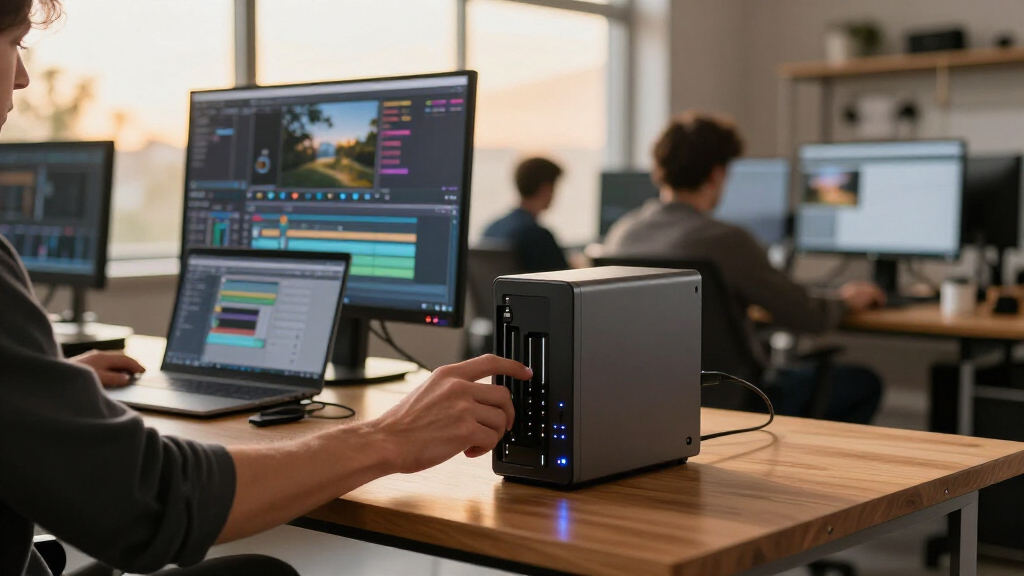
How We Picked
My selections are based on the key needs of video teams: fast data transfer, scalable storage, and robust data management. I prioritized models with native 10GbE support, high throughput, and flexible configurations. I also considered user reviews, feature sets tailored for high-resolution media workflows, and the tradeoffs like complexity and cost. The goal was to identify options suitable for different team sizes and technical expertise, ensuring each product fills a distinct niche in the professional video storage landscape.
| nas with 10gbe for video team | Processor |
|---|---|
| Synology DiskStation DS1823xs+ | Ryzen V1780B 4-Core 3.35GHz |
| QNAP TS-h973AX-32G 9-Bay QuTS | AMD Ryzen V1500B 2.2 GHz |
| Synology DiskStation DS1823xs+ | Ryzen V1780B 4-Core 3.35GHz |
| Synology DS1525+ 5-Bay Diskles | — |
| Synology DiskStation DS1823xs+ | Ryzen V1780B 4-Core 3.35GHz |
Factors to Consider When Choosing Nas With 10gbe For Video Teams
Choosing the right NAS with 10GbE for video teams hinges on balancing capacity, speed, and ease of use. High-capacity models like the Synology DS1823xs+ are suited for large media archives but require more setup effort. For active editing workflows, the Synology DS1525+ offers excellent real-time performance for 4K and 8K footage. The QNAP TS-h973AX provides enterprise features with flexible storage options, ideal for teams needing both performance and data protection. Understanding your team’s size, technical expertise, and storage demands will help you pick the best fit.
Capacity Needs
If your team handles vast media libraries or archives, models like the Synology DS1823xs+ and TS-h973AX offer the highest capacities. Smaller teams or those with moderate storage demands might prefer the DS1525+ or the balanced DS1823xs+, which are easier to manage and expand.
Performance and Workflow
For editing high-resolution videos, network speed and data throughput are vital. The DS1525+ and DS1823xs+ support 10GbE and are optimized for real-time editing. The QNAP offers enterprise-grade data management with ZFS features, but may require more technical setup.
Ease of Use and Setup
While Synology models tend to have more user-friendly interfaces, enterprise features on QNAP come with additional complexity. All models require drives and RAM to be purchased separately, so consider your team’s technical comfort level when choosing.
Budget and Future Growth
High-capacity models like the DS1823xs+ demand larger initial investments, especially with upgrades. For more budget-conscious teams, the DS1823xs+ or DS1525+ provide scalable options without sacrificing speed or performance.
Frequently Asked Questions
What is the main benefit of having 10GbE in a NAS for video teams?
Having 10GbE in a NAS allows for significantly faster data transfers over the network, reducing wait times when editing 4K or 8K footage remotely. It enables multiple users to access and work on media files simultaneously without bottlenecks, making collaborative workflows much more efficient.
Which NAS is best for large-scale media archives?
The Synology DS1823xs+ and the TS-h973AX are both excellent options, with capacities up to 128TB and support for multiple drives. The choice depends on whether you need maximum scalability (DS1823xs+) or enterprise features like snapshots and data protection (TS-h973AX).
Are enterprise features worth the extra cost for a video team?
If your team handles sensitive or critical data, features like snapshots, ZFS-based data integrity, and advanced management may justify the higher investment. For smaller or less complex workflows, a simpler NAS might suffice.
Can I upgrade drives and RAM later?
Most of these NAS models support drive upgrades, but drives are sold separately. RAM upgrades are typically possible but may require technical knowledge. Planning for future expansion upfront can save time and cost later.
How do I decide between a NAS with large capacity versus one optimized for editing speed?
If your primary need is a media archive, prioritize capacity with models like the DS1823xs+. For active editing workflows where speed is critical, the DS1525+ offers better performance for real-time processing. Consider your team’s workflow to match the right balance of capacity and speed.
Conclusion
For large media libraries and teams comfortable with technical setup, the Synology DS1823xs+ offers unmatched scalability. Video teams focused on high-speed editing should lean toward the Synology DS1525+ for its real-time performance. Those seeking enterprise-level features and data management with a bit more complexity will find the QNAP TS-h973AX compelling. Casual users or smaller teams with moderate needs may prefer simpler, more integrated solutions, but for professional video workflows in 2026, these models provide a range of options to match your specific priorities.
Evergreen bestsellers Picks

Vitamix Propel Series 750 Professional-Grade Blender, 4 Programs, Black

Bose QuietComfort Wireless Noise-Cancelling Headphones, Petal Pink

De'Longhi Magnifica XS ECAM22110B Automatic Espresso Machine
As an affiliate, we earn on qualifying purchases.