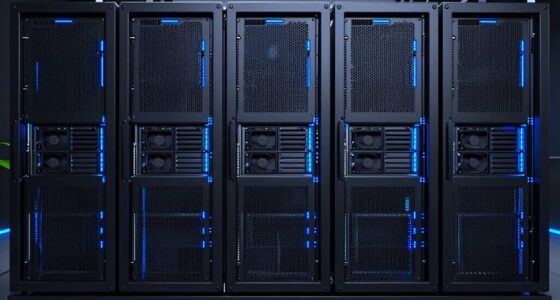
Choosing a NAS for VMware and virtualization storage involves balancing performance, scalability, and reliability. The best picks deliver seamless integration with VMware environments while supporting multiple VMs and high I/O demands. The Synology 16-Bay RackStation RS4021xs+ stands out for its enterprise-grade performance, ideal for large-scale deployments. The Asustor Lockerstor 10 Pro offers excellent capacity and value, suited for growing virtual setups. However, the main tradeoffs involve balancing upfront costs against future expansion needs and complexity. Continue reading to explore these options in detail and find the best fit for your virtualization needs.
Key Takeaways
- Higher core and memory configurations are critical for VM-intensive workloads, as they support smoother operation and faster data access.
- Scalability varies widely; enterprise-grade models provide extensive expansion options but come at higher costs, while smaller setups may limit growth.
- Network connectivity, particularly 10GbE or higher, significantly impacts performance in virtualized environments with multiple VMs.
- Diskless models offer flexibility for custom storage setups but require additional investment in drives and hardware compatibility.
- Price often correlates with features like redundancy, high IOPS, and hardware durability; balance your budget with your performance needs.
| Synology 16-Bay RackStation RS4021xs+ (Diskless) |  | Best Overall for Enterprise Scalability | Drive Bays: 16 (expandable to 40 with RX1217(RP)) | Processor: 8-core Intel | Performance: 234,698 random read IOPS, 6,258 MB/s sequential read | VIEW ON AMAZON | See Our Full Breakdown |
| Asustor Lockerstor 10 Pro AS7110T 10-Bay NAS Network Storage Enclosure |  | Best for High-Performance Virtualization and Docker Support | Processor: Intel Xeon E-2224 Quad Core 3.4GHz | RAM: 8GB DDR4, expandable to 64GB | Storage Capacity: Up to 180TB | VIEW ON AMAZON | See Our Full Breakdown |
| Synology 8-Bay RackStation RS1221+ (Diskless) |  | Best for High-Speed Multi-User VM Environments | Number of Bays: 8 | Performance: Up to 2,315 MB/s read, 1,147 MB/s write | Depth: 298 mm / 399 mm | VIEW ON AMAZON | See Our Full Breakdown |
| Synology RackStation RS2418+ NAS Server Bundle with Rail Kit, Intel Atom C3538 Quad-Core, 8GB DDR4, 24TB SATA HDD, Synology DSM Software |  | Best for Small to Midsize Business Virtualization | Processor: Intel Atom C3538 Quad-Core 2.1GHz | Memory: 8GB DDR4 | HDD Storage: 24TB (12 x 2TB) | VIEW ON AMAZON | See Our Full Breakdown |
| TERRAMASTER U4-500 NAS Storage – 4-Bay Rackmount NAS with Core i3-1215U, 8GB DDR5, Dual 10GbE Ports, Diskless |  | Best for High-Performance Business Workloads on a Budget | Processor: Intel Core i3-1215U | Memory: 8GB DDR5 | Maximum Storage Capacity: 96TB | VIEW ON AMAZON | See Our Full Breakdown |
| Synology 8-Bay DiskStation DS1823xs+ (Diskless) |  | Best for Enterprise Scalability and High Availability | Number of Bays: 8 | Expansion Units Supported: Up to 2 DX517 units | Drive Type: Diskless | VIEW ON AMAZON | See Our Full Breakdown |
| Synology RackStation RS1221+ NAS Server Bundle with 32GB Memory, 80TB Storage, and Rail Kit |  | Best for Versatile Business Use with High Memory Capacity | Processor: AMD Ryzen V1500B, 4-core, 2.2GHz | Memory: 32GB DDR4 ECC | Storage Capacity: 80TB | VIEW ON AMAZON | See Our Full Breakdown |
| Synology DS1525+ 5-Bay 20TB NAS Bundle with 5 × 4TB Seagate IronWolf HDDs |  | Best for Scalable Storage with Built-in Networking | Processor: AMD Ryzen V1500B | Memory: 8GB | Drive Bays: 5 | VIEW ON AMAZON | See Our Full Breakdown |
| Synology DS1525+ 5-Bay NAS with 8GB RAM and 40TB Bundle (Includes 5x 8TB Seagate Ironwolf HDDs) |  | Best for High-Capacity, Scalable Virtualization Storage | Number of Bays: 5 | HDD Capacity: 40TB (5 × 8TB) | Memory: 8GB | VIEW ON AMAZON | See Our Full Breakdown |
| Asustor Lockerstor 6 Gen2 AS6706T – 6 Bay NAS with Intel Quad-Core, 4 M.2 NVMe, Dual 2.5GbE, 8GB DDR4, HDMI, Diskless |  | Best for Content Creators and Small Businesses Needing Hybrid Storage and Transcoding | Processor: Intel Celeron N5105 quad-core | Number of Bays: 6 | Supported Drives: 6 SATA, 4 M.2 NVMe SSD | VIEW ON AMAZON | See Our Full Breakdown |
| Synology RackStation RS1221RP+ NAS Server with Ryzen 2.2GHz CPU, 32GB Memory, 64TB Storage, Redundant Power |  | Best for High-Capacity, Reliable Business Storage with Redundancy | Processor: Ryzen V1500B 4-Core 2.2GHz | Memory: 32GB DDR4 ECC | Storage Capacity: 64TB (8 x 8TB HDDs) | VIEW ON AMAZON | See Our Full Breakdown |
| Synology DiskStation DS1621+ NAS Server with 32GB ECC Memory, 48TB HDD Storage and 1TB NVMe SSD |  | Best for Demanding Multi-User Workloads and Virtualization in SMBs | Processor: AMD Ryzen V1500B quad-core 2.2GHz | Memory: 32GB DDR4 ECC | HDD Storage: 48TB (6 x 8TB) | VIEW ON AMAZON | See Our Full Breakdown |
| nas for vmware and virtualization storage | Processor | Memory |
|---|---|---|
| Synology 16-Bay RackStation RS | 8-core Intel | — |
| Asustor Lockerstor 10 Pro AS71 | Intel Xeon E-2224 Quad Core 3.4GHz | — |
| Synology 8-Bay RackStation RS1 | — | — |
| Synology RackStation RS2418+ N | Intel Atom C3538 Quad-Core 2.1GHz | 8GB DDR4 |
| TERRAMASTER U4-500 NAS Storage | Intel Core i3-1215U | 8GB DDR5 |
| Synology 8-Bay DiskStation DS1 | — | — |
| Synology RackStation RS1221+ N | AMD Ryzen V1500B, 4-core, 2.2GHz | 32GB DDR4 ECC |
| Synology DS1525+ 5-Bay 20TB NA | AMD Ryzen V1500B | 8GB |
| Synology DS1525+ 5-Bay NAS wit | — | 8GB |
| Asustor Lockerstor 6 Gen2 AS67 | Intel Celeron N5105 quad-core | 8GB DDR4 (expandable to 16GB) |
| Synology RackStation RS1221RP+ | Ryzen V1500B 4-Core 2.2GHz | 32GB DDR4 ECC |
| Synology DiskStation DS1621+ N | AMD Ryzen V1500B quad-core 2.2GHz | 32GB DDR4 ECC |
More Details on Our Top Picks
Synology 16-Bay RackStation RS4021xs+ (Diskless)
The Synology RS4021xs+ stands out for its impressive scalability and raw performance, making it ideal for larger VM environments that require extensive storage expansion. Compared to the Synology RS1221+, it supports up to 40 drives, offering significantly more capacity for growing virtualization needs, though it comes with a higher price tag and a more complex setup process. Its 8-core Intel processor and dual PCIe slots enable high-speed data handling and future-proof networking upgrades. The redundant power supplies enhance reliability, essential for critical VM workloads. The main tradeoff involves its initial cost and the need for additional drives, which can be daunting for smaller teams or those with tighter budgets. This pick makes the most sense for large enterprises or data centers prioritizing scalability and uptime, willing to invest in a robust, expandable solution.
Pros:- Supports up to 40 drives, offering excellent scalability
- High-performance with 8-core Intel CPU and fast read/write speeds
- Redundant power supplies for increased uptime
- Includes a 5-year warranty for peace of mind
Cons:- Requires additional drives, increasing initial investment
- Complex setup may be challenging for non-technical users
- High cost compared to smaller or less expandable NAS options
Best for: Large organizations running extensive VMware or virtualization environments that need scalable, high-performance storage.
Not ideal for: Small businesses or home labs where budget constraints and simpler setups are more relevant; they should avoid this enterprise-grade, high-cost solution.
- Drive Bays:16 (expandable to 40 with RX1217(RP))
- Processor:8-core Intel
- Performance:234,698 random read IOPS, 6,258 MB/s sequential read
- Expansion Slots:2 PCIe
- Power Supply:Redundant (dual)
- Warranty:5 years
Our verdict“This enterprise-grade NAS is best suited for large-scale virtualization environments where scalability and uptime are top priorities.”
Asustor Lockerstor 10 Pro AS7110T 10-Bay NAS Network Storage Enclosure
The Asustor Lockerstor 10 Pro is tailored for users who need a powerful, flexible NAS capable of handling intensive virtualization and container workloads, with features surpassing the Synology RS1221+ in raw networking options. Its quad-core Intel Xeon processor and expandable RAM make it suitable for demanding VM environments, while the 10 bays and support for up to 180TB provide ample storage for virtual machine images and backups. The inclusion of 10 Gigabit Ethernet and multiple 2.5GbE ports ensures rapid data transfer, critical for VM performance. Its support for Docker and full SCSI/IP-SAN adds to its versatility, particularly for advanced users. The main drawback is its cost—it’s an investment—and setup complexity can pose challenges for less technical buyers. Ideal for advanced IT professionals managing multiple VMs or containerized apps, especially those prioritizing network speed and expandability.
Pros:- Supports up to 180TB storage with 10 bays
- Powerful Intel Xeon processor with high-speed networking
- Supports virtualization and Docker for versatile deployment
- Expandable RAM for enhanced performance
Cons:- Expensive compared to entry-level NAS options
- Setup and configuration require technical knowledge
- High initial investment for smaller setups
Best for: IT professionals and SMBs needing a high-performance, flexible NAS optimized for virtualization and containerized workloads.
Not ideal for: Casual users or small teams with limited budgets or less technical expertise, as the system’s complexity and cost may be prohibitive.
- Processor:Intel Xeon E-2224 Quad Core 3.4GHz
- RAM:8GB DDR4, expandable to 64GB
- Storage Capacity:Up to 180TB
- Drive Bays:10 SATA3
- Network:10GbE, 3 x 2.5GbE ports
- Support:VMware, Docker, full SCSI/IP-SAN
Our verdict“This NAS excels for users needing high-speed networking and virtualization support, especially in professional or development environments.”
Synology 8-Bay RackStation RS1221+ (Diskless)
The Synology RS1221+ is a compelling choice for multi-user VM setups, thanks to its impressive throughput of over 2,300 MB/s read speed, which outperforms many competitors like the RS4021xs+ in raw transfer rates. Its compact design and support for high-availability clustering make it suitable for environments where uptime and performance are critical. However, being diskless, it demands additional investment in drives, and its setup can be intimidating for beginners. Its high-speed capabilities make it ideal for dense VM clusters or environments with demanding data access needs, but smaller or less technical teams might find the configuration process overwhelming. Overall, this model is best for organizations prioritizing speed and uptime over initial simplicity.
Pros:- Exceptional transfer speeds suitable for multi-user environments
- Supports high availability clustering for uptime
- Compact design fits into tight spaces
- Upgradeable network interfaces via PCIe slots
Cons:- Requires additional drives, increasing initial cost
- Setup can be complex for less experienced users
- No drives included, adding to total cost
Best for: Organizations needing high-speed storage for multi-user, VM-intensive environments with technical expertise available for setup.
Not ideal for: Small offices or home labs where budget and simple setup are more important than maximum throughput; they should choose a more user-friendly or less expensive model.
- Number of Bays:8
- Performance:Up to 2,315 MB/s read, 1,147 MB/s write
- Depth:298 mm / 399 mm
- Configuration:Diskless
- Upgradeability:Network via PCIe
Our verdict“This NAS offers blistering speeds for multi-user VM environments, ideal for those with technical know-how and uptime needs.”
Synology RackStation RS2418+ NAS Server Bundle with Rail Kit, Intel Atom C3538 Quad-Core, 8GB DDR4, 24TB SATA HDD, Synology DSM Software
The Synology RS2418+ offers a balanced mix of capacity and manageability, making it a solid choice for small to midsize businesses running VM workloads. Its 12-bay design provides ample storage, with a straightforward setup and integration into existing Synology environments. While it doesn’t match the raw speed of the RS1221+ or the RS4021xs+, it delivers reliable performance suitable for hosting multiple virtual machines, backups, and applications. Its support for various network options and VM management tools makes it versatile, though the drives and memory are sold separately, adding to the total cost. This model suits organizations looking for scalable capacity with easier setup than enterprise-grade solutions, but it may fall short for extremely high-speed or large-scale virtualization projects.
Pros:- High-capacity 24TB storage with flexible expansion
- Supports VM management and backup features
- Includes a rail kit for easy installation
- Reliable Synology DSM software ecosystem
Cons:- Drives and memory upgrades are sold separately
- Setup can be complicated for non-technical users
- Performance may lag behind higher-end models for demanding VM tasks
Best for: SMBs seeking a scalable, easy-to-manage NAS for virtualization and general storage without the complexity of enterprise solutions.
Not ideal for: Large-scale enterprise data centers or heavy virtualization workloads demanding maximum throughput; they should consider higher-end models instead.
- Processor:Intel Atom C3538 Quad-Core 2.1GHz
- Memory:8GB DDR4
- HDD Storage:24TB (12 x 2TB)
- Form Factor:Rackmount
- Network Ports:4 x RJ-45 1GbE
- Support:VMware, virtualization, backup
Our verdict“This NAS provides a practical, scalable option for SMBs needing reliable virtualization support without enterprise complexity.”
TERRAMASTER U4-500 NAS Storage – 4-Bay Rackmount NAS with Core i3-1215U, 8GB DDR5, Dual 10GbE Ports, Diskless
The TERRAMASTER U4-500 offers a compelling balance of power and price, especially for businesses needing fast, flexible storage for virtualization. Its 12th Gen Core i3 processor delivers robust performance, suitable for hosting multiple VMs or intensive data tasks. The dual 10GbE ports provide rapid network connectivity, surpassing many budget NAS options, and the support for various RAID levels adds flexibility for data protection. It’s diskless, so initial setup involves purchasing drives, but this allows customizing capacity. The main challenge is its complexity—users unfamiliar with enterprise NAS configurations might find it daunting. This model makes sense for organizations that require high-speed transfer and reliable performance but want to avoid the higher costs of premium enterprise solutions.
Pros:- Powerful 12th Gen Core i3 processor
- Dual 10GbE ports for fast data transfer
- Supports multiple RAID configurations for data safety
- Expandable storage up to 96TB with drives
Cons:- Requires additional drives, increasing initial cost
- Setup complexity may challenge less experienced users
- Limited warranty period of 2 years
Best for: Mid-sized businesses needing fast, flexible, and cost-effective virtualization storage with technical expertise.
Not ideal for: Small teams or less tech-savvy users who prefer plug-and-play solutions; they should consider simpler, pre-configured NAS units.
- Processor:Intel Core i3-1215U
- Memory:8GB DDR5
- Maximum Storage Capacity:96TB
- Network Ports:Dual 10GbE
- Supported RAID:0/1/5/6/10
- Form Factor:1U Rackmount
Our verdict“This NAS delivers high-performance, flexible storage for demanding workloads at a competitive price point for technically skilled users.”
Synology 8-Bay DiskStation DS1823xs+ (Diskless)
The Synology DS1823xs+ stands out for organizations needing a storage solution that scales effortlessly. With support for up to 18 drives via expansion units, it surpasses the Synology RS1221+ in raw capacity, making it ideal for growing virtual environments. Its high availability clustering reduces downtime, a crucial feature for enterprise virtualization. However, this flexibility comes with a premium price and the need to purchase expansion units separately, which may complicate budgeting. The diskless design offers customization but delays initial setup. Compared to smaller NAS options, this model prioritizes capacity and uptime over simplicity and cost-efficiency. Best suited for large-scale VMware deployments requiring maximum uptime and expandable storage.
Pros:- Supports up to 18 drives with expansion units for extensive scalability
- Hot-swappable drives facilitate maintenance without downtime
- High availability clustering enhances system uptime
- Flexible for enterprise virtualization environments
Cons:- Requires additional purchase of expansion units for full capacity
- No pre-installed drives, increasing initial setup effort
- Higher overall cost compared to smaller NAS solutions
Best for: Large enterprises or data centers needing scalable, highly available virtualization storage.
Not ideal for: Small businesses or home labs where simplicity and budget are more critical than maximum capacity.
- Number of Bays:8
- Expansion Units Supported:Up to 2 DX517 units
- Drive Type:Diskless
- Features:Hot-swappable drives, online volume expansion, High Availability clustering
- Maximum Drive Support:18
- Form Factor:Rackmount
Our verdict“This NAS is best suited for large-scale virtualization setups where uptime and expandability are priorities.”
Synology RackStation RS1221+ NAS Server Bundle with 32GB Memory, 80TB Storage, and Rail Kit
The Synology RS1221+ excels for organizations needing a balance of performance and flexibility. Powered by a quad-core Ryzen V1500B, it handles virtualization, backups, and collaboration efficiently, especially with 32GB of ECC memory supporting demanding workloads. Its included 80TB storage is suitable for medium-sized environments, though the drives require installation, adding setup time. The four 1GbE ports support link aggregation but limit network speed unless upgraded to 10GbE, which involves extra cost. Compared to the DS1525+, this model emphasizes reliability and enterprise features but isn’t as expandable for massive capacities. This setup suits businesses seeking reliable virtualization and storage with room for growth, but not the highest network throughput out of the box.
Pros:- High-capacity 80TB bundle with included drives
- 32GB ECC memory supports virtualization and intensive workloads
- Supports multiple services: backup, virtualization, collaboration
- Dual 1GbE ports with link aggregation for network reliability
Cons:- Drives need to be installed after delivery, adding setup time
- Limited to 1GbE ports without additional upgrades
- Single power supply may impact redundancy
Best for: Mid-sized organizations or remote offices needing reliable, expandable virtualization storage with high memory support.
Not ideal for: Small startups or home labs where high network speeds and maximum capacity are less critical.
- Processor:AMD Ryzen V1500B, 4-core, 2.2GHz
- Memory:32GB DDR4 ECC
- Storage Capacity:80TB
- Included Drives:8 x 10TB SATA HDDs
- Network Ports:4 x 1GbE
- Form Factor:Rackmount
Our verdict“Ideal for organizations prioritizing reliable, versatile storage with substantial memory and moderate network performance.”
Synology DS1525+ 5-Bay 20TB NAS Bundle with 5 × 4TB Seagate IronWolf HDDs
The Synology DS1525+ offers a compelling balance for growing virtual environments, especially with its included five IronWolf drives and dual 2.5GbE ports. Its scalability up to 300TB with an expansion unit makes it a strong choice for expanding VMware or Hyper-V deployments. While the 8GB RAM handles typical workloads, the absence of built-in 10GbE limits network throughput unless upgraded. The drives are included, reducing initial costs, but the optional expansion and network upgrades are sold separately. Compared to the 8-bay RS1221+, this model emphasizes storage capacity and network performance, though at a higher complexity for setup. This NAS fits well for mid-sized virtual infrastructures needing flexible capacity and solid networking options.
Pros:- Includes five NAS-grade IronWolf drives for immediate use
- Supports expansion to 300TB with optional DX525 unit
- Dual 2.5GbE ports for better network performance
- Supports multiple virtualization platforms and media management
Cons:- Expansion unit sold separately, adding cost and complexity
- 10GbE support requires additional purchase
- Limited to 8GB RAM, which may restrict heavy virtualization tasks
Best for: Medium-sized businesses or labs expanding their virtualization environment with a focus on scalable storage and decent network speed.
Not ideal for: Small-scale or home environments where simplicity and out-of-the-box network speed matter more than scalability.
- Processor:AMD Ryzen V1500B
- Memory:8GB
- Drive Bays:5
- Included Storage:20TB (5 × 4TB)
- Networking:2.5GbE dual ports
- Maximum Raw Capacity:300TB with expansion
Our verdict“Suitable for expanding virtual environments needing scalable storage and improved network performance, with some additional investment for full capability.”
Synology DS1525+ 5-Bay NAS with 8GB RAM and 40TB Bundle (Includes 5x 8TB Seagate Ironwolf HDDs)
The Synology DS1525+ with a 40TB pre-installed storage bundle is ideal for virtual environments that demand immediate capacity and future growth. Its support for up to 300TB with expansion makes it suitable for rapidly scaling VMware or Hyper-V deployments. The 8GB RAM provides enough processing headroom for typical virtualization workloads, while the dual 2.5GbE ports support decent network throughput. The included drives simplify setup, but the need for optional upgrades for 10GbE networking and expansion units means additional costs. Compared to the less pre-configured RS1221+, this model offers a more ready-to-go solution for high-capacity needs. This NAS is perfect for businesses seeking an immediate high-capacity solution with room to grow.
Pros:- Pre-installed 40TB storage for fast setup
- Supports expansion up to 300TB
- Dual 2.5GbE ports for network reliability
- Supports virtualization, backups, and media management
Cons:- Additional purchase needed for 10GbE upgrades
- Expansion units sold separately
- Higher initial cost due to pre-installed drives
Best for: Growing virtual infrastructures requiring high storage capacity with quick deployment and scalable options.
Not ideal for: Environments where maximum network speed is non-negotiable without extra upgrades or where initial cost minimization is a priority.
- Number of Bays:5
- HDD Capacity:40TB (5 × 8TB)
- Memory:8GB
- Network Ports:2.5GbE
- Maximum Raw Capacity:300TB with expansion
- Supported Virtualization Platforms:VMware, Hyper-V, XenServer, OpenStack
Our verdict“Best suited for organizations needing high storage capacity upfront with scalable expansion options for virtualization workloads.”
Asustor Lockerstor 6 Gen2 AS6706T – 6 Bay NAS with Intel Quad-Core, 4 M.2 NVMe, Dual 2.5GbE, 8GB DDR4, HDMI, Diskless
The Asustor Lockerstor 6 Gen2 AS6706T stands out for its high-performance Intel quad-core processor and support for hybrid storage, making it ideal for users who need both large HDD capacity and fast NVMe SSDs. Compared with the Synology RackStation RS1221RP+, it offers more flexible storage options and hardware transcoding, which benefits media workflows. However, it requires users to purchase drives separately and can be complex for NAS newcomers. Its dual 2.5GbE ports ensure quick network speeds, and expandable memory plus PCIe slots provide future upgrade paths. This model makes the most sense for content creators and small businesses that need reliable performance and media capabilities without sacrificing flexibility, but less so for users seeking a turnkey, out-of-the-box solution.
Pros:- High-performance Intel quad-core processor supports demanding workloads
- Supports hybrid storage with HDD and NVMe SSDs for flexibility and speed
- Fast dual 2.5GbE network connectivity ensures quick data transfer
- Expandable memory and PCIe slots allow future upgrades
Cons:- Diskless setup requires purchasing drives separately, adding initial cost and setup effort
- Complex configuration may challenge users unfamiliar with NAS features
Best for: Content creators and small business owners who need hybrid storage and media transcoding capabilities
Not ideal for: Beginners or those seeking a simple, fully assembled NAS with included drives and minimal setup
- Processor:Intel Celeron N5105 quad-core
- Number of Bays:6
- Supported Drives:6 SATA, 4 M.2 NVMe SSD
- Memory:8GB DDR4 (expandable to 16GB)
- Network:Dual 2.5GbE
- Expansion Slots:PCIe for 10GbE or SSD
Our verdict“This NAS makes the most sense for users who value flexibility, media transcoding, and future expandability over simplicity.”
Synology RackStation RS1221RP+ NAS Server with Ryzen 2.2GHz CPU, 32GB Memory, 64TB Storage, Redundant Power
The Synology RackStation RS1221RP+ is designed for demanding business environments requiring reliable, high-capacity storage. Its Ryzen 2.2GHz CPU and 32GB ECC memory ensure robust multi-user performance, while the 64TB storage capacity supports extensive data needs. Unlike the DS1621+, which offers scalability for smaller workloads, this model emphasizes uptime with redundant power supplies, making it ideal for critical business operations. The need to purchase drives and memory separately, along with its more complex setup, makes it less suitable for those seeking a quick, plug-and-play solution. Its four 1GbE ports provide sufficient networking for many business scenarios, but without additional upgrades, it can be limited in network speed for very large data transfers.
Pros:- High-capacity 64TB storage supports large datasets
- Redundant power supplies enhance uptime and reliability
- Powerful Ryzen CPU and 32GB ECC RAM support multi-user workloads
- Versatile connectivity with multiple ports for expansion and integration
Cons:- Requires purchasing drives and memory separately, adding to initial costs
- Setup complexity demands technical knowledge
- Limited network speed with only four 1GbE ports without upgrades
Best for: Medium to large businesses needing reliable, high-capacity storage with redundancy and robust performance
Not ideal for: Small offices or users seeking an all-in-one, ready-to-use NAS with included drives and minimal setup
- Processor:Ryzen V1500B 4-Core 2.2GHz
- Memory:32GB DDR4 ECC
- Storage Capacity:64TB (8 x 8TB HDDs)
- Network Ports:4 x 1GbE LAN
- Additional Ports:2 x USB 3.2, 1 x eSATA
- Power:Redundant Power
Our verdict“This NAS is best suited for organizations that prioritize uptime, large storage capacity, and reliability over quick setup or simplicity.”
Synology DiskStation DS1621+ NAS Server with 32GB ECC Memory, 48TB HDD Storage and 1TB NVMe SSD
The Synology DiskStation DS1621+ provides a compelling balance of high storage capacity and robust performance for multi-user environments. Its AMD Ryzen V1500B CPU and 32GB ECC memory support intensive virtualization, backup, and collaboration tasks. Compared to the RS1221RP+, it offers more flexibility with internal NVMe SSD caching, which can significantly accelerate I/O-bound applications. However, like the other Synology models, drives and memory upgrades are sold separately, requiring users to install them. With four Gigabit Ethernet ports supporting link aggregation and failover, it offers solid networking options but may fall short for extremely bandwidth-heavy setups without additional upgrades. This NAS makes sense for SMBs seeking scalable, multi-purpose virtualization and storage solutions.
Pros:- High 48TB HDD capacity with 1TB NVMe cache for speed improvements
- Supports demanding multi-user and virtualization workloads
- Extensive features via Synology DSM for backup, surveillance, and collaboration
- Four 1GbE ports support link aggregation and failover for network resilience
Cons:- Requires purchasing drives and memory separately, increasing initial setup effort
- Limited to 1GbE networking ports without additional upgrades for bandwidth-heavy environments
- Installation of drives and upgrades is user-dependent, which may complicate deployment
Best for: Small to medium-sized enterprises needing scalable virtualization, multi-user performance, and extensive storage
Not ideal for: Users seeking an all-in-one, out-of-the-box NAS with included drives and minimal setup complexity
- Processor:AMD Ryzen V1500B quad-core 2.2GHz
- Memory:32GB DDR4 ECC
- HDD Storage:48TB (6 x 8TB)
- NVMe Storage:1TB (2 x 500GB)
- LAN Ports:4 x RJ-45 1GbE
- Encryption:AES 256-bit
Our verdict“This NAS is ideal for SMBs that need scalable, multi-purpose virtualization and storage with room for future growth, despite requiring some technical setup.”

How We Picked
Products were evaluated based on their performance in supporting VMware and virtualization workloads, focusing on IOPS, throughput, and network capabilities. Build quality, ease of integration with VMware, and expandability were key factors, along with total cost of ownership and future-proofing features. We prioritized NAS models with robust hardware, multiple connectivity options, and proven reliability in virtualization scenarios. The ranking reflects a balance between enterprise readiness and value for different user needs, from small labs to large data centers.Factors to Consider When Choosing Nas For Vmware And Virtualization Storage
When selecting a NAS for VMware and virtualization storage, it’s essential to consider factors beyond just raw specifications. Compatibility with VMware, scalability, and network performance are vital. Understanding your current and future workload requirements ensures you choose a model that can grow with your environment without bottlenecks or costly upgrades. Here are key factors to guide your decision:Performance and IOPS Capacity
For virtual environments, high IOPS and low latency are non-negotiable. Look for NAS units equipped with enterprise-grade processors and ample RAM, which directly influence data throughput and responsiveness. Models with dual-controller designs or SSD caching can significantly boost performance, especially under heavy VM loads. Failing to meet these needs results in sluggish VM performance and potential data bottlenecks.
Scalability and Expandability
Virtualization often starts small but can grow rapidly. Choose a NAS with multiple drive bays and the ability to add expansion units or upgrade hardware components easily. Enterprise models with support for additional RAM, SSDs, or network cards provide future-proofing, reducing the need for complete replacements down the line. Overlooking scalability can lead to costly migrations and downtime later.
Network Connectivity
High-speed network interfaces, such as 10GbE or higher, are essential for transferring large VM images and supporting multiple concurrent users. Consider models that offer multiple network ports for link aggregation or redundancy, ensuring stable performance even during network failures. Weak or limited network interfaces can create bottlenecks, undermining the benefits of high-performance hardware.
Data Redundancy and Reliability
VM data integrity depends heavily on redundancy features like RAID support, dual power supplies, and reliable hardware components. These features safeguard against data loss and minimize downtime, especially critical in business or production environments. Ignoring redundancy can lead to catastrophic data loss, negating the advantages of a powerful NAS.
Ease of Use and VMware Compatibility
An intuitive management interface and seamless VMware integration simplify deployment and ongoing maintenance. Look for NAS systems with well-supported VMware plugins or APIs, along with clear documentation. Complex setups or poor software support can turn a powerful NAS into a management headache, reducing overall efficiency.
Frequently Asked Questions
Can I run VMware directly on a NAS device?
Most NAS devices are not designed to run VMware directly; instead, they serve as storage targets or virtualized storage solutions. To run VMware, you typically deploy it on a dedicated server or hypervisor platform and connect it to the NAS via iSCSI or NFS. Some enterprise NAS models support hypervisor integrations, but for most users, the NAS functions as shared storage rather than a host for VMware itself.
What is the minimum number of drive bays I should consider for a VMware environment?
The ideal number depends on your workload, but starting with at least 8 bays is advisable for reliable performance and growth capacity. Larger environments with high VM densities may require 12 or more bays to support multiple VM datastores with redundancy. Smaller setups can get by with fewer bays, but scaling later can be complex and costly if initial capacity is insufficient.
Is SSD caching worth the extra cost for virtualization?
Absolutely, SSD caching can dramatically improve VM performance by reducing latency and increasing IOPS. For environments with heavy I/O demands, investing in SSD caching or dedicated NVMe drives pays off quickly through smoother VM operation and faster data access. However, for lighter workloads, the added expense may not be justified, so evaluate your specific performance needs carefully.
How important is network speed compared to storage capacity?
Network speed often has a more immediate impact on virtualization performance than raw storage capacity. Even with large storage pools, slow network interfaces can create bottlenecks that hinder VM responsiveness. For virtualization, prioritize upgrading to 10GbE or higher network interfaces, especially if hosting multiple VMs or running data-intensive applications.
Should I prioritize redundancy over performance?
Redundancy features are vital for maintaining data integrity and uptime, especially in business-critical environments. While high performance is important, the risk of data loss outweighs the benefits of raw speed if the system isn’t protected. The best approach balances both—select a NAS with adequate redundancy and performance capabilities to meet your specific workload demands.
Conclusion
For most users, the Synology RS4021xs+ offers the best overall balance of performance, scalability, and reliability, making it suitable for enterprise or large-scale virtual environments. Budget-conscious buyers should consider models like the TERRAMASTER U4-500, which provides solid performance at a more accessible price point. Small labs or home setups may find the Synology DS1621+ an excellent choice for its flexibility and user-friendly interface. For those requiring maximum scalability and high-availability features, the Synology RS1221RP+ stands out as a premium option. Ultimately, your choice should align with your current workload, future growth plans, and technical expertise.