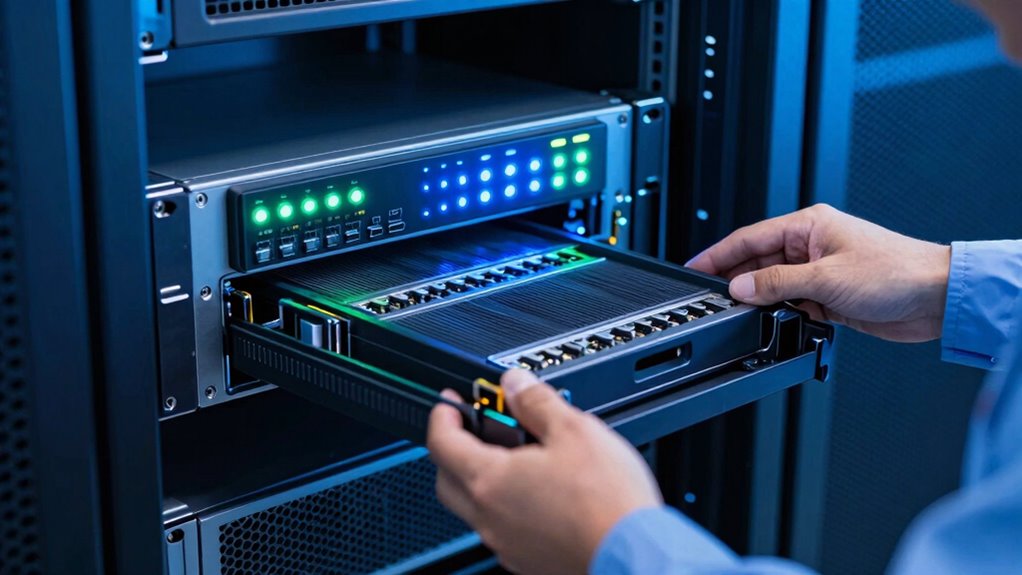
Hot-swap bays allow you to replace faulty or degraded hardware instantly, reducing system downtime and keeping your critical operations running smoothly. You can perform maintenance or upgrades without shutting down the entire system, minimizing disruptions. This improves operational agility, speeds up troubleshooting, and boosts system reliability. With hot-swap bays, you’ll save time and resources, maintaining high availability during ongoing work. Keep exploring to see how these features can transform your daily operations even further.

Get business pricing on networking and server gear
- Business-only prices and quantity discounts
- Tax-exempt purchasing
- Multiple users, one account, clear invoices
Key Takeaways
- Enable quick hardware replacements without shutting down systems, reducing operational downtime.
- Improve system reliability by allowing instant replacement of faulty components during normal operations.
- Streamline maintenance routines, saving time and resources while avoiding scheduled outages.
- Enhance operational agility by facilitating faster troubleshooting and hardware upgrades.
- Support scalable infrastructure and capacity expansion without disrupting ongoing services.
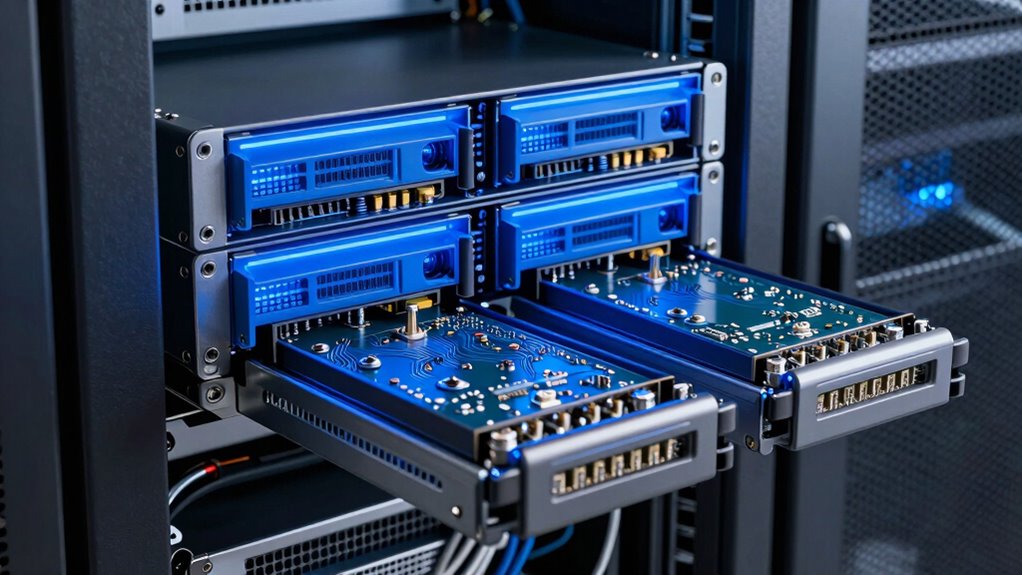
Hot-swap bays have become essential tools in daily operations, allowing you to replace or add hardware components without shutting down systems. This capability profoundly impacts how you manage hardware reliability and maintenance efficiency. By enabling quick swaps of drives, power supplies, or other modules, hot-swap bays reduce system downtime, keeping operations running smoothly and minimizing disruptions. When a drive fails or needs upgrading, you don’t have to halt the entire system; instead, you can swap the component seamlessly, maintaining the integrity of your data and ongoing processes.
This ease of replacing hardware directly enhances hardware reliability. Since you can replace faulty or degraded components instantly, the risk of data loss or system failure diminishes. Hot-swap bays support proactive maintenance, allowing you to address potential issues before they escalate into major problems. You’re empowered to maintain high availability and performance levels, which is especially critical in environments where downtime can lead to considerable operational or financial setbacks. The ability to swap hardware on the fly means you’re always prepared to handle hardware failures swiftly, ensuring your systems remain resilient. Additionally, hot-swap technology allows for easier troubleshooting and faster resolution of hardware issues, further improving operational efficiency.
Moreover, hot-swap bays streamline your maintenance routines. Instead of scheduling downtime or dedicating extensive time to hardware swaps, you perform replacements quickly and efficiently. This improves your overall maintenance efficiency, freeing up valuable time and resources. You can perform upgrades or repairs during regular operation hours without interrupting service, which is crucial for businesses that operate 24/7 or have tight service level agreements. As a result, your maintenance tasks become less intrusive, more predictable, and less costly. The modular design of hot-swap bays also facilitates easier management of hardware components, reducing the complexity of maintenance procedures. This modularity supports scalable infrastructure, enabling you to adapt easily as your needs evolve.
The convenience and flexibility hot-swap bays offer also extend to scalability. If your storage needs grow, you can add new drives without pausing your system. This modular approach makes expanding your capacity straightforward and minimizes operational interruptions. Over time, this flexibility translates into better hardware lifecycle management, helping you maximize the lifespan of your existing infrastructure and reducing total cost of ownership. Furthermore, hardware modularity enables easier upgrades and replacements, further enhancing operational agility.
As an affiliate, we earn on qualifying purchases.
Frequently Asked Questions
How Do Hot-Swap Bays Impact Data Security Protocols?
Hot-swap bays impact your data security protocols by requiring strict access control and data encryption. You need to guarantee only authorized personnel handle drives, preventing unauthorized access during swaps. Data encryption protects your information if drives are removed or lost. These measures help maintain data integrity and confidentiality, making hot-swap bays a secure option when combined with proper security policies. You stay compliant while managing hardware efficiently.
Are Hot-Swap Bays Compatible With All Server Models?
Hot-swap bays aren’t compatible with all server models; their compatibility depends on the server’s design and specifications. You can enhance server customization and hardware flexibility by choosing models that support hot-swappable drives. Before investing, verify compatibility with your server’s manufacturer or documentation. This guarantees seamless integration, minimizes downtime, and maximizes the benefits of hot-swap technology in your data management and maintenance routines.
What Training Is Needed for Staff to Handle Hot-Swap Components?
You’ll need hot swap training to guarantee staff are ready to handle hot-swap components safely and efficiently. This training covers proper removal, insertion, and troubleshooting procedures, emphasizing staff readiness to minimize downtime and prevent damage. By completing this training, your team gains confidence and expertise, enabling smooth, risk-free hot-swap operations that keep your systems running seamlessly and your staff well-prepared for any maintenance tasks.
How Do Hot-Swap Bays Affect Overall System Uptime?
Hot-swap bays act like a pit crew, quickly replacing faulty parts to keep your system racing smoothly. They substantially boost system uptime by enabling remote monitoring and swift replacements, minimizing downtime. With effective power management, you avoid outages during swaps. For example, a server with hot-swap bays reduced downtime by 30%, proving they’re essential for maintaining continuous operations and rapid response, even during unexpected hardware issues.
What Maintenance Is Required for Hot-Swap Bays Over Time?
You need to regularly check drive redundancy and guarantee drives are properly seated in hot-swap bays. Firmware updates are essential to keep the bays functioning smoothly and to fix bugs or vulnerabilities. Also, inspect for dust or debris that could affect cooling or connectivity. While hot-swappable design minimizes downtime, routine maintenance like firmware updates and verifying drive redundancy helps prevent unexpected failures and keeps your system running reliably.
As an affiliate, we earn on qualifying purchases.
Conclusion
Hot-swap bays transform your daily operations by minimizing downtime and boosting efficiency. With over 85% of data centers adopting hot-swap technology, it’s clear these bays are essential for seamless maintenance and quick recovery. By enabling you to replace drives on the fly, you keep your systems running smoothly without interruption. Embracing hot-swap bays isn’t just a upgrade—it’s a game-changer that keeps your business agile and resilient in today’s fast-paced digital world.
As an affiliate, we earn on qualifying purchases.
As an affiliate, we earn on qualifying purchases.
Fall Picks
fall essentials
As an affiliate, we earn on qualifying purchases.