
TL;DR
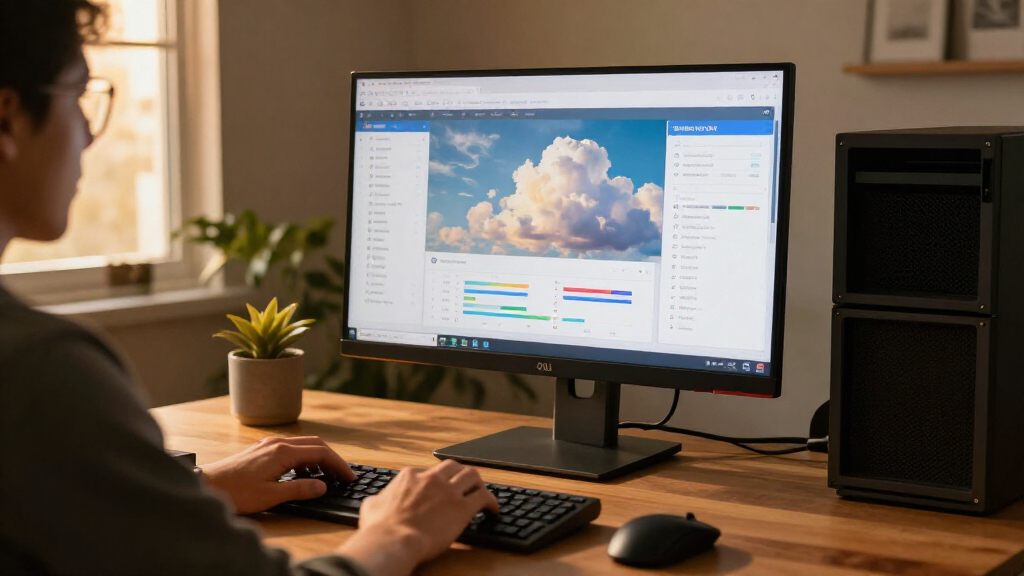
Dell’s S2725QC has a significant drop below its typical price. Its 4K IPS panel, 120Hz refresh rate, 99% sRGB coverage, 4ms response time, and FreeSync Premium make it worth a closer look for mixed work and play. Confirm the current offer and your connection needs before ordering.
The Dell 27 Monitor S2725QC is receiving a deal alert after a significant drop below its typical price. The supplied deal signal labels it an all-time low, though the price and availability shown by a retailer can change. The model combines a 4K UHD IPS panel with a 120Hz refresh rate, 99% sRGB coverage, a stated 4ms response time, and FreeSync Premium. That mix gives the monitor a broad appeal: it may suit someone who spends the day reading documents and switches to games or video in the evening.

Get business pricing on networking and server gear
- Business-only prices and quantity discounts
- Tax-exempt purchasing
- Multiple users, one account, clear invoices
A deal is most useful when the product fits the setup. Before you buy, consider whether your computer or console can output 4K at the refresh rate you want, how much desk space a 27-inch screen will occupy, and whether the monitor’s connections match your devices. The alert is a reason to check the offer, not a substitute for checking the listing details. The live price belongs in the retailer’s current listing; use the check-price link below to review it and confirm the purchase terms.
The deal signal describes a significant drop below typical price and labels it an all-time low; check the retailer for current terms.
The S2725QC pairs a 27-inch 4K UHD IPS display with a 120Hz refresh rate, 99% sRGB coverage, 4ms response time, and FreeSync Premium.
Verify ports, supported display modes, desk fit, warranty, seller, and return terms before ordering.
What changed
The change behind this alert is a significant drop below the Dell S2725QC’s typical price, with the deal signal marking it an all-time low. No specific price or discount figure is needed to understand the point: if you were already considering a 4K monitor, this could be a more favorable moment to compare the model against alternatives. The listing is the place to verify the current price because retailer offers can change between an alert being prepared and a shopper checking out.
The product specification is notable for combining 4K UHD resolution and a 120Hz refresh rate in a 27-inch IPS display. In a practical example, someone working with spreadsheets can keep fine text and dense columns in view, then use the higher refresh capability for compatible games or smoother-feeling desktop movement. The 99% sRGB specification may also appeal to people who edit everyday photos or prepare web graphics, although it does not by itself establish professional color accuracy. The 4ms response time and FreeSync Premium are relevant to gaming, while actual results depend on the computer, cable, settings, and game. Treat the deal label as a prompt to inspect the offer, then decide based on the monitor’s fit for your specific devices and tasks.
Products Worth Considering

Samsung 27-Inch Odyssey G5 QHD Gaming Monitor (G51F)

Bose SoundLink Max Portable Bluetooth Speaker, Black
Apple AirPods Pro with Wireless Charging Case
As an affiliate, we earn on qualifying purchases.
Why it matters
A monitor often stays on a desk through several kinds of work, so a combination of sharp detail and faster refresh can matter more than a single headline feature. At 4K resolution, a reader may find it easier to arrange multiple windows side by side—for example, a document beside a reference page—while a 120Hz panel can make supported motion appear smoother than a lower-refresh display. The benefit is most apparent when the computer can drive the chosen resolution and refresh rate; a device that cannot may not make full use of both specifications.
The IPS panel and stated 99% sRGB coverage add context for mixed use. They may make the screen a reasonable candidate for general photo adjustments, online content, and office tasks, but people with color-critical production work should check independent measurement data and workflow requirements before relying on the specification alone. Likewise, FreeSync Premium is a gaming feature, not a guarantee that every game will run smoothly; graphics hardware and settings still matter. Picture a home office where one person edits a presentation by day and plays a compatible game at night: this feature mix could reduce the need to choose between productivity and entertainment priorities. The deal matters most if those are genuinely your use cases and the current offer compares well with other monitors you would consider.
Check the live price
Review the retailer listing for the current offer and confirm that it is the S2725QC model before placing an order. Check the live price on Amazon. The live price is shown here: . Because prices, seller details, and availability can change, use the listing at checkout as the source for current terms. A deal alert cannot establish whether the product is in stock or whether the offer will remain available when you return.
Before buying, check the return window, warranty information, seller, delivery estimate, and any conditions attached to the listing. Then compare the monitor’s connection options with the devices you plan to use. For example, if a laptop is your main computer, verify that its video output and cable support the resolution and refresh rate you expect; don’t assume that a USB-C-shaped connector necessarily supports every display feature. Console owners should check their console’s supported output as well. Finally, compare the overall fit with your desk and viewing distance. A 27-inch display can be a sensible size for a compact workstation, but stand placement, screen height, and available depth still affect daily comfort. These checks turn a tempting price alert into a purchase decision grounded in your own setup.
Who may want it
The S2725QC is worth considering for people who want one monitor for detailed desktop work and some gaming or entertainment. A student might keep lecture notes, a browser, and a writing document visible in separate windows; a hybrid worker could move between video calls, spreadsheets, and personal use without switching displays. The 4K panel supports a detailed image, while the 120Hz specification and FreeSync Premium may be useful to compatible gaming setups. The listed 99% sRGB coverage is another point of interest for casual image work and web content.
That combination does not make the monitor the right choice for everyone. Someone whose computer is mainly used for basic email may not benefit much from 4K or 120Hz, while a competitive gamer may want to compare response behavior and gaming performance with specialized displays. A designer who needs dependable color decisions should investigate calibration and measured performance, not infer them from gamut coverage alone. Consider a household with a work laptop and a gaming PC: the model might be appealing if both devices can use the connections and display modes needed. If either device is older or limited, some of the headline specifications may go unused. The strongest reason to act on this alert is a clear match between the feature set, your hardware, and the current listing terms.
What to verify before ordering
Start with compatibility. Check the exact ports and supported display modes for both the monitor and the computer or console you intend to connect. A cable or adapter can affect available resolution and refresh rate, so a setup that works at 4K may not automatically deliver 120Hz. If you use a laptop dock, confirm that the dock supports your desired output too. This is a practical check: a buyer might otherwise receive the monitor and discover that the existing dock limits the refresh rate, adding cost or inconvenience.
Next, consider how the screen will fit into your routine. Measure the desk area, account for the stand, and think about how far you sit from the display. Check listing details for included cables, stand adjustments, warranty, seller, and return conditions rather than assuming they match another Dell model. If the monitor will be used for photo or video work, look for independent color testing and confirm that its capabilities suit your application. If gaming is the priority, verify that your graphics hardware supports the resolution and refresh rate and that the games you play can take advantage of them. These steps are useful even when a deal is attractive: they help you judge the complete purchase rather than focusing only on a temporary offer.
Frequently Asked Questions
What is the deal alert for the Dell S2725QC?
The supplied signal describes a significant drop below the monitor’s typical price and labels it an all-time low. The retailer listing is the source to check for the current offer and availability.
What are the S2725QC’s main display specifications?
The supplied product details list a 27-inch 4K UHD IPS panel, 120Hz refresh rate, 99% sRGB coverage, 4ms response time, and FreeSync Premium.
Will every computer deliver 4K at 120Hz on this monitor?
Not necessarily. The computer, graphics hardware, connection, cable, and any dock must support the resolution and refresh rate. Check each part of your setup before buying.
Is the S2725QC suitable for photo editing?
The stated 99% sRGB coverage may suit casual photo and web work, but color-critical projects call for independent accuracy measurements and a workflow-specific review.
Where can I check the live price?
Use the Amazon product listing to review the current price, seller, availability, and purchase terms.
What should I check before ordering?
Confirm device compatibility, ports and cables, desk fit, included accessories, warranty, seller, delivery estimate, and return conditions. These details help establish whether the offer works for your particular setup.
Conclusion
The Dell S2725QC deal alert may be timely for shoppers seeking one display for detailed work and compatible gaming. Its 4K resolution, 120Hz refresh rate, IPS panel, 99% sRGB coverage, 4ms response time, and FreeSync Premium offer a versatile specification mix, but the value depends on whether your devices and routine can use those features. Check the live listing for the current price and terms, then confirm connectivity, fit, and return details before deciding. If the monitor matches your setup, the reported drop gives you a reason to compare the offer now.