
Remote access policies allow you to enforce sovereignty by setting strict controls over who can connect, how they connect, and from where. You can implement multi-factor authentication, device posture checks, and role-based access to guarantee only authorized users gain entry. Encryption and session recording further protect data and monitor activity. By applying these measures, you maintain control over your environment, reduce risks, and stay compliant. Continue exploring to discover how to strengthen your remote access safeguards further.

Get business pricing on networking and server gear
- Business-only prices and quantity discounts
- Tax-exempt purchasing
- Multiple users, one account, clear invoices
Key Takeaways
- Implement role-based access controls to ensure users only access data and systems necessary for their roles.
- Enforce strong multifactor authentication and device posture checks to verify user identity and device security before granting access.
- Use encrypted channels like VPNs, VDI, or ZTNA to secure data transmission and isolate sessions from unmanaged devices.
- Maintain detailed logging and session recordings to audit remote activities and ensure compliance.
- Regularly recertify user access rights and revoke permissions promptly upon role changes or employment termination.
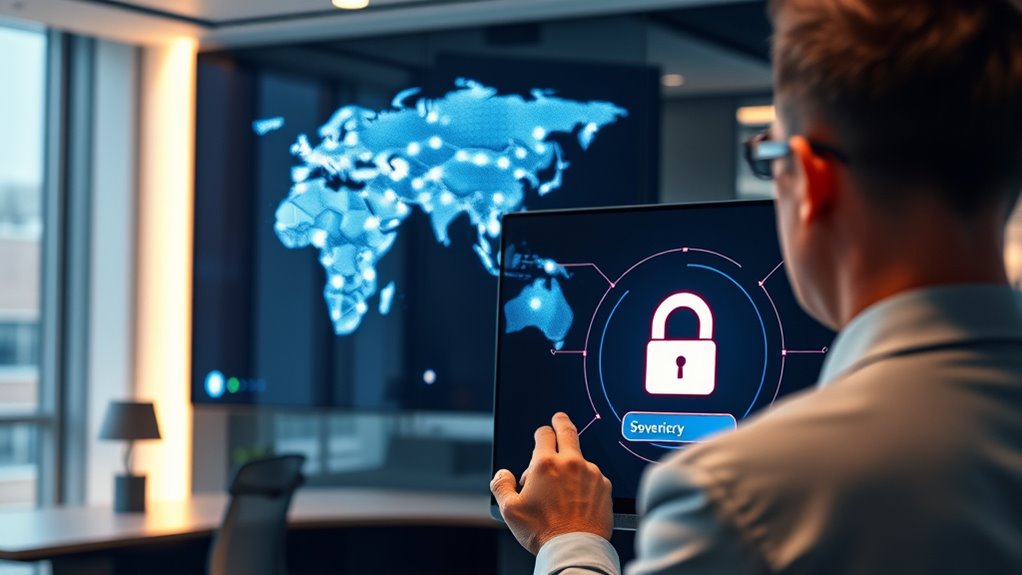
Remote access policies establish the rules and standards you must follow to connect securely to your organization’s systems from outside the office. These policies define who can access what, from which devices, and under what conditions. They cover employees, contractors, vendors, and approved devices, ensuring everyone understands their responsibilities. The primary goal is to protect your data’s confidentiality, maintain service availability, and keep remote sessions auditable. Compliance with legal and industry standards, like privacy laws and data residency requirements, is also integral. When exceptions are necessary, they follow documented workflows, with clear approval processes and time limits for temporary access.
Your remote access model includes multiple channels, such as VPNs, RDP, SSH, VDI, cloud portals, and Zero Trust Network Access (ZTNA). Applying the principle of least privilege, role-based controls restrict each user’s access to only what they need. Additional session-level controls enforce restrictions based on device posture, geolocation, and time of day, reducing risk. Unauthorized remote tools, like unvetted remote desktop applications or personal cloud storage, are prohibited unless explicitly approved. The entire remote access lifecycle—from onboarding and periodic recertification to emergency escalation and offboarding—is carefully managed to guarantee continuous control and security.
Implement role-based controls and session restrictions to ensure secure, least-privilege remote access.
Authentication and identity controls are fundamental. Strong multifactor authentication (MFA) is mandatory, especially for privileged accounts, which often require hardware tokens or app-based one-time passwords. You should separate administrative and user accounts, with dedicated procedures for emergencies. Single Sign-On (SSO) integrations simplify user access and enhance auditability, while regular credential rotation and identity proofing safeguard long-term accounts. Automated deprovisioning ensures credentials are revoked immediately upon employee departure or role change, preventing unauthorized access. Regular security training helps users recognize and avoid phishing attempts and other social engineering tactics that could compromise authentication.
Device security is equally critical. Only approved devices with up-to-date OS versions, patches, endpoint protection, and disk encryption are permitted. Mobile Device Management (MDM) or Endpoint Detection and Response (EDR) solutions are required for Bring Your Own Device (BYOD) or mobile devices. Devices must pass posture checks—antivirus active, firewalls enabled, vulnerability scans passed—before network access is granted. To avoid exposing your entire network, clientless options or network segmentation restrict access from unmanaged devices, and security standards mandate disabling insecure protocols and limiting local admin rights.
Data protection and session security are non-negotiable. Encryption must be enforced during data transmission, using TLS or stronger cipher suites, with VPNs configured to avoid deprecated protocols. Whenever possible, prefer Virtual Desktop Infrastructure (VDI) or ZTNA solutions that isolate sessions and keep sensitive data off remote endpoints. Logging and session recording, especially for high-risk or privileged sessions, help monitor activity and identify potential threats. By implementing these controls, your remote access policies become a robust framework for sovereignty, balancing operational flexibility with security and compliance.
multi-factor authentication hardware token
As an affiliate, we earn on qualifying purchases.
As an affiliate, we earn on qualifying purchases.
Frequently Asked Questions
How Often Should Remote Access Policies Be Reviewed and Updated?
You should review and update your remote access policies at least annually, or more frequently if there are significant changes in technology, threats, or your organization’s structure. Regular reviews guarantee you stay ahead of emerging security risks and compliance requirements. Keep an eye on industry best practices, employee feedback, and incident reports, making adjustments to strengthen security measures and maintain operational flexibility.
What Are the Best Tools for Monitoring Remote Access Security?
You should prioritize tools like SIEM systems, which analyze logs and detect anomalies, and behavioral analytics that spot suspicious user activities. Firewalls, VPNs, and MFA add essential layers of security. Regularly update and audit these tools to stay ahead of threats. Combining real-time monitoring with automated alerts helps you catch unauthorized access quickly. Embracing these tools guarantees your remote access stays protected while maintaining operational flexibility.
How Do Remote Access Policies Differ Across Industries?
You’ll find remote access policies differ across industries based on security needs and regulatory requirements. For example, healthcare emphasizes HIPAA compliance, enforcing strict data encryption and access controls. Financial sectors prioritize transaction security and fraud prevention, often using multi-factor authentication and real-time monitoring. Tech companies focus on flexibility and innovation, balancing security with user experience. You should tailor your policies to meet industry standards, ensuring appropriate safeguards while supporting operational efficiency.
What Training Methods Improve Employee Compliance With Remote Policies?
You improve employee compliance with remote policies by engaging them through interactive training, reinforcing best practices, and providing clear, accessible resources. Use simulation exercises to mirror real scenarios, encourage ongoing education to keep security top of mind, and foster a culture of accountability through regular feedback. Visual aids and concise guidelines help employees visualize their responsibilities, while periodic assessments guarantee understanding, making compliance second nature like riding a bike or tying shoelaces.
How Is Remote Access Policy Enforcement Measured for Effectiveness?
You measure remote access policy enforcement effectiveness through monitoring tools that track access logs, behavioral analytics, and real-time alerts. Regular audits and employee training help identify compliance gaps, while incident reports reveal potential breaches. Using SIEM systems for session tracking and anomaly detection allows you to spot unauthorized activity quickly. Consistently reviewing and updating policies guarantees ongoing security, and documenting enforcement actions demonstrates adherence and improves overall policy effectiveness.
As an affiliate, we earn on qualifying purchases.
Conclusion
In today’s digital age, your remote access policies are your modern-day shield, safeguarding sovereignty like a digital fortress. By clearly defining who can connect, from where, and how, you maintain control—no need for a crystal ball to foresee potential breaches. Think of it as your own Starfleet protocol, ensuring only authorized personnel breach the hull. Stick to strong policies, stay vigilant, and you’ll keep your kingdom secure, even when the world feels like it’s straight out of a Jules Verne novel.
VPN with encryption for remote access
As an affiliate, we earn on qualifying purchases.
As an affiliate, we earn on qualifying purchases.
As an affiliate, we earn on qualifying purchases.
Halloween Picks
halloween
As an affiliate, we earn on qualifying purchases.