

Shopping for cloud server hosting plans in 2026 means choosing between managed public clouds, self-hosted private infrastructure, and everything in between — and the right pick depends heavily on your budget, technical skill, and how much control you want. After comparing the options side by side, Microsoft Azure Infrastructure Services for Architects stands out as the best overall choice, thanks to its enterprise-grade scalability and deep design guidance for production workloads. Proxmox VE for Beginners is the strongest value pick if you’d rather build your own server than rent one, while The Complete Microsoft Azure Handbook earns the premium slot for teams managing hybrid and AI-driven environments. The main tradeoff in this category is convenience versus control: public clouds handle maintenance for you but bill unpredictably, whereas self-hosted setups cost less over time but demand real Linux and networking chops. Read on for the full breakdown of what each option does well, where it falls short, and which buyer it actually suits.

Get business pricing on networking and server gear
- Business-only prices and quantity discounts
- Tax-exempt purchasing
- Multiple users, one account, clear invoices
Key Takeaways
- Azure dominated the comparison for production-scale hosting, but its two entries serve different readers: the architect-focused guide targets experienced designers, while the handbook covers a broader beginner-to-intermediate path including DevOps and AI services.
- Self-hosted options (Proxmox VE, TrueNAS, Homelab for Beginners) consistently delivered the lowest long-run cost per gigabyte of storage and compute, but every one of them assumes you’ll handle your own backups, security patching, and hardware failures.
- Four of the ten picks are beginner titles, which reflects how steep the learning curve is in this category — if you’ve never touched a terminal, a guided path like Homelab for Beginners beats jumping straight into Azure.
- Debian 13 for Servers and Cloud Infrastructure emerged as the quiet workhorse pick: less flashy than Azure or Proxmox, but the most directly relevant resource if your hosting plan runs on the OS layer most providers actually use.
- The certification guide (CompTIA Linux+/Server+/Cloud+) ranked lowest for buyers who just want hosting, but it’s the right buy if your goal is a career managing cloud infrastructure rather than launching one project.



| cloud server hosting plan | Format | Audience Level | Platform Focus | Topics Covered |
|---|---|---|---|---|
| Microsoft Azure Infrastructure | Book (ebook/print) | Architects, advanced | Microsoft Azure | Infrastructure services, architecture patterns, deployment strategies |
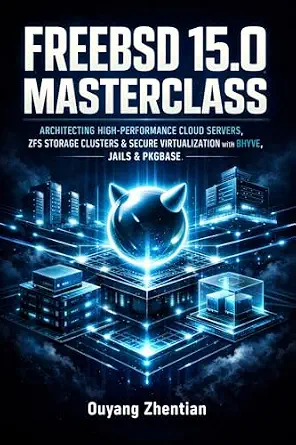
| FreeBSD 15.0 Masterclass: Arch | Course/masterclass | Advanced system administrators | FreeBSD 15.0 | Cloud servers, storage clusters, secure virtualization |
| Proxmox VE for Beginners: Buil | Book (ebook/print) | Beginners | Proxmox VE | Virtual machines, LXC containers, Docker, storage, networking, backups, self-hosted apps |
| TrueNAS Home Server Projects: | Book (ebook/print) | Intermediate DIY builders | TrueNAS Community Edition | Storage, apps, backups, disaster recovery |
| The Complete Microsoft Azure H | Book (ebook/print) | IT professionals, developers | Microsoft Azure | Infrastructure, hybrid cloud, cloud-native development, DevOps, security, AI |
| Cloud Computing and Automation | Paperback / eBook study guide | Beginner | — | — |
| Homelab for Beginners: Build Y | Paperback / eBook guide | Beginner to intermediate | — | — |
| Self-Hosted Cloud Storage for | Paperback / eBook guide | Beginner with technical aptitude | — | — |
| Debian 13 for Servers and Clou | Paperback / eBook technical guide | Intermediate to advanced | Debian 13 (latest stable) | — |
| CompTIA Systems and Cloud Mast | Paperback / eBook study guide | Experienced IT professionals | — | — |
More Details on Our Top Picks
Microsoft Azure Infrastructure Services for Architects: Designing Cloud Solutions
Most titles in this roundup teach you how to operate cloud infrastructure; this one teaches you how to design it. That distinction matters if your job involves making architecture decisions before a single server is provisioned. The book walks through Azure infrastructure services with a focus on architecture patterns and deployment strategies, which translates into fewer costly redesigns later. Compared with The Complete Microsoft Azure Handbook, which spreads itself across DevOps, security, and AI, this one stays disciplined on infrastructure design — a tighter lens for architects. The tradeoff is depth over breadth: if you need hands-on implementation steps rather than blueprints, this won’t hand them to you.
Pros:- Focused specifically on Azure architecture design rather than general cloud concepts
- Includes reusable architecture patterns and best practices
- Covers deployment strategies that reduce redesign costs
- Better suited to senior roles than broad-survey Azure titles
Cons:- Assumes prior Azure knowledge — not an entry point
- No reader ratings available to gauge real-world reception
- Design-heavy content may frustrate readers wanting concrete lab exercises
Best for: Solutions architects and senior engineers who design Azure environments and need pattern-level guidance rather than beginner tutorials
Not ideal for: Beginners or hands-on operators who need step-by-step setup instructions — the design-first framing assumes existing cloud literacy
- Format:Book (ebook/print)
- Platform Focus:Microsoft Azure
- Audience Level:Architects, advanced
- Topics Covered:Infrastructure services, architecture patterns, deployment strategies
- Prerequisites:Working knowledge of Azure and cloud design
- Series:Standalone title
Our verdict“Pick this if you draw the cloud diagrams rather than build the servers; skip it if you’re still learning the Azure console.”
FreeBSD 15.0 Masterclass: Architecting High-Performance Cloud Servers, ZFS Storage Clusters & Secure Virtualization with Bhyve, Jails & Pkgbase
This is the most technically demanding entry in the lineup, and that’s its selling point. Where Proxmox VE for Beginners holds your hand through a home lab, this masterclass assumes you already run servers and want to push FreeBSD 15.0 hard — ZFS storage clusters, Bhyve virtualization, Jails, and Pkgbase. Those features matter because they deliver the data integrity and isolation that performance-sensitive cloud deployments depend on. Compared with the TrueNAS book, which uses OpenZFS for a storage appliance, this goes further into clustered, multi-node territory. The obvious drawback: it’s a niche skill set. If your career doesn’t involve BSD systems, the investment is hard to justify against a Linux-focused alternative like Debian 13 for Servers and Cloud Infrastructure.
Pros:- Rare deep coverage of FreeBSD 15.0 specifically, not older versions
- Combines storage clustering, virtualization, and system packaging in one resource
- Practical example configurations rather than pure theory
- Strong focus on security and performance engineering
Cons:- Steep learning curve with no beginner on-ramp
- Niche platform limits transferability to Linux-based shops
- No reader ratings or pricing transparency available
Best for: Experienced sysadmins and BSD specialists building high-performance, security-hardened server infrastructure
Not ideal for: Linux-centric teams or beginners — the BSD toolchain and assumed expertise create a steep, possibly irrelevant learning curve
- Format:Course/masterclass
- Platform Focus:FreeBSD 15.0
- Core Technologies:ZFS, Bhyve, Jails, Pkgbase
- Audience Level:Advanced system administrators
- Topics Covered:Cloud servers, storage clusters, secure virtualization
- Prerequisites:Solid server administration background
Our verdict“A specialist’s tool for specialists — outstanding if FreeBSD is in your stack, skippable if it isn’t.”
Proxmox VE for Beginners: Build a Home Server with Virtual Machines, Linux Containers, Docker, Storage, Networking, Backups, and Self-Hosted Apps
This is the friendliest entry point in the roundup for anyone who wants a hands-on server rather than a cloud vendor certification. It walks through Proxmox VE step by step — virtual machines, Linux containers, Docker, storage, networking, backups, and self-hosted apps — which means you finish with a working lab, not just vocabulary. Compared with Cloud Computing and Automation for Beginners, which teaches platform concepts and CI/CD theory, this book gets your hands on real infrastructure you own. The tradeoff is ambition: it’s deliberately home-server scoped. Readers who outgrow it — or who arrive already comfortable with hypervisors — will find the pacing slow and the material thin on enterprise concerns like multi-node clustering.
Pros:- Genuinely step-by-step structure accessible to complete newcomers
- Unusually broad scope: VMs, containers, Docker, storage, and backups in one place
- Ends with self-hosted apps, giving a tangible payoff for the effort
- Cheaper and faster than trial-and-error learning
Cons:- Too basic for anyone with prior hypervisor experience
- Doesn’t state technical prerequisites, so some readers may stall early
- Home-server focus means little enterprise Proxmox coverage
Best for: First-time home lab builders who want guided, project-based instruction from zero to a running server
Not ideal for: Experienced administrators or enterprise-focused learners — the content is too foundational and home-lab oriented
- Format:Book (ebook/print)
- Platform Focus:Proxmox VE
- Audience Level:Beginners
- Topics Covered:Virtual machines, LXC containers, Docker, storage, networking, backups, self-hosted apps
- Deployment Target:Home server
- Prerequisites:Not stated; assumes basic computer literacy
Our verdict“The clearest on-ramp in this roundup for building your first real server at home.”
TrueNAS Home Server Projects: Build a Reliable NAS and Private Cloud with TrueNAS Community Edition
If your real goal is owning your data rather than renting compute, this is the pick that matches. The book centers on TrueNAS Community Edition and the storage stack underneath it — OpenZFS, SMB, snapshots, replication, backups, and disaster recovery — translating into a private cloud that won’t evaporate if a subscription lapses. Compared with Self-Hosted Cloud Storage for Beginners, which leans on Nextcloud and sync tools, this goes deeper on the storage layer itself, treating data protection as the architecture rather than an add-on. The honest tradeoff: it’s narrower than the Proxmox book. You’ll learn storage and file services thoroughly, but general-purpose virtualization and app hosting get less attention. It also assumes some technical comfort and offers no hardware shopping list, so budget planning falls on you.
Pros:- Deep, practical treatment of OpenZFS and TrueNAS specifically
- Disaster recovery and replication covered as first-class topics
- Project-based structure that produces a working NAS
- Community Edition focus keeps costs at zero for software
Cons:- No hardware recommendations, leaving sizing decisions to the reader
- Assumes technical knowledge despite its project format
- Storage-centric scope shortchanges compute and virtualization topics
Best for: DIY builders whose priority is a rock-solid NAS and private cloud with serious data protection, not a general-purpose server
Not ideal for: Readers wanting broad server skills or a curated hardware parts list — the storage focus and assumed knowledge will leave gaps
- Format:Book (ebook/print)
- Platform Focus:TrueNAS Community Edition
- Core Technologies:OpenZFS, SMB, snapshots, replication
- Audience Level:Intermediate DIY builders
- Deployment Target:Home NAS and private cloud
- Topics Covered:Storage, apps, backups, disaster recovery
Our verdict“The strongest choice here for data durability and private storage — just bring your own hardware plan.”
The Complete Microsoft Azure Handbook: Master Infrastructure, Hybrid Cloud, Cloud-Native Development, DevOps, Security, Artificial Intelligence
Where Microsoft Azure Infrastructure Services for Architects drills into design, this handbook does the opposite: it surveys the entire Azure landscape — infrastructure, hybrid cloud, cloud-native development, DevOps, security, and AI — inside one cover. That breadth is the product. An IT professional or developer moving into Azure-adjacent work gets a single reference that connects infrastructure to pipelines to security posture, instead of buying four books. The cost of that scope is focus: no single chapter matches the depth of a dedicated title, so architects making specific design decisions will get more from the specialized book. It also leans technical, which puts it closer to CompTIA Systems and Cloud study-guide territory than to true beginner material. With no ratings published yet, you’re weighing its promise against unproven reception.
Pros:- Unmatched topical breadth: infrastructure through AI in one volume
- Connects DevOps and security practices to cloud infrastructure decisions
- Useful as a career-spanning reference rather than a one-off read
- Part of an established handbook series
Cons:- Breadth sacrifices depth on every individual topic
- No customer ratings or pricing published
- Technical density makes it a poor first cloud book
Best for: IT professionals and developers who want one wide-ranging Azure reference spanning infrastructure, DevOps, and AI
Not ideal for: Absolute beginners and specialists — the former will find it dense, the latter will want deeper single-topic coverage
- Format:Book (ebook/print)
- Platform Focus:Microsoft Azure
- Audience Level:IT professionals, developers
- Topics Covered:Infrastructure, hybrid cloud, cloud-native development, DevOps, security, AI
- Series:Complete Cloud Computing Handbook Series
- Prerequisites:General IT background recommended
Our verdict“Buy it to map the whole Azure ecosystem; buy something narrower when you need to master one corner of it.”
Cloud Computing and Automation for Beginners: A Step-by-Step Guide to Modern Cloud Platforms, Infrastructure as Code, and CI/CD Workflows
This title earns its spot as the gentlest on-ramp to cloud concepts in the entire lineup. While Microsoft Azure Infrastructure Services for Architects assumes you already speak fluent infrastructure, this book starts from first principles, walking through cloud platforms, Infrastructure as Code, and CI/CD workflows in plain language. The step-by-step structure makes it the right first purchase before tackling heavier titles.
The tradeoff is depth. Compared with Debian 13 for Servers and Cloud Infrastructure, this guide stays at survey level, and the absence of hands-on labs means you’ll finish with conceptual understanding but not calloused fingers. Pair it with a practical book like Homelab for Beginners if you want theory plus practice.
Pros:- Explains cloud, IaC, and CI/CD concepts without assuming prior experience
- Step-by-step pacing that keeps beginners from getting lost
- Practical examples ground abstract DevOps ideas
- Broadest conceptual foundation of any beginner title in this roundup
Cons:- Lacks the technical depth needed to actually implement what’s described
- No hands-on exercises or labs to reinforce the material
Best for: Career-changers and students who need cloud and DevOps vocabulary explained from zero before investing in certification or platform-specific books
Not ideal for: Working sysadmins — the conceptual coverage will feel redundant if you already run CI/CD pipelines daily
- Format:Paperback / eBook study guide
- Audience Level:Beginner
- Core Topics:Cloud platforms, Infrastructure as Code, CI/CD workflows, automation
- Structure:Step-by-step progressive chapters
- Examples:Practical illustrations included
- Hands-On Labs:Not included
- Best Paired With:A lab-based homelab or NAS guide
Our verdict“Buy this first if you’re new to cloud concepts, then graduate to a hands-on title like Homelab for Beginners.”
Homelab for Beginners: Build Your First Home Server with Proxmox VE, Docker, TrueNAS, Linux Virtual Machines, Self-Hosting, and Home Network Setup
Where most cloud books stop at theory, this one gets your hands dirty. Covering Proxmox VE, Docker, TrueNAS, and Linux VMs in a single arc, it’s effectively a home lab curriculum — and that breadth is what separates it from narrower picks. Compared with Proxmox VE for Beginners, which drills into one platform, this guide trades depth for a full-stack self-hosting education, including network setup that other titles skip entirely.
The compromise: it’s a jack-of-all-technologies. If you’ve already committed to TrueNAS specifically, TrueNAS Home Server Projects will take you further down that road. And advanced users will find the pacing too gentle. For a first server build, though, the end-to-end walkthrough approach makes this the strongest practical entry point in the batch.
Pros:- Covers Proxmox, Docker, TrueNAS, and Linux VMs in one coherent build path
- Includes home network setup, a gap in most competing guides
- Step-by-step instructions suitable for a genuine first build
- Doubles as a self-hosting project idea book
Cons:- Spreads thin across many technologies rather than mastering one
- Too basic for readers who already run a homelab
Best for: Tinkerers building their first home server who want one book covering virtualization, containers, storage, and networking together
Not ideal for: Experienced homelab operators — the multi-technology coverage stays at introductory depth on each tool
- Format:Paperback / eBook guide
- Audience Level:Beginner to intermediate
- Platforms Covered:Proxmox VE, Docker, TrueNAS, Linux virtual machines
- Additional Topics:Self-hosting, home network setup
- Structure:Project-based step-by-step instructions
- Depth Per Tool:Introductory to intermediate
Our verdict“The best single book if you’re building your first server and want the whole journey — hypervisor to network — in one place.”
Self-Hosted Cloud Storage for Beginners: Build Your Own Private Dropbox with NAS, Nextcloud, Syncthing, WireGuard, Tailscale & Secure Storage
This is the most purpose-driven pick in the lineup: it answers one question — how do I replace Dropbox with something I control? By bundling Nextcloud, Syncthing, WireGuard, and Tailscale into a single storage project, it goes further than Homelab for Beginners, which treats storage as one chapter among many. The VPN coverage stands out because secure remote access is exactly where most DIY clouds fail.
But be honest about the workload. The book is labeled beginner-friendly, yet running your own cloud means ongoing maintenance, updates, and configuration vigilance — a misconfigured instance can be less secure than commercial cloud storage, not more. If you want file syncing without the responsibility, a subscription service still makes sense. For small businesses and privacy-minded households willing to do the work, this is the sharper tool.
Pros:- Focused, single-project scope keeps the book actionable
- Covers secure remote access via WireGuard and Tailscale, not just the storage layer
- Multiple tool options let readers match solutions to their hardware
- Directly replaces a recurring cloud storage subscription
Cons:- Real setup and maintenance effort exceeds what ‘beginner’ implies
- No hardware requirements guidance, so sizing your NAS is guesswork
- Poor configuration can introduce security risk rather than reduce it
Best for: Privacy-conscious individuals and small businesses ready to own their file infrastructure and leave subscription cloud storage behind
Not ideal for: Set-and-forget users — self-hosted storage demands ongoing maintenance and careful security configuration
- Format:Paperback / eBook guide
- Audience Level:Beginner with technical aptitude
- Tools Covered:NAS, Nextcloud, Syncthing, WireGuard, Tailscale
- Primary Outcome:Private self-hosted cloud storage
- Security Coverage:VPN tunneling and secure storage configuration
- Hardware Guidance:Not detailed
Our verdict“The right buy if escaping subscription cloud storage is your actual goal and you accept the maintenance that comes with ownership.”
Debian 13 for Servers and Cloud Infrastructure: Designing, Deploying, and Managing Reliable Debian 13-Based Servers for Web Hosting, Containers, Virtual Machines, and Scalable Cloud Environments
This is the most professionally oriented title in this half of the roundup. Rather than a home lab or a certification cram, it treats Debian 13 as a production foundation — web hosting, containers, VMs, and scalable cloud design — with deployment strategies that mirror how real infrastructure teams work. Compared with Homelab for Beginners, the ambition is entirely different: this is about reliable, scalable servers, not weekend self-hosting projects.
The platform choice is both the strength and the constraint. Debian’s stability makes it a smart base for long-lived servers, but readers invested elsewhere — say, in the FreeBSD 15.0 Masterclass or the Azure titles — won’t cross over easily. It also sits at a genuinely advanced level, so Cloud Computing and Automation for Beginners is the better starting rung if terms like container orchestration are still new.
Pros:- Current coverage of Debian 13, the latest stable release
- Spans design, deployment, and ongoing management, not just installation
- Practical deployment strategies for web hosting, containers, and VMs
- One of the few titles here aimed at production rather than homelab scale
Cons:- Advanced material that overwhelms readers without Linux server basics
- Narrowly focused on one distribution, limiting relevance for mixed environments
Best for: Linux-leaning admins and developers designing production Debian servers for hosting or scalable cloud workloads
Not ideal for: Windows-first or Azure-centric teams — the skills don’t transfer cleanly to Microsoft’s ecosystem
- Format:Paperback / eBook technical guide
- Audience Level:Intermediate to advanced
- Platform Focus:Debian 13 (latest stable)
- Workloads Covered:Web hosting, containers, virtual machines
- Core Focus:Design, deployment, and management of scalable cloud servers
- Scope:Production infrastructure best practices
Our verdict“The clear pick if you run or plan to run production Debian infrastructure and want one book covering the full server lifecycle.”
CompTIA Systems and Cloud Master Linux+, Server+, Cloud+ Fast Track Study Guide
Unique in this roundup, this book’s value isn’t a project or a platform — it’s a credential. Bundling Linux+, Server+, and Cloud+ prep into one volume, it targets readers whose goal is passing exams that open doors to cloud infrastructure jobs. The practice questions and exam tips are what you’re really paying for; none of the hands-on titles here, from Homelab for Beginners to the Debian 13 guide, offer that exam-aligned structure.
The flip side of triple certification coverage is compression. Each exam normally warrants its own book, so this works best as a fast-track review for experienced candidates, not a first exposure. If you’re starting from zero, Cloud Computing and Automation for Beginners builds the foundations this guide assumes. And if you want deep Azure architecture knowledge rather than certification points, the Azure Handbook serves better.
Pros:- Covers three CompTIA certifications in a single volume
- Includes practice questions and exam-specific tips
- Fast-track structure suits working professionals on a deadline
- Certifications carry weight with employers in a way project books don’t
Cons:- Triple-exam scope compresses each subject, risking gaps for underprepared candidates
- Dense material that beginners will find punishing
Best for: IT professionals with existing experience who want an efficient consolidated review before sitting multiple CompTIA exams
Not ideal for: Complete newcomers — the dense, exam-focused format assumes baseline IT knowledge you may not have yet
- Format:Paperback / eBook study guide
- Certifications Covered:CompTIA Linux+, Server+, Cloud+
- Study Aids:Practice questions and exam tips
- Audience Level:Experienced IT professionals
- Approach:Consolidated fast-track review
- Outcome Focus:Exam readiness and certification
Our verdict“Choose this when the goal is passing Linux+, Server+, and Cloud+ efficiently — not when the goal is building something.”

How We Picked
I evaluated each option through the lens a hosting buyer actually cares about: cost structure, scalability, operational burden, and the skill level required to run it successfully. Public cloud platforms like Azure were judged on their breadth of VM tiers, autoscaling behavior, and how well the accompanying material explains real-world architecture decisions. Self-hosted and homelab options were scored on hardware requirements, backup and resilience guidance, and how realistically a beginner could follow along without an enterprise budget.
Ranking also reflected versatility and long-term value. Titles that lock you into a single vendor’s ecosystem ranked lower for general buyers, while those teaching transferable skills — Linux administration, virtualization, container networking — ranked higher. Finally, I weighted fit-for-purpose: an option can be excellent at what it does and still rank lower if it serves a narrower audience, which is exactly how the certification study guide landed at the bottom of a hosting-focused lineup despite being solid for career changers.
| cloud server hosting plan | Format | Platform Focus | Topics Covered |
|---|---|---|---|
| Microsoft Azure Infrastructure | Book (ebook/print) | Microsoft Azure | Infrastructure services, architecture patterns, deployment strategies |
| FreeBSD 15.0 Masterclass: Arch | Course/masterclass | FreeBSD 15.0 | Cloud servers, storage clusters, secure virtualization |
| Proxmox VE for Beginners: Buil | Book (ebook/print) | Proxmox VE | Virtual machines, LXC containers, Docker, storage, networking, backups, self-hosted apps |
| TrueNAS Home Server Projects: | Book (ebook/print) | TrueNAS Community Edition | Storage, apps, backups, disaster recovery |
| The Complete Microsoft Azure H | Book (ebook/print) | Microsoft Azure | Infrastructure, hybrid cloud, cloud-native development, DevOps, security, AI |
| Cloud Computing and Automation | Paperback / eBook study guide | — | — |
| Homelab for Beginners: Build Y | Paperback / eBook guide | — | — |
| Self-Hosted Cloud Storage for | Paperback / eBook guide | — | — |
| Debian 13 for Servers and Clou | Paperback / eBook technical guide | Debian 13 (latest stable) | — |
| CompTIA Systems and Cloud Mast | Paperback / eBook study guide | — | — |
Factors to Consider When Choosing Cloud Server Hosting Plans
Choosing between cloud server hosting plans is less about finding the “best” platform and more about matching a deployment model to your workload, budget, and tolerance for maintenance. These are the factors that most often make or break the decision.Managed Cloud vs. Self-Hosted: The Core Tradeoff
The single biggest decision is whether someone else runs the servers or you do. Managed public clouds like Azure shift hardware failures, power, cooling, and security patching onto the provider, which is why they charge a premium — and why bills can surprise you when traffic spikes or resources idle unnoticed. Self-hosting on Proxmox, TrueNAS, or a Debian box inverts that equation: hardware and electricity costs are front-loaded and predictable, but every 2 a.m. outage is your problem. A common mistake is underestimating the operational half of self-hosting; the setup weekend is fun, the years of patching and backup verification are the actual commitment. A useful rule of thumb is that self-hosting pays off when your storage needs are large and steady, while managed clouds win when demand is spiky or when downtime would cost you real money.
Pricing Models and Bill Shock
Public cloud plans bill on a combination of vCPU-hours, RAM, storage, and — most dangerously — egress bandwidth, which is the charge that quietly wrecks budgets for data-heavy projects. Before committing, model your monthly cost at both expected and tripled usage, and check whether the plan includes reserved-instance or savings-plan discounts for steady workloads. Self-hosted pricing is inverted: a few hundred dollars upfront for hardware, then pennies per month in electricity, which makes it dramatically cheaper after roughly the first year for storage-heavy use cases. Beware of “free tier” hosting plans that auto-convert to paid billing when limits are exceeded — set spending alerts on day one, not after the first invoice. The buyers who lose the most money in this category are those who never reconcile the pricing model against their actual traffic pattern.
Scalability: Vertical, Horizontal, or None
Scalability means different things on different plans. Public clouds scale horizontally almost infinitely — spin up fifty VMs, tear them down, pay only for hours used — which is why they dominate for apps with unpredictable growth. Self-hosted setups scale vertically until your motherboard runs out of slots, and beyond that you’re designing a cluster, which is a genuine engineering project rather than a checkbox. Many buyers overbuy scalability they’ll never use: a personal Nextcloud instance or a home media server will never need autoscaling, so paying cloud premiums for it is wasted money. The honest question is whether your workload will grow tenfold in the next two years; if the answer is no, scalability should barely factor into your decision.
Your Actual Skill Level (Be Honest)
Every option in this category has a skill floor, and mismatches there are the leading cause of abandoned projects. If the command line intimidates you, a guided beginner path — building a homelab step by step, or standing up a private Dropbox clone with Nextcloud — will teach you the fundamentals while producing something usable. Intermediate users comfortable with Linux can jump straight to Debian server administration or Proxmox virtualization. Enterprise architects designing multi-region infrastructure need material that assumes that baseline rather than re-teaching it, which is exactly why the Azure architect title exists. The mistake I see most often is beginners buying advanced material because it sounds more prestigious, then abandoning it in chapter two — start one level below where you think you are.
Data Redundancy and Backup Reality
Redundancy is the factor buyers skip until it costs them everything. Cloud providers replicate your data across availability zones, but that protects against hardware failure, not against you deleting the wrong directory — a mistake the provider’s redundancy faithfully replicates. Self-hosters must design their own protection, which means at minimum a ZFS or RAID array for disk failure plus an off-site copy for disaster, and the TrueNAS and Proxmox resources earn their spots largely for treating this properly. A good test for any plan or platform: ask what happens if the building burns down. If the answer is “nothing recoverable,” you don’t have a backup strategy, you have a copy. Whatever path you choose, automate backups and periodically test restoring them — an untested backup is a hope, not a plan.
Vendor Lock-In and Portability
The deeper you integrate with any single provider’s proprietary services — managed databases, queue systems, serverless functions — the harder and more expensive it becomes to leave. Lock-in isn’t inherently bad; deep Azure integration buys real productivity if you’re committed to that ecosystem for five-plus years. But if you’re uncertain about your long-term platform, favor skills and architectures that transfer: standard Linux, Docker containers, and infrastructure-as-code patterns move between providers nearly unchanged. This is why OS-level and container-focused resources hold their value longer than vendor-specific ones. A balanced approach for growing teams is to keep stateless workloads portable while selectively embracing provider-specific services where the payoff clearly justifies the tether.
Frequently Asked Questions
Is it cheaper to use a public cloud plan or build my own server?
It depends almost entirely on your workload profile. For storage-heavy, steady-state use — a media server, a private cloud with terabytes of files — self-hosting on Proxmox or TrueNAS typically breaks even against cloud pricing within 12 to 18 months and gets dramatically cheaper afterward. For spiky or short-lived workloads, clouds win because you pay by the hour and release resources instantly, whereas home hardware sits idle whether you use it or not. Don’t forget to price your own time: if an afternoon of maintenance per month is worth something to you, fold that into the math. The buyers who lose on both ends are those who rent cloud capacity for steady workloads or build home servers for projects that run two weeks a year.
Do I need to learn Linux before choosing a cloud hosting plan?
You don’t need it to sign up for a managed plan, but you’ll need it within weeks of doing anything serious, because Linux runs the overwhelming majority of cloud and self-hosted servers. Azure, AWS, and Google Cloud all default to Linux VMs for cost reasons, and every self-hosted path in this roundup assumes command-line comfort. The practical question is sequencing: some learners do better taking a guided beginner path first (the homelab or private-cloud-storage titles) and treating the server as the classroom, while others prefer learning Debian administration abstractly before touching production. What doesn’t work is skipping it entirely — graphical dashboards only take you so far before a config file, a firewall rule, or a systemd service stands between you and a working deployment.
What’s the difference between a VPS and a cloud server hosting plan?
A VPS is traditionally one slice of one physical machine with fixed resources you’re billed monthly, while a “cloud” plan implies elastic resources billed by usage, spread across redundant hardware, and adjustable on demand. In practice the lines have blurred — most modern VPS products run on cloud infrastructure, and the marketing terms are often interchangeable. The distinction that still matters is API-driven scalability: a true cloud plan lets you programmatically add or remove instances, attach block storage, and autoscale, while a classic VPS expects you to upgrade to a bigger static package. If your workload never changes size, that difference is worth nothing and a cheap VPS is the better buy. If it does, or might, the cloud model’s flexibility justifies its higher per-hour rates.
Are the beginner-oriented guides enough, or should I start with Azure directly?
The beginner guides are enough to get a working system, and for many buyers that’s the whole goal — a functioning home server or private cloud beats an abandoned enterprise project every time. Starting directly with Azure works if you learn well from official documentation, are comfortable with some trial-and-error cost, and genuinely need public-cloud scale from day one. What beginner resources provide that free docs don’t is sequencing: a curated order of concepts so you’re not configuring virtual networks before you understand what an IP address does in that context. A smart hybrid approach is to build something small and self-hosted first, then migrate to Azure once you understand what the cloud platform is actually abstracting away for you.
How much storage and RAM should my first server plan include?
For a first project, 2 vCPUs, 4 GB of RAM, and 80–100 GB of storage handles a personal website, a small Nextcloud instance, or a handful of Docker containers comfortably. The mistake beginners make more often than underbuying is overbuying — paying for 8 GB of RAM and 500 GB of storage for a blog that needs a tenth of it. Where sizing actually matters is RAM for databases and VM hosts (virtualization wants 16 GB minimum on the host) and storage growth for media or backups, which creep upward forever. On cloud plans, start small and resize up, since scaling up takes minutes; on self-built hardware, buy a bit of headroom because adding RAM later means another purchase cycle. The one spec not to skimp on is storage type — NVMe-backed plans make a night-and-day difference in database responsiveness versus spinning-disk or cheap network storage.
Conclusion
The right cloud server hosting plan comes down to who you are as a buyer, not which option scores highest in the abstract. For the best overall pick, Microsoft Azure Infrastructure Services for Architects matches the most common real-world scenario — production workloads that need enterprise scalability — while The Complete Microsoft Azure Handbook is the best premium choice for teams investing in hybrid, DevOps, and AI capabilities over the long haul. The best value in this lineup is Proxmox VE for Beginners, which converts modest hardware into a genuinely capable virtualization platform for a fraction of recurring cloud fees. True beginners have two strong on-ramps: Homelab for Beginners for general server skills, or Self-Hosted Cloud Storage for Beginners if the goal is specifically replacing Dropbox with your own private cloud. For specific needs, TrueNAS Home Server Projects is the pick for storage-first builds, Debian 13 for Servers and Cloud Infrastructure for mastering the OS layer underneath most hosting plans, and the CompTIA study guide for anyone whose real purchase is a career rather than a server. Whatever you choose, size the plan to your actual workload, set budget alerts or buy hardware deliberately, and never skip the backup strategy — those three habits matter more than which logo runs your infrastructure.