For most cloud-server builders using an M.2 slot, I’d start with the Samsung 990 PRO 2TB for its high-end PCIe 4.0 performance and useful capacity; the Micron 9300 Max 6.4TB is the enterprise-oriented choice when a compatible U.2 platform and sustained workloads matter more. The Samsung 9100 PRO 2TB is a standout for systems built to use PCIe 5.0, while the more accessible PCIe 4.0 drives can suit lighter services and development hosts. The main tradeoffs are not just speed versus capacity: form factor, endurance, thermal behavior, platform support, and workload consistency also shape server suitability. A consumer M.2 drive may be a poor fit for a storage chassis designed for hot-swap U.2 or U.3 devices. Read on for the full comparison and guidance on matching each option to a cloud-server workload.

Get business pricing on networking and server gear
- Business-only prices and quantity discounts
- Tax-exempt purchasing
- Multiple users, one account, clear invoices
Key Takeaways
- Samsung 990 PRO 2TB is my best overall M.2 pick in this lineup because it pairs a high-performance PCIe 4.0 interface with more capacity than the 1TB alternatives.
- Micron 9300 Max 6.4TB is the distinct enterprise-capacity option, but its U.2 form factor means it only makes sense in a server with compatible bays, cabling, and cooling.
- The Samsung 9100 PRO 2TB brings PCIe 5.0 capability, but a server needs a matching host interface and workload that can benefit before that extra headroom has practical value.
- Most of the remaining choices are consumer M.2 PCIe 4.0 drives; they may suit lighter services or general-purpose hosts, but model-specific endurance and sustained-write needs should guide deployment.
- The Water Panther U.3 960GB renewed drive is a platform-specific alternative, not a universal upgrade: its tray, renewed condition, and server compatibility deserve more scrutiny than its headline interface.
| Kingston NV3 1TB M.2 2280 PCIe 4.0 NVMe SSD | 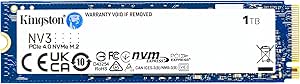 | Best for Low-Power, Compact Builds | Capacity: 1 TB | Interface: PCIe 4.0 x4 | Protocol: NVMe | VIEW LATEST PRICE | See Our Full Breakdown |
| Samsung 9100 PRO 2TB PCIe 5.0 M.2 2280 SSD |  | Best for Maximum Throughput | Capacity: 2 TB | Interface: PCIe 5.0 x4 | Form factor: M.2 2280 | VIEW LATEST PRICE | See Our Full Breakdown |
| SanDisk Optimus GX 7100 1TB NVMe SSD, PCIe 4.0, M.2 2280 |  | Best PCIe 4.0 Speed in a 1TB Drive | Capacity: 1 TB | Interface: PCIe 4.0 x4 | Form factor: M.2 2280 | VIEW LATEST PRICE | See Our Full Breakdown |
| Crucial P310 2TB M.2 2280 PCIe 4.0 NVMe Internal SSD |  | Best for 2TB Mainstream Capacity | Capacity: 2 TB | Form factor: M.2 2280 | Interface: PCIe 4.0 x4 NVMe | VIEW LATEST PRICE | See Our Full Breakdown |
| Samsung 990 1TB Internal SSD |  | Best for Managed General-Purpose Storage | Capacity: 1 TB | Interface: PCIe x4 | Protocol: NVMe | VIEW LATEST PRICE | See Our Full Breakdown |
| Micron 9300 Max 6.4TB NVMe U.2 Enterprise SSD |  | Best for High-Capacity Cloud Storage | Capacity: 6.4 TB | Interface: NVMe | Connectivity: PCIe | VIEW LATEST PRICE | See Our Full Breakdown |
| Water Panther 960GB PCIe Gen 4 NVMe U.3 2.5-Inch SSD with Dell G14 Tray, Renewed |  | Best for Dell PowerEdge Replacements | Storage capacity: 960 GB | Interface: NVMe U.3 | Connectivity: PCIe Gen 4 | VIEW LATEST PRICE | See Our Full Breakdown |
| Western Digital NVMe WDS200T5B0E-EC Internal SSD 2TB WD Blue SN5100 |  | Best for M.2 Workloads with Strong Sequential Speeds | Capacity: 2 TB | Interface: PCIe x4 | Generation: PCIe Gen 4 | VIEW LATEST PRICE | See Our Full Breakdown |
| SanDisk Optimus 5100 500GB NVMe SSD, PCIe 4.0, M.2 2280 |  | Best for Small Boot Volumes | Storage capacity: 500 GB | Interface: PCIe x4 | Form factor: M.2 2280 | VIEW LATEST PRICE | See Our Full Breakdown |
| Samsung 990 PRO 2TB PCIe 4.0 M.2 2280 SSD |  | Best for Fast M.2 Compute Nodes | Storage capacity: 2 TB | Interface: PCIe 4.0 x4 | Form factor: M.2 2280 | VIEW LATEST PRICE | See Our Full Breakdown |
| Silicon Power UD90 1TB PCIe 4.0 NVMe M.2 SSD |  | Best for General-Purpose Cloud Builds | Capacity: 1 TB | Interface: PCIe Gen4 x4 | Form factor: M.2 2280 | VIEW LATEST PRICE | See Our Full Breakdown |
| NVMe SSDs for cloud server | Interface | Form factor | Capacity | Warranty |
|---|---|---|---|---|
| Kingston NV3 1TB M.2 2280 PCIe | PCIe 4.0 x4 | M.2 2280 | 1 TB | Listed inconsistently as 3 or 5 years |
| Samsung 9100 PRO 2TB PCIe 5.0 | PCIe 5.0 x4 | M.2 2280 | 2 TB | — |
| SanDisk Optimus GX 7100 1TB NV | PCIe 4.0 x4 | M.2 2280 | 1 TB | — |
| Crucial P310 2TB M.2 2280 PCIe | PCIe 4.0 x4 NVMe | M.2 2280 | 2 TB | 2 years |
| Samsung 990 1TB Internal SSD | PCIe x4 | M.2 | 1 TB | — |
| Micron 9300 Max 6.4TB NVMe U.2 | NVMe | 2.5-inch U.2 | 6.4 TB | 5 years |
| Water Panther 960GB PCIe Gen 4 | NVMe U.3 | 2.5 inches | — | 2-year replacement warranty |
| Western Digital NVMe WDS200T5B | PCIe x4 | M.2 2280 | 2 TB | 5-year limited |
| SanDisk Optimus 5100 500GB NVM | PCIe x4 | M.2 2280 | — | 5-year limited |
| Samsung 990 PRO 2TB PCIe 4.0 M | PCIe 4.0 x4 | M.2 2280 | — | — |
| Silicon Power UD90 1TB PCIe 4. | PCIe Gen4 x4 | M.2 2280 | 1 TB | 5-year limited warranty |
More Details on Our Top Picks
Kingston NV3 1TB M.2 2280 PCIe 4.0 NVMe SSD
The Kingston NV3 suits a space- and power-conscious server build where moderate local storage is more important than enterprise features. Its single-sided M.2 2280 layout can simplify clearance in compact systems, while PCIe 4.0 x4 and up to 6,000 MB/s reads offer a capable interface for a boot volume or lighter-duty cache. Compared with the Samsung 9100 PRO, it gives up substantial throughput and PCIe 5.0 support, but the NV3 is a simpler fit for systems that do not need that performance tier. The supplied data conflicts on both write speed and warranty length, so I would verify those details before planning around them. It is a client-oriented drive, not a substitute for an enterprise SSD with workload and endurance details.
Pros:- Single-sided M.2 2280 design helps with tight drive clearance
- PCIe 4.0 x4 interface and up to 6,000 MB/s listed read speed
- Low-power design is suited to compact systems
- Acronis cloning software is included
Cons:- Supplied information conflicts on maximum write speed, listing 4,000 and 5,000 MB/s
- Warranty is listed as both three and five years in the supplied text
- No endurance or enterprise workload rating is provided
Best for: Operators building compact, power-conscious cloud nodes that need a modest-capacity boot or non-critical cache drive.
Not ideal for: Teams running sustained write-heavy services or requiring verified endurance, enterprise support, and consistent warranty terms.
- Capacity:1 TB
- Interface:PCIe 4.0 x4
- Protocol:NVMe
- Form factor:M.2 2280
- Maximum read speed:Up to 6,000 MB/s
- Maximum write speed:Listed inconsistently as 4,000 or 5,000 MB/s
- Weight:4.54 g
- Warranty:Listed inconsistently as 3 or 5 years
Our verdict“Choose the NV3 for a compact, lower-power boot or light-cache role, but verify its write-speed and warranty details before deployment.”
Samsung 9100 PRO 2TB PCIe 5.0 M.2 2280 SSD
For a cloud node that can make use of very high local-storage throughput, the Samsung 9100 PRO is the performance leader in this group. Its PCIe 5.0 x4 interface and listed sequential speeds of up to 14,700 MB/s read and 13,400 MB/s write are well beyond the PCIe 4.0 ceiling represented by the Crucial P310 and SanDisk Optimus GX 7100. The listed random performance may also suit demanding parallel workloads, though sequential figures alone do not predict server application performance. This drive makes sense only where the host supports PCIe 5.0 and the workload can use the extra bandwidth; otherwise, the gains over a PCIe 4.0 option may not justify choosing it. It has no included heatsink, so server airflow and thermal management need attention, and the supplied data gives no endurance rating.
Pros:- PCIe 5.0 x4 interface supports a higher bandwidth tier than the other listed drives
- Up to 14,700 MB/s sequential reads and 13,400 MB/s writes are specified
- Listed random performance reaches 1,850K read IOPS and 2,600K write IOPS
- Samsung Magician supports firmware updates and drive health monitoring
Cons:- Requires PCIe 5.0 support to reach its specified performance
- No heatsink is included, leaving thermal planning to the system builder
- No endurance rating or enterprise workload certification is supplied
Best for: Cloud infrastructure teams with PCIe 5.0-capable hosts and storage-heavy workloads that can benefit from high local throughput.
Not ideal for: Operators using PCIe 4.0-only servers, constrained cooling, or workloads that need documented enterprise endurance and service guarantees.
- Capacity:2 TB
- Interface:PCIe 5.0 x4
- Form factor:M.2 2280
- Sequential read speed:Up to 14,700 MB/s
- Sequential write speed:Up to 13,400 MB/s
- Random read performance:Up to 1,850K IOPS
- Random write performance:Up to 2,600K IOPS
- Controller:5nm
- Software:Samsung Magician
Our verdict“Pick the 9100 PRO when a PCIe 5.0 server can use its bandwidth and provide cooling, rather than for a routine boot drive.”
SanDisk Optimus GX 7100 1TB NVMe SSD, PCIe 4.0, M.2 2280
The SanDisk Optimus GX 7100 is the strongest listed PCIe 4.0 option here for buyers prioritizing a fast 1TB drive. Its stated 7,250 MB/s reads and 6,900 MB/s writes exceed the Kingston NV3’s listed sequential figures, while the claimed random performance gives a useful point of comparison for mixed activity. That makes it a better fit than the NV3 for a PCIe 4.0 host doing frequent local reads and writes, though these peak figures do not establish sustained server performance or endurance. The power-efficient design and M.2 2280 format may help in compact nodes. The tradeoff is platform support for management: SanDisk Dashboard is Windows-only, which can complicate monitoring in Linux-based cloud fleets. Its software and gaming-oriented features do not make it an enterprise drive.
Pros:- Listed sequential speeds reach 7,250 MB/s read and 6,900 MB/s write
- Up to 1 million random read IOPS and 1.4 million random write IOPS are specified
- Power-efficient design suits compact desktop and laptop-style systems
- SanDisk Dashboard and Acronis migration software are included
Cons:- SanDisk Dashboard is available for Windows only
- Supplied peak speed figures do not establish sustained server workload performance
- No enterprise endurance rating is provided
Best for: Operators who need a fast 1TB PCIe 4.0 M.2 drive for a compact node and can manage it outside SanDisk Dashboard.
Not ideal for: Linux-first fleet administrators who need native vendor management, or teams requiring published enterprise endurance and sustained-write data.
- Capacity:1 TB
- Interface:PCIe 4.0 x4
- Form factor:M.2 2280
- Sequential read speed:Up to 7,250 MB/s
- Sequential write speed:Up to 6,900 MB/s
- Random read speed:Up to 1 million IOPS
- Random write speed:Up to 1.4 million IOPS
- NAND type:SanDisk BiCS TLC 3D CBA NAND
Our verdict“Choose the GX 7100 over the Kingston NV3 when you want higher listed PCIe 4.0 throughput in 1TB and can work around Windows-only management.”
Crucial P310 2TB M.2 2280 PCIe 4.0 NVMe Internal SSD
The Crucial P310 is a straightforward capacity-led pick: 2TB in a PCIe 4.0 M.2 2280 drive gives a server builder more room for a local boot image, staging data, or a modest cache than the 1TB Kingston NV3 or SanDisk GX 7100. Its stated read speed of up to 7,100 MB/s is competitive with the GX 7100’s listed 7,250 MB/s, but the supplied data does not include a write-speed figure or random IOPS, leaving less to judge for write-heavy cloud tasks. The P310 therefore fits best where capacity and a familiar form factor matter more than a documented performance profile. The listed two-year warranty is shorter than the NV3’s stated three-year term, and there is no supplied enterprise endurance information.
Pros:- 2TB capacity exceeds the 1TB Kingston NV3 and SanDisk GX 7100
- PCIe 4.0 x4 NVMe interface fits current M.2 host platforms
- Read speed is listed at up to 7,100 MB/s
- M.2 2280 format is compatible with desktops and listed PlayStation 5 systems
Cons:- No sequential write speed or random IOPS figures are supplied
- Listed warranty is two years, shorter than the Kingston NV3’s stated three-year term
- No enterprise endurance or server qualification details are provided
Best for: Small cloud operators who want 2TB of local PCIe 4.0 storage for boot, staging, or a moderate cache workload.
Not ideal for: Teams sizing storage for sustained writes or latency-sensitive services that need published write, random I/O, and endurance figures.
- Capacity:2 TB
- Form factor:M.2 2280
- Interface:PCIe 4.0 x4 NVMe
- Memory type:3D NAND
- Read speed:Up to 7,100 MB/s
- Media speed:7,000 MB/s
- Compatibility:Desktop, Sony PlayStation 5
- Warranty:2 years
Our verdict“Choose the P310 for 2TB of mainstream local storage, but not when your cloud workload needs well-documented write or endurance performance.”
Samsung 990 1TB Internal SSD
The Samsung 990 1TB offers a balanced feature set for a general-purpose node: PCIe x4 NVMe, listed sequential speeds of 7,150 MB/s read and 6,450 MB/s write, plus hardware encryption and TRIM support. Samsung’s firmware and health tools add a management path that the SanDisk Optimus GX 7100’s Windows-only Dashboard may not suit every fleet administrator, although the supplied details do not confirm operating-system compatibility for Samsung’s software either. Against the 2TB Crucial P310, this drive has half the capacity but provides specified write and random performance figures, which makes its published performance profile more informative. It remains a consumer M.2 drive: there is no enterprise endurance rating, and performance can vary with system configuration. Software features that require an internet connection may also be inconvenient in restricted server environments.
Pros:- Sequential speeds are listed at up to 7,150 MB/s read and 6,450 MB/s write
- Hardware encryption and TRIM support are specified
- Drive tools support firmware updates and health monitoring
- Listed random performance reaches 700K read IOPS and 1,100K write IOPS
Cons:- 1TB capacity is lower than the 2TB Crucial P310
- Some software features require an internet connection
- No enterprise endurance or server qualification details are supplied
Best for: Small cloud teams seeking a 1TB general-purpose NVMe drive with hardware encryption, TRIM, and vendor firmware-health tools.
Not ideal for: Administrators needing 2TB or more per drive, offline-only management workflows, or documented enterprise endurance and qualification.
- Capacity:1 TB
- Interface:PCIe x4
- Protocol:NVMe
- Form factor:M.2
- Sequential read speed:Up to 7,150 MB/s
- Sequential write speed:Up to 6,450 MB/s
- Random read speed:Up to 700K IOPS
- Random write speed:Up to 1,100K IOPS
- Features:Hardware encryption, TRIM support
Our verdict“Pick the Samsung 990 for a managed 1TB general-purpose drive with encryption and defined performance figures, not for high-capacity or enterprise-rated storage.”
Micron 9300 Max 6.4TB NVMe U.2 Enterprise SSD
The Micron 9300 Max is the clearest fit here for a cloud server that needs high capacity in a single enterprise drive. Its 6.4TB U.2 format can reduce the number of drive bays needed for storage-heavy services, while its stated sequential throughput above 3.5 GB/s suits substantial data transfers. Unlike the Samsung 990 PRO, which is a compact M.2 drive aimed at desktop and laptop systems, this Micron is designed for data-center and HPC workloads. That distinction also limits its appeal: U.2 host support matters, and the listing does not provide endurance figures or detailed workload benchmarks. I’d shortlist it for compatible server platforms where capacity and enterprise positioning outweigh a small form factor or consumer-system flexibility.
Pros:- 6.4TB capacity can consolidate storage in a limited number of server bays
- U.2 NVMe format is suited to compatible enterprise platforms
- Sequential read and write throughput are stated above 3.5 GB/s
- Five-year warranty
Cons:- Requires a compatible U.2 bay and server platform
- No endurance rating or detailed workload performance data is provided
- Its server-focused format is less flexible than M.2 options such as the Samsung 990 PRO
Best for: Cloud operators with U.2-compatible servers who need substantial local capacity for data-intensive services or storage tiers.
Not ideal for: Builders using M.2-only servers or consumer desktops, since this 2.5-inch U.2 drive may not fit their bays or connect without compatible hardware.
- Capacity:6.4 TB
- Interface:NVMe
- Connectivity:PCIe
- Form factor:2.5-inch U.2
- Sequential read speed:3.5 GB/s
- Sequential write speed:Over 3.5 GB/s
- Warranty:5 years
- Model:MTFDHAL6T4TDR-1AT1ZABYY
Our verdict“Choose the Micron 9300 Max when a U.2 cloud server needs high per-drive capacity and its host supports the enterprise form factor.”
Water Panther 960GB PCIe Gen 4 NVMe U.3 2.5-Inch SSD with Dell G14 Tray, Renewed
This Water Panther drive is a specialized choice for select Dell PowerEdge servers, not a general-purpose NVMe upgrade. Its included Dell G14 tray can simplify installation in supported systems, and the stated 2-million-hour minimum MTBF and 24/7 operating intent suit always-on server duties. Compared with the Micron 9300 Max, it offers much less capacity, but its bundled carrier and Dell-specific compatibility make it more directly targeted at a replacement or incremental expansion in the right PowerEdge chassis. The tradeoffs are substantial: it is renewed rather than new, carries a two-year replacement warranty, and U.3 compatibility should be checked carefully; a U.2 host may need an adapter. I’d skip it unless the exact server model and drive interface are confirmed.
Pros:- Includes a Dell G14 drive carrier tray
- Designed for continuous 24/7 operation
- Stated minimum MTBF of 2 million hours
- Two-year replacement warranty
Cons:- Compatibility is limited to select Dell PowerEdge servers
- Renewed condition may not suit deployments requiring new components
- U.2 host compatibility may require an adapter
Best for: Administrators replacing or adding a drive in a supported Dell PowerEdge server that accepts the included G14 carrier.
Not ideal for: Operators with non-Dell systems, unverified PowerEdge models, or a preference for new drives and a longer warranty.
- Storage capacity:960 GB
- Interface:NVMe U.3
- Connectivity:PCIe Gen 4
- Form factor:2.5 inches
- Included tray:Dell G14 drive carrier tray
- Minimum MTBF:2 million hours
- Condition:Renewed
- Warranty:2-year replacement warranty
Our verdict“Pick this renewed Water Panther only for a confirmed compatible PowerEdge installation where the included tray is useful.”
Western Digital NVMe WDS200T5B0E-EC Internal SSD 2TB WD Blue SN5100
The WD Blue SN5100 combines 2TB capacity with listed read speeds up to 7,100 MB/s, making it a fast M.2 option for compatible systems that handle large files or compute-heavy tasks. SanDisk nCache 4.0 is intended to smooth file transfers, while the five-year limited warranty is longer than the Water Panther’s two-year replacement coverage. But this is positioned for laptops and small desktops, not as a purpose-built enterprise server SSD. A cloud operator should confirm that the server supports M.2 2280 PCIe Gen 4 drives and can manage their cooling and workload demands. Compared with the enterprise-focused Micron 9300 Max, the WD is physically smaller and offers less capacity; its appeal is high M.2 throughput, not a documented server endurance profile.
Pros:- 2TB capacity in an M.2 2280 form factor
- Listed sequential read speed up to 7,100 MB/s
- PCIe Gen 4 support and SanDisk nCache 4.0
- Five-year limited warranty
Cons:- Laptop and desktop positioning does not establish suitability for sustained server workloads
- M.2 fit and cooling support must be verified in the server
- Less per-drive capacity than the 6.4TB Micron 9300 Max
Best for: Operators with M.2 2280 PCIe Gen 4 server or edge systems who prioritize fast access to working files and need 2TB.
Not ideal for: Data-center buyers needing a documented enterprise endurance rating, a U.2 drive, or high capacity per drive bay.
- Capacity:2 TB
- Interface:PCIe x4
- Generation:PCIe Gen 4
- Form factor:M.2 2280
- Sequential read speed:Up to 7,100 MB/s
- Sequential write speed:Up to 6,700 MB/s
- Additional technology:SanDisk nCache 4.0
- Warranty:5-year limited
Our verdict“Choose the WD Blue SN5100 for a compatible M.2 Gen 4 system where 2TB and high listed read throughput matter more than enterprise-specific qualifications.”
SanDisk Optimus 5100 500GB NVMe SSD, PCIe 4.0, M.2 2280
The SanDisk Optimus 5100 makes the most sense as a compact boot or system drive in a compatible M.2 server, rather than as storage for a large cloud workload. It has a PCIe 4.0 x4 interface, power-efficient architecture, and listed speeds up to 6,600 MB/s read and 5,600 MB/s write. Its 500GB capacity is the defining limit: compared with the 2TB WD Blue SN5100 or Samsung 990 PRO, it leaves less room for local data, caches, and growth. The QLC NAND is another reason to match it carefully to the workload; the supplied details do not include an endurance rating for sustained write-heavy service. I’d choose it for modest operating-system or service volumes, but not as a primary data store for a busy server.
Pros:- PCIe 4.0 x4 NVMe interface
- Compact M.2 2280 form factor
- Power-efficient architecture
- Five-year limited warranty
Cons:- 500GB capacity limits room for data and workload growth
- Uses QLC 3D NAND, with no endurance rating supplied here
- Listed speeds are below the 2TB Samsung 990 PRO’s stated sequential rates
Best for: Administrators fitting a low-capacity boot or system volume into an M.2 2280 PCIe 4.0 server or workstation.
Not ideal for: Cloud operators needing large local datasets, write-heavy sustained workloads, or a stated enterprise endurance rating.
- Storage capacity:500 GB
- Interface:PCIe x4
- Form factor:M.2 2280
- Read speed:Up to 6,600 MB/s
- Write speed:Up to 5,600 MB/s
- NAND type:8th-generation BiCS QLC 3D CBA NAND
- Warranty:5-year limited
- Compatible devices:Desktop, laptop
Our verdict“Use the Optimus 5100 as a modest-capacity boot drive when its QLC-based design and 500GB limit fit the server’s workload.”
Samsung 990 PRO 2TB PCIe 4.0 M.2 2280 SSD
The Samsung 990 PRO is the strongest listed M.2 performer in this batch, with up to 7,450 MB/s read and 6,900 MB/s write and 2TB of capacity. That makes it a plausible fit for a compatible cloud or edge node where fast local storage supports demanding compute tasks. It offers substantially more space than the 500GB SanDisk Optimus 5100 and higher listed sequential speeds than the WD Blue SN5100, but it remains a consumer-oriented M.2 drive rather than a U.2 enterprise model like the Micron 9300 Max. Its performance also depends on PCIe 4.0 support and the host’s thermal and workload conditions. I’d favor it for speed-sensitive M.2 systems, not deployments that require server-specific endurance documentation or U.2 capacity density.
Pros:- Listed sequential read speed up to 7,450 MB/s
- Listed sequential write speed up to 6,900 MB/s
- 2TB capacity in a compact M.2 2280 format
- Controller is designed to manage heat and power efficiency
Cons:- Maximum performance depends on PCIe 4.0 host support
- Actual speeds can vary by system configuration and workload
- M.2 consumer positioning may not suit server environments needing enterprise endurance specifications
Best for: Operators with PCIe 4.0 M.2 nodes who need 2TB of fast local storage for compute, caching, or demanding application tasks.
Not ideal for: Data-center buyers requiring U.2 hardware, documented enterprise endurance, or the 6.4TB capacity of the Micron 9300 Max.
- Storage capacity:2 TB
- Interface:PCIe 4.0 x4
- Form factor:M.2 2280
- Sequential read speed:Up to 7,450 MB/s
- Sequential write speed:Up to 6,900 MB/s
- Compatible devices:Desktop, laptop
- Compatible console:Sony PlayStation 5
- Item weight:9.07 g
Our verdict“Choose the Samsung 990 PRO for a compatible PCIe 4.0 M.2 node that values high listed throughput over enterprise-specific form factors and qualifications.”
Silicon Power UD90 1TB PCIe 4.0 NVMe M.2 SSD
The UD90 suits a cloud server where a standard M.2 drive needs brisk PCIe 4.0 throughput without stepping up to the Samsung 9100 PRO’s PCIe 5.0 platform. Its rated reads of up to 5,000 MB/s and writes of up to 4,800 MB/s fit general workloads such as development environments, modest databases, and VM storage, though sequential figures alone do not establish sustained performance under server load. Host Memory Buffer and SLC caching support responsiveness, while LDPC correction and end-to-end data protection add data-integrity features. The 1TB capacity is more limited than the 2TB Crucial P310, making it a better fit for an OS and active workload than a large local data store. It is an M.2 consumer drive, not a substitute for an enterprise U.2 SSD when endurance and sustained write behavior are primary requirements.
Pros:- PCIe 4.0 x4 interface with rated sequential reads up to 5,000 MB/s and writes up to 4,800 MB/s
- Host Memory Buffer and SLC caching support responsive everyday workloads
- LDPC error correction and end-to-end data protection are included
- Five-year limited warranty
Cons:- Full rated performance requires a PCIe 4.0 slot; performance may be limited on older platforms
- 1TB capacity offers less room for server data than the 2TB Crucial P310
- Consumer M.2 design is less suited than the Micron 9300 Max U.2 to enterprise workloads requiring sustained operation
Best for: Cloud builders adding a PCIe 4.0 M.2 drive for an operating system, development workloads, or a moderate VM footprint, with a compatible Gen4 slot.
Not ideal for: Operators provisioning large datasets or write-heavy production services that need higher capacity or documented enterprise endurance and sustained-write characteristics.
- Capacity:1 TB
- Interface:PCIe Gen4 x4
- Form factor:M.2 2280
- Sequential read speed:Up to 5,000 MB/s
- Sequential write speed:Up to 4,800 MB/s
- NVMe version:1.4
- Weight:8 g
- Warranty:5-year limited warranty
Our verdict“Choose the UD90 for a general-purpose cloud build that needs a fast, 1TB Gen4 M.2 drive, but look to higher-capacity or enterprise-class options for data-heavy, sustained server workloads.”

How We Picked
I ranked these drives for cloud-server fit, not peak benchmark figures alone. I gave the most weight to interface and form-factor compatibility, capacity for operating systems and active data, likely usefulness under sustained or concurrent workloads, and whether the product is positioned for enterprise or general consumer use. I also considered how much extra performance a server can actually use: PCIe 5.0 offers little benefit in a PCIe 4.0 host, while a high-capacity U.2 drive is irrelevant if the chassis only accepts M.2 modules.
The Samsung 990 PRO 2TB ranks first among the broadly usable M.2 choices because it combines a strong PCIe 4.0 performance class with practical capacity. The 9100 PRO earns a place for compatible PCIe 5.0 systems, and the Micron 9300 Max stands apart for enterprise capacity and U.2 deployment rather than convenience. Lower-capacity and entry-oriented M.2 models rank behind these picks for server duty, while the renewed U.3 option is held back by its condition and platform-specific setup. Buyers should confirm exact endurance, warranty, firmware, and thermal specifications for the model and capacity they plan to deploy.
| NVMe SSDs for cloud server | Sequential write speed |
|---|---|
| Kingston NV3 1TB M.2 2280 PCIe | — |
| Samsung 9100 PRO 2TB PCIe 5.0 | Up to 13,400 MB/s |
| SanDisk Optimus GX 7100 1TB NV | Up to 6,900 MB/s |
| Crucial P310 2TB M.2 2280 PCIe | — |
| Samsung 990 1TB Internal SSD | Up to 6,450 MB/s |
| Micron 9300 Max 6.4TB NVMe U.2 | Over 3.5 GB/s |
| Water Panther 960GB PCIe Gen 4 | — |
| Western Digital NVMe WDS200T5B | Up to 6,700 MB/s |
| SanDisk Optimus 5100 500GB NVM | — |
| Samsung 990 PRO 2TB PCIe 4.0 M | Up to 6,900 MB/s |
| Silicon Power UD90 1TB PCIe 4. | Up to 4,800 MB/s |
Factors to Consider When Choosing NVMe SSDs For Cloud Servers
Choosing a server SSD starts with the machine and workload, not the product’s maximum sequential-speed claim. I’d settle the interface, endurance target, and failure-recovery plan before comparing model names; these choices can rule out a drive or change the cost of operating it over time.
Match the Form Factor and Host Interface
Check the server motherboard or backplane for M.2, U.2, or U.3 support before selecting a drive. M.2 modules often suit compact hosts, but many are not designed for front-access replacement, and their cooling depends on the server’s airflow and heatsink arrangement. U.2 and U.3 devices can fit enterprise bays and service workflows, but the connectors, cables, controller support, and tray must all match. A PCIe 5.0 SSD in a PCIe 4.0 system will not operate at its advertised interface generation, so pay for the newer link only when the platform supports it. A common mistake is treating NVMe as a guarantee of physical or firmware compatibility; check the server vendor’s drive and boot-support documentation.
Size for Writes, Not Just Installed Data
Cloud workloads can write far more data than their stored files suggest: logs, caches, databases, temporary containers, and virtual-machine images all add write traffic. Estimate daily writes and retention needs, then compare them with the drive’s endurance rating and warranty terms for the exact capacity. A drive with ample free space can also offer more room for write management than one kept nearly full, although the effect varies by model and workload. Do not assume a larger capacity automatically means a suitable endurance class. If a host performs heavy database or logging work, prioritize documented endurance and workload consistency over a small sequential-read advantage.
Separate Burst Speed From Sustained Service
Sequential read and write figures describe only part of server performance. A cloud host serving many small requests may care more about latency, random I/O, and performance under queue depth than one large-file transfer. Consumer SSDs can also behave differently after their fast write cache fills, which matters for sustained ingestion, backups, or virtual-machine migrations. Look for workload-relevant specifications and independent tests that reflect the intended duty cycle, rather than comparing one headline number. When storage latency is not the bottleneck, faster drives may have little effect on application response times; CPU, memory, networking, or database tuning may matter more.
Plan Cooling and Power Around the Chassis
Compact M.2 drives can run hot when placed near processors or under restricted airflow, and thermal throttling can reduce performance during long jobs. Check whether the server provides a suitable heatsink and directed airflow, and confirm that the drive’s dimensions clear nearby components. Enterprise bays may manage cooling differently, but the server still needs airflow appropriate to its drive population. Power use can also matter in dense racks, especially when many devices run continuously. Avoid selecting a drive solely for its peak speed if the chassis cannot cool it well enough to sustain that performance.
Choose Redundancy and Replacement Strategy
An SSD is a component, not a backup or availability plan. For cloud services, decide how data will be replicated, backed up, monitored, and restored before treating any single drive as dependable storage. Hot-swap access and fleet consistency can matter more than a small speed difference when a server must be repaired quickly. Mixing consumer drives with enterprise models may complicate firmware management, spare-stock planning, and failure prediction. For renewed or tray-bundled devices, verify the seller’s condition and return terms, device identity, and compatibility before putting the drive into production. Keep replacement procedures and tested recovery steps alongside the hardware choice.
Pay for the Tier Your Workload Can Use
PCIe 5.0 and enterprise-class capacity can make sense for a compatible, write-heavy, high-throughput server, but they are not automatic upgrades for every host. A small development instance or light application server may gain more from adequate capacity and a simple replacement path than from the newest interface. Conversely, a busy database node may justify spending more on documented endurance, serviceability, and sustained performance. Compare the full system cost, including heatsinks, trays, cabling, and spares, rather than the drive alone. The best value is the option that meets the workload and platform requirements without leaving paid-for performance unused.
Frequently Asked Questions
Can I use a consumer M.2 NVMe SSD for a production cloud server?
Yes, for some lighter services, development hosts, or workloads with modest writes, provided the server supports the drive and its thermal requirements. I would not treat every consumer model as interchangeable with an enterprise SSD: endurance, sustained-write behavior, firmware features, and serviceability can differ. Check the exact model’s endurance and warranty details, then estimate the workload’s write volume. For critical data, use replication and tested backups rather than relying on the SSD alone. A server designed around hot-swap U.2 or U.3 bays may be a poor physical fit for an M.2 drive even if both use NVMe.
Is PCIe 5.0 worth choosing over PCIe 4.0 for a cloud server?
It is worth paying for PCIe 5.0 only when the server supports that interface and the workload can use the extra bandwidth. Many general application services are limited by compute, memory, network, or random-access behavior rather than sequential storage throughput. A PCIe 5.0 SSD will not deliver its full interface potential in a PCIe 4.0 host. The Samsung 9100 PRO is the relevant option in this roundup for a compatible newer platform, while the 990 PRO is a more straightforward high-end PCIe 4.0 choice. Check system support and workload measurements before making the generation upgrade.
Should I choose the Micron 9300 Max or an M.2 drive for a server?
Choose the Micron 9300 Max when your server supports its U.2 form factor and you need its 6.4TB capacity or an enterprise-oriented drive class. Its capacity and deployment style make it a different proposition from compact M.2 options, rather than a universal step up. If your host has only M.2 slots, the drive may require hardware the platform does not provide, making an M.2 model the practical choice. Confirm the backplane, power and data connections, cooling, firmware support, and drive condition before deployment. Also compare the workload’s endurance needs against the exact published specifications for each candidate.
How much SSD capacity should I reserve for a cloud-server workload?
Size for the operating system, application data, logs, caches, temporary files, and expected growth rather than the current data directory alone. Leave working space for updates, write activity, and operational headroom instead of running the drive close to full. The 2TB models in this roundup give more room for growth than its 500GB and 1TB choices, while the Micron 9300 Max provides a substantially larger U.2 option for compatible servers. Capacity alone does not establish endurance, so pair the size estimate with a write-volume estimate. If data growth is uncertain, plan how you will expand or migrate storage before the first drive fills.
Is a renewed or tray-bundled enterprise SSD a safe choice for production?
It can be appropriate when the seller clearly states the drive’s condition, return terms, and included hardware, and when the server supports that exact configuration. A tray can solve a mounting problem, but it does not establish the drive’s remaining endurance, history, or firmware compatibility. The Water Panther U.3 listing is especially dependent on checking its renewed status and Dell G14 tray fit before purchase. I would validate the device identity and health data on receipt, then test it before assigning production workloads. Keep a spare and a recovery plan if replacement time matters.
Conclusion
For a general-purpose server with a compatible M.2 slot, my best overall pick is the Samsung 990 PRO 2TB: it balances a strong PCIe 4.0 performance tier with capacity that suits more than a minimal boot volume. For buyers prioritizing a lower-tier, general-purpose M.2 option, the best value shortlist is the Silicon Power UD90 1TB or Kingston NV3 1TB, with the caveat that workload endurance and sustained-write requirements need verification. The best premium choice for a PCIe 5.0 host is the Samsung 9100 PRO 2TB; for compatible enterprise U.2 deployment and greater capacity, the Micron 9300 Max is the specific-use pick. For a beginner building a modest server, I’d favor a 2TB M.2 drive such as the Crucial P310 or Samsung 990 PRO over a niche enterprise form factor, after checking platform support. Choose the Water Panther U.3 only when its tray and renewed condition suit your exact server; for every option, confirm endurance, cooling, and recovery planning before production use.