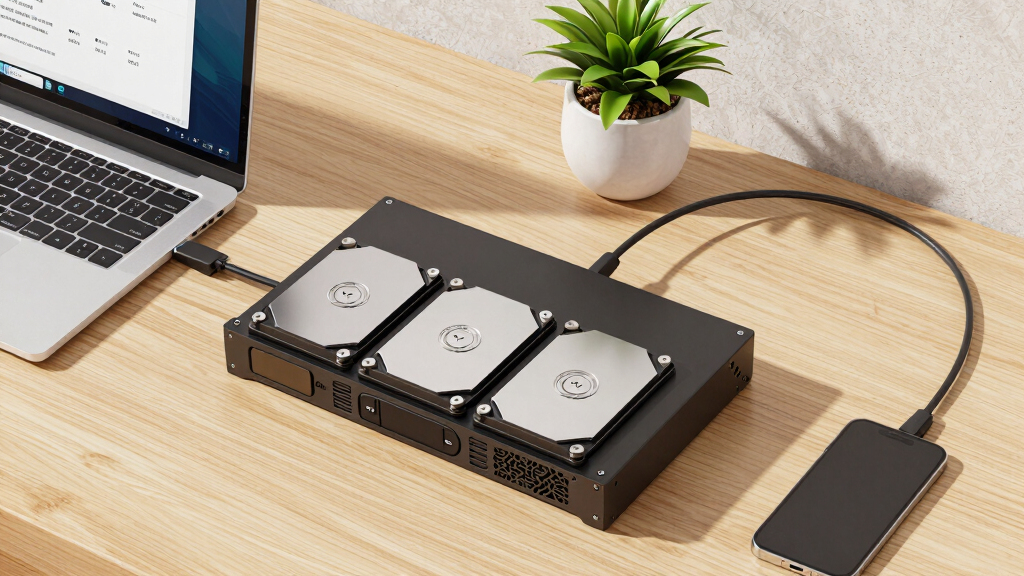
When selecting the best JBOD expansion shelf for large backups, key factors include capacity, scalability, and compatibility with existing systems. The QNAP TL-R1200C-RP stands out for its enterprise-grade features like redundant power, ideal for heavy-duty backups. For those seeking a budget-friendly yet reliable option, the ORICO 4 Bay RAID Enclosure offers versatile RAID modes and solid capacity. A major tradeoff in this category involves balancing raw storage potential against ease of setup and management. Keep reading to see how these options compare and find the best fit for your backup needs.
Key Takeaways
- Large capacity and expandability are the primary drivers for choosing a JBOD shelf for big backups.
- Enterprise-grade features like redundant power and high-speed connectivity significantly enhance reliability.
- RAID support adds flexibility but also increases complexity and cost; consider your technical comfort level.
- Build quality and cooling are critical to maintaining drive health during extended backup operations.
- Price varies widely; the most expensive options often deliver extra features that matter for enterprise or critical data storage.


More Details on Our Top Picks
QNAP TL-R1200C-RP 12 Bay Rackmount JBOD Storage Enclosure with USB 3.2 Gen 2 Type-C Connectivity, Redundant PSU
This QNAP model stands out for its robust 12-bay rackmount design, specifically optimized for large backups on QNAP NAS systems. Compared with the ORICO 4 Bay RAID Enclosure, it offers superior scalability with more bays and a redundant power supply, ensuring high availability. The USB 3.2 Gen 2 Type-C interface supports fast data transfer, but it cannot be combined directly with existing storage pools, which might limit flexibility for some users. Its rackmount form factor makes it ideal for server rooms, yet it’s overkill for small or home setups. The built-in redundancy and dedicated hardware make it suitable for enterprise environments, though the higher cost and complexity are drawbacks for smaller operations.
Pros:- High capacity with 12 bays for extensive backups
- Redundant power supply enhances reliability
- Rackmount design for professional deployment
- Supports USB 3.2 Gen 2 Type-C for fast data transfer
Cons:- Costly compared to smaller or consumer-oriented enclosures
- Limited to use with QNAP NAS, reducing versatility
- Requires technical expertise for setup and maintenance
Best for: Large businesses or data centers needing reliable, scalable backup storage with enterprise-level redundancy.
Not ideal for: Home users or small offices looking for simple, plug-and-play solutions without rackmount requirements.
- Bay Capacity:12 bays
- Connectivity:USB 3.2 Gen 2 Type-C
- Power supply:Redundant PSU
- Form factor:Rackmount
- Supported Devices:QNAP NAS, Windows, Servers
- Maximum Drive Size:SATA 6Gb/s
Bottom line: Ideal for large-scale backup infrastructure where scalability and reliability are priorities, not for casual or small-scale use.
RackChoice Internal Hard Drive Enclosure 5×2.5”/3.5” SATA/SAS Hard Drive Backplane 6 Gbps HDD hotswap in 3xExternal 5.25″ Bay Compatible with All Rack Types
This RackChoice enclosure transforms 3 external 5.25″ bays into a hot-swappable internal backplane for 5 drives, suitable for tech-savvy users looking to maximize internal rack space. Unlike the QNAP TL-R1200C-RP, it’s designed for internal use without RAID or redundancy features, making it less suitable for enterprise environments. Its compatibility with 2.5″ and 3.5″ drives offers flexibility, and the inclusion of SATA cables simplifies installation. The metal construction ensures good heat dissipation, but the lack of integrated power supply and RAID support means users need to supply their own power and manage data security manually. It’s perfect for internal server setups but not for those needing enterprise-level redundancy or external connectivity.
Pros:- Supports both 2.5″ and 3.5″ drives
- Hot-swappable for easy drive replacement
- Made of metal for durability and heat dissipation
- Uses 5 external 5.25″ bays efficiently
Cons:- Requires external power supply and cables separately
- No built-in RAID or redundancy
- Limited to internal use, not standalone
Best for: Tech enthusiasts or internal server builders seeking flexible, high-density drive expansion within existing racks.
Not ideal for: Small offices or users needing an all-in-one external backup solution or RAID capabilities.
- Drive Compatibility:2.5″/3.5″ SATA/SAS
- Number of Bays:5 internal
- Interface:SATA 6Gbps
- Material:Metal
- Hot Swap:Yes
- Power Supply:Separate required
Bottom line: Best suited for internal, high-density storage expansion where manual data management is acceptable, not for plug-and-play redundancy needs.
ORICO 4 Bay Raid Hard Drive Enclosure Support 8 RAID Modes for 3.5inch HDD Max up to 88TB for External Direct Attached Storage, Efficient Expansion Backup
This ORICO enclosure offers flexible RAID support with 8 modes, including RAID 0, 1, 5, 10, JBOD, and Clone, making it suitable for users needing versatile external storage solutions. Compared to the QNAP TL-R1200C-RP which is rackmount and enterprise-focused, this unit is more accessible for professional or advanced home users wanting external RAID. Its aluminum and ABS casing provide effective heat dissipation, and the USB 3.0 interface ensures decent transfer speeds, though not as fast as Thunderbolt or PCIe-based solutions. Its support for drives up to 88TB makes it ideal for large backups, but the absence of redundant power limits its use in critical environments. It’s a good choice for flexible external storage but less suitable for mission-critical enterprise setups.
Pros:- Supports 8 RAID modes including RAID 0, 1, 5, 10
- Supports up to 88TB total capacity
- Effective heat dissipation with aluminum casing
- Plug-and-play with Windows, Mac, Linux
Cons:- No redundant power supply, risk of data loss if power fails
- USB 3.0 interface limits maximum transfer speed compared to PCIe solutions
- No internal RAID controller; requires proper setup
Best for: Professionals or advanced home users requiring flexible external RAID backup with broad compatibility.
Not ideal for: Small-scale users or those needing enterprise-grade redundancy or hot-swap capabilities in a rackmount setup.
- RAID Modes:8 modes including RAID 0,1,5,10
- Maximum Capacity:88TB
- Interface:USB 3.0
- Drive Support:3.5″ SATA
- Build Material:Aluminum & ABS
- Transfer Speed:Up to 235MB/s
Bottom line: Best for users needing adaptable external RAID backups with large capacity, not for critical mission environments requiring redundancy.
ORICO 4-Bay RAID External Hard Drive Enclosure USB 3.0 for 2.5/3.5 Inch SATA HDD/SSD, Supports Up to 22TB, RAID 0/1/3/5/10/JBOD, 5Gbps Transfer, Silent Cooling Fan
This ORICO 4-bay enclosure is designed for versatile external RAID configurations, supporting multiple modes including RAID 0, 1, 3, 5, 10, JBOD, and Clone, ideal for users needing adaptable data protection. Its USB 3.0 interface provides transfer speeds up to 235MB/s, suitable for backups and large file transfers. Unlike the rackmount QNAP TL-R1200C-RP, it’s a portable external device with a quiet 80mm fan for effective cooling, making it suitable for home or small office environments. The enclosure supports drives up to 22TB each, totaling 88TB capacity, but lacks redundant power or enterprise-grade features. It’s a good option for flexible, external RAID storage but not for critical data centers requiring high availability.
Pros:- Supports multiple RAID modes including RAID 0, 1, 3, 5, 10
- Supports drives up to 22TB each, total 88TB
- Quiet cooling fan for silent operation
- Plug-and-play with multiple OS support
Cons:- No redundant power supply, potential data risk during power failure
- Limited to external use, not rackmount or internal
- No enterprise-level redundancy or hot-swap features
Best for: Power users or small offices needing flexible, external RAID solutions with quiet operation.
Not ideal for: Large enterprise data centers or environments demanding hot-swappable, redundant power solutions.
- RAID Modes:0, 1, 3, 5, 10, JBOD, Clone
- Max Support Capacity:88TB
- Drive Support:2.5″/3.5″ SATA
- Interface:USB 3.0
- Cooling:Silent 80mm fan
- Transfer Speed:Up to 235MB/s
Bottom line: Ideal for flexible external RAID storage needs where noise levels and portability matter, not for critical enterprise environments.
CENMATE Aluminum 4 Bay Hard Drive Enclosure with Cooling Fan for 2.5“/3.5″ SATA HDD/SSD with USB A/C 3.0, Support Hot Swappable, Tool-Free HDD Enclosure, DAS(NO RAID/NAS)
This CENMATE 4-bay enclosure offers a straightforward, tool-free design with hot-swappable drives, ideal for users seeking simple internal drive expansion without RAID complexity. Unlike the ORICO 4 Bay RAID Enclosure, it doesn’t support RAID configurations or redundancy, making it less suitable for backup or high-availability setups. Its aluminum construction and built-in fan provide decent heat dissipation, yet it’s purely a direct-attached storage (DAS) unit, not a standalone NAS or enterprise solution. The maximum supported capacity of 80TB is sufficient for many backup needs, but the lack of RAID or redundancy features limits its use in mission-critical applications. It’s perfect for quick internal upgrades or testing, not for critical data storage.
Pros:- Tool-free, hot-swappable drives for quick replacements
- Supports both 2.5″ and 3.5″ SATA drives
- Aluminum for good heat dissipation
- Easy to install and use
Cons:- No RAID or redundancy support
- Requires separate power supply and cables
- Limited to internal use, no standalone NAS features
Best for: Home users or technicians needing quick, tool-free internal drive expansion without RAID complexity.
Not ideal for: Businesses or users requiring data redundancy, enterprise-grade reliability, or external connectivity.
- Drive Compatibility:2.5″/3.5″ SATA
- Number of Bays:4
- Material:Aluminum
- Fan:Built-in
- Max Capacity:80TB
- Interface:USB 3.0
Bottom line: Best for simple, internal drive expansion where RAID or redundancy isn’t needed, not for critical backups or enterprise use.
Syba 5 Bay 2.5″ and 3.5″ SATA HDD External USB 3.0 / eSATA RAID Hard Drive Enclosure Support 120TB & RAID 0/1/5/10/JBOD Mode SY-ENC50122
This Syba enclosure stands out for supporting a wide range of drives and RAID modes, including JBOD, with a maximum capacity of 120TB, making it ideal for substantial backups. Compared to the ICY DOCK MB924IP-B, it offers more drive flexibility and larger capacity options, though it requires a port multiplier for eSATA, which can complicate setup. The tray-less design simplifies hot swapping, but the absence of built-in cooling or advanced management features means it may need external cooling for prolonged use. Its support for all SATA drive brands and straightforward installation make it perfect for IT professionals handling large, mixed-drive backups. However, the reliance on external port multiplier setup and lack of redundancy features could be drawbacks for some users. Best for users who need maximum capacity and multiple RAID options in a simple, cost-effective enclosure.
Pros:- Supports up to 120TB total capacity with five drives
- Multiple RAID modes including RAID 0/1/5/10/JBOD
- Tray-less design for easy installation and removal
Cons:- Requires a port multiplier with FIS-based switching for eSATA, adding setup complexity
- No built-in cooling or redundancy features
- Limited management and monitoring options
Best for: IT professionals and small data centers managing large, mixed SATA drive backups with flexible RAID configurations.
Not ideal for: Home users or those seeking integrated cooling and advanced management features, as setup can be complex and lacks onboard controls.
- Supports drives:up to 5 x 24TB SATA drives
- Maximum capacity:120TB
- Interface:USB 3.0 / eSATA
- RAID support:RAID 0/1/5/10, JBOD
- Design:Tray-less
- Compatibility:All SATA HDDs and SSDs
Bottom line: Ideal for advanced users needing large, flexible drive arrays with broad RAID support and straightforward hardware design.
Hybrid 3*2.5/3.5″ SATA HDD/SSD(2 HDDs Support 4 RAID Mode)+3* M / B+M Key M.2 NVMe Enclosure with Fan, USB A/C 3.2 Gen 2, Hard Drive Enclosure Support 90TB
This hybrid enclosure excels by combining HDD and NVMe SSD support, offering up to 90TB capacity, making it suitable for users who need both large storage and fast access. Compared to the Syba 5 Bay, it provides native support for NVMe SSDs, enabling high-speed data transfer, but it supports fewer drives overall and requires careful RAID configuration to avoid data loss, especially since only HDD2 and HDD3 support RAID modes. Its aluminum construction and built-in fan help maintain optimal temperatures during intensive use, though noise levels can be high. The tool-free design simplifies setup, and USB 3.2 Gen 2 ensures fast transfer speeds up to 10Gbps. However, RAID modes are limited to HDDs, and mixing SSDs with HDDs calls for careful planning. Best suited for users expanding storage with a mix of large HDDs and high-speed NVMe SSDs, especially for multimedia editing or backup.
Pros:- Supports 3 HDDs/SSDs + 3 M.2 NVMe SSDs
- Up to 90TB total capacity
- Built-in cooling fan for temperature management
Cons:- Limited RAID modes, only RAID 0/1 for HDDs
- Noise levels can be high during operation
- Requires careful RAID configuration to prevent data loss
Best for: Content creators or data analysts requiring rapid access to high-capacity HDDs and SSDs in a single enclosure.
Not ideal for: Entry-level users or those seeking simple, purely HDD-based JBOD solutions, as RAID configuration and noise levels may pose challenges.
- Supports drives:3 x 2.5/3.5″ SATA HDD/SSD, 3 x M.2 NVMe SSD
- Maximum capacity:90TB
- Interface:USB 3.2 Gen 2 (10Gbps)
- Cooling:Built-in fan
- RAID support:RAID 0/1 for HDDs
- Build:Aluminum alloy
Bottom line: Perfect for users needing hybrid storage solutions with high-speed NVMe support and effective cooling.
Hard Drive Rack for 3.5″ Disk Drive, 6 Bay for Expansion, Storage, Server, Transport, DIY, Hard Drive Caddy, HDD Rack, Hard Drive Case
This 6-bay rack from Chia Brand offers a simple, sturdy solution for organizing and transporting multiple 3.5″ drives, ideal for professional storage or field use. Compared to larger enclosures like the Syba 5 Bay, it’s more compact and designed for long-term storage and mobility, though it doesn’t support hot swapping or RAID configurations. Its US-made metal construction ensures durability and heat resistance up to 100°C, but the lack of cooling fans or advanced features means it’s not suited for prolonged intensive workloads. It’s best for users who need a reliable, portable solution for drive organization, not for those requiring active data management or high-speed access. The absence of included drives or cables may be a downside for quick deployment. Best for professionals needing a rugged, portable drive storage solution for backups or transport.
Pros:- Made in the USA with durable metal construction
- Supports 6 x 3.5″ drives
- Heat resistant up to 100°C
Cons:- No hot-swap or RAID support
- Requires separate drives, cables, and screws
- Limited to storage and transport, not active management
Best for: IT technicians and data professionals needing a durable, transportable drive rack for on-the-go backups and storage.
Not ideal for: Home users or those looking for an enclosure with RAID or active cooling, as this is a simple, static rack for organization only.
- Bay support:6 x 3.5” drives
- Material:Metal
- Heat resistance:Up to 100°C
- Made in:USA
- Use case:Storage, transport
- Assembly:No
Bottom line: Ideal for professionals needing a rugged, portable drive organizer for large-scale storage and transport.
QNAP TL-R1600PES-RP-US 16 Bay 3U Short Depth rackmount PCIe Interface SATA JBOD for petabyte-Scale Expansion (Diskless)
This QNAP 16-bay rackmount enclosure is designed for large-scale, enterprise-level storage expansion, supporting up to 16 SATA drives with a 3U rackmount form factor. It’s a clear choice for data centers or businesses needing petabyte-scale capacity via JBOD, especially compared to the Syba 5 Bay which caters to smaller backups. Its short depth design allows installation in compact server racks, and redundant power supplies enhance reliability. However, it’s diskless, requiring users to add drives and configure RAID or JBOD, which adds setup complexity. Its price and physical size make it less suitable for home or small business use, but for large-scale expansion, it offers unmatched capacity and flexibility. This is ideal for IT environments requiring scalable, high-density storage with enterprise features.
Pros:- Supports 16 x 3.5″ SATA drives
- Rackmount 3U form factor with short depth
- Redundant power supplies for high availability
Cons:- Requires users to install drives and configure JBOD
- High cost and physical size not suited for small setups
- No pre-installed drives or management features
Best for: Large enterprises and data centers needing scalable JBOD expansion for petabyte-level storage with high reliability.
Not ideal for: Home users or small backups, as it’s diskless, large, and enterprise-focused with complex setup and high cost.
- Drive bays:16 x 3.5” SATA
- Form factor:3U rackmount
- Connectivity:PCIe interface
- Support:JBOD, scalable capacity
- Power:Redundant power supplies
- Material:Metal
Bottom line: Best for data centers seeking scalable, high-density JBOD expansion in a compact rackmount chassis.
ICY DOCK Rugged 24 x 2.5 SAS/SATA HDD/SSD Mobile Rack Enclosure for 3 x 5.25 Bay (6 x Mini-SAS HD) | ToughArmor MB924IP-B
This ICY DOCK enclosure offers support for 24 x 2.5″ drives through a rugged metal chassis, ideal for data centers or enterprise environments needing dense, durable storage. Compared to the Syba 5 Bay, it provides significantly higher capacity and rugged protection, though it sacrifices flexibility for a fixed 24-drive setup. Its multi-SAS and SATA support with Mini-SAS HD connectors allows for high-speed data transfer, but the large physical size and lack of onboard management features limit its portability and ease of use. This model is best suited for high-density, permanent storage arrays in enterprise settings, but it’s overkill for typical backup needs or home use. The complexity of installation and the need for external management are notable drawbacks.
Pros:- Supports 24 x 2.5″ drives
- Durable metal construction for rugged use
- Supports SAS/SATA with multi-SAS HD connectors
Cons:- Very large and fixed in setup
- No active management or cooling features
- Requires significant rack space and setup expertise
Best for: Enterprise data centers needing a rugged, high-density drive array with SAS/SATA support.
Not ideal for: Small business or home users seeking simple, plug-and-play backup solutions due to its size and complexity.
- Drive support:24 x 2.5″ SAS/SATA
- Form factor:3 x 5.25″ bays, rackmount
- Connectors:6 x Mini-SAS HD
- Transfer speed:Up to 12Gb/s
- Material:Metal
- Use case:High-density enterprise storage
Bottom line: Best for enterprise environments needing dense, rugged, high-speed storage arrays, not for casual or small-scale backups.
ICY DOCK Full Metal 16 x 2.5 SAS/SATA HDD/SSD Mobile Rack Enclosure for 2 x 5.25 Bay (4 x MiniSAS HD) | ToughArmor MB516SP-B
This model stands out for its robust metal construction and high capacity, fitting 16 x 2.5-inch drives in just two 5.25-inch bays. Unlike the ORICO 5-Bay RAID enclosure, it offers direct SAS/SATA compatibility for enterprise-level RAID setups, making it ideal for large, performance-critical backups. The large fan with adjustable settings ensures efficient cooling, which is essential under heavy loads. However, the need for four separate power cables complicates setup and increases cable clutter, and its weight of over 1.5 kg can make installation less flexible. Compared to the IO CREST 8-Bay, this provides higher capacity but at a higher complexity and cost. This pick makes the most sense for users who require massive drive density and advanced cooling in a durable, quiet enclosure.
Pros:- Supports 16 drives in a compact 2-bay form factor
- Supports SAS and SATA 6Gbps/12Gbps for high performance
- Large, adjustable 80mm cooling fan improves thermal management
- Durable full-metal construction for durability
Cons:- Requires four separate power cables, increasing setup complexity
- Heavy at approximately 1.55 kg, less portable
- Higher cost compared to simpler enclosures
Best for: IT professionals managing large-scale backups requiring high drive density and enterprise compatibility
Not ideal for: Home users or small office setups where simplicity and lower cost are priorities
- Supports drives:16 x 2.5-inch SATA/SAS
- Form factor:2 x 5.25-inch bays
- Cooling:80mm adjustable fan
- Power supply:4 x SATA power cables
- Material:Full metal
- Interface:SAS, SATA 6Gbps/12Gbps
Bottom line: This enclosure is ideal for users needing maximum drive density, enterprise-grade performance, and advanced cooling, despite its complexity and weight.
ORICO 5-Bay RAID External Hard Drive Enclosure for 2.5/3.5 Inch SATA HDD/SSD up to 5X 22TB, USB3.0 Type-A Hard Drive Docking Station, Supports RAID 0/1/3/5/10/JBOD/Clone/ClearMode -9958RU3
This enclosure excels in versatility, supporting multiple RAID modes including RAID 0, 1, 3, 5, 10, and JBOD, giving it an edge over the IO CREST 8-Bay for users needing tailored RAID setups. Its support for drives up to 22TB each, totaling 110TB, makes it suitable for high-capacity backups and media storage, outperforming smaller enclosures like the ORICO 4 Bay RAID in capacity. The sleek aluminum shell and built-in fan ensure good heat dissipation, though its 2.8-star customer rating reflects inconsistent build quality or performance issues. Unlike the ICY DOCK MB516SP-B, it offers more flexible RAID options but at the expense of potentially lower durability and fan noise. This enclosure makes sense for users who want large capacity with flexible RAID configurations in a straightforward, desktop form factor.
Pros:- Supports RAID 0/1/3/5/10/JBOD for flexible configurations
- Supports drives up to 22TB each, total up to 110TB
- USB 3.0 connectivity for fast data transfer
- Aluminum shell with heat dissipation design
Cons:- Customer reviews indicate inconsistent quality and reliability
- No support for enterprise-level SAS protocols
- Fan and noise levels may be problematic for quiet environments
Best for: Content creators and data-heavy users needing customizable RAID options and very large storage capacity
Not ideal for: Users seeking a rugged or enterprise-class enclosure—its build quality and support are more suited for desktop environments
- Supports drives:Up to 5 x 22TB SATA HDD/SSD
- Form factor:5-bay desktop enclosure
- Interface:USB 3.0
- Total capacity:Up to 110TB
- Cooling:Built-in fan
- Supported RAID modes:RAID 0, 1, 3, 5, 10, JBOD
Bottom line: Ideal for users needing large, configurable storage that balances capacity with flexible RAID options, though with some risk of quality inconsistency.
IO CREST Hard Drive Enclosure Supports Multi Bay via USB Interface, Black, 8-Bay
The IO CREST 8-Bay enclosure offers a straightforward, tool-free setup with support for drives up to 24TB each, making it suitable for large backups where RAID is not required. Its independent drive control switches allow individual power management, a feature absent in more integrated enclosures like the ICY DOCK MB516SP-B. The steel housing and quiet fan support thermal management, though the absence of RAID support limits its use cases to simple storage expansion. Compared to the ORICO 5-Bay RAID, this provides more bays but less flexibility in data redundancy. Its lower price point makes it an attractive option for those needing maximum drive count in a basic, reliable enclosure, but it sacrifices redundancy and enterprise features.
Pros:- Supports 8 drives independently powered
- Easy tool-free, quick drive swaps
- Supports drives up to 24TB each
- Steel housing with thermal management
Cons:- No RAID or redundancy support
- Limited to simple storage expansion
- No enterprise-level features or SAS support
Best for: Users who need to maximize drive capacity for large backups without RAID or complex configurations
Not ideal for: Users requiring RAID, enterprise features, or high-performance setups—its design prioritizes capacity over redundancy
- Supports drives:8 x 24TB SATA
- Form factor:Multi-bay enclosure
- Interface:USB 3.0
- Drive control:Independent switches
- Material:Steel housing
- Cooling:Quiet fan
Bottom line: Best suited for large capacity storage expansion where redundancy isn’t critical, offering high drive count at a lower cost.
ORICO 5 Bay 3.5 Inch Hard Drive Enclosure USB C to SATA Magnetic Tool-Free External HDD Enclosure with 12V/6.5A Power Adapter for Family Storage Supports 2.5/3.5 inch Drives Max 110TB (5x22TB)
This enclosure offers a tool-free, plug-and-play design with magnetic covers, making it extremely user-friendly for family backup and storage needs. Supporting drives up to 22TB each, the total capacity of 110TB is comparable to the other ORICO models, but its USB C interface delivers faster transfer rates up to 5Gbps, beneficial for quick backups. Its heat dissipation features, including a 60mm fan and honeycomb ventilation, help maintain drive health during prolonged use. Conversely, the 2.8-star ratings hint at possible build quality issues or inconsistent performance. Unlike the ICY DOCK or IO CREST options, this model emphasizes ease of use and high capacity over enterprise-level features or advanced cooling, making it well-suited for home users prioritizing simplicity.
Pros:- Magnetic, tool-free, quick drive installation
- Supports drives up to 22TB each, total 110TB
- Fast USB C transfer speeds up to 5Gbps
- Simple, user-friendly design
Cons:- Customer reviews indicate inconsistent build quality
- Limited to non-RAID, simple backup use
- Fan noise and durability concerns
Best for: Home users needing quick, large backups without complex setup or RAID features
Not ideal for: Professional environments or users requiring RAID or enterprise-grade reliability
- Supports drives:Up to 5 x 22TB
- Form factor:5-bay 3.5-inch
- Interface:USB C 3.1 Gen 1
- Total capacity:Up to 110TB
- Cooling:Fan and honeycomb ventilation
- Material:Magnetic cover, plastic and metal
Bottom line: This enclosure is ideal for families or casual users seeking large, fast backups with easy setup, despite some reliability concerns.
How We Picked
The products were evaluated based on their maximum supported capacity, scalability, build quality, ease of installation, and compatibility with various drives and systems. We prioritized solutions that offer reliable performance for large backups, especially those designed for heavy workloads, while also considering value for money. Products were ranked to highlight those best suited for different user needs—ranging from enterprise environments to home backup setups—focusing on features that improve data integrity and ease of management in large-scale storage. The goal was to identify options that balance capacity, durability, and functionality for demanding backup scenarios.Factors to Consider When Choosing Best JBOD Expansion Shelf For Large Backups
Choosing the right JBOD expansion shelf for large backups involves more than just capacity. Here are key factors to consider, along with broader insights to help you make a confident decision.Capacity and Scalability
Assess your current storage needs and future growth potential. Look for units that support high-capacity drives and offer easy expansion options, such as additional bays or daisy-chaining capabilities. Remember, a system that can scale without complex reconfigurations can save time and reduce downtime as your backup requirements grow.
Connectivity and Compatibility
Ensure the JBOD shelf supports the interfaces your system uses, such as SATA, SAS, or USB. Compatibility with your existing NAS, server, or desktop environment is essential to avoid costly upgrades or integration issues. Consider the connectivity options—USB 3.2, Thunderbolt, or eSATA—that match your transfer speed needs and workflows.
Build Quality and Cooling
Heavy-duty backups demand durable construction and effective cooling solutions. Metal enclosures with proper ventilation prevent overheating, which can lead to drive failures. Reliable build quality also minimizes maintenance and ensures longevity, especially important for continuous backup operations.
Data Management and RAID Support
Support for RAID modes provides data redundancy and performance benefits but also adds complexity. Consider your comfort level with configuring RAID, and choose a unit that matches your technical skills. For large backups, a JBOD setup without RAID might offer simplicity, but RAID can protect against drive failures.
Price and Total Cost of Ownership
While higher-capacity, enterprise-grade units cost more upfront, they often reduce long-term costs by offering durability and reliability. Balance your budget against the features you need most—such as redundant power or hot-swappable drives—to ensure value. Don’t forget to factor in the costs of compatible drives and accessories.
Frequently Asked Questions
Can I mix different sizes and brands of drives in a JBOD shelf?
Yes, most JBOD enclosures support mixing drives of different sizes and brands, provided they are compatible with the enclosure’s specifications. However, mixing drives can sometimes lead to uneven wear or performance issues, especially if drives have different speeds or cache sizes. For large backups, uniform drives often provide more consistent performance and easier management, but mixing is feasible if you plan carefully and monitor drive health regularly.
Is RAID necessary for large backup storage in a JBOD setup?
RAID is not mandatory in a JBOD configuration, as JBOD by itself does not provide redundancy. However, enabling RAID modes like 5 or 10 can protect your data against drive failures, which is crucial for critical backups. The tradeoff involves increased complexity and sometimes reduced available capacity. For large, mission-critical backups, using RAID can be a wise investment in data security.
What is the advantage of a rackmount JBOD over a desktop model?
Rackmount JBOD units are designed for enterprise environments, offering higher capacity, better cooling, and easier integration into existing server racks. They often support hot-swapping, redundant power supplies, and more robust connectivity options, making them suitable for continuous, large-scale backups. Desktop models are more compact and affordable but may lack the durability and scalability needed for heavy-duty use.
How do I choose between a JBOD and a RAID array?
The decision depends on your priorities. JBOD offers maximum flexibility and simple expansion, but without redundancy—so if a drive fails, data loss is likely. RAID provides redundancy and improved performance but adds complexity. For large backups where data integrity is critical, RAID configurations are often preferable. However, for straightforward, expandable storage, JBOD might be enough if you back up to a separate, reliable system.
What should I consider regarding power and cooling for a large JBOD system?
Power supplies need to be sufficient to handle maximum drive loads, especially for high-capacity enclosures with multiple drives. Redundant power options can prevent data loss during outages. Cooling is equally important—overheating can degrade drives and shorten their lifespan. Select units with good airflow, and consider additional cooling fans if your environment is warm or if the unit is densely populated with drives.
Conclusion
For most users, the QNAP TL-R1200C-RP stands out as the best overall choice thanks to its enterprise features and scalability, making it ideal for large, critical backups. Budget-conscious buyers might prefer the ORICO 4 Bay RAID Enclosure, which balances capacity and affordability. Those seeking premium durability and professional-grade features will see value in rackmount options like the QNAP TL-R1600PES-RP. Beginners or home users should look for simple, tool-free models like the ORICO 5 Bay USB C Enclosure to ease setup, while enterprise environments should prioritize units with redundant power and extensive connectivity. Ultimately, your choice depends on your capacity needs, technical comfort, and budget constraints.