
When it comes to finding the best external hard drives, the choice mostly comes down to a single tradeoff: portable capacity versus bulk storage value. The WD 6TB My Passport stands out as my top overall pick because it packs desktop-class capacity into a bus-powered drive that fits in a jacket pocket. If raw storage per dollar matters more than mobility, the WD Elements 20TB Desktop is the capacity king, while the Seagate Portable 1TB remains the simplest budget-friendly entry point for backups and console storage. Everything on this list is a spinning-disk HDD, so none will match SSD speeds — but they win big on price per terabyte. Read on for the full breakdown of which drive fits which buyer.

Get business pricing on networking and server gear
- Business-only prices and quantity discounts
- Tax-exempt purchasing
- Multiple users, one account, clear invoices
Key Takeaways
- The lineup splits cleanly into two families: pocket-sized portables (1TB–6TB, bus-powered) and desktop tanks (8TB–20TB, wall-powered), and picking the wrong family is the most common mistake buyers make.
- WD My Passport drives consistently offer more capacity in the portable class than similarly sized rivals — up to 6TB without a power adapter — which is why they dominate the top of this ranking.
- The Seagate 16TB One Touch is the only desktop-class drive here with USB-C out of the box, a real advantage for modern laptops that have dropped USB-A ports.
- At the small end, the Seagate Portable 1TB and WD Elements 2TB overlap heavily; the deciding factor is whether you want the cheapest usable option or a little headroom for growth.
- Portable 5TB–6TB models (WD Elements 6TB, My Passport 5TB/6TB) sit at the value sweet spot: past 6TB in portable form, prices climb sharply, so desktop drives take over on cost efficiency.
| Western Digital 8TB Elements Desktop External Hard Drive |  | Best Value Desktop Storage | Capacity: 8 TB | Interface: USB 3.0 / USB 2.0 | Form Factor: 3.5-inch desktop | VIEW LATEST PRICE | See Our Full Breakdown |
| Seagate Portable 1TB External Hard Drive |  | Best Budget Starter Drive | Capacity: 1 TB | Interface: USB 3.0 (USB 2.0 compatible) | Read Speed: Up to 120 MB/s | VIEW LATEST PRICE | See Our Full Breakdown |
| WD 6TB My Passport Portable External Hard Drive |  | Best High-Capacity Portable | Capacity: 6 TB | Form Factor: 2.5-inch portable | Interface: USB 3.1 / USB 3.0 | VIEW LATEST PRICE | See Our Full Breakdown |
| WD My Passport 4TB Portable External Hard Drive |  | Best Overall for Most People | Capacity: 4 TB | Interface: USB 3.1 / USB 3.0 | Form Factor: Portable 2.5-inch | VIEW LATEST PRICE | See Our Full Breakdown |
| Seagate 16TB One Touch Desktop Hard Drive |  | Best Premium High-Capacity Pick | Capacity: 16 TB | Connection: USB-C | Power: Bus-powered (15W USB output required) | VIEW LATEST PRICE | See Our Full Breakdown |
| Seagate Portable 4TB External Hard Drive | | Best Zero-Fuss Backup Drive | Storage capacity: 4TB | Interface: USB 3.0 | Cable length: 18 inches | VIEW LATEST PRICE | See Our Full Breakdown |
| Western Digital WD Elements 5TB Portable External Hard Drive |  | Best Capacity-per-Dollar Portable | Storage capacity: 5TB | Interface: USB 3.0 / USB 2.0 | Form factor: 2.5 inches | VIEW LATEST PRICE | See Our Full Breakdown |
| WD Elements 2TB Portable External Hard Drive |  | Best Starter Drive | Brand: WD | Model: WDBU6Y0020BBK-WESN | Capacity: 2TB | VIEW LATEST PRICE | See Our Full Breakdown |
| WD Elements 6TB Portable External Hard Drive | 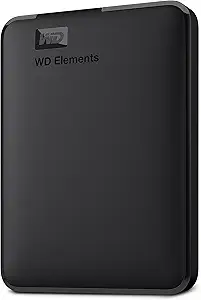 | Best Big-Capacity Portable | Storage capacity: 6TB | Interface: USB 3.2 Gen 1 / USB 3.0 | Form factor: 2.5 inches | VIEW LATEST PRICE | See Our Full Breakdown |
| WD My Passport 5TB Portable External Hard Drive, Black |  | Best for Security-Minded Travelers | Capacity: 5TB | Connectivity: USB 3.1 / USB 3.0 | Security: Password protection and hardware encryption | VIEW LATEST PRICE | See Our Full Breakdown |
| Seagate One Touch 8TB External Hard Drive |  | Best Value for Big Portable Storage | Brand: Seagate | Capacity: 8TB | Type: External hard drive | VIEW LATEST PRICE | See Our Full Breakdown |
| WD Elements 20TB Desktop External Hard Drive |  | Best for Massive Archives | Storage capacity: 20TB | Interface: USB 3.0 | Compatibility: Windows 10 and later; macOS with reformatting | VIEW LATEST PRICE | See Our Full Breakdown |
| Seagate 2TB Portable External Hard Drive, USB 3.0 (STGX2000400) |  | Best Bare-Bones Budget Drive | Storage capacity: 2 TB | Interface: USB 3.0 | Compatibility: Windows, Mac, PC, Sony PlayStation 4 | VIEW LATEST PRICE | See Our Full Breakdown |
| WD 4TB Elements Portable External Hard Drive (WDBU6Y0040BBK-WESN) | | Best Everyday Portable Pick | Capacity: 4TB | Interface: USB 3.2 Gen 1 / USB 3.0 | Transfer Speed: Up to 5Gbps | VIEW LATEST PRICE | See Our Full Breakdown |
| WD My Passport 2TB Portable External Hard Drive, Black |  | Best for Data Security | Storage capacity: 2 TB | Interface: USB 2.0/3.0 | Form factor: 2.5-inch portable | VIEW LATEST PRICE | See Our Full Breakdown |
| external hard drife | Interface | Capacity | Form Factor |
|---|---|---|---|
| Western Digital 8TB Elements D | USB 3.0 / USB 2.0 | 8 TB | 3.5-inch desktop |
| Seagate Portable 1TB External | USB 3.0 (USB 2.0 compatible) | 1 TB | Portable 2.5-inch |
| WD 6TB My Passport Portable Ex | USB 3.1 / USB 3.0 | 6 TB | 2.5-inch portable |
| WD My Passport 4TB Portable Ex | USB 3.1 / USB 3.0 | 4 TB | Portable 2.5-inch |
| Seagate 16TB One Touch Desktop | — | 16 TB | 3.5-inch desktop |
| Seagate Portable 4TB External | USB 3.0 | — | — |
| Western Digital WD Elements 5T | USB 3.0 / USB 2.0 | — | 2.5 inches |
| WD Elements 2TB Portable Exter | — | 2TB | — |
| WD Elements 6TB Portable Exter | USB 3.2 Gen 1 / USB 3.0 | — | 2.5 inches |
| WD My Passport 5TB Portable Ex | — | 5TB | — |
| Seagate One Touch 8TB External | USB-C | 8TB | — |
| WD Elements 20TB Desktop Exter | USB 3.0 | — | — |
| Seagate 2TB Portable External | USB 3.0 | — | — |
| WD 4TB Elements Portable Exter | USB 3.2 Gen 1 / USB 3.0 | 4TB | — |
| WD My Passport 2TB Portable Ex | USB 2.0/3.0 | — | 2.5-inch portable |
More Details on Our Top Picks
Western Digital 8TB Elements Desktop External Hard Drive
When the goal is maximum capacity per dollar, this desktop drive is hard to beat. The 8TB of space handles full-system backups, media libraries, and console game archives without the cost jump you get from SSDs. Compared with the Seagate 16TB One Touch, it costs less up front and skips the 15-watt USB power requirement, but you trade away raw capacity and USB-C convenience. Unlike the portable WD My Passport lineup, this 3.5-inch model needs its own wall outlet, so it belongs on a desk rather than in a bag.
The tradeoff is simplicity over polish: no backup software, no encryption, and NTFS formatting out of the box means Mac users must reformat before first use.
Pros:- 8TB of storage at a low cost per terabyte
- USB 3.0 speeds with USB 2.0 backwards compatibility
- Plug-and-play on Windows with no software to install
- Works with Xbox and PlayStation consoles for game storage
Cons:- Requires a wall outlet — not a portable drive
- Pre-formatted NTFS only; macOS users must reformat
- No bundled backup or encryption software
Best for: Windows users and console gamers who want lots of cheap storage in one fixed spot
Not ideal for: Laptop-toting commuters and Mac users — it needs external power and a reformat
- Capacity:8 TB
- Interface:USB 3.0 / USB 2.0
- Form Factor:3.5-inch desktop
- File System:NTFS (pre-formatted)
- Compatible OS:Windows 10, 8.1, 7
- Console Compatibility:Xbox One, Xbox Series S/X, PS4, PS5
- Weight:2.1 pounds
Our verdict“If you want the cheapest reliable way to park 8TB next to a desktop PC or console, this is the pick.”
Seagate Portable 1TB External Hard Drive
For a first external drive or a simple grab-and-go backup, this 1TB Seagate covers the basics with no fuss. It runs plug-and-play on Windows out of the box, and the 7200 RPM spindle gives it a slight edge in responsiveness over the WD Elements 2TB portable, which spins slower but doubles the storage for a bit more money. The 18-inch cable is generous for a pocket drive, though it does mean one more thing to keep track of compared with drives that ship with shorter tethered cables.
Where it falls short is versatility: Mac owners need to reformat first, and console support is confirmed only for Xbox One. If your media library already runs past a few hundred gigabytes, 1TB fills up fast, and the WD My Passport 4TB is the smarter stretch.
Pros:- Plug-and-play on Windows with no software needed
- 7200 RPM spindle for snappier file transfers
- Light 190 g pocket-friendly design
- Includes an 18-inch USB 3.0 cable
Cons:- Requires reformatting for Mac use
- Console compatibility only confirmed for Xbox One
- Small 1TB capacity limits long-term usefulness
Best for: Students and casual users who need an inexpensive, no-setup drive for documents and photos
Not ideal for: Anyone with large video or game libraries — 1TB disappears quickly
- Capacity:1 TB
- Interface:USB 3.0 (USB 2.0 compatible)
- Read Speed:Up to 120 MB/s
- Rotational Speed:7200 RPM
- Form Factor:Portable 2.5-inch
- Weight:190 g
- Cable Length:18 inches
- Console Compatibility:Xbox One
Our verdict“A sensible, low-commitment first drive — just don’t expect it to hold a growing media collection.”
WD 6TB My Passport Portable External Hard Drive
For travelers who refuse to choose between capacity and portability, this drive makes a strong case: 6TB in a 2.5-inch chassis no bigger than the 4TB My Passport sitting next to it in the lineup. That extra headroom matters for photographers and video editors hauling raw footage between locations. Compared with the WD Elements 8TB desktop, you lose 2TB and some value per terabyte, but you gain bus power, pocketability, and bundled security tools — password protection and 256-bit hardware encryption — that the Elements line simply omits.
Two honest caveats: spinning-platter speed means large projects copy far slower than any SSD, and squeezing 6TB into this form factor generates noticeable warmth during long transfers.
Pros:- First-ever 6TB capacity in a 2.5-inch portable drive
- Password protection with 256-bit hardware encryption
- Bundled backup software with ransomware defense
- Bus-powered USB 3.1/3.0 — no outlet needed
Cons:- Mechanical drive speeds can’t match an SSD for editing work
- High-capacity 2.5-inch drives run warm under sustained use
Best for: Content creators who travel with large photo and video libraries and need encryption
Not ideal for: Anyone editing directly off the drive — mechanical speeds lag well behind SSDs
- Capacity:6 TB
- Form Factor:2.5-inch portable
- Interface:USB 3.1 / USB 3.0
- Security:Password protection, 256-bit hardware encryption
- Software:Backup suite with ransomware defense
- Color:Black
Our verdict“The most storage you can currently fit in a coat pocket with encryption on board.”
WD My Passport 4TB Portable External Hard Drive
This is the drive I’d point most buyers toward, because it nails the capacity-to-price-to-portability balance that neither extreme of this roundup manages. It doubles the storage of the Seagate Portable 1TB while keeping the same pocketable footprint, and unlike the 6TB My Passport, it avoids the cost premium and heat that come from pushing the 2.5-inch capacity ceiling. The bundled software suite — backup scheduling plus ransomware defense — means files are protected from day one, something the value-focused WD Elements drives leave entirely to you.
Add password protection with hardware encryption and a 3-year warranty, longer than Seagate’s typical 2-year coverage, and the tradeoffs shrink to speed alone: it’s still a mechanical drive, so patience is required for multi-hundred-gigabyte transfers.
Pros:- Balanced 4TB capacity in a slim, durable body
- Automatic backup software with ransomware defense included
- Password protection and hardware encryption built in
- 3-year limited warranty — longer than most rivals
Cons:- Mechanical drive speeds make large backups slow
- No USB-C cable natively; older ports need adapters
Best for: Everyday users who want a secure, automatic backup drive that fits in a drawer or bag
Not ideal for: Videographers working with 4K archives — 4TB fills quickly and transfer speeds are modest
- Capacity:4 TB
- Interface:USB 3.1 / USB 3.0
- Form Factor:Portable 2.5-inch
- Security:Password protection, hardware encryption
- Software:Backup and device management with ransomware defense
- Warranty:3-year limited
- Color:Black
Our verdict“The safest all-around choice: enough space, real security features, and a longer warranty than the competition.”
Seagate 16TB One Touch Desktop Hard Drive
When one drive needs to hold everything, this 16TB Seagate doubles the capacity of the WD Elements 8TB while cutting cable clutter to a single USB-C connection. The clever part is bus power: unlike traditional desktop drives, it draws 15 watts over USB-C, so there’s no power brick to hide behind your desk — provided your computer can actually deliver that output, which older laptops may not. The bundled Rescue Data Recovery Services adds a layer of insurance none of the WD picks include, a genuine value if the drive holds irreplaceable archives.
Tradeoffs are predictable: this is the priciest option here, a 3.5-inch unit that stays on the desk, and the 15-watt requirement means some hubs and older ports simply won’t power it.
Pros:- Enormous 16TB capacity in a single drive
- USB-C bus power eliminates the wall adapter
- Rescue Data Recovery Services included
- Simple one-port, one-cord setup
Cons:- Requires a 15-watt USB-C output from the host device
- Higher cost per purchase than smaller drives in the lineup
- Desktop form factor — not meant for travel
Best for: Archivists and creative professionals consolidating massive libraries onto one drive
Not ideal for: Laptop users with older USB ports — the 15-watt power draw may exceed what their machine supplies
- Capacity:16 TB
- Connection:USB-C
- Power:Bus-powered (15W USB output required)
- Form Factor:3.5-inch desktop
- Warranty:2-year limited with Rescue Data Recovery Services
- Model:STNB16000400
Our verdict“The pick when capacity is the priority and your machine can feed it 15 watts over USB-C.”
Seagate Portable 4TB External Hard Drive
Seagate Portable 4TB earns its spot by being the drive you never have to think about. There is no software to install and no account to create — you drag files onto it and you are done, which makes it the simplest path to a first backup for anyone intimidated by setup wizards. Compared with the WD Elements 2TB, you get double the capacity for growing photo and video libraries, though both drives share the same no-frills, plastic-bodied design language. Where it trails the WD My Passport 5TB is security: no password protection or encryption, so it is a poor fit for sensitive documents carried in a bag. The 18-inch cable is also on the short side for desktop towers tucked under a desk.
Pros:- True plug-and-play with no software required
- Works with both Windows and Mac out of the box
- 4TB is plenty for photos, videos, and documents
- Includes an 18-inch USB 3.0 cable
Cons:- No password protection or encryption
- Short 18-inch cable limits placement flexibility
- Plastic build offers no drop or water resistance
Best for: First-time backers-up and casual users who want drag-and-drop simplicity with room to grow
Not ideal for: Anyone carrying confidential files, since there is no password protection or hardware encryption
- Storage capacity:4TB
- Interface:USB 3.0
- Cable length:18 inches
- Compatibility:Windows and Mac
- Setup:Plug and play, no software required
- Intended use:Personal storage and backup
Our verdict“This is the drive for buyers who value effortless setup over security features.”
Western Digital WD Elements 5TB Portable External Hard Drive
When the goal is maximum storage in a pocket-sized drive, the WD Elements 5TB hits a sweet spot that most portable drives miss. It carries a full terabyte more than the Seagate Portable 4TB while staying in the same lightweight 2.5-inch chassis, and its dual USB 3.0/2.0 support means it will still connect to older machines that many newer drives have abandoned. Buyers should know the tradeoff: unlike the WD My Passport 5TB, this model ships with no bundled security or backup software — it is bare storage, and read speeds around 50 MB per second remind you this is a budget spinning disk, not an SSD. The unadorned plastic shell also means no protection from drops or moisture if it lives in a travel bag.
Pros:- Generous 5TB capacity in a portable 2.5-inch design
- Backward compatible with USB 2.0 devices
- Works with PCs, Macs, desktops, laptops, and tablets
- Lightweight enough for everyday carry
Cons:- No bundled backup or security software
- No water or impact protection
- Spinning-disk speeds feel slow for large file transfers
Best for: Students and families who need lots of photo and video storage without paying for extras
Not ideal for: Frequent travelers or anyone with sensitive data, given the lack of ruggedness and security software
- Storage capacity:5TB
- Interface:USB 3.0 / USB 2.0
- Form factor:2.5 inches
- Read speed:Approximately 50 MB/s
- Compatible devices:Desktop, laptop, tablet
- Hardware platforms:PC and Mac
- Color:Black
Our verdict“The smart pick when raw capacity matters more than software features or speed.”
WD Elements 2TB Portable External Hard Drive
The WD Elements 2TB is the drive I would hand to someone buying their first external storage. It is compact, genuinely pocketable, and delivers the USB 3.2 Gen 1 connection at a capacity that comfortably handles documents, music, and a moderate photo collection. Compared with the WD Elements 5TB, it is noticeably lighter and easier to slip into a laptop sleeve, but you are giving up serious headroom — video creators will fill 2TB fast. Against the Seagate Portable 4TB, the faster interface spec is the differentiator, though real-world speeds on a spinning disk remain modest. Like the rest of the Elements family, there is no security software here, so it is best treated as overflow storage rather than a vault for private files.
Pros:- Compact and lightweight for true portability
- Modern USB 3.2 Gen 1 connectivity
- Plug-and-play with no setup software
- Compatible with Windows PCs and Macs
Cons:- 2TB capacity limits long-term usefulness for media hoarders
- No encryption or password protection
- Bare-bones bundle with no backup software
Best for: Students and light users who need dependable extra storage for documents and photos
Not ideal for: Videographers or anyone archiving large media libraries, since 2TB fills up quickly
- Brand:WD
- Model:WDBU6Y0020BBK-WESN
- Capacity:2TB
- Connection:USB 3.2 Gen 1 (5Gbps)
- Compatibility:Windows PC and Mac
- Setup:Plug and play
Our verdict“A low-commitment first drive that gets the basics right without paying for capacity you may not need.”
WD Elements 6TB Portable External Hard Drive
The WD Elements 6TB pushes portable spinning-disk storage about as far as it goes before you are forced into a bulkier desktop enclosure like the WD Elements 20TB Desktop. For photographers and video editors who want an entire archive in a bag, that distinction matters — you keep the 2.5-inch portability while matching the capacity many people buy desktop drives for. Against the WD My Passport 5TB, you gain a terabyte but lose the security suite; there is no password protection, no hardware encryption, and no bundled management software here. The plastic enclosure is also worth a moment of caution: this is a dense, delicate mechanism in a thin shell, so a protective case is a sensible addition if it travels with you. Setup, at least, is pure plug-and-play.
Pros:- Class-leading 6TB capacity in a portable 2.5-inch form factor
- Fast USB 3.2 Gen 1 connectivity with USB 3.0 support
- Plug-and-play with no installation required
- Works with desktops, laptops, and tablets
Cons:- Plastic enclosure offers little drop protection for a high-density drive
- No security software or encryption included
- Heavier and denser than smaller-capacity Elements models
Best for: Media professionals who need a large portable archive without a desktop enclosure
Not ideal for: Users with sensitive data, since the drive lacks any password or encryption features
- Storage capacity:6TB
- Interface:USB 3.2 Gen 1 / USB 3.0
- Form factor:2.5 inches
- Compatible devices:Desktop, laptop, tablet
- Enclosure material:Plastic
- Color:Black
- Model:WDBHJS0060BBK-WESN
Our verdict“The go-to portable when your library has outgrown 4 or 5TB but you still need it to fit in a bag.”
WD My Passport 5TB Portable External Hard Drive, Black
Among bare-bones portable drives, the WD My Passport 5TB stands apart because of what it protects, not just what it stores. Hardware encryption, password protection, and ransomware defense come bundled — features entirely absent from the WD Elements 5TB, which otherwise offers identical capacity in a similar chassis. For freelancers carrying client work or business travelers with confidential files, that software suite is the difference between a convenience and a liability. The slim, durable body holds up better to bag life than the standard Elements shell, and the 3-year limited warranty doubles what many budget drives include. The tradeoffs are real, though: the bundled software adds setup complexity the Elements line avoids, and performance remains spinning-disk territory rather than SSD speed.
Pros:- Password protection with hardware encryption
- Ransomware defense via included software
- Slim, durable build suited to travel
- 3-year limited warranty
Cons:- Bundled software adds setup complexity compared with Elements models
- Spinning-disk speeds lag well behind SSDs
- Higher feature set typically commands a premium over bare drives
Best for: Professionals and travelers carrying sensitive files who need encryption on the go
Not ideal for: Buyers who want pure plug-and-play simplicity, since the management software adds setup steps
- Capacity:5TB
- Connectivity:USB 3.1 / USB 3.0
- Security:Password protection and hardware encryption
- Software:Device management software with ransomware defense
- Warranty:3-year limited warranty
- Color:Black
- Model:WDBPKJ0050BBK-WESN
Our verdict“The portable drive to buy when the files on it matter as much as the space it provides.”
Seagate One Touch 8TB External Hard Drive
Most 8TB drives in this roundup, like the WD Elements Desktop 20TB, are deskbound boxes that need their own power supply. The Seagate One Touch 8TB flips that script: it’s bus-powered over USB-C, so a single cable handles both data and power. For anyone hauling a large photo or video library between machines, that eliminates the classic desktop-drive tradeoff. The Rescue Data Recovery Services inclusion is a genuine differentiator too — none of the WD Elements models offer it, and out-of-pocket recovery attempts can cost far more than the drive itself. The catch is the USB-C requirement: older USB-A-only laptops and desktops will need an adapter or dongle. Compared with the WD 4TB Elements Portable, you double capacity in a similarly grab-and-go package.
Pros:- Massive 8TB capacity in a portable, bus-powered design
- Single-cable USB-C operation with no wall outlet needed
- Rescue Data Recovery Services included
- Two-year limited warranty
Cons:- USB-C connection required, leaving older machines behind
- Slower spinning-drive speeds compared with SSD alternatives
Best for: Content creators and students with large media libraries who need high capacity they can actually carry
Not ideal for: Owners of older USB-A-only computers without adapters, who will face constant connection friction
- Brand:Seagate
- Capacity:8TB
- Type:External hard drive
- Interface:USB-C
- Power:Bus-powered; no wall outlet required
- Compatibility:Most Windows and macOS systems
- Warranty:Two-year limited warranty
- Data recovery:Rescue Data Recovery Services
Our verdict“This pick makes the most sense for buyers who want desktop-class capacity without the desktop-class power brick.”
WD Elements 20TB Desktop External Hard Drive
When the question is raw capacity per dollar, nothing else in this lineup competes. Twenty terabytes is enough for a decade of RAW photos, hours of 4K footage, or a full household backup — and it’s a full 12TB more than the Seagate One Touch 8TB. The plug-and-play Windows setup means it’s working within minutes of unboxing, which is exactly what someone archiving an entire NAS offload wants. The tradeoff is the desktop form factor: this drive lives on a desk, tethered to power, unlike the pocketable WD 4TB Elements Portable. Mac users should also know it’s Windows-first out of the box and needs a full reformat before macOS will touch it, which means wiping any data preloaded on the drive. If you don’t need to carry your archive, that’s a fair price for this much space.
Pros:- Enormous 20TB capacity for archives and full-system backups
- USB 3.0 transfers move large files at respectable speeds
- Plug-and-play setup on Windows PCs with zero software
Cons:- Requires a full reformat before macOS can use it
- Desktop design needs its own power outlet and stays put
Best for: Windows users building a permanent home archive for video projects, photo libraries, or whole-system backups
Not ideal for: Mac owners or anyone needing portable storage — reformatting and the deskbound design both get in the way
- Storage capacity:20TB
- Interface:USB 3.0
- Compatibility:Windows 10 and later; macOS with reformatting
- Setup:Plug and play for Windows PCs
- Model:WDBWLG0200HBK-NESN
Our verdict“This is the pick when capacity matters more than portability and the drive will live on one desk forever.”
Seagate 2TB Portable External Hard Drive, USB 3.0 (STGX2000400)
This Seagate is the no-frills option in a roundup full of extras. The WD My Passport 2TB bundles encryption, password protection, and backup software — useful for some, overhead for others. This drive strips all of that away: plug-and-play with no software, drag-and-drop from the first second. The PlayStation 4 compatibility is its quiet advantage, making it a natural console storage expansion where the My Passport’s security features are wasted. A 7200 RPM spindle and 120 MB/s read speed put it a step ahead of typical 5400 RPM portables for loading games and large files. Be aware that usable capacity lands under 2TB once formatting is accounted for, and there’s zero included backup tooling — if you want scheduled backups, you’ll supply your own software.
Pros:- Works with Windows, Mac, and PlayStation 4
- Plug-and-play setup with no additional software
- 7200 RPM spindle delivers quicker loads than typical portables
- Includes an 18-inch USB 3.0 cable in the box
Cons:- Formatted usable capacity falls short of the advertised 2TB
- No included backup software or security features
Best for: PS4 owners and casual users who want simple drag-and-drop extra storage without installing anything
Not ideal for: Anyone carrying sensitive files, since there’s no encryption or password protection at all
- Storage capacity:2 TB
- Interface:USB 3.0
- Compatibility:Windows, Mac, PC, Sony PlayStation 4
- Rotational speed:7200 RPM
- Read speed:120 MB/s
- Setup:Plug and play; no software required
- Included cable length:18 inches
Our verdict“The right choice when you want storage and nothing else — especially for a game console.”
WD 4TB Elements Portable External Hard Drive (WDBU6Y0040BBK-WESN)
This is the drive I’d hand to someone who just wants a dependable portable without overthinking it. At 4TB in a slim enclosure, it hits the sweet spot between the 2TB WD Elements Portable and the deskbound WD Elements 20TB — enough room for years of family photos and videos, yet small enough for a laptop bag. USB 3.2 Gen 1 at up to 5Gbps means large file moves won’t drag, and it works with both Windows and Macs out of the box. Unlike the WD My Passport 2TB, it skips bundled software entirely, which keeps things clean but means no scheduled backups or encryption — you’ll need your own solution for either. The included cable runs short, so desktop users with rear ports may want a longer one. For straightforward extra storage, those are minor compromises.
Pros:- Compact and lightweight enclosure built for travel
- 4TB capacity balances space and portability
- Fast USB 3.2 Gen 1 transfers up to 5Gbps
- Works out of the box with both Windows PCs and Macs
Cons:- Included USB cable is too short for some desk setups
- No bundled backup software or security features
Best for: Students and professionals who need a carry-anywhere 4TB drive for documents, photos, and media
Not ideal for: Users who want built-in backup scheduling or file security, since no software is included
- Capacity:4TB
- Interface:USB 3.2 Gen 1 / USB 3.0
- Transfer Speed:Up to 5Gbps
- Compatibility:Windows PC & Mac
- Setup:Plug and Play
- Model:WDBU6Y0040BBK-WESN
Our verdict“A fuss-free, well-balanced portable that fits most people’s storage needs without extra fluff.”
WD My Passport 2TB Portable External Hard Drive, Black
This is the only drive in this batch built around protecting files, not just storing them. Hardware encryption and password protection mean a lost drive doesn’t become a data breach — something the Seagate 2TB Portable and the WD 4TB Elements Portable can’t claim, since both ship with zero security. The bundled backup software with ransomware defense adds a safety layer that matters for freelancers handling client work or anyone carrying tax documents. A three-year warranty outlasts the Seagate One Touch’s two years, signalling extra confidence in the hardware. The cost of all this: the backup software requires a download and installation, and account registration may be part of setup — a hassle for buyers who wanted something truly plug-and-play. On capacity, 2TB is modest next to the 4TB Elements, so security features rather than space are what you’re paying for here.
Pros:- Hardware encryption and password protection built in
- Backup software includes ransomware defense
- Slim, portable 2.5-inch design
- Three-year limited warranty
Cons:- Backup software must be downloaded and installed separately
- Account registration may be required during setup
- Only 2TB when similarly priced portables offer more raw space
Best for: Professionals and students carrying sensitive personal or client files who need encryption and ransomware protection
Not ideal for: Buyers who want zero setup friction — software installation and possible account registration slow things down
- Storage capacity:2 TB
- Interface:USB 2.0/3.0
- Form factor:2.5-inch portable
- Security:Hardware encryption, password protection
- Software:Backup software with ransomware defense
- Compatible devices:Desktop, laptop, tablet
- Warranty:3-year limited warranty
Our verdict“The pick for anyone whose priority is keeping files safe on the move rather than maximizing capacity.”

How We Picked
I ranked these drives by asking the questions a buyer actually faces: how much storage you get for the money, whether the drive needs a power adapter or runs off USB alone, what connectors ship in the box, and how the capacity fits real-world uses like photo libraries, game consoles and whole-system backups. Because every drive here is a spinning HDD, raw throughput differences are minor — so the ranking leans heavily on capacity-per-dollar within each form factor, portability, and connector convenience rather than speed claims.
That logic produced a clear structure: high-capacity portables lead the list because they balance the most common needs (backup plus transportability), budget portables fill the entry tier, and desktop models are slotted for buyers who need serious capacity and don’t mind a stationary drive. Within tiers, drives with bundled USB-C, longer warranty coverage, or a proven reliability track record rank above near-identical alternatives. Every pick carries honest drawbacks too — slower speeds than SSDs, and for the desktop units, the loss of pocket portability.
Factors to Consider When Choosing Best External Hard Drives
Before settling on a specific model, it helps to understand the bigger picture of what you’re actually buying — because with external hard drives, the wrong purchase is usually a mismatch of form factor or capacity, not a bad product.Portable or Desktop: Decide This First
The single biggest fork in the road is whether the drive is bus-powered and pocketable or wall-powered and stationary. Portable drives top out around 6TB and draw power over USB, which makes them ideal for laptop backups, console storage and travel. Desktop drives start around 8TB and need their own adapter, but they deliver far more capacity per dollar. A common mistake is buying a 20TB desktop drive for a laptop that moves around daily — the drive ends up tethered to a desk. Conversely, buying three portable drives when one desktop unit would do wastes money and USB ports. Match the form factor to where your data lives, not to the biggest number on the box.
Buy More Capacity Than You Think You Need
Most buyers underestimate their storage growth, especially for photos, videos and game libraries, which can swell by hundreds of gigabytes in a year. My rule of thumb: take your current usage and double it when choosing a drive intended to last several years. The step-up cost between tiers is usually modest — going from 2TB to 4TB often costs far less than buying a second 2TB drive later. Where this logic reverses is at the very top: the jump from a 16TB to a 20TB desktop model carries a premium that only makes sense if you genuinely expect to fill it. Also remember that a backup drive should be at least as large as the drive you’re backing up, with headroom for growth.
USB 3.0 vs. USB-C and Real-World Speed
Every drive in this category is HDD-based, so expect roughly 100–150 MB/s in practice regardless of marketing claims — enough for backups and media streaming, but not for editing 4K footage directly off the drive. The connector question matters more than the speed question. Most WD and Seagate portables ship with USB-A cables; if your laptop only has USB-C ports, you’ll need an adapter or a dock, which adds cost and clutter. Drives that include a USB-C cable out of the box save that hassle. If you regularly move huge files and speed is the priority, an external SSD is the better category entirely — these drives are about cheap, dependable bulk storage.
Reliability, Warranty and the Backup Rule
All hard drives can fail, and brand loyalty offers weaker protection than people assume — WD and Seagate both make dependable drives and both have had imperfect models over the years. What differs is warranty length, which signals manufacturer confidence and gives you recourse if a drive dies young. My Passport drives typically carry longer coverage than the Elements line, which partly justifies their higher price. More importantly, no single external drive should ever be your only copy of anything precious. Follow the 3-2-1 rule: original, one local backup, one offsite or second-drive copy. A cheap second drive is better insurance than an expensive single one.
Formatting and Compatibility Gotchas
Out of the box, most of these drives come formatted for Windows (NTFS), which means Mac users will need to reformat before they can write to the drive — a step that catches plenty of first-time buyers. Reformatting takes minutes but erases everything preloaded, including any bundled backup software. Console owners face similar quirks: PlayStation and Xbox both work with these drives but require their own formatting routines, and older consoles may cap usable capacity. If you plan to share a drive across Windows and Mac, exFAT is the friendliest common format. None of this is a dealbreaker, but knowing it upfront avoids the frustration of a drive that seems read-only on day one.
When to Pay More (and When Not To)
Paying more makes sense in three situations: you need maximum portable capacity (the 5TB–6TB tier), you want longer warranty coverage, or you need USB-C in the box. Beyond that, premium pricing buys very little — the underlying drives inside budget and mid-tier enclosures are often similar. Where buyers overspend is on large portable drives when a desktop model would do the same job for less, or on capacity tiers with poor cost-per-terabyte. The entry tier (1TB–2TB) is where underspending bites: saving a small amount on a drive you’ll outgrow in months is a false economy. Aim for the capacity tier where the price curve flattens — usually the 4TB–6TB portable range.
Frequently Asked Questions
Is a 4TB portable drive big enough for backups and game storage?
For most households, 4TB is a solid middle ground: it comfortably holds a full Windows or Mac system image plus a growing photo library, or roughly 30–40 modern games. Where it falls short is if you archive video footage, shoot RAW photography professionally, or own a large console library — those use cases push into 6TB+ territory quickly. The WD My Passport 4TB and Seagate Portable 4TB are near-equivalent here; the deciding factors are warranty length and which cable format suits your machines. If you’re torn, remember that the step up to 5TB–6TB is usually inexpensive and buys years of headroom.
Do I need a desktop drive with a power adapter, or will a portable one do?
Choose a desktop drive when the drive will live on a desk and you need 8TB or more — portable models simply don’t exist above about 6TB, and desktop units deliver noticeably better cost per terabyte. Choose a portable drive when you’ll move it between computers, use it with a laptop away from outlets, or want console storage without extra cables. The adapter itself is the main annoyance: if your setup has limited outlets or you travel, that single cable makes all the difference. If your data lives in one place, desktop is the smarter buy; if it travels, portable wins even at a higher per-terabyte cost.
Why would I pick WD My Passport over the cheaper WD Elements line?
Both lines contain similar hard drives, so the difference is in the package rather than the disk. My Passport typically carries a longer warranty, includes backup and password-protection software, and offers the highest portable capacities (up to 6TB). Elements drives strip that back to deliver a lower price, and they’re excellent when you just need dependable raw storage. My guidance: pay the My Passport premium when you want the warranty cushion, hardware-level security, or the top portable capacity. Choose Elements when you’ll handle backups yourself and want the lowest cost per terabyte — which is why several Elements models rank high in this lineup.
Can I use one of these drives with a PlayStation or Xbox?
Yes, and these drives are a popular way to expand console storage. Both PlayStation and Xbox recognize standard USB 3.0 external hard drives, though each console requires you to format the drive through its own settings menu first, which erases anything already on it. PlayStations can store and play PS4 games directly from external drives but PS5 games must live on the internal SSD — the external drive is for PS4 titles and archiving. Xbox consoles play games directly from external drives but load next-gen optimized titles faster from internal storage. A 4TB–6TB portable is the sweet spot for console use, and any of the portable models here will work.
How long do these hard drives last, and what should I do when one gets old?
A well-treated external HDD commonly lasts five years or more, though lifespan depends heavily on handling — portables in bags get bumped, and shocks are the main killer of laptop-class drives. Desktop units that sit stationary often outlast portables for this reason. Listen for warning signs: clicking noises, sudden slow transfers, or drives that vanish from the desktop intermittently. When a drive passes the four-to-five-year mark, treat it as a retirement candidate: migrate the data to a new drive rather than waiting for failure, and keep the old one as a secondary archive only. Replacing an aging backup drive on your schedule beats losing data on the drive’s schedule.
Conclusion
The right pick here depends entirely on how you work. For the best overall choice, the WD 6TB My Passport blends the largest portable capacity available with a strong warranty and pocketable design. The best value goes to the WD Elements 5TB–6TB portables, which hit the capacity sweet spot at a lower price by trimming software and warranty frills. For premium buyers with serious archives, the WD Elements 20TB Desktop or the USB-C-equipped Seagate 16TB One Touch deliver maximum bulk storage, provided the drive can live on a desk. Beginners and light users are best served by the Seagate Portable 1TB or WD Elements 2TB — simple, cheap, and enough for a first backup routine. Console owners and students should look at the 4TB–6TB portable tier, which covers game libraries and coursework without a power brick. Whatever you pick, remember the one rule that matters more than any model on this list: never let a single drive be the only copy of anything you can’t afford to lose.