The best hard drive for most people is the WD My Passport 2TB: its portable size and practical capacity suit everyday backups without the bulk of a desktop drive. For large archives, the Seagate Expansion 24TB offers far more room, while the SanDisk Extreme Portable SSD is the speed-focused choice for frequent transfers. The main tradeoff is between capacity, portability, and speed: desktop hard drives store more, compact drives travel easily, and SSDs move files faster but usually offer less space for the same device size. I compare those tradeoffs across all 15 options below. Keep reading for the full breakdown and guidance on matching a drive to your setup.

Get business pricing on networking and server gear
- Business-only prices and quantity discounts
- Tax-exempt purchasing
- Multiple users, one account, clear invoices
Key Takeaways
- The lineup divides into three clear jobs: portable hard drives for everyday carry, desktop drives for large stationary libraries, and SSDs for faster transfers.
- Capacity changes the way a drive fits into a setup: the 500GB Kosbees and 1TB slim models suit smaller collections, while 5TB and 6TB My Passport models reduce the need to juggle several portable drives.
- The 24TB Seagate Expansion stands apart for bulk storage, but its desktop format makes it a poor match for people who need a drive in a bag.
- Speed claims need context: SanDisk‘s portable SSD options target faster file access, while conventional hard drives prioritize capacity over transfer speed.
- The right pick depends on connection and use: an internal BarraCuda requires a compatible computer bay, while external models connect over USB and are simpler for standalone backup.
| WD Elements 2TB Portable External Hard Drive | 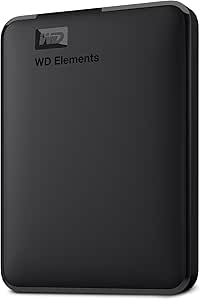 | Best Overall Portable Hard Drive | Capacity: 2 TB | Drive type: Mechanical hard drive | Interface: USB 2.0/3.0 | VIEW LATEST PRICE | See Our Full Breakdown |
| Seagate Expansion 24TB External Desktop Hard Drive |  | Best for Maximum Capacity | Capacity: 24 TB | Drive type: Mechanical external hard drive | Interface: USB 3.0 | VIEW LATEST PRICE | See Our Full Breakdown |
| UnionSine 1TB Ultra Slim Portable External Hard Drive, USB 3.0 | 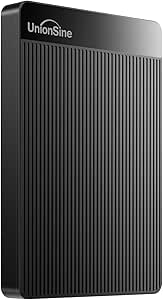 | Best Slim Portable Pick | Capacity: 1 TB | Drive type: Mechanical hard disk | Form factor: 2.5 inches | VIEW LATEST PRICE | See Our Full Breakdown |
| Maxone 1TB Ultra Slim Portable External Hard Drive, USB 3.0, Charcoal Grey |  | Best for a Slim Aluminum Enclosure | Capacity: 1 TB | Drive type: Mechanical hard drive | Interface: USB 2.0/3.0 | VIEW LATEST PRICE | See Our Full Breakdown |
| Kosbees 500 GB Portable External Hard Drive, USB 3.0 |  | Best for Basic, Low-Capacity Storage | Capacity: 500 GB | Form factor: 2.5 inches | Interface: USB 3.0 | VIEW LATEST PRICE | See Our Full Breakdown |
| WD My Passport 1TB Portable External Hard Drive, Black |  | Best for Secure Everyday Backups | Capacity: 1 TB | Drive type: Mechanical hard disk | Form factor: 2.5 inches | VIEW LATEST PRICE | See Our Full Breakdown |
| Western Digital Elements 8TB Desktop External Hard Drive |  | Best for High-Capacity Desktop Storage | Capacity: 8 TB | Form factor: 3.5-inch desktop | Interface: USB 2.0/3.0 | VIEW LATEST PRICE | See Our Full Breakdown |
| Seagate 4TB Expansion Portable Hard Drive (STNN4000400) |  | Best for Portable High-Capacity Storage | Capacity: 4 TB | Interface: USB 3.0 | Form factor: 2.5 inches | VIEW LATEST PRICE | See Our Full Breakdown |
| WD My Passport 5TB Portable External Hard Drive |  | Best for Secure Portable Capacity | Capacity: 5 TB | Form factor: 2.5 inches | Dimensions: 4.22 × 2.95 × 0.75 inches | VIEW LATEST PRICE | See Our Full Breakdown |
| SanDisk 1TB Portable Drive, Up to 600MB/s Read Speed, Black |  | Best for Fast, Drop-Resistant Portability | Capacity: 1 TB | Read speed: Up to 600 MB/s | Connectivity: USB Type-C | VIEW LATEST PRICE | See Our Full Breakdown |
| WD My Passport 2TB Portable External Hard Drive, Black | | Best for Secure Everyday Backups | Capacity: 2 TB | Drive type: Mechanical hard disk | Form factor: 2.5 inches | VIEW LATEST PRICE | See Our Full Breakdown |
| Seagate BarraCuda 8TB Internal Hard Drive (ST8000DM004) |  | Best Value for Desktop Capacity | Capacity: 8 TB | Drive type: Mechanical hard drive | Form factor: 3.5 inches | VIEW LATEST PRICE | See Our Full Breakdown |
| SanDisk Extreme Portable SSD, 1TB, Up to 2000MB/s |  | Best Rugged Portable SSD | Capacity: 1 TB | Drive type: Portable SSD | Interface and connector: USB 3.0, USB Type-C | VIEW LATEST PRICE | See Our Full Breakdown |
| Seagate One Touch 8TB External Hard Drive with USB-C |  | Best for Large External Backups | Capacity: 8 TB | Drive type: Mechanical hard disk | Form factor: 3.5 inches | VIEW LATEST PRICE | See Our Full Breakdown |
| WD My Passport 6TB Portable External Hard Drive, Black |  | Best High-Capacity Portable Hard Drive | Capacity: 6 TB | Drive type: Mechanical hard disk | Form factor: 2.5 inches | VIEW LATEST PRICE | See Our Full Breakdown |
| hard drife | Capacity | Form factor | Drive type | Interface |
|---|---|---|---|---|
| WD Elements 2TB Portable Exter | 2 TB | — | Mechanical hard drive | USB 2.0/3.0 |
| Seagate Expansion 24TB Externa | 24 TB | — | Mechanical external hard drive | USB 3.0 |
| UnionSine 1TB Ultra Slim Porta | 1 TB | 2.5 inches | Mechanical hard disk | — |
| Maxone 1TB Ultra Slim Portable | 1 TB | 2.5 inches | Mechanical hard drive | USB 2.0/3.0 |
| Kosbees 500 GB Portable Extern | 500 GB | 2.5 inches | — | USB 3.0 |
| WD My Passport 1TB Portable Ex | 1 TB | 2.5 inches | Mechanical hard disk | — |
| Western Digital Elements 8TB D | 8 TB | 3.5-inch desktop | — | USB 2.0/3.0 |
| Seagate 4TB Expansion Portable | 4 TB | 2.5 inches | — | USB 3.0 |
| WD My Passport 5TB Portable Ex | 5 TB | 2.5 inches | — | — |
| SanDisk 1TB Portable Drive | 1 TB | — | — | — |
| WD My Passport 2TB Portable Ex | 2 TB | 2.5 inches | Mechanical hard disk | USB 2.0, USB 3.0, USB 3.1 compatible |
| Seagate BarraCuda 8TB Internal | 8 TB | 3.5 inches | Mechanical hard drive | SATA 6 Gb/s |
| SanDisk Extreme Portable SSD | 1 TB | — | Portable SSD | — |
| Seagate One Touch 8TB External | 8 TB | 3.5 inches | Mechanical hard disk | — |
| WD My Passport 6TB Portable Ex | 6 TB | 2.5 inches | Mechanical hard disk | USB 2.0/3.0 |
More Details on Our Top Picks
WD Elements 2TB Portable External Hard Drive
The WD Elements 2TB is my most balanced pick for everyday portable storage: it gives you more room than the 1TB UnionSine, Maxone, and SanDisk portable options without needing a desktop power adapter. Plug-and-play setup and USB 3.0 with USB 2.0 compatibility make it a straightforward choice for backing up photos, documents, and video across computers or a compatible console. At 4.64 ounces, it is easy to carry, though its listed dimensions are larger than some slim 2.5-inch alternatives. This is a mechanical 5400 RPM drive, not an SSD, so it is better suited to storage and backups than speed-sensitive work. Choose the Seagate Expansion 24TB if capacity matters more than portability; choose the WD Elements if you want a self-powered drive to take along.
Pros:- 2TB capacity exceeds the 1TB portable options in this group
- Lightweight design does not require a separate power adapter
- USB 3.0 connection with USB 2.0 compatibility
- Plug-and-play setup suits simple backups and file storage
Cons:- Mechanical 5400 RPM storage is slower than the SanDisk portable SSD options
- Read-speed and cache details are not specified
- Listed dimensions are bulkier than some slim 2.5-inch drives
Best for: Laptop owners who want a portable, plug-and-play drive for routine backups and a few terabytes of media.
Not ideal for: People editing large projects directly from a drive or seeking SSD-like performance; this mechanical drive prioritizes storage over speed.
- Capacity:2 TB
- Drive type:Mechanical hard drive
- Interface:USB 2.0/3.0
- Rotational speed:5400 RPM
- Data transfer rate:5 Gbps
- Weight:4.64 ounces
- Dimensions:5.8 x 4.8 x 1.8 inches
- Warranty:2-year limited
Our verdict“Choose the WD Elements 2TB for a practical balance of portable size, easy setup, and more capacity than the 1TB alternatives.”
Seagate Expansion 24TB External Desktop Hard Drive
When a large archive matters more than portability, the Seagate Expansion 24TB is the clear capacity leader in this batch. Its desktop design offers far more room than the WD Elements 2TB, making it a better fit for extensive video libraries, project archives, or backups from several devices. The tradeoff is a required power adapter and a three-pound enclosure, so this is a drive to keep by a computer rather than carry in a bag. Seagate lists a 7200 rpm rotational speed and a 140 MB/s read speed, but it remains mechanical storage, not an SSD for demanding active editing. Windows and Mac support is listed, while Time Machine use requires reformatting. The included Rescue Data Recovery Services add a recovery option, but the one-year limited warranty is shorter than the three-year terms listed for UnionSine and Maxone.
Pros:- 24TB capacity suits large media collections and multi-device archives
- Includes an 18W power adapter and USB 3.0 cable
- Listed 7200 rpm speed and 140 MB/s read speed
- Rescue Data Recovery Services are included
Cons:- Requires an external power adapter
- Three-pound desktop design is not suited to regular travel
- Time Machine use requires reformatting and the limited warranty is one year
Best for: People building a large desktop archive for video, photos, and computer backups who can leave the drive connected to power.
Not ideal for: Traveling laptop users or anyone who wants a bus-powered drive; this desktop model needs an adapter and takes up more space.
- Capacity:24 TB
- Drive type:Mechanical external hard drive
- Interface:USB 3.0
- Rotational speed:7200 rpm
- Read speed:140 MB/s
- Weight:3 lb
- Dimensions:7.04 × 1.65 × 4.92 in
- Compatibility:Windows and Mac; reformatting required for Time Machine
- Warranty:1-year limited
Our verdict“Pick the Seagate Expansion 24TB when desktop-scale storage capacity matters more than portability or SSD speed.”
UnionSine 1TB Ultra Slim Portable External Hard Drive, USB 3.0
The UnionSine 1TB suits buyers who want a slim, simple drive for moving files between a computer, television, or supported console. Its 2.5-inch mechanical design and no-software setup make it more travel-friendly than the Seagate Expansion 24TB, which is built for a desk and needs its own power adapter. The striped, rounded casing is described as providing grip, while the listed theoretical maximums of 125 MB/s read and 103 MB/s write offer a rough sense of its intended everyday use—not a guarantee of sustained performance. Capacity is the main compromise: the WD Elements 2TB offers twice as much room, and the UnionSine’s enclosure material is not specified. It is a sensible compact storage choice, but buyers with extensive video libraries or speed-heavy workloads should look at higher-capacity or SSD alternatives.
Pros:- Slim 2.5-inch format is easy to carry
- Plug-and-play use requires no software installation
- Supports USB 3.0 and USB 2.0
- Three-year manufacturer’s warranty
Cons:- 1TB capacity is half that of the WD Elements 2TB
- Listed read and write figures are theoretical maximums
- Enclosure material is not specified
Best for: Students and console owners who need a lightweight drive for carrying documents, media, or game storage between compatible devices.
Not ideal for: People who need more than 1TB, documented enclosure materials, or consistent SSD-class speeds for active creative work.
- Capacity:1 TB
- Drive type:Mechanical hard disk
- Form factor:2.5 inches
- Connectivity:USB 3.0 and USB 2.0
- Rotational speed:5400 rpm
- Maximum theoretical read speed:125 MB/s
- Maximum theoretical write speed:103 MB/s
- Warranty:Three-year manufacturer’s warranty
Our verdict“Choose the UnionSine for compact, basic file storage when a slim 1TB drive matters more than added capacity or verified sustained speed.”
Maxone 1TB Ultra Slim Portable External Hard Drive, USB 3.0, Charcoal Grey
The Maxone 1TB differentiates itself from the UnionSine with a specified 0.4-inch aluminum enclosure, giving buyers a clear material choice in a small portable drive. It connects over USB 3.0, works with USB 2.0, and needs neither external power nor software installation, which keeps everyday transfers simple. Against the WD Elements 2TB, though, it offers half the capacity; against the UnionSine, its Windows compatibility details are narrower, listing Windows 7, 8, and 10 without naming Mac or Linux. The advertised 625 MB/s read speed also sits uneasily beside the 5400 rpm mechanical-drive specification, so I would not choose it on that figure alone. Its aluminum body and three-year warranty are appealing, but buyers should confirm operating-system fit before ordering.
Pros:- Thin 0.4-inch aluminum enclosure
- USB 3.0 with USB 2.0 compatibility
- No external power supply or software installation required
- Three-year manufacturer warranty
Cons:- Only 1TB, compared with 2TB on the WD Elements
- Listed operating-system support names Windows 7, 8, and 10 only
- 625 MB/s read-speed claim is difficult to reconcile with the listed 5400 rpm mechanical drive
Best for: Windows 7, 8, or 10 laptop users who want a thin, bus-powered drive with a specified aluminum enclosure.
Not ideal for: Mac or Linux users seeking explicitly listed compatibility, or anyone choosing a drive based on the listed 625 MB/s read figure.
- Capacity:1 TB
- Drive type:Mechanical hard drive
- Interface:USB 2.0/3.0
- Form factor:2.5 inches
- Thickness:0.4 inch
- Rotational speed:5400 rpm
- Enclosure material:Aluminum
- Compatible operating systems:Windows 7/8/10
- Warranty:3 years
Our verdict“Pick the Maxone if a thin aluminum shell and listed Windows support matter more than capacity or clearly documented cross-platform compatibility.”
Kosbees 500 GB Portable External Hard Drive, USB 3.0
The Kosbees 500GB is the smallest-capacity option here, so its role is limited but clear: basic file transport and modest backups for buyers who do not need a large media archive. At 0.35 pounds, it remains portable, and its listed compatibility spans Windows, Mac, Linux, and several console generations. Mac use requires formatting as ExFAT, however, and the broad console list does not mean it can run newer console games: PS5 and Xbox Series X|S titles must be copied to the console’s internal SSD to play. Compared with the UnionSine 1TB, Kosbees provides half the storage and a shorter one-year warranty, while the WD Elements 2TB is a better fit for growing libraries. The listed speed figures are modest for active work, making this a simple storage choice rather than a performance drive.
Pros:- Compact 2.5-inch design weighs 0.35 pounds
- Listed compatibility includes Windows, Mac, Linux, and multiple consoles
- USB 3.0 connection with plug-and-play Windows setup
- Read speed is listed up to 133 MB/s
Cons:- 500GB is the lowest capacity in this group
- Mac use requires formatting as ExFAT
- Cannot run PS5 or Xbox Series X|S games directly and has a one-year warranty
Best for: Budget-conscious users who need a lightweight secondary drive for documents, small backups, or moving files across listed systems.
Not ideal for: People storing large photo or video collections, seeking long warranty coverage, or wanting to play PS5 and Xbox Series X|S games directly from the drive.
- Capacity:500 GB
- Form factor:2.5 inches
- Interface:USB 3.0
- Rotational speed:5400 rpm
- Read speed:Up to 133 MB/s
- Write speed:Up to 103 MB/s
- Weight:0.35 lbs
- Compatibility:Windows, Mac, Linux, PS4, PS5, Xbox One, Xbox Series X|S
- Warranty:1 year
Our verdict“Choose the Kosbees only for modest, portable storage needs; the UnionSine 1TB or WD Elements 2TB fits buyers whose libraries are likely to grow.”
WD My Passport 1TB Portable External Hard Drive, Black
The WD My Passport 1TB is a sensible choice for carrying a modest file library and adding a layer of protection to routine backups. Its password protection and hardware encryption set it apart from the simpler WD Elements 8TB desktop drive, which prioritizes capacity over listed security features. Included Acronis software adds backup tools and ransomware defense, though that software does not replace keeping another copy of important files.
The tradeoff is capacity: 1TB suits documents, photos, and selected media, but fills faster than the Seagate Expansion 4TB. It is also a mechanical drive, so it is less suited to speed-focused editing or frequent large transfers than the SanDisk 1TB Portable Drive. Choose this My Passport for portable, protected storage—not maximum capacity or SSD performance.
Pros:- Password protection and hardware encryption help safeguard stored files.
- Included Acronis software provides backup tools and ransomware defense.
- 2.5-inch design is suited to carrying between home, school, or work.
- Compatible with desktops, laptops, and tablets.
Cons:- 1TB offers less room than the Seagate Expansion 4TB or WD Elements 8TB.
- Mechanical storage is slower than the SanDisk 1TB solid-state drive.
- USB 2.0/3.0 connectivity is less direct for devices that rely on USB-C.
Best for: Laptop owners who want a compact drive for personal backups and password-protected files.
Not ideal for: People storing large video libraries or moving bulky project files frequently; its 1TB capacity and mechanical design are limiting.
- Capacity:1 TB
- Drive type:Mechanical hard disk
- Form factor:2.5 inches
- Connectivity:USB 2.0/3.0
- Security:Password protection and hardware encryption
- Included software:Acronis True Image for Western Digital
- Warranty:3-year limited warranty
Our verdict“Choose this My Passport if you want portable 1TB storage with encryption and backup software, rather than the higher capacity of the Seagate Expansion 4TB.”
Western Digital Elements 8TB Desktop External Hard Drive
When the priority is adding substantial storage to a Windows PC, the WD Elements 8TB offers far more room than portable picks such as the WD My Passport 1TB. That capacity can keep a sizable media collection or backup archive on one desktop drive, and USB 3.0 supports a straightforward connection to compatible computers. Its plug-and-play setup for Windows PCs makes it a practical expansion drive without listed encryption or backup software to configure.
The desktop format is the tradeoff: this is not the drive to toss into a bag for regular travel. It needs an AC adapter, unlike the bus-powered portable Seagate Expansion 4TB, and its listed compatibility centers on Windows 7, 8.1, and 10. Choose it for stationary capacity; skip it if portability, broad platform flexibility, or built-in file security matters more.
Pros:- 8TB capacity gives a large collection or backup archive room to grow.
- USB 3.0 and USB 2.0 support connections to compatible computers.
- Plug-and-play setup is aimed at Windows PCs.
- Included AC adapter and USB cable provide the listed desktop accessories.
Cons:- Requires an AC adapter and a fixed place to operate.
- The 3.5-inch desktop form factor is less portable than the WD My Passport 1TB.
- Listed compatibility is limited to Windows 7, 8.1, and 10, with hardware and OS variation possible.
Best for: Windows PC owners who need a stationary drive for large media collections, archives, or local backups.
Not ideal for: Frequent travelers and buyers who need a bus-powered portable drive, built-in encryption, or clearly listed current-platform support.
- Capacity:8 TB
- Form factor:3.5-inch desktop
- Interface:USB 2.0/3.0
- Compatibility:Windows 10, Windows 8.1, Windows 7
- Weight:2.1 pounds
- Dimensions:9 × 8 × 3.5 inches
- Included items:AC adapter, quick start guide, USB cable, hard drive
Our verdict“Pick the WD Elements 8TB for stationary Windows storage when capacity matters more than portability or built-in security.”
Seagate 4TB Expansion Portable Hard Drive (STNN4000400)
The Seagate Expansion Portable 4TB balances travel-friendly size with enough room for sizable photo, video, and game libraries. It holds four times the capacity of the WD My Passport 1TB, while staying in a 2.5-inch portable form factor rather than taking the desk-bound approach of the WD Elements 8TB. Windows and macOS support, along with compatibility listed for major consoles, makes it a flexible option for moving files or expanding storage across devices.
Its mechanical drive design means the listed 120 MB/s read speed is no match for the SanDisk 1TB Portable Drive’s up-to-600 MB/s read claim. Console support and setup can vary by use, and USB-C devices may need a suitable adapter or cable for its Micro-B connection. Rescue Data Recovery Services add a useful safety net, but do not make this drive a substitute for a second backup.
Pros:- 4TB capacity offers much more room than the WD My Passport 1TB.
- Compact 2.5-inch design and 268 g weight suit portable use.
- Compatibility is listed for Windows, macOS, Xbox Series S/X, PS4 Pro, and PS5.
- Includes Rescue Data Recovery Services for added recovery support.
Cons:- Mechanical storage is slower than the SanDisk 1TB Portable Drive’s listed read speed.
- USB-C devices may need an adapter or a suitable Micro-B-to-USB-C cable.
- The listed warranty and Rescue Data Recovery coverage are each one year.
Best for: Travelers, console owners, and media collectors who need several terabytes in a portable drive.
Not ideal for: Buyers who prioritize fast transfers, a direct USB-C connection, or a desktop drive that stays in one place.
- Capacity:4 TB
- Interface:USB 3.0
- Form factor:2.5 inches
- Weight:268 g
- Read speed:120 MB/s
- Compatibility:Windows, macOS, Xbox Series S/X, PS4 Pro, PS5
- Warranty and recovery:1-year limited warranty plus 1-year Rescue Data Recovery
Our verdict“Choose the Seagate Expansion 4TB when portable capacity and broad device compatibility matter more than SSD speed.”
WD My Passport 5TB Portable External Hard Drive
The WD My Passport 5TB is the better fit than the 1TB My Passport when a portable backup needs to hold a much larger collection without giving up the line’s listed hardware encryption, password protection, and Acronis backup software. Its 2.5-inch body weighs 7.4 ounces, making it easier to carry than the WD Elements 8TB desktop drive, which needs an AC adapter. For someone keeping years of photos or a broad working archive close at hand, that capacity changes how often storage needs sorting.
There are limits: it remains a mechanical drive, so the SanDisk 1TB Portable Drive is a stronger fit for speed and drop resistance. Mac users must reformat the drive, and the supplied data-transfer-rate listing is not useful enough to promise real-world speed. Pick this model for capacity and security, not rapid editing or effortless out-of-box Mac use.
Pros:- 5TB capacity provides substantially more room than the WD My Passport 1TB.
- Password protection and hardware encryption add file security.
- Acronis software includes backup and ransomware-defense features.
- Slim 7.4-ounce design is easier to carry than the WD Elements 8TB desktop drive.
Cons:- Mac use requires reformatting.
- Mechanical storage is slower and less resistant to drops than the SanDisk 1TB Portable Drive.
- The listed data transfer rate of 1 megabit per second does not provide a useful performance basis.
Best for: Mobile professionals and households who want a large, encrypted portable backup drive for PC or Linux use.
Not ideal for: Mac users who want immediate out-of-box compatibility, or anyone prioritizing fast transfers and solid-state durability.
- Capacity:5 TB
- Form factor:2.5 inches
- Dimensions:4.22 × 2.95 × 0.75 inches
- Weight:7.4 ounces
- Connectivity:USB 2.0 and USB 3.0
- Security:Password protection and hardware encryption
- Compatibility:Desktop, laptop, and tablet; Linux and PC; Mac with reformatting
- Warranty:3-year limited warranty
Our verdict“Choose the My Passport 5TB for portable capacity and encryption, provided you can accommodate its mechanical-drive speed and Mac reformatting requirement.”
SanDisk 1TB Portable Drive, Up to 600MB/s Read Speed, Black
The SanDisk 1TB Portable Drive is the speed-focused alternative in this group. Its solid-state design and up-to-600 MB/s read speed make it better suited than the mechanical WD My Passport 1TB for frequently opening or moving files. The pocket-sized body weighs 1.12 ounces, connects over USB-C, and is rated for drops up to 2 meters—practical advantages for commuters who carry a drive alongside a laptop or phone.
That performance and portability come with a sharp capacity tradeoff: its 1TB holds far less than the Seagate Expansion 4TB or WD My Passport 5TB. The speed claim is a read figure, not a matching write guarantee, and actual available space is below the stated capacity. I’d choose it for quick access and less worry about moving parts, but not for a large archive or buyers who need a traditional high-capacity hard disk.
Pros:- Solid-state design has no moving parts.
- Read speeds are listed up to 600 MB/s, faster than the mechanical options here on paper.
- Drop protection is rated up to 2 meters.
- USB-C and a 1.12-ounce pocket-sized body suit mobile use.
Cons:- 1TB capacity is much lower than the Seagate Expansion 4TB and WD My Passport 5TB.
- Write speeds are lower than the listed read speed.
- Actual available storage is less than 1 TB.
Best for: Commuters and mobile creators who want a pocket-sized USB-C drive for frequent file access and everyday transfers.
Not ideal for: Buyers building large media archives or seeking several terabytes of mechanical hard-drive capacity.
- Capacity:1 TB
- Read speed:Up to 600 MB/s
- Connectivity:USB Type-C
- Drop protection:Up to 2 meters
- Weight:1.12 ounces
- Dimensions:2.95 × 1.77 × 0.39 inches
- Compatible devices:Desktop, laptop, smartphone, tablet
- Hardware platforms:Mac, PC
Our verdict“Pick the SanDisk for a fast, lightweight, drop-resistant portable drive, but choose the Seagate Expansion 4TB if storage capacity matters more.”
WD My Passport 2TB Portable External Hard Drive, Black
The WD My Passport 2TB is a good fit for carrying a practical backup library without giving up basic file security. Its hardware encryption and password protection offer a privacy layer that the simpler WD Elements 2TB Portable External Hard Drive does not emphasize, while the included backup and device-management software can help organize routine copies. The tradeoff is setup: the software must be downloaded and installed, and an account may be required. Like other mechanical portable drives, it is better suited to files and backups than work that depends on SSD-like transfer speeds. Compared with the larger WD My Passport 6TB, this model is easier to keep focused on everyday documents and media, but it leaves less room for a growing archive.
Pros:- Compact 2.5-inch portable form factor
- Hardware encryption and password protection
- Downloadable backup and device-management software with ransomware defense
- Compatible with USB 2.0 and USB 3.0
Cons:- Backup software requires download and installation
- Software use may require account registration
- Mechanical drive is less suited to speed-sensitive workflows than an SSD
Best for: Laptop and tablet owners who want a portable 2TB backup drive with password protection for personal files.
Not ideal for: People building a large video or game archive, or buyers who want software-free setup and the greatest capacity.
- Capacity:2 TB
- Drive type:Mechanical hard disk
- Form factor:2.5 inches
- Interface:USB 2.0, USB 3.0, USB 3.1 compatible
- Security:Hardware encryption and password protection
- Enclosure material:Aluminum
- Compatible devices:Desktop, laptop, tablet
- Warranty:3-year limited warranty
Our verdict“Choose this for a portable, security-minded 2TB backup setup; skip it if you need a larger archive or SSD-class speed.”
Seagate BarraCuda 8TB Internal Hard Drive (ST8000DM004)
The Seagate BarraCuda 8TB gives desktop builders a large internal storage pool for media, games, and general files without taking the portable-drive route. Its 3.5-inch SATA connection suits a desktop tower or a compatible console setup, while the 256 MB cache and stated transfer rate of up to 190 MB/s support everyday storage tasks. The main compromise is its 5400 rpm speed: it prioritizes capacity over the quicker access expected from an SSD or faster mechanical drive. Unlike the external Seagate One Touch 8TB, the BarraCuda needs an internal bay and a separate compatible SATA connection, but it avoids being another desktop enclosure on the desk. The anti-static-bag packaging also means buyers should not expect cables or a retail box.
Pros:- 8 TB capacity for large desktop libraries
- Standard SATA 6 Gb/s interface
- 256 MB cache
- Stated transfer rate of up to 190 MB/s
Cons:- 5400 rpm speed favors capacity over faster access
- Requires an internal 3.5-inch bay and compatible SATA connection
- Packaging includes no cables or retail box
Best for: Desktop owners who need a high-capacity internal drive for media libraries, games, and files that do not require SSD response times.
Not ideal for: Laptop owners, people without an available 3.5-inch bay, or gamers seeking fast load times from a primary drive.
- Capacity:8 TB
- Drive type:Mechanical hard drive
- Form factor:3.5 inches
- Interface:SATA 6 Gb/s
- Rotational speed:5400 rpm
- Cache:256 MB
- Stated transfer rate:Up to 190 MB/s
- Warranty and service:2-year warranty and 2-year Rescue service
Our verdict“Pick the BarraCuda for spacious internal desktop storage, but choose an SSD or external drive if installation or responsiveness matters more.”
SanDisk Extreme Portable SSD, 1TB, Up to 2000MB/s
For buyers who value speed and a more travel-ready build over maximum capacity, the SanDisk Extreme Portable SSD fills a different role from the mechanical drives here. Its stated read speed of up to 2000 MB/s can make project transfers and frequent file access feel far less constrained than on the WD My Passport 6TB, though the 1TB capacity is much smaller. The IP65 water and dust resistance and drop protection up to 3 meters add reassurance when it travels in a bag. Password protection with 256-bit AES encryption is available, but requires software and has stated platform requirements. This SSD is the better choice for active work and portability; the larger Seagate One Touch 8TB makes more sense for a roomy stationary archive.
Pros:- Stated read speed up to 2000 MB/s
- Pocket-sized 1.6-ounce design
- IP65 water and dust resistance
- Drop protection up to 3 meters
Cons:- 1 TB capacity is limited beside the 8 TB mechanical options
- Write speeds are lower than the stated maximum read speed
- Password protection requires software and is limited to supported operating systems
Best for: Photographers, creators, and mobile workers who move active files between compatible computers and want a compact, rugged SSD.
Not ideal for: Buyers who need several terabytes for long-term storage or want password protection without installing software.
- Capacity:1 TB
- Drive type:Portable SSD
- Interface and connector:USB 3.0, USB Type-C
- Maximum read speed:Up to 2000 MB/s
- Water and dust resistance:IP65
- Drop protection:Up to 3 m
- Weight:1.6 oz
- Encryption:Optional 256-bit AES password protection
- Compatibility:Mac, PC, desktop, laptop, smartphone, tablet, Sony PlayStation 5
Our verdict“Choose this rugged SSD for fast, portable project storage, not for a high-capacity backup archive.”
Seagate One Touch 8TB External Hard Drive with USB-C
The Seagate One Touch 8TB is aimed at buyers who want a large external archive they can connect to a Mac or PC without installing an internal drive. Its USB-C connection keeps the setup to a cable, and included Rescue Data Recovery Services add a layer of support for stored files. Compared with the internal Seagate BarraCuda 8TB, this model is simpler to add to an existing computer, though the BarraCuda avoids an external enclosure and uses a stated SATA 6 Gb/s interface. The One Touch is still a 3.5-inch mechanical drive, so its desktop-sized form is less convenient to carry than the WD My Passport models. The supplied power adapter also means the listed bus-powered claim should be checked against the actual setup; the product data lists an adapter among included items.
Pros:- 8 TB external storage capacity
- USB-C connectivity for a single-cable connection
- Compatible with Mac and PC
- Includes Rescue Data Recovery Services and a two-year limited warranty
Cons:- 3.5-inch form factor is less portable than 2.5-inch drives
- Mechanical storage is less responsive than an SSD
- Included power adapter and listed bus-powered description may complicate expectations about power needs
Best for: Mac and PC owners who want a large, ready-to-connect external drive for backups and an at-home media archive.
Not ideal for: Frequent travelers or buyers who need a genuinely pocketable drive and do not want a desktop-sized unit or power adapter.
- Capacity:8 TB
- Drive type:Mechanical hard disk
- Form factor:3.5 inches
- Interface and connectivity:USB 3.0, USB-C
- Rotational speed:7200 rpm
- Read speed:120 MB/s
- Compatibility:Mac, PC
- Included items:External hard drive, power adapter, quick start guide, USB cable
- Warranty:2 years
Our verdict“Choose the One Touch for a large external home archive with USB-C convenience, not for frequent travel or SSD-speed work.”
WD My Passport 6TB Portable External Hard Drive, Black
The WD My Passport 6TB packs far more storage into a portable 2.5-inch mechanical drive than the 2TB My Passport, making it the stronger pick for a traveling media library or several device backups. It keeps the same useful emphasis on password protection, hardware encryption, and backup software with ransomware defense, so the capacity increase does not come at the expense of those security features. Its stated read speed of 110 MB/s, however, marks a clear limit for large, frequent transfers compared with the SanDisk Extreme Portable SSD, which is built for much higher read speeds. A mechanical drive also needs a USB connection and is less suited to demanding active projects. Choose this model when capacity and portability outweigh speed; choose the 2TB My Passport if you need less storage and want a smaller archive commitment.
Pros:- 6 TB capacity in a 2.5-inch portable form factor
- Password protection and hardware encryption
- Backup software includes ransomware defense
- Compatible with desktop computers, laptops, tablets, and Sony PlayStation 4
Cons:- Mechanical drive is slower than the SanDisk portable SSD
- Requires a USB connection to access files
- Backup software requires setup rather than providing a purely hardware-based workflow
Best for: Traveling professionals and media collectors who need several terabytes of portable backup storage with hardware encryption.
Not ideal for: Creators who regularly move large active projects at high speed, or buyers who need an SSD’s performance and rugged protection.
- Capacity:6 TB
- Drive type:Mechanical hard disk
- Form factor:2.5 inches
- Interface:USB 2.0/3.0
- Stated data transfer rate:5 Gbps
- Read speed:110 MB/s
- Security:Password protection and hardware encryption
- Enclosure material and color:Aluminum, black
- Compatibility:Desktop, laptop, tablet, Sony PlayStation 4
Our verdict“Choose this when you want a large portable archive with encryption; choose the SanDisk SSD when speed and ruggedness matter more.”
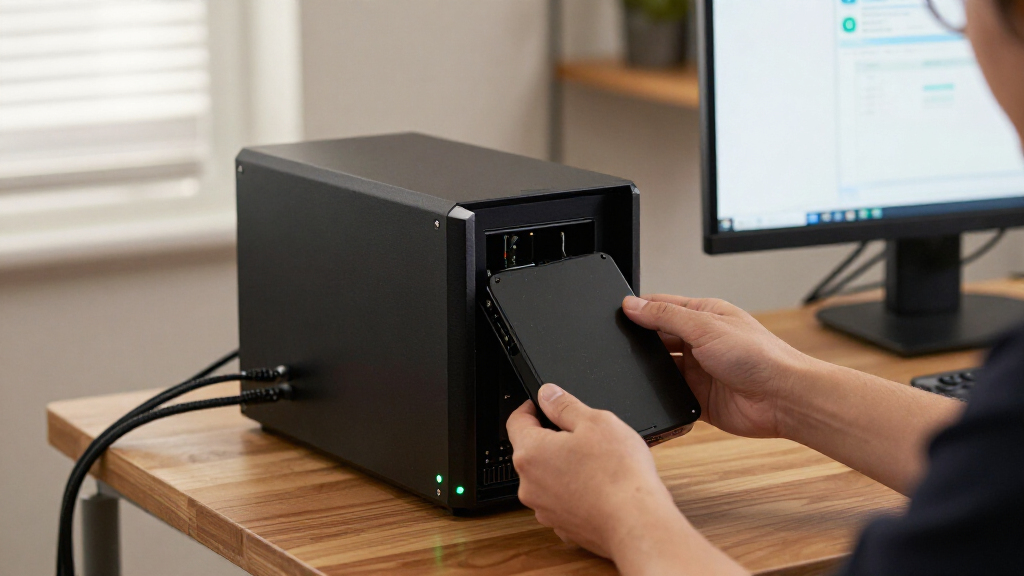
How We Picked
I ranked these drives by how well their design and capacity match common storage jobs: everyday backup, travel, large media libraries, quick transfers, and internal PC storage. I compared form factor, stated capacity, interface, and the practical tradeoff between carrying convenience and storage volume. I also gave weight to setup demands: an external USB drive is easier to use across devices, while an internal drive can suit a desktop build but needs compatible hardware and installation.
The order favors versatility first, then specialist strengths. Portable drives with useful everyday capacity rank ahead of models that serve a narrower job; large desktop drives earn recognition for archive capacity but not portability. SSDs stand out for speed, though they are not direct replacements for high-capacity hard drives in every budget-conscious backup plan. Product names and listed specifications define this comparison; I do not treat speed claims as guaranteed real-world performance across every computer or workload.
| hard drife | Drive type | Interface |
|---|---|---|
| WD Elements 2TB Portable Exter | Mechanical hard drive | USB 2.0/3.0 |
| Seagate Expansion 24TB Externa | Mechanical external hard drive | USB 3.0 |
| UnionSine 1TB Ultra Slim Porta | Mechanical hard disk | — |
| Maxone 1TB Ultra Slim Portable | Mechanical hard drive | USB 2.0/3.0 |
| Kosbees 500 GB Portable Extern | — | USB 3.0 |
| WD My Passport 1TB Portable Ex | Mechanical hard disk | — |
| Western Digital Elements 8TB D | — | USB 2.0/3.0 |
| Seagate 4TB Expansion Portable | — | USB 3.0 |
| WD My Passport 5TB Portable Ex | — | — |
| SanDisk 1TB Portable Drive | — | — |
| WD My Passport 2TB Portable Ex | Mechanical hard disk | USB 2.0, USB 3.0, USB 3.1 compatible |
| Seagate BarraCuda 8TB Internal | Mechanical hard drive | SATA 6 Gb/s |
| SanDisk Extreme Portable SSD | Portable SSD | — |
| Seagate One Touch 8TB External | Mechanical hard disk | — |
| WD My Passport 6TB Portable Ex | Mechanical hard disk | USB 2.0/3.0 |
Factors to Consider When Choosing Best Hard Drives
Choosing among these drives starts with the job, not the model name. I would work out how much data needs a home, where the drive will sit, and how often files need to move before comparing capacities or speed claims.
Match Capacity to the Data You Actually Keep
Estimate the size of your current files, then leave room for future growth and backup versions. A drive that barely fits today’s library can become inconvenient once photos, projects, and system backups accumulate. Small-capacity portable models can suit documents or a focused media collection, but large video libraries may push you toward a higher-capacity portable or desktop drive. Avoid choosing solely by the largest number: unused capacity does not help if the drive is too bulky for your routine. For important files, a single large drive should not be the only copy.
Choose Portable or Desktop Around Where the Drive Lives
A portable drive draws power through its USB connection and is designed to move between a computer and a bag. Desktop drives tend to take up more space and may need a separate power supply, but their larger capacities make them well suited to a stationary archive. Buyers sometimes treat these formats as interchangeable because both connect externally; the day-to-day setup can be quite different. If the drive stays beside one computer, desktop size may be an acceptable trade for storage volume. If you travel or switch workstations, favor a compact unit and check the cable and port requirements before buying.
Treat Speed as a Workflow Choice, Not Just a Number
For occasional backups and long-term storage, a conventional hard drive may be fast enough even when it cannot match an SSD. For frequent large transfers, active editing, or moving a working project between machines, SSD speed can save time. Read-speed figures are not the same as guaranteed performance for every task, and the computer’s port, cable, and file size all affect results. A common mistake is paying for a fast drive while connecting it to hardware that cannot take advantage of its interface. Decide whether speed changes your daily workflow before giving it priority over capacity.
Check Compatibility Before Buying an Internal Drive
An internal hard drive is not a plug-and-play external backup unless you add a suitable enclosure or dock. Before choosing one, check that your desktop has a compatible bay, data connection, power connection, and enough room for installation. Laptop compatibility can be more restrictive, so confirm the required drive size and interface rather than assuming a listed capacity will fit. Internal storage can make sense for a desktop library or added PC capacity, but it asks more of the buyer than a USB external drive. If you want simple backups across multiple devices, an external model is usually the more direct route.
Plan Backups Around Failure, Not Just Capacity
Any single drive can fail, be lost, or be damaged, so valuable files need another copy. A second drive stored separately can help protect against local mishaps, while cloud storage can add off-site protection for files that fit your connection and storage plan. Keep a backup schedule that matches how often your data changes; a one-time copy will not protect new work. Do not confuse a large-capacity drive with a complete backup strategy. For irreplaceable files, check that copies can be opened and restored rather than assuming a backup completed correctly.
Match the Connector to Your Devices
USB naming can be confusing, and a connector’s shape does not by itself tell you the speed a computer will deliver. Check the drive’s included cable, the ports on every device you plan to use, and whether an adapter is needed. USB-C can make connections easier with newer computers, but it does not automatically mean the drive will transfer faster than another model. A drive used between older and newer devices may need a compatible cable or hub. Checking this before purchase avoids a setup where the storage fits your needs but cannot connect conveniently.
Frequently Asked Questions
Should I choose a hard drive or an SSD for a portable backup?
Choose a hard drive when you want more storage capacity in a compact external device and do not move large files constantly. Choose an SSD when transfer speed, frequent travel, or a responsive working drive matters more than maximizing capacity. The SanDisk Extreme Portable SSD is the speed-oriented option in this group, while the portable WD and Seagate hard drives focus on storage. Check that your computer’s port and cable can support the connection you plan to use. For an important backup, keep another copy regardless of drive type.
Is a 24TB desktop drive a better choice than a smaller portable drive?
It is a better fit only if your priority is keeping a very large library in one stationary location. A desktop drive such as the Seagate Expansion 24TB is far less convenient to carry than a portable model, so capacity does not make it a universal upgrade. Consider the space it will occupy and whether the power setup suits your desk. If you want backups in a bag or need to move between computers, a smaller portable drive is more practical. Large archives also benefit from a second copy rather than relying on one device.
Can I use the Seagate BarraCuda 8TB as an external drive?
The BarraCuda listed here is an internal drive, so it needs a compatible computer installation or a suitable external enclosure or dock. Before buying, confirm its physical fit, connections, and power needs against your hardware. An enclosure can add convenience, but it also adds another component and may affect setup and portability. If you want a drive that connects directly over USB with minimal preparation, choose one of the external models instead. The internal route makes most sense when you are expanding or building a desktop system.
How much capacity should I buy for photos and video backups?
Start by checking the size of your current library and how quickly it grows, then add space for future files and multiple backup versions. Photos alone may fit comfortably on a smaller drive, but high-resolution video can fill storage much faster. The 1TB and 2TB portable options suit more modest collections, while larger My Passport models and desktop drives are better suited to expanding archives. Avoid filling a backup drive to its limit, since that leaves little room for new data. If the collection matters, plan for a second copy as well.
Will a USB-C drive work with a computer that only has USB-A ports?
It can work if the drive supports a compatible cable or you use a suitable adapter, but check the included accessories and device specifications first. Connector compatibility and transfer speed are separate questions: an adapter may connect the drive without giving you the fastest possible link. Older ports can also affect how quickly large backups finish. If you regularly move the drive between different computers, choose a cable setup that works with all of them. Confirm the connector on both ends before purchase rather than relying on the port label alone.
Conclusion
For most everyday users, I would choose the WD My Passport 2TB as the best overall: it combines a portable format with enough room for routine personal backups. The best value by use case is a smaller portable model such as the WD Elements 2TB when straightforward storage matters more than extra features or maximum capacity. For a premium, speed-focused option, the SanDisk Extreme Portable SSD suits people who move large files often; for the biggest stationary archive, the Seagate Expansion 24TB is the specialist pick. Beginners should start with an external USB model such as the WD Elements rather than an internal drive that needs installation. Choose the Seagate BarraCuda 8TB for a compatible desktop build, or a high-capacity My Passport model when you need substantial storage that still travels. Match the format to your routine, then keep a second copy of anything you cannot replace.