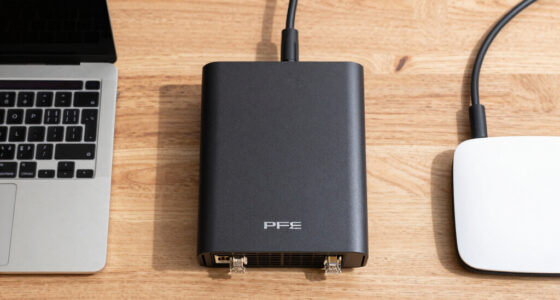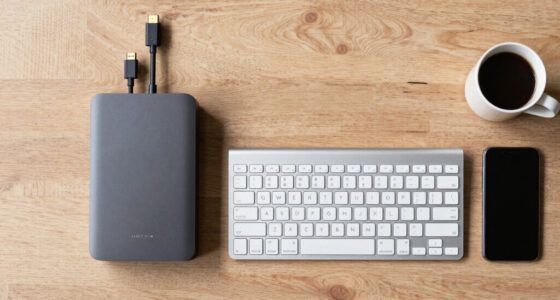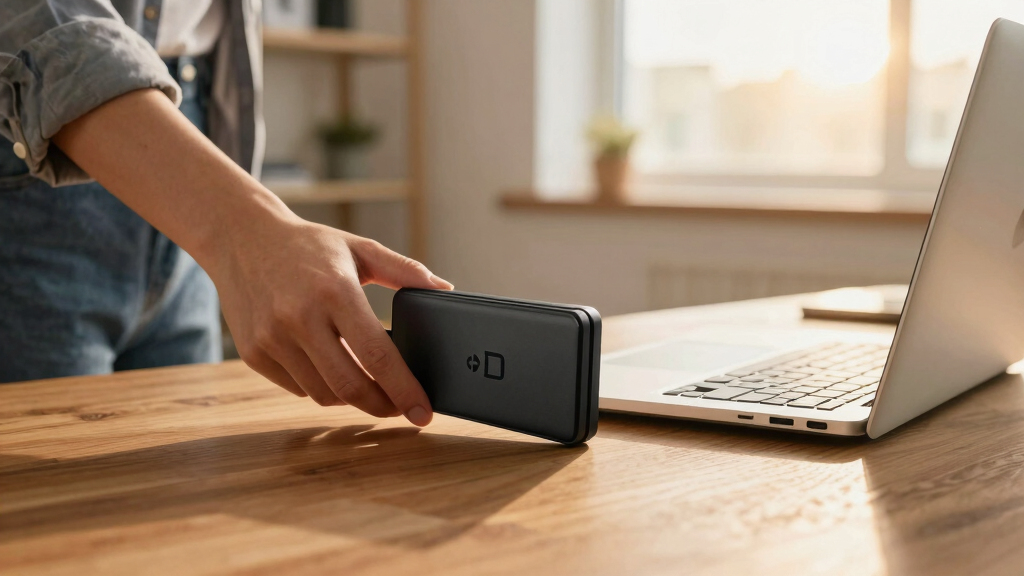
When selecting the best encrypted desktop hard drive for compliance backups, security and reliability are non-negotiable. The DataLocker DL4 FE 1 TB stands out for its user-friendly interface and robust AES 256-bit encryption, making it ideal for organizations prioritizing ease of use alongside security. For higher capacity needs, the iStorage diskAshur DT2 10TB offers FIPS Level 3 certification, ensuring compliance with strict government standards. Meanwhile, the Apricorn Aegis Desktop Padlock 10TB strikes a balance between affordability and enterprise-grade security. The main tradeoffs include capacity versus cost, ease of setup versus advanced features, and portability versus fixed desktop solutions. Keep reading for a detailed comparison to find the best fit for your compliance needs.
Key Takeaways
- Hardware encryption with FIPS Level 3 certification provides the highest level of compliance assurance.
- Capacity varies significantly; choose based on your backup size requirements and budget.
- Ease of use and setup can differ, with some drives offering guided interfaces and others targeting IT professionals.
- Durability and dust resistance are important for desktop drives used in various environments.
- Price points range widely, with premium options offering advanced features and entry-level drives focusing on affordability.


More Details on Our Top Picks
DataLocker DL4 FE 1 TB Password Protected Hardware Encrypted HDD, Easy Screen Guided Use, AES 256, IP64 Dust, TAA Compliant Trusted Supply Chain, OS Independent, USB-C/USB-A
This model earns its place as the best choice for organizations needing both rigorous compliance and straightforward operation. Compared to the DataLocker DL4 FE 2 TB, it offers a slightly smaller capacity, making it more suitable for portable, regulation-focused backups rather than large-scale storage. Its standout features include FIPS 140-2 Level 3 & Common Criteria EAL5+ certifications, providing confidence against advanced threats, plus a touchscreen interface that simplifies complex password setup—an advantage over the more basic physical keypads on some competitors. The tradeoff, however, is the limited capacity, which may not suit environments with large data volumes. The remote management capabilities through SafeConsole are ideal for enterprises that require audit trails and device control, but this feature involves an additional license. For organizations prioritizing compliance, ease of use, and remote oversight, this pick delivers a comprehensive security package without sacrificing manageability.
Pros:- FIPS 140-2 Level 3 & Common Criteria EAL5+ certifications ensure high-level security compliance
- User-friendly touchscreen interface simplifies complex password management
- Remote management and audit features via SafeConsole for enterprise oversight
- TAA compliance makes it suitable for government procurement
Cons:- Limited to 1TB capacity, less suited for large data backups
- Additional license required for SafeConsole remote management
- Slightly higher price point compared to simpler encrypted drives
Best for: Government agencies and regulated industries needing secure, manageable backups under strict standards.
Not ideal for: Small businesses or individuals with high storage needs who prefer a lower-cost, high-capacity drive.
- Capacity:1TB
- Encryption:AES 256-bit XTS
- Certifications:FIPS 140-2 Level 3, Common Criteria EAL5+
- Compliance:TAA
- Interface:USB-C / USB-A
- Dust Resistance:IP64
- OS Compatibility:OS independent
Bottom line: This drive is best for security-conscious organizations needing compliance and remote control features, even at a smaller storage size.
Seagate Portable 2TB External Hard Drive HDD — USB 3.0 for PC, Mac, PlayStation, & Xbox -1-Year Rescue Service (STGX2000400)
The Seagate Portable 2TB drive stands out for those who need large storage in a straightforward, plug-and-play package. Unlike the DataLocker options, it doesn’t offer hardware encryption or compliance certifications, making it less ideal for regulation-sensitive backups. Its primary strength is ease of use—simply connect via USB 3.0, and it works across Windows, Mac, and gaming consoles without additional setup. The inclusion of a 1-year Rescue Service adds peace of mind for data recovery, which is uncommon in encrypted drives. However, the absence of hardware encryption means it isn’t suitable where regulatory compliance or encryption is mandated. Its large capacity and affordability make it appealing for personal or non-regulated backups, but it falls short for use cases requiring encrypted, compliance-ready solutions.
Pros:- Generous 2TB capacity at an affordable price
- Compatible with Windows, Mac, PlayStation, and Xbox for versatile use
- Plug-and-play with no software needed
- Includes 1-year Rescue Service for data recovery
Cons:- Lacks hardware encryption, unsuitable for regulated backups
- No certifications like FIPS or Common Criteria
- Limited to basic data storage and transfer
Best for: Individuals or small teams seeking large storage without encryption, prioritizing capacity and simple operation.
Not ideal for: Organizations needing encrypted drives with strict compliance and security certifications.
- Capacity:2TB
- Connection:USB 3.0
- Compatibility:Windows, Mac, PlayStation, Xbox
- Rescue Service:1-year included
- Encryption:None
- Form Factor:Portable
Bottom line: Ideal for users needing large, portable storage without encryption concerns, but not for compliance-driven backups requiring encryption and certifications.
iStorage diskAshur DT2 256-bit 10TB | FIPS Level 3 Certified | Secure encrypted Desktop Hard Drive | Password Protected
The diskAshur DT2 excels in environments demanding large capacity combined with government-grade security. Its 10TB capacity surpasses most encrypted drives, making it suitable for extensive backups. Unlike the DataLocker DL4 FE 1 TB, it offers a robust hardware encryption solution with FIPS 140-2 Level 3 certification, ensuring compliance with numerous data regulations. Its simple PIN-based authentication and hardware encryption mean no software is needed, reducing attack vectors. The microprocessor’s Common Criteria EAL 5+ certification guarantees high security. The main tradeoff is the drive’s larger size and weight, which may be less portable. This drive is an excellent choice for organizations with large data sets needing certified encryption, but it might be overkill for small-scale or portable needs.
Pros:- Massive 10TB capacity suitable for large backups
- FIPS 140-2 Level 3 & EAL5+ certifications for high-security compliance
- Hardware PIN protection with no software required
- Real-time AES 256-bit hardware encryption
Cons:- Larger and heavier than portable drives
- Higher cost due to high-capacity and security certifications
- Less suited for lightweight, portable use cases
Best for: Large organizations and government agencies managing extensive encrypted backups requiring compliance certifications.
Not ideal for: Small businesses or individuals with modest storage needs and no strict encryption requirements.
- Capacity:10TB
- Encryption:AES 256-bit hardware
- Certifications:FIPS 140-2 Level 3, EAL5+
- Interface:USB 3.1
- Form Factor:Desktop
- Security:PIN protected, hardware microprocessor
Bottom line: This drive is a strong choice for large-scale, compliance-driven storage needs where security certifications are essential and portability less critical.
Apricorn 10TB Aegis Desktop Padlock FIPS 140-2 Validated 256-Bit Encrypted Hard Drive (ADT-3PL256F-10TB)
This model stands out for its robust FIPS 140-2 Level 2 validation combined with a generous 10TB capacity, making it ideal for organizations that need large-scale, encrypted backups compliant with strict standards. Compared with the Apricorn Fortress L3, this drive offers higher storage but lacks the same Level 3 validation and physical ruggedness. Its separate Admin and User modes provide flexible access control, but the interface relies on configuration software that might be less straightforward for some users. The drive’s encryption is hardware-based, ensuring data remains protected even if physically extracted, a key benefit over software-only solutions. However, the drive’s bulkier size and 5400 RPM speed can slow data transfers, especially for large backups. This pick makes the most sense for enterprise users prioritizing capacity and compliance over portability or speed.
Pros:- High 10TB storage capacity suitable for large backups
- FIPS 140-2 Level 2 validated for strong compliance standards
- Separate admin and user modes enhance access control
- Hardware encryption protects data even if drive is physically removed
Cons:- Relatively bulky design limits portability
- 5400 RPM speed results in slower data transfer rates
- Requires configuration software which may be complex for some users
Best for: Large organizations or agencies needing extensive, compliant backups with strict security controls.
Not ideal for: Small businesses or individuals seeking portable, fast drives with minimal setup effort.
- Digital Storage Capacity:10 TB
- Hard Disk Interface:USB
- Connectivity Technology:USB
- Portable Hard Disk Form Factor:Desktop
- Hard-Drive Size:10TB
- Data Transfer Rate:Not specified, likely slower due to 5400 RPM
- Encryption Standard:256-bit hardware encryption
- Validation Level:FIPS 140-2 Level 2
- Special Features:Separate admin/user modes, configuration software
Bottom line: This drive is best for organizations that need high-capacity, highly secure backups with strict compliance requirements and can accept slower transfer speeds.
Apricorn 5TB Aegis Fortress L3- FIPS Level 3 Validated USB 3.0 Hardware Encrypted Portable Drive (AFL3-5TB)
This drive excels in meeting FIPS 140-2 Level 3 validation, with a rugged, aircraft-grade aluminum enclosure and a complete security boundary that covers even the external fasteners—ideal for mobile professionals handling sensitive data. Unlike the Apricorn Aegis Padlock, which is more basic in design, the Fortress L3 offers a higher validation level and physical durability, making it suitable for fieldwork or high-security environments. Its built-in keypad enables PIN entry on the device itself, avoiding reliance on host systems and reducing attack vectors. The drive also features two read-only modes, preventing data modification in sensitive scenarios. The tradeoff involves its lower 5TB capacity and potentially more complex setup, but the security benefits outweigh these for demanding compliance needs.
Pros:- FIPS 140-2 Level 3 validation for top-tier security
- Rugged aircraft-grade aluminum enclosure for durability
- Full device boundary including external fasteners
- Built-in keypad for PIN entry, no host system needed
Cons:- Limited 5TB capacity may be restrictive for large backups
- No built-in high-speed SSD—speed limited by USB 3.0 and HDD mechanics
- Setup process can be more complex due to physical security features
Best for: IT professionals or field workers who need a portable, highly secure drive with physical durability for sensitive data handling.
Not ideal for: Consumers or small teams requiring higher storage capacity or simpler plug-and-play solutions.
- Digital Storage Capacity:5 TB
- Hard Disk Interface:USB 3.0
- Connectivity Technology:USB
- Portable Hard Disk Form Factor:Portable
- Hard-Drive Size:5TB
- Encryption Standard:AES-XTS 256-bit hardware encryption
- Validation Level:FIPS 140-2 Level 3
- Special Features:Physical ruggedness, keypad PIN, two read-only modes
- Warranty:3 years
Bottom line: This drive is ideal for security-conscious professionals requiring portable, physically rugged encryption with compliance at the highest level, accepting moderate capacity and speed.
How We Picked
These products were evaluated based on their security features, including hardware encryption and certification levels, alongside capacity, ease of use, build quality, and compliance credentials. Additional considerations included compatibility with different operating systems, connection interfaces, and durability features suited for desktop environments. The ranking reflects a balance between high security standards, user-friendly operation, and value for different budget levels. Drives with comprehensive certification like FIPS 140-2 or Level 3 received higher emphasis, as these are often required for compliance backups in regulated industries.Factors to Consider When Choosing Best Encrypted Desktop Hard Drive For Compliance Backups
Choosing the right encrypted desktop hard drive for compliance backups involves balancing security, capacity, usability, and budget. Beyond mere encryption standards, it’s important to consider how the drive integrates into your workflow, its physical durability, and certification levels. Understanding these factors helps prevent common mistakes, such as undervaluing certification or overpaying for unnecessary features. Here are key considerations to guide your decision:Security Certifications and Encryption Standards
When selecting a drive for compliance, ensure it meets recognized security standards like FIPS 140-2 or Level 3 certification. These certifications verify that the encryption methods and hardware meet strict government or industry requirements. Drives lacking these certifications may not satisfy regulatory compliance, risking legal or operational issues. Always verify the encryption algorithm used—AES 256-bit remains the gold standard for data protection.
Capacity and Scalability
Capacity should align with your backup size and future growth plans. Larger drives like 10TB or more are suitable for extensive data sets but come at a higher cost. Smaller drives may suffice for incremental backups or limited data, offering better portability and affordability. Consider whether you need a single large drive or multiple smaller ones for redundancy and ease of management.
Ease of Use and Management
Some drives include guided setup processes, user-friendly interfaces, and physical keypad access, making them suitable for non-technical users. Others target IT professionals with more complex management features. Think about who will handle backups—if security is a priority but ease of use is also essential, opt for models with straightforward interfaces. Avoid drives that require complex configuration if your team lacks technical expertise.
Build Quality and Environmental Durability
While often overlooked, physical durability matters, especially for desktop drives that may be exposed to dust or minor impacts. Dust resistance levels like IP64 add a layer of protection, reducing maintenance and replacement costs. Ensure the drive’s build quality matches your environment, especially if it will be used in shared or less-controlled settings.
Price and Long-Term Value
Higher security certifications and larger capacities come with increased costs. However, paying more upfront can save money down the line by avoiding compliance penalties or data breaches. Consider your budget against the level of security required, and beware of drives that cut corners on certification or encryption to lower costs. A balanced investment ensures reliable compliance and data protection without overspending.
Frequently Asked Questions
Can I use a consumer external drive for compliance backups?
Using a consumer external drive for compliance backups is generally not advisable unless it explicitly meets security standards like FIPS 140-2 or Level 3 certification. Consumer drives often lack hardware encryption or certified security features, making them vulnerable to attacks and failing to meet regulatory requirements. For sensitive data, it’s safer to choose drives designed for high-security environments, even if they cost more. This ensures your backups remain compliant and protected against unauthorized access.
Is hardware encryption enough for compliance, or do I need additional security measures?
Hardware encryption is a critical component for compliance, especially when certified at high levels like FIPS 140-2 or Level 3. However, it should be complemented by physical security measures, proper key management, and secure access controls. For highly sensitive data, consider drives with tamper-evident features or self-destruct mechanisms. Relying solely on hardware encryption without additional safeguards could leave vulnerabilities, particularly if the drive is lost or stolen.
How important is capacity when choosing an encrypted drive for backups?
Capacity directly impacts how much data you can back up and how often. Larger drives like 10TB or more are suitable for extensive, regular backups, reducing the need for multiple drives. Smaller drives are more portable and cost-effective but may require frequent swapping or additional drives for larger datasets. Always match the capacity with your current data volume and future growth, avoiding undersized drives that could compromise backup completeness or overspending on unnecessary space.
Should I prioritize FIPS certification over other features?
FIPS certification is essential if your organization operates under strict government or industry regulations, as it guarantees compliance with recognized security standards. However, it should not be the sole criterion; features like capacity, ease of use, and physical durability are also important. A drive with FIPS certification but poor usability may lead to improper handling, risking security breaches. Balance certification with practical features that support your workflow and security policies.
How often should I replace my encrypted backup drives?
Encrypted backup drives should be replaced based on their physical condition, technological obsolescence, and evolving security standards. Typically, drives last 3-5 years under normal use, but if they show signs of wear or fail certification audits, replacing them sooner is wise. Upgrading to newer models with advanced encryption and compliance features can enhance security. Regularly reviewing your backup strategy and hardware ensures ongoing compliance and data integrity.