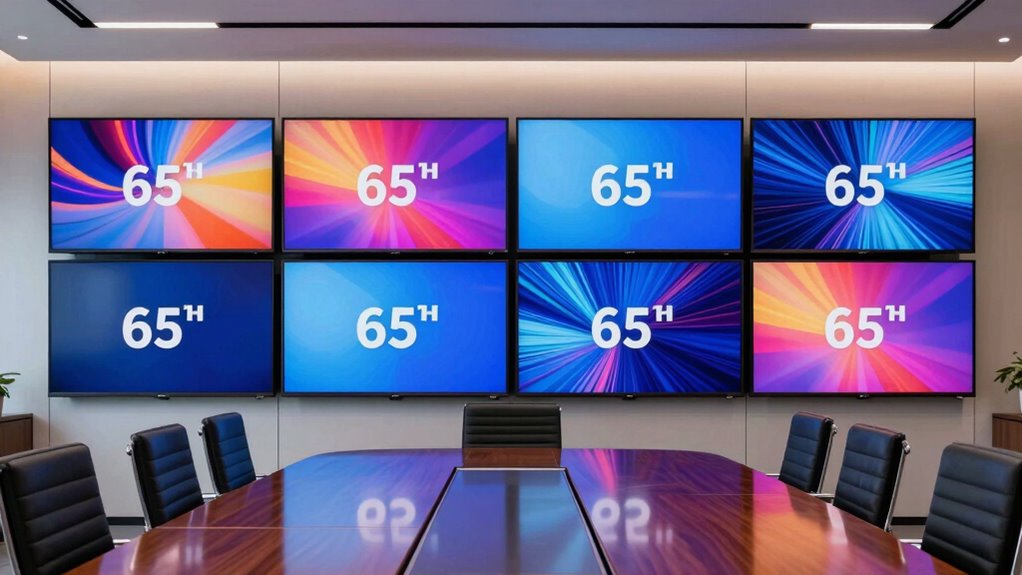

If you’re searching for a 65 inch commercial display for meeting rooms, you’re likely balancing clarity, connectivity, and ease of management. The ViewSonic CDE6530 stands out as the best overall for its balance of 4K resolution and robust features. The Samsung QM65R offers superior brightness for well-lit spaces, while the QMR-A 65-inch provides excellent value for budget-conscious buyers. Each option presents tradeoffs, such as higher cost versus richer features or simpler models with fewer integrations. Continue reading to see how these displays compare in detail and find the best fit for your meeting needs.

Get business pricing on networking and server gear
- Business-only prices and quantity discounts
- Tax-exempt purchasing
- Multiple users, one account, clear invoices
Key Takeaways
- The best overall display balances high resolution, connectivity, and durability, which the ViewSonic CDE6530 offers.
- Brightness levels vary significantly; Samsung models tend to provide higher NIT ratings suitable for bright conference rooms.
- Connectivity options like Wi-Fi, Bluetooth, and wireless sharing features are common but differ in implementation and ease of use.
- Price differences often reflect build quality, feature set, and brand reputation, making value a key factor for most buyers.
- User-friendly interfaces and installation options greatly influence setup efficiency and long-term usability.
| ViewSonic CDE6530 65″ 4K UHD Wireless Presentation Display with Commercial Features |  | Best Overall for Versatile Commercial Environments | Size: 65 inches | Resolution: 4K UHD | Connectivity: HDMI, USB, USB-C, WiFi, Bluetooth, RJ45, RS232 | VIEW ON AMAZON | See Our Full Breakdown |
| QMR-A 65-inch 4K UHD Commercial LED Display for Business |  | Best Value for Bright, Vivid Commercial Signage | Size: 65 inches | Resolution: 4K UHD | Brightness: 500 nits | VIEW ON AMAZON | See Our Full Breakdown |
| Sharp 65-Inch Ultra HD Commercial Display |  | Best for High-Impact Visuals in Flexible Orientations | Display Size: 65 inches | Resolution: 4K UHD | Brightness: 400 Nit | VIEW ON AMAZON | See Our Full Breakdown |
| ViewSonic CDE6512 65″ 4K UHD Commercial Display with Wireless Screen Sharing and Connectivity |  | Best for Dynamic Meeting Rooms and Remote Content Management | Display Size: 65 inches | Resolution: 4K UHD | Brightness: 290 nits | VIEW ON AMAZON | See Our Full Breakdown |
| Samsung QM65R 65-Inch 4K UHD LED Commercial Signage Display |  | Best for 24/7 Signage with Easy Remote Content Management | Display Size: 65 inches | Resolution: 4K UHD | Brightness: 500 nits | VIEW ON AMAZON | See Our Full Breakdown |
| Samsung 65-inch Commercial 4K UHD LED LCD Display, 350 NIT, Black |  | Best Overall for Versatile Commercial Use | Display Size: 65 inches | Resolution: 3840 x 2160 pixels (4K UHD) | Brightness: 350 NIT | VIEW ON AMAZON | See Our Full Breakdown |
| Samsung QB65R 65-Inch 4K UHD LED Commercial Signage Display with HDMI, Wi-Fi, Bluetooth, Black |  | Best for Content Sharing and Easy Management | Display Size: 65 inches | Resolution: 4K UHD | Brightness: 350 nit | VIEW ON AMAZON | See Our Full Breakdown |
| Samsung Business QE65T 65-inch 4K UHD LED Commercial Signage Display |  | Best for Reliable 24/7 Commercial Operation | Display Size: 65 inches | Resolution: 3840 x 2160 pixels (4K UHD) | Brightness: 300 cd/m² | VIEW ON AMAZON | See Our Full Breakdown |
| inch commercial display for meeting room | Resolution | Brightness | Display Size |
|---|---|---|---|
| ViewSonic CDE6530 65" 4K UHD W | 4K UHD | — | — |
| QMR-A 65-inch 4K UHD Commercia | 4K UHD | 500 nits | — |
| Sharp 65-Inch Ultra HD Commerc | 4K UHD | 400 Nit | 65 inches |
| ViewSonic CDE6512 65" 4K UHD C | 4K UHD | 290 nits | 65 inches |
| Samsung QM65R 65-Inch 4K UHD L | 4K UHD | 500 nits | 65 inches |
| Samsung 65-inch Commercial 4K | 3840 x 2160 pixels (4K UHD) | 350 NIT | 65 inches |
| Samsung QB65R 65-Inch 4K UHD L | 4K UHD | 350 nit | 65 inches |
| Samsung Business QE65T 65-inch | 3840 x 2160 pixels (4K UHD) | 300 cd/m² | 65 inches |
More Details on Our Top Picks
ViewSonic CDE6530 65″ 4K UHD Wireless Presentation Display with Commercial Features
This display stands out for its robust 4K UHD resolution combined with a wide array of connectivity options, including wireless sharing, HDMI, USB, and RS232, making it highly adaptable for various meeting room setups. Unlike the Samsung QM65R, which focuses on simple signage, the ViewSonic CDE6530 offers extensive control features and support for tiling up to 9 screens, ideal for larger, integrated displays. However, its complex setup may require technical expertise and the premium price reflects its professional-grade capabilities. This pick makes the most sense for organizations seeking a reliable, high-quality display with flexible integration options for demanding commercial settings.
Pros:- High-resolution 4K UHD picture quality ensures crisp visuals in professional environments
- Designed for 24/7 operation, supporting continuous use without concern for durability
- Flexible installation in portrait or landscape mode accommodates various room layouts
- Advanced wireless sharing and control features enable seamless collaboration
Cons:- Setup can be complicated, requiring technical knowledge or professional installation
- Premium price point may be prohibitive for smaller organizations
Best for: IT managers or facility managers in large enterprises needing reliable, versatile displays with advanced control and scalability
Not ideal for: Small businesses or quick-install users who prefer plug-and-play simplicity and lower upfront costs
- Size:65 inches
- Resolution:4K UHD
- Connectivity:HDMI, USB, USB-C, WiFi, Bluetooth, RJ45, RS232
- Operation Hours:24/7
- Display Type:Commercial Display
- Anti-glare Glass:25% high haze
Our verdict“This display is best suited for organizations needing a durable, feature-rich solution for multi-purpose commercial environments.”
QMR-A 65-inch 4K UHD Commercial LED Display for Business
The QMR-A series offers vibrant 4K UHD visuals with high brightness of 500 nits, making it ideal for environments where visibility and color accuracy are crucial. Its embedded media player and slim profile make installation straightforward, especially compared with bulkier options like the Sharp 65-Inch Ultra HD Commercial Display. While its lack of detailed price info and environment-specific performance considerations could be limitations, this model provides excellent value for businesses prioritizing bright, eye-catching displays with easy content management. It is especially suitable for retail signage and conference spaces that need vivid imagery to capture attention.
Pros:- Vivid 4K UHD picture with lifelike colors and high brightness for outdoor or brightly lit settings
- Non-glare panel enhances visibility in various lighting conditions
- Embedded media player simplifies content updates without external hardware
- Slim, easy-to-install design saves space and installation effort
Cons:- Limited price transparency makes budgeting difficult
- Requires suitable environment for maximum brightness and performance
Best for: Retailers or conference organizers seeking bright, colorful displays with simple media integration
Not ideal for: Organizations requiring advanced control features or extensive customization options
- Size:65 inches
- Resolution:4K UHD
- Brightness:500 nits
- Display Type:LED
- Features:UHD Upscaling, Non-glare, Embedded Media Player
- Certification:Cisco Webex
Our verdict“This display offers strong visual impact at a compelling price point for commercial signage and bright environments.”
Sharp 65-Inch Ultra HD Commercial Display
The Sharp 65-Inch UHD display provides vibrant visuals with 400 nits brightness, suitable for various commercial environments like lobbies or conference rooms. Its flexible orientation options for both landscape and portrait modes add versatility, setting it apart from simpler models like the Samsung QM65R. On the downside, its potentially high cost and the need for sturdy mounting to handle its weight mean it may not be ideal for quick setups or limited budgets. The integrated media playback and external control options make it a strong choice for high-impact digital signage where visual quality and flexibility are priorities.
Pros:- Vivid 4K UHD display for sharp, detailed imagery
- Flexible orientation options for portrait and landscape use
- External control capabilities support integration into larger systems
- Integrated media playback facilitates standalone operation
Cons:- Potentially high cost for premium-grade display
- Heavy weight and large size require sturdy mounting solutions
- Setup complexity may necessitate professional installation
Best for: Design-conscious businesses needing flexible, high-quality displays for impactful signage or presentations
Not ideal for: Small offices or setups with limited technical support, due to complex installation and high weight
- Display Size:65 inches
- Resolution:4K UHD
- Brightness:400 Nit
- Backlighting Technology:Direct LED
- Orientation:Landscape and Portrait
- Energy Certification:Energy Star 8.0
Our verdict“Ideal for environments demanding flexible, high-impact visuals with professional-grade features.”
ViewSonic CDE6512 65″ 4K UHD Commercial Display with Wireless Screen Sharing and Connectivity
The ViewSonic CDE6512 excels in remote management and wireless content sharing, making it ideal for modern meeting rooms where flexibility and ease of use are essential. Its wide viewing angles and 4K resolution ensure clarity for all participants, while USB-C with power delivery simplifies cabling. Compared to the Samsung QM65R, which emphasizes signage, the CDE6512’s remote control and software integration capabilities make it better suited for collaborative environments. However, the need for optional software and potential setup complexity may deter less technical users. This model suits organizations valuing remote control and multimedia versatility in conference settings.
Pros:- High-resolution 4K display with wide viewing angles
- Wireless screen sharing and remote content management enhance collaboration
- Multiple connectivity options including USB-C with Power Delivery
- Supports multimedia playback and professional signage software
Cons:- Requires optional software for full content management features
- Setup can be complex for non-technical users
- Higher price reflects advanced capabilities
Best for: Tech-savvy teams or IT departments managing multiple meeting spaces with remote content sharing needs
Not ideal for: Small offices or users seeking straightforward plug-and-play displays without additional software requirements
- Display Size:65 inches
- Resolution:4K UHD
- Brightness:290 nits
- Viewing Angles:178 degrees
- Connectivity:USB-C with Power Delivery, HDMI, USB, Wireless
- Software Compatibility:myViewBoard, Signage Manager
Our verdict“This display is well-suited for collaborative, tech-forward meeting rooms needing flexible content management tools.”
Samsung QM65R 65-Inch 4K UHD LED Commercial Signage Display
The Samsung QM65R combines high-quality 4K visuals with a slim, elegant design, optimized for continuous operation in signage and conference environments. Its high brightness of 500 nits and 178-degree viewing angles ensure visibility across different lighting conditions, outperforming some basic models like the Samsung 65-inch UHD LCD. The built-in Wi-Fi and Bluetooth support remote content updates, adding to its convenience. However, its weight of nearly 55 pounds makes mounting a challenge, and with only two HDMI ports, it might fall short in more complex setups. This display offers a compelling balance of durability, image quality, and remote management for demanding commercial applications.
Pros:- Vivid 4K UHD visuals with high brightness for bright environments
- Designed for 24/7 operation, suitable for constant signage use
- Slim, stylish profile with easy mounting options
- Built-in Wi-Fi and Bluetooth for remote content updates
Cons:- Heavy weight complicates installation
- Limited port selection may restrict complex setups
- Price point best suited for larger budgets
Best for: Retailers or public spaces needing reliable, high-visibility signage that runs continuously
Not ideal for: Small conference rooms or users requiring extensive connectivity options or ultra-lightweight displays
- Display Size:65 inches
- Resolution:4K UHD
- Brightness:500 nits
- Display Type:LED
- Contrast Ratio:4000:1
- Operation Hours:24/7
Our verdict“This display offers durable, high-quality visuals with remote management features, ideal for demanding signage applications.”
Samsung 65-inch Commercial 4K UHD LED LCD Display, 350 NIT, Black
This Samsung model stands out for its crisp 4K UHD resolution and vibrant color reproduction, making it suitable for a variety of professional presentation settings. Compared with the QE65T, it offers slightly higher contrast and advanced display technology, which can translate to more engaging meetings. However, it lacks detailed information on smart features and built-in speakers, which might limit its functionality in more interactive or multimedia-heavy environments. This display’s Wall Mount capability provides flexible installation options for different room layouts, but its potentially higher cost for a commercial-grade product could be a barrier for smaller organizations.
Pros:- High-resolution 4K UHD clarity with vibrant colors
- Wall mountable for flexible installation
- Advanced picture enhancement technology
Cons:- Limited info on integrated smart features and connectivity
- No built-in speakers, requiring external audio solutions
- Higher price point compared to entry-level displays
Best for: Large meeting rooms or conference spaces needing high-quality, adaptable displays with vibrant visuals
Not ideal for: Small offices or budget-conscious setups where advanced features and high cost are less justifiable
- Display Size:65 inches
- Resolution:3840 x 2160 pixels (4K UHD)
- Brightness:350 NIT
- Contrast Ratio:4000:1
- Display Technology:LED
- Mounting Type:Wall Mount
Our verdict“This model is best suited for organizations seeking a high-performance, versatile display with excellent image quality for professional environments.”
Samsung QB65R 65-Inch 4K UHD LED Commercial Signage Display with HDMI, Wi-Fi, Bluetooth, Black
The Samsung QB65R excels in environments where ease of content management and network connectivity matter most. Its built-in Wi-Fi, Bluetooth, and all-in-one media player make it particularly appealing for dynamic, frequently updated content, unlike the B08DQ13XWJ, which is more focused on static signage. Its slim profile and VESA compatibility simplify installation, but it requires a compatible network setup for optimal operation, and its audio capabilities are not emphasized, which could be a drawback in multimedia presentations. This display makes content sharing straightforward, but the overall cost may be a concern for smaller businesses or those with limited budgets.
Pros:- Built-in Wi-Fi and Bluetooth for easy multimedia sharing
- All-in-one media player simplifies system setup
- Sleek, slim design for unobtrusive installation
Cons:- Requires compatible network setup for best performance
- Limited details about internal audio options
- Potentially costly for small-scale deployments
Best for: Businesses needing frequent content updates and seamless digital signage management
Not ideal for: Organizations with limited IT support or those seeking a display with robust integrated audio features
- Display Size:65 inches
- Resolution:4K UHD
- Brightness:350 nit
- Processor:Coretex A72 1.7GHz Quad-Core CPU
- Connectivity:Wi-Fi, Bluetooth
- VESA Mount:400 x 400
Our verdict“This display is ideal for dynamic environments that prioritize effortless content management and network connectivity over basic display features.”
Samsung Business QE65T 65-inch 4K UHD LED Commercial Signage Display
The QE65T is designed for continuous operation in busy commercial environments, with a non-glare panel and a bezel-less, three-sided design that minimizes visual distraction. Compared to the B09TWVY8YK, its lower brightness of 300 nits makes it less vivid in brightly lit rooms but enhances glare reduction, ideal for all-day use. Its multiple connectivity options, including HDMI and USB, support diverse media sources, though it doesn’t include built-in speakers, which means additional audio hardware might be required. Its 3-year warranty and IP5X dust-proof rating underscore its focus on durability and long-term reliability, though it’s not suited for 24/7 operation, limiting some high-traffic applications.
Pros:- High enough resolution for crisp visuals
- Designed for 16/7 operation with reliable build quality
- Multiple connection options for versatile media input
Cons:- Limited to 16/7 operation, not true 24/7 use
- No built-in speakers included
- Price range not specified, which may be a concern
Best for: Continuous-use digital signage in retail, hospitality, or corporate environments where reliability is paramount
Not ideal for: High-brightness, high-traffic environments needing maximum visual impact, or small rooms with limited space
- Display Size:65 inches
- Resolution:3840 x 2160 pixels (4K UHD)
- Brightness:300 cd/m²
- Contrast Ratio:4000:1
- Viewing Angle:178 degrees
- Operation Hours:Up to 16 hours/day
Our verdict“This display is best suited for long-term, reliable signage where consistent, 16-hour daily operation is sufficient.”

How We Picked
To determine the rankings, I evaluated each display based on performance, build quality, connectivity options, ease of installation, and value for money. I prioritized models that offer reliable 4K resolution, comprehensive input/output options, and features tailored to meeting room environments like wireless sharing and brightness. The products were also assessed for their user interface, management capabilities, and overall durability. This approach ensures that each pick addresses different buyer needs while maintaining a high standard of quality and functionality.Factors to Consider When Choosing 65 Inch Commercial Display For Meeting Rooms
Choosing the right 65 inch commercial display for your meeting room involves considering several key factors. Beyond basic specs, it’s important to understand how features like brightness, connectivity, and user interface impact daily use. Making the wrong choice can lead to issues like poor visibility, complicated setup, or insufficient integration with existing systems. This guide highlights the most critical aspects to help you make an informed decision that balances performance and value.Brightness and Screen Visibility
Brightness levels, measured in NITs, determine how well a display performs in different lighting conditions. For well-lit meeting rooms, higher brightness (over 350 NITs) ensures clear visibility without glare. Lower brightness displays may appear dull or washed out, especially in brightly lit environments. Consider your room’s lighting when selecting a model, and remember that higher brightness often comes with increased power consumption and cost, so balance your needs accordingly.
Connectivity and Sharing Features
Seamless connectivity is vital for modern meeting rooms. Look for displays that support wireless sharing, HDMI, USB-C, and network options like Wi-Fi and Bluetooth. Features like wireless screen sharing or built-in collaboration tools can streamline presentations and reduce setup time. However, some models may require additional hardware or apps, adding complexity or cost. Prioritize features that align with your existing infrastructure to minimize frustration and maximize productivity.
Resolution and Image Clarity
4K resolution is standard for meeting room displays, ensuring sharp images and text clarity during presentations. Cheaper models with lower resolution may compromise the viewing experience, especially for detailed visuals or multiple participants. A high-resolution display also future-proofs your investment as content continues to evolve. Keep in mind that higher resolution screens might demand more powerful media players or source devices, which could increase overall costs.
Ease of Installation and Management
Ease of setup and ongoing management can significantly impact your total cost of ownership. Look for models with flexible mounting options, straightforward cable management, and user-friendly interfaces. Some displays include remote management software, simplifying updates and troubleshooting across multiple units. Poorly designed or overly complex setups can lead to delays and increased labor costs, so consider your team’s technical expertise when evaluating options.
Build Quality and Durability
Commercial displays need to withstand daily use and potential environmental challenges. Robust build quality, anti-glare coatings, and reliable components extend the lifespan of your investment. Cheaper or consumer-grade models might not hold up in busy meeting rooms, leading to costly replacements or repairs. Evaluate warranty terms and brand reputation to ensure your display remains reliable over years of use.
Frequently Asked Questions
Will these displays work with my existing conference room hardware?
Most of these 65 inch commercial displays support standard connection protocols like HDMI, USB-C, and wireless sharing, making them compatible with common conference room hardware such as laptops, cameras, and audio systems. However, it’s important to verify specific input/output options and ensure your existing equipment can connect seamlessly. Some models also offer proprietary apps or management software, which can streamline integration but may require additional setup. Consulting your hardware specifications against the display’s features will prevent compatibility issues.
How important is brightness for a commercial display in a meeting room?
Brightness plays a crucial role in ensuring clear visibility, especially in rooms with substantial ambient light. Displays with higher NIT ratings (around 350-500 NITs) perform better in bright environments, preventing glare and washed-out images. If your room has large windows or strong lighting, opting for a higher brightness model can make a noticeable difference. Conversely, in darker or controlled lighting spaces, lower brightness displays can save energy and cost without sacrificing clarity.
Are wireless sharing features reliable enough for daily use?
Wireless sharing features have improved significantly but still vary between brands and models. Reliable wireless sharing depends on your network stability and the compatibility of your devices. Many commercial displays offer robust solutions that support multiple users and quick connection times, but some may experience latency or disconnections if network conditions are poor. For mission-critical presentations, consider models that support wired backup options or have dedicated wireless modules to ensure consistent performance.
What is the typical lifespan of a commercial display, and should I invest more for durability?
Commercial displays are designed for daily use and often last between 50,000 to 100,000 hours of operation, which translates to several years of reliable service. Investing in higher-quality models with sturdy construction, better cooling, and reliable components can extend lifespan and reduce maintenance costs. Cheaper models might save initial money but could require early replacements or repairs, increasing total ownership costs. For high-traffic environments, prioritizing durability is generally worth the extra investment.
How much should I expect to pay for a high-quality 65 inch commercial display?
The price for a good 65 inch commercial display typically ranges from around $2,000 to over $4,000, depending on features, brightness, and brand reputation. Premium models with advanced connectivity, higher brightness, and enhanced durability tend to be at the higher end of this range. Budget options may be less feature-rich or have lower brightness levels but can still serve basic presentation needs. Weigh your budget against required features to find the best value for your specific meeting room setup.
Conclusion
For those seeking the best overall performance, the ViewSonic CDE6530 offers an excellent mix of 4K resolution, connectivity, and durability. Budget-conscious buyers will find the QMR-A 65-inch provides solid features at a lower price, while organizations requiring high brightness for bright rooms may prefer the Samsung QM65R. Beginners or small offices should prioritize models with simple setup and management, whereas larger enterprises with extensive needs might invest in premium options like the Samsung QE65T for comprehensive control. Consider your room environment, existing hardware, and long-term use to select the perfect fit.Halloween Picks
halloween
As an affiliate, we earn on qualifying purchases.