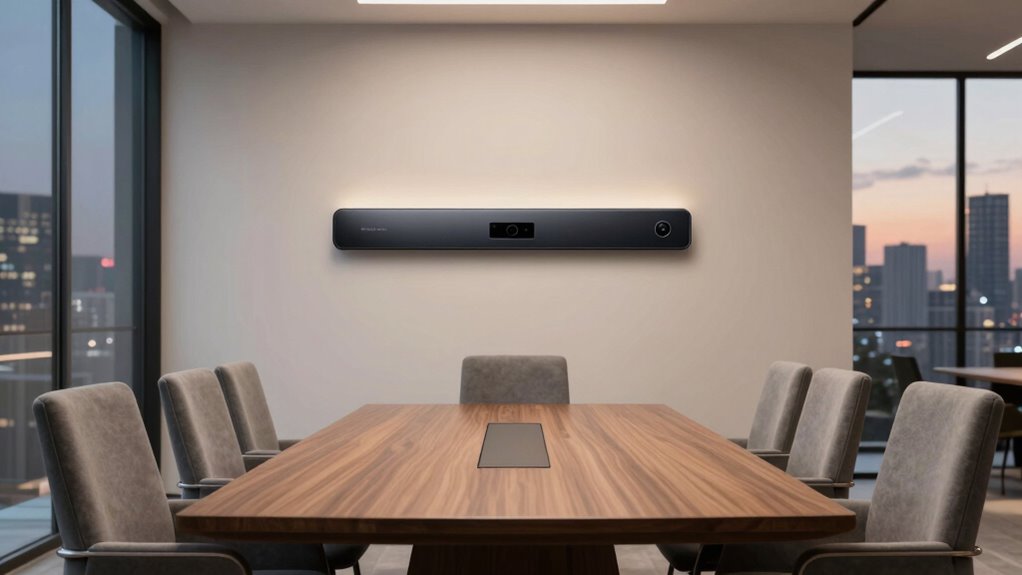

Finding the right all-in-one video bar for a small meeting room can significantly improve collaboration and communication. The best models combine high-quality audio, sharp video, and simple user interfaces, but they differ in features, price, and ease of setup. The Yealink A30 Meeting Bar stands out for its balance of performance and affordability, making it a top overall pick. For those prioritizing ultra-clear video, the Poly Studio X30 offers impressive 4K quality, while the Jabra PanaCast U30 is a compact choice for BYOD setups. Continue reading for a full breakdown of these options and how to choose the best fit for your small meeting space.

Get business pricing on networking and server gear
- Business-only prices and quantity discounts
- Tax-exempt purchasing
- Multiple users, one account, clear invoices
Key Takeaways
- The top picks balance video quality, audio clarity, and ease of use, with performance differences often tied to camera resolution and microphone array size.
- Price varies widely; the most affordable models may lack advanced features like PTZ cameras or extensive integrations, but still serve small rooms well.
- Setup simplicity is a common priority, with many models offering plug-and-play connectivity and touchscreen controls that reduce setup time.
- Some brands, like Poly and Yealink, dominate with versatile models that cater to different room sizes and collaboration needs.
- Tradeoffs often involve choosing between higher-end features (like 4K video and advanced audio) and budget-friendly, straightforward solutions.
| Yealink A30 Meeting Bar with CTP18 Touch Panel, All-in-One Android Video Collaboration Bar for Medium Rooms |  | Best Overall for Versatile Medium Rooms | Camera: 8 megapixels dual camera | Field of View: 120 degrees | Resolution: 4K at 60 fps | VIEW ON AMAZON | See Our Full Breakdown |
| Poly Studio X30 with TC8 Touch Controller – 4K Video & Audio Conferencing System for Small Meeting Rooms |  | Best for Simplified Small Room Video Calls | Video Resolution: 4K | Designed For: Small meeting rooms | Connectivity: H.323, SIP, wireless sharing | VIEW ON AMAZON | See Our Full Breakdown |
| Sennheiser TeamConnect Bar S All-in-One Video Conferencing Bar with Integrated Audio & Camera |  | Best for Premium Audio and Video in Small Spaces | Microphones: 4 | Speakers: 2 | Camera Resolution: 4K Ultra HD | VIEW ON AMAZON | See Our Full Breakdown |
| Poly Studio X30 4K Video & Audio Bar – All-in-One Conference System for Small Meeting Rooms |  | Best for Seamless Cloud Integration in Small Rooms | Camera Resolution: 4K | Includes: Camera, speaker, microphones, software | Compatibility: Microsoft Teams, Zoom | VIEW ON AMAZON | See Our Full Breakdown |
| Jabra PanaCast U30 All-in-One USB BYOD Video Bar for Huddle & Small Rooms |  | Best for Flexible BYOD Small Rooms | Camera: 120° wide-angle | Microphones: Six | Speaker: Room-filling, distortion-free | VIEW ON AMAZON | See Our Full Breakdown |
| Poly Studio X50 All-in-One Video Bar 4K Conferencing System (Renewed) |  | Best Overall for Small to Medium Rooms | Compatibility: Zoom Rooms | Resolution: 4K | Participants: Up to 10 | VIEW ON AMAZON | See Our Full Breakdown |
| Poly Studio R30 4K Video Conference System – Camera, Mic, and Speaker Bar for Small Rooms |  | Best for Autonomy and Auto-Tracking in Small Rooms | Sensor Type: CMOS or BSI CMOS | Connectivity Technology: USB | Special Features: NoiseBlockAI, Framing, Auto-tracking | VIEW ON AMAZON | See Our Full Breakdown |
| Logitech Rally Bar All-in-One Video Bar (Graphite, TAA Compliant) |  | Best for Professional-Grade Audio and Video in Small to Medium Rooms | Color: Graphite | TAA Compliance: Yes | Connectivity: Gigabit Ethernet | VIEW ON AMAZON | See Our Full Breakdown |
| Yealink A10-020 All-in-One Video Conferencing System with CTP18 Touch Panel |  | Best for Integrated Control and Auto-Tracking in Small Rooms | Camera: 4K wide-angle, PTZ | Microphones: 8 MEMS | Display: 8-inch touch panel | VIEW ON AMAZON | See Our Full Breakdown |
| Yealink MeetingBar A25 – All-in-One 4K Video Conferencing Solution with Triple Cameras and Microphone Array |  | Best for Ultra-Wide Coverage and Multi-Platform Compatibility | Camera System: Triple 4K cameras, 151° FOV | Microphone Array: 8 MEMS | Voice Pickup Range: 5 meters | VIEW ON AMAZON | See Our Full Breakdown |
| all in one video bar for small meeting room | Connectivity |
|---|---|
| Yealink A30 Meeting Bar with C | — |
| Poly Studio X30 with TC8 Touch | H.323, SIP, wireless sharing |
| Sennheiser TeamConnect Bar S A | USB |
| Poly Studio X30 4K Video & Aud | — |
| Jabra PanaCast U30 All-in-One | USB-C |
| Poly Studio X50 All-in-One Vid | — |
| Poly Studio R30 4K Video Confe | — |
| Logitech Rally Bar All-in-One | Gigabit Ethernet |
| Yealink A10-020 All-in-One Vid | — |
| Yealink MeetingBar A25 | Direct to CTP25 touch panel |
More Details on Our Top Picks
Yealink A30 Meeting Bar with CTP18 Touch Panel, All-in-One Android Video Collaboration Bar for Medium Rooms
The Yealink A30 Meeting Bar stands out for its high-quality 4K resolution at 60 fps and a wide 120-degree field of view, making it ideal for medium-sized rooms where comprehensive coverage is essential. Unlike the Poly Studio X30, which is tailored for small spaces, the A30’s all-in-one Android platform simplifies management and setup, especially in environments that benefit from integrated touch controls. However, its audio capabilities are less detailed, which might be a concern for those seeking premium sound. The device’s high resolution and broad coverage make it a compelling choice for teams needing clear visuals and ease of deployment, but the cost can be a barrier for smaller budgets.
Pros:- High-quality 4K video at 60 fps ensures sharp, smooth visuals
- 120-degree wide field of view covers entire room effectively
- All-in-one Android system simplifies control and updates
Cons:- Limited information on audio quality, which may impact overall conferencing experience
- Higher cost compared to simpler or smaller models
Best for: Organizations with medium rooms that require high-quality video and integrated management features
Not ideal for: Small teams or spaces where budget constraints are tight, due to its higher price point and limited audio details
- Camera:8 megapixels dual camera
- Field of View:120 degrees
- Resolution:4K at 60 fps
- Operating System:Android 10
Our verdict“This pick suits medium-sized rooms needing robust video quality and integrated management, despite its higher price and limited audio specifics.”
Poly Studio X30 with TC8 Touch Controller – 4K Video & Audio Conferencing System for Small Meeting Rooms
The Poly Studio X30 is designed for small meeting rooms that prioritize ease of use with high-quality 4K video and professional audio. Unlike the Yealink A30, which offers broader room coverage, the X30 focuses on plug-and-play simplicity and platform support for Teams and Zoom, making it ideal for quick deployments. Its wireless sharing and custom touch controller streamline user experience but limit input options compared to more flexible setups like the Jabra PanaCast U30. While it excels in smaller spaces, it may fall short for larger rooms or setups demanding extensive input flexibility.
Pros:- Plug-and-play setup without needing a PC or Mac
- Supports popular platforms like Teams and Zoom
- High-quality 4K video and clear audio for professional calls
Cons:- Limited to small rooms, not suitable for larger spaces
- No additional input options beyond wireless sharing and HDMI
Best for: Small teams seeking a straightforward, high-quality video conferencing solution with platform support
Not ideal for: Larger rooms or setups requiring multiple input sources or extensive customization
- Video Resolution:4K
- Designed For:Small meeting rooms
- Connectivity:H.323, SIP, wireless sharing
- Includes:TC8 Touch Controller
Our verdict“Ideal for small, busy teams who want reliable, high-quality video with minimal fuss, but not suited for larger or more complex rooms.”
Sennheiser TeamConnect Bar S All-in-One Video Conferencing Bar with Integrated Audio & Camera
The Sennheiser TeamConnect Bar S excels with its integrated 4K Ultra HD camera featuring AI enhancements and a robust audio system, making it perfect for premium-quality small meeting rooms. Compared with the Poly Studio X30, which combines video and audio in one unit, the Sennheiser offers superior audio clarity and AI-driven camera features, but it comes at a higher price point. Its USB plug-and-play setup simplifies deployment, yet it’s primarily tailored for small spaces, which means larger rooms might not benefit fully from its design. This device is best suited for teams prioritizing audio fidelity and advanced video quality.
Pros:- 4K Ultra HD camera with AI enhancements ensures sharp, intelligent framing
- Excellent integrated audio with four microphones and stereo speakers
- Plug-and-play via USB simplifies setup
Cons:- Designed for small spaces, limiting scalability for larger rooms
- Premium features come with higher cost
Best for: Small teams or executive rooms demanding high-end audio and video performance
Not ideal for: Larger conference rooms or environments needing extensive input flexibility
- Microphones:4
- Speakers:2
- Camera Resolution:4K Ultra HD
- Connectivity:USB
Our verdict“Best suited for small rooms requiring top-tier audio and video quality with AI-powered camera features, despite a higher investment.”
Poly Studio X30 4K Video & Audio Bar – All-in-One Conference System for Small Meeting Rooms
The Poly Studio X30 offers a compact all-in-one solution for small meeting rooms where cloud platform compatibility is key. It provides 4K video, professional-grade audio, and wireless content sharing, making it comparable to the Poly Studio X30 with TC8 but with an integrated software suite. Its focus on quick setup and cloud support makes it ideal for teams heavily reliant on platforms like Zoom or Teams, but it’s limited to small rooms—larger spaces might find it underwhelming. The device’s emphasis on ease of use makes it less flexible for custom input setups, which could be a drawback in more complex environments.
Pros:- All-in-one design simplifies installation
- Supports popular cloud platforms like Zoom and Teams
- 4K video with noise reduction features
Cons:- Limited to small rooms, not scalable for larger spaces
- Requires cloud service platform, potentially adding ongoing costs
Best for: Small teams needing quick deployment with cloud platform support and high-quality visuals
Not ideal for: Larger rooms or users needing extensive input flexibility or platform independence
- Camera Resolution:4K
- Includes:Camera, speaker, microphones, software
- Compatibility:Microsoft Teams, Zoom
- Suitable Room Size:Up to six participants
Our verdict“Great for small rooms prioritizing fast setup and cloud compatibility, but not ideal for larger or more flexible environments.”
Jabra PanaCast U30 All-in-One USB BYOD Video Bar for Huddle & Small Rooms
The Jabra PanaCast U30 delivers a wide 120° camera view along with full-duplex audio, making it a strong choice for BYOD scenarios in small rooms. Unlike the Poly or Sennheiser options that lean toward integrated hardware, the U30 emphasizes flexible, plug-and-play USB-C connectivity, ideal for users who want minimal setup complexity. Its wide-angle camera ensures everyone is visible, and six microphones guarantee clear conversations. However, some users will need to purchase mounting accessories separately, and it is optimized strictly for small rooms, limiting its suitability for larger spaces. It offers a practical solution for dynamic, flexible environments but lacks extensive customization options.
Pros:- Single USB-C cable simplifies setup
- 120° wide-angle camera covers small groups effectively
- Six microphones provide clear, full-duplex audio
- Flexible installation options including wall mount and VESA
Cons:- Requires additional accessories for mounting (sold separately)
- Limited to small room environments, not scalable for larger spaces
Best for: Small teams or huddle rooms using a variety of personal devices and requiring easy, flexible setup
Not ideal for: Larger conference rooms or setups needing multiple input sources and extensive control
- Camera:120° wide-angle
- Microphones:Six
- Speaker:Room-filling, distortion-free
- Connectivity:USB-C
- Installation:Wall mount, VESA, table stand
Our verdict“Ideal for small, flexible spaces where easy BYOD connectivity and wide coverage are priorities, but not suited for larger or fixed installations.”
Poly Studio X50 All-in-One Video Bar 4K Conferencing System (Renewed)
The Poly Studio X50 stands out for delivering high-quality 4K video and immersive audio without the need for a PC, making it a seamless choice for small to medium-sized rooms. Its compatibility with Zoom Rooms simplifies setup, especially compared to the Logitech Rally Bar, which emphasizes professional-grade audio and a more robust Ethernet connection. While the X50 excels in ease of use and dual monitor support, it’s limited to rooms up to 10 participants and a renewed product may pose warranty concerns. This makes it ideal for organizations seeking a plug-and-play, reliable system that prioritizes content sharing and clarity, but less so for larger or high-demand environments.
Pros:- High-quality 4K video and immersive stereo audio
- Supports dual monitor setups for flexible layouts
- Easy Zoom Rooms integration without additional hardware
Cons:- Renewed product may have limited warranty coverage
- Designed primarily for small to medium rooms, not large conference halls
Best for: Small to medium businesses prioritizing straightforward Zoom integration and 4K video.
Not ideal for: Large conference facilities or users needing extensive customization or longer warranty coverage.
- Compatibility:Zoom Rooms
- Resolution:4K
- Participants:Up to 10
- Features:Stereo speakers, dual monitor support, microphone array
Our verdict“This pick works best for smaller teams needing reliable, high-quality video with straightforward setup.”
Poly Studio R30 4K Video Conference System – Camera, Mic, and Speaker Bar for Small Rooms
The Poly Studio R30 is tailored for small or huddle rooms, with features like auto-framing, tracking, and 4K video quality that surpass simpler USB cameras like the Jabra PanaCast U30. Its built-in microphones with NoiseBlockAI and a dedicated speaker enhance audio clarity, making it a strong standalone option. However, its USB connection limits flexibility, and some users might find its feature set overly complex for basic needs. While the R30 offers advanced auto-tracking and easy plug-and-play setup, it’s best suited for environments where dynamic framing and clear audio are priorities over simplicity or large-room scalability.
Pros:- Auto-framing and tracking for dynamic meetings
- Excellent 4K video quality with rich details
- Built-in microphones with NoiseBlockAI for clear audio
Cons:- Limited to small room environments, not suitable for large spaces
- Requires USB connection, which might need additional accessories
Best for: Small teams or huddle rooms needing auto-tracking and high-quality video without complex equipment.
Not ideal for: Large conference spaces or users seeking minimal setup complexity with basic features.
- Sensor Type:CMOS or BSI CMOS
- Connectivity Technology:USB
- Special Features:NoiseBlockAI, Framing, Auto-tracking
- Weight:1300 g
Our verdict“Ideal for small rooms where auto-framing and high-res video enhance collaboration without complicated setups.”
Logitech Rally Bar All-in-One Video Bar (Graphite, TAA Compliant)
The Logitech Rally Bar offers a sleek, all-in-one design with impressive audio and video quality, making it a strong contender for professional environments. Its Ethernet port provides a fast, reliable network connection, which is advantageous over wireless options like the Yealink A10-020. Compared to the Poly Studio X50, it emphasizes audio clarity and network stability, though it lacks detailed specs on auto-framing or platform compatibility in the provided data. This makes it ideal for organizations demanding high-quality sound and seamless connectivity, but it may fall short if integrated platform flexibility or auto-tracking features are needed.
Pros:- Clear, immersive audio and high-quality video
- All-in-one design simplifies deployment
- Gigabit Ethernet port for fast, reliable connectivity
Cons:- Limited info on platform compatibility and advanced features
- Potentially higher cost without detailed feature list
Best for: Professional conference rooms needing reliable, high-quality audio and video with a focus on wired network stability.
Not ideal for: Small or home offices where budget or simple plug-and-play setup outweighs advanced features.
- Color:Graphite
- TAA Compliance:Yes
- Connectivity:Gigabit Ethernet
- Network Technology:10/100/1000Base-T
Our verdict“Best suited for professional settings where network reliability and audio clarity are paramount.”
Yealink A10-020 All-in-One Video Conferencing System with CTP18 Touch Panel
The Yealink A10-020 is designed specifically for small meeting rooms and home offices, offering a comprehensive package with a 4K camera, AI-driven auto framing, and speaker tracking. Its 8-inch touch panel provides intuitive control, although some may find it small for collaborative use. Comparing it to the Poly Studio R30, the A10-020’s integrated system reduces clutter, but it’s primarily suited for smaller spaces and might lack the flexibility needed in larger rooms. Its support for native Teams and Zoom simplifies deployment, making it a versatile choice for users prioritizing integrated control and AI features.
Pros:- All-in-one design with integrated camera, microphones, and speaker
- Supports native Microsoft Teams and Zoom
- AI-powered auto framing and speaker tracking
Cons:- Primarily for small rooms, not scalable for larger spaces
- Small 8-inch touch panel may limit control visibility
Best for: Small team environments seeking a unified, easy-to-control system with AI-enhanced features.
Not ideal for: Larger conference rooms or users seeking extensive customization beyond basic AI auto-tracking.
- Camera:4K wide-angle, PTZ
- Microphones:8 MEMS
- Display:8-inch touch panel
- Features:Auto Framing, Speaker Tracking, Privacy Shutter
Our verdict“Ideal for small, tech-savvy rooms where integrated AI features and native platform support enhance collaboration.”
Yealink MeetingBar A25 – All-in-One 4K Video Conferencing Solution with Triple Cameras and Microphone Array
The Yealink MeetingBar A25 offers a comprehensive 4K triple-camera system with a 151° ultra-wide field of view, making it ideal for capturing entire small rooms or multiple participants simultaneously. Its 8-microphone array supports clear audio pickup across larger small rooms, and compatibility with Teams, Zoom, and BYOD enhances its adaptability. When compared to the Poly Studio X50, the A25’s multiple cameras and ultra-wide view provide broader coverage, but it may be more complex and expensive for basic setups. This system suits environments demanding high coverage and flexible platform support, with a focus on security and easy deployment.
Pros:- Triple 4K cameras with 151° ultra-wide view
- Exceptional audio pickup with noise reduction
- Supports multiple platforms including Teams, Zoom, and BYOD
Cons:- Primarily designed for small rooms, not large conference spaces
- Limited details on customization options or advanced features
Best for: Small rooms requiring broad coverage with multiple participants and multi-platform support.
Not ideal for: Larger rooms or users seeking straightforward, single-camera solutions with minimal setup.
- Camera System:Triple 4K cameras, 151° FOV
- Microphone Array:8 MEMS
- Voice Pickup Range:5 meters
- Connectivity:Direct to CTP25 touch panel
Our verdict“Best for small rooms needing wide coverage and multi-platform flexibility with high-quality audio and video.”

How We Picked
These products were selected based on a combination of performance, usability, build quality, and value specifically for small meeting rooms. We prioritized models that offer all-in-one solutions—including integrated cameras, microphones, and speakers—reducing setup complexity. The ranking also considers user reviews, feature set, and compatibility with common collaboration platforms. Products with advanced features like PTZ cameras or touch controls were rated higher if they suited small room environments where simplicity and reliability are key. Our goal was to identify options that deliver a solid balance of quality and accessibility for typical small meeting spaces.| all in one video bar for small meeting room | Connectivity |
|---|---|
| Yealink A30 Meeting Bar with C | — |
| Poly Studio X30 with TC8 Touch | H.323, SIP, wireless sharing |
| Sennheiser TeamConnect Bar S A | USB |
| Poly Studio X30 4K Video & Aud | — |
| Jabra PanaCast U30 All-in-One | USB-C |
| Poly Studio X50 All-in-One Vid | — |
| Poly Studio R30 4K Video Confe | — |
| Logitech Rally Bar All-in-One | Gigabit Ethernet |
| Yealink A10-020 All-in-One Vid | — |
| Yealink MeetingBar A25 | Direct to CTP25 touch panel |
Factors to Consider When Choosing All In One Video Bar For Small Meeting Rooms
Choosing the right all-in-one video bar for a small meeting room involves weighing several factors that impact usability, quality, and long-term value. While high-end features are tempting, they must align with your actual needs and room size. An effective video bar should be easy to install, operate, and maintain, without requiring extensive technical support. Understanding the importance of compatibility with your existing collaboration tools and the room’s acoustics can prevent costly mistakes. Here are key factors to consider:Video Quality and Camera Capabilities
For small rooms, 4K resolution isn’t always necessary, but a high-quality camera with good autofocus and a wide field of view ensures everyone is visible. PTZ (pan-tilt-zoom) features can help if your room has variable seating arrangements, but they add complexity and cost. Consider the camera’s low-light performance if your rooms are not well-lit. Matching camera resolution with your room size helps prevent over-investing in unnecessary features.
Audio Clarity and Microphone Array
Clear audio is critical, so look for models with multiple microphones and noise suppression. Larger microphone arrays improve pickup, especially in rooms with multiple participants or background noise. Be cautious of models with limited microphone coverage, which may require additional equipment. Good speakers complement microphones to deliver intelligible sound, avoiding the need for external audio systems in small spaces.
Ease of Setup and User Interface
Simplicity in installation and operation is vital for quick deployment and adoption. Touchscreen controls or remote management features can streamline use, especially for non-technical users. Beware of overly complex systems that require professional installation or extensive configuration. Compatibility with common collaboration platforms like Microsoft Teams or Zoom is also a key factor to prevent integration headaches.
Room Size and Scalability
Matching the device’s specifications to your room size avoids overpaying for unnecessary features or underperforming hardware. Small rooms typically need compact, unobtrusive devices that don’t dominate the space. If your needs might grow, consider a scalable model that can be upgraded with additional modules or features without replacing the entire system. Always check the manufacturer’s recommended room capacity.
Price and Long-Term Value
While budget models are appealing, they may lack durability or advanced features that save time and improve collaboration. Conversely, premium solutions offer better audio-visual quality but at a higher cost. Consider your room’s critical needs versus nice-to-have features, and look for models with good warranty and support. Investing in a slightly more expensive model can often pay off with increased reliability and fewer troubleshooting issues over time.
Frequently Asked Questions
Do I need a PTZ camera in a small meeting room?
A PTZ camera can be useful if your room has variable seating arrangements or if you want to focus on specific speakers dynamically. However, for most small rooms with fixed seating, a wide-angle camera with good resolution may suffice. Consider your room’s size and how often the layout changes before investing in PTZ features, as they add to the cost and complexity.
Is it better to choose a dedicated conference camera or an all-in-one video bar?
An all-in-one video bar simplifies setup and reduces clutter, making it ideal for small rooms where space and ease of use matter. Dedicated conference cameras often provide higher-quality optics and zoom capabilities, but they require additional components like separate microphones and speakers. For small rooms, an integrated solution typically offers better convenience and a cleaner look, though sometimes at the expense of some advanced features.
How important is compatibility with collaboration platforms?
Compatibility is crucial because it ensures seamless integration with tools like Zoom, Microsoft Teams, or Webex. A device that supports these platforms out of the box minimizes setup headaches and guarantees reliable performance during meetings. Always verify the system’s support for your preferred platform and whether it receives regular updates or firmware improvements.
Should I prioritize audio over video in my small meeting room setup?
Both are essential, but clear audio often has a more immediate impact on meeting quality. In small rooms, poor audio can make even high-resolution video ineffective because participants struggle to understand each other. Investing in a model with high-quality microphones and speakers will significantly improve communication, even if the camera’s resolution is more modest.
What features should I avoid if I want a simple setup?
Features like advanced PTZ controls, multiple camera modules, or extensive customization options can complicate a small room setup. If simplicity is your priority, choose a model with a fixed wide-angle lens, straightforward touchscreen controls, and minimal configuration. Avoid devices that require professional installation or complex network settings unless you have dedicated technical support.
Conclusion
For small meeting rooms, the Yealink A30 offers a balanced, all-in-one solution that combines ease of use with solid performance, making it the best overall choice. If your priority is exceptional video quality at a slightly higher price, the Poly Studio X30 appeals to users who want crisp visuals. Budget-conscious buyers should consider the Jabra PanaCast U30, which offers reliable performance without overspending. For newcomers or smaller teams, models with intuitive interfaces and straightforward setup, like Yealink or Logitech options, reduce barriers to adoption. Larger organizations or those with more complex needs may find premium options like Poly Studio X50 or Yealink MeetingBar A25 worth the investment for future-proof features and scalability.Fall Picks
fall essentials
As an affiliate, we earn on qualifying purchases.





