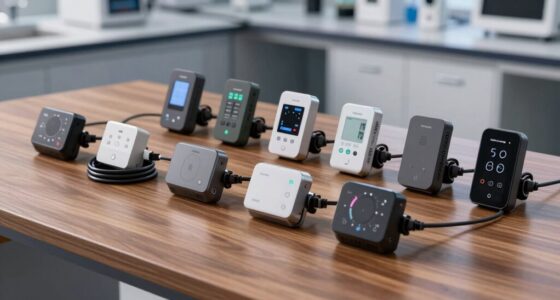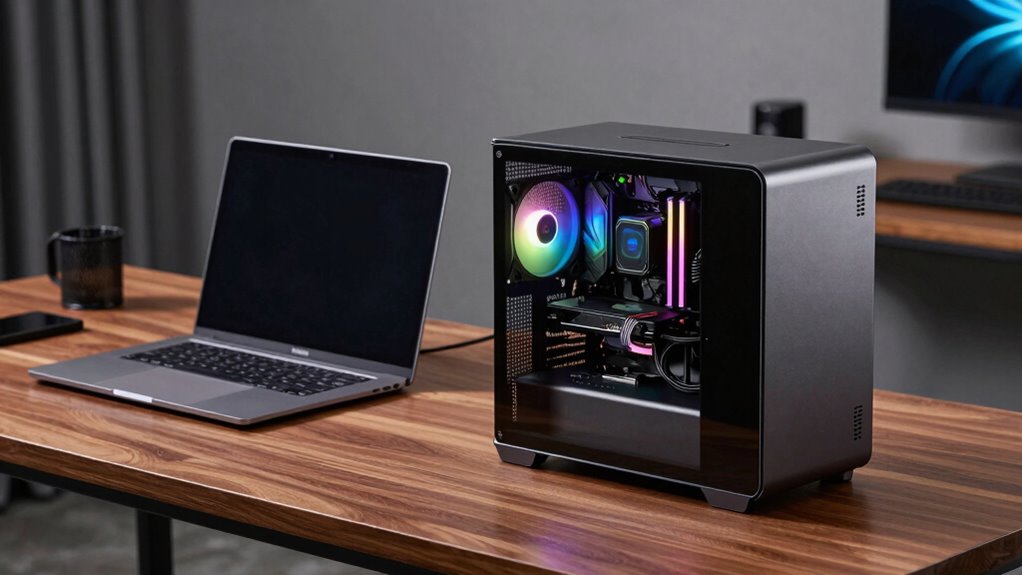

If you’re looking to boost your laptop’s graphics performance, an external GPU enclosure (eGPU) is a game-changer. The Razer Core X V2 stands out as the best overall choice thanks to its reliable build and broad compatibility. For those prioritizing portability, the ANQ-L336 Mini eGPU Enclosure offers a compact design with versatile GPU support. Meanwhile, the Sonnet eGPU Breakaway Box 750ex is ideal for users needing high power and expandability. Choosing the right eGPU enclosure involves balancing performance, compatibility, size, and price. Keep reading to explore these options and find the perfect fit for your needs.

Get business pricing on networking and server gear
- Business-only prices and quantity discounts
- Tax-exempt purchasing
- Multiple users, one account, clear invoices
Key Takeaways
- Performance varies significantly based on enclosure build quality and power delivery capabilities.
- Compatibility with different GPU models and laptop ports influences ease of setup and future-proofing.
- Portability and size are key considerations, especially for users who travel or have limited space.
- Power delivery (PD) wattage impacts whether the eGPU can charge your laptop simultaneously.
- Higher-priced models often offer better build quality, more features, and longer-term value.
| ANQ-L336 Mini eGPU Enclosure for Thunderbolt 3/4 and USB4 – Supports NVIDIA/AMD GPUs with 85W PD Charging |  | Best Compact Versatility | Controller Module: JHL7440 | Data Transfer Speed: 32Gbps | Connectivity: PCIe 4.0 x4, Thunderbolt 3/4, USB4 | VIEW ON AMAZON | See Our Full Breakdown |
| Razer Core X V2 External Graphics Enclosure (eGPU) |  | Best for High-End Gaming and Creative Work | GPU Compatibility: Up to 4 slots wide PCIe desktop cards | Connection: Thunderbolt 5, up to 80 Gbps | Cooling: 120 mm active fan | VIEW ON AMAZON | See Our Full Breakdown |
| Thunderbolt 3/4 eGPU Enclosure Compatible with USB4, Supports NVIDIA & AMD Graphics Cards, 85W PD Charging |  | Best for AI and Deep Learning Professionals | Compatibility: NVIDIA RTX (up to 50 series), AMD RX (up to 9000) | Power Delivery: 85W | Connectivity: Dual Thunderbolt ports, DisplayPort | VIEW ON AMAZON | See Our Full Breakdown |
| Sonnet eGPU Breakaway Box 750ex – External GPU Chassis |  | Best for High-Performance, Expandable Setups | Power Supply: 750W | Connectivity: Thunderbolt 3, USB Type A (4 ports), RJ45 Ethernet | Compatibility: Mac & Windows (not M1 Macs) | VIEW ON AMAZON | See Our Full Breakdown |
| PUSOKEI eGPU Dock for Thunderbolt 4/3 & USB4 with PCIe 16X Slot |  | Best for DIY and Customization Enthusiasts | Interface: Thunderbolt 4/3, USB4 | PCIe Slot: PCIe 16X | Power Options: 12V DC or PD powered | VIEW ON AMAZON | See Our Full Breakdown |
| Nimo eGPU External Graphics Card Enclosure with AMD Radeon RX 7600M XT, USB4 & Oculink, Portable All-in-One Dock with 240W PSU and 8K Output |  | Best Compact All-in-One eGPU Enclosure | Graphics Card: AMD Radeon RX 7600M XT | Memory: 8 GB GDDR6 | Video Output: HDMI 2.1, DisplayPort 2.0 | VIEW ON AMAZON | See Our Full Breakdown |
| GODLIY Thunderbolt 3/4 USB4 eGPU Enclosure Dock with 40Gbps and 85W Charging |  | Best Versatile Thunderbolt eGPU Dock | Hardware Interface: Thunderbolt 3, Thunderbolt 4 | Compatible Devices: NVIDIA, AMD | Total USB Ports: 3 | VIEW ON AMAZON | See Our Full Breakdown |
| External GPU Dock Station with USB4.0, 40Gbps, M.2 NVMe, RJ45, and Power Support |  | Best Versatile High-Speed Dock for Multiple Devices | Interface: USB 4.0 | Data Transfer Speed: 40Gbps | Supported GPUs: PCIe x16 | VIEW ON AMAZON | See Our Full Breakdown |
| MINISFORUM DEG1 eGPU Docking Station for RTX 4090 and AMD RX 7900 XTX |  | Best for High-End Graphics Card Compatibility | Interface Up Link: Oculink 4i (PCIe 4.0 x4) | Interface Down Link: PCIe x16 (PCIe 4.0 x4) | Power Supply Support: ATX and SFX | VIEW ON AMAZON | See Our Full Breakdown |
| PCIe 3.0 x16 22Gbps eGPU Dock with Thunderbolt 4 Cable for Windows Laptops and Desktops |  | Best for Broad Compatibility and High-Speed Data | Transfer Speed: 22Gbps | Compatibility: NVIDIA and AMD GPUs, Windows 10/11, Linux | Power Input Options: CPU (4+4-pin), Molex, PD 3.0, DC5521 | VIEW ON AMAZON | See Our Full Breakdown |
| eGPU Enclosure Thunderbolt 3/4 USB4 40Gbps PD 85W Charging External GPU Dock for NVIDIA/AMD Graphics Cards |  | Best for AI and Deep Learning Applications | Connectivity: Thunderbolt 3/4, USB4 | Supported GPUs: NVIDIA/AMD RTX 50 Series, RX 7000 Series | Power Delivery: 85W | VIEW ON AMAZON | See Our Full Breakdown |
| External GPU Dock, Thunderbolt 3 & 4 Compatible eGPU Enclosure with PCIe 16X Slot |  | Best for Creative Professionals and Video Editors | Compatibility: Thunderbolt 3 & 4 | Data Transfer Speed: 40Gbps | GPU Slot: PCIe 16X | VIEW ON AMAZON | See Our Full Breakdown |
| PUSOKEI eGPU Enclosure Dock Compatible with Thunderbolt 3/4, for PCIe 16X Slot, Aluminum |  | Best for Versatile PCIe Expansion | Interface: Thunderbolt 3/4, USB4 | PCIe Slot: 16X | Supported Devices: GPUs, sound cards, network cards, PCIe X4 drives | VIEW ON AMAZON | See Our Full Breakdown |
More Details on Our Top Picks
ANQ-L336 Mini eGPU Enclosure for Thunderbolt 3/4 and USB4 – Supports NVIDIA/AMD GPUs with 85W PD Charging
This mini eGPU enclosure excels in offering a portable yet powerful solution for users who need high-performance graphics on the go. Its support for both NVIDIA and AMD GPUs, combined with seamless data transfer via PCIe 4.0 and Thunderbolt 4, makes it highly adaptable across a variety of laptops, mini PCs, and even handheld consoles like the ROG Ally X. Compared to larger enclosures, its compact form sacrifices some expansion options and requires users to provide their own power supply, which can be a barrier for less technical buyers. It supports fast 85W PD charging, ensuring minimal downtime, but the limited GPU support (excluding NVIDIA RTX 50-series) might restrict high-end gaming or rendering workflows. Overall, this pick suits those needing a portable, flexible eGPU capable of AI and gaming tasks without bulk.
Pros:- Highly portable with compact design
- Supports NVIDIA and AMD GPUs for versatile use
- Fast 85W PD charging for efficiency
Cons:- Power supply not included, requiring extra purchase
- Limited GPU support excludes RTX 50-series
Best for: Travelers and remote workers who want high-performance GPU support in a small, portable package
Not ideal for: Power users demanding support for the latest RTX 50-series GPUs or plug-and-play simplicity without additional setup
- Controller Module:JHL7440
- Data Transfer Speed:32Gbps
- Connectivity:PCIe 4.0 x4, Thunderbolt 3/4, USB4
- Power Support:Supports ATX, SFX, FLEX, DC 12V PSUs (not included)
- Power Delivery:85W PD Fast Charging
- Ports:1x USB-A 10Gbps, 2x Thunderbolt 4
Our verdict“This enclosure is ideal for users needing portable GPU power with broad compatibility but willing to handle some setup complexity.”
Razer Core X V2 External Graphics Enclosure (eGPU)
The Razer Core X V2 is a robust choice for users who demand serious GPU performance, especially compared to more compact solutions like the ANQ-L336. Its support for full-sized, high-performance NVIDIA and AMD desktop GPUs, combined with Thunderbolt 5’s impressive 80 Gbps bandwidth, makes it ideal for gaming, 3D rendering, or intensive creative workflows. The vented steel chassis with active cooling ensures thermal stability during prolonged use, and the tool-free upgrade process simplifies GPU swaps. However, the need to purchase a separate power supply and GPU adds to the cost, and it isn’t compatible with M1 Macs, limiting its appeal to Windows and Intel-based systems. This model suits those prioritizing raw GPU power and upgrade flexibility over portability.
Pros:- Supports full-sized, high-performance GPUs
- Thunderbolt 5 connection delivers maximum bandwidth
- Vented steel chassis with active cooling
Cons:- GPU and PSU are sold separately, increasing total cost
- Not compatible with M1 Macs
Best for: Power users who need a durable, high-capacity eGPU for demanding gaming or professional work
Not ideal for: Casual users or Mac users with M1 chips seeking a plug-and-play, budget-friendly option
- GPU Compatibility:Up to 4 slots wide PCIe desktop cards
- Connection:Thunderbolt 5, up to 80 Gbps
- Cooling:120 mm active fan
- Supported Devices:Thunderbolt 4 and 5 laptops, USB 4 devices
- Material:Vented steel chassis
- Setup:Plug-and-play with included Thunderbolt 5 cable
Our verdict“This enclosure is best for enthusiasts and professionals seeking maximum GPU power and upgrade ease, with less concern for portability.”
Thunderbolt 3/4 eGPU Enclosure Compatible with USB4, Supports NVIDIA & AMD Graphics Cards, 85W PD Charging
This enclosure distinguishes itself by focusing on AI deep learning workflows, supporting NVIDIA RTX (up to 50 series) and AMD Radeon RX (up to 9000), which makes it less ideal for gaming but perfect for data scientists and researchers. Its stable data transfer via dual Thunderbolt ports and DisplayPort, combined with 85W power delivery, ensures consistent performance for intensive computational tasks. Compared to general-purpose eGPU enclosures like the Sonnet 750ex, this model offers more specialized support for AI applications and turbo mode via 85W PD pass-through. However, its primary design isn’t for gaming or 3D rendering, and it requires a compatible Thunderbolt 3/4 or USB4 port. It’s a smart choice for those who prioritize AI development over gaming.
Pros:- Supports a wide range of NVIDIA and AMD cards
- Dual Thunderbolt ports and DisplayPort enhance compatibility
- Optimized for AI and deep learning tasks
Cons:- Limited suitability for gaming or 3D rendering
- Requires Thunderbolt 3/4 or USB4 ports, restricting some devices
Best for: AI researchers and deep learning developers needing GPU acceleration on compatible laptops
Not ideal for: Gamers or 3D artists looking for high-end gaming performance or rendering capacity
- Compatibility:NVIDIA RTX (up to 50 series), AMD RX (up to 9000)
- Power Delivery:85W
- Connectivity:Dual Thunderbolt ports, DisplayPort
- Controller:Intel JHL7440/7450
- Build Material:ENIG PCB
- Supports:Thunderbolt 3/4, USB4
Our verdict“This enclosure is tailored for AI and deep learning professionals seeking stable GPU performance on compatible laptops, with less emphasis on gaming.”
Sonnet eGPU Breakaway Box 750ex – External GPU Chassis
The Sonnet 750ex is designed for users who need a reliable, high-capacity GPU chassis with extensive connectivity options. Its 750W power supply can handle demanding GPUs like the Radeon VII or NVIDIA RTX series, making it suitable for demanding gaming, CAD, or video editing workflows. The inclusion of USB ports and Ethernet adds versatility for multimedia and networking needs. Compared to the compact ANQ-L336, it offers greater power and expandability but sacrifices portability and is limited to Thunderbolt 3 connections. Not compatible with M1 Macs, it’s best suited for Windows and Intel-based systems where expandability and raw power take precedence.
Pros:- Supports a wide array of high-performance GPUs
- Includes additional USB and Ethernet ports
- Powerful 750W supply handles next-gen GPUs
Cons:- Not compatible with M1 Macs
- Requires Thunderbolt 3 port, limiting device compatibility
Best for: Creative professionals and gamers who require high wattage and multiple connectivity options in a dedicated chassis
Not ideal for: Travelers or users with limited space needing a lightweight, portable solution
- Power Supply:750W
- Connectivity:Thunderbolt 3, USB Type A (4 ports), RJ45 Ethernet
- Compatibility:Mac & Windows (not M1 Macs)
- Supports GPU Models:AMD Radeon VII, RX, Vega; NVIDIA GeForce RTX, TITAN, Quadro
Our verdict“This chassis suits those who prioritize raw GPU capacity and expandability over portability and compatibility with newer Macs.”
PUSOKEI eGPU Dock for Thunderbolt 4/3 & USB4 with PCIe 16X Slot
The PUSOKEI eGPU Dock stands out for its flexibility, allowing users to connect a desktop GPU via PCIe 16X, effectively turning laptops or small PCs into powerful machines. Its support for a broad range of PCIe components like SSDs and network cards adds to its appeal for tech-savvy buyers wanting a versatile expansion hub. Compared with the simpler enclosures like the ANQ-L336, it offers more customization potential but involves a more complex setup and external power requirements. Compatibility with Thunderbolt 4/3 and USB4 makes it suitable for many modern laptops, though the assembly and configuration can be daunting for beginners. This is best suited for users comfortable with hardware tinkering.
Pros:- Supports desktop GPUs via PCIe 16X slot
- Enables multiple PCIe components like SSDs and NICs
- Durable construction with rugged PCB material
Cons:- Requires external power source and some hardware knowledge
- Setup complexity may deter beginners
Best for: Tech enthusiasts and professionals who want a customizable GPU and expansion dock for their laptops or small PCs
Not ideal for: Casual users or those seeking a plug-and-play eGPU with minimal setup
- Interface:Thunderbolt 4/3, USB4
- PCIe Slot:PCIe 16X
- Power Options:12V DC or PD powered
- Supports:SSD, 10G NIC, PCIe sound cards
Our verdict“This dock is ideal for experienced users wanting to build a tailored GPU and expansion system for their laptop or small PC, accepting the setup complexity.”
Nimo eGPU External Graphics Card Enclosure with AMD Radeon RX 7600M XT, USB4 & Oculink, Portable All-in-One Dock with 240W PSU and 8K Output
The Nimo eGPU stands out for its compact, all-in-one design that integrates an AMD Radeon RX 7600M XT and a robust 240W power supply, making it ideal for users who need portability without sacrificing high-resolution output. Compared to bulkier options like the Razer Core X V2, this model offers a smaller footprint, supporting dual 8K displays and high-speed USB4 and Oculink connections. However, its reliance on the specific AMD GPU limits flexibility, and it’s not compatible with non-Windows systems or other graphics cards. This makes it perfect for traveling professionals or enthusiasts who prioritize portability and high-res output in a ready-to-go package, but less suitable for users wanting broader GPU options or software customization.
Pros:- Compact and portable, ideal for travel
- Supports dual 8K@60Hz displays
- High-speed USB4 and Oculink connectivity
Cons:- Limited to AMD Radeon RX 7600M XT graphics
- Requires a compatible Windows device with USB4 or Oculink
- No mention of driver or software support
Best for: Traveling professionals or users needing a portable, high-res dual display setup with AMD graphics.
Not ideal for: Users who want to upgrade from a variety of GPU brands or need more flexible connectivity options.
- Graphics Card:AMD Radeon RX 7600M XT
- Memory:8 GB GDDR6
- Video Output:HDMI 2.1, DisplayPort 2.0
- Connectivity:USB4, Oculink
- Power Supply:240W PSU
- Dimensions:2.5 x 4.5 x 4.7 inches
- Weight:2.4 pounds
- Supported Monitors:Up to two 8K@60Hz or 4K@120Hz
Our verdict“Best suited for users prioritizing portability and high-res dual display support with AMD hardware.”
GODLIY Thunderbolt 3/4 USB4 eGPU Enclosure Dock with 40Gbps and 85W Charging
The GODLIY Thunderbolt eGPU enclosure excels as a flexible hub compatible with Thunderbolt 3, 4, and USB4, supporting NVIDIA and AMD GPUs with a fast 40Gbps transfer rate. Unlike the MINISFORUM DEG1, which is geared towards mini PC setups, this dock is designed for users who need a high-performance, multi-purpose external GPU solution with 85W charging capabilities. Its broad compatibility and multiple ports make it suitable for creative professionals and gamers alike, but it lacks an included power supply and graphics card, requiring users to supply their own. The potential for incorrect cable insertion or driver issues can be a concern for less experienced users.
Pros:- Supports high data transfer speed up to 40Gbps
- Compatible with NVIDIA and AMD GPUs
- Provides 85W power delivery for laptops
- Multifunctional with multiple ports
Cons:- No included GPU or power supply
- Requires Thunderbolt 3/4 or USB4 port
- Potential driver compatibility issues
Best for: Creative professionals or gamers with Thunderbolt 3/4 or USB4 laptops who want a versatile, high-speed eGPU hub.
Not ideal for: Users seeking an all-in-one portable enclosure or those without Thunderbolt ports, as it requires specific hardware and setup knowledge.
- Hardware Interface:Thunderbolt 3, Thunderbolt 4
- Compatible Devices:NVIDIA, AMD
- Total USB Ports:3
- Color:Black
- Power Delivery:85W
Our verdict“A flexible and fast docking solution for users with Thunderbolt or USB4 laptops needing high-performance GPU support.”
External GPU Dock Station with USB4.0, 40Gbps, M.2 NVMe, RJ45, and Power Support
This external GPU dock offers broad compatibility with laptops, NUCs, and gaming consoles, supporting PCIe x16 GPUs and high-speed data transfer via USB4 at 40Gbps. Unlike the PUSOKEI eGPU Dock, which emphasizes multiple power options, this dock provides M.2 NVMe slots and gigabit Ethernet for a comprehensive connectivity suite. However, installation can be complex for those unfamiliar with PCIe configurations, and it lacks detailed information about compatible power supplies. Its versatility makes it suitable for users who need a multi-functional dock rather than a dedicated portable eGPU.
Pros:- High-speed 40Gbps data transfer with USB4
- Supports multiple power options and daisy chaining
- Includes M.2 NVMe slots and gigabit Ethernet
- Compatible with various GPU sizes and device types
Cons:- Installation may require technical knowledge
- Limited detailed compatibility info
- No included power supply details
Best for: Power users needing a versatile dock for high-speed data, networking, and GPU expansion on various devices.
Not ideal for: Beginners or those looking for a simple plug-and-play eGPU solution, due to installation complexity.
- Interface:USB 4.0
- Data Transfer Speed:40Gbps
- Supported GPUs:PCIe x16
- Power Delivery:PD 60W
- Ports:2 x TB3, RJ45 Ethernet, M.2 NVMe slots
- Material:Aluminum alloy
Our verdict“A highly versatile dock suited to power users who need multiple connectivity options and GPU support in a single package.”
MINISFORUM DEG1 eGPU Docking Station for RTX 4090 and AMD RX 7900 XTX
The MINISFORUM DEG1 is tailored for users who want to connect high-performance GPUs like the RTX 4090 or AMD RX 7900 XTX, supporting Oculink interfaces and standard ATX/SFX power supplies. While it excels in compatibility with powerful cards, it’s less flexible for those who prefer Thunderbolt or hot plug support, unlike the GODLIY Enclosure. Its lack of included GPU and power supply means additional investment, and its non-support for hot swapping limits dynamic upgrades. This enclosure is best for dedicated, stationary setups requiring top-tier GPU performance in a mini chassis environment.
Pros:- Supports high-performance RTX 4090 and RX 7900 XTX cards
- Compatible with standard ATX and SFX power supplies
- Flexible connectivity for mini PC setups
Cons:- GPU and power supply are not included
- No hot plug support
- Limited to specific mini PC integrations
Best for: Users with mini PC chassis needing high-end GPU support and flexible power options, but not hot-swapping.
Not ideal for: Users seeking plug-and-play portability or Thunderbolt connectivity for laptops.
- Interface Up Link:Oculink 4i (PCIe 4.0 x4)
- Interface Down Link:PCIe x16 (PCIe 4.0 x4)
- Power Supply Support:ATX and SFX
- Compatibility:MINISFORUM Mini PCs
- Hot Plug Support:No
- Includes GPU:No
- Includes Power Supply:No
Our verdict“A solid choice for high-end GPU compatibility within mini chassis setups, but less flexible for portable or hot-swappable needs.”
PCIe 3.0 x16 22Gbps eGPU Dock with Thunderbolt 4 Cable for Windows Laptops and Desktops
This PCIe 3.0 x16 eGPU dock supports a wide range of NVIDIA and AMD cards with driver support, delivering up to 22Gbps transfer speeds via Thunderbolt 4. It is a flexible choice for users who need more than just graphics, supporting multiple power input options including CPU, Molex, PD 3.0, and DC5521, making it suitable for custom setups. Compared to the GODLIY enclosure, which emphasizes versatility and multiple ports, this dock prioritizes broad GPU compatibility and high data transfer rates, though its reliance on Thunderbolt 4 means it’s not as portable as smaller enclosures and requires specific hardware features.
Pros:- Supports a wide array of NVIDIA and AMD graphics cards
- High transfer speed of 22Gbps via Thunderbolt 4
- Flexible power input options for custom builds
- Compatible with Windows and Linux
Cons:- Requires Thunderbolt port, limiting portability
- No included GPU or power supply
- Setup complexity for novices
Best for: Power users who need extensive GPU support across various systems with high-speed data transfer and flexible power options.
Not ideal for: Casual users or those without Thunderbolt 4 ports, as it depends heavily on specific hardware and setup knowledge.
- Transfer Speed:22Gbps
- Compatibility:NVIDIA and AMD GPUs, Windows 10/11, Linux
- Power Input Options:CPU (4+4-pin), Molex, PD 3.0, DC5521
- Included Cables:Thunderbolt 4, Power jumper
Our verdict“Ideal for advanced users needing high-speed data and broad GPU compatibility in a customizable external dock.”
eGPU Enclosure Thunderbolt 3/4 USB4 40Gbps PD 85W Charging External GPU Dock for NVIDIA/AMD Graphics Cards
This enclosure shines for users needing to harness high-performance GPUs for AI, machine learning, or deep learning tasks, especially on Windows, Linux, or macOS systems. Its support for the latest RTX 50 series and RX 7000 series makes it future-proof for demanding computational workloads. Compared with options like the PUSOKEI eGPU Enclosure Dock, which emphasizes versatility with PCIe 16X support, this model prioritizes high bandwidth and robust thermal management, making it ideal for sustained GPU workloads. However, its focus on AI and deep learning means it isn’t tailored for gaming or 3D rendering—users seeking entertainment might find it less versatile. Its certified 32Gbps bandwidth and 85W charging via Thunderbolt ensure fast data flow and minimal downtime. The open-frame design maximizes airflow but could be less appealing for portable setups.
Pros:- Supports the latest NVIDIA RTX 50 and AMD RX 7000 GPUs for demanding tasks
- High-speed 32Gbps bandwidth with certified controllers ensures data transfer efficiency
- Open-frame, anodized aluminum design maximizes airflow and durability
- Provides 85W fast charging for compatible laptops via Thunderbolt
Cons:- Limited to Thunderbolt 3/4 and USB4 ports—no support for non-Thunderbolt connections
- Primarily designed for AI and deep learning, not optimized for gaming or 3D rendering
- Requires a compatible Thunderbolt 3/4 or USB4 port on the host device
Best for: Professionals running AI, deep learning, or scientific computations who need reliable, high-bandwidth GPU support on multiple OS.
Not ideal for: Gamers or casual users who want a device optimized for gaming or 3D rendering, as it lacks specific gaming optimizations and is geared toward AI workloads.
- Connectivity:Thunderbolt 3/4, USB4
- Supported GPUs:NVIDIA/AMD RTX 50 Series, RX 7000 Series
- Power Delivery:85W
- Controller:JHL7540/7440
- Bandwidth:32Gbps
- Material:Anodized aluminum alloy
- System Compatibility:Windows 10/11, Linux, macOS
Our verdict“This enclosure is best suited for professionals needing GPU power for AI and scientific computing, not gaming.”
External GPU Dock, Thunderbolt 3 & 4 Compatible eGPU Enclosure with PCIe 16X Slot
This dock offers a robust solution for users who need a full-size PCIe 16X slot for high-performance GPUs, especially in creative workflows like video editing and 3D rendering. Its support for Thunderbolt 3 and 4 delivers 40Gbps data transfer speeds, comparable to the GODLIY Thunderbolt 3/4 USB4 eGPU Enclosure, but with the added benefit of a dedicated PCIe slot, making it ideal for powerful desktop-grade GPUs. Its integrated power supply simplifies setup, and the tidy design minimizes clutter. Compared to the PUSOKEI eGPU Enclosure Dock, which supports a variety of PCIe devices, this model is more focused on high-end GPUs for demanding tasks. Its size and weight can be drawbacks for portable use, and it requires a compatible Thunderbolt port, limiting portability.
Pros:- Supports full-size PCIe 16X GPUs for maximum performance
- High-speed 40Gbps data transfer via Thunderbolt 3 & 4
- Integrated ATX power supply ensures reliable power delivery
- Tidy, professional design suited for studio environments
Cons:- Bulky and less portable—better for static setups
- Requires a Thunderbolt 3 or 4 port, limiting compatibility with older systems
- Limited to systems supporting Thunderbolt 3/4, reducing flexibility
Best for: Video editors, 3D artists, and professionals who need high GPU performance in a desktop or semi-portable setup.
Not ideal for: Laptop users seeking a lightweight, portable eGPU solution, as this enclosure is relatively bulky and best suited for stationary setups.
- Compatibility:Thunderbolt 3 & 4
- Data Transfer Speed:40Gbps
- GPU Slot:PCIe 16X
- Power Supply:ATX 24Pin & SFX
- Connectivity:USB 4.0
- Design:Full-size enclosure with tidy cable management
Our verdict“This dock is ideal for creative professionals needing desktop-level GPU performance in a semi-portable form factor.”
PUSOKEI eGPU Enclosure Dock Compatible with Thunderbolt 3/4, for PCIe 16X Slot, Aluminum
This enclosure makes a versatile choice for users who want to expand their PCIe options beyond graphics, supporting sound cards, network cards, and PCIe X4 drives, alongside GPUs. Its support for Thunderbolt 3/4 ensures fast connection speeds, comparable to the Sonnet eGPU Breakaway Box 750ex, but with added PCIe flexibility. The sturdy aluminum construction guarantees durability, and its support for various PCIe devices makes it a good fit for those needing multiple expansion options. However, its incompatibility with DMA acquisition cards and the need for an external power supply could limit its use cases. It’s less portable due to size and is best suited for stationary, high-performance setups.
Pros:- Supports a wide range of PCIe devices including GPUs, sound, and network cards
- Durable aluminum alloy build for long-term use
- Supports high-performance external graphics processing
- Compatible with Thunderbolt 3 & 4 for fast data transfer
Cons:- Not compatible with DMA acquisition cards, limiting some use cases
- Requires external power supply, adding setup complexity
- Bulkier design, less suited for mobile use
Best for: Tech enthusiasts and professionals who want a multi-purpose PCIe expansion dock for graphics, storage, or network cards.
Not ideal for: Laptop gamers or casual users needing a lightweight, gaming-optimized eGPU, as this model emphasizes expansion versatility over portability.
- Interface:Thunderbolt 3/4, USB4
- PCIe Slot:16X
- Supported Devices:GPUs, sound cards, network cards, PCIe X4 drives
- Material:Aluminum alloy
- Power Supply:External DC or PD cable
Our verdict“This dock is best for users seeking broad PCIe expansion capabilities, rather than a dedicated gaming or portable eGPU solution.”

How We Picked
These products were selected based on a combination of performance, compatibility, build quality, and user usability. I prioritized enclosures that support both NVIDIA and AMD GPUs, ensuring broad compatibility. Ease of installation, power delivery, and overall value influenced the rankings, with a focus on balancing price against features. The goal was to identify options that suit different use cases—from casual gamers to professional creators—while highlighting tradeoffs like size, price, and expandability.Factors to Consider When Choosing External Gpu Enclosure For Laptops Egpu
When choosing an external GPU enclosure for your laptop, several key factors should guide your decision. First, consider compatibility with your laptop’s port type (Thunderbolt 3, 4, or USB4) and whether the enclosure supports your preferred GPU brands and models. Power delivery capacity is crucial if you want your eGPU to charge your laptop simultaneously, which can save space and reduce clutter. Size and portability matter if you plan to move the setup frequently, but smaller enclosures may sacrifice some expandability or cooling. Finally, evaluate build quality and warranty support, especially if you plan to use your eGPU regularly or for professional tasks.Compatibility and Port Support
Matching your laptop’s connection type—whether Thunderbolt 3, Thunderbolt 4, or USB4—is essential for reliable performance. Not all enclosures support every GPU or laptop port, so verify compatibility before purchase. Some models support PCIe 16x cards directly, offering broader GPU options, while others are more limited. Ensuring your laptop’s port and the enclosure are compatible avoids frustration and setup issues down the line.
Power Delivery and Performance
Power delivery wattage impacts whether your eGPU can charge your laptop while running demanding applications. Enclosures with 85W or higher PD support enable simultaneous GPU use and charging, which is convenient for portable setups. However, higher wattage often comes with increased cost and size. Consider your typical workload: if gaming or rendering, prioritize models with more robust power support to avoid performance bottlenecks.
Size, Portability, and Cooling
If portability is a priority, opt for smaller, lightweight enclosures; but beware, these often have limited cooling options and expandability. Larger models can house bigger GPUs and include better cooling systems, benefiting performance stability during long sessions. Think about where you’ll use your eGPU most often to balance size and cooling needs effectively.
Build Quality and Expandability
Durable materials like aluminum improve heat dissipation and longevity. Some enclosures offer additional features like multiple PCIe slots or extra ports, providing more expandability. The tradeoff is usually size and cost. If you plan to upgrade your GPU or add peripherals regularly, prioritize robust build quality and features that support future upgrades.
Price and Long-Term Value
Higher-priced options tend to offer better durability, cooling, and compatibility, translating into longer-term value. Cheaper models might suit temporary or casual use but could require replacement sooner. Evaluate whether spending more upfront makes sense for your workload demands and whether added features align with your needs.
Frequently Asked Questions
Can I use any GPU with an external enclosure?
Most enclosures support a wide range of GPUs, but compatibility depends on the physical size and power requirements of the card and the enclosure’s PCIe slot. Check the enclosure’s supported GPU length, power capacity, and cooling options to ensure your specific card fits and runs reliably. Some models are more flexible, supporting both NVIDIA and AMD cards, which broadens your choices.
Will an eGPU improve my gaming performance significantly?
Yes, an external GPU can boost gaming performance, especially if your laptop’s internal GPU is weak or integrated. However, the performance gain depends on the bandwidth of the connection (Thunderbolt 3/4 or USB4) and the GPU’s power. Expect some latency and potential bottlenecks, but overall, an eGPU can provide a substantial uplift in frame rates and visual fidelity for gaming.
Do I need to install drivers every time I upgrade my GPU?
Generally, installing or updating drivers is a one-time step when you upgrade or change your GPU. Modern operating systems and drivers handle hot-swapping well, but it’s wise to check for the latest drivers after any upgrade. Ensuring your enclosure supports quick driver updates helps maintain stability and performance.
Can I use an eGPU with a Mac laptop?
Many Thunderbolt 3 and 4 enclosures are compatible with MacBooks, provided the enclosure supports macOS drivers or works with plug-and-play. Compatibility varies between models, so verify the enclosure’s compatibility with macOS and your specific MacBook model before purchasing. Keep in mind that some features, like charging or certain GPU support, may function differently on Mac systems.
Is it worth spending more on a premium eGPU enclosure?
Investing in a premium enclosure often results in better build quality, enhanced cooling, and more robust power delivery, which can improve reliability and longevity. If you plan to use your eGPU heavily or for professional tasks like video editing or 3D rendering, the extra cost can translate into fewer issues and a better experience. For casual use, a mid-range model might suffice, balancing cost and performance effectively.
Conclusion
For most users seeking reliable performance without breaking the bank, the Razer Core X V2 offers a solid blend of compatibility, build quality, and value. Beginners or occasional gamers will appreciate its straightforward setup and durability. Power users or professionals needing maximum expandability should consider the Sonnet eGPU Breakaway Box 750ex for its higher wattage and flexibility. If portability is key, the ANQ-L336 Mini eGPU Enclosure provides a compact, capable option. Ultimately, your choice depends on your specific needs—whether it’s performance, ease of use, or portability—that guide the best fit for your setup in 2026.
As an affiliate, we earn on qualifying purchases.Fall Picks
fall essentials