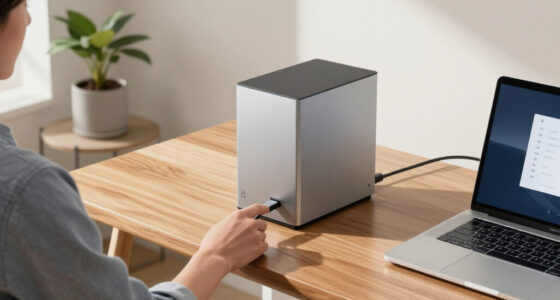
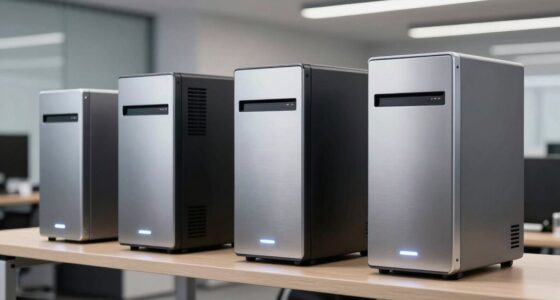
For high-level professionals handling sensitive data on the go, choosing the right hardware encrypted portable SSD is essential. The ideal drive must combine robust security, durability, and speed, but tradeoffs like convenience and capacity often come into play. Among the top options for 2026, the iStorage diskAshur PRO2 stands out for its FIPS certification and rugged design, making it perfect for secure, mobile use. The iStorage diskAshur M2 offers exceptional durability with IP68 ratings, targeting those in extreme environments. Meanwhile, the 1TB Touchscreen Encrypted External SSD provides ultra-fast data transfer and real-time device monitoring, fitting for tech-savvy executives who prioritize speed and oversight. Each choice has distinct strengths and compromises, which I will explore to help you find the best fit for your security needs and workflow.

Get business pricing on networking and server gear
- Business-only prices and quantity discounts
- Tax-exempt purchasing
- Multiple users, one account, clear invoices
Key Takeaways
- Security certification levels (FIPS 140-2 vs. FIPS 140-3) influence compliance and trust for sensitive environments.
- Durability features like water resistance and rugged build are critical for mobile professionals in varied conditions.
- Speed varies widely, with some drives offering up to 2000MB/s, ideal for large data transfers, while others focus on security and ruggedness.
- User convenience, such as PIN entry or built-in screens, impacts daily usability and security management.
- Capacity limits differ, with most options staying at 1TB, which may be insufficient for some high-volume needs.
| iStorage diskAshur PRO2 1TB Portable Secure Hard Drive |  | Best Overall Security and Ruggedness | Storage Capacity: 1TB | Encryption: AES-XTS 256-bit hardware encryption | Certification: FIPS 140-2 Level 3 | VIEW ON AMAZON | See Our Full Breakdown |
| Apricorn 1TB Aegis Padlock SSD – Rugged Encrypted Portable Drive with FIPS 140-2 Level 2 Validation |  | Best Ruggedness for Extreme Environments | Storage Capacity: 1TB | Encryption: AES 256-bit hardware encryption | Certification: FIPS 140-2 | VIEW ON AMAZON | See Our Full Breakdown |
| iStorage diskAshur M2 1TB PIN-Authenticated Hardware Encrypted USB 3.2 Portable SSD |  | Most Durable and Fastest for Mobile Professionals | Storage Capacity: 1TB | Encryption: AES-XTS 256-bit hardware encryption | Connection: USB 3.2 | VIEW ON AMAZON | See Our Full Breakdown |
| 1TB Touchscreen Encrypted External SSD Hard Drive, Up to 2000MB/s |  | Best Speed and User Control for Tech-Savvy Executives | Storage Capacity: 1TB | Transfer Speed: Up to 2000MB/s | Interface: USB 3.2 Gen 2×2 | VIEW ON AMAZON | See Our Full Breakdown |
| iStorage diskAshur PRO3 SSD 1TB – Secure Portable Solid State Drive with Hardware Encryption |  | Premium Security with Future-Proof Certifications | Storage Capacity: 1TB | Encryption: AES-XTS 256-bit hardware encryption | Certification: FIPS 140-3 pending | VIEW ON AMAZON | See Our Full Breakdown |
| hardware encrypted portable ssd for executife | Storage Capacity | Encryption | Transfer Speed | Certification |
|---|---|---|---|---|
| iStorage diskAshur PRO2 1TB Po | 1TB | AES-XTS 256-bit hardware encryption | Up to 160MB/s | FIPS 140-2 Level 3 |
| Apricorn 1TB Aegis Padlock SSD | 1TB | AES 256-bit hardware encryption | — | FIPS 140-2 |
| iStorage diskAshur M2 1TB PIN- | 1TB | AES-XTS 256-bit hardware encryption | Up to 370MB/s | — |
| 1TB Touchscreen Encrypted Exte | 1TB | — | Up to 2000MB/s | — |
| iStorage diskAshur PRO3 SSD 1T | 1TB | AES-XTS 256-bit hardware encryption | Up to 448MB/s | FIPS 140-3 pending |
More Details on Our Top Picks
iStorage diskAshur PRO2 1TB Portable Secure Hard Drive
The diskAshur PRO2 excels in offering government-grade security with FIPS 140-2 Level 3 certification, making it an ideal choice for executives needing top-tier compliance. Its rugged, dust, and water-resistant design ensures reliable performance in various environments. Compared with the iStorage diskAshur M2, it emphasizes security certification over extreme durability, making it better suited for office and travel rather than harsh outdoor conditions. The PIN authentication provides robust access control, though it may be less convenient for quick access. Its transfer speeds up to 160MB/s are sufficient for most professional needs but lag behind some newer SSDs.
Pros:- FIPS 140-2 Level 3 certification guarantees government-grade security
- Rugged, dust, and water resistant for mobile use
- High-speed USB 3.2 transfer speeds
- No need for software, minimizing attack vectors
Cons:- PIN entry can slow down quick access
- Limited customization options without software
- No encryption management app for remote control
Best for: Executives needing certified security combined with rugged portability for frequent travel.
Not ideal for: Those prioritizing ultra-fast data transfer speeds or extreme environmental conditions.
- Storage Capacity:1TB
- Encryption:AES-XTS 256-bit hardware encryption
- Certification:FIPS 140-2 Level 3
- Water Resistance:IP56
- Transfer Speed:Up to 160MB/s
- Compatibility:Windows, macOS, Linux, Chrome, Android
Our verdict“A highly secure, rugged drive perfect for professionals requiring government-grade compliance and durability.”
Apricorn 1TB Aegis Padlock SSD – Rugged Encrypted Portable Drive with FIPS 140-2 Level 2 Validation
The Aegis Padlock SSD stands out for its tough, crush-resistant aluminum enclosure and IP56 water and dust resistance, making it an excellent choice for those working outdoors or in demanding conditions. It features hardware 256-bit AES encryption with FIPS 140-2 validation, ensuring compliance and security. Compared to the diskAshur PRO2, it sacrifices some certification level (Level 2 vs. Level 3) but offers superior physical robustness. Its 1TB capacity might be limiting for some, but the rugged design makes it ideal for fieldwork or environments where damage risk is high. The device is cross-platform compatible, though setup may require manual configuration.
Pros:- Rugged, crush-resistant aluminum enclosure
- Water and dust resistant IP56
- FIPS 140-2 validated hardware encryption
- Cross-platform compatibility
Cons:- Limited to 1TB capacity
- No included encryption management software
- Speed may be lower compared to SSDs focused on performance
Best for: Executives in outdoor or industrial settings needing durable, secure storage.
Not ideal for: Users seeking ultra-fast transfer speeds or larger capacities.
- Storage Capacity:1TB
- Encryption:AES 256-bit hardware encryption
- Certification:FIPS 140-2
- Water Resistance:IP56
- Data Transfer Rate:200 Mbps
- Compatibility:Windows, Mac, Linux, Android
Our verdict“A rugged, highly secure drive suited for field professionals needing durability over speed.”
iStorage diskAshur M2 1TB PIN-Authenticated Hardware Encrypted USB 3.2 Portable SSD
The diskAshur M2 combines maximum durability with impressive transfer speeds up to 370MB/s, thanks to its USB 3.2 interface. Its IP68 rating and shockproof, crushproof design make it suitable for extreme environments, surpassing many competitors in ruggedness. Compared to the diskAshur PRO2, this model emphasizes physical toughness and speed over certification level, though it still maintains high-security standards with hardware encryption and PIN authentication. The small weight and compact size make it a favorite for executives who need rapid, secure data access in challenging settings, though some may find PIN entry slightly inconvenient for quick retrievals.
Pros:- High transfer speeds up to 370MB/s
- IP68 rated for water and dust resistance
- Shockproof and crushproof design
- Fast, reliable hardware encryption
Cons:- Limited to 1TB capacity
- PIN entry can slow access in urgent situations
- Higher cost compared to less rugged drives
Best for: Mobile professionals requiring high-speed data transfer and rugged durability.
Not ideal for: Those who prefer certified government-grade security over extreme environmental resistance.
- Storage Capacity:1TB
- Encryption:AES-XTS 256-bit hardware encryption
- Connection:USB 3.2
- Transfer Speed:Up to 370MB/s
- Drop Resistance:Survives drops up to 4m
- Water Resistance:IP68
Our verdict“A top-tier rugged SSD perfect for fast, secure data handling in tough environments.”
1TB Touchscreen Encrypted External SSD Hard Drive, Up to 2000MB/s
This touchscreen external SSD introduces a novel interface, allowing real-time monitoring of transfer speeds, temperature, and storage status. Its impressive transfer rate of up to 2000MB/s makes it ideal for large data transfers, video editing, or high-volume workflows. The built-in touchscreen enhances usability, providing quick access to device info without software. Compared with the diskAshur PRO2 and diskAshur M2, this model trades some physical ruggedness for speed and control, making it less suitable for outdoor environments but perfect for secure office or studio use. Its zinc alloy construction adds durability, though the cost is higher, aligning with its advanced features.
Pros:- Transfer speeds up to 2000MB/s
- Built-in touchscreen for instant status updates
- Hardware encryption with password protection
- Durable zinc alloy housing
Cons:- Requires compatible devices for full features
- Higher price point
- Limited capacity options (1TB only)
Best for: Executives needing ultra-fast data transfer with real-time monitoring and security.
Not ideal for: Those working primarily outdoors or in extreme conditions without access to compatible devices.
- Storage Capacity:1TB
- Transfer Speed:Up to 2000MB/s
- Interface:USB 3.2 Gen 2×2
- Material:Zinc alloy
- Monitoring Features:Real-time transfer speed, temperature, storage
- Compatibility:Windows, Mac, iPhone, iPad, Android
Our verdict“A high-performance, feature-rich drive ideal for tech-focused professionals demanding speed and control.”
iStorage diskAshur PRO3 SSD 1TB – Secure Portable Solid State Drive with Hardware Encryption
The diskAshur PRO3 offers a compelling mix of security, speed, and compliance. Certified to FIPS 140-3 Level 3 (pending), it guarantees compliance with the latest data security standards. Its fast transfer speeds up to 448MB/s read and 444MB/s write ensure quick data handling. Its auto-lock feature enhances convenience, making it suitable for executives who need a secure, compliant, and easy-to-use device. Compared to the diskAshur PRO2, it emphasizes ongoing certification updates and speed, though at a potentially higher cost. Limited to USB connectivity, it may lack some flexibility for multi-device workflows.
Pros:- FIPS 140-3 Level 3 certification (pending)
- Fast transfer speeds up to 448MB/s
- Auto-lock feature for added security
- Compatible across many platforms
Cons:- No included software for remote management
- Potentially higher cost due to certifications
- Limited to USB connectivity
Best for: Executives requiring high-level security, compliance, and fast data transfer in a portable form.
Not ideal for: Those seeking maximum ruggedness or external environmental protection over certification.
- Storage Capacity:1TB
- Encryption:AES-XTS 256-bit hardware encryption
- Certification:FIPS 140-3 pending
- Transfer Speed:Up to 448MB/s
- Connectivity:USB
Our verdict“A secure, fast, and certification-forward drive for executives in need of compliance and speed.”

How We Picked
Our selection process focused on drives specifically designed for high-security portable storage in professional settings. We prioritized hardware encryption standards (like FIPS 140-2 and 140-3), ruggedness, and transfer speeds, while considering cross-platform compatibility. Our choices reflect a balance between security certifications, physical durability, and practical features like ease of access and user controls. We aimed to highlight options suitable for executives who need reliable, portable, and compliant data protection, avoiding products with overly complex setups or excessive costs for average security needs.
| hardware encrypted portable ssd for executife | Encryption | Certification | Water Resistance | Transfer Speed |
|---|---|---|---|---|
| iStorage diskAshur PRO2 1TB Po | AES-XTS 256-bit hardware encryption | FIPS 140-2 Level 3 | IP56 | Up to 160MB/s |
| Apricorn 1TB Aegis Padlock SSD | AES 256-bit hardware encryption | FIPS 140-2 | IP56 | — |
| iStorage diskAshur M2 1TB PIN- | AES-XTS 256-bit hardware encryption | — | IP68 | Up to 370MB/s |
| 1TB Touchscreen Encrypted Exte | — | — | — | Up to 2000MB/s |
| iStorage diskAshur PRO3 SSD 1T | AES-XTS 256-bit hardware encryption | FIPS 140-3 pending | — | Up to 448MB/s |
Factors to Consider When Choosing Hardware Encrypted Portable Ssd For Executives
Choosing the right hardware encrypted portable SSD for executives involves balancing security, durability, speed, and ease of use. The ideal device should meet compliance standards, withstand physical challenges, and support your workflow seamlessly. Here, I break down key features to consider and help you match your needs with the best options available in 2026.Security Certifications and Encryption
Look for drives certified to FIPS 140-2 or 140-3 standards, indicating government-grade encryption. Hardware encryption ensures data remains protected even if the device is lost or stolen. Higher certification levels often mean more rigorous security but may come with additional costs or setup complexity. Evaluate whether compliance or ease of use is your priority.
Durability and Environmental Resistance
If your work involves outdoor or mobile environments, prioritize drives with water, dust, and shock resistance. IP68 or IP56 ratings provide significant protection against elements, while rugged enclosures prevent physical damage. Consider your typical usage scenarios to avoid compromising data security for physical durability or vice versa.
Speed and Performance
Data transfer rates vary greatly—from around 160MB/s in some models to 2000MB/s in others. High speeds reduce wait times when handling large files, making them ideal for creative professionals or those with high-volume workflows. However, faster drives often come at a premium and may require compatible hardware for full performance.
Ease of Access and User Controls
Features like PIN authentication, auto-locking, or built-in screens influence daily security management. While PINs add a layer of protection, they can slow access during urgent situations. Touchscreens provide quick insight but may add to device complexity and cost. Consider your need for quick access versus maximum security.
Capacity and Compatibility
Most high-security drives cap at 1TB, which is often sufficient for sensitive documents but may fall short for large media files. Ensure the drive supports your operating systems—Windows, macOS, Linux, or Android—and check if additional software is needed for management or setup. Compatibility ensures smooth integration into your existing workflow.
Frequently Asked Questions
What is hardware encryption, and why is it important?
Hardware encryption involves dedicated security chips within the drive that encrypt data at rest. This approach provides a higher level of security compared to software encryption because it is less vulnerable to hacking or malware. For executives handling sensitive data, hardware encryption offers peace of mind that their information remains protected even if the device is compromised or lost.
Are rugged drives suitable for everyday office use?
Yes, rugged drives are well-suited for mobile or outdoor use, providing extra protection against water, dust, and shocks. However, they may be bulkier and more expensive than standard drives. If your daily routine involves frequent travel or outdoor work, investing in a rugged, secure drive can prevent damage and ensure data safety in challenging environments.
How do I choose between FIPS 140-2 and FIPS 140-3 certifications?
FIPS 140-3 is the latest and most rigorous standard, offering enhanced security features and compliance with evolving regulations. If your organization requires the highest level of certification or future-proofing, opt for devices with FIPS 140-3 certification. FIPS 140-2 remains highly secure and widely accepted, making it suitable for most current needs.
Is faster data transfer always better?
Faster transfer speeds, such as 2000MB/s, significantly reduce wait times when moving large files or working with high-resolution media. However, they often come at higher costs and require compatible hardware to realize the speeds fully. If your work involves frequent large data transfers, investing in high-speed drives pays off; otherwise, standard speeds are generally sufficient for typical secure data handling.
What should I consider about capacity when choosing a portable SSD?
Most secure, portable SSDs for professionals are capped at 1TB, which suits many high-security use cases. If your work involves large files, such as videos or extensive databases, you might need a larger capacity, though options are limited. Always match capacity to your actual storage needs and consider if cloud backups or additional drives are part of your workflow to avoid unnecessary expense.
Conclusion
For executives primarily focused on compliance and rugged portability, the iStorage diskAshur PRO2 offers an excellent balance of security certifications and durability. Those working in extreme outdoor environments should lean toward the diskAshur M2 for its IP68 rating and high durability. If speed and real-time device monitoring are your priorities, the Touchscreen Encrypted External SSD provides a compelling, high-performance option. Finally, for those who need future-proof certification and fast transfers, the diskAshur PRO3 stands out. Your choice depends on whether you prioritize ruggedness, speed, certification, or a combination of these factors—select the drive that best fits your security demands and working environment.
Halloween Picks
halloween
As an affiliate, we earn on qualifying purchases.