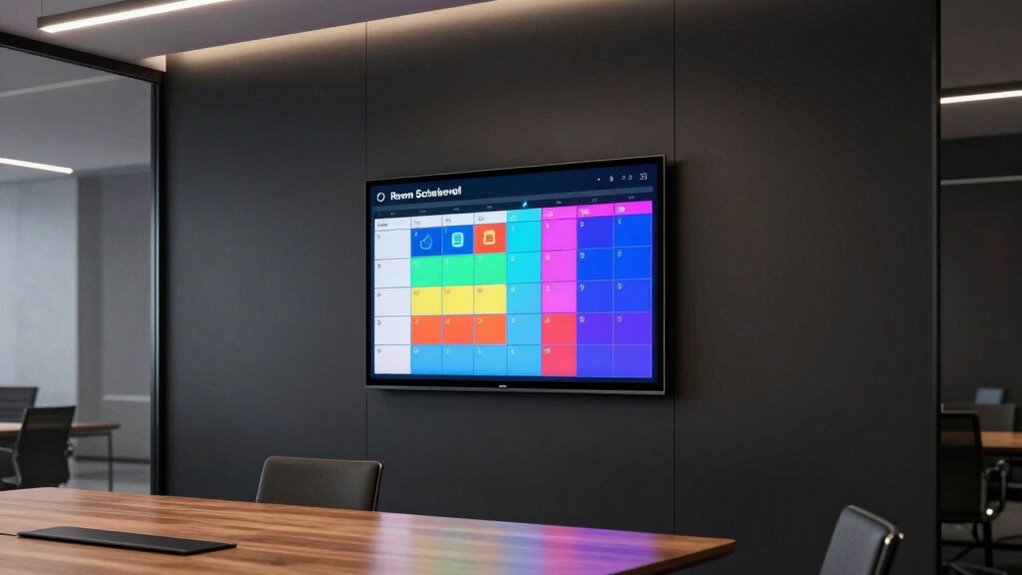

Choosing the right room scheduler display for conference rooms can streamline booking processes and reduce scheduling conflicts. The best models balance visibility, usability, and integration with existing systems. The Joan 6 Pro stands out as the overall top pick thanks to its clear E Ink display and wireless setup, making it ideal for modern offices. The Yealink RoomPanel E2 offers an all-in-one touchscreen experience suited for busy environments, while the Logitech Tap Scheduler provides seamless integration with popular conferencing platforms. These options reflect common tradeoffs: higher-end models offer more features but come at a higher cost, while budget options may sacrifice some usability. Continue reading for a full breakdown of these choices and what suits your conference room needs best.

Get business pricing on networking and server gear
- Business-only prices and quantity discounts
- Tax-exempt purchasing
- Multiple users, one account, clear invoices
Key Takeaways
- The top models balance ease of use with integration capabilities, making daily scheduling smoother.
- Wireless and PoE options provide flexible installation but may influence cost and complexity.
- Display size and clarity directly impact user experience and visibility from a distance.
- Built-in smart features like LED indicators or color-changing displays help with quick room status recognition.
- Price range varies widely, so understanding your core needs helps avoid overpaying for unnecessary features.
| Joan 6 Pro Black Wireless Meeting Room Scheduler 6 Inch E Ink Tablet |  | Best Overall for Eco-Friendly, Wireless Simplicity | Model: Joan 6 Pro | Size: 6 Inches | Generation: 6th Generation | VIEW ON AMAZON | See Our Full Breakdown |
| Yealink RoomPanel E2 All-in-One Meeting Room Scheduling Panel |  | Best for Bright, Multi-Connectivity Visibility | Display: 8-inch touchscreen | Operating System: Android 13 | Connectivity: Wi-Fi, Bluetooth, NFC/RFID | VIEW ON AMAZON | See Our Full Breakdown |
| Jabra Scheduler – 10.1” Touchscreen Meeting Room Scheduling Display, Android 13, Wall or Glass Mount |  | Best for Seamless Platform Integration and Clarity | Display Size: 10.1 inches | Operating System: Android 13 | Mounting Options: Wall or Glass Mount | VIEW ON AMAZON | See Our Full Breakdown |
| Logitech Tap Scheduler |  | Best for Professional, Tidy Scheduling in Corporate Settings | Brand: Logitech | Recommended Uses: Meeting room scheduling | Mounting Options: Multi-surface, corner, mullion | VIEW ON AMAZON | See Our Full Breakdown |
| Tap Scheduler for Meeting Rooms – 10″ Touchscreen, White, Model 952-000094 (Renewed) |  | Best for Cost-Conscious, User-Friendly Scheduling | Brand: Generic | Model: 952-000094 | Display Size: 10 inches | VIEW ON AMAZON | See Our Full Breakdown |
| Yealink RoomPanel E2 8-inch Android Room Scheduling Panel Black |  | Best Overall Conference Room Scheduler | Size: 8 inches | Color: Black | Maximum Video Resolution: 1280 x 800 | VIEW ON AMAZON | See Our Full Breakdown |
| Logitech Tap Scheduler |  | Best Compact and Modern Design | Product Dimensions: 1.1 x 9.7 x 6.5 inches | Item Weight: 1.54 pounds | Model Number: 952-000091 | VIEW ON AMAZON | See Our Full Breakdown |
| Joan 6 RE Black Wireless E Ink Touch 6-Inch Meeting Scheduler |  | Best Wireless and Environmentally Friendly Option | Model Year: 2023 | Target Audience: Adult | Recommended Uses: Meeting room management | VIEW ON AMAZON | See Our Full Breakdown |
| PoE Texas 8″ Conference Room Scheduler with Color Changing LED |  | Best Power-over-Ethernet, No Subscription Needed | Model Name: DENT-TAB-8-SCHEDULER-LED | Generation: 6th Generation | Size: 8″ | VIEW ON AMAZON | See Our Full Breakdown |
More Details on Our Top Picks
Joan 6 Pro Black Wireless Meeting Room Scheduler 6 Inch E Ink Tablet
The Joan 6 Pro stands out for its long battery life of up to 6 months, eliminating the need for frequent charging and reducing maintenance. Its wireless setup and easy mounting make it ideal for spaces where minimal disruption matters, especially compared to the Logitech Tap Scheduler, which requires more infrastructure for professional installation. While its monochrome E Ink display offers excellent readability, it’s limited to calendar-based management, which might not suit those seeking more advanced room status features. The eco-friendly materials and low energy consumption add appeal for sustainability-conscious buyers, but its moderate customer rating suggests some users encounter usability or reliability issues. This pick makes the most sense for organizations prioritizing maintenance-free operation and environmental friendliness over feature richness or vibrant displays.
Pros:- Long battery life of up to 6 months on a single charge
- Wireless setup simplifies installation and updates
- Eco-friendly with low energy consumption
- Easy to mount on various surfaces
Cons:- Limited to calendar-based room management, lacking advanced features
- Only available in black, limiting visual customization
Best for: Small to medium-sized offices wanting a low-maintenance, eco-friendly scheduling device
Not ideal for: Enterprises needing advanced integrations or colorful displays for large, busy rooms
- Model:Joan 6 Pro
- Size:6 Inches
- Generation:6th Generation
- Battery Life:Up to 6 months
- Connectivity:Wireless
- Material:Eco-friendly materials
Our verdict“Ideal for eco-conscious offices seeking a simple, maintenance-free display with excellent battery life.”
Yealink RoomPanel E2 All-in-One Meeting Room Scheduling Panel
The Yealink RoomPanel E2 excels with its 8-inch touchscreen and RGB LED background, providing vibrant visual cues that surpass the monochrome displays like the Joan 6 Pro. Its support for Wi-Fi, Bluetooth, and NFC/RFID, along with Power-over-Ethernet, makes installation flexible in modern environments. However, its 8-inch size may not be suitable for larger rooms where a bigger display could improve visibility, and its reliance on Android 13 might limit compatibility with some existing systems. While it shines in visual clarity and connectivity, it doesn’t specify advanced scheduling features or integrations beyond basic room status updates. This device is best for tech-savvy workplaces that want bright, highly visible room status indicators with flexible mounting options, rather than detailed booking management.
Pros:- Bright RGB LED background for clear visibility
- Supports multiple connectivity options including NFC/RFID
- Flexible mounting options with Power-over-Ethernet support
- Vivid display enhances room status readability
Cons:- Limited to 8-inch display, less suited for larger rooms
- Requires Android 13 compatibility, which may limit integrations
- Lacks detailed scheduling or integration features beyond basic status
Best for: Medium to large offices seeking a visually engaging, multi-connection scheduling panel
Not ideal for: Small spaces or organizations needing detailed scheduling features beyond room status
- Display:8-inch touchscreen
- Operating System:Android 13
- Connectivity:Wi-Fi, Bluetooth, NFC/RFID
- Power:Power-over-Ethernet
- Included Components:Power adapter
Our verdict“Best for offices that prioritize bright, visible room status cues and flexible installation options over detailed scheduling capabilities.”
Jabra Scheduler – 10.1” Touchscreen Meeting Room Scheduling Display, Android 13, Wall or Glass Mount
The Jabra Scheduler makes a compelling case for teams that rely on Microsoft Teams or Zoom Rooms, thanks to its seamless integration and intuitive 10.1-inch touchscreen. Its larger display improves visibility in busy environments compared to smaller panels like the Yealink RoomPanel E2, and its real-time availability indicators simplify booking. Installation options for wall or glass mounting add flexibility, but it’s important to note that its full functionality depends on ecosystem compatibility, and it isn’t a general-purpose tablet. Its enterprise focus and support for remote management make it ideal for IT-driven settings, though the need for compatible platforms could limit use outside of specific ecosystems. This device is best suited for organizations seeking tight platform integration with straightforward, large-screen room management.
Pros:- Large 10.1-inch touchscreen for easy readability
- Supports real-time room availability indicators
- Seamless integration with Microsoft Teams and Zoom Rooms
- Flexible mounting options with easy remote management
Cons:- Requires compatible ecosystem, limiting broad use
- Limited to meeting room scheduling, not a general-purpose tablet
- Potentially higher cost for enterprise deployment
Best for: Teams heavily invested in Microsoft Teams or Zoom Rooms needing reliable, integrated scheduling displays
Not ideal for: Small offices or those with mixed platform environments looking for basic, standalone displays
- Display Size:10.1 inches
- Operating System:Android 13
- Mounting Options:Wall or Glass Mount
- Connectivity:Plug and Play with Microsoft Teams and Zoom Rooms
- Features:Room booking, availability indicator, remote management
Our verdict“Best for organizations prioritizing platform-specific integrations and clear, large-screen displays for meeting rooms.”
Logitech Tap Scheduler
The Logitech Tap Scheduler offers a professional look with its sleek design and clear LED indicators, making it ideal for corporate environments that need reliable room management. Its multi-surface mounts and included accessories facilitate a clean, seamless installation, and the color-coded LEDs communicate room status at a glance better than monochrome displays like the Joan 6 Pro. However, its focus on professional settings means it’s not suitable for personal or small-office use, and it depends on compatible scheduling software to function fully, which could involve additional setup or costs. The 2-year warranty adds peace of mind for deployments. This product is best for organizations that want a straightforward, professional appearance combined with clear visual cues for room availability, rather than feature-heavy or highly customizable options.
Pros:- Clear LED lights indicating room status from a distance
- Includes mounts and cabling for tidy installation
- Reliable and supported by a 2-year warranty
- Easy to see and reserve meeting spaces quickly
Cons:- Limited to professional environments, not for personal use
- Requires compatible scheduling software for full functionality
- Price not specified, which could be a concern for smaller budgets
Best for: Large enterprises or corporate offices requiring a professional, tidy room scheduling solution
Not ideal for: Small businesses or casual office environments seeking simple or cheaper alternatives
- Brand:Logitech
- Recommended Uses:Meeting room scheduling
- Mounting Options:Multi-surface, corner, mullion
- Warranty:2 years
- Included Components:Mounts, cabling
Our verdict“Ideal for large, professional spaces demanding a sleek, reliable scheduling panel with clear visual cues.”
Tap Scheduler for Meeting Rooms – 10″ Touchscreen, White, Model 952-000094 (Renewed)
The Tap Scheduler offers a straightforward 10-inch touchscreen for room booking, making it accessible for workplaces that want a simple interface without complex features. Its compatibility with leading scheduling solutions ensures it can integrate into existing systems, and the renewed status provides affordability with a short 90-day warranty. While its basic design and limited warranty might concern some users, it compensates with ease of use and proven functionality. Compared to more advanced displays like the Jabra Scheduler, this model focuses on simplicity rather than enterprise features. It makes the most sense for budget-conscious offices that need reliable, easy-to-use room scheduling without extra bells and whistles.
Pros:- Easy-to-use 10-inch touchscreen interface
- Compatible with leading scheduling solutions
- Renewed product offers affordability
- Helps optimize meeting room utilization
Cons:- Limited warranty period of 90 days
- Basic design may feel less premium
- Requires compatible software for full operation
Best for: Small to medium-sized offices seeking an affordable, simple touchscreen for room booking
Not ideal for: Organizations needing extensive integrations or advanced management features
- Brand:Generic
- Model:952-000094
- Display Size:10 inches
- Color:White
- Warranty:90 days limited
Our verdict“Great for budget-conscious workplaces that need a user-friendly, reliable room scheduler with basic features.”
Yealink RoomPanel E2 8-inch Android Room Scheduling Panel Black
The Yealink RoomPanel E2 stands out for its straightforward design and seamless calendar integration, making it well-suited for busy office environments that value reliability without complexity. Compared to the PoE Texas 8” Conference Room Scheduler, it offers a more familiar touchscreen interface but lacks the color-changing LED features, which can help quickly convey room status. Its reliance on 10Base-T network technology might require infrastructure upgrades, which could be a hurdle for some setups. Its simple, modern look appeals to organizations seeking a clean, professional appearance, though it doesn’t support advanced customization or Wi-Fi connectivity. Tradeoffs are clear: while it excels in ease of use and integration, it may fall short for those wanting more feature-rich displays or flexible network options.
Pros:- Easy-to-use touchscreen interface for quick booking and management
- Seamless calendar integration for real-time updates
- Modern, sleek design suitable for professional environments
Cons:- Limited to 10Base-T network technology, possibly requiring infrastructure upgrades
- Lacks Wi-Fi, Bluetooth, and advanced customization options
- Basic design with no additional features like color indicators
Best for: Medium to large offices needing a reliable, easy-to-implement scheduling panel with seamless calendar integration.
Not ideal for: Organizations that require advanced customization, Wi-Fi connectivity, or a more modern display design.
- Size:8 inches
- Color:Black
- Maximum Video Resolution:1280 x 800
- Graphics Modes:WXGA
- Network Technology:10Base-T
- Weight:3.35 lbs
Our verdict“This model is best for offices prioritizing straightforward scheduling with reliable calendar sync, but it may not satisfy those seeking advanced features.”
Logitech Tap Scheduler
The Logitech Tap Scheduler offers a sleek, compact appearance with high user satisfaction, making it ideal for environments where space and aesthetics matter. Unlike the Yealink RoomPanel E2, it emphasizes a modern, minimalist look with a small footprint, fitting well in conference rooms with limited space. Its high customer ratings reflect ease of use and reliability, though limited technical details and lack of highlighted advanced features suggest it’s best for straightforward scheduling needs. The device’s simple design means it might require additional accessories for full functionality, making it less suitable for those needing elaborate customization. Tradeoffs include: a more modern aesthetic paired with limited information on compatibility and features, which could mean extra setup or accessories are needed for comprehensive use.
Pros:- Sleek, modern graphite finish enhances office aesthetics
- Compact size fits easily into various environments
- High customer satisfaction with simple, reliable operation
Cons:- Limited information on advanced features or compatibility
- Potential need for additional accessories for full functionality
- No detailed customization options or advanced display features
Best for: Small to medium conference rooms where space-saving design and straightforward scheduling are priorities.
Not ideal for: Large offices or organizations requiring advanced integration, customization, or detailed scheduling options.
- Product Dimensions:1.1 x 9.7 x 6.5 inches
- Item Weight:1.54 pounds
- Model Number:952-000091
- First Available:November 22, 2021
Our verdict“This pick makes the most sense for smaller spaces that want a stylish, unobtrusive scheduling device without the need for extensive features.”
Joan 6 RE Black Wireless E Ink Touch 6-Inch Meeting Scheduler
The Joan 6 RE excels as a wireless, battery-powered scheduler perfect for flexible setups, especially where wiring is impractical. Its E Ink display offers excellent visibility and low power consumption, standing out from the PoE Texas 8” Scheduler, which relies on Ethernet connection. While its wireless operation and 3-month battery life are appealing, some reviews indicate mixed satisfaction with overall functionality and limited user interface features, which might restrict ease of use for some. Setup requires initial app and Wi-Fi configuration, adding a layer of complexity compared to plug-and-play models. Tradeoffs are clear: it prioritizes wire-free flexibility and environmental friendliness but may lack the advanced features or customization options some users expect from larger displays.
Pros:- Wireless operation with up to 3 months of battery life
- Easy to mount on various surfaces without cables
- Real-time calendar sync for efficient room management
Cons:- Mixed reviews on overall functionality and usability
- Limited user interface features due to E Ink display
- Requires initial setup via app and Wi-Fi, which may be challenging for some users
Best for: Organizations seeking a wire-free, easily mountable scheduler with long battery life and eco-friendly design.
Not ideal for: Users who need highly customizable displays or detailed scheduling interfaces, as the E Ink UI is limited.
- Model Year:2023
- Target Audience:Adult
- Recommended Uses:Meeting room management
- Number of Items:1
- Model Number:JOAN 6 RE Black
Our verdict“Ideal for flexible, wire-free environments wanting a simple, eco-friendly scheduling display, but it may fall short for extensive feature needs.”
PoE Texas 8″ Conference Room Scheduler with Color Changing LED
The PoE Texas 8″ Scheduler offers a robust, subscription-free solution that emphasizes ease of installation and visibility. Its PoE connectivity simplifies setup by eliminating electrical wiring, making it ideal for installations where power outlets are limited. It’s a strong contender against the Yealink RoomPanel E2 when considering network flexibility, as it supports Ethernet, Wi-Fi, and USB-C, providing versatile connectivity options. The color-changing LEDs enhance visual cues, making room status instantly recognizable, a feature absent from the Yealink. However, some users report setup and connectivity challenges and note limited customization options, which could be a drawback for organizations seeking tailored displays. Additional costs for optional customization at $3.99/month per device should also be considered.
Pros:- Easy to install using PoE, avoiding electrical wiring
- Seamless sync with major calendar platforms without extra software
- Color-changing LED indicators improve visibility and communication
Cons:- Moderate customer ratings suggest some setup or connectivity issues
- Limited options for advanced customization
- Optional features come with additional monthly costs
Best for: Organizations wanting a reliable, no-subscription, PoE-powered display with vibrant room status indicators.
Not ideal for: Users seeking highly customizable displays or those with complex network environments prone to connectivity issues.
- Model Name:DENT-TAB-8-SCHEDULER-LED
- Generation:6th Generation
- Size:8″
- Display Type:Touchscreen
- Connectivity:Ethernet, Wi-Fi, USB Type C
- Power:PoE (802.3af) or included power adapter
Our verdict“This device is ideal for users who prioritize straightforward, cable-free installation and visual clarity over advanced customization.”

How We Picked
This lineup was curated based on key factors that matter most to conference room scheduling: display clarity and size, ease of installation, system integration, durability, and overall value. Products were evaluated on their usability in busy office environments, how well they integrate with common calendar systems, and their build quality. We prioritized models that offer a good balance of features for different budgets and office sizes. The ranking reflects a combination of user interface intuitiveness, installation flexibility, and product reliability, ensuring each option serves a distinct need within the conference room scheduling landscape.Factors to Consider When Choosing Room Scheduler Display For Conference Rooms
Selecting the right room scheduler display involves more than just choosing a device with the right screen. Consider compatibility with your existing calendar and booking systems, as well as the environment where the display will be installed. Think about installation options—whether PoE or wireless—since this impacts setup complexity and reliability. Display size and visibility are crucial for quick recognition from a distance, especially in larger conference rooms. Additionally, consider the device’s durability and whether it offers features like LED indicators or color cues to quickly convey room status. Budget is also a factor, but investing in a reliable, well-integrated model can save time and frustration in the long run.Display Size and Visibility
Clear, appropriately sized screens ensure that schedules are visible from across the room, reducing the chance of booking errors. Larger displays with high contrast and good viewing angles improve usability in busy environments. Smaller or lower-quality screens may be less effective in larger conference rooms, leading to user frustration. Consider your room size and lighting conditions when selecting a display—brighter screens with anti-glare features tend to perform better in well-lit spaces.
System Compatibility and Integration
Most conference room displays connect to calendar platforms like Outlook, Google Calendar, or proprietary booking systems. Ensuring compatibility with your existing infrastructure is vital for seamless operation. Some displays integrate directly with conference platforms like Microsoft Teams or Zoom, adding extra convenience. Pay attention to the software support and whether the device offers remote management capabilities, especially for larger office setups where multiple displays are involved.
Installation and Connectivity
PoE (Power over Ethernet) offers cleaner installation and reliable power, reducing cable clutter and simplifying maintenance. Wireless options provide greater flexibility for placement but may depend on Wi-Fi stability. Consider your office layout and whether power outlets are conveniently available. The choice between wired and wireless impacts setup complexity and ongoing reliability, so matching your environment’s needs is essential.
Durability and Smart Features
Conference room displays endure daily use, so durability matters. Features like LED indicators or color-changing lights can provide quick visual cues about room status, saving time for occupants. Touchscreens with robust build quality enable easy booking and adjustments. Think about whether your display needs to be weatherproof or tamper-resistant, especially if installed in high-traffic areas.
Budget and Long-term Value
While budget options can be appealing, they might lack advanced features or robust build quality. Conversely, premium models often include enhanced integration, better screens, and additional smart features, which can justify their higher price. Consider your office size and usage frequency to determine where investing more makes sense. The most cost-effective solutions balance initial cost with reliability and ease of maintenance over time.
Frequently Asked Questions
How do I ensure the room scheduler display integrates with my existing calendar system?
Most room scheduler displays specify compatible calendar platforms like Outlook, Google Calendar, or proprietary systems. Before purchasing, verify that the device supports your current platform or scheduling software. Some models offer open API integrations or cloud services that connect with multiple calendar systems, ensuring seamless synchronization. Confirming compatibility beforehand prevents costly mismatches and reduces setup headaches, especially in mixed-technology environments.
Should I prioritize a wireless or PoE-powered display for my conference room?
Wireless displays offer flexible placement and easier installation, especially where cable routing is difficult. However, they depend on Wi-Fi stability, which could affect reliability. PoE-powered models provide a streamlined setup with fewer cables and more stable power, making them suitable for permanent installations. The choice depends on your office’s infrastructure and whether you prioritize ease of installation or long-term reliability.
What size display is best for visibility in large conference rooms?
For larger rooms, a display between 8 and 10 inches generally provides better visibility from a distance. Smaller screens may work well in small or private offices but can be hard to read in bigger spaces. Brightness and anti-glare coatings are also important to ensure readability in well-lit environments. Ultimately, choosing a larger, high-contrast display improves user experience and reduces booking errors.
Are smart features like LED indicators worth paying extra for?
Smart features such as LED indicators or color-changing lights can significantly enhance quick-room status recognition, saving time and reducing confusion. These visual cues are particularly useful in busy offices where multiple rooms are scheduled throughout the day. While they add to the upfront cost, their ability to provide instant status updates makes them a valuable addition for many organizations.
How important is durability for a conference room scheduler display?
Durability is essential if the display is in a high-traffic area subject to frequent use or potential tampering. Look for models with sturdy construction, tamper-resistant features, and screens designed to withstand daily wear and tear. Investing in a durable device minimizes maintenance costs and downtime, ensuring your scheduling system remains reliable over time.
Conclusion
For organizations seeking the best overall experience, the Joan 6 Pro offers a great balance of clarity, wireless ease, and modern design. Budget-conscious buyers may prefer the Tap Scheduler models, which deliver reliable performance at a lower price point. For those prioritizing advanced features and seamless integrations, the Yealink RoomPanel E2 or Logitech Tap Scheduler make excellent premium choices. Beginners or small offices will benefit from simple, plug-and-play options, while larger companies should focus on models with robust management capabilities. Ultimately, your decision should align with your conference room size, existing systems, and budget constraints.
Columbus Day / Indigenous Peoples' Day Picks
long weekend sales
As an affiliate, we earn on qualifying purchases.