
If you’re exploring cloud management tools in 2026, this checklist is designed for IT professionals, system administrators, and business owners looking to optimize their cloud infrastructure. Whether you’re just starting out or scaling an existing setup, understanding the essentials can streamline your decision-making process and ensure you select the right tools for your needs.

Get business pricing on networking and server gear
- Business-only prices and quantity discounts
- Tax-exempt purchasing
- Multiple users, one account, clear invoices
This article is organized into key categories, each focusing on critical components of cloud management—from providers to security. For each section, you’ll find detailed explanations of why these tools matter, common pitfalls to avoid, and practical advice on compatibility and fit. Use this guide to evaluate your options and make informed choices that support your infrastructure’s growth and security.
To get the most out of this checklist, review each section carefully, consider your specific requirements, and prioritize features that align with your operational goals. Remember, the right tools can enhance performance, simplify management, and protect your data, so take your time to choose wisely.
Cloud Server Providers
Selecting the right cloud server provider is fundamental to building a reliable and scalable cloud environment. It’s not just about the service itself but also about how well it integrates with your existing infrastructure, supports your workload, and offers flexibility for future growth. For beginners, focusing on providers that offer comprehensive documentation, user-friendly interfaces, and robust support can make a significant difference. More experienced users should look for providers that offer advanced features like custom networking, high-performance options, and extensive API capabilities.
Common mistakes include choosing providers based solely on price or initial features, without considering long-term scalability, compliance, or support quality. It’s also vital to verify compatibility with your chosen operating systems, development tools, and deployment processes. When evaluating options, pay attention to service level agreements (SLAs), geographical data center locations, and available integrations. This ensures your cloud environment is not only functional but also optimized for your specific use case.
What to look for:
- Reliable uptime and SLAs
- Ease of management and support
- Flexible scaling options
- Compatibility with existing tools
- Global data center presence
Cloud Computing for Complete Beginners: Building and Scaling High-Performance We

This book provides an introduction to cloud computing, focusing on building and scaling high-performance web servers using Amazon Web Services. It is suitable for beginners looking to understand cloud infrastructure and deployment strategies.
Pros:
- Great for beginners interested in cloud computing
- Provides practical guidance on deploying web servers on AWS
Cons:
- Lacks detailed technical depth for advanced users
- No specific pricing or ratings available
Best for: building scalable cloud environments
Not ideal for: providers with limited support options
Bottom line: Choose a provider that aligns with your scalability and support needs.
Network Hardware
Investing in network hardware is crucial for ensuring your cloud infrastructure operates smoothly and securely. The NETGEAR 26-Port PoE Gigabit Ethernet Smart Managed Network Switch (GS7) is an excellent choice for organizations needing a robust, manageable network backbone. Managed switches like this provide essential features such as VLAN support, traffic prioritization, and detailed monitoring, which are invaluable for maintaining network health and security in a cloud environment.
Common buying mistakes include opting for unmanaged switches when management features are needed, or choosing equipment that doesn’t support PoE if powering devices like IP cameras or access points. Proper sizing is also important—ensure your switch has enough ports for current needs and some expansion room. Compatibility with your existing network architecture, including support for the latest standards and protocols, will save you headaches down the line.
When selecting hardware, consider your network’s bandwidth requirements, the number of connected devices, and the physical environment. Features like Power over Ethernet (PoE), layer 2/3 capabilities, and ease of configuration should guide your decision-making, providing you with a future-proof, manageable network foundation.
What to look for:
- PoE support for powering devices
- Layer 2/3 management capabilities
- Adequate port count for growth
- Ease of configuration and monitoring
- Compatibility with existing network infrastructure
NETGEAR 26-Port PoE Gigabit Ethernet Smart Managed Network Switch (GS724TP)

The NETGEAR GS724TP is a smart managed network switch with 24 PoE+ Gigabit Ethernet ports, supporting high-speed connectivity and power delivery for network devices. It includes 2 SFP ports for fiber optic connections and offers remote management via NETGEAR Insight.
Pros:
- High-speed Gigabit Ethernet ports with PoE+ support
- Remote management via NETGEAR Insight
- Flexible mounting options for versatile installation
Cons:
- Limited to 1-year management support
- Requires compatible Ethernet cables for optimal performance
Best for: enhancing network management in cloud setups
Not ideal for: unmanaged switches lacking management features
Bottom line: Prioritize manageable, scalable network hardware for seamless connectivity.
Data Storage Solutions
When it comes to data storage solutions, the key is to choose options that align with your data volume, access speed, and security requirements. Cloud storage should be scalable, reliable, and compatible with your existing systems. Consider a mix of block storage for high-performance needs and object storage for archiving and backups. Always evaluate the redundancy and backup features to protect against data loss. Additionally, look for storage solutions that integrate well with your cloud provider or on-premises infrastructure.
Common mistakes include underestimating storage needs, neglecting security features, or choosing solutions that don’t scale efficiently. Compatibility with your applications and ease of management are also critical. When selecting storage, consider data access patterns—hot data benefits from fast, low-latency options, while cold data can be stored more cost-effectively. Ensuring your storage solutions support encryption and access controls will help safeguard sensitive information.
What to look for:
- Scalability for growing data needs
- High availability and redundancy
- Compatibility with cloud platforms
- Strong security and encryption
- Flexible pricing models
Monitoring & Analytics
Effective monitoring and analytics tools are essential for maintaining optimal cloud performance and security. They provide real-time insights into system health, resource utilization, and potential issues before they escalate. Implementing comprehensive monitoring helps you identify bottlenecks, optimize resource allocation, and ensure compliance with security standards. Analytics tools further enable data-driven decision-making, allowing you to fine-tune your environment for better efficiency and cost savings.
Common pitfalls include relying on overly complex tools that are hard to interpret, or neglecting regular review of system metrics. Choose solutions that integrate seamlessly with your existing cloud provider and support customizable dashboards. Look for alerting capabilities that notify you of anomalies, and ensure the tools are scalable to cover all aspects of your infrastructure—from network to application layers. Good monitoring can be the difference between proactive management and reactive crisis handling.
What to look for:
- Real-time performance metrics
- Customizable dashboards
- Automated alerting systems
- Integration with existing cloud platforms
- Scalability across infrastructure layers
Automation & Orchestration
Automation and orchestration are the backbone of efficient cloud management. They allow you to automate repetitive tasks, deploy updates, and manage complex workflows seamlessly. Proper automation reduces human error, accelerates deployment cycles, and ensures consistency across your environment. Orchestration tools coordinate multiple processes, enabling you to manage infrastructure as code and respond swiftly to changing demands. This is especially valuable in dynamic cloud environments where agility is critical.
Common mistakes include over-automating without proper testing, or choosing solutions that don’t integrate well with existing systems. Focus on tools that support your preferred scripting languages and offer robust APIs. When planning automation, prioritize security and compliance to prevent vulnerabilities. Remember, automation is not a set-it-and-forget-it process; continuous refinement and monitoring are key to maintaining an efficient cloud environment.
What to look for:
- Support for infrastructure as code
- Integration with existing tools
- Ease of scripting and customization
- Robust API support
- Security and compliance features
Security & Firewall
Security remains a top priority in cloud management. The cloud solution architect’s career master plan emphasizes proven techniques for safeguarding your environment. A comprehensive security strategy includes firewalls, intrusion detection, encryption, and access controls. A well-designed firewall can block unauthorized access, monitor traffic, and enforce security policies effectively. Cloud environments demand flexible, scalable security measures that adapt to changing threats and compliance requirements.
Common mistakes involve neglecting regular security audits, using weak passwords, or failing to implement multi-factor authentication. When selecting security tools, look for solutions that integrate seamlessly with your cloud provider’s ecosystem, support automated updates, and provide detailed logging for compliance auditing. Remember, security is an ongoing process—regular updates, staff training, and vulnerability assessments are vital to maintaining a resilient environment.
What to look for:
- Advanced firewall capabilities
- Intrusion detection and prevention
- Encryption and access controls
- Automated security updates
- Comprehensive logging and audit trails
Cloud Solution Architect’s Career Master Plan: Proven Techniques and Tips to Suc
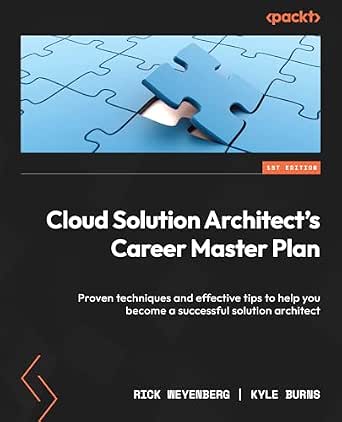
This book offers proven techniques and effective tips to help aspiring cloud solution architects advance their careers. It covers essential skills, strategies, and industry insights for success in the field.
Pros:
- Provides practical techniques for career advancement
- Offers industry insights and strategies
- Suitable for aspiring and current solution architects
Cons:
- No detailed specifications or content overview provided
- No customer reviews or ratings available
Best for: protecting sensitive data and maintaining compliance
Not ideal for: security tools that lack integration or scalability
Bottom line: Prioritize scalable security solutions with ongoing management features.
Starting with a budget-conscious approach, focus on essential features that meet your current needs while allowing for future growth. As your cloud environment expands, consider investing in more advanced tools that enhance performance, security, and automation. Remember, the key to successful cloud management is continuous evaluation and adaptation.
Keep exploring, stay informed about new developments, and don’t hesitate to seek expert advice when needed. Your proactive approach to choosing the right tools will pay off in a more secure, efficient, and scalable cloud infrastructure.
Halloween Picks
halloween
As an affiliate, we earn on qualifying purchases.