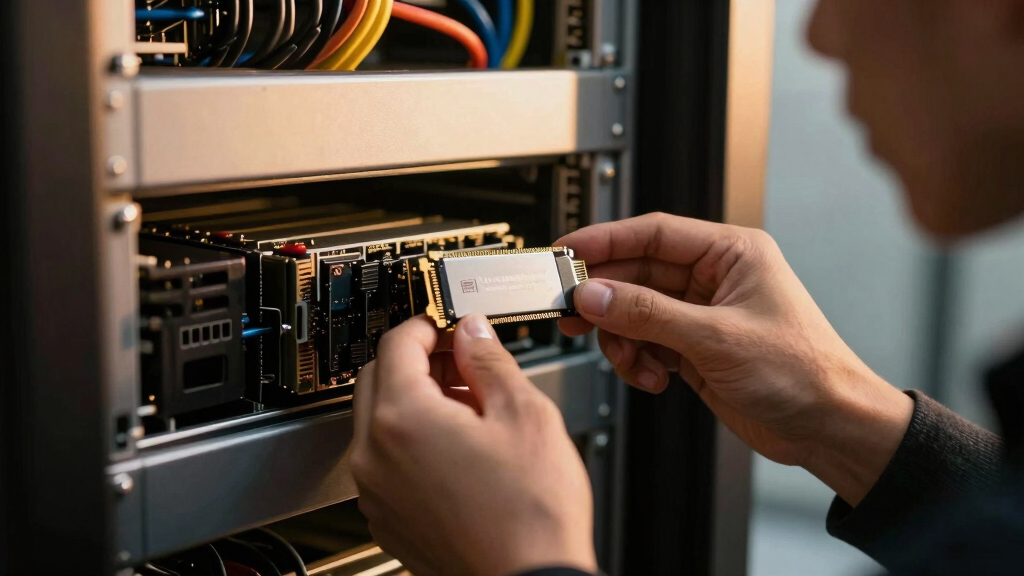

Choosing the best U.2 enterprise SSD for servers in 2026 involves balancing speed, endurance, and cost. The Micron 9300 Max 6.4TB stands out for its leading performance and endurance, making it ideal for heavy workloads. For those prioritizing raw speed, the Samsung SSD 9100 PRO 2TB PCIe 5.0×4 delivers cutting-edge PCIe 5.0 performance, but at a higher price. Meanwhile, the Intel D3-S4510 1.92TB offers reliable endurance at a more affordable cost, suited for less demanding environments. Readers must weigh performance against budget and consider factors like endurance, compatibility, and scalability. Keep reading for a detailed breakdown of how these options compare and which is best for your server needs.

Get business pricing on networking and server gear
- Business-only prices and quantity discounts
- Tax-exempt purchasing
- Multiple users, one account, clear invoices
Key Takeaways
- Performance and endurance are the main differentiators; top models like Micron 9300 Max and Samsung 9100 PRO excel in these areas.
- Price varies significantly, with premium options offering the highest speeds but not always necessary for every enterprise workload.
- Compatibility with existing server infrastructure is crucial—ensure the SSD’s interface and form factor match your hardware.
- Endurance ratings impact long-term reliability; high write-intensive environments benefit from higher TBW ratings.
- The latest PCIe 5.0 options provide faster data transfer, but PCIe 4.0 models remain highly capable for most enterprise applications.
| Micron 9300 Max 6.4TB NVMe U.2 Enterprise Solid State Drive |  | Best Overall for High-Capacity, Low-Latency Enterprise Storage | Digital Storage Capacity: 6.4 TB | Hard Disk Interface: NVMe | Connectivity Technology: PCIe | VIEW LATEST PRICE | See Our Full Breakdown |
| Samsung 3.84TB NVMe PCIe Gen4x4 M.2 SSD |  | Best Value for High-Speed Enterprise Storage with Moderate Capacity | Digital Storage Capacity: 3.84 TB | Hard Disk Interface: NVMe PCIe 4.0 x4 | Connectivity Technology: PCIe | VIEW LATEST PRICE | See Our Full Breakdown |
| Intel D3-S4510 1.92TB SATA 6Gb/s Enterprise SSD |  | Best for Read-Heavy Enterprise Workloads on SATA Infrastructure | Capacity: 1.92TB | Interface: SATA 6Gb/s | Form Factor: 2.5 inch | VIEW LATEST PRICE | See Our Full Breakdown |
| Samsung SSD 9100 PRO 2TB PCIe 5.0×4 M.2 2280 |  | Best for Cutting-Edge PCIe 5.0 Performance in Workstations and Servers | Capacity: 2TB | Interface: PCIe 5.0×4 | Form Factor: M.2 2280 | VIEW LATEST PRICE | See Our Full Breakdown |
| PM9A3 SSD 2.5″ U.2 NVMe Gen 4 960GB |  | Best for High-Speed Enterprise Workloads in Compact Form | Form Factor: 2.5″ U.2 | Interface: NVMe Gen 4 | Capacity: 960GB | VIEW LATEST PRICE | See Our Full Breakdown |
| Solidigm SSD D7-P5520 1.92TB 2.5″ PCIe 4.0 NVMe SSD |  | Best Overall for Balanced Performance and Security | Capacity: 1.92TB | Form Factor: 2.5″ | Interface: PCIe 4.0 x4 | VIEW LATEST PRICE | See Our Full Breakdown |
| Solidigm D7-P5520 3.84 TB NVMe PCIe 4.0 SSD |  | Best for High-Capacity Demanding Applications | Capacity: 3.84TB | Form Factor: 2.5 inch | Interface: U.2 PCIe 4.0 x4 | VIEW LATEST PRICE | See Our Full Breakdown |
| U.2 enterprise SSD for server | Form Factor | Capacity | Interface |
|---|---|---|---|
| Micron 9300 Max 6.4TB NVMe U.2 | 2.5-inch U.2 | — | — |
| Samsung 3.84TB NVMe PCIe Gen4x | 2.5 inches | — | — |
| Intel D3-S4510 1.92TB SATA 6Gb | 2.5 inch | 1.92TB | SATA 6Gb/s |
| Samsung SSD 9100 PRO 2TB PCIe | M.2 2280 | 2TB | PCIe 5.0×4 |
| PM9A3 SSD 2.5" U.2 NVMe Gen 4 | 2.5" U.2 | 960GB | NVMe Gen 4 |
| Solidigm SSD D7-P5520 1.92TB 2 | 2.5" | 1.92TB | PCIe 4.0 x4 |
| Solidigm D7-P5520 3.84 TB NVMe | 2.5 inch | 3.84TB | U.2 PCIe 4.0 x4 |
More Details on Our Top Picks
Micron 9300 Max 6.4TB NVMe U.2 Enterprise Solid State Drive
The Micron 9300 Max stands out for its exceptional combination of capacity and speed, making it ideal for demanding data center workloads. Its 6.4TB capacity ensures ample storage for large-scale applications, while its industry-leading sequential speeds of over 3.5 GB/sec deliver low latency and fast data access. Compared to the Samsung PM9A3, which offers faster read speeds but a smaller capacity, the 9300 Max prioritizes volume and reliability. Its enterprise-grade features are tailored for data centers, but that focus means it might be less cost-effective for smaller setups. This SSD is perfect for organizations that need massive storage with consistent high performance.
Pros:- Exceptional sequential read/write speeds over 3.5 GB/sec
- High capacity of 6.4TB suitable for enterprise workloads
- Low latency ensures performance-critical applications
- Reliable NVMe U.2 interface built for enterprise durability
Cons:- Designed primarily for enterprise use, with a higher price point
- Requires compatible U.2 or PCIe infrastructure, limiting flexibility
Best for: Data centers and enterprise environments requiring large, reliable storage with low latency
Not ideal for: Small businesses or casual users lacking compatible U.2 infrastructure or needing budget-friendly options
- Digital Storage Capacity:6.4 TB
- Hard Disk Interface:NVMe
- Connectivity Technology:PCIe
- Form Factor:2.5-inch U.2
- Cache Memory Installed Size:64 GB
- Read Speed:3500 MB/s
Our verdict“This drive is an excellent choice for large-scale data centers demanding high capacity and reliability.”
Samsung 3.84TB NVMe PCIe Gen4x4 M.2 SSD
The Samsung PM9A3 offers impressive read speeds up to 6900 MB/sec, making it well-suited for high-performance internal server applications. Its 3.84TB capacity strikes a balance between speed and storage, comparable to the Solidigm SSD D7-P5520 3.84TB but with a more streamlined interface designed for enterprise environments. Compared to the Micron 9300 Max, which excels in capacity, the Samsung emphasizes raw speed and compact form factor, suitable for servers with PCIe 4.0 slots. Its NAND flash technology ensures durability, but its reliance on PCIe 4.0 means it may not be compatible with older systems. This drive makes sense for organizations prioritizing high throughput in a smaller form factor.
Pros:- Top-tier read speeds up to 6900 MB/sec
- Compact 2.5-inch form factor adaptable for various systems
- Durable NAND flash technology enhances lifespan
- Good balance of speed and capacity for enterprise use
Cons:- Requires PCIe 4.0 slot for maximum performance, limiting older systems
- Limited warranty details can be unclear
Best for: High-performance servers and enterprise applications needing fast internal storage with moderate capacity
Not ideal for: Organizations with older PCIe 3.0 infrastructure or requiring larger storage volumes
- Digital Storage Capacity:3.84 TB
- Hard Disk Interface:NVMe PCIe 4.0 x4
- Connectivity Technology:PCIe
- Form Factor:2.5 inches
- Cache Memory:384 MB
- Read Speed:6900 MBps
Our verdict“This drive suits high-speed internal workloads in modern enterprise servers where speed outweighs capacity concerns.”
Intel D3-S4510 1.92TB SATA 6Gb/s Enterprise SSD
The Intel D3-S4510 provides a solid option for enterprises with existing SATA infrastructure, offering 1.92TB of capacity with reliable performance for read-intensive tasks. Its SATA interface limits maximum throughput to around 560 MB/sec, but this is sufficient for workloads like virtualization and large-scale analytics that prioritize stability over raw speed. Compared to the Micron 9300 Max, which offers higher speeds and capacity, the D3-S4510 is more accessible for organizations with legacy systems. Its 2 million hours MTBF and enterprise-grade data protection features add to its reliability, although it isn’t suited for write-heavy or latency-sensitive applications.
Pros:- Reliable and stable performance for read-heavy workloads
- Compatible with standard SATA interfaces, easy to upgrade
- Enterprise-grade data protection features
- Good endurance with 1 DWPD
Cons:- Limited by SATA interface speed, not suitable for high-speed demands
- Performance may lag behind NVMe-based drives in demanding tasks
Best for: Organizations with existing SATA infrastructure needing reliable, read-centric storage solutions
Not ideal for: Use cases demanding high throughput or low latency, such as real-time data processing or intensive transactional workloads
- Capacity:1.92TB
- Interface:SATA 6Gb/s
- Form Factor:2.5 inch
- NAND Type:3D TLC
- Sequential Read Speed:560 MB/s
- Sequential Write Speed:510 MB/s
Our verdict“This SSD is best suited for existing SATA-based enterprise environments prioritizing reliability over raw speed.”
Samsung SSD 9100 PRO 2TB PCIe 5.0×4 M.2 2280
The Samsung 9100 PRO exemplifies the latest PCIe 5.0 technology, delivering extraordinary read speeds up to 14,700 MB/sec and write speeds of 13,400 MB/sec. Its 2TB capacity is matched by high endurance and thermal management features, making it ideal for demanding creative and enterprise workloads. Compared with the Micron 9300 Max, which focuses on capacity and reliability, the 9100 PRO pushes performance boundaries, but at a premium cost. Its compatibility with PCIe 5.0 slots limits its use to newer systems, and its durability data remains limited due to its recent release. For organizations that can leverage PCIe 5.0, this drive ensures future-proof speed and capacity.
Pros:- Unmatched PCIe 5.0 read/write speeds exceeding 14 GB/sec
- High endurance suitable for intensive workloads
- Up to 8TB storage options available
- Efficient thermal and power management
Cons:- Premium price, potentially cost-prohibitive for some users
- Limited compatibility with older systems lacking PCIe 5.0 slots
Best for: Enterprises and power users with PCIe 5.0 support seeking maximum speed and high endurance
Not ideal for: Systems still running PCIe 3.0 or 4.0, or users prioritizing capacity over speed
- Capacity:2TB
- Interface:PCIe 5.0×4
- Form Factor:M.2 2280
- Sequential Read Speed:14,700 MB/s
- Sequential Write Speed:13,400 MB/s
- Random Read/Write IOPS:1,850K/2,600K
Our verdict“This SSD is best for organizations with the latest hardware seeking future-proof, ultra-fast storage solutions.”
PM9A3 SSD 2.5″ U.2 NVMe Gen 4 960GB
The PM9A3 offers a compact 2.5-inch U.2 NVMe Gen 4 drive with 960GB capacity, focusing on delivering high-speed data transfer for enterprise applications. While its smaller size makes it suitable for dense server configurations, its performance metrics, such as Gen 4 speeds, match those of larger drives like the Samsung 3.84TB NVMe PCIe Gen4x4. Its main strength lies in combining speed with a smaller footprint, but the 960GB capacity may be limiting for some applications, and its price per GB tends to be higher. This pick is perfect for environments where space is constrained, yet performance remains critical.
Pros:- High-speed NVMe Gen 4 performance
- Compact 2.5-inch U.2 form factor compatible with many enterprise servers
- Reliable and suitable for high-performance computing
- Good balance of speed and physical size
Cons:- Limited capacity of 960GB, potentially requiring multiple drives
- Higher cost per GB compared to larger drives
Best for: Dense server environments requiring high internal bandwidth with limited physical space
Not ideal for: Large-scale storage arrays or workloads needing extensive capacity at lower cost
- Form Factor:2.5″ U.2
- Interface:NVMe Gen 4
- Capacity:960GB
- Sequential Read Speed:up to 7,000 MB/sec
- Sequential Write Speed:up to 6,900 MB/sec
Our verdict“This SSD fits well in dense server configurations where high performance and space efficiency are priorities.”
Solidigm SSD D7-P5520 1.92TB 2.5″ PCIe 4.0 NVMe SSD
The Solidigm SSD D7-P5520 1.92TB offers a compelling mix of speed, security, and capacity, making it a top choice for enterprise servers. Its PCIe 4.0 x4 interface delivers fast data transfer, rivaling the performance of the Samsung 3.84TB NVMe SSD but with a more security-conscious design, thanks to FIPS compliance. Unlike the larger capacity Micron 9300 Max, this model balances performance with a manageable size, ideal for environments where security standards are critical. However, its enterprise-only design and lack of price transparency mean it’s less suited for smaller organizations or budget-conscious buyers. Still, for those needing a reliable, secure, and speedy storage solution, this SSD stands out.
Pros:- Fast PCIe 4.0 x4 data transfer speeds
- FIPS compliance ensures security standards
- Capable of handling demanding workloads with 1.92TB capacity
- Suitable for secure enterprise environments
Cons:- Designed primarily for enterprise use, overkill for casual users
- No clear pricing details, potentially expensive
- Requires compatible hardware to achieve optimal performance
Best for: Large enterprises and data centers prioritizing security and balanced performance
Not ideal for: Small businesses or users seeking a lower-cost, consumer-grade SSD
- Capacity:1.92TB
- Form Factor:2.5″
- Interface:PCIe 4.0 x4
- Type:NVMe SSD
- Standards:FIPS
Our verdict“This SSD is ideal for organizations that need a secure, high-speed drive with robust capacity and are willing to invest in enterprise-grade hardware.”
Solidigm D7-P5520 3.84 TB NVMe PCIe 4.0 SSD
The Solidigm D7-P5520 3.84TB makes a strong case for users who need substantial storage without sacrificing speed. Its PCIe 4.0 x4 NVMe interface ensures rapid data transfer, comparable to the 1.92TB model but with double the capacity, making it better suited for large-scale data processing or virtualization. Compared to the Samsung 3.84TB NVMe SSD, this model offers similar performance but with a U.2 interface that can be more flexible for enterprise racks. Its higher capacity comes with a higher price tag and the requirement for compatible U.2 interfaces, which might limit its applicability to certain hardware setups. Still, it provides reliable, high-speed storage for demanding enterprise workloads.
Pros:- High storage capacity of 3.84TB for large datasets
- Fast PCIe 4.0 NVMe data transfer speeds
- Reliable performance for demanding workloads
- U.2 interface offers flexible server integration
Cons:- Requires compatible U.2 interface hardware
- Potentially higher cost compared to smaller SSDs or SATA alternatives
- Limited appeal for organizations without U.2 connections
Best for: Data centers and enterprise servers needing large, fast, internal SSDs for intensive applications
Not ideal for: Small-scale or budget-conscious organizations lacking U.2 infrastructure
- Capacity:3.84TB
- Form Factor:2.5 inch
- Interface:U.2 PCIe 4.0 x4
- Type:Solid State Drive
Our verdict“This drive suits large-scale enterprise environments where high capacity and speed are critical, and compatible hardware is available.”

How We Picked
These products were selected based on a combination of performance benchmarks, endurance ratings, compatibility with U.2 interfaces, and overall value for enterprise server environments. Priority was given to SSDs that demonstrated high reliability, scalability, and proven track records in demanding data centers. The ranking reflects a balance between raw speed, endurance, and cost-effectiveness, ensuring options are relevant across different enterprise needs—from high-performance workloads to budget-conscious deployments. We excluded models that lack widespread support or proven stability in enterprise settings to present a curated, trustworthy list.| U.2 enterprise SSD for server | Interface |
|---|---|
| Micron 9300 Max 6.4TB NVMe U.2 | — |
| Samsung 3.84TB NVMe PCIe Gen4x | — |
| Intel D3-S4510 1.92TB SATA 6Gb | SATA 6Gb/s |
| Samsung SSD 9100 PRO 2TB PCIe | PCIe 5.0×4 |
| PM9A3 SSD 2.5" U.2 NVMe Gen 4 | NVMe Gen 4 |
| Solidigm SSD D7-P5520 1.92TB 2 | PCIe 4.0 x4 |
| Solidigm D7-P5520 3.84 TB NVMe | U.2 PCIe 4.0 x4 |
Factors to Consider When Choosing Best U.2 Enterprise SSD For Servers
When choosing a U.2 enterprise SSD for servers, several factors influence the overall suitability and performance. Understanding these key considerations helps avoid costly mistakes and ensures your investment aligns with your workload demands. It’s important to match the SSD’s capabilities to your specific environment, whether you need maximum speed, long-term durability, or a balanced mix of both. Here are the main factors to evaluate:Performance and Throughput
Performance metrics like IOPS and sequential throughput directly impact data processing speeds. For demanding workloads such as real-time analytics or high-frequency transactions, selecting an SSD with PCIe 4.0 or 5.0 interfaces and high data transfer rates is essential. However, for less intensive tasks, a model with solid PCIe 3.0 or lower speeds may suffice, offering better value. Always consider your workload profile and future scalability when evaluating performance specifications.
Endurance and Reliability
Enterprise SSDs are rated by TBW (Terabytes Written) and MTBF (Mean Time Between Failures), which indicate lifespan and durability. High endurance drives are better suited for write-heavy environments like databases or virtualization servers. Cheaper SSDs may have lower TBW ratings, risking premature failure under constant use. Balancing endurance with cost is key; overpaying for high TBW isn’t necessary for light workloads but critical for intensive data processing.
Compatibility and Form Factor
U.2 connectors require specific interface support on your server motherboard or controller cards. Verify that the SSD’s form factor and interface specifications match your existing hardware to avoid costly upgrades or compatibility issues. Additionally, consider whether the SSD supports features like hot-swapping or hardware encryption, which can streamline maintenance and enhance security. Compatibility issues are common pitfalls that can delay deployment and inflate costs.
Price and Total Cost of Ownership
While premium SSDs offer the fastest speeds and highest endurance, they come with a higher price tag. Conversely, budget models may reduce initial costs but could incur higher replacement or maintenance costs over time. Evaluate the total cost of ownership by factoring in reliability, power consumption, and support plans. Investing in a slightly more expensive, reliable drive can reduce downtime and administrative overhead, especially in mission-critical environments.
Future-Proofing and Scalability
Choosing an SSD that aligns with current and future infrastructure plans is wise. PCIe 5.0 drives deliver faster speeds but may not be compatible with older servers—consider your upgrade path. Also, look at options that support larger capacities or multi-drive configurations if your data needs are expected to grow. Investing in scalable solutions can extend the lifespan of your storage infrastructure and reduce migration costs down the line.
Frequently Asked Questions
Is PCIe 5.0 worth it for my server right now?
PCIe 5.0 offers significantly higher data transfer rates, which can benefit high-performance computing, large-scale data centers, or future-proofing. However, current server hardware supporting PCIe 5.0 is still limited and tends to come at a premium. For many existing enterprise environments, PCIe 4.0 SSDs provide ample speed and reliability without the added cost. Consider your workload demands and hardware compatibility before investing in PCIe 5.0 for now.
How do I choose between high endurance and high capacity?
High endurance drives are better suited for write-heavy applications like transactional databases or virtualization, where data is constantly being updated. High capacity drives are ideal for bulk storage or archival purposes where write intensity is lower. Often, there’s a tradeoff: high endurance models tend to have lower capacities at similar price points. Matching capacity to your workload ensures you avoid overpaying for unnecessary durability or vice versa.
Can I mix different SSD brands in my server?
Mixing SSD brands is possible but not always recommended, especially in enterprise environments. Different manufacturers may use varying firmware, controllers, and quality standards, which can lead to performance inconsistencies or compatibility issues. For optimal stability and support, sticking to a single brand or verified compatible models is usually safer. Always verify vendor compatibility and firmware updates before mixing drives.
What is the importance of TBW rating in enterprise SSDs?
The TBW rating indicates how much data can be written to the SSD over its lifespan. Higher TBW ratings mean the drive can withstand more write cycles, making it suitable for intensive workloads. For data centers handling large amounts of data daily, selecting a drive with a high TBW helps prevent premature failure and reduces replacement frequency. Consider your workload’s write intensity when evaluating TBW to ensure longevity and reliability.
Is it better to buy a larger capacity SSD or multiple smaller ones?
Choosing between a larger capacity SSD and multiple smaller drives depends on your workload and redundancy needs. A single large drive simplifies management and can reduce points of failure, but may be a single point of risk. Multiple drives can offer redundancy through RAID configurations, improving fault tolerance. Additionally, scaling storage with smaller drives can sometimes be more cost-effective and flexible, especially if your data grows gradually. Balance your need for simplicity versus resilience when making this decision.
Conclusion
For organizations seeking the best performance and reliability, the Micron 9300 Max stands out as the overall top choice, especially for demanding workloads. Budget-conscious buyers or those deploying less write-intensive applications will find the Intel D3-S4510 offers solid value. Enterprises aiming to future-proof with the latest technology should consider the Samsung SSD 9100 PRO 2TB PCIe 5.0×4, despite its higher cost. New entrants or smaller setups benefit from models with simpler compatibility and lower costs, while large data centers should prioritize endurance and scalability. Overall, matching the drive’s strengths to your specific server needs ensures a balanced and effective storage solution.