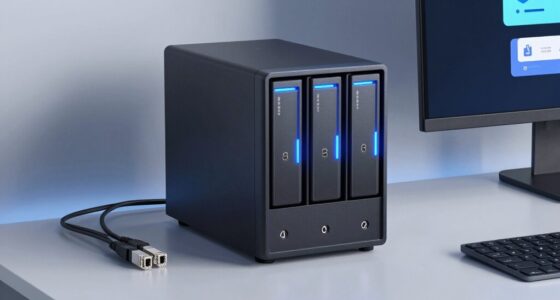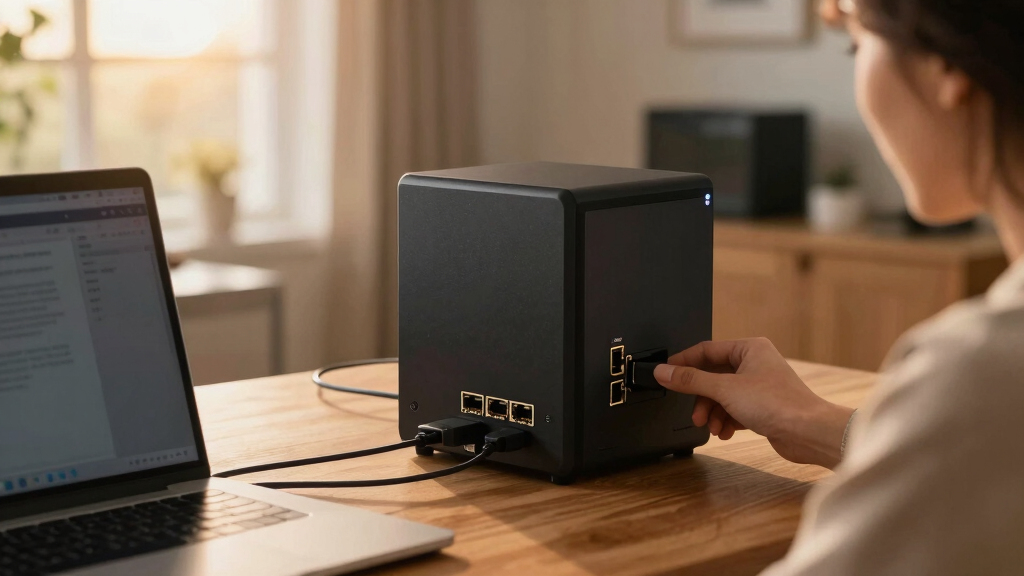

Choosing the best NAS with dual 10GbE support for virtualization depends on your workload, budget, and technical confidence. The MINISFORUM N5 MAX stands out for raw power and massive storage—ideal for content creators and data-heavy environments. The Asustor Lockerstor 4 Gen3 offers a balanced mix of performance and expandability for small to medium businesses. The NIMO AI NAS targets AI-driven tasks with GPU acceleration but demands more technical setup. Each of these options presents tradeoffs, whether in complexity, cost, or size, that shape their suitability for different buyers.
Open a free Amazon Business account
Business pricing, bulk buying and tax-exempt orders.
Create a free accountAs an affiliate, we earn on qualifying purchases.
Key Takeaways
- The MINISFORUM N5 MAX provides unmatched processing power and storage capacity but involves a complex setup and a premium price.
- The Asustor Lockerstor 4 Gen3 balances enterprise-grade features with accessibility, making it suitable for demanding workflows without overwhelming users.
- The NIMO AI NAS excels for AI and media workloads, offering GPU support, though it requires technical expertise and additional investments.
- All options support dual 10GbE, but their target users vary from content creators to enterprise data centers.
- Size, complexity, and cost are key tradeoffs shaping each product’s best-fit scenario.
| MINISFORUM N5 MAX 5-Bay Desktop NAS with AMD Ryzen AI Max+ 395 |  | Best Overall for Power and Capacity | Processor: AMD Ryzen AI Max+ 395, 16 cores | RAM: 64GB LPDDR5x | Storage Capacity: Up to 200TB (160TB HDD + 40TB SSD) | VIEW LATEST PRICE | See Our Full Breakdown |
| Asustor Lockerstor 4 Gen3 AS6804T 4-Bay NAS Diskless |  | Best for Balance of Performance and Usability | Processor: AMD Ryzen 3.8GHz Quad-Core | Memory: 16GB ECC DDR5 | Drive Bays: 4 | VIEW LATEST PRICE | See Our Full Breakdown |
| NIMO 6-Bay AI NAS with RTX 5080 GPU, 16-Core Intel Core Ultra 7 |  | Best for AI and Media Acceleration | Processor: Intel Core Ultra 7 356H, 16-core | GPU Support: NVIDIA GeForce RTX 5080 | AI Compute: Up to 1801 Tops | VIEW LATEST PRICE | See Our Full Breakdown |
| QNAP TVS-h1277AX-R5 16G 12-Bay Desktop Hybrid NAS |  | Best for Virtualization and Media Workflows | CPU: AMD Ryzen 5 7000-series 6-core/12-thread | Memory: Up to 192 GB DDR5 | Storage Bays: 8 x 3.5 SATA, 4 x 2.5 U.2 NVMe | VIEW LATEST PRICE | See Our Full Breakdown |
| QNAP TS-h1887XU-RP-E2334-16G-US 18 Bay 2U Rackmount Hybrid NAS |  | Best for Enterprise Virtualization and Data-Intensive Applications | Processor: Intel Xeon E-2334 or E-2336 | RAM: 16GB or 32GB DDR4 ECC, up to 128GB | Drive Bays: 12 x 3.5 inch SATA, 6 x 2.5 inch SATA | VIEW LATEST PRICE | See Our Full Breakdown |
| NAS with dual 10GbE for virtualization | Processor | Drive Bays | Network | Memory |
|---|---|---|---|---|
| MINISFORUM N5 MAX 5-Bay Deskto | AMD Ryzen AI Max+ 395, 16 cores | 5x SATA HDD, 5x M.2 NVMe SSD | 2x 10GbE ports with link aggregation | — |
| Asustor Lockerstor 4 Gen3 AS68 | AMD Ryzen 3.8GHz Quad-Core | 4 | — | 16GB ECC DDR5 |
| NIMO 6-Bay AI NAS with RTX 508 | Intel Core Ultra 7 356H, 16-core | — | Dual 10GbE, USB 4 | Dual DDR5 slots |
| QNAP TVS-h1277AX-R5 16G 12-Bay | — | — | Dual 10GbE, 25GbE expansion | Up to 192 GB DDR5 |
| QNAP TS-h1887XU-RP-E2334-16G-U | Intel Xeon E-2334 or E-2336 | 12 x 3.5 inch SATA, 6 x 2.5 inch SATA | — | — |
More Details on Our Top Picks
MINISFORUM N5 MAX 5-Bay Desktop NAS with AMD Ryzen AI Max+ 395
The MINISFORUM N5 MAX stands out for its formidable processing power thanks to an AMD Ryzen AI Max+ 395, making it ideal for intensive virtualization tasks. Its massive 200TB capacity and 64GB RAM cater to content creators and data-heavy environments. Compared to other options, it offers more raw power and storage, but its size and complexity may deter less technical users. The dual 10GbE ports support high-speed data transfer, and the modular design facilitates upgrades—though setup can require familiarity with enterprise hardware. This NAS excels where performance and capacity are priorities, especially for multi-user, media-rich environments.
Pros:- High-performance AMD Ryzen CPU with 16 cores
- Massive 200TB total storage capacity
- Dual 10GbE ports with link aggregation support
- Modular design for upgrades
Cons:- Complex setup requiring technical knowledge
- Large physical size may not fit small spaces
- Premium price point
Best for: Power users, content creators, and data-intensive virtualization environments
Not ideal for: Beginners, small offices with simple needs, or those seeking plug-and-play solutions
- Processor:AMD Ryzen AI Max+ 395, 16 cores
- RAM:64GB LPDDR5x
- Storage Capacity:Up to 200TB (160TB HDD + 40TB SSD)
- Drive Bays:5x SATA HDD, 5x M.2 NVMe SSD
- Network:2x 10GbE ports with link aggregation
- SSD:128GB pre-installed M.2 SSD
Our verdict“The <strong>MINISFORUM N5 MAX</strong> is best for users needing maximum processing power and storage, accepting complexity and cost as tradeoffs.”
Asustor Lockerstor 4 Gen3 AS6804T 4-Bay NAS Diskless
The Asustor Lockerstor 4 Gen3 offers a compelling blend of enterprise-grade features and user-friendly design. Its AMD Ryzen quad-core processor and 16GB ECC DDR5 memory handle demanding virtualization and AI workloads effectively. With four M.2 NVMe slots and dual 5GbE & 10GbE ports, it offers flexible storage expansion and network connectivity. Compared to larger rackmounts, this model is more accessible for SMBs or prosumers who want robust virtualization capabilities without the complexity of enterprise hardware. However, being diskless adds initial setup effort and cost for storage drives. It’s a smart choice for those who need high performance but prefer a desktop form factor.
Pros:- Powerful AMD Ryzen quad-core processor
- 16GB ECC DDR5 memory for demanding workloads
- Four NVMe slots for fast storage expansion
- Dual 5GbE & 10GbE ports for versatile networking
Cons:- Requires additional drives, increasing initial cost
- Setup complexity for non-technical users
- Premium price point
Best for: Small to medium businesses and advanced prosumers seeking balanced performance
Not ideal for: Beginners or users needing pre-configured storage out of the box
- Processor:AMD Ryzen 3.8GHz Quad-Core
- Memory:16GB ECC DDR5
- Drive Bays:4
- M.2 Slots:4 NVMe
- Network Ports:Dual 5GbE & 10GbE
- Form Factor:Desktop
Our verdict“The <strong>Asustor Lockerstor 4 Gen3</strong> offers a versatile, high-performance solution suitable for users comfortable with setup complexities and seeking enterprise features in a desktop form.</p>”
NIMO 6-Bay AI NAS with RTX 5080 GPU, 16-Core Intel Core Ultra 7
The NIMO AI NAS targets specialized workloads like AI inference, media processing, and data science. Its Intel Core Ultra 7 processor paired with NVIDIA RTX 5080 GPU support delivers up to 1801 Tops AI compute—far beyond standard NAS capabilities. Dual 10GbE and USB 4 ensure rapid data transfers, and expandable memory and GPU slots offer future-proofing. Compared with other models, it’s more complex to set up and requires additional investments in storage and peripherals. This device is best for teams needing local AI inference or GPU-accelerated media tasks, though it’s not suitable for straightforward virtualization or casual users.
Pros:- High AI compute with support for GPU acceleration
- Up to 204TB storage capacity
- Dual 10GbE and USB 4 for fast data transfer
- Upgradeable GPU and memory options
Cons:- Setup complexity and technical knowledge required
- Additional costs for drives and peripherals
- High price for niche workloads
Best for: AI researchers, media professionals, and developers needing GPU-accelerated processing
Not ideal for: Basic virtual machine hosts or users without technical expertise
- Processor:Intel Core Ultra 7 356H, 16-core
- GPU Support:NVIDIA GeForce RTX 5080
- AI Compute:Up to 1801 Tops
- Storage Capacity:Up to 204TB
- Memory:Dual DDR5 slots
- Network:Dual 10GbE, USB 4
Our verdict“The <strong>NIMO AI NAS</strong> excels in AI and media acceleration, making it suitable for advanced professionals willing to handle complex setups and investments.”
QNAP TVS-h1277AX-R5 16G 12-Bay Desktop Hybrid NAS
The QNAP TVS-h1277AX-R5 offers a compelling mix of performance and flexibility for virtualization and media editing. Its AMD Ryzen 5 7000-series CPU combined with DDR5 memory supports multiple VMs and containers effectively. The hybrid storage includes SATA and NVMe bays, and PCIe slots enable expansion for additional network cards or graphics. This makes it suitable for advanced users wanting a versatile system that balances power and expandability. However, setup can be intricate, and its feature set might be overkill for casual users or small-scale deployments. It’s best suited for prosumers and SMBs with technical expertise.
Pros:- Powerful AMD Ryzen 5 CPU
- High-speed DDR5 memory up to 192GB
- Hybrid storage with SATA and NVMe bays
- Expandable with PCIe slots
Cons:- Complex setup process
- Overkill for basic or home use
- Higher price point
Best for: Virtualization, media editing, and small enterprise environments
Not ideal for: Inexperienced users or those seeking simple, plug-and-play NAS devices
- CPU:AMD Ryzen 5 7000-series 6-core/12-thread
- Memory:Up to 192 GB DDR5
- Storage Bays:8 x 3.5 SATA, 4 x 2.5 U.2 NVMe
- Network:Dual 10GbE, 25GbE expansion
- PCIe Slots:3 PCIe Gen4
Our verdict“The <strong>QNAP TVS-h1277AX-R5</strong> is a flexible, high-performance choice for users comfortable with advanced configuration and needing virtualization and media capabilities.”
QNAP TS-h1887XU-RP-E2334-16G-US 18 Bay 2U Rackmount Hybrid NAS
The QNAP TS-h1887XU-RP is designed for heavy-duty enterprise environments with high virtualization demands. Its Intel Xeon processors, up to 128GB ECC RAM, and dual 10GbE ports make it suitable for large-scale virtualized workloads and large data storage. The extensive drive bays support high-density storage, and its rackmount form factor aligns with enterprise infrastructure. Compared to smaller NAS, this model’s scale and processing power deliver exceptional multitasking, but its complexity and cost make it less suitable for casual or small business use. It’s a clear choice for organizations needing robust, scalable virtualization infrastructure.
Pros:- Powerful Intel Xeon processors
- Up to 128GB ECC RAM for multitasking
- Dual 10GbE ports
- High-density 18-bay storage capacity
Cons:- Complex setup requiring expertise
- Premium pricing
- Large physical size
Best for: Large enterprises, data centers, and demanding virtualization workloads
Not ideal for: Small businesses or home users with limited technical resources
- Processor:Intel Xeon E-2334 or E-2336
- RAM:16GB or 32GB DDR4 ECC, up to 128GB
- Drive Bays:12 x 3.5 inch SATA, 6 x 2.5 inch SATA
- Network Connectivity:Dual 10GbE, Dual 2.5GbE
- Form Factor:2U Rackmount
Our verdict“The <strong>QNAP TS-h1887XU-RP</strong> excels in enterprise virtualization and data management, justified by its scale and power at the expense of simplicity.”

How We Picked
Our selection process focused on devices that integrate dual 10GbE network ports, optimized for virtualization workloads, and balanced across price, performance, and ease of use. We prioritized models with robust CPU options, expandability, and enterprise features, while also considering real-world deployment scenarios. Each product was evaluated for its unique strengths and tradeoffs to serve different types of users—from tech-savvy professionals to enterprise IT teams.
| NAS with dual 10GbE for virtualization | Processor |
|---|---|
| MINISFORUM N5 MAX 5-Bay Deskto | AMD Ryzen AI Max+ 395, 16 cores |
| Asustor Lockerstor 4 Gen3 AS68 | AMD Ryzen 3.8GHz Quad-Core |
| NIMO 6-Bay AI NAS with RTX 508 | Intel Core Ultra 7 356H, 16-core |
| QNAP TVS-h1277AX-R5 16G 12-Bay | — |
| QNAP TS-h1887XU-RP-E2334-16G-U | Intel Xeon E-2334 or E-2336 |
Factors to Consider When Choosing Best NAS With Dual 10GbE For Virtualization
Selecting the best NAS with dual 10GbE for virtualization involves balancing processing power, storage capacity, expandability, and ease of setup. Your specific workload—whether media-heavy, AI-focused, or enterprise-scale—shapes the ideal choice. Consider your technical comfort level, future growth plans, and budget to align with the right model.
Performance and Processing Power
For virtualization, a powerful CPU—such as AMD Ryzen or Intel Xeon—is essential to run multiple VMs smoothly. High core counts and fast clock speeds reduce bottlenecks. The more demanding your virtual environment, the more you should prioritize CPU capacity over other features.
Storage Capacity and Expandability
Massive data storage needs demand NAS models with multiple drive bays and support for SSD caching or NVMe expansion. Flexibility in RAID configurations and future expansion options are important if your data grows or your workload changes.
Networking and Connectivity
Dual 10GbE ports are a must for high-speed data transfer, but consider whether link aggregation or network redundancy is necessary for your setup. Additional ports or expansion slots can also be valuable for scaling your network infrastructure.
Ease of Use and Setup
Some NAS devices require advanced technical knowledge, especially enterprise models. For smaller teams or less experienced users, choosing a model with user-friendly interfaces and comprehensive support can save time and frustration.
Price and Total Cost of Ownership
High-end models often come with a significant price tag, not only for the device but also for compatible drives, add-ons, and setup. Weigh the upfront investment against your needs for performance, capacity, and future-proofing.
Frequently Asked Questions
What makes dual 10GbE important for virtualization?
Dual 10GbE ports provide high-speed network connectivity, enabling faster data transfer between your NAS and other network devices. This reduces bottlenecks during virtual machine migrations, backups, and data sharing, especially in environments with multiple users or large datasets. For virtualization, this bandwidth can be a game-changer in maintaining smooth, responsive workflows.
Is a higher number of drive bays always better for virtualization?
Not necessarily. While more drive bays allow greater storage capacity and flexibility, the key is whether they support the performance features you need, such as NVMe or SSD caching. Also, managing a large number of drives can add complexity and cost. Focus on the quality and expandability features of the bays rather than just quantity.
Do I need enterprise features for virtualization at home?
For home use, enterprise features like ECC RAM or Xeon processors are often unnecessary. A well-balanced consumer or prosumer NAS with a capable processor, dual 10GbE, and enough RAM usually suffices. Consider your workload and future growth; over-investing in enterprise-grade hardware might not be cost-effective for casual or small-scale virtualization.
How much storage should I plan for future growth?
Assess your current data needs and consider potential growth over the next several years. Opt for models with enough drive bays or support for expansion cards. Prioritize flexible RAID options and compatibility with larger drives to future-proof your setup. Planning ahead can prevent costly replacements or migrations later.
Is setup complexity a concern with these NAS options?
Yes, especially with enterprise or AI-focused models. Devices like the NIMO AI NAS or rackmount solutions require technical expertise for installation, configuration, and maintenance. However, some models like the Asustor Lockerstor are more accessible for prosumers comfortable with basic networking and storage configuration. Always match your technical skills with the device’s complexity.
Conclusion
For users seeking maximum performance and capacity, the MINISFORUM N5 MAX delivers unmatched power, ideal for media professionals and data-heavy environments. Small to medium businesses that require a balance between performance and usability will find the Asustor Lockerstor 4 Gen3 a compelling choice. Those focused on AI workloads, media acceleration, or GPU processing should consider the NIMO AI NAS despite its setup complexity. Finally, enterprises with large virtualization needs will find the QNAP TS-h1887XU-RP an enterprise-grade solution, though it demands technical expertise. Match your workload, technical comfort, and budget to select the best NAS for your virtualization environment in 2026.
As an affiliate, we earn on qualifying purchases.Fall Picks
fall essentials