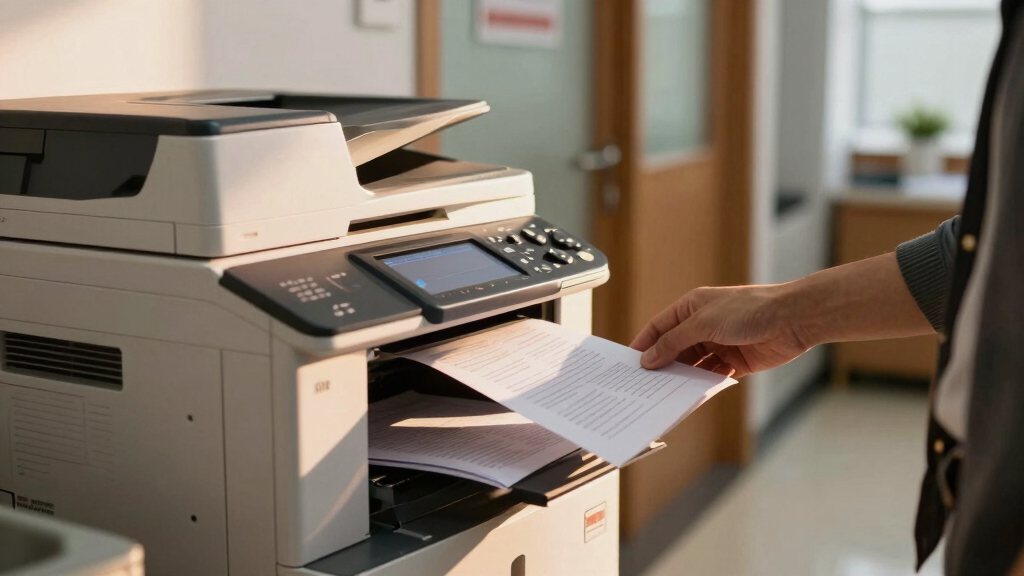
For organizations prioritizing document security and controlled access, finding the best secure MFP printer with pull printing is essential. The HP LaserJet MFP 5601dn stands out as the overall best choice, thanks to its robust security features and seamless pull printing. The HP Color LaserJet Pro MFP 3301sdw offers a compelling balance of affordability and security for smaller teams, while the HP LaserJet Enterprise MFP M635fht delivers enterprise-grade features for larger offices. These options highlight the key tradeoffs: higher security often means increased cost or complexity, while budget-friendly models may lack some advanced controls. Keep reading for a detailed comparison to find the best fit for your needs.

Get business pricing on networking and server gear
- Business-only prices and quantity discounts
- Tax-exempt purchasing
- Multiple users, one account, clear invoices
Key Takeaways
- Top picks excel in balancing security features with ease of use, making pull printing straightforward for users.
- Higher-end models like the M635fht provide enhanced security options, but come at a premium price and complexity.
- Affordable options like the 3301sdw deliver solid basic pull printing features suitable for small teams or offices.
- Build quality and network security protocols are critical in preventing unauthorized access and data breaches.
- Ease of setup and ongoing maintenance influence total cost of ownership and user adoption.
| HP Color LaserJet Pro MFP 3301sdw Wireless All-in-One Color Laser Printer |  | Best Overall for Small Offices Needing Color and Security | Printer Type: Laser | Printer Functions: Print, Scan, Copy, Auto-Duplex | Print Speed: 30 pages per minute color, 26 pages per minute black & white | VIEW LATEST PRICE | See Our Full Breakdown |
| HP LaserJet Enterprise MFP M634z Monochrome All-in-One Printer |  | Best for High-Volume Monochrome Security and Performance | Printer Type: Monochrome Laser All-in-One | Print Speed: 55 ppm | First Page Out Time: 5.2 seconds | VIEW LATEST PRICE | See Our Full Breakdown |
| HP LaserJet Enterprise MFP M635fht Monochrome All-in-One Printer with Ethernet, Dual-Sided Printing, Extra Paper Tray & Stand |  | Best for High-Speed, Large-Scale Monochrome Printing with Security | Printer Type: Monochrome Laser All-in-One | Print Speed: 65 ppm | Paper Capacity: 1200 sheets | VIEW LATEST PRICE | See Our Full Breakdown |
| HP Color LaserJet Enterprise MFP 4801f Multifunction Printer |  | Best for Small Work Teams Needing Color and Security | Printer Type: Laser | Color Pages Per Minute: Up to 35 | Connectivity: Ethernet, Hi-Speed USB | VIEW LATEST PRICE | See Our Full Breakdown |
| HP LaserJet Pro MFP 3101sdw Wireless Black and White All-in-One Laser Printer |  | Best for Small Teams Focused on Secure Monochrome Printing | Printer Type: Laser | Printer Functions: Print, Scan, Copy, Wireless | Print Speed: Up to 35 ppm | VIEW LATEST PRICE | See Our Full Breakdown |
| HP LaserJet MFP M234sdw Wireless Printer, Print, Scan, Copy, Fast Speeds, Easy Setup, Mobile Printing |  | Best for Small Teams Needing Secure, Fast Black-and-White Printing | Print Speed: Up to 30 pages per minute | Two-Sided Printing: Yes, up to 19 images per minute | Connectivity: Dual-band Wi-Fi, Ethernet | VIEW LATEST PRICE | See Our Full Breakdown |
| HP LaserJet Enterprise MFP 5601dn Printer |  | Best for High-Volume, Security-Focused Enterprise Environments | Printer Type: Laser | Functions: Print, scan, copy | Print Speed: Up to 52 pages per minute | VIEW LATEST PRICE | See Our Full Breakdown |
| HP LaserJet Pro MFP 3105sdw Wireless Printer |  | Best for Small Offices Needing Secure, Efficient Monochrome Workflow | Printer Type: Laser Printer | Functions: Print, Scan, Copy | Print Speed: Up to 33 pages per minute | VIEW LATEST PRICE | See Our Full Breakdown |
| secure MFP printer with pull printing | Printer Type | Print Speed | Connectivity | Security |
|---|---|---|---|---|
| HP Color LaserJet Pro MFP 3301 | Laser | 30 pages per minute color, 26 pages per minute black & white | Wireless, Ethernet | — |
| HP LaserJet Enterprise MFP M63 | Monochrome Laser All-in-One | 55 ppm | Built-in Ethernet, Wi-Fi Direct®, Bluetooth® Low Energy | — |
| HP LaserJet Enterprise MFP M63 | Monochrome Laser All-in-One | 65 ppm | Built-in Ethernet | HP Sure Start self-repair |
| HP Color LaserJet Enterprise M | Laser | — | Ethernet, Hi-Speed USB | HP Wolf Pro Security |
| HP LaserJet Pro MFP 3101sdw Wi | Laser | Up to 35 ppm | — | — |
| HP LaserJet MFP M234sdw Wirele | — | Up to 30 pages per minute | Dual-band Wi-Fi, Ethernet | Built-in security features |
| HP LaserJet Enterprise MFP 560 | Laser | Up to 52 pages per minute | Ethernet, Hi-Speed USB | Protection against quantum computer attacks |
| HP LaserJet Pro MFP 3105sdw Wi | Laser Printer | Up to 33 pages per minute | Wi-Fi | HP Wolf Pro Security |
More Details on Our Top Picks
HP Color LaserJet Pro MFP 3301sdw Wireless All-in-One Color Laser Printer
This model stands out as an all-in-one color laser printer with robust security features like HP Wolf Pro Security, making it ideal for small offices that need vibrant, professional-quality color documents. Compared with the monochrome options like the HP LaserJet Pro 3101sdw, it offers the advantage of color printing, which can be essential for branding or presentations. However, this capacity comes with a heavier weight (37.7 pounds) and a reliance on HP-specific cartridges, which might increase ongoing costs. Its fast 30 ppm color speed and auto duplex support streamline workflow, but the absence of a touchscreen or advanced display limits ease of use for some users. This pick makes the most sense for small teams that require both security and high-quality color output without the complexity of larger enterprise systems.
Pros:- Fast print speeds suitable for busy offices
- Wireless and Ethernet connectivity for flexible placement
- Auto duplex printing saves paper
Cons:- Relatively heavy at 37.7 pounds, which can complicate setup
- Limited to HP cartridges with chips or circuitry, increasing consumable costs
- No touchscreen or advanced display for easy navigation
Best for: Small office teams needing vibrant color output with reliable pull printing security
Not ideal for: Large enterprises requiring high-volume monochrome printing or very low-cost consumables
- Printer Type:Laser
- Printer Functions:Print, Scan, Copy, Auto-Duplex
- Print Speed:30 pages per minute color, 26 pages per minute black & white
- Maximum Resolution:1200 x 1200 dpi
- Media Type:Plain paper
- Connectivity:Wireless, Ethernet
Our verdict“This printer is best for small teams prioritizing vibrant color output and integrated security features in a compact, all-in-one package.”
HP LaserJet Enterprise MFP M634z Monochrome All-in-One Printer
The HP LaserJet Enterprise MFP M634z excels in environments that demand high-speed monochrome output combined with extensive paper handling and security. Its impressive 55 ppm speed and 3 x 550-sheet trays outperform the M635fht’s 65 ppm in real-world scenarios where reliability and security are paramount. The large 9-inch color touchscreen enhances user experience, surpassing the simpler interfaces of some competitors. However, its size and higher initial investment might be prohibitive for smaller offices or those on tight budgets. This model makes the most sense for high-volume, security-conscious workplaces where monochrome output suffices and cost of operation is a secondary concern.
Pros:- High-speed printing up to 55 ppm
- Extensive paper capacity with multiple trays
- Advanced security features to protect sensitive data
Cons:- Designed primarily for monochrome use, no color option
- Larger footprint may not fit in tight spaces
- Higher upfront cost and operational expenses
Best for: High-volume, security-focused enterprises needing monochrome multifunctionality
Not ideal for: Small offices or teams requiring color printing or budget-sensitive setups
- Printer Type:Monochrome Laser All-in-One
- Print Speed:55 ppm
- First Page Out Time:5.2 seconds
- Paper Capacity:2300 sheets
- Additional Trays:3 x 550 sheets
- Connectivity:Built-in Ethernet, Wi-Fi Direct®, Bluetooth® Low Energy
Our verdict“Ideal for large-scale, security-focused environments needing fast monochrome document handling with extensive paper capacity.”
HP LaserJet Enterprise MFP M635fht Monochrome All-in-One Printer with Ethernet, Dual-Sided Printing, Extra Paper Tray & Stand
The HP LaserJet Enterprise MFP M635fht offers impressive 65 ppm speeds and a massive 1200-sheet capacity, making it well-suited for very high-volume monochrome printing. Its security features, including HP Sure Start self-repair, provide peace of mind for sensitive data environments. Compared to the M634z, it adds a wheeled stand and extra paper tray, improving convenience for continuous operation. Its larger footprint and monochrome-only design mean it’s not suitable for offices needing color output or limited space. This model caters to organizations where speed, volume, and security take precedence over versatility and form factor.
Pros:- Very high print speed at 65 ppm
- Massive paper capacity with extra tray and stand
- Enhanced security with self-repair technology
Cons:- Primarily monochrome, no color options
- Large physical size may require dedicated space
- Higher maintenance and supply costs
Best for: Large, security-sensitive organizations with high monochrome printing demands
Not ideal for: Small offices or those requiring color printing or compact footprint
- Printer Type:Monochrome Laser All-in-One
- Print Speed:65 ppm
- Paper Capacity:1200 sheets
- Additional Tray:550 sheets
- Connectivity:Built-in Ethernet
- Security:HP Sure Start self-repair
Our verdict“This printer is best for high-volume, security-critical environments where monochrome output is sufficient and speed is essential.”
HP Color LaserJet Enterprise MFP 4801f Multifunction Printer
The HP Color LaserJet Enterprise MFP 4801f balances high-speed color printing with solid security features like HP Wolf Pro Security, making it suitable for small workgroups requiring vibrant, professional color documents. Its 35 ppm color output and automatic duplexing improve efficiency, but its primary focus on small teams means it’s less suited for large-volume environments. Compared to the monochrome M635fht, it offers color capabilities but may involve higher operating costs and a smaller paper capacity. Its reliability and security make it an excellent choice for teams that prioritize quality and data protection without the need for enterprise-scale volume.
Pros:- Fast color printing up to 35 ppm
- Automatic duplex for efficiency
- Strong security features to protect sensitive data
Cons:- Designed primarily for small teams, not large-scale printing
- Higher cost for security features and color toner
- Limited paper capacity compared to larger enterprise models
Best for: Small teams needing high-quality color output with integrated security features
Not ideal for: Large offices or high-volume monochrome printing needs
- Printer Type:Laser
- Color Pages Per Minute:Up to 35
- Connectivity:Ethernet, Hi-Speed USB
- Security:HP Wolf Pro Security
- Auto Document Feeder:50 pages
Our verdict“This printer is well-suited for small teams that need secure, high-quality color printing without the bulk of larger enterprise systems.”
HP LaserJet Pro MFP 3101sdw Wireless Black and White All-in-One Laser Printer
The HP LaserJet Pro 3101sdw offers a straightforward monochrome solution with fast printing and scanning, making it suitable for small teams that need reliable, high-quality black-and-white documents. Its wireless connectivity, duplex printing, and scan-to-email functions provide convenience, but it lacks color printing capabilities, limiting versatility. Compared with the M634z and M635fht, it offers a more budget-friendly and space-efficient option, though with less capacity for high-volume printing. This model makes the most sense for small offices that prioritize security, speed, and simplicity over color or extensive paper handling.
Pros:- Fast printing and scanning speeds
- Wireless connectivity for flexible device use
- Automatic duplex printing saves paper
Cons:- Limited to black-and-white printing only
- One input tray might require frequent refilling
- No color printing capabilities
Best for: Small teams needing secure, monochrome printing with easy wireless setup
Not ideal for: Offices that require color printing or very high-volume output
- Printer Type:Laser
- Printer Functions:Print, Scan, Copy, Wireless
- Print Speed:Up to 35 ppm
- Maximum Copies Per Run:Up to 999
- Resolution:1200 x 1200 dpi
- Media Type:Plain paper
Our verdict“This printer is best for small teams seeking a reliable, secure monochrome multifunction device with wireless convenience.”
HP LaserJet MFP M234sdw Wireless Printer, Print, Scan, Copy, Fast Speeds, Easy Setup, Mobile Printing
This compact model excels for small teams that prioritize quick, reliable black-and-white printing with built-in security. Compared to the HP LaserJet Pro MFP 3105sdw, it offers slightly faster speeds and better mobile device compatibility, making it ideal for on-the-go office environments. However, its focus on monochrome limits its versatility for organizations needing color. The automatic duplexing feature helps save paper, and the secure printing ensures sensitive documents stay protected. While it lacks the advanced enterprise security features of larger models like the HP LaserJet Enterprise MFP 5601dn, it covers the essentials for small business security needs at a more affordable price point.
Pros:- Fast printing speeds up to 30 ppm
- Easy setup with mobile printing options
- Automatic two-sided printing saves paper
- Secure printing features for sensitive documents
Cons:- Limited to black-and-white printing
- Designed for small teams, not scalable for larger offices
Best for: Small business teams that need fast, secure black-and-white printing without complex setup.
Not ideal for: Organizations requiring color printing or high-volume workflows—this model is limited to monochrome output and small-scale use.
- Print Speed:Up to 30 pages per minute
- Two-Sided Printing:Yes, up to 19 images per minute
- Connectivity:Dual-band Wi-Fi, Ethernet
- Compatibility:Microsoft, Mac, AirPrint, Android, Chromebook
- Auto Document Feeder:Yes
- Security:Built-in security features
Our verdict“A straightforward, secure choice for small teams focused on monochrome document management.”
HP LaserJet Enterprise MFP 5601dn Printer
The HP LaserJet Enterprise MFP 5601dn is tailored for large, security-conscious workgroups that need high-speed, high-volume printing and advanced protection. It surpasses models like the HP LaserJet M234sdw in speed—up to 52 ppm—and offers enterprise-grade security including protection against quantum attacks. Its AI-powered digitization and scalability support complex workflows, but these features come with a hefty price and larger footprint, making it less suitable for small or budget-constrained offices. The 50-sheet legal-size auto document feeder and support for future updates make it a robust, future-proof option for demanding environments.
Pros:- Very high print speeds of up to 52 ppm
- Advanced security including quantum attack protection
- AI-powered digitization for workflow efficiency
- Supports future software updates
Cons:- Expensive for small offices
- Large footprint requiring significant space
- Requires original HP cartridges with chips or circuitry
Best for: Large organizations with high-volume needs and a focus on enterprise-grade security.
Not ideal for: Small offices or teams seeking a budget-friendly, compact device—its size and cost are overkill for low-volume use.
- Printer Type:Laser
- Functions:Print, scan, copy
- Print Speed:Up to 52 pages per minute
- Auto Document Feeder:50-sheet, legal-size
- Connectivity:Ethernet, Hi-Speed USB
- Security:Protection against quantum computer attacks
Our verdict“This model is perfect for large-scale, security-sensitive environments that require fast, reliable high-volume printing.”
HP LaserJet Pro MFP 3105sdw Wireless Printer
The HP LaserJet Pro 3105sdw strikes a balance between speed and ease of use for small teams that need reliable monochrome printing with security. It surpasses the HP LaserJet MFP M234sdw in terms of AI capabilities, offering smart subject lines, file names, and summaries to streamline workflows. Its wireless setup and HP Wolf Pro Security make it suitable for small offices that want a straightforward device with modern security features. Unlike the more enterprise-focused 5601dn, this model is designed for office environments that value simplicity and integrated workflow tools, but it remains limited to black-and-white output and may not handle very high-volume demands well.
Pros:- Fast printing up to 33 ppm
- Supports automatic duplex printing and scanning
- Easy setup with mobile printing options
- AI features for workflow enhancement
Cons:- Limited to black & white printing
- Requires original HP cartridges with chips
- Not designed for high-volume or large-scale use
Best for: Small office teams seeking a secure, easy-to-setup monochrome multifunction printer with workflow automation.
Not ideal for: Organizations needing color printing or high-volume throughput—this model is optimized for moderate use and monochrome output.
- Printer Type:Laser Printer
- Functions:Print, Scan, Copy
- Print Speed:Up to 33 pages per minute
- Connectivity:Wi-Fi
- Auto Duplex:Yes
- Security:HP Wolf Pro Security
Our verdict“Ideal for small teams that prioritize security, simple setup, and workflow automation in monochrome printing.”

How We Picked
I evaluated these printers based on their security capabilities, specifically how well they support pull printing and access controls. Usability was also key, including setup process, user interface, and management features. Build quality and reliability over time factored into the rankings, along with value for the price paid. Products that offered enterprise-grade security and seamless integration without excessive complexity ranked higher, while budget options with basic features were positioned lower. The goal was to identify models suitable for different organizational sizes and security needs, ensuring a balanced view of performance versus cost.| secure MFP printer with pull printing | Printer Type | Connectivity | Security |
|---|---|---|---|
| HP Color LaserJet Pro MFP 3301 | Laser | Wireless, Ethernet | — |
| HP LaserJet Enterprise MFP M63 | Monochrome Laser All-in-One | Built-in Ethernet, Wi-Fi Direct®, Bluetooth® Low Energy | — |
| HP LaserJet Enterprise MFP M63 | Monochrome Laser All-in-One | Built-in Ethernet | HP Sure Start self-repair |
| HP Color LaserJet Enterprise M | Laser | Ethernet, Hi-Speed USB | HP Wolf Pro Security |
| HP LaserJet Pro MFP 3101sdw Wi | Laser | — | — |
| HP LaserJet MFP M234sdw Wirele | — | Dual-band Wi-Fi, Ethernet | Built-in security features |
| HP LaserJet Enterprise MFP 560 | Laser | Ethernet, Hi-Speed USB | Protection against quantum computer attacks |
| HP LaserJet Pro MFP 3105sdw Wi | Laser Printer | Wi-Fi | HP Wolf Pro Security |
Factors to Consider When Choosing Best Secure MFP Printer With Pull Printing
Choosing the right secure MFP printer with pull printing involves understanding several critical factors. Beyond basic printing needs, security features like user authentication, encrypted data transfer, and audit trails are vital. Consider how easy it is to manage and update security settings, especially in larger networks. Reliability and support are equally important, as downtime can compromise security and disrupt workflow. Finally, assess the total cost of ownership, including maintenance, supplies, and potential upgrades, to ensure long-term value.Security Features and Compliance
Look for printers that support robust security protocols such as secure user authentication, encrypted printing, and audit logs. These features prevent unauthorized access and ensure compliance with data protection standards like GDPR or HIPAA. Be cautious of models that only offer basic password protection, as they may not provide sufficient security for sensitive documents. It’s also beneficial if the device can integrate with existing security infrastructure, like LDAP or Active Directory, simplifying user management.
Ease of Use and Management
Pull printing should be straightforward for end users, ideally with minimal setup. Check if the printer offers intuitive interfaces and mobile app support for releasing jobs securely. Management tools for remotely monitoring and updating security settings reduce administrative overhead. Avoid models that require complex configurations or inconsistent firmware updates, as these can introduce vulnerabilities or frustrate users.
Build Quality and Reliability
Investing in a durable, high-quality device reduces downtime and ongoing maintenance costs. Look for models with a proven track record of reliability in busy office environments. Features like dual paper trays, high-capacity toner, and fast print speeds support continuous operation. Lower-quality units may save money upfront but often lead to more frequent repairs and security lapses due to hardware failures.
Cost of Ownership and Support
Beyond the initial purchase price, consider ongoing expenses such as toner, replacement parts, and service contracts. Some models may have higher upfront costs but lower operational expenses, offering better long-term value. Also, evaluate the manufacturer’s customer support reputation, especially for security-related issues, to ensure quick resolution if vulnerabilities are discovered or maintenance is needed.
Compatibility and Future-proofing
Ensure the printer integrates smoothly with your existing network infrastructure and security protocols. Check for compatibility with mobile printing, cloud services, and automation tools. Future-proofing includes support for firmware updates and security patches that address emerging threats, helping your investment stay protected over time. Avoid models that lag behind current security standards or lack regular software support.
Frequently Asked Questions
How does pull printing enhance document security?
Pull printing enhances security by requiring users to authenticate at the device before their print jobs are released, preventing sensitive documents from sitting unattended. This method reduces the risk of data breaches, especially in shared environments, by ensuring only authorized personnel access printed materials. Additionally, it helps prevent accidental leaks and unauthorized access, making it a key feature for organizations with strict confidentiality requirements.
Can I integrate pull printing with existing security systems?
Most modern secure MFP printers support integration with existing security systems such as LDAP, Active Directory, or enterprise authentication solutions. This compatibility simplifies user management and ensures consistent security policies across your network. When choosing a device, verify its support for these protocols to avoid complex workarounds or additional infrastructure investments, which could compromise security or usability.
Are higher-priced models worth the extra investment?
Higher-priced models typically offer more advanced security features, better build quality, and greater scalability, which can justify the cost for larger or security-sensitive organizations. They often include enterprise-grade access controls, encryption, and management tools that are absent in budget options. If security and reliability are top priorities, investing in a premium model can reduce risks and lower long-term costs due to fewer repairs and security incidents.
How often should firmware and security updates be applied?
Regular updates are essential to maintain security and protect against emerging threats. Ideally, firmware updates should be checked for and applied monthly, or as soon as critical patches are released by the manufacturer. Many enterprise models support automatic updates or notifications, simplifying this process. Staying current with updates helps patch vulnerabilities and ensures compatibility with evolving security standards, safeguarding your sensitive documents.
What should I avoid when selecting a secure MFP printer with pull printing?
Avoid models that lack comprehensive security features or rely solely on basic password protection, which can be easily bypassed. Be cautious of devices with poor network security protocols, such as outdated encryption standards. Also, steer clear of printers that are difficult to manage remotely or require complex configurations, as these can introduce vulnerabilities or reduce operational efficiency. Prioritize devices with proven security track records and strong vendor support.