Choosing the best secure branch router with LTE backup involves balancing security, reliability, and flexibility. The top pick, Ericsson Cradlepoint S400, excels in cloud management and ruggedness, making it ideal for enterprise deployments. Other standout options like the Teltonika RUTM50 offer industrial-grade performance with failover capabilities, while the GL.iNet GL-XE3000 provides 5G connectivity with dual SIMs for mobile flexibility. The main tradeoffs in this category often involve balancing advanced security features against ease of setup and cost. Continue reading for a detailed breakdown of these options and how they compare to meet various needs.

Get business pricing on networking and server gear
- Business-only prices and quantity discounts
- Tax-exempt purchasing
- Multiple users, one account, clear invoices
Key Takeaways
- The best models balance security features with reliable LTE failover capabilities for uninterrupted connectivity.
- Industrial-grade routers like Teltonika RUTM50 excel in rugged environments but come with higher costs and complexity.
- Consumer-focused options such as GL.iNet GL-XE3000 provide advanced 5G and dual SIM support suitable for mobile or remote sites.
- Cloud-managed routers simplify remote configuration and monitoring but may introduce ongoing subscription costs.
- Tradeoffs often include choosing between enterprise-grade security and ease of use, with price reflecting these priorities.
| Ericsson Cradlepoint S400 4G LTE Router, Wi-Fi 5, Cloud-Managed, Semi-Ruggedized, Black | 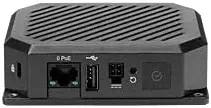 | Best Overall for Rugged, Secure LTE Connectivity | Connectivity: 4G LTE | Wi-Fi Standard: Wi-Fi 5 (802.11ac) | Security: Zero Trust IoT | VIEW LATEST PRICE | See Our Full Breakdown |
| GL-X750V2 Spitz 4G LTE VPN Router for T-Mobile/AT&T, OpenWrt, Dual-Band Wi-Fi, IoT Gateway |  | Best Value for Customizable LTE VPN Networking | Model: GL-X750V2 Spitz | Cellular Module: Quectel EC25-AFFA CAT4 | LTE Speed: up to 300Mbps (2.4G) + 433Mbps (5G) | VIEW LATEST PRICE | See Our Full Breakdown |
| GL.iNet GL-XE3000 Puli AX 5G Router with Dual SIM and 6400mAh Battery |  | Best for Remote Work and Field Operations | Wi-Fi Speed: 574Mbps (2.4GHz) + 2402Mbps (5GHz) | Network Standards: 5G NSA/SA, 4G LTE | Battery: 6400mAh | VIEW LATEST PRICE | See Our Full Breakdown |
| Teltonika RUTM50 5G Industrial Router – Dual SIM Failover, WiFi 5, Gigabit Ethernet, VPN & RMS Support |  | Best for Industrial, High-Performance Environments | Connectivity: 5G | SIM Support: Dual SIM with failover | WiFi: WiFi 5 | VIEW LATEST PRICE | See Our Full Breakdown |
| GL.iNet GL-X3000 (Spitz AX) 5G Cellular Router with Wi-Fi 6, Dual-SIM, Detachable Antennas, OpenWrt Firmware, for House & RV |  | Best for Home and RV Connectivity with Flexibility | Wi-Fi Speed: 574Mbps (2.4GHz) + 2402Mbps (5GHz) | Network Standards: 5G NR, LTE | Dual-SIM: Yes | VIEW LATEST PRICE | See Our Full Breakdown |
| InHand Networks IR302 Industrial IoT 4G LTE VPN Cellular Router |  | Best for Harsh Environments and Critical Infrastructure | Model: IR302 | Cellular Technology: LTE Cat 4 | Carrier Compatibility: Verizon, AT&T, T-Mobile | VIEW LATEST PRICE | See Our Full Breakdown |
| Teltonika RUT241 Industrial 4G LTE Router |  | Best for Rugged Industrial Connectivity | Connectivity: 4G LTE Cat 4 | Ethernet Ports: 1 LAN, 1 WAN | WiFi: 2.4GHz only | VIEW LATEST PRICE | See Our Full Breakdown |
| NetCloud Enterprise Branch Essentials Plan with E300 Router and WiFi (300 Mbps) |  | Best for Small to Medium Business Branch Networks | Plan Duration: 3 years | Router Model: E300 | WiFi Speed: 300 Mbps | VIEW LATEST PRICE | See Our Full Breakdown |
| Omada ER706W Gigabit AX3000 WiFi 6 VPN Router |  | Best for High-Performance Enterprise VPN Connectivity | WiFi Standard: AX3000 WiFi 6 | Max Speed: 2402 Mbps on 5 GHz, 574 Mbps on 2.4 GHz | Ports: 1x Gigabit SFP, 5 Gigabit RJ45 | VIEW LATEST PRICE | See Our Full Breakdown |
| E300 Router with WiFi (5G & 4G LTE Modem) with 1-Year NetCloud Enterprise Branch Essentials Plan |  | Best for Versatile 5G/4G LTE Connectivity and Managed Services | Connectivity: 5G, 4G LTE | Includes: 1-year NetCloud Enterprise Branch | VIEW LATEST PRICE | See Our Full Breakdown | |
| D-Link 5G/4G PoE+ Rugged Compact Modem/Gateway with Dual-SIM Failover |  | Best Rugged Industrial LTE Backup Router | Build: Industrial, rugged, compact | PoE+: Yes, integrated with PD-Alive | Dual-SIM: Yes, 5G with failover | VIEW LATEST PRICE | See Our Full Breakdown |
More Details on Our Top Picks
Ericsson Cradlepoint S400 4G LTE Router, Wi-Fi 5, Cloud-Managed, Semi-Ruggedized, Black
The Ericsson Cradlepoint S400 stands out for its durability and enterprise-grade security, making it an excellent choice for environments where reliability in harsh conditions is essential. Unlike the Teltonika RUTM50, which targets industrial settings, the S400 emphasizes a more flexible, cloud-managed approach with Zero Trust IoT security built-in, providing peace of mind for sensitive deployments. The tradeoff is the required subscription for cloud services, which adds ongoing costs and complexity for users unfamiliar with cloud management. Its semi-ruggedized design makes it suitable for mobile units or outdoor installations, but it limits support for newer 5G networks, which may be a drawback compared to the GL-XE3000 Puli AX for those seeking future-proof speeds. Overall, this router makes the most sense for organizations prioritizing robust security and environmental resilience over raw speed or advanced cellular technology.
Pros:- Reliable 4G LTE cellular connectivity in rugged environments
- Built-in advanced IoT security with Zero Trust architecture
- Cloud-based management simplifies remote configuration and troubleshooting
- Durable semi-ruggedized design withstands tough conditions
Cons:- Requires ongoing subscription for cloud management services
- Limited to 4G LTE without support for 5G networks
- Potential complexity for users unfamiliar with cloud-based systems
Best for: Security-conscious enterprises or government agencies needing durable, cloud-managed LTE solutions in challenging environments
Not ideal for: Small offices or remote workers seeking the latest 5G support or low-cost setup
- Connectivity:4G LTE
- Wi-Fi Standard:Wi-Fi 5 (802.11ac)
- Security:Zero Trust IoT
- Management:Cloud-managed with 3-year NetCloud Essentials subscription
- Design:Semi-ruggedized
- Color:Black
Our verdict“Ideal for organizations needing a durable, secure LTE router with cloud management, especially in outdoor or mobile deployments.”
GL-X750V2 Spitz 4G LTE VPN Router for T-Mobile/AT&T, OpenWrt, Dual-Band Wi-Fi, IoT Gateway
The GL-X750V2 Spitz offers a compelling mix of speed, flexibility, and open-source firmware, making it suitable for users who want a highly customizable router with VPN support. Compared to the Ericsson S400, which emphasizes rugged security, the Spitz leans into open-source firmware and expandability with microSD and USB ports, appealing to tech-savvy users. The main tradeoff is that cellular performance, while decent, can be inconsistent depending on location and carrier, and the device’s complexity might challenge less experienced users. Its dual-band Wi-Fi and support for high-speed LTE make it suitable for rural or remote sites, yet it offers fewer enterprise-grade security features out of the box. This pick suits those who prioritize flexibility and open-source control over plug-and-play simplicity.
Pros:- Supports dual-band Wi-Fi and high-speed LTE connectivity
- Open-source firmware allows extensive customization
- Pre-installed VPN options enhance security
- Expandable storage with microSD slot
Cons:- Cellular performance can vary by location and carrier
- Limited Ethernet ports for wired connections
- Requires technical knowledge to configure advanced features
Best for: Tech-savvy small businesses or remote site operators seeking a customizable LTE router with VPN and open firmware
Not ideal for: Users seeking a straightforward, enterprise-grade security device without extensive configuration or customization
- Model:GL-X750V2 Spitz
- Cellular Module:Quectel EC25-AFFA CAT4
- LTE Speed:up to 300Mbps (2.4G) + 433Mbps (5G)
- Wi-Fi Bands:Dual-band 2.4GHz and 5GHz
- RAM:128MB
- Flash Storage:16MB NOR Flash
- MicroSD Slot:up to 128GB
- Ethernet Ports:2 (10/100M)
- VPN Support:OpenVPN, WireGuard
Our verdict“Best suited for technical users wanting a flexible, VPN-capable LTE router with open firmware and expandability.”
GL.iNet GL-XE3000 Puli AX 5G Router with Dual SIM and 6400mAh Battery
The GL-iNet GL-XE3000 Puli AX excels in providing high-speed 5G connectivity coupled with Wi-Fi 6, making it ideal for remote workers or field teams needing reliable internet on the go. Unlike the Ericsson S400, which prioritizes durability and security, the Puli AX emphasizes speed, multi-WAN flexibility, and battery life, with a substantial 6400mAh battery supporting extended use. Its dual SIM and support for eSIM (though separately purchased) add redundancy, but cellular features are restricted in some countries, limiting global applicability. The device’s open-source firmware enables deep customization, which can be advantageous for advanced users. However, setup complexity and the need to purchase a separate eSIM are drawbacks for less technical buyers. It’s a strong choice for those needing fast, mobile, and flexible connectivity solutions.
Pros:- Supports fast 5G and Wi-Fi 6 for high-speed connectivity
- Large 6400mAh battery offers up to 8 hours of portable use
- Dual SIM and optional eSIM support for redundancy
- OpenWrt-based firmware with extensive plugin options
Cons:- Cellular features restricted in certain countries
- Requires separate purchase of eSIM card
- Setup may be complex for non-technical users
Best for: Remote workers, mobile professionals, or event organizers needing high-speed, portable LTE with long-lasting battery life
Not ideal for: Users seeking a simple plug-and-play device or those in regions where cellular restrictions limit functionality
- Wi-Fi Speed:574Mbps (2.4GHz) + 2402Mbps (5GHz)
- Network Standards:5G NSA/SA, 4G LTE
- Battery:6400mAh
- Dual SIM:Yes
- Supported Protocols:Wi-Fi 6, MU-MIMO
- Firmware:OpenWrt-based
- eSIM Support:Yes (requires separate card)
Our verdict“Ideal for remote or mobile users who need fast, reliable LTE with long battery life and customization options.”
Teltonika RUTM50 5G Industrial Router – Dual SIM Failover, WiFi 5, Gigabit Ethernet, VPN & RMS Support
The Teltonika RUTM50 offers industrial-grade build quality, making it the go-to choice for demanding environments that require reliable, high-speed 5G connectivity. While not as user-friendly for beginners as the GL-X3000 Spitz, it excels in scenarios where network uptime is critical, thanks to dual SIM failover and load balancing. Compared to the Ericsson S400, it provides more advanced security protocols and remote management through RMS, but at a premium price and with a more complex setup. Its rugged design and gigabit Ethernet ports make it suitable for factory floors or critical remote installations, though everyday small business users might find its configuration process too involved. This device is best for high-stakes industrial applications that demand durability and fail-safe connectivity.
Pros:- High-speed 5G connectivity with low latency
- Dual SIM with failover and load balancing enhances uptime
- Supports advanced security protocols and remote management via RMS
- Industrial-grade rugged enclosure for harsh conditions
Cons:- Setup complexity requires technical expertise
- Higher price point may be a barrier for some buyers
- Overkill for basic or small-scale deployments
Best for: Industrial facilities or remote sites needing rugged, high-speed 5G with failover and remote management
Not ideal for: Small offices or users seeking a simple, plug-and-play LTE router without industrial-grade features
- Connectivity:5G
- SIM Support:Dual SIM with failover
- WiFi:WiFi 5
- Ethernet Ports:Gigabit Ethernet
- Security:OpenVPN, IPsec, WireGuard
- Remote Management:RMS platform
Our verdict“Best suited for industrial or mission-critical environments that need durable, high-performance LTE with failover capabilities.”
GL.iNet GL-X3000 (Spitz AX) 5G Cellular Router with Wi-Fi 6, Dual-SIM, Detachable Antennas, OpenWrt Firmware, for House & RV
The GL.iNet GL-X3000 Spitz AX combines high-speed 5G, Wi-Fi 6, and dual-SIM support with detachable antennas, making it ideal for home, RV, or outdoor use. Unlike the more industrial RUTM50, this device emphasizes portability and ease of deployment in varied environments, with features like network failover and multi-WAN for added reliability. The open-source firmware offers extensive customization, yet the cellular capabilities are limited in some countries, and the need to purchase a separate eSIM can complicate setup. The device’s multi-WAN support and high data rates make it a versatile choice for remote or mobile scenarios, but the setup may be daunting for non-technical users. Overall, this router serves well for users who prioritize speed, flexibility, and outdoor portability over ruggedness or enterprise security.
Pros:- Supports fast 5G network speeds and Wi-Fi 6 for high performance
- Dual-SIM with automatic failover enhances reliability
- Detachable antennas allow flexible deployment
- OpenWrt firmware enables extensive customization
Cons:- Cellular features restricted in certain countries
- Requires separate purchase of eSIM
- Setup complexity for advanced configurations
Best for: Home users or RV travelers needing fast, portable LTE with Wi-Fi 6 and flexible failover options
Not ideal for: Industrial or high-security deployments where ruggedness and enterprise features are required
- Wi-Fi Speed:574Mbps (2.4GHz) + 2402Mbps (5GHz)
- Network Standards:5G NR, LTE
- Dual-SIM:Yes
- Antennas:6 detachable antennas
- Firmware:OpenWrt v21.02
- Additional Features:Multi-WAN, load balancing, network failover
Our verdict“Best for mobile or outdoor users seeking fast LTE, Wi-Fi 6, and flexible multi-WAN options in a portable form.”
InHand Networks IR302 Industrial IoT 4G LTE VPN Cellular Router
The InHand IR302 stands out for its rugged build and enterprise security features, making it a prime choice for remote sites in demanding conditions. Unlike the Teltonika RUT241, which offers similar LTE reliability, the IR302’s industrial-grade design and DIN-rail mounting make it better suited for critical infrastructure. However, its setup can be complex, and it requires compatible cellular plans, which might be a hurdle for some users. Its automatic self-recovery and dual SIM failover ensure dependable connectivity in remote or harsh environments, with rugged features that surpass typical office routers. The cloud management support adds remote oversight, though the need for separate SIM data plans and potential setup complexity are notable tradeoffs.Pros:- Reliable automatic self-recovery and failover for continuous connectivity
- Supports enterprise-grade security and VPN protocols
- Rugged design suitable for harsh environments
- Remote management via cloud platform
Cons:- SIM cards and data plans are not included
- Setup can be complex for less experienced users
- Requires compatible cellular plans
Best for: Organizations deploying in remote, industrial, or harsh environments needing reliable LTE backup with rugged security.
Not ideal for: Small offices or less technical users who prefer plug-and-play solutions or do not require industrial-grade robustness.
- Model:IR302
- Cellular Technology:LTE Cat 4
- Carrier Compatibility:Verizon, AT&T, T-Mobile
- Dual SIM:Yes
- Wi-Fi:802.11 b/g/n
- Ethernet Ports:2x 10/100
- Digital I/O Ports:2
- Power Supply:DC 9-36V
- Operating Temperature:-20°C to 70°C
Our verdict“This pick is ideal for critical remote sites where rugged security and self-healing connectivity outweigh initial setup complexity.”
Teltonika RUT241 Industrial 4G LTE Router
The Teltonika RUT241 offers a compact, durable design with high-speed LTE, making it suitable for industrial settings. Compared to the InHand IR302, the RUT241’s simplicity and smaller footprint make it easier to deploy in tight spaces, though it lacks the rugged mounting options of a DIN-rail. Its remote management and security features like VPN support are robust, but it only supports 2.4GHz WiFi, limiting wireless flexibility. No built-in antenna means additional setup, and configuration may be challenging for non-technical users. This router excels where space is limited but demands reliable LTE and security, though it might fall short in environments needing rugged mounting or extensive wireless options.Pros:- Reliable LTE Cat 4 connectivity for industrial environments
- Supports remote management and multiple security protocols
- Rugged, industrial-grade construction withstands tough conditions
Cons:- Limited to 2.4GHz WiFi only
- No built-in cellular antenna, requiring external components
- Configuration may be complex for novices
Best for: Industrial users or IoT deployments needing dependable LTE with simple remote management in a compact form.
Not ideal for: Users who require dual-band WiFi or extensive wireless coverage in outdoor or harsh environments.
- Connectivity:4G LTE Cat 4
- Ethernet Ports:1 LAN, 1 WAN
- WiFi:2.4GHz only
- Security:Firewall, OpenVPN, IPsec, PPTP, WireGuard
- Power Input:9-30V
- Design:Industrial-grade, rugged
Our verdict“This device suits industrial IoT setups where space is constrained but LTE stability and security are priorities.”
NetCloud Enterprise Branch Essentials Plan with E300 Router and WiFi (300 Mbps)
The NetCloud E300 bundle provides a straightforward, scalable WiFi solution with a 3-year service plan, making it appealing for small and medium offices. Compared with dedicated LTE routers like the InHand IR302, this setup emphasizes ease of use and managed service, though its maximum WiFi speed of 300 Mbps is limited for larger offices. The plan simplifies ongoing management but ties users to a 3-year commitment, which may be less flexible for some buyers. It’s best for offices where WiFi is the primary concern and LTE backup is a secondary feature, but less suitable for high-performance or outdoor deployments.Pros:- Includes a 3-year managed service plan for hassle-free support
- Reliable WiFi with up to 300 Mbps speed suitable for small to medium offices
- Scalable network solution with professional management
Cons:- Limited to 300 Mbps WiFi speed, which may bottleneck larger networks
- Lacks detailed technical specs for the router itself
- Dependent on compatible network infrastructure
Best for: Small to medium business branches prioritizing managed WiFi with reliable security and minimal technical overhead.
Not ideal for: Enterprise-grade or outdoor environments needing high throughput or advanced LTE backup features.
- Plan Duration:3 years
- Router Model:E300
- WiFi Speed:300 Mbps
Our verdict“Ideal for SMBs seeking managed WiFi with integrated security, though limited in raw throughput and flexibility.”
Omada ER706W Gigabit AX3000 WiFi 6 VPN Router
The Omada ER706W is a high-speed WiFi 6 router with AX3000 speeds, supporting multiple gigabit ports and mesh capabilities. For those needing advanced WiFi performance combined with VPN security, this stands apart from LTE-centric options like the Teltonika RUT241, offering superior wireless throughput and mesh coverage. However, its setup can be complex, requiring technical knowledge, and it doesn’t include cellular backup, limiting its use as a primary LTE failover device. This router shines in enterprise environments where WiFi performance and VPN security are paramount but isn’t designed for harsh outdoor conditions or simple LTE failover scenarios.Pros:- Fast AX3000 WiFi 6 speeds for demanding network tasks
- Multiple gigabit ports and SFP for flexible setups
- Supports mesh networking for broader coverage
- Strong VPN security options
Cons:- Complex to set up without technical expertise
- No integrated LTE backup or cellular support
- Pricing details are not specified, which may limit budget planning
Best for: High-performance offices or remote work environments needing fast WiFi 6 and robust VPN security, without LTE backup.
Not ideal for: Remote sites or harsh environments where rugged LTE backup is essential and setup simplicity is valued.
- WiFi Standard:AX3000 WiFi 6
- Max Speed:2402 Mbps on 5 GHz, 574 Mbps on 2.4 GHz
- Ports:1x Gigabit SFP, 5 Gigabit RJ45
- VPN Support:SSL, IPSec, GRE, WireGuard, PPTP, L2TP, OpenVPN
- Mesh Compatibility:Yes
Our verdict“Best suited for enterprise environments demanding high-speed WiFi and VPN security, not for harsh outdoor LTE backup needs.”
E300 Router with WiFi (5G & 4G LTE Modem) with 1-Year NetCloud Enterprise Branch Essentials Plan
The E300 Router combines 5G and 4G LTE cellular support with managed network services, making it a flexible choice for branch connectivity. Compared to the InHand IR302, this router offers a more modern 5G capability and a bundled plan, but only includes a 1-year service with additional costs likely afterward. Its design targets branch offices needing quick setup and seamless cellular fallback, though it lacks detailed specs on speed or coverage. It’s a strong option for those wanting future-proof cellular connectivity but is less ideal if you need extensive on-premises features or long-term service plans included.Pros:- Supports both 4G LTE and 5G networks for versatile connectivity
- Includes a 1-year managed network plan for ease of management
- Designed specifically for branch connectivity with reliable routing
Cons:- Limited to a 1-year plan, with additional costs likely afterward
- No detailed specs on throughput or coverage
- Potentially higher cost compared to standard LTE routers
Best for: Branch offices seeking flexible 4G/5G LTE backup with managed network services for a year.
Not ideal for: Large enterprise deployments or users requiring detailed technical specifications upfront.
- Connectivity:5G, 4G LTE
- Includes:1-year NetCloud Enterprise Branch
Our verdict“Suitable for branch sites needing flexible cellular backup with managed services, provided they plan for ongoing costs.”
D-Link 5G/4G PoE+ Rugged Compact Modem/Gateway with Dual-SIM Failover
This rugged D-Link model stands out for environments that demand durability and reliable connectivity. Its industrial build and PoE+ support make it ideal for IoT deployments in harsh conditions, setting it apart from more consumer-focused routers like the GL.iNet GL-XE3000, which prioritize mobility and Wi-Fi features. The dual-SIM 5G failover ensures continuous operation even if one network drops, but it lacks clarity on actual data speeds, which could impact performance in bandwidth-intensive scenarios. While the cloud management simplifies deployment, the absence of Wi-Fi limits its use as a primary access point. Compared to Teltonika RUTM50, this device offers a more compact form factor but might be less feature-rich in VPN and Wi-Fi options. Its TAA/NDAA compliance makes it suitable for government use, but the setup could be complex for non-technical users. Overall, this model makes the most sense for enterprises needing rugged, reliable LTE backup in extreme environments.Pros:- Rugged, industrial-grade build suitable for harsh environments
- Integrated PoE+ simplifies powering IoT devices
- Dual-SIM 5G with failover ensures continuous connectivity
- Cloud-based management streamlines deployment and remote configuration
Cons:- Limited details on actual throughput speeds, which could affect bandwidth-heavy applications
- No built-in Wi-Fi, restricting use as primary Wi-Fi router
- Potentially complex setup for users unfamiliar with industrial networking
Best for: Industrial sites, government facilities, or enterprise deployments in harsh environments requiring rugged LTE backup with PoE+ power and failover.
Not ideal for: Small offices or retail setups needing high-speed Wi-Fi and straightforward installation, as it lacks built-in Wi-Fi and might be overkill for simple use cases.
- Build:Industrial, rugged, compact
- PoE+:Yes, integrated with PD-Alive
- Dual-SIM:Yes, 5G with failover
- Ethernet ports:4 Port Gigabit Ethernet
- Power:60W
- Compliance:TAA/NDAA
- Carrier Certification:Verizon, AT&T, T-Mobile
Our verdict“This device is best for organizations needing a durable, reliable LTE backup solution in demanding environments, accepting some complexity and limited Wi-Fi features.”

How We Picked
The products in this roundup were evaluated based on their security features, LTE backup reliability, ease of deployment, and overall build quality. We prioritized models that support dual SIMs or failover configurations, ensuring continuous connectivity in critical environments. Usability was also key, with preference given to devices offering cloud management or straightforward setup. Cost and versatility were considered, aiming to identify options suitable for different scales—from small businesses to industrial sites. Rankings reflect a balance between advanced capabilities and practical deployment considerations, emphasizing real-world performance over mere specifications.Factors to Consider When Choosing Best Secure Branch Router With LTE Backup
When selecting the best secure branch router with LTE backup, consider several factors that impact performance, security, and ease of use. These devices are often deployed in environments where downtime can be costly, so reliability and security are paramount. The right choice depends on your specific operational needs, budget, and technical expertise. Here are key considerations to help narrow down the options and avoid common pitfalls.Security Features and VPN Support
Security should be your top priority, especially when handling sensitive data across branch locations. Look for routers that support advanced encryption, VPN protocols, and intrusion prevention. Some devices offer built-in firewalls and intrusion detection systems, which add layers of protection. Choosing a device with comprehensive security features ensures your network remains protected even during LTE failover or in remote environments.
LTE Failover and Redundancy
Reliable LTE backup is critical for maintaining connectivity during outages. Prioritize routers with dual SIM slots or automatic failover capabilities that switch seamlessly between LTE and primary connections without interruption. Be aware that some models may require carrier-specific SIMs or additional configuration, which can complicate deployment. Assess the network environment and choose a device that guarantees minimal downtime and supports multiple LTE bands for broader coverage.
Ease of Management and Deployment
Ease of setup and ongoing management can significantly reduce deployment time and operational costs. Cloud-managed devices allow remote configuration, monitoring, and troubleshooting, which is especially valuable for distributed branch networks. However, cloud services may incur subscription fees. On the other hand, standalone devices with intuitive interfaces are suitable for smaller setups or sites with technical staff. Consider your team’s expertise and operational scale when selecting management features.
Build Quality and Ruggedness
Depending on the environment, ruggedness can be a decisive factor. Industrial-grade routers like Teltonika models are designed to withstand harsh conditions, including extreme temperatures, dust, and vibration. These are ideal for outdoor or industrial sites but tend to be more expensive. For indoor or less demanding environments, consumer or SMB models may suffice, offering easier installation and lower costs but less durability.
Cost and Total Cost of Ownership
While initial investment is important, consider ongoing costs such as subscription plans for cloud management or security updates. High-end enterprise routers often come with extensive features but at a premium price, justified by their robustness and security. Conversely, budget models may lack advanced security or failover options, which could lead to higher costs if outages occur. Balance your budget with the criticality of reliable, secure connectivity to find the best value.
Frequently Asked Questions
Can these routers support multiple LTE carriers simultaneously?
Many of the routers listed, such as the Teltonika RUTM50 and GL.iNet GL-XE3000, support dual SIMs and can switch between carriers for failover or load balancing. This flexibility ensures continued connectivity if one carrier experiences issues. However, support for multiple active SIMs simultaneously varies by model, so it’s important to verify specific capabilities before purchase. This feature is especially valuable in remote or industrial settings where network stability is critical.
How do I ensure that my LTE backup remains secure?
Security in LTE backup scenarios hinges on devices supporting robust VPN protocols, encryption, and firewall features. Many models include built-in VPN support, allowing encrypted tunnels for remote access and data protection. Regular firmware updates and security patches are essential to address vulnerabilities. When deploying LTE backup, always configure security features thoroughly and consider additional safeguards like intrusion detection systems or IDS/IPS integrations for heightened protection.
Are cloud-managed routers easier to set up for LTE failover?
Cloud-managed routers generally simplify deployment by providing centralized control, remote updates, and monitoring. This can make configuring LTE failover more straightforward, especially for distributed networks. However, reliance on cloud services can introduce subscription costs and dependency on internet connectivity for management functions. For smaller or less tech-savvy teams, cloud management often offers a valuable balance of ease and control, but larger organizations might prefer on-premises solutions for security reasons.
What should I consider when choosing between industrial and consumer routers?
Industrial routers are designed to withstand demanding environments, including extreme temperatures, dust, and vibrations, making them ideal for outdoor or harsh settings. They tend to be more expensive but offer greater reliability and longevity. Consumer or SMB routers may be easier to deploy and manage, with lower upfront costs, but often lack the durability needed for outdoor or industrial use. Your environment and usage scenario should guide your choice to avoid premature equipment failure or connectivity issues.
Is LTE backup enough for critical business operations, or should I consider fiber or wired options?
LTE backup provides a vital fail-safe for remote or mobile sites where wired connections aren’t feasible. However, for critical business operations, relying solely on LTE might not meet latency or bandwidth demands, especially during congestion or outages. Combining LTE with wired options like fiber or Ethernet ensures higher reliability and performance. Evaluate your operational criticality and consider a hybrid approach if maximum uptime is required, balancing flexibility with robustness.
Conclusion
For most organizations, the Ericsson Cradlepoint S400 stands out as the best overall choice thanks to its robust security, cloud management, and rugged design, making it ideal for enterprise deployments. Small businesses or remote sites with budget constraints should consider the GL.iNet GL-XE3000 for its cost-effective 5G and dual SIM support. Industrial operations requiring maximum durability will benefit from the Teltonika RUTM50, despite its higher price. Beginners or less technical teams will prefer models with integrated cloud management for easier setup. Ultimately, your choice should align with your environment, security needs, and budget to ensure reliable, protected connectivity across your branch network.Evergreen bestsellers Picks
bestsellers
As an affiliate, we earn on qualifying purchases.