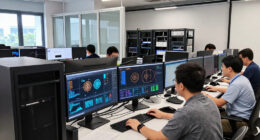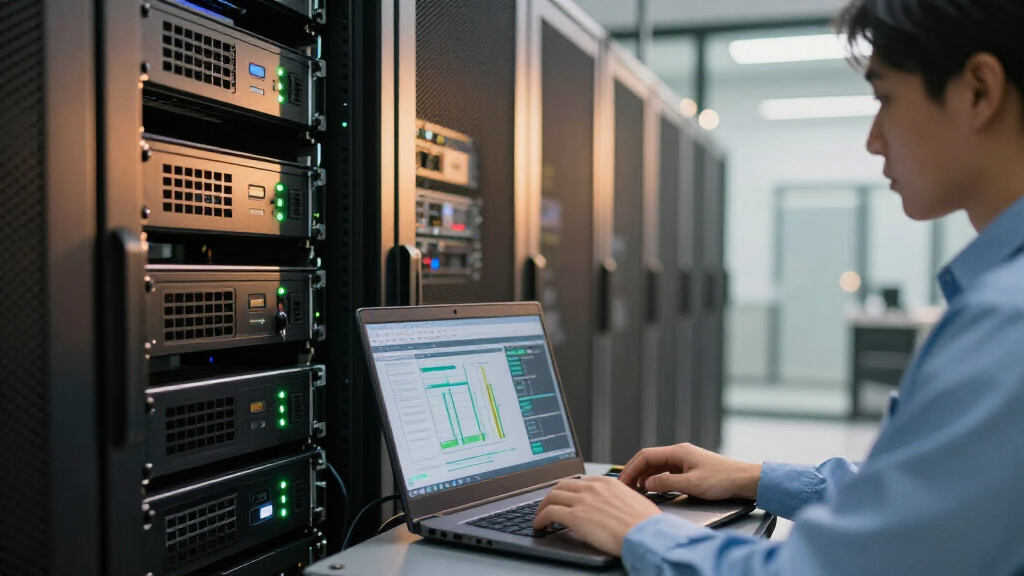

The best GPU servers for AI workloads depend on whether you need a standalone accelerator, a complete compact system, or hardware for an existing server. My best overall pick is the ASRock Radeon AI PRO R9700 32GB for its newer 32GB professional GPU profile, while the NVIDIA Tesla L4 24GB is a strong fit for efficient inference and the MINISFORUM MS-S1 MAX offers a ready-made workstation format. The main tradeoffs are GPU memory and workload support versus power, cooling, system compatibility, and the effort of building or maintaining a server. Older Tesla cards can suit established setups, but their age and platform requirements matter. Read on for the full comparison, selection criteria, and guidance on matching hardware to your AI workload.

Get business pricing on networking and server gear
- Business-only prices and quantity discounts
- Tax-exempt purchasing
- Multiple users, one account, clear invoices
Key Takeaways
- The R9700 and V100 options serve different priorities: the R9700 is the newer professional GPU choice, while the V100 family offers 32GB configurations for buyers whose software and server platform support this older accelerator.
- The L4 and T4 stand apart for inference-oriented deployments: their lower-power data-center designs can be a better fit for sustained inference than older, power-hungry accelerators, though memory capacity and host compatibility still set limits.
- GPU cards are not complete servers: most entries require a compatible chassis, power delivery, cooling, CPU, memory, and software stack; the Nimo AI NAS and MINISFORUM are the exceptions in product format.
- Model names and memory figures do not settle compatibility: refurbished, legacy, and third-party-listed cards need verification of exact part number, firmware, support status, cooling method, and workload framework support.
- There is no single winner for every AI job: 32GB cards favor workloads that need more accelerator memory, while compact systems and lower-power cards suit buyers who prioritize simpler deployment or inference efficiency.
| ASRock Radeon AI PRO R9700 32GB Professional Graphics Card |  | Best for New Multi-GPU Workstations | Architecture: AMD RDNA 4 | Memory: 32GB GDDR6 | Boost clock: 2920 MHz | VIEW LATEST PRICE | See Our Full Breakdown |
| NVIDIA Tesla V100 Volta GPU Accelerator 32GB Graphics Card |  | Best for Established CUDA Workloads | Graphics coprocessor: NVIDIA Tesla V100 | Memory capacity: 32 GB | Listed memory type: EDO SIMM | VIEW LATEST PRICE | See Our Full Breakdown |
| Nimo AI NAS, Agentic Computer AI Server, AMD Ryzen 7 PRO, 32GB DDR5 RAM |  | Best Complete-System Starting Point | Processor: AMD Ryzen 7 PRO 8845HS | System memory: 32GB DDR5 RAM | Storage capacity: Up to 132TB ZFS hybrid storage | VIEW LATEST PRICE | See Our Full Breakdown |
| NVIDIA Tesla M10 Quad GPU Module with 32GB GDDR5 Memory |  | Best for Multi-User Virtual GPU Deployments | Graphics coprocessor: NVIDIA Tesla M10 | GPU configuration: Quad GPU module | Memory: 32GB GDDR5 | VIEW LATEST PRICE | See Our Full Breakdown |
| V100 32GB GPU Computing Accelerator Card |  | Best for Server-Room HPC Retrofits | Graphics coprocessor: NVIDIA Tesla V100 | Architecture: Volta | Memory capacity: 32GB | VIEW LATEST PRICE | See Our Full Breakdown |
| PNY NVIDIA Tesla T4 Data Center Card 16GB GDDR6 PCIe 3.0 x16 Passive Cooling |  | Best for Compact, Low-Profile Inference | GPU: NVIDIA Tesla T4 | Memory: 16GB GDDR6 | Interface: PCI Express 3.0 x16 | VIEW LATEST PRICE | See Our Full Breakdown |
| HP NVIDIA Tesla P100 16GB GPU Card |  | Best for Legacy HPC Workloads | Brand: HP | Model: Q0E21A | GPU: NVIDIA Tesla P100 | VIEW LATEST PRICE | See Our Full Breakdown |
| NVIDIA Tesla L4 24GB PCIe Graphics Accelerator |  | Best Overall for Efficient AI Inference | GPU: NVIDIA Tesla L4 | Memory: 24GB GDDR6 | GPU clock speed: 2040MHz | VIEW LATEST PRICE | See Our Full Breakdown |
| A2 16GB GDDR6 AI Accelerator Data Center Server GPU Card Compatible with Nvidia Ampere PG179 900-2G179-2720-001 |  | Best for Low-Power, ECC-Protected Inference | Architecture compatibility: NVIDIA Ampere | GPU memory: 16GB GDDR6 | CUDA cores: 1280 | VIEW LATEST PRICE | See Our Full Breakdown |
| Nvidia Tesla P100 16GB GPU Computing Processor – Certified Refurbished |  | Best for HBM2-Bandwidth Legacy Compute | GPU: NVIDIA Tesla P100 | Memory: 16GB HBM2 | CUDA cores: 3584 | VIEW LATEST PRICE | See Our Full Breakdown |
| HP NVIDIA Tesla M60 16GB Server GPU Accelerator Processing Card 803273-001 |  | Best for Virtualized GPU Workloads | GPU: NVIDIA Tesla M60 | Graphics memory: 16GB GDDR5 | Interface: PCI Express | VIEW LATEST PRICE | See Our Full Breakdown |
| MINISFORUM MS-S1 MAX Mini AI Workstation PC, 128GB LPDDR5, 4TB SSD |  | Best Compact AI Workstation | Processor: AMD Ryzen AI Max+ 395 APU | Memory: 128GB LPDDR5x-8000MT/s | Storage: 4TB SSD | VIEW LATEST PRICE | See Our Full Breakdown |
| HPE NVIDIA Tesla V100-32GB PCIe Graphics Card |  | Best for Memory-Heavy AI Workloads | GPU: NVIDIA Tesla V100 | Memory: 32GB | GPU clock speed: 2.2GHz | VIEW LATEST PRICE | See Our Full Breakdown |
| HPE NVIDIA Tesla V100 32GB PCIe 3.0 x16 Passive GPU Accelerator for AI and HPC |  | Best for Server-Ready V100 Deployment | GPU: NVIDIA Tesla V100 | Memory: 32GB HBM2 | Memory bandwidth: 900GB/s | VIEW LATEST PRICE | See Our Full Breakdown |
| GPU servers for AI workload | Memory | Interface | Warranty | GPU |
|---|---|---|---|---|
| ASRock Radeon AI PRO R9700 32G | 32GB GDDR6 | — | — | — |
| NVIDIA Tesla V100 Volta GPU Ac | — | — | 1 year | — |
| Nimo AI NAS | — | — | 2 years | — |
| NVIDIA Tesla M10 Quad GPU Modu | 32GB GDDR5 | PCI Express x16 | Product warranty available | — |
| V100 32GB GPU Computing Accele | — | PCIe 3.0 x16 | — | — |
| PNY NVIDIA Tesla T4 Data Cente | 16GB GDDR6 | PCI Express 3.0 x16 | — | NVIDIA Tesla T4 |
| HP NVIDIA Tesla P100 16GB GPU | 16GB GDDR5X | PCI Express | 90-day limited | NVIDIA Tesla P100 |
| NVIDIA Tesla L4 24GB PCIe Grap | 24GB GDDR6 | PCI Express x16 | 1 year | NVIDIA Tesla L4 |
| A2 16GB GDDR6 AI Accelerator D | — | — | — | — |
| Nvidia Tesla P100 16GB GPU Com | 16GB HBM2 | PCI Express 3.0 x16 | 90-day limited | NVIDIA Tesla P100 |
| HP NVIDIA Tesla M60 16GB Serve | — | PCI Express | — | NVIDIA Tesla M60 |
| MINISFORUM MS-S1 MAX Mini AI W | 128GB LPDDR5x-8000MT/s | — | — | — |
| HPE NVIDIA Tesla V100-32GB PCI | 32GB | PCI Express | 1-year seller warranty | NVIDIA Tesla V100 |
| HPE NVIDIA Tesla V100 32GB PCI | 32GB HBM2 | PCIe 3.0 x16 | — | NVIDIA Tesla V100 |
More Details on Our Top Picks
ASRock Radeon AI PRO R9700 32GB Professional Graphics Card
I’d put the ASRock Radeon AI PRO R9700 first for buyers building a current workstation around AI development rather than adapting older data-center hardware. Its 32GB GDDR6 and RDNA 4 AI accelerators offer room for larger workloads, while the two-slot blower design is more practical for a multi-GPU chassis than an open-air card. Compared with either V100 listing, it has a newer architecture and PCIe 5.0, but buyers should verify that their AI frameworks and drivers support the AMD software stack; NVIDIA-based workflows may be easier to deploy on the V100. Four DisplayPort outputs also suit a workstation that doubles as a content-creation system. I would skip it for a turnkey server purchase: it is a graphics card, not a complete server, and its compatibility needs checking before deployment.
Pros:- 32GB GDDR6 gives more memory capacity for larger models and creative workloads.
- Blower cooling and a two-slot form factor suit denser multi-GPU workstations.
- PCIe 5.0 and RDNA 4 AI accelerators provide a modern platform.
- Four DisplayPort 2.1a outputs support multiple high-resolution displays.
Cons:- AI framework and driver compatibility requires checking, particularly for NVIDIA-oriented software.
- The card alone does not provide the server chassis, power, or system cooling needed for deployment.
Best for: AI developers and workstation builders who want 32GB of memory, a blower-cooled card, and are prepared to validate AMD software support.
Not ideal for: Teams committed to NVIDIA-specific CUDA workflows or buyers seeking a complete, preconfigured GPU server.
- Architecture:AMD RDNA 4
- Memory:32GB GDDR6
- Boost clock:2920 MHz
- Memory bus:256-bit
- AI accelerators:Yes
- PCIe:5.0
- Cooling and form factor:Blower; 2-slot
- Display outputs:4 x DisplayPort 2.1a
Our verdict“Choose the R9700 for a new, tightly packed AMD-capable AI workstation; choose a V100 instead if your software stack depends on CUDA.”
NVIDIA Tesla V100 Volta GPU Accelerator 32GB Graphics Card
The Tesla V100 Volta 32GB is the more familiar route for teams whose training code and deployment environment already rely on NVIDIA’s software ecosystem. Its 32GB memory capacity supports workloads that exceed the smaller cards elsewhere in this roundup, while the V100 name may fit existing server plans better than the newer AMD R9700. That said, this listing’s specifications raise questions: it identifies EDO SIMM memory and VGA output, details that do not clearly describe a conventional V100 accelerator configuration. I would confirm the exact card, memory type, interface, cooling, and compatibility before buying. Unlike the Nimo AI NAS, this is not a complete system; it needs a compatible server and suitable airflow. The listed display resolution does little to establish its value for AI compute.
Pros:- 32GB listed memory capacity can accommodate memory-heavy AI workloads.
- NVIDIA Tesla V100 positioning suits teams already planning around NVIDIA compute software.
- A one-year warranty is specified in the product data.
Cons:- The listed EDO SIMM memory specification conflicts with expectations for a V100 and needs verification.
- VGA-only output and listed display details do not establish a useful modern workstation setup.
- Requires a compatible server, power, and cooling rather than functioning as a standalone system.
Best for: Experienced NVIDIA-based AI teams that can verify the card’s exact identity and have a compatible server ready.
Not ideal for: First-time server buyers or anyone who needs clear, verified hardware details and a ready-to-run system.
- Graphics coprocessor:NVIDIA Tesla V100
- Memory capacity:32 GB
- Listed memory type:EDO SIMM
- Listed memory clock:876 MHz
- Video output interface:VGA
- Maximum resolution:3840 x 2160
- Dimensions:12 x 6 inches
- Warranty:1 year
Our verdict“Consider this V100 only after confirming the actual card and its specifications; buyers wanting clearer system-level details should look at the Nimo AI NAS.”
Nimo AI NAS, Agentic Computer AI Server, AMD Ryzen 7 PRO, 32GB DDR5 RAM
Unlike the ASRock R9700 and the standalone V100 cards, the Nimo AI NAS is a system-level option: it pairs a Ryzen 7 PRO 8845HS with 32GB of DDR5 and a chassis designed for expandable storage. That makes it a more approachable starting point for developers who want local AI, virtualization, media work, and private-cloud services in one machine. Its listed support for an Asus RTX 5080 creates an upgrade path, but the supplied details do not specify an included discrete GPU, so I would not treat it as a high-end GPU server out of the box. Dual 10GbE and up to 132TB of ZFS storage favor data movement and capacity, not GPU compute by themselves. Setup may also demand more technical work than a conventional workstation.
Pros:- Combines a Ryzen 7 PRO processor, system memory, and expandable chassis in one platform.
- Supports up to 132TB of ZFS hybrid storage for datasets and media libraries.
- Dual 10GbE supports fast network access to shared data.
- Listed support for an Asus RTX 5080 offers a potential discrete-GPU upgrade path.
Cons:- No discrete GPU is listed as included, limiting immediate GPU-accelerated AI capability.
- GPU fit, power, and cooling details need confirmation before planning an RTX 5080 build.
- The expandable storage and AI setup may require meaningful technical configuration.
Best for: Developers and media teams seeking a local AI and storage platform that can be expanded with a supported discrete GPU.
Not ideal for: Buyers who need a GPU included for model training now, or who want a simple plug-and-play accelerator card.
- Processor:AMD Ryzen 7 PRO 8845HS
- System memory:32GB DDR5 RAM
- Storage capacity:Up to 132TB ZFS hybrid storage
- GPU support:Supports Asus RTX 5080 GPU
- Networking:Dual 10GbE
- Chassis:Expandable high-speed chassis
- Warranty:2 years
Our verdict“Pick the Nimo for a flexible local AI and storage platform, but choose a listed accelerator card only if you already have the server to host it.”
NVIDIA Tesla M10 Quad GPU Module with 32GB GDDR5 Memory
The Tesla M10 is the specialist pick here: its quad-GPU module is aimed at data-center and virtualized graphics deployments, not the straightforward single-GPU model-training role of the V100 cards. That distinction matters because a multi-GPU module can suit serving several virtual desktop users, while the listing provides little evidence about per-GPU compute capability or current AI software support. Its 32GB GDDR5 total memory should not be read as 32GB available to one workload across a single GPU. Compared with the R9700, the M10 is an older, less clearly specified platform with no listed modern display outputs or cooling details. I would only shortlist it for an existing compatible server where its multi-GPU configuration matches the workload and installation requirements are already understood.
Pros:- Quad-GPU configuration can serve workloads that benefit from multiple separate GPU devices.
- 32GB GDDR5 memory is listed across the module.
- PCI Express x16 connection is specified.
Cons:- The 32GB listing does not clarify memory available per GPU, which affects model placement.
- Compatibility, cooling, power, and installation details are sparse.
- The product data does not establish current AI framework support or training performance.
Best for: Data-center administrators evaluating a multi-GPU module for virtualized graphics or an existing Tesla M10-compatible environment.
Not ideal for: AI researchers who need a clearly specified single-GPU memory pool, modern architecture, or straightforward installation.
- Graphics coprocessor:NVIDIA Tesla M10
- GPU configuration:Quad GPU module
- Memory:32GB GDDR5
- Interface:PCI Express x16
- Maximum display resolution:3840 x 2160
- Intended environment:High-performance computing and data center
- Warranty:Product warranty available
Our verdict“Choose the M10 only for a compatible multi-GPU or virtualized deployment; the R9700 or a verified V100 is a clearer fit for direct AI development.”
V100 32GB GPU Computing Accelerator Card
This V100 32GB accelerator is aimed at buyers adding GPU compute to an existing server or HPC workstation, rather than anyone shopping for a full AI machine. The listing names 5,120 CUDA cores, Volta architecture, and a PCIe 3.0 x16 interface, giving buyers more compute-oriented detail than the Tesla M10 listing. However, its memory specifications conflict: the description says HBM2 while the spec field says GDDR5. I would verify the exact board and memory type before planning model capacity or performance. The stated passive cooling also makes chassis airflow a requirement, not an optional refinement. Compared with the newer ASRock R9700, this V100 is an older NVIDIA platform with a narrower PCIe generation, but it may better suit an existing NVIDIA-based server.
Pros:- 32GB listed capacity and 5,120 CUDA cores target compute-heavy workloads.
- Volta architecture and NVIDIA Tesla branding suit existing NVIDIA server environments.
- PCIe 3.0 x16 interface is specified for compatibility planning.
- NVLink support is listed for GPU-to-GPU communication.
Cons:- Memory type is inconsistent in the product data: HBM2 in the description and GDDR5 in the specs.
- Passive cooling requires a chassis with suitable directed airflow.
- PCIe 3.0 is an older interface than the PCIe 5.0 R9700.
Best for: HPC and AI administrators upgrading a compatible NVIDIA server who can confirm the card’s exact configuration and provide strong airflow.
Not ideal for: Buyers assembling a new workstation without server cooling, or anyone needing unambiguous memory specifications before deployment.
- Graphics coprocessor:NVIDIA Tesla V100
- Architecture:Volta
- Memory capacity:32GB
- Listed memory types:HBM2 in description; GDDR5 in specifications
- CUDA cores:5,120
- GPU clock speed:1370 MHz
- Interface:PCIe 3.0 x16
- Dimensions:10.5 x 4.4 inches
Our verdict“This V100 is a plausible retrofit for a verified, well-cooled NVIDIA server, but the R9700 is the clearer choice for a new platform with modern interface specifications.”
PNY NVIDIA Tesla T4 Data Center Card 16GB GDDR6 PCIe 3.0 x16 Passive Cooling
I’d choose the Tesla T4 for a server where slot space and passive cooling matter more than maximum model capacity. Its 16GB of GDDR6 and single-slot design can suit inference and other professional workloads, while the passive cooler makes it a natural fit for a chassis with directed airflow. Compared with the Tesla L4, the T4 has less memory and an older PCIe generation, so it leaves less room for larger models and newer platform bandwidth. Its advantage is a straightforward, compact data-center card; its limitation is that this listing’s 1080p output spec is not a useful measure of AI compute capability. I’d skip it for workstation display needs or any server that cannot provide adequate airflow to a passive card.
Pros:- 16GB GDDR6 supports a range of inference and data-center workloads
- Single-slot form factor can preserve expansion space
- Passive cooling avoids an onboard fan in airflow-managed servers
- PCIe x16 interface fits compatible server slots
Cons:- Passive cooling depends on suitable chassis airflow
- 16GB capacity and PCIe 3.0 are less capable than the Tesla L4’s listed 24GB and newer positioning
- 1080p maximum resolution is restrictive for display use and does not describe AI performance
Best for: Server builders adding inference acceleration to a space-constrained chassis with strong front-to-back airflow and workloads that fit within 16GB of GPU memory.
Not ideal for: Teams serving larger models or seeking a newer, higher-memory accelerator; the Tesla L4 offers 24GB and PCIe x16, while the T4 is PCIe 3.0.
- GPU:NVIDIA Tesla T4
- Memory:16GB GDDR6
- Interface:PCI Express 3.0 x16
- Cooling:Passive
- Form factor:Single-slot
- Maximum resolution:1920 x 1080
- Weight:580g
Our verdict“Choose the Tesla T4 for compact, airflow-managed inference servers, but favor the Tesla L4 when additional memory and a newer accelerator matter more.”
HP NVIDIA Tesla P100 16GB GPU Card
The HP Tesla P100 is the legacy-generation option here for buyers maintaining professional compute systems built around Pascal-era hardware. Its 16GB of GDDR5X is suited to workloads that fit that memory ceiling, but the listing provides little detail on server fit beyond a PCI Express interface, so I’d verify the exact platform and cooling requirements before ordering. Against the refurbished Tesla P100 with HBM2, this card’s listed memory type is a less compelling basis for bandwidth-sensitive AI work; against the Tesla L4, it also gives up the newer accelerator’s 24GB capacity. Its role is narrower: a potential replacement or matching accelerator for an existing HP-oriented setup, not my pick for a fresh AI server build. The 90-day limited warranty adds another reason to favor a better-documented option for new deployments.
Pros:- 16GB of memory can handle workloads within that capacity
- Pascal-generation GPU may fit established legacy compute software and systems
- HP model identification may help buyers seeking a matching replacement card
Cons:- GDDR5X memory is a less attractive fit than the HBM2 listed for the other Tesla P100 in this roundup
- Only a 90-day limited warranty is specified
- Listing gives limited detail on interface generation and server cooling requirements
Best for: IT teams replacing or matching a Tesla P100 in an existing compatible professional compute system, with workloads already validated on Pascal hardware.
Not ideal for: New AI server builders who need a clearly specified modern platform, more than 16GB of memory, or a longer warranty than 90 days.
- Brand:HP
- Model:Q0E21A
- GPU:NVIDIA Tesla P100
- Memory:16GB GDDR5X
- Interface:PCI Express
- Weight:3.7lb
- Warranty:90-day limited
Our verdict“Consider this HP P100 mainly as a compatible replacement for an existing Pascal system, rather than as the foundation for a new AI server.”
NVIDIA Tesla L4 24GB PCIe Graphics Accelerator
I rank the Tesla L4 first for buyers who want a balanced accelerator for AI inference, video, or edge deployments. Its 24GB of GDDR6 gives models more room than the 16GB Tesla T4 and either listed P100, while the specified 75W power draw supports deployments where power and cooling budgets are tight. The low-profile form factor also suits compact servers, although buyers must confirm the half-height bracket and chassis fit. Compared with the A2 listing, the L4 offers more memory and is described with Tensor and RT cores, but it is not the lowest-power option: the A2 is listed at 40–60W. I’d favor the L4 for a modern, versatile inference node, not for buyers who need a full-height card or who require a detailed compatibility profile that this listing does not provide.
Pros:- 24GB GDDR6 provides more model and workload capacity than the 16GB options here
- 75W listed power consumption supports power-conscious server designs
- Half-height, low-profile form factor suits compact and edge deployments
- Tensor and RT cores support AI and graphics-oriented workloads
Cons:- Half-height bracket may not suit every server chassis
- Requires a compatible PCIe x16 slot and platform configuration
- Listed HDMI output and display resolution may not matter to headless AI-server buyers
Best for: Teams deploying inference, video, or graphics acceleration in compact servers or edge systems that can accommodate a half-height PCIe card and need more than 16GB of GPU memory.
Not ideal for: Builders whose chassis requires a full-height card, or buyers who prioritize the lowest stated power draw and are considering the 40–60W A2 accelerator.
- GPU:NVIDIA Tesla L4
- Memory:24GB GDDR6
- GPU clock speed:2040MHz
- Interface:PCI Express x16
- Form factor:Half-height / low-profile
- Power consumption:75W
- Maximum display resolution:3840 x 2160
- Warranty:1 year
Our verdict“Choose the Tesla L4 for a compact, power-conscious AI server that benefits from 24GB of GPU memory.”
A2 16GB GDDR6 AI Accelerator Data Center Server GPU Card Compatible with Nvidia Ampere PG179 900-2G179-2720-001
The A2 listing is the clearest fit here for buyers prioritizing low-power server inference and memory integrity. It specifies ECC support, 16GB GDDR6, PCIe Gen 4 over x8 lanes, and a 40–60W power range—useful details when planning a dense server with constrained power and slot resources. Compared with the Tesla L4, it has 8GB less memory and a lower stated power ceiling, making it a more focused choice for smaller models rather than larger workloads. The listing also identifies 40 Tensor cores and 1280 CUDA cores, but gives no video output, which is appropriate for headless deployments and limiting for display use. I’d verify the card’s precise server compatibility and physical requirements before buying, since the product description does not establish broad platform support.
Pros:- ECC support helps protect data integrity in supported workloads
- 16GB GDDR6 memory suits inference tasks within that capacity
- PCIe Gen 4 x8 interface is specified for server integration
- 40–60W listed power range suits power-conscious deployments
Cons:- 16GB memory is less than the Tesla L4’s 24GB
- No video output interfaces are listed
- Compatibility and physical fit should be confirmed for the target server
Best for: Data-center operators running smaller inference workloads who need ECC memory support, PCIe Gen 4 connectivity, and a 40–60W accelerator for power-constrained servers.
Not ideal for: Teams fitting larger models that benefit from 24GB of memory, or workstation users who need a video output interface.
- Architecture compatibility:NVIDIA Ampere
- GPU memory:16GB GDDR6
- CUDA cores:1280
- Tensor cores:40
- RT cores:10
- Memory bandwidth:200GB/sec
- System interface:PCIe Gen 4, x8 lanes
- Maximum power consumption:40–60W
- ECC support:Yes
Our verdict“Pick the A2 for headless, ECC-conscious inference in a power-limited server, but choose the Tesla L4 for workloads needing more GPU memory.”
Nvidia Tesla P100 16GB GPU Computing Processor – Certified Refurbished
This certified refurbished Tesla P100 is the more compute-specific P100 in this group: its listed 16GB HBM2 and 3584 CUDA cores make it a possible fit for established workloads that benefit from this older accelerator. I’d rank it above the HP P100 for buyers focused on memory technology and documented core count, but below the Tesla L4 for new AI deployments, since the L4 offers 24GB and a low-profile, 75W specification. Passive cooling suits server use only when the chassis supplies directed airflow; it is not a plug-and-play desktop card. Refurbishment and a 90-day limited warranty also make condition and support part of the buying decision. The listing’s 2400 GHz GPU clock figure appears implausible as written, so I would not use it for performance planning without independent verification.
Pros:- 16GB HBM2 is specified for memory-intensive compute workloads
- 3584 CUDA cores are listed for GPU computation
- Passive cooling avoids a card-mounted fan in suitable server airflow
- PCIe 3.0 x16 interface is specified
Cons:- Certified refurbished unit carries only a 90-day limited warranty
- Passive cooling requires compatible, directed chassis airflow
- Listed GPU clock speed of 2400 GHz is implausible and needs verification
Best for: Operators maintaining compatible PCIe 3.0 compute servers who need a refurbished P100 with HBM2 memory and can validate its condition and workload fit.
Not ideal for: Buyers building a new AI server, needing longer warranty coverage, or unable to manage passive-card airflow and verify the listing’s unusual clock specification.
- GPU:NVIDIA Tesla P100
- Memory:16GB HBM2
- CUDA cores:3584
- Memory speed:7008MHz
- Listed GPU clock speed:2400GHz (as stated; verify)
- Interface:PCI Express 3.0 x16
- Cooling:Passive
- Maximum display resolution:7680 x 4320
- Warranty:90-day limited
Our verdict“Choose this refurbished P100 only for a validated legacy compute system that benefits from HBM2 and can accept the short warranty.”
HP NVIDIA Tesla M60 16GB Server GPU Accelerator Processing Card 803273-001
I’d place the Tesla M60 on a shortlist for server environments built around GPU virtualization and shared graphics, rather than new large-model training. Its 16GB of GDDR5 memory and PCI Express interface suit established server tasks, while the listed DisplayPort and HDMI outputs offer display connectivity that many data-center accelerators omit. Compared with the HPE NVIDIA Tesla V100 32GB PCIe, it has half the listed memory and less evidence of AI-focused tensor performance, so the V100 is the stronger fit for memory-heavy deep learning. The M60’s main tradeoff is uncertainty: the product details give little guidance on power, cooling, or server compatibility. I’d choose it for a known M60-compatible virtualization setup, not as a default accelerator for a new AI server.
Pros:- 16GB of GDDR5 memory for supported server workloads
- PCI Express interface for compatible server platforms
- DisplayPort and HDMI outputs provide listed display connectivity
- Designed for data-center and virtualized environments
Cons:- Less memory than either 32GB Tesla V100 option in this lineup
- Product details do not specify power requirements or cooling needs
- Limited listed information on AI-specific performance and compatibility
Best for: IT teams maintaining compatible servers for virtualized graphics or existing M60-based workloads.
Not ideal for: Teams training memory-intensive AI models or building a new server without verified power, cooling, and chassis compatibility.
- GPU:NVIDIA Tesla M60
- Graphics memory:16GB GDDR5
- Interface:PCI Express
- Memory clock speed:1GHz
- Video outputs:DisplayPort, HDMI
- Maximum display resolution:3840 × 2160
- Fan count:1
- Compatible device:Server
Our verdict“Choose the M60 for a compatible virtualized server deployment, but favor a 32GB V100 for larger AI models.”
MINISFORUM MS-S1 MAX Mini AI Workstation PC, 128GB LPDDR5, 4TB SSD
The MS-S1 MAX takes a different route from the Tesla cards here: it is a complete mini workstation, not a standalone server GPU. Its Ryzen AI Max+ 395 APU, 128GB of LPDDR5x memory, and 4TB SSD make it appealing for local AI development, inference, and mixed media work where a ready-to-place system matters more than a discrete data-center accelerator. Dual 10GbE and USB4 V2 also give it useful options for fast storage and cluster connections. Unlike the HPE NVIDIA Tesla V100 32GB PCIe, though, it does not list a discrete NVIDIA GPU or CUDA support, and its RDNA 3.5 graphics should not be treated as an equivalent substitute. I’d pick it for compact, general-purpose AI work; skip it if your stack depends on NVIDIA acceleration. The missing OS details add setup work.
Pros:- 128GB LPDDR5x memory and a 4TB SSD included
- Integrated Ryzen AI APU, RDNA 3.5 graphics, and 50 TOPS NPU
- Dual 10GbE LAN and USB4 V2 support fast connections
- Mini form factor supports rack-mount and cluster configurations
Cons:- No discrete NVIDIA accelerator or stated CUDA support
- Operating system is not specified, so buyers may need to plan installation
- APU-based graphics are not a direct replacement for the Tesla V100 cards in this lineup
Best for: Developers and small teams who want a compact local AI workstation with substantial system memory, storage, and networking.
Not ideal for: Researchers whose training pipelines require a discrete NVIDIA GPU, CUDA, or a specified preinstalled operating system.
- Processor:AMD Ryzen AI Max+ 395 APU
- Memory:128GB LPDDR5x-8000MT/s
- Storage:4TB SSD
- Graphics:RDNA 3.5 GPU
- NPU:50 TOPS
- Connectivity:USB4 V2, dual 10GbE LAN, HDMI 2.1, Wi-Fi 7
- Expansion:PCIe x16 and dual M.2 slots
- Power supply:320W
- Form factor:Mini PC; rack-mount and cluster configurations supported
Our verdict“Pick this compact system for local AI development and inference when integrated AMD acceleration fits your software stack.”
HPE NVIDIA Tesla V100-32GB PCIe Graphics Card
I’d rank this 32GB Tesla V100 as the more straightforward fit for AI buyers who need a high-capacity PCIe accelerator from this group. Its memory capacity doubles the HP Tesla M60 16GB, giving larger models and datasets more room on the card before memory limits become the bottleneck. The listing identifies it for workstation use and provides a one-year seller warranty, but it omits memory type, bandwidth, power draw, and detailed cooling requirements. That makes platform validation a bigger part of the purchase than it would be with the more fully specified HPE Tesla V100 32GB PCIe 3.0 x16 Passive GPU Accelerator, which lists HBM2, 250W, and passive cooling. I’d favor this listing when its exact card and system fit are confirmed; otherwise, the sparse deployment details are a meaningful risk for a server build.
Pros:- 32GB of GPU memory for larger models and datasets
- PCI Express interface for compatible systems
- Listed for demanding AI, machine-learning, and data-processing tasks
- One-year seller warranty is specified
Cons:- Memory type and bandwidth are not provided
- Power and cooling requirements are not stated
- Requires a compatible host system and power supply
Best for: AI practitioners with a compatible PCIe workstation or server who need 32GB of GPU memory for model development and data processing.
Not ideal for: Buyers who need clearly documented cooling, power, memory bandwidth, or rack-server compatibility before ordering.
- GPU:NVIDIA Tesla V100
- Memory:32GB
- GPU clock speed:2.2GHz
- Interface:PCI Express
- Warranty:1-year seller warranty
- Item weight:3 pounds
Our verdict“Choose this V100 when 32GB capacity is the priority and you can verify the card’s cooling and platform requirements.”
HPE NVIDIA Tesla V100 32GB PCIe 3.0 x16 Passive GPU Accelerator for AI and HPC
This is the more deployment-specific V100 of the two: the listing spells out 32GB HBM2, 900GB/s memory bandwidth, a 250W draw, and passive cooling. Those details help server builders check whether a rack chassis can provide the airflow and power this accelerator needs before committing. Its listed CUDA and Tensor Core counts, along with multi-GPU scaling support, make it a more clearly characterized AI/HPC option than the other HPE Tesla V100 32GB PCIe listing, which provides less detail about memory and thermal requirements. The tradeoff is a firm dependence on server airflow: passive cooling is not a plug-in desktop convenience, and compatibility still needs checking against the actual system. I’d select this version when its documented dimensions and requirements match an enterprise rack server, not for a small workstation with uncertain cooling.
Pros:- 32GB HBM2 and listed 900GB/s memory bandwidth
- CUDA and Tensor Core counts are provided for workload planning
- PCIe 3.0 x16 interface and multi-GPU scaling support
- Power draw and physical dimensions are specified for server checks
Cons:- Passive cooling requires strong, compatible chassis airflow
- 250W power draw needs adequate server power capacity
- Enterprise compatibility and physical fit must be confirmed before installation
Best for: Server administrators building or expanding a compatible rack system for AI, deep learning, or HPC workloads.
Not ideal for: Desktop users or small-server builders who cannot provide the airflow, 250W power budget, and chassis clearance required.
- GPU:NVIDIA Tesla V100
- Memory:32GB HBM2
- Memory bandwidth:900GB/s
- Interface:PCIe 3.0 x16
- CUDA cores:4,608
- Tensor Cores:640
- Power consumption:250W
- Cooling:Passive
- Dimensions:10.5 × 1.4 inches
Our verdict“Pick this V100 for a compatible rack server when documented memory, power, and cooling details matter more than desktop flexibility.”
How We Picked
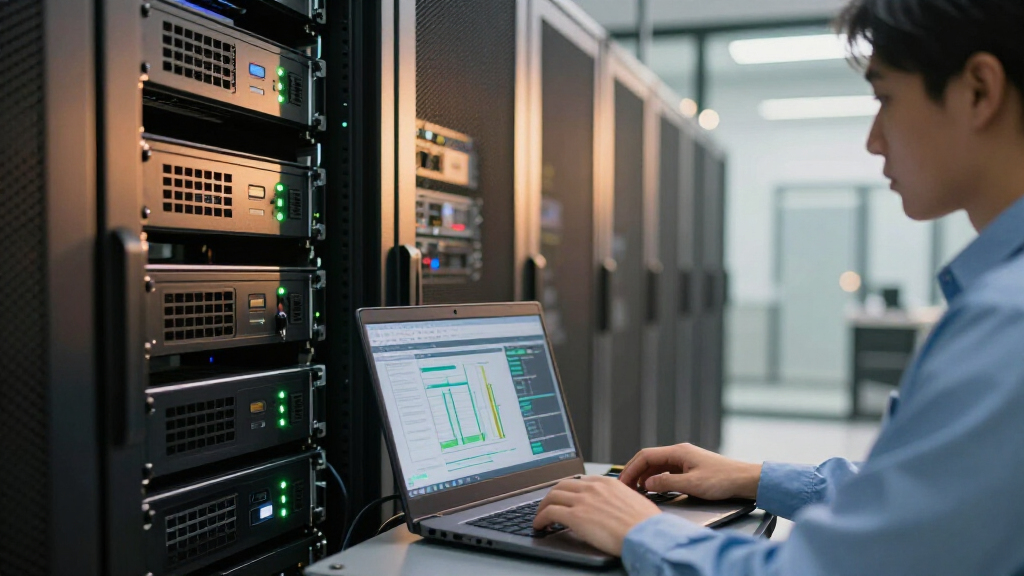
I ranked these options by how well they fit real AI deployment needs, not by treating every item as a complete server. The comparison weighs GPU memory, generation and intended data-center or professional role, likely workload fit, cooling and power demands, and how much extra hardware a buyer must supply. I also separated integrated computers from accelerator cards: a compact workstation can be easier to deploy, while an add-in card may offer more flexibility for an existing server.
The ranking favors options with a clearer path to useful AI work and a more practical balance of capability and deployment effort. Newer or inference-focused designs rank ahead of older Tesla generations for most buyers, while 32GB V100 variants remain relevant when a supported platform or memory capacity is the priority. Similar V100 listings are grouped by their distinct seller or OEM identity rather than treated as proof of different GPU performance. Legacy, refurbished, and ambiguous listings rank lower because condition, exact specifications, support, and compatibility need closer confirmation.
| GPU servers for AI workload | Interface | GPU |
|---|---|---|
| ASRock Radeon AI PRO R9700 32G | — | — |
| NVIDIA Tesla V100 Volta GPU Ac | — | — |
| Nimo AI NAS | — | — |
| NVIDIA Tesla M10 Quad GPU Modu | PCI Express x16 | — |
| V100 32GB GPU Computing Accele | PCIe 3.0 x16 | — |
| PNY NVIDIA Tesla T4 Data Cente | PCI Express 3.0 x16 | NVIDIA Tesla T4 |
| HP NVIDIA Tesla P100 16GB GPU | PCI Express | NVIDIA Tesla P100 |
| NVIDIA Tesla L4 24GB PCIe Grap | PCI Express x16 | NVIDIA Tesla L4 |
| A2 16GB GDDR6 AI Accelerator D | — | — |
| Nvidia Tesla P100 16GB GPU Com | PCI Express 3.0 x16 | NVIDIA Tesla P100 |
| HP NVIDIA Tesla M60 16GB Serve | PCI Express | NVIDIA Tesla M60 |
| MINISFORUM MS-S1 MAX Mini AI W | — | — |
| HPE NVIDIA Tesla V100-32GB PCI | PCI Express | NVIDIA Tesla V100 |
| HPE NVIDIA Tesla V100 32GB PCI | PCIe 3.0 x16 | NVIDIA Tesla V100 |
Factors to Consider When Choosing GPU Servers For AI Workloads
Before choosing a GPU server for AI, start with the workload and the system you already own. A GPU card listing may describe only the accelerator, not a working server, and a large memory figure cannot compensate for unsupported software or inadequate cooling. These factors help prevent a purchase that fits on paper but cannot run reliably in your environment.
Match GPU memory to the model and workload
GPU memory sets a practical ceiling on model size, batch size, and how much data can stay on the accelerator at once. Estimate memory needs for the model weights plus runtime overhead, activations, and the context or batch length you plan to use. A 32GB card can provide more headroom than a 16GB option, but it does not automatically make training fast or support every model. For inference, quantization and smaller batches may let a lower-memory GPU do useful work. Avoid choosing by memory alone: confirm whether your framework supports the card and whether your workload can use one GPU effectively.
Check the whole server, not just the GPU
An accelerator card depends on the host system for PCIe support, power delivery, airflow, CPU resources, and system memory. Passive-cooled data-center cards usually rely on chassis airflow designed to move air through the heatsink; a standard desktop case may not provide enough. Before buying, check the card’s dimensions, connectors, slot spacing, power requirements, and whether your server vendor supports that GPU. Multi-GPU configurations add demands on power, cooling, and PCIe lanes, so a card that fits physically may still be a poor system match. Treat a GPU listing as one component unless it explicitly includes a complete, configured machine.
Prioritize software support and deployment compatibility
AI performance depends on the software stack as much as on hardware specifications. Confirm that your operating system, drivers, machine-learning framework, and required libraries support the GPU generation and architecture. Older Tesla cards can be attractive for a compatible existing environment, but support changes over time and newer software may not target them equally. If your workflow relies on a specific framework, inference engine, or container image, check its supported GPU list before ordering. For a shared server, also verify remote management and monitoring support so troubleshooting does not require physical access.
Compare training, inference, and multi-user demands
Training, fine-tuning, and inference place different demands on the same hardware. Training often benefits from more memory bandwidth, accelerator memory, and strong multi-GPU communication, while inference deployments may place more weight on efficiency, latency, and the number of concurrent requests. A card that works well for a single local experiment may not serve multiple users reliably without enough system memory, storage throughput, and cooling. Decide whether you need one large GPU, several smaller accelerators, or a complete workstation before comparing models. This avoids paying for capacity that your software cannot use or choosing a compact system that cannot grow with demand.
Account for age, condition, and support
Older and refurbished accelerators can make sense when the buyer has a known-compatible server and a workload suited to that generation. Their tradeoffs may include limited warranty coverage, uncertain prior use, older driver support, and fewer future upgrade paths. Ask for the exact part number and condition, and confirm that the card includes the required bracket or accessories for your chassis. OEM cards can also differ in firmware, cooling setup, and support arrangements even when they share a GPU family. Compare the full cost of deployment—including any needed fans, power changes, or service—rather than judging an older card by its specifications alone.
Choose a complete system or an upgrade card deliberately
A compact AI workstation reduces assembly work and may be the better route for a beginner who wants a ready-to-run computer, but it can limit GPU upgrades and internal expansion. An add-in accelerator gives an experienced buyer more control over the host, but requires server-building knowledge and compatible infrastructure. NAS-style systems may suit local data and agent workloads, yet they are not automatically substitutes for a GPU server designed for model training. Map your storage, networking, and remote-access needs alongside compute before choosing a format. The easiest product to install is not always the best long-term platform, particularly when workload capacity will grow.
Frequently Asked Questions
Can I use one of these GPU cards in a regular desktop PC?
Possibly, but physical fit does not guarantee a workable setup. Many data-center cards use passive cooling and depend on strong, directed airflow from a server chassis, while desktop cases may not provide it. Check the card’s power, PCIe, dimensions, firmware, and driver requirements against the exact PC model. Also confirm that your AI software supports the GPU generation. If you cannot verify cooling and software compatibility, a supported workstation or complete system is a safer choice.
Should I choose a 32GB older GPU or a newer card with less memory?
Choose based on the workload’s memory needs and the software environment, rather than memory capacity alone. A 32GB accelerator may hold larger models or batches, but an older generation can have different performance, power, and support limits. A newer card with less memory may be a better fit for supported inference workloads or a modern software stack. Check the model’s runtime requirements and your framework’s support before deciding. If both options meet the memory requirement, compare platform compatibility and operational costs next.
Are the V100 listings interchangeable?
They share the V100 name and 32GB capacity in the listed configurations, but the listings are not automatically identical in condition, cooling, firmware, or support. OEM versions may be intended for particular server platforms, and a seller’s description may not capture every hardware detail. Request the exact part number and verify it with the intended host system’s documentation. Confirm whether the card is new, refurbished, or pulled from a server, and check what warranty or return support applies. Treat platform validation as part of the purchase, not an afterthought.
Is a compact AI workstation a better choice than buying a server GPU card?
A compact workstation can be easier to deploy because it arrives as a complete computer, which reduces the need to source a compatible chassis, power supply, and cooling solution. A standalone GPU card can be a better fit if you already own a validated server or need more control over expansion and maintenance. Compare the system’s actual accelerator capabilities, memory, upgrade options, storage, and software support rather than assuming the word “AI” means it fits every workload. A compact system may suit local development and smaller jobs but may not scale like a multi-GPU server. Choose the format that matches your deployment and growth plans.
What should I verify before buying a refurbished or older Tesla accelerator?
Confirm the exact model and part number, operating condition, included accessories, and whether the card has been tested under load. Check that your server supports its power draw, dimensions, PCIe interface, and cooling requirements. Then verify current driver and framework support for the specific GPU generation and your operating system. Ask what warranty or return terms apply, since refurbished cards may have less coverage than new hardware. Factor in any server changes needed to run it safely, including airflow or power upgrades.
Conclusion
For most buyers seeking a standalone professional accelerator, I would start with the ASRock Radeon AI PRO R9700 32GB as the best overall pick, provided its software support matches the planned workload. For a best value route, a compatible V100 or P100 may suit an existing server, but I would verify condition, support, and cooling before purchase rather than treating age as a bargain by itself. The best premium fit is the newer professional GPU option for buyers who need a current 32GB-class card; the best choice for beginners is the MINISFORUM MS-S1 MAX because it is a complete workstation format rather than a bare accelerator. For inference-focused deployments, compare the Tesla L4 and T4 against your power, memory, and framework needs; for a legacy server with a known configuration, an HPE or HP Tesla card may be the more specific fit. Choose the complete system if simpler setup matters most, and choose a GPU card only when you can validate the host around it.
Halloween Picks
halloween
As an affiliate, we earn on qualifying purchases.