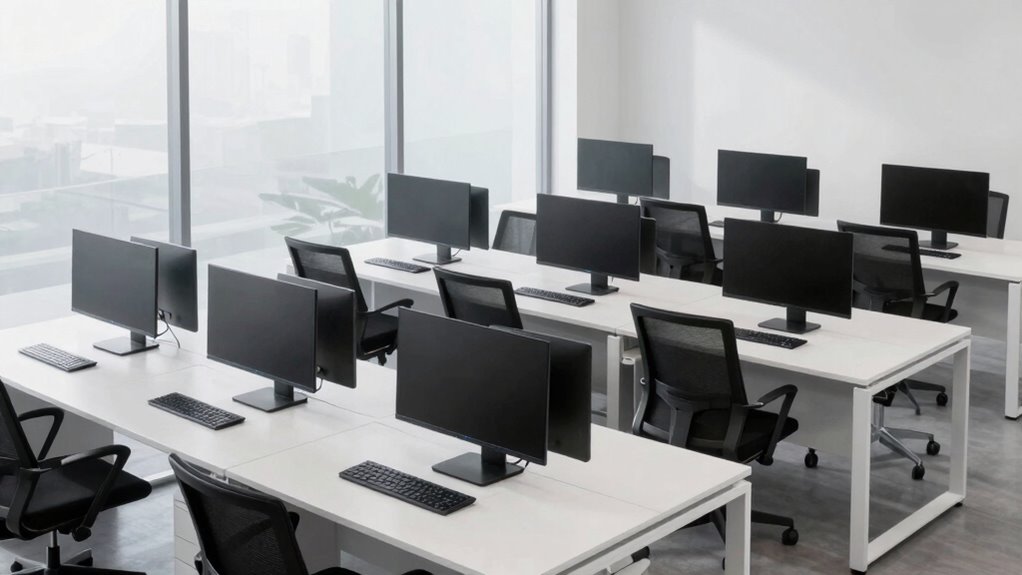

Choosing a quiet workstation PC for open offices involves balancing performance with noise reduction, all within a compact footprint. The Dell Optiplex 7050 SFF stands out as the overall best for its reliable performance and low noise profile. For those seeking ultra-quiet operation, the MeLE Mini PC Quieter 4C offers fanless design, while the HP ProDesk 400 Mini provides a robust mix of power and quietness at a smaller size. The main tradeoffs involve balancing raw processing power against noise levels and size constraints. Keep reading for a detailed breakdown of these options to find the perfect fit for your workspace.

Get business pricing on networking and server gear
- Business-only prices and quantity discounts
- Tax-exempt purchasing
- Multiple users, one account, clear invoices
Complete the kit

Key Takeaways
- High-performance desktops like the Dell Optiplex 7050 balance power with quiet operation, making them suitable for intensive tasks.
- Fanless mini PCs such as the MeLE Quieter 4C excel in noise reduction but may lag in handling demanding workloads.
- Compact form factors help save space in open offices but often come with tradeoffs in upgradeability and ports.
- CPU generation and cooling design significantly influence noise levels, with newer models often quieter thanks to improved cooling tech.
- Price varies widely; investing in a higher-quality, quieter PC can reduce noise-related distractions and improve focus.


| quiet workstation pc for open office | Processor | Storage | Dimensions | Display Support |
|---|---|---|---|---|
| Dell Optiplex 7050 SFF Desktop | Intel Core i7-7700 3.60 GHz | 1TB SSD | 11.5 x 3.6 x 11.4 inches | — |
| Lenovo ThinkCentre Mini Busine | AMD Dual-Core | 256GB SSD | 19.3 x 5.6 x 10.6 inches | Dual 4K |
| HP ProDesk 400 G7 Small Form F | Intel Celeron G5905 | 1TB HDD + 256GB SSD | 10.0 x 3.7 x 12.1 inches | Dual 4K |
| HP ProDesk 400 Mini PC | Intel Core i7-12700T | 1TB SSD | 6.97 x 6.89 x 1.34 inches | Triple 4K |
| HP ProDesk SFF 400 G9 Business | Intel Core i7-14700 | 1.5TB SSD | 10.0 x 3.7 x 12.1 inches | Dual |
| MeLE Mini PC Quieter 4C | 12th Gen Alder Lake-N100, 4 cores, up to 3.4GHz | 512GB SSD (supports up to 4TB NVMe/SATA M.2) | — | Triple 4K @ 60Hz (HDMI x2, USB-C) |
| Dell Slim Desktop with Intel C | Intel Core Ultra 5-225 | 512GB SSD | — | Supports up to four FHD monitors |
| Dell OptiPlex Business Desktop | Intel i3-13100 | Up to 4TB SSD | 12.77 x 6.06 x 11.54 inches | — |
| Quiet Rackmount Computer with | AMD Ryzen 7 5700G | 1TB NVMe SSD | — | — |
More Details on Our Top Picks
Dell Optiplex 7050 SFF Desktop PC with Intel i7-7700, 32GB RAM, 1TB SSD, Windows 11 Pro
This Dell Optiplex 7050 SFF stands out for combining high-end performance with a compact form factor, making it suitable for open office environments where noise and space are concerns. Its Intel i7-7700 processor and 32GB RAM deliver smooth multitasking, outperforming more modest options like the HP ProDesk 400 G7, which has a less powerful Celeron chip. The 1TB SSD ensures quick load times and responsiveness, although as a renewed model, appearance may vary and the 90-day warranty offers limited peace of mind. Compared to the HP ProDesk 400 G9 or Lenovo ThinkCentre Mini, this model excels in raw performance but may be less energy-efficient due to its age. It’s an ideal pick for professionals who need power in a small footprint but are comfortable with a shorter warranty window.
Pros:- High-performance Intel i7 processor with fast response times
- Large 32GB RAM suitable for heavy multitasking
- Fast 1TB SSD storage for quick data access
- Compact Small Form Factor design
Cons:- Renewed condition may lead to variability in appearance and longevity
- Limited 90-day warranty offers less coverage than new units
Best for: IT managers seeking reliable, high-performance desktops for power users in open office setups.
Not ideal for: Small startups or individual freelancers who prefer newer models with longer warranties and energy efficiency.
- Model:Dell OptiPlex 7050 SFF
- Processor:Intel Core i7-7700 3.60 GHz
- Memory:32GB DDR4 RAM
- Storage:1TB SSD
- Operating System:Windows 11 Pro
- Dimensions:11.5 x 3.6 x 11.4 inches
Our verdict“This desktop is best suited for power users in open offices who prioritize performance and space efficiency over warranty length.”
Lenovo ThinkCentre Mini Business Desktop, Ultra-Quiet Design, Dual-4K Monitor Support, AMD Dual-Core Processor, USB-C, Wi-Fi, RJ-45, Bluetooth, Windows 11 Pro (8GB RAM | 256GB SSD)
This Lenovo ThinkCentre Mini offers a compact, ultra-quiet design that makes it perfect for open offices where noise disruption is a concern. Its AMD Dual-Core processor and support for dual 4K monitors make it an excellent choice for multitasking, especially compared to larger, more conspicuous desktops like the HP ProDesk 400 G7. Its 8GB RAM and 256GB SSD are sufficient for most standard office tasks, but users needing heavy multitasking or large data storage will find it limiting unless upgraded. The flexible connectivity with USB-C, Wi-Fi, and Bluetooth adds to its appeal, though the modest storage and integrated graphics may hinder demanding multimedia work. This pick makes the most sense for environments where quiet operation and space are top priorities, but heavy users should consider potential upgrades.
Pros:- Ultra-quiet operation ideal for open office noise considerations
- Supports dual 4K monitors for enhanced productivity
- Compact and space-saving design
- Preloaded with Windows 11 Pro for security and management
Cons:- Limited 256GB SSD storage may require external solutions for large files
- Basic integrated graphics could be insufficient for demanding multimedia tasks
Best for: Office workers needing a quiet, space-efficient desktop with dual-monitor support.
Not ideal for: Creative professionals or power users requiring extensive storage or graphics performance.
- Processor:AMD Dual-Core
- Graphics:AMD Radeon R4
- Memory:8GB RAM (upgradable to 32GB)
- Storage:256GB SSD
- Display Support:Dual 4K
- Dimensions:19.3 x 5.6 x 10.6 inches
Our verdict“This model is a strong choice for space-conscious offices where quiet operation is essential but heavy multitasking is minimal.”
HP ProDesk 400 G7 Small Form Factor Business Desktop Computer, Intel Celeron G5905, 16GB RAM, 1TB HDD + 256GB SSD, Windows 11 Pro, Dual 4K Support
This HP ProDesk 400 G7 provides a cost-effective solution for open offices needing reliable performance without high-end specs. Its Intel Celeron G5905 processor offers adequate performance for standard tasks, but it lags behind the more powerful i7 options like the HP ProDesk 400 G9 or Dell OptiPlex 7050. The 16GB RAM and dual storage options support multitasking, yet the processor’s limitations may bottleneck more demanding applications. Its dual 4K display support is suitable for multi-monitor setups common in open office environments. However, the lack of dedicated graphics and limited processing power make it less suitable for intensive multimedia work or high-end multitasking. This desktop appeals mainly to budget-conscious offices where performance demands are moderate.
Pros:- Affordable price point for basic office use
- Supports dual 4K monitors for multitasking
- Decent 16GB RAM for everyday productivity
- Pre-installed with Windows 11 Pro for security
Cons:- Limited processor performance for demanding tasks
- No dedicated graphics card, restricting multimedia work
Best for: Small businesses or teams with basic productivity needs and tight budgets.
Not ideal for: Power users or multimedia professionals requiring high processing power and graphics capabilities.
- Processor:Intel Celeron G5905
- Graphics:Intel UHD Graphics 610
- Memory:16GB DDR4 RAM
- Storage:1TB HDD + 256GB SSD
- Display Support:Dual 4K
- Dimensions:10.0 x 3.7 x 12.1 inches
Our verdict“This desktop is ideal for budget-conscious offices with moderate multitasking requirements and space constraints.”
HP ProDesk 400 Mini PC, i7-12700T, 16GB DDR4 RAM, 1TB SSD, Windows 11 Pro
The HP ProDesk 400 Mini PC with an i7-12700T processor offers a compelling mix of power and small size, making it well-suited for open-office setups where performance and minimal noise are priorities. Its latest generation Intel chip delivers robust multitasking capabilities, outpacing older options like the Dell Optiplex 7050 in processing speed. Supporting up to three 4K displays, it surpasses many compact desktops, including the Lenovo ThinkCentre, which is limited to dual monitors. The 16GB RAM and 1TB SSD ensure quick responsiveness and ample data room, but the small form factor limits upgrade options and the external storage at 500GB might be insufficient for some. This makes it an excellent choice for demanding workflows in tight spaces, though it’s less adaptable for future expansion.
Pros:- Powerful 12th Gen Intel i7 processor with 20 threads
- Supports up to three 4K monitors for multitasking
- Fast 1TB SSD and 16GB RAM for responsiveness
- Compact size with versatile connectivity
Cons:- Limited internal upgrade options due to small size
- External storage only 500GB, potentially limiting for large data needs
Best for: Power users and professionals needing high performance in a small footprint for multi-screen workflows.
Not ideal for: Users requiring extensive storage expansion or dedicated graphics for gaming or high-end multimedia.
- Processor:Intel Core i7-12700T
- Cores / Threads:12 cores / 20 threads
- Memory:16GB DDR4
- Storage:1TB SSD
- Display Support:Triple 4K
- Dimensions:6.97 x 6.89 x 1.34 inches
Our verdict“This mini PC is best suited for demanding professionals needing high performance in a space-constrained environment.”
HP ProDesk SFF 400 G9 Business Desktop Computer, 14th Gen Intel i7-14700, 16GB DDR5 RAM, 1.5TB Storage, Windows 11
This HP ProDesk SFF 400 G9 with a 14th Gen Intel i7-14700 processor offers cutting-edge power and speed, making it ideal for future-proofing open office workstations. Its 20-core, 28-thread CPU significantly outperforms older models like the Dell Optiplex 7050, especially in multitasking and demanding applications. The inclusion of DDR5 RAM and 1.5TB SSD provides swift data handling and ample storage, though the absence of a dedicated graphics card limits high-end multimedia tasks. Supporting dual displays and featuring comprehensive connectivity options, it is suited for professionals who need high performance and room for growth. However, its weight of 13.4 lbs and lack of expansion slots mean less portability and upgrade flexibility.
Pros:- Latest 14th Gen Intel i7 with 20 cores and 28 threads
- Supports dual monitors for enhanced productivity
- Fast DDR5 RAM and 1.5TB SSD for future-ready performance
- Multiple connectivity options including Wi-Fi 6 and USB-C
Cons:- Limited upgrade options due to small form factor
- No dedicated graphics card for graphics-intensive tasks
Best for: Tech-forward offices requiring robust processing power and room for data growth in a compact design.
Not ideal for: Small teams or individual users with minimal multitasking needs and limited budgets.
- Processor:Intel Core i7-14700
- Cores / Threads:20 cores / 28 threads
- Memory:16GB DDR5
- Storage:1.5TB SSD
- Display Support:Dual
- Dimensions:10.0 x 3.7 x 12.1 inches
Our verdict“This desktop is ideal for professionals seeking a high-performance, future-proof workstation in a small size, with some limitations on upgrades.”
MeLE Mini PC Quieter 4C, N100 Fanless Mini PC 16GB RAM 512GB Storage
The MeLE Mini PC stands out for its fanless design, making it ideal for open office environments where noise reduction is critical. Unlike the Dell OptiPlex, which may generate more fan noise under load, this mini PC remains silent thanks to passive cooling, maintaining a peaceful workspace. Its support for triple 4K displays offers a productivity boost without adding clutter or noise. However, the surface temperature can reach up to 70°C during prolonged use, which might be a concern for placement near users. Its limited to Windows 11 Pro and lacks a dedicated GPU, making it best suited for basic to moderate tasks like web browsing, light productivity, and digital signage. This is a smart choice for those prioritizing silent operation in open offices.
Pros:- Fanless passive cooling for silent operation
- Supports triple 4K displays for multitasking
- Compact and lightweight for easy placement
- Expandable storage with M.2 and Micro SD slots
Cons:- Surface temperature may reach 70°C during extended use
- No Linux support mentioned, limiting OS flexibility
Best for: Knowledge workers or digital signage setups needing silent operation and multi-display support
Not ideal for: Heavy multimedia editing or gaming, due to lack of dedicated graphics and thermal limitations
- Processor:12th Gen Alder Lake-N100, 4 cores, up to 3.4GHz
- RAM:16GB LPDDR5 (4800MHz)
- Storage:512GB SSD (supports up to 4TB NVMe/SATA M.2)
- Display Support:Triple 4K @ 60Hz (HDMI x2, USB-C)
- Connectivity:Wi-Fi 5, Bluetooth 5.1, Gigabit Ethernet
- Power Consumption:8W
Our verdict“This mini PC excels in quiet, clutter-free environments where basic performance and multiple displays matter most.”
Dell Slim Desktop with Intel Core Ultra 5-225, 512GB SSD, Windows 11 Home
The Dell Slim Desktop offers a balanced combination of performance and upgradeability, supporting multiple monitors with its up to four FHD displays. Compared to the MeLE Mini, it provides more traditional desktop expandability and a more spacious form factor, making it suitable for users who may need to add RAM or storage later. Its sleek, compact design fits well into small offices without sacrificing ports or security with TPM. However, there’s limited information on its RAM capacity and upgrade potential, which could be a drawback for those planning long-term scalability. It lacks the ultra-quiet operation of the MeLE, but trades noise for a more robust and familiar desktop experience. This pick suits users who want a quiet yet upgrade-friendly office PC.
Pros:- Supports up to four monitors for multitasking
- Sleek, space-saving design
- Easy to upgrade with tool-less access
- Built-in security features like TPM
Cons:- Limited info on maximum RAM capacity
- Potentially limited upgrade options for long-term needs
Best for: Small business users needing a quiet, upgradeable desktop with multi-monitor support
Not ideal for: Power users requiring extensive RAM or high-end gaming capabilities, due to uncertain upgrade limits
- Processor:Intel Core Ultra 5-225
- Storage:512GB SSD
- Operating System:Windows 11 Home
- Display Support:Supports up to four FHD monitors
- Connectivity:Various ports, including USB-C
- Size:Compact form factor
Our verdict“This desktop is ideal for users seeking a quiet, expandable computer that fits into small office spaces.”
Dell OptiPlex Business Desktop with Intel i3-13100, Windows 11, Dual Monitor Support, KB & Mouse
The Dell OptiPlex delivers powerful performance with its i3-13100 processor and support for up to 64GB DDR5 RAM, making it a versatile choice for demanding tasks. Unlike the smaller, more limited options like the MeLE, this desktop supports dual monitors and offers extensive connectivity options, including fast ports, which are beneficial for busy open offices. Its larger size and weight, however, make it less ideal for space-constrained environments. While it lacks the silent operation of fanless models, it compensates with upgrade potential and robust performance. It’s best suited for teams that need more processing power and flexibility, rather than absolute silence or minimal footprint. This is a practical option for dynamic, multitasking workspaces.
Pros:- Supports up to 64GB DDR5 RAM for multitasking
- Dual monitor support enhances workflow
- Multiple fast connectivity options
- Pre-installed Windows 11 for modern productivity
Cons:- Larger and heavier than mini PCs
- Noisy under load compared to fanless options
Best for: Teams requiring high processing power, dual monitor setups, and upgrade flexibility
Not ideal for: Open office environments demanding near-silent operation or tight space constraints
- Processor:Intel i3-13100
- RAM:Up to 64GB DDR5
- Storage:Up to 4TB SSD
- Graphics:Intel UHD Graphics 730
- Connectivity:Ethernet, Wi-Fi 6, USB-C, HDMI, DisplayPort
- Dimensions:12.77 x 6.06 x 11.54 inches
Our verdict“This desktop offers a solid balance of performance and expandability for active work environments needing dual displays.”
Quiet Rackmount Computer with AMD Ryzen 7 5700G, 32GB RAM, 1TB SSD, Windows 11 Pro – 2U Rack Mount Server or Workstation
The Quiet Rackmount Computer excels in demanding environments, combining the powerful Ryzen 7 5700G with 32GB RAM and a 1TB SSD, making it suitable for intensive tasks such as content creation or server applications. While not designed for typical open office use, this model offers a quiet, stable operation in a 2U rackmount form factor, which can be integrated into professional setups where noise must be minimized at the rack level. Unlike the mini or slim desktops, it’s bulky and heavy, limiting portability. It also relies on integrated graphics, which might be restrictive for GPU-intensive work. This choice suits environments where performance and quiet operation are equally prioritized over form factor or portability. This is best for advanced technical setups, not typical open office desks.
Pros:- Powerful Ryzen 7 processor for demanding workloads
- Large 32GB RAM supports heavy multitasking
- 1TB SSD delivers fast data access
- Built for quiet operation in professional environments
Cons:- Heavy and bulky, not portable
- Limited to integrated graphics, unsuitable for GPU-heavy tasks
Best for: Content creators or IT professionals needing a quiet, high-performance workstation in a rack environment
Not ideal for: Standard open office desks or users needing portable, space-saving solutions
- Processor:AMD Ryzen 7 5700G
- RAM:32GB DDR4
- Storage:1TB NVMe SSD
- Graphics:Integrated AMD Radeon Graphics
- Form Factor:2U Rack Mount
- Connectivity:HDMI, DisplayPort, Wi-Fi 6
Our verdict“This rackmount setup is ideal for demanding technical tasks where quiet, high-power operation is required in a professional environment.”

How We Picked
The selection process focused on identifying PCs that deliver low noise levels ideal for open office environments while maintaining decent performance for typical workstation tasks. We evaluated specifications such as thermal design, cooling solutions, and fan noise levels, alongside usability factors like size, upgrade options, and connectivity. Price-to-performance ratios and build quality also influenced rankings, ensuring options are both effective and value-oriented. By comparing these features across a range of models, we prioritized products that strike a balance between quiet operation, performance, and practicality for open office settings.| quiet workstation pc for open office | Display Support |
|---|---|
| Dell Optiplex 7050 SFF Desktop | — |
| Lenovo ThinkCentre Mini Busine | Dual 4K |
| HP ProDesk 400 G7 Small Form F | Dual 4K |
| HP ProDesk 400 Mini PC | Triple 4K |
| HP ProDesk SFF 400 G9 Business | Dual |
| MeLE Mini PC Quieter 4C | Triple 4K @ 60Hz (HDMI x2, USB-C) |
| Dell Slim Desktop with Intel C | Supports up to four FHD monitors |
| Dell OptiPlex Business Desktop | — |
| Quiet Rackmount Computer with | — |
Factors to Consider When Choosing Quiet Workstation Pc For Open Offices
When choosing a quiet workstation PC for open offices, several factors come into play beyond basic specs. Understanding these can help avoid common pitfalls such as sacrificing performance for silence or buying an underpowered machine that hampers productivity. The right choice depends on your specific needs—whether you prioritize absolute quiet, processing power, or space efficiency. Consider these key criteria to make an informed decision and get the best fit for your environment.Noise Level and Cooling Technology
Noise level is the most obvious consideration for open office environments. Look for PCs with fanless or advanced cooling systems, such as hybrid or passive cooling designs, which significantly reduce operational noise. Avoid models with large, high-speed fans unless noise levels are explicitly minimized through engineering. Remember, a quieter PC not only improves comfort but also reduces distractions for everyone around you.
Size and Form Factor
In open office settings, space is often at a premium. Compact form factors like mini PCs or SFF (Small Form Factor) desktops help maximize desk space and reduce clutter. However, smaller units may limit upgrade options or ports. Balance your space constraints against future needs to avoid buying a device that becomes obsolete too quickly or hampers connectivity.
Performance and Upgradeability
While quietness is key, performance should not be compromised—especially if your work involves multitasking or demanding applications. Look for systems with recent processors, ample RAM, and SSD storage for speed. Also, consider upgrade options: some compact models limit future upgrades, which could be a drawback if your workload grows or evolves.
Connectivity and Expandability
Ensure the PC has enough ports for your peripherals, especially for multiple monitors, USB devices, and network connections. Open offices often require flexible setups; models with multiple USB-C, HDMI, or DisplayPort options are advantageous. Skimping on connectivity can lead to cluttered desks or the need for additional hubs, defeating space-saving goals.
Price and Long-term Value
Higher upfront costs for quieter, more sophisticated cooling systems can pay off by reducing noise pollution and increasing reliability. However, be cautious of paying for features you won’t use. Focus on a balanced model that offers durability, performance, and noise reduction within your budget to ensure long-term satisfaction.
Frequently Asked Questions
How quiet should a workstation PC be for an open office?
Ideally, a workstation PC for an open office should operate at noise levels below 30 decibels, comparable to a whisper or soft library background noise. Devices with passive cooling or fanless designs naturally fall into this range, minimizing distractions. Keep in mind that even small fans can add noise, so check for manufacturer noise specifications when evaluating options.
Can I upgrade a mini PC or SFF desktop for better performance?
Many compact desktops have limited upgrade paths due to their small size, often restricting RAM, storage, or GPU upgrades. Some models, however, do allow for RAM or SSD improvements. If you anticipate needing future upgrades, choose a model with accessible components or consider a slightly larger form factor that offers more upgrade flexibility, even if it means sacrificing some space savings.
Are fanless PCs suitable for demanding workloads?
Fanless PCs excel in noise reduction but generally are best suited for light to moderate tasks such as browsing, office apps, or media streaming. For intensive workloads like video editing or 3D rendering, a fanless design might lead to overheating or throttling, reducing performance. In such cases, a well-cooled but quiet fan-based system could be a better choice.
What’s the best way to ensure my PC remains quiet over time?
Regular maintenance, such as cleaning dust from vents and fans, helps keep noise levels low and performance high. Choosing a model with quality cooling solutions and low-noise fans from the start reduces the need for ongoing intervention. Additionally, monitoring system temperatures and adjusting fan curves through software can help maintain quiet operation without risking overheating.
How do I balance cost and noise reduction in my purchase?
Spending more typically yields quieter, more efficient cooling and better build quality, but this isn’t always necessary for light workloads. Set clear priorities—if noise is a top concern, consider investing in a fanless or hybrid cooling model. For budget-conscious buyers, opting for a slightly larger or more open chassis can help with airflow and noise without a significant price increase.
Conclusion
For most open office users, the Dell Optiplex 7050 SFF offers a strong balance of performance and quiet operation, making it ideal for general productivity. Those prioritizing absolute silence may prefer the MeLE Mini PC Quieter 4C, especially if their tasks are light. Budget shoppers will find good value in the Dell OptiPlex i3-13100 Desktop, which provides decent performance with minimal noise. For demanding workloads or future-proofing, consider the HP ProDesk 400 G9 or Quiet Rackmount Computer options. Your ideal choice depends on your space, workload, and noise sensitivity, but each of these options offers a tailored solution for open office environments in 2026.
As an affiliate, we earn on qualifying purchases.Fall Picks
fall essentials