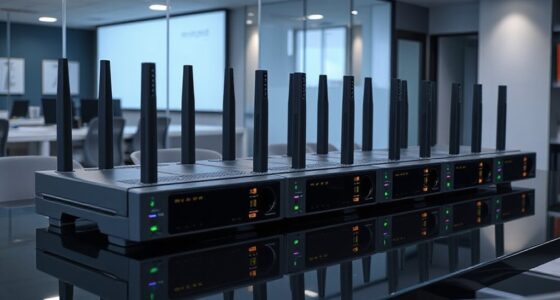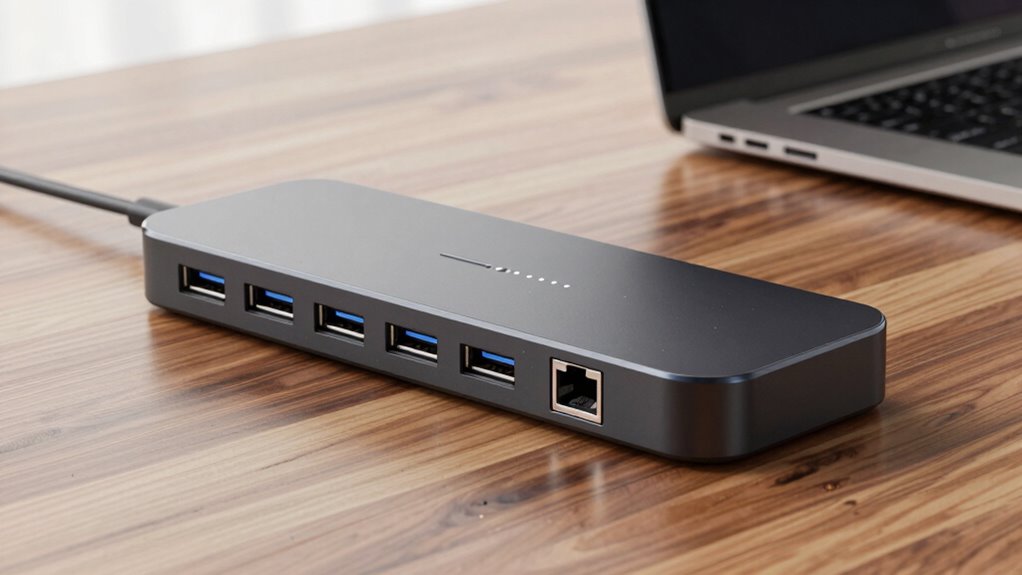

If you’re searching for a USB C dock with 10GbE Ethernet, you’re likely looking for high-speed wired network connectivity alongside versatile port options. The OWC Thunderbolt Pro Dock stands out for its robust performance, ideal for demanding workflows. The Cable Matters USB C to 10Gb Ethernet Adapter offers a budget-friendly, silent solution, while the CalDigit Connect 10G provides a compact, reliable option for Mac and PC users. Each of these picks balances speed, compatibility, and usability, but they also differ in size, price, and port variety. The main tradeoffs involve size versus expandability and cost versus performance. Continue reading for a detailed breakdown to help find your perfect match.

Get business pricing on networking and server gear
- Business-only prices and quantity discounts
- Tax-exempt purchasing
- Multiple users, one account, clear invoices
Key Takeaways
- The top picks balance high-speed 10GbE performance with reliable build quality and compatibility across Mac and Windows systems.
- Many docks sacrifice port variety for size and simplicity; choose based on whether you need a compact solution or full connectivity options.
- Price varies significantly, with premium models offering more ports and features, while budget options focus on core Ethernet needs.
- The best options for demanding enterprise or creative workflows tend to be larger, more robust docks, whereas casual users benefit from smaller adapters.
- Compatibility with Thunderbolt 3/4, USB4, and specific system requirements are key factors influencing real-world performance and usability.
| OWC Thunderbolt Pro Dock 10-Port Connectivity Solution for Mac/Windows |  | Best Overall for Professional Multi-Device Setups | Power Delivery: 85W (Thunderbolt 3 port), 15W (Thunderbolt 3 port) | Display Support: Up to 8K @ 60Hz or 4K @ 120Hz | Device Ports: Thunderbolt 3, USB 3.2 Gen 2 Type-C, USB 3.2 Gen 2 Type-A, DisplayPort 1.4, 10Gb Ethernet, CFexpress Type B, SD card reader | VIEW ON AMAZON | See Our Full Breakdown |
| Cable Matters USB C to 10Gb Ethernet Adapter, Low-Heat and Silent, Compatible with USB4 and Thunderbolt |  | Best Value for High-Speed Ethernet on a Budget | Ethernet Speed: 10Gbps | Compatibility: USB4, Thunderbolt 3/4/5, USB-C | Controller: Realtek RTL8159 | VIEW ON AMAZON | See Our Full Breakdown |
| CalDigit Connect 10G Thunderbolt Type-C to 10Gb Ethernet Adapter for Mac and PC |  | Best Portable 10GbE Adapter for Travel and On-the-Go Use | Connectivity: Thunderbolt Type-C | Speed: 10Gbps | Compatibility: Thunderbolt 3, 4, USB4 | VIEW ON AMAZON | See Our Full Breakdown |
| StarTech 10GbE USB4 Ethernet Adapter, Thunderbolt 3/4/5, Multi-Gigabit, TAA |  | Best Multi-Gigabit USB4 Ethernet for Versatile Use | Network Speed: 10/5/2.5/1Gbps/100Mbps | Compatibility: Thunderbolt 3/4/5, Windows, Mac | Cable Length: 19.6 inches | VIEW ON AMAZON | See Our Full Breakdown |
| OWC Thunderbolt 5 Dual 10GbE Network Dock – 11-Port Connectivity Solution for Mac and PC |  | Best High-End Dock with Multiple Ethernet and Display Options | Host Interface Requirements: Thunderbolt 5, Thunderbolt 4, USB4, Thunderbolt 3 | Device Ports: 2x 10GbE RJ-45, 1x 2.5GbE RJ-45, 1x Thunderbolt 5 (USB-C), 3x Thunderbolt 5 (USB-C), 1x USB-C 10Gb/s, 3x USB-A 10Gb/s | Power Delivery: 15W per Thunderbolt 5 port, 15W USB-C port | VIEW ON AMAZON | See Our Full Breakdown |
| SABRENT Thunderbolt & USB4 to 10 Gigabit Ethernet Adapter (NT-P10G) |  | Best for High-Performance Thunderbolt/USB4 Networking | Compatibility: Thunderbolt 3/4/5, USB4 Type-C | Maximum Speed: 10Gbps | Supported Operating Systems: Windows 10+, macOS 10.12+, Linux 3.10+ | VIEW ON AMAZON | See Our Full Breakdown |
| Anker USB-C Hub 8-in-1 Multiport Ethernet Adapter with 4K HDMI, 85W Power Delivery, USB-C & USB-A Ports, microSD/SD Card Reader |  | Best for Versatile Connectivity with Media and Charging | HDMI Output: 4K@60Hz (DP 1.4), 4K@30Hz (DP 1.2) | Power Delivery: 85W | USB-C Data Ports: 1 USB-C, 2 USB-A | VIEW ON AMAZON | See Our Full Breakdown |
| usb c dock with 10gbe ethernet | Compatibility | Power |
|---|---|---|
| OWC Thunderbolt Pro Dock 10-Po | Mac and Windows PCs with Thunderbolt 3 or higher | — |
| Cable Matters USB C to 10Gb Et | USB4, Thunderbolt 3/4/5, USB-C | Low heat, silent operation |
| CalDigit Connect 10G Thunderbo | Thunderbolt 3, 4, USB4 | Bus-powered |
| StarTech 10GbE USB4 Ethernet A | Thunderbolt 3/4/5, Windows, Mac | Bus-powered |
| OWC Thunderbolt 5 Dual 10GbE N | — | — |
| SABRENT Thunderbolt & USB4 to | Thunderbolt 3/4/5, USB4 Type-C | Bus-powered |
| Anker USB-C Hub 8-in-1 Multipo | USB-C, USB4, Thunderbolt, macOS 12+, Windows 10/11, ChromeOS | — |
More Details on Our Top Picks
OWC Thunderbolt Pro Dock 10-Port Connectivity Solution for Mac/Windows
The OWC Thunderbolt Pro Dock stands out for its extensive connectivity, supporting high-resolution displays up to 8K and multiple high-speed data ports including Thunderbolt 3, USB-C, USB-A, Ethernet, and card readers. Compared with the OWC Thunderbolt 5 Dual 10GbE Network Dock, it offers a broader array of ports suited for complex workflows but lacks the latest Thunderbolt 5 support. Its complexity might overwhelm casual users, and the price is likely on the higher side, making it less appealing for simple setups. This dock is ideal for professionals who need a versatile, high-capacity hub but are prepared for a more involved setup process.
Pros:- Supports high-resolution displays up to 8K
- Multiple high-speed ports including Thunderbolt 3, USB-C, USB-A, Ethernet, and card readers
- Compatible with both Mac and Windows systems
Cons:- Complex setup with many ports may be intimidating for casual users
- Potentially expensive compared to simpler docks
- Customer reviews indicate mixed satisfaction levels
Best for: Content creators and professionals with multiple high-resolution displays and diverse peripheral needs
Not ideal for: Casual users or those seeking a simple, plug-and-play Ethernet solution due to its complex port array
- Power Delivery:85W (Thunderbolt 3 port), 15W (Thunderbolt 3 port)
- Display Support:Up to 8K @ 60Hz or 4K @ 120Hz
- Device Ports:Thunderbolt 3, USB 3.2 Gen 2 Type-C, USB 3.2 Gen 2 Type-A, DisplayPort 1.4, 10Gb Ethernet, CFexpress Type B, SD card reader
- Host Port Requirements:Thunderbolt 3 or higher
- Compatibility:Mac and Windows PCs with Thunderbolt 3 or higher
- Dimensions:4.72 x 10.24 x 6.3 inches
- Weight:5.1 pounds
Our verdict“This dock suits users requiring maximum connectivity and display support, despite its complexity and cost.”
Cable Matters USB C to 10Gb Ethernet Adapter, Low-Heat and Silent, Compatible with USB4 and Thunderbolt
The Cable Matters USB C to 10Gb Ethernet Adapter offers reliable high-speed wired networking with speeds up to 7Gbps on Windows and 5Gbps on macOS, making it a solid choice for demanding tasks like gaming and content transfers. Compared to the StarTech 10GbE USB4 Ethernet Adapter, it provides a more affordable option with a durable aluminum housing and heat dissipation features, though real-world speeds can vary depending on hardware setup. Its compatibility is broad, but it requires a USB 3.2 Gen 2×2 port for optimal performance, which might limit use on some older systems. This adapter is best suited for users who want a straightforward, silent, high-performance Ethernet upgrade without additional features.
Pros:- High-speed 10GbE performance suitable for demanding workflows
- Durable aluminum housing with effective heat dissipation
- Plug-and-play on the latest macOS and Windows systems
Cons:- Real-world speeds depend heavily on system hardware and setup
- Requires USB 3.2 Gen 2×2 port for best performance
- Not compatible with Android or gaming consoles like Xbox One S
Best for: Power users needing high-speed wired connections for gaming, backups, or large file workflows
Not ideal for: Users with older USB-C ports or systems with lower bandwidth capabilities, as performance may be limited
- Ethernet Speed:10Gbps
- Compatibility:USB4, Thunderbolt 3/4/5, USB-C
- Controller:Realtek RTL8159
- Material:Aluminum housing
- Cable:Braided USB-C pigtail
- Power:Low heat, silent operation
Our verdict“This adapter makes sense for users seeking a silent, durable, high-speed Ethernet upgrade without extra features.”
CalDigit Connect 10G Thunderbolt Type-C to 10Gb Ethernet Adapter for Mac and PC
The CalDigit Connect 10G offers high-speed Ethernet over Thunderbolt Type-C, supporting 10Gbps network speeds ideal for direct NAS or RAID access. Compared with the Cable Matters Adapter, it emphasizes portability with bus-powered operation and a compact aluminum enclosure, but it requires Thunderbolt or USB4 ports supporting PCIe tunneling, which might restrict compatibility on some systems. Its passive cooling ensures silent operation, yet it isn’t compatible with Thunderbolt 2 adapters, limiting older hardware use. This makes it best for professionals who need a lightweight, reliable Ethernet connection while traveling or working remotely.
Pros:- Delivers true 10Gb Ethernet speeds
- Compact, lightweight, and bus-powered design
- Supports a wide range of Thunderbolt and USB4 systems
Cons:- Requires PCIe tunneling support, limiting system compatibility
- Not compatible with Thunderbolt 2 adapters
- Limited to a single Ethernet port, no additional ports
Best for: Mobile professionals and remote workers needing high-speed Ethernet on a portable device
Not ideal for: Desktop users with older systems or those needing multi-gigabit networking beyond 10Gbps, due to its single port and portability focus
- Connectivity:Thunderbolt Type-C
- Speed:10Gbps
- Compatibility:Thunderbolt 3, 4, USB4
- Power:Bus-powered
- Cooling:Passive aluminum
- Dimensions:Small and portable
Our verdict“This portable adapter is ideal for professionals who need quick, high-speed Ethernet on the go but don’t require multiple ports or complex setups.”
StarTech 10GbE USB4 Ethernet Adapter, Thunderbolt 3/4/5, Multi-Gigabit, TAA
The StarTech 10GbE USB4 Ethernet Adapter provides multi-gigabit speeds up to 10Gbps, suitable for streaming and large data transfers. Its aluminum housing ensures durability and passive cooling, while plug-and-play support on both Windows and macOS simplifies setup. Compared to the Cable Matters Adapter, it offers added compatibility with USB4 and Thunderbolt 3/4/5 systems, though it may encounter PCIe tunneling issues on some systems, similar to the CalDigit. Its TAA compliance makes it appealing for enterprise or government use, but some users report limited functionality on older or less compatible systems. It’s a solid choice for users seeking a multi-gig Ethernet with broad compatibility.
Pros:- Supports multi-gigabit speeds up to 10Gbps
- Robust aluminum housing with passive cooling
- Plug-and-play on Windows and macOS
Cons:- May not work with all USB-C systems lacking PCIe tunneling
- USB-only mode not supported on some systems
- Setup can be limited on certain hardware configurations
Best for: IT professionals and enterprise users requiring reliable multi-gigabit Ethernet on various systems
Not ideal for: Casual users or those with older USB-C ports limited to 5Gbps, as they won’t reach full 10Gb speeds
- Network Speed:10/5/2.5/1Gbps/100Mbps
- Compatibility:Thunderbolt 3/4/5, Windows, Mac
- Cable Length:19.6 inches
- Housing Material:Aluminum
- Power:Bus-powered
- TAA Certified:Yes
Our verdict“This adapter suits enterprise or advanced users needing versatile, multi-gig Ethernet connectivity across a range of systems.”
OWC Thunderbolt 5 Dual 10GbE Network Dock – 11-Port Connectivity Solution for Mac and PC
The OWC Thunderbolt 5 Dual 10GbE Network Dock delivers a comprehensive hub with dual 10GbE ports, multiple Thunderbolt 5 and USB-C connections, and extensive display support up to three 8K monitors. Its high bandwidth—up to 120Gb/s—caters to the most demanding workflows, such as professional video editing and multi-display setups. Compared to the other products, it offers more ports and greater performance but requires Thunderbolt 5 or USB4 systems with specific macOS or Windows versions, making it less flexible for older hardware. Its premium price reflects its advanced feature set, making it ideal for professionals who need maximum throughput and multiple network options in a single device.
Pros:- Supports up to three 8K @ 60Hz or two 8K @ 120Hz displays
- Includes two 10GbE RJ-45 ports and additional Ethernet options
- High bandwidth with Thunderbolt 5 support for demanding workflows
Cons:- Requires compatible Thunderbolt 5 or USB4 systems with specific OS versions
- High price point may be prohibitive for casual users
- Setup complexity due to multiple ports and features
Best for: High-end content creators and professionals with multiple high-resolution displays and extensive networking needs
Not ideal for: Casual or budget-conscious users, or those with older systems lacking Thunderbolt 5 or USB4 support
- Host Interface Requirements:Thunderbolt 5, Thunderbolt 4, USB4, Thunderbolt 3
- Device Ports:2x 10GbE RJ-45, 1x 2.5GbE RJ-45, 1x Thunderbolt 5 (USB-C), 3x Thunderbolt 5 (USB-C), 1x USB-C 10Gb/s, 3x USB-A 10Gb/s
- Power Delivery:15W per Thunderbolt 5 port, 15W USB-C port
- Wattage:90W
- Display Support:Up to three 8K @ 60Hz or two 8K @ 120Hz or three 4K @ 144Hz
- Includes:Dock, Thunderbolt cable, power supply, user manual, dock ejector
Our verdict“This dock is designed for advanced users who need maximum display and network capacity in a single, high-performance solution.”
SABRENT Thunderbolt & USB4 to 10 Gigabit Ethernet Adapter (NT-P10G)
This adapter stands out for delivering true 10GbE speeds through Thunderbolt 4, Thunderbolt 5, and USB4 Type-C ports, making it ideal for data centers or creative professionals needing rapid wired connections. Compared to the Cable Matters USB C to 10Gb Ethernet Adapter, which supports USB-C only, the SABRENT provides broader compatibility with Thunderbolt ecosystems, though it requires a Thunderbolt or USB4 port—limiting use with standard USB-C devices. Its aluminum heatsink ensures reliable operation during intensive data transfer, and features like Wake-on-LAN and PXE boot add to its appeal for enterprise or server tasks. The main tradeoff is that it’s not compatible with standard USB-C ports and may need driver setup on some OSes, which could complicate plug-and-play use for some users. Overall, this pick makes the most sense for users with Thunderbolt or USB4 ports who need maximum network throughput and advanced network features.
Pros:- Delivers true 10Gbps Ethernet speeds, maximizing data transfer rates
- Compatible with Thunderbolt 3/4/5 and USB4 ports, offering broad device support
- Aluminum heatsink housing ensures durability and heat dissipation
- Supports Wake-on-LAN and PXE boot for enterprise environments
Cons:- Requires Thunderbolt 3/4/5 or USB4 port—won’t work with basic USB-C ports
- Driver installation may be necessary on Windows and Linux, adding setup complexity
Best for: Professionals and power users with Thunderbolt 3/4/5 or USB4 devices requiring the fastest wired network connections.
Not ideal for: Users with only standard USB-C ports or those seeking a simple, plug-and-play Ethernet solution without driver installation.
- Compatibility:Thunderbolt 3/4/5, USB4 Type-C
- Maximum Speed:10Gbps
- Supported Operating Systems:Windows 10+, macOS 10.12+, Linux 3.10+
- Material:Aluminum
- Power:Bus-powered
- LED Indicators:Link, activity
Our verdict“This adapter is ideal for users with Thunderbolt or USB4 ports who need high-speed, reliable 10GbE networking with advanced features.”
Anker USB-C Hub 8-in-1 Multiport Ethernet Adapter with 4K HDMI, 85W Power Delivery, USB-C & USB-A Ports, microSD/SD Card Reader
This hub makes a compelling choice for users who need a multi-functional device, combining 10GbE Ethernet with 4K video, multiple USB ports, and SD card readers. Unlike the CalDigit Connect 10G, which focuses solely on 10GbE performance, the Anker offers a broader array of ports, making it suitable for those who want an all-in-one dock for presentations, media editing, or mobile workflows. Its support for 4K@60Hz HDMI output ensures high-quality visuals, although the HDMI is the only video port, limiting multi-monitor setups. The 85W Power Delivery supports fast charging, but this requires a 100W charger, so some users may need to upgrade their power supplies. Compatibility with macOS, Windows, and ChromeOS broadens its appeal, but Linux support is lacking. This product fits best for users seeking a convenient, space-saving dock that covers most connectivity needs in a single package.
Pros:- Supports 4K@60Hz HDMI output for crisp visuals
- Includes multiple ports: USB-C, USB-A, SD card reader, Ethernet, and HDMI
- Power delivery up to 85W for fast charging compatible devices
- Compact design with a 7.48-inch cable for flexible placement
Cons:- HDMI port is the only video output—no additional display options
- Requires a 100W power adapter for optimal charging, which may be an extra expense
- Limited Linux support, reducing compatibility for some workflows
Best for: Creative professionals, remote workers, and media enthusiasts who need reliable Ethernet, video, and charging from a single hub.
Not ideal for: Linux users or those needing multiple video outputs, since HDMI is the only video port and Linux compatibility is limited.
- HDMI Output:4K@60Hz (DP 1.4), 4K@30Hz (DP 1.2)
- Power Delivery:85W
- USB-C Data Ports:1 USB-C, 2 USB-A
- SD Card Reader:microSD/SD
- Cable Length:7.48 inches
- Compatibility:USB-C, USB4, Thunderbolt, macOS 12+, Windows 10/11, ChromeOS
Our verdict“This hub is well-suited for users who need a versatile dock combining high-speed Ethernet, video, and charging in a single, compact device.”
How We Picked
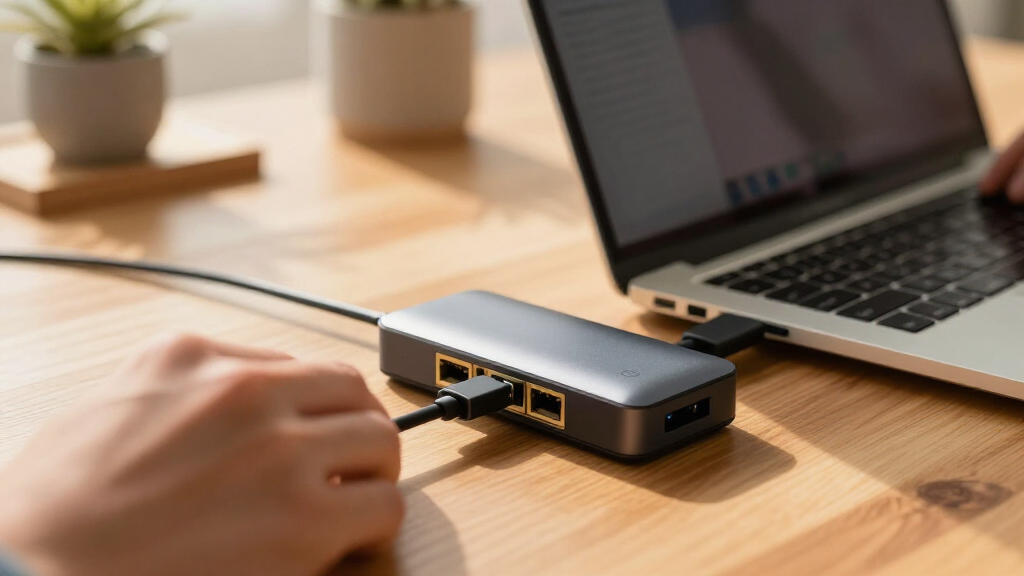
We evaluated each product based on performance, build quality, compatibility, and value. Priority was given to docks that reliably deliver 10GbE speeds with minimal latency and heat generation. Ease of setup and cross-platform support were also critical, especially for users with mixed Mac and Windows systems. Port variety and future-proofing—such as Thunderbolt 4 or USB4 compatibility—played a role in ranking. We aimed to identify options suitable for both professional and casual users, balancing cost with feature set to reflect different buyer priorities.| usb c dock with 10gbe ethernet | Compatibility | Power |
|---|---|---|
| OWC Thunderbolt Pro Dock 10-Po | Mac and Windows PCs with Thunderbolt 3 or higher | — |
| Cable Matters USB C to 10Gb Et | USB4, Thunderbolt 3/4/5, USB-C | Low heat, silent operation |
| CalDigit Connect 10G Thunderbo | Thunderbolt 3, 4, USB4 | Bus-powered |
| StarTech 10GbE USB4 Ethernet A | Thunderbolt 3/4/5, Windows, Mac | Bus-powered |
| OWC Thunderbolt 5 Dual 10GbE N | — | — |
| SABRENT Thunderbolt & USB4 to | Thunderbolt 3/4/5, USB4 Type-C | Bus-powered |
| Anker USB-C Hub 8-in-1 Multipo | USB-C, USB4, Thunderbolt, macOS 12+, Windows 10/11, ChromeOS | — |
Factors to Consider When Choosing Usb C Dock With 10gbe Ethernet
Choosing the right USB C dock with 10GbE Ethernet involves weighing several factors beyond raw speed. Considering your specific workflow, device compatibility, and future needs can help you avoid common pitfalls and make a smarter investment.Performance and Reliability
Look for docks that consistently deliver full 10GbE speeds under real-world conditions. Not all adapters or docks maintain high performance when connected to different systems or under sustained loads. Reliability also depends on the quality of components, which impacts longevity and consistent operation. Avoid cheap, unbranded options that may promise high speeds but struggle with stability or heat dissipation.Compatibility and System Support
Ensure the dock explicitly supports your system—whether it’s Mac, Windows, or both—and check for compatibility with your specific ports and protocols like Thunderbolt 3/4 or USB4. Some docks are designed to work seamlessly across multiple platforms, while others may have limited driver support or require firmware updates. Compatibility issues can lead to reduced performance or connectivity failures.Port Selection and Expandability
Consider what additional ports you need alongside 10GbE Ethernet—such as USB-A, HDMI, SD card slots, or power delivery. While some docks focus solely on fast Ethernet, others combine multiple functions into a single device. Balance your need for expandability with size and cost constraints. Overloading a compact dock can impact performance or make it less portable.Size, Design, and Heat Management
Larger docks may offer more ports and better heat dissipation, but they can be less portable. Compact adapters are convenient for travel but might sacrifice some expandability or generate more heat, which can affect longevity. Check user reviews for mentions of heat issues or physical durability, especially if you plan to use the dock in demanding environments.Price and Value
High-priced docks often include premium features like multiple ports, better build quality, and advanced protocols. However, for many users, a budget-friendly option that reliably provides 10GbE Ethernet may suffice. Avoid overpaying for features you don’t need, but be prepared to invest more if you rely heavily on sustained high-speed transfers or enterprise-grade performance.Frequently Asked Questions
Will a USB C dock with 10GbE Ethernet improve my network speeds?
Yes, a dock with 10GbE Ethernet is designed to provide much faster wired network speeds compared to standard Gigabit Ethernet. This can significantly reduce file transfer times and improve network performance, especially when working with large files or high-bandwidth applications. However, actual speeds depend on your network infrastructure, including switches and cabling, so ensure your entire setup supports 10GbE for maximum benefit.Can I use a USB C dock with 10GbE Ethernet on my Mac and Windows PC?
Most docks supporting 10GbE Ethernet are compatible with both Mac and Windows, but it’s essential to verify driver support and compatibility. Some docks are optimized for one platform or require specific drivers or firmware updates. Check the manufacturer’s specifications to confirm cross-platform support, as seamless operation depends on proper driver installation and system compatibility.Do I need Thunderbolt or USB4 support for 10GbE Ethernet?
While 10GbE Ethernet can work via USB-C, having Thunderbolt 3/4 or USB4 support often ensures better performance, lower latency, and more reliable connections. Thunderbolt docks tend to offer higher bandwidth and additional features, which can be beneficial in demanding workflows. However, if your device only supports USB-C, a compatible USB4 or USB 3.2 dock with 10GbE can still deliver excellent speeds.Is heat dissipation a concern with 10GbE docks?
Yes, high-speed Ethernet adapters can generate heat during sustained use, which might affect longevity and stability. Devices with better heat dissipation designs or larger form factors often perform more reliably over time. If you plan to use your dock intensively, look for models with good reviews on heat management or consider those with active cooling features.Should I prioritize port variety or maximum speed when choosing a dock?
It depends on your workflow. If you need multiple peripherals like HDMI, SD cards, or additional USB ports, prioritize port variety alongside 10GbE capability. Conversely, if high-speed data transfer is your main concern, focus on docks that maximize Ethernet performance, even if they have fewer additional ports. Balancing your specific needs will lead to the best overall setup.Conclusion
For users seeking the best overall performance and versatility, the OWC Thunderbolt Pro Dock stands out as the top choice thanks to its robust build and high-speed capabilities. Budget-conscious buyers who want reliable 10GbE Ethernet without extra frills should consider the Cable Matters USB C to 10Gb Ethernet Adapter. Professionals needing a premium, multi-port solution will find the OWC Thunderbolt 5 Dual 10GbE Network Dock ideal, while newcomers or casual users can benefit from the simplicity of the Anker USB-C Hub. Each option caters to different priorities, ensuring you can match your specific needs with confidence.
Fall Picks
fall essentials
As an affiliate, we earn on qualifying purchases.