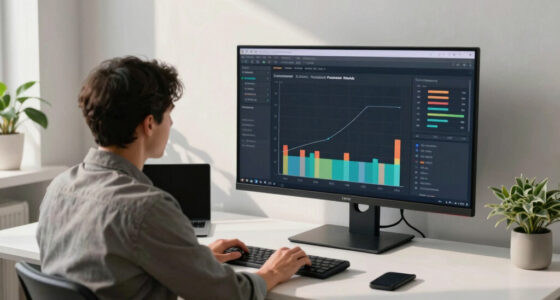

In today’s open-plan offices and remote work setups, protecting sensitive information on your screen is more important than ever. For those seeking privacy without sacrificing clarity or comfort, choosing the right monitor or privacy screen is key. The SightPro 24 Inch Privacy Screen Filter stands out for its portability and multi-layered protection, ideal for on-the-go professionals. Meanwhile, the ViewSonic VG2448-PF offers a built-in privacy solution with ergonomic features, perfect for dedicated office setups. However, tradeoffs include compatibility concerns and resolution limits, which I’ll explore to help you find the best fit for your needs.

Get business pricing on networking and server gear
- Business-only prices and quantity discounts
- Tax-exempt purchasing
- Multiple users, one account, clear invoices
Key Takeaways
- Privacy filters vary from simple screen overlays to integrated monitors with built-in privacy features.
- Size and compatibility are critical: measure your monitor before purchasing, especially for non-standard or curved screens.
- Anti-glare and blue light filtering are common benefits, reducing eye strain during long work sessions.
- Portability and ease of installation are often tradeoffs with durability and maximum privacy protection.
- Higher-end options tend to include ergonomic adjustments and multiple connectivity features, but at a higher price.
| SightPro 24 Inch 16:9 Computer Privacy Screen Filter for Monitor |  | Best Portable Privacy Solution | Dimensions: Width: 20 15/16″ (532 mm), Height: 11 13/16″ (299 mm) | Compatibility: Compatible with HP, Dell, Samsung, Lenovo, LG, Acer, ASUS, ViewSonic, and others | Attachment Options: Adhesive strips and slide mount tabs | VIEW ON AMAZON | See Our Full Breakdown |
| SightPro 34 Inch 21:9 Computer Privacy Screen Filter for Monitor – Privacy Shield and Anti-Glare Protector |  | Best for Large Monitors | Dimensions: 31.38″ L x 13.15″ W | Screen Size: 86.3 centimeters | Compatibility: 34″ 21:9 monitors | VIEW ON AMAZON | See Our Full Breakdown |
| Privacy Screen for 27-Inch Computer Monitors, Anti-Blue Light Screen Protector, Hanging Type |  | Best for Fixed Office Monitors | Compatibility: 27-inch flat monitors | Dimensions: Width: 24.8 inches, Height: 14.6 inches | Protection Features: Anti-blue light, impact-resistant, privacy filter | VIEW ON AMAZON | See Our Full Breakdown |
| Magicmoon 2-Pack 24 Inch Computer Privacy Screen Filter for 16:9 Monitor |  | Best Budget Dual Pack | Model: Magicmoon 24 inch | Aspect Ratio: 16:9 | Filter Size: 20 15/16″ x 11 13/16″ (531mm x 298mm) | VIEW ON AMAZON | See Our Full Breakdown |
| ViewSonic VG2448-PF 24 Inch 1080p IPS Monitor with Privacy Filter |  | Best Integrated Privacy Monitor | Size: 24 inches | Resolution: 1920 x 1080 | Panel Type: IPS | VIEW ON AMAZON | See Our Full Breakdown |
| monitor for secure offices privacy mode display | Compatibility | Material | Dimensions |
|---|---|---|---|
| SightPro 24 Inch 16:9 Computer | Compatible with HP, Dell, Samsung, Lenovo, LG, Acer, ASUS, ViewSonic, and others | Multi-layered film | Width: 20 15/16" (532 mm), Height: 11 13/16" (299 mm) |
| SightPro 34 Inch 21:9 Computer | 34" 21:9 monitors | Microlouver film | 31.38" L x 13.15" W |
| Privacy Screen for 27-Inch Com | 27-inch flat monitors | Reinforced composite core | Width: 24.8 inches, Height: 14.6 inches |
| Magicmoon 2-Pack 24 Inch Compu | 24-inch monitors | Polymer film | — |
| ViewSonic VG2448-PF 24 Inch 10 | — | — | — |
More Details on Our Top Picks
SightPro 24 Inch 16:9 Computer Privacy Screen Filter for Monitor
The SightPro 24-inch privacy screen filter excels in portability and versatility. It offers excellent privacy from side views, thanks to its multi-layered anti-glare and blue light filtering, making it suitable for travel or hot-desking environments. Installation is straightforward with adhesive strips or slide mount tabs, catering to users who need flexibility. However, it doesn’t block views directly behind the user, so it’s less effective if someone is directly behind you. Its compatibility depends on precise dimensions, so measuring your monitor beforehand is essential.
Pros:- Easy to install with multiple attachment options
- Strong privacy and glare reduction
- Ideal for travel and open workspaces
- Lightweight and portable
Cons:- Does not block visibility directly behind the user
- Requires accurate measurement of screen dimensions
- Potential slight reduction in screen brightness
Best for: Professionals who frequently move between locations or share workspaces and need portable privacy protection.
Not ideal for: Users with fixed desktops using curved monitors or those requiring maximum privacy from behind.
- Dimensions:Width: 20 15/16″ (532 mm), Height: 11 13/16″ (299 mm)
- Compatibility:Compatible with HP, Dell, Samsung, Lenovo, LG, Acer, ASUS, ViewSonic, and others
- Attachment Options:Adhesive strips and slide mount tabs
- Protection Features:Privacy, anti-glare, UV, and blue light filtering
- Screen Size Compatibility:24″ monitors
- Material:Multi-layered film
- Ease of Installation:Simple, quick setup
- Weight:Lightweight
Our verdict“A highly portable privacy filter perfect for users on the move but less suited for fixed setups with high privacy demands.”
SightPro 34 Inch 21:9 Computer Privacy Screen Filter for Monitor – Privacy Shield and Anti-Glare Protector
This SightPro 34-inch privacy filter is designed specifically for large 21:9 monitors, offering robust side-view privacy through microlouver technology. It effectively blacks out side views, making it ideal in open offices or shared environments. Its glare reduction and UV protection help reduce eye fatigue, and installation is convenient with adhesive strips or slide mount options. The main tradeoff is that it doesn’t block views behind you, so it’s less useful for privacy from directly behind. Also, verifying dimensions is key, as compatibility depends on precise fit.
Pros:- Excellent side-view privacy with microlouver film
- Reduces glare and eye strain effectively
- Easy to install with multiple options
- UV and blue light protection
Cons:- Does not block visibility directly behind the user
- Compatibility depends on exact screen size
- Handling and installation require care
Best for: Users with large, ultrawide monitors needing high privacy and glare control.
Not ideal for: Those with smaller or curved monitors or users who work in environments where privacy from behind is also needed.
- Dimensions:31.38″ L x 13.15″ W
- Screen Size:86.3 centimeters
- Compatibility:34″ 21:9 monitors
- Material:Microlouver film
- Finish:Glossy & matte options
- Anti-Glare:Yes
- Blue Light Reduction:Yes
- UV Protection:Yes
- Hardness:2H
Our verdict“Best suited for large monitor users prioritizing side-view privacy, but less effective for privacy from behind or curved screens.”
Privacy Screen for 27-Inch Computer Monitors, Anti-Blue Light Screen Protector, Hanging Type
The Privacy Screen for 27-inch monitors offers a durable, impact-resistant solution with micro-louver technology that provides wide-angle privacy. Its hanging installation makes it quick to attach and remove, ideal for office use where privacy needs might vary. It effectively filters blue and UV light, reducing eye fatigue during long hours. The main limitation is that it’s incompatible with curved monitors, and it may slightly darken the display or affect color vibrancy. Proper measurement of your monitor is necessary for a perfect fit.
Pros:- Effective privacy with wide viewing angles
- Durable, impact-resistant construction
- Easy to install and remove without tools
- Filters blue and UV light
Cons:- Not compatible with curved monitors
- Possible slight color and brightness change
- Requires precise measurement for fit
Best for: Office workers using flat 27-inch monitors who need reliable, impact-resistant privacy protection.
Not ideal for: Users with curved or ultrawide monitors, or those seeking a more portable solution.
- Compatibility:27-inch flat monitors
- Dimensions:Width: 24.8 inches, Height: 14.6 inches
- Protection Features:Anti-blue light, impact-resistant, privacy filter
- Installation:Hanging hook, tool-free
- Material:Reinforced composite core
Our verdict“A sturdy, impact-resistant privacy screen best suited for fixed office environments on flat monitors, but not flexible for curved screens.”
Magicmoon 2-Pack 24 Inch Computer Privacy Screen Filter for 16:9 Monitor
This Magicmoon 2-pack offers an affordable solution for privacy on 24-inch 16:9 monitors. It darkens the screen from side angles, effectively blocking side views, and filters 30% of blue light to lessen eye strain. The dual-pack provides flexibility for multiple monitors or backup filters, with easy installation via adhesive strips or slide mount tabs. However, the privacy effect can vary depending on monitor brightness and the viewer’s angle, and it’s designed specifically for 24-inch screens, limiting universal fit.
Pros:- Affordable dual pack for multiple screens
- Provides privacy from side angles
- Reduces blue light to protect eyes
- Easy to attach and remove
Cons:- Privacy effect varies with brightness and angle
- Limited to 24-inch monitors
- May slightly darken display
Best for: Budget-conscious users needing multiple privacy filters or for multi-monitor setups.
Not ideal for: Those with non-24-inch monitors or requiring maximum privacy from behind.
- Model:Magicmoon 24 inch
- Aspect Ratio:16:9
- Filter Size:20 15/16″ x 11 13/16″ (531mm x 298mm)
- Blue Light Blockage:30%
- Installation:Adhesive or slide mount
- Number of Filters:2
- Compatibility:24-inch monitors
- Material:Polymer film
Our verdict“An economical choice for multi-monitor users who need basic privacy and eye protection on 24-inch screens.”
ViewSonic VG2448-PF 24 Inch 1080p IPS Monitor with Privacy Filter
The ViewSonic VG2448-PF combines a professional-grade 24-inch IPS panel with a built-in privacy filter, offering a streamlined, all-in-one solution. Its ergonomic stand and multiple input options make it a versatile choice for busy offices. The privacy filter is integrated, eliminating the need for external overlays, and provides consistent privacy from side views. However, its 1080p resolution may fall short for users seeking sharper images, and it comes at a higher price point due to the integrated privacy technology. It’s best suited for users prioritizing convenience and data security in a fixed workspace.
Pros:- Built-in privacy filter for seamless security
- Ergonomic stand with height, tilt, and swivel adjustments
- Multiple connectivity options
- IPS panel for accurate colors
Cons:- Limited to 1080p resolution, not 4K
- Higher cost compared to standalone privacy screens
- No built-in speakers
Best for: Office environments where integrated privacy and ergonomic features are valued, especially in data-sensitive roles.
Not ideal for: Those needing 4K resolution or budget-friendly options, as it tends to be more expensive.
- Size:24 inches
- Resolution:1920 x 1080
- Panel Type:IPS
- Features:Built-in privacy filter, ergonomic stand, multiple input ports
- Price Range:Premium
- Color Accuracy:Good
- VESA Compatibility:Yes
- Blue Light Filter:Yes
Our verdict“Ideal for professionals seeking an all-in-one solution with privacy and ergonomic comfort, but at a higher price and lower resolution.”

How We Picked
Our selection process focused on balancing privacy effectiveness, ease of use, compatibility, and value. I prioritized products that are easy to install or integrate with existing setups, with a strong emphasis on protecting sensitive data in open or shared workspaces. We compared features like anti-glare, blue light filtering, and the extent of side-view privacy. Compatibility was verified through monitor size and shape, avoiding products designed only for specific brands or models. Cost was also considered, aiming to recommend options suitable for different budgets without sacrificing core privacy features.
| monitor for secure offices privacy mode display | Material |
|---|---|
| SightPro 24 Inch 16:9 Computer | Multi-layered film |
| SightPro 34 Inch 21:9 Computer | Microlouver film |
| Privacy Screen for 27-Inch Com | Reinforced composite core |
| Magicmoon 2-Pack 24 Inch Compu | Polymer film |
| ViewSonic VG2448-PF 24 Inch 10 | — |
Factors to Consider When Choosing Monitor For Secure Offices Privacy Mode Display
Choosing the right monitor or privacy screen for a secure office involves balancing privacy, display quality, ease of installation, and budget. The first step is understanding your specific needs—whether portability, maximum privacy, or integrated solutions matter most. Then, consider the monitor size and shape, making sure any privacy filter or screen fits perfectly. Features like anti-glare, blue light filtering, and side-view privacy are essential to reduce eye strain and prevent data leaks. Compatibility checks are vital, especially for non-standard or curved displays. Finally, weigh the tradeoffs between external privacy filters and built-in privacy monitors based on your workspace setup and security priorities.
Size and Compatibility
Always measure your monitor before purchasing a privacy filter. External filters, like those from SightPro or Magicmoon, require precise dimensions to ensure coverage without blocking essential parts of the display. For integrated solutions such as the ViewSonic VG2448-PF, confirm that your monitor’s size and shape match the product specifications. Compatibility issues can lead to ineffective privacy protection or installation difficulties, especially with curved or ultrawide screens.
Privacy Effectiveness
External privacy filters typically block side views with microlouver technology, but their effectiveness varies with angle and brightness. Built-in privacy monitors often provide more consistent privacy, as the filter is permanently integrated and designed for the screen. Consider how much privacy you need—if you frequently move or share your workspace, portability and ease of removal might be priorities.
Additional Features
Eye comfort features like anti-glare and blue light filtering are common and can significantly reduce fatigue during long work hours. For those in sensitive environments, UV protection adds an extra layer of safety. Ergonomic adjustments and multiple input options are valuable for fixed office setups, especially with monitors like the ViewSonic VG2448-PF. Portability features, installation ease, and durability should align with how and where you plan to use the monitor or screen.
Frequently Asked Questions
Do privacy filters block views directly behind the user?
Most external privacy filters primarily block side views from angles, ensuring privacy from passersby or open office sharing. They typically do not block views directly behind the user, so if someone is directly behind you, they may still see your screen unless you are using a built-in privacy monitor or an enclosed workspace.
Can a privacy filter affect display clarity or color accuracy?
Yes, some privacy filters, especially those with darker micro-louver technology, can slightly darken the display or reduce color vibrancy. It’s important to choose a filter compatible with your monitor size and to verify that it won’t significantly impact your workflow, especially if color accuracy is crucial for your work.
Are built-in privacy monitors more secure than external filters?
Built-in privacy monitors like the ViewSonic VG2448-PF generally provide more consistent and integrated privacy protection, reducing the risk of accidental removal or misalignment. External filters, however, offer flexibility and portability, making them ideal for shared or mobile workspaces but may require careful handling to ensure effectiveness.
What should I consider when choosing a privacy monitor for curved screens?
Most external privacy filters are designed for flat screens. For curved monitors, you need to verify compatibility or opt for a monitor with built-in privacy features. Installing a flat filter on a curved screen might leave gaps or cause distortions, reducing privacy and display quality.
Is blue light filtering necessary for office privacy?
While blue light filtering primarily benefits eye health and reduces fatigue, it is often included in privacy filters for added value. If eye comfort is a priority, look for filters that combine privacy and blue light reduction, which can improve overall work comfort during long periods of screen time.
Conclusion
For users who need portability and frequent workspace changes, external filters like the SightPro 24-inch or Magicmoon 2-pack are practical options. Office workers prioritizing integrated privacy and ergonomic features should consider the ViewSonic VG2448-PF, especially if color accuracy and convenience matter. Those with large monitors or ultrawide screens will benefit from the SightPro 34-inch filter, provided measurements are correct. Finally, budget-conscious buyers seeking multiple screens can opt for the Magicmoon 2-pack for a cost-effective privacy solution. Each choice depends on your specific workspace setup and privacy needs, but understanding these tradeoffs helps make an informed decision.