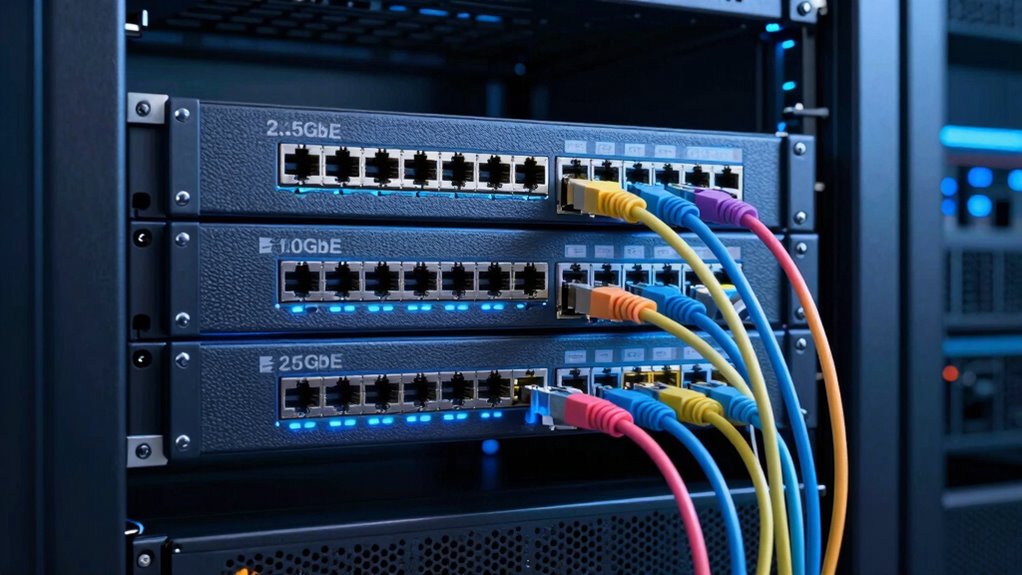

To choose between 2.5GbE, 10GbE, and 25GbE, consider your workload needs, existing hardware, and future growth plans. If you handle routine files and backups, 2.5GbE may suffice. For larger files or multiple high-demand applications, 10GbE offers a good balance of speed and cost. If you’re into high-performance tasks or scaling up, 25GbE provides more headroom. Exploring your options further helps you make the best investment for productivity and scalability.
Key Takeaways
- Assess your workload’s data transfer demands and identify bottlenecks to determine appropriate network speed upgrades.
- Balance budget constraints with performance needs, considering cost-effectiveness of 2.5GbE, 10GbE, or 25GbE solutions.
- Verify hardware compatibility and plan phased upgrades to ensure seamless integration and future scalability.
- Consider future growth and high-demand applications to select speeds that support long-term organizational expansion.
- Align network upgrade choices with organizational goals to optimize productivity, reduce downtime, and justify investments.
Are you trying to decide which Ethernet speed best fits your network needs? Making the right choice involves understanding your current workload, future growth, and budget constraints. When evaluating options like 2.5GbE, 10GbE, and 25GbE, you should consider network upgrade strategies that align with your organizational goals. Each speed offers different benefits, so it’s essential to weigh them against your actual requirements. Conducting a cost-benefit analysis helps clarify whether investing in higher speeds provides enough value to justify the expense. Think about how your network is used daily — whether it’s routine file transfers, data backups, or high-bandwidth tasks like video editing or virtualization. If your current setup struggles with data bottlenecks, upgrading could improve productivity markedly.
Starting with 2.5GbE might seem attractive because it’s cost-effective and easier to deploy, especially if you’re working with existing infrastructure. It provides a noticeable performance boost over traditional 1GbE networks, making it a good interim solution for small to medium workloads. However, if your team handles larger files regularly or runs multiple high-demand applications simultaneously, 10GbE could be a better fit. It strikes a balance between cost and speed, offering substantial improvements without the hefty investment of 25GbE. When considering network upgrade strategies, you should evaluate whether your current hardware can support these speeds or if you’ll need new switches and NICs. Sometimes, a phased upgrade makes more sense — upgrading critical segments first and expanding as your needs grow. Additionally, understanding the different Ethernet standards can help you make more informed decisions about compatibility and future scalability. Being aware of the network infrastructure requirements is also crucial for a smooth upgrade process. Considering the potential for future network expansion can help ensure your investment remains viable as your organization grows.
If your workloads involve intensive data processing, large-scale virtualization, or high-performance computing, 25GbE might be necessary. Although the initial investment is higher, the increased throughput can greatly reduce transfer times and support future expansion. Moreover, network scalability is an important factor to consider, as higher speeds can better accommodate your projected growth. When performing a cost-benefit analysis, don’t forget to include long-term savings from increased efficiency and reduced downtime. Upgrading to higher speeds can also future-proof your network, making it more resilient to upcoming demands. Remember, choosing the right Ethernet speed isn’t just about current needs but also about planning for growth. By carefully evaluating your workload, infrastructure, and budget, you can make an informed decision that optimizes performance without overspending. Ultimately, the goal is to find a balance that supports your work today and scales smoothly into tomorrow.
As an affiliate, we earn on qualifying purchases.
Frequently Asked Questions
How Do Cable Types Differ for Each Ethernet Speed?
You’ll notice cable types differ mainly in shielding and connector types for each Ethernet speed. For 2.5GbE, you can use Cat 5e or Cat 6 cables with basic shielding, while 10GbE often requires Cat 6a or Cat 7 with enhanced shielding to reduce interference. For 25GbE, high-performance cables like Cat 8 with robust shielding and specialized connectors are necessary to support the higher speeds reliably.
What Are the Latency Differences Between 2.5gbe, 10GBE, and 25GBE?
They say “speed isn’t everything,” but in network latency, it truly matters. Between 2.5GbE, 10GbE, and 25GbE, latency decreases as speed increases, helping you reduce network congestion and optimize bandwidth. 2.5GbE offers the highest latency, while 25GbE provides the lowest. For real workloads, choosing higher speeds minimizes delays, ensuring smoother data transfer and better performance. Remember, faster connections lead to more efficient network operations.
Can Existing Network Infrastructure Support 25GBE?
Your existing network infrastructure might not support 25GbE without a network upgrade, especially if your current hardware isn’t compatible. Check your switches, routers, and network cards for hardware compatibility with 25GbE standards. If they’re outdated or designed for lower speeds, you’ll need to upgrade these components to guarantee smooth performance and avoid bottlenecks. Upgrading hardware helps future-proof your network and supports higher data transfer rates effectively.
How Does Power Consumption Vary Across These Ethernet Standards?
Power consumption varies wildly across these standards, like a roller coaster of energy needs! 2.5GbE is super energy-efficient, barely sipping power. 10GbE consumes more, but still manageable for most setups. 25GbE, however, demands hefty power, making energy efficiency and power scaling critical considerations. Your choice impacts not just speed but how your network manages energy—think of it as balancing a high-speed race with a power-saving marathon!
Are There Compatibility Issues With Older Network Equipment?
Older network equipment might face compatibility issues with newer standards like 10GbE or 25GbE. You may encounter legacy hardware that doesn’t support these speeds or requires firmware updates to function properly. To avoid problems, check your equipment’s specifications and update firmware if needed. If compatibility remains an issue, consider using media converters or adapters to bridge the gap between old and new gear, ensuring seamless connectivity.
As an affiliate, we earn on qualifying purchases.
Conclusion
Think of choosing your network speed like picking the right road for your journey. 2.5GbE is a smooth, scenic route for everyday tasks, while 10GbE and 25GbE are faster highways for demanding workloads. Select the lane that matches your traffic—too slow, and you’ll hit congestion; too fast, and you might overshoot your needs. By tuning into your workload’s rhythm, you’ll guarantee your data flows seamlessly, like a well-orchestrated symphony.
As an affiliate, we earn on qualifying purchases.
high-speed Ethernet switch for data centers
As an affiliate, we earn on qualifying purchases.
As an affiliate, we earn on qualifying purchases.