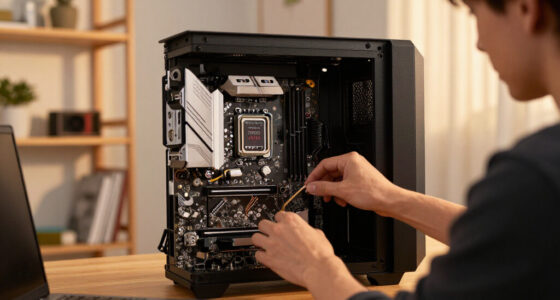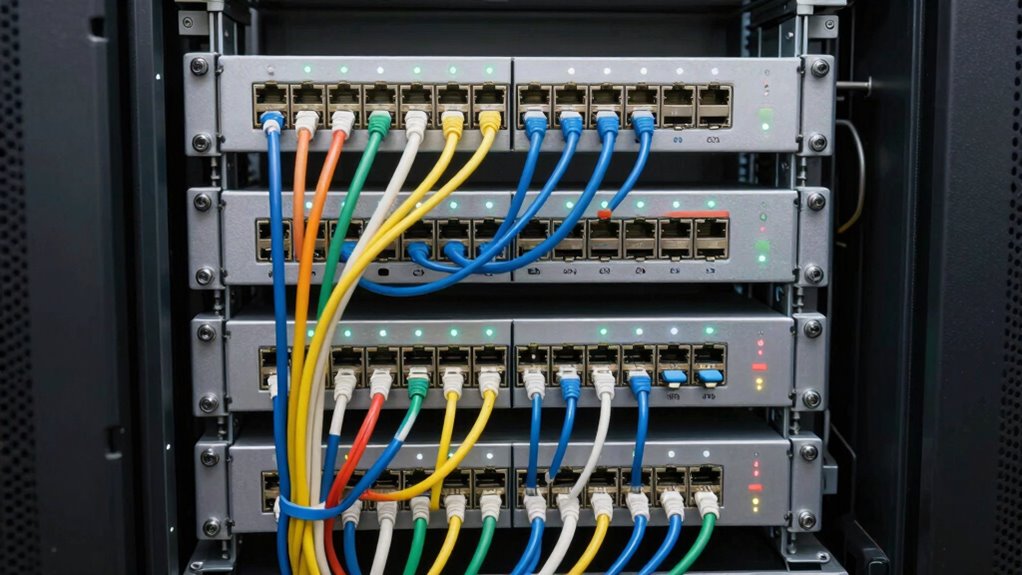

When planning for dual- and single-corded devices, position dual-corded hardware closer to secondary power sources to guarantee redundancy, and keep single-corded devices near primary power feeds. Map out the rack layout carefully to optimize airflow and accessibility, leaving room for future upgrades, extra outlets, and cable slack. Use organized cable routes and clearly labeled connections for easier troubleshooting. To master more strategies, continue exploring detailed tips on efficient rack management.

Get business pricing on networking and server gear
- Business-only prices and quantity discounts
- Tax-exempt purchasing
- Multiple users, one account, clear invoices
Key Takeaways
- Allocate specific rack space for dual- and single-corded devices, considering accessibility and airflow.
- Plan power distribution with PDUs and redundant feeds to support both device types effectively.
- Label and organize power cables clearly to differentiate between dual- and single-corded connections.
- Use cable management tools to route cords neatly, avoiding tangles and airflow obstructions.
- Reserve extra outlets and cable slack for future device additions and upgrades.

Have you ever faced the challenge of managing both dual-corded and single-corded devices within a single rack? If so, you know it can be tricky to keep everything organized while guaranteeing reliable power distribution. The key lies in thoughtful planning, especially around cable management and power setups. Dual-corded devices often need separate power sources for redundancy, which means you have to allocate space for additional power connections without cluttering the rack. On the other hand, single-corded devices typically require less infrastructure but still need proper placement to avoid tangled cables and accidental disconnections. Balancing these needs requires a clear strategy to maintain both functionality and cleanliness.
Start by mapping out your entire rack layout before connecting anything. Identify where each device will go, considering access for maintenance, airflow, and future upgrades. When planning power distribution, guarantee your power strips or PDU (Power Distribution Units) can handle the load of both types of devices. For dual-corded hardware, use PDUs with multiple outlets and redundant power feeds to prevent downtime. Label every power cable clearly, so you can quickly identify and troubleshoot issues later. This proactive approach reduces confusion and keeps your cable management organized. Use cable ties, Velcro straps, or cable management panels to route cables neatly along the rack’s sides or back, avoiding unnecessary tangles that could impair airflow or complicate maintenance. Incorporating effective cable management practices can significantly improve overall organization and airflow in your rack.
Map out your rack layout and label cables to ensure organized, efficient power management and easy troubleshooting.
For cable management, think vertically and horizontally. Run cables along predefined paths, using cable organizers or ducts to keep them out of the way. Color-coded cables for dual-corded and single-corded devices can help you quickly differentiate between them, which speeds up troubleshooting and reconfiguration. Avoid overloading power sources; distribute the devices evenly across multiple outlets or PDUs. This prevents power dips and ensures stable operation for all your equipment. Additionally, consider using power monitoring tools to keep track of your power usage and prevent overloads, especially when managing mixed device types. Proper planning also involves considering the future scalability of your setup, ensuring you can expand as your needs grow without major disruptions.
Finally, consider future growth. Leave some slack in your cables and plan for additional outlets or PDUs if needed. Regularly review your cable management system to identify areas where clutter might build up over time, and clean up as necessary. By carefully planning your power distribution and cable management, you’ll create a rack that’s not only efficient and reliable but also easier to maintain. This approach minimizes downtime, simplifies troubleshooting, and keeps your setup neat and professional. Managing dual-corded and single-corded devices in one rack isn’t just about fitting everything in; it’s about creating a system that works seamlessly and stays organized over time.
As an affiliate, we earn on qualifying purchases.
Frequently Asked Questions
What Are the Common Mistakes to Avoid in Rack Planning?
You should avoid poor rack organization and neglecting equipment labeling, as these mistakes make maintenance difficult. Don’t cram devices without considering power and cooling needs, especially with dual- and single-corded equipment. Failing to plan for cable management can lead to clutter and confusion. Always label cables and equipment clearly, and organize the rack thoughtfully to guarantee easy access, troubleshooting, and future upgrades.
How Do Power Requirements Differ Between Dual- and Single-Corded Devices?
Dual-corded devices typically require more power, often needing dedicated power supplies for redundancy, which enhances power distribution and minimizes downtime. Single-corded devices usually draw less power and are simpler to connect. When planning, consider redundancy planning to guarantee continuous operation if one power source fails. Properly evaluating power requirements helps prevent overloads, ensuring your rack’s power distribution is reliable and tailored to each device’s needs.
What Safety Considerations Are Essential for Mixed Device Configurations?
You must prioritize grounding protocols to prevent electrical hazards, ensuring all devices are properly grounded. Regularly inspect grounding connections and follow manufacturer guidelines. Also, have an emergency shutdown plan in place, so you can quickly disconnect power if needed. Proper safety measures reduce risks of electrical shock or damage, especially when working with mixed device configurations. Staying vigilant about grounding protocols and emergency procedures keeps your setup safe and reliable.
How Can Cable Management Be Optimized in a Mixed Device Rack?
Did you know that poor cable management can increase cooling costs by up to 30%? To optimize cable management in a mixed device rack, prioritize cable labeling to easily identify connections, reducing confusion and downtime. Use cable ties or Velcro straps to keep cables organized and away from airflow paths. Proper airflow management guarantees efficient cooling and prevents overheating, making your rack safer and more reliable.
What Are the Best Practices for Future Scalability and Upgrades?
To guarantee future scalability and upgrades, you should monitor your power load regularly and leave room for growth. Select devices that are compatible with existing infrastructure, and plan for additional power capacity to handle increased demand. Incorporate flexible cable management systems and modular components, so upgrading or expanding your rack remains straightforward. This approach minimizes disruptions, maintains efficiency, and ensures your system adapts smoothly to evolving technology needs.
power distribution units for server racks
As an affiliate, we earn on qualifying purchases.
As an affiliate, we earn on qualifying purchases.
Conclusion
Planning for dual- and single-corded devices is like arranging a symphony—you need harmony and balance. By carefully considering power needs, rack layout, and cable management, you create a seamless performance where everything works in tune. When you anticipate these factors, your rack runs smoothly, avoiding chaos and downtime. Think of your setup as a well-conducted orchestra—each element plays its part perfectly, ensuring a harmonious and efficient system that stands the test of time.
As an affiliate, we earn on qualifying purchases.
color-coded power cables for data center
As an affiliate, we earn on qualifying purchases.
As an affiliate, we earn on qualifying purchases.
Columbus Day / Indigenous Peoples' Day Picks
long weekend sales
As an affiliate, we earn on qualifying purchases.