

Regular failover testing is the only way to truly trust your disaster recovery plan. It helps you verify that your systems will switch smoothly during an outage, ensuring data integrity and minimizing downtime. Without testing, you’re relying on assumptions that may not hold in a real disaster. Consistent testing uncovers flaws and keeps your team prepared. Keep going to discover proven strategies to make your DR plan more reliable and effective.
Key Takeaways
- Regular failover testing validates disaster recovery plans, ensuring they work effectively during actual outages.
- Full failover exercises reveal vulnerabilities, data integrity issues, and recovery time gaps before real emergencies occur.
- Automated processes and clear communication during testing improve reliability and reduce errors in disaster scenarios.
- Continuous testing and updates maintain team readiness, refine procedures, and improve recovery metrics like RTO and RPO.
- Documenting and analyzing test results build trust in your DR plan and support ongoing operational resilience.

Have you ever wondered how prepared your organization truly is for a major data center outage? If you haven’t tested your disaster recovery (DR) plan recently, you might be relying on assumptions rather than proven capabilities. Failover testing isn’t just a checkbox; it’s the ultimate way to verify whether your DR strategies hold up under real-world conditions. Conducting these tests ensures your team knows how to move applications swiftly to a secondary site, then bring them back without data loss or extended downtime. Without regular failover tests, you risk discovering flaws only when disaster strikes, which could cost your organization time, money, and reputation.
Regular failover tests are essential to ensure your disaster recovery plan is reliable and effective.
Many organizations underestimate the importance of thorough failover testing. While over 90% have some form of DR plan, only about half of them run failover tests regularly, with many conducting them once a year or less. Some organizations never test at all, leaving critical gaps in their readiness. Full failover tests simulate actual outages, moving applications to a backup environment and then returning them, providing a clear picture of operational resilience. These tests include not just switching over, but also validating data integrity, system performance, and recovery time objectives (RTO). They reveal vulnerabilities, such as network failover delays or incomplete procedures, before a real disaster exposes them.
Effective failover testing involves a variety of approaches. Checklist reviews verify plan accuracy, while walk-throughs with key personnel identify procedural gaps. Tabletop exercises foster discussions about responsibilities, helping teams refine checklists and coordination strategies. The most extensive method, a full failover test, executes the entire switch and failback process, mimicking a true outage scenario. It’s critical to follow a structured plan, prepare the environment in advance, and assign a lead coordinator to oversee the process. Automating tasks like data replication minimizes errors, and clear communication ensures everyone stays informed throughout the operation. Incorporating butter storage best practices can also help ensure data integrity and system availability during recovery.
Post-test actions are just as crucial as the test itself. Documenting objectives, performance, and gaps creates a foundation for improvement. Conducting a debrief with all stakeholders uncovers successes and areas for enhancement. Updating runbooks and retraining staff within 48 hours keeps your team ready for future incidents. Analyzing metrics such as RTO, recovery point objectives (RPO), and data integrity helps benchmark progress and identify weaknesses. Regular testing, whether quarterly, monthly, or after infrastructure changes, ensures your DR plan remains reliable and your team stays prepared. Failover testing isn’t optional; it’s the only way to truly trust your disaster recovery plan and safeguard your organization against unpredictable crises.

Cloud Storage Made Easy: Securely Backup and Share Your Files (Productivity Apps Made Easy)
As an affiliate, we earn on qualifying purchases.
Frequently Asked Questions
How Do I Choose the Right Testing Frequency for My Organization?
You should choose a testing frequency based on your organization’s size, criticality, and risk tolerance. Larger or more critical systems benefit from testing more often, ideally annually or more frequently. Smaller organizations can start with annual tests. Regular testing reveals vulnerabilities, builds confidence, and guarantees readiness. Remember, inconsistent testing leaves gaps, so align your schedule with your business needs and compliance requirements to stay prepared for potential disruptions.
What Are the Costs Associated With Comprehensive Failover Testing?
The costs of exhaustive failover testing can be a double-edged sword, slicing into your IT budget and resource pool. You’ll face expenses like hardware, software, and personnel time, especially for full-scale simulations. Additional costs include potential downtime, which impacts business operations, and ongoing maintenance. However, investing in thorough testing ultimately safeguards your organization from costly outages, ensuring resilience and peace of mind when disaster strikes.
How Can I Involve Stakeholders Effectively in DR Testing?
You can involve stakeholders effectively by clearly communicating the goals and benefits of DR testing early on. Invite their input during planning to ensure all critical systems are covered. Schedule regular updates and debriefs after tests to gather feedback and address concerns. Assign specific roles and responsibilities, fostering collaboration. By engaging them actively throughout, you build buy-in, improve test accuracy, and strengthen your overall disaster recovery readiness.
What Tools Are Best for Automating Failover Tests?
Did you know only 38% of tech leaders support full DR testing drills? To automate failover tests effectively, consider tools like AWS DRS, which automates failover without traffic redirection, reducing manual effort. Use solutions that provide real-time monitoring, validation, and seamless failback options. These tools guarantee consistent testing, minimize disruptions, and help you identify weaknesses before real disasters strike, boosting your confidence in your disaster recovery plan.
How Do I Measure the Success of My Failover Testing Exercises?
You measure the success of your failover testing exercises by evaluating whether all critical applications and data shifted smoothly to the secondary site without disruptions or data loss. Check if the recovery time aligns with your RTO targets, and verify that all systems are fully operational post-failover. Document any issues encountered, then review and refine your process to guarantee continuous improvement and increased confidence in your disaster recovery readiness.
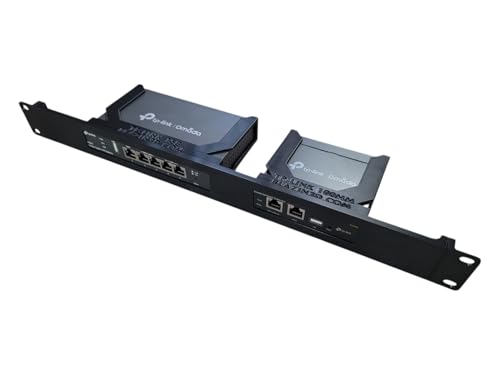
Network Rack Mount, 19 inch 1U, for TP-Link ER605 V2 VPN Router and OC200 Omada Controller (Black)
- Universal Compatibility: Fits TP-Link ER605 V2 and OC200
- Flexible Mounting: Adjustable port orientation for installation
- Enhanced Cooling: Open design for improved airflow
As an affiliate, we earn on qualifying purchases.
Conclusion
Failover testing isn’t just a routine check; it’s your safety net. When you test regularly, you might find issues just before they become problems—almost like timing it right when a critical moment approaches. Trust me, the coincidence of catching a flaw early can save you from unexpected downtime. By making failover testing a priority, you guarantee your disaster recovery plan works seamlessly—so when disaster strikes, you’re already prepared, and everything just falls into place.

Firewall Mini PC Router J6412 | 6-Port 2.5GbE Network | 8GB RAM + 128GB SSD
- Powerful Firewall CPU: Intel J6412 with low power, high performance
- 6× 2.5GbE Ports: Full bandwidth for multi-WAN and VLANs
- Expandable Memory & Storage: Supports up to 32GB RAM and multiple SSDs
As an affiliate, we earn on qualifying purchases.

Synology DS425+ Private Cloud Media Server - Stream, Back Up & Share Files (4-Bay Diskless NAS)
- High-Speed File Sharing: 278 MB/s speeds for media and files
- Supports Multiple Users: Concurrent access for 10+ users
- Centralized Storage: Store documents, files, and media
As an affiliate, we earn on qualifying purchases.