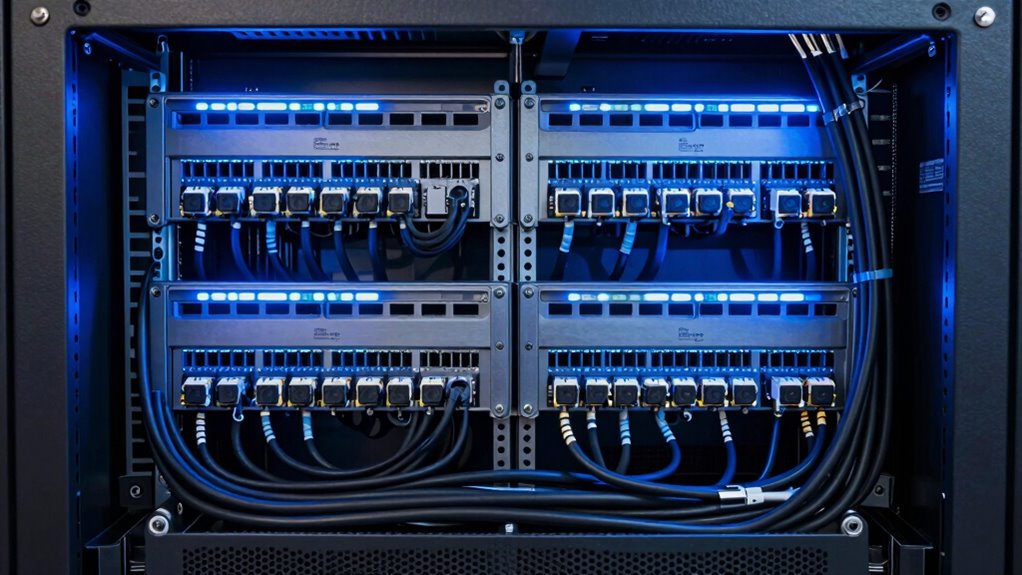

To prevent future headaches, plan your rack power layout by organizing power and data cables separately, and use cable management tools like ties and trays. Place critical equipment on dedicated circuits with backup power sources and connect them to multiple feeds for redundancy. Position outlets thoughtfully, guaranteeing they’re rated for your equipment’s load, and keep circuits balanced. Adhere to safety standards and regularly inspect your setup to ensure long-term stability—discover more ways to optimize your rack power now.

Get business pricing on networking and server gear
- Business-only prices and quantity discounts
- Tax-exempt purchasing
- Multiple users, one account, clear invoices
Key Takeaways
- Distribute power loads evenly across circuits to prevent overloads and ensure reliable operation.
- Use separate power sources or UPS for critical equipment to enable seamless failover.
- Position power outlets and strips strategically to minimize cable clutter and facilitate airflow.
- Label all power connections clearly for quick troubleshooting and maintenance.
- Regularly inspect and maintain power components to identify wear and prevent potential failures.
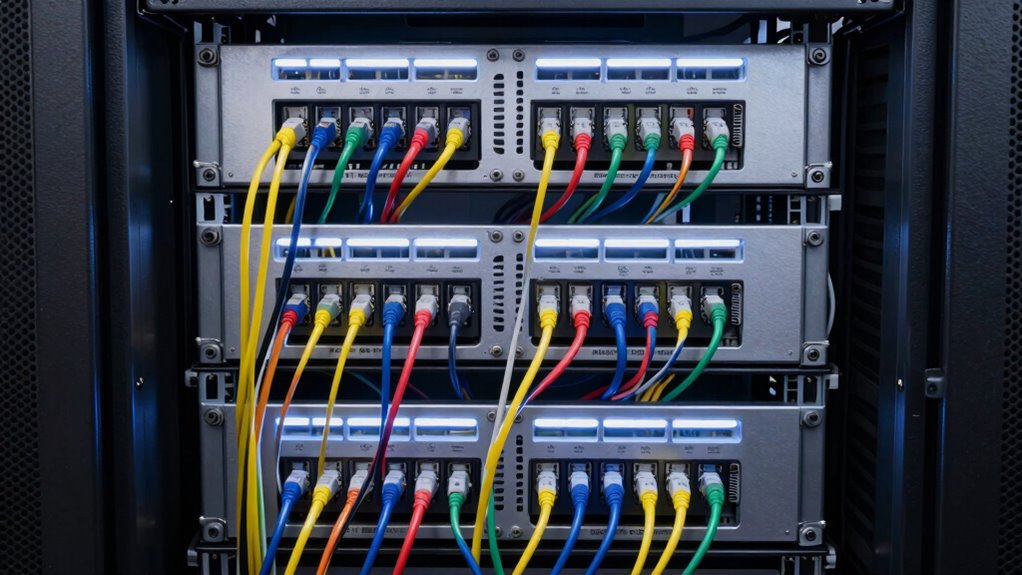
Designing an effective rack power layout is essential for ensuring reliable operation and easy maintenance. When setting up your rack, paying attention to cable management is pivotal. Proper cable management not only keeps your setup organized but also reduces the risk of accidental disconnections or damage. Use cable ties, labeling, and cable trays to keep power cords neat and segregated from data cables. This organization simplifies troubleshooting and minimizes downtime, especially when you need to replace or upgrade equipment. Well-managed cables also improve airflow, helping prevent overheating and prolonging the lifespan of your hardware. Additionally, incorporating cable organization techniques into your design can further streamline your setup and maintenance process.
Effective cable management enhances organization, reduces damage risk, and improves airflow for longer hardware lifespan.
In addition, incorporating power redundancy into your rack layout is fundamental for maintaining continuous operation. Power redundancy means you have backup power sources, such as dual power supplies or uninterruptible power supplies (UPS), connected to separate circuits. This setup ensures that if one power source fails, your equipment will seamlessly switch to the backup without any interruption. When planning your layout, position critical equipment closer to your power sources and ensure that each device is connected to multiple power feeds. This way, you minimize the risk of a single point of failure crippling your entire system.
As you design your rack power layout, also consider the physical placement of outlets and power strips. Place them strategically to support your cable management efforts, avoiding tangled or stretched cords. Use vertical or horizontal power strips with sufficient outlets to accommodate future expansion, and make sure they are rated for the total power load of your equipment. This foresight prevents overloading circuits, which could lead to outages or hardware damage. Additionally, circuit overload can pose safety hazards, so it’s essential to plan your power distribution carefully. Ensuring that your power setup adheres to electrical safety standards can prevent accidents and ensure compliance with regulations.
Furthermore, keep safety in mind. Maintain clear access to all power connections and circuit breakers, and avoid overloading any single outlet or circuit. Label all power connections clearly so that you and maintenance personnel can quickly identify and troubleshoot issues. Regularly inspect your power layout for signs of wear or loose connections, and replace any damaged components immediately to prevent potential failures.
rack power cable management tools
As an affiliate, we earn on qualifying purchases.
As an affiliate, we earn on qualifying purchases.
Frequently Asked Questions
How Often Should Rack Power Layouts Be Reviewed and Updated?
You should review and update your rack power layouts at least annually or whenever there’s a significant change in your power consumption or equipment. Regular checks help guarantee ideal cable management, prevent overloads, and improve cooling. Keeping your layout current minimizes risks, maximizes efficiency, and avoids future headaches. Staying proactive about power needs and cable organization ensures your system runs smoothly and adapts seamlessly to evolving technology demands.
Are There Specific Industry Standards for Rack Power Distribution?
Yes, there are specific industry standards for rack power distribution. You should follow guidelines from organizations like the ANSI/TIA-606-B and the IEC standards, which specify best practices for power distribution layout, grounding, and circuit protection. Adhering to these standards helps guarantee safety, reliability, and scalability. Regularly reviewing and updating your rack power setup based on these industry standards can prevent issues and support efficient data center operations.
What Are Common Mistakes to Avoid in Rack Power Planning?
You want to avoid common pitfalls in rack power planning, so prioritize good cable management and power efficiency. Don’t overload circuits, as it can strain your system, or neglect proper grounding, which risks safety. Keep cables organized to prevent clutter and make maintenance easier. Remember, efficient power distribution reduces energy waste and prolongs equipment lifespan. By paying attention now, you’ll sidestep headaches later and guarantee your rack runs smoothly.
How Does Power Redundancy Affect Overall Rack Design?
Power redundancy enhances your rack design by ensuring continuous operation during failures. You should incorporate backup power sources, like UPS systems, to prevent downtime. Load balancing across power supplies helps avoid overloads, which could cause system failures. By designing with redundancy in mind, you distribute electrical loads evenly, maintaining stability and reliability. This proactive approach minimizes risks, improves resilience, and keeps your equipment running smoothly even when issues arise.
What Tools Can Assist in Designing an Optimal Rack Power Layout?
Imagine you’re wielding a Swiss Army knife—tools for every challenge. To design a perfect rack power layout, use cable management tools and power monitoring software. These tools help you organize cables efficiently, prevent clutter, and track power usage in real-time. They guarantee your setup is reliable and scalable, making future upgrades smoother. With these instruments, you can craft a clean, efficient, and resilient rack that stands the test of time.
uninterruptible power supply for server rack
As an affiliate, we earn on qualifying purchases.
As an affiliate, we earn on qualifying purchases.
Conclusion
By following these foolproof rack power layout rules, you’ll foster a future of flawless functionality and fuss-free fixes. Keep your cables clean, your circuits consistent, and your connections clever. With a little planning and a touch of precision, you’ll prevent problems before they begin and power up your setup with confidence. Remember, smart strategies now save stress later—so stay savvy, streamline, and succeed in your server space!
rack power strips with surge protection
As an affiliate, we earn on qualifying purchases.
As an affiliate, we earn on qualifying purchases.
cable labeling kits for data center
As an affiliate, we earn on qualifying purchases.
As an affiliate, we earn on qualifying purchases.
Halloween Picks
halloween
As an affiliate, we earn on qualifying purchases.