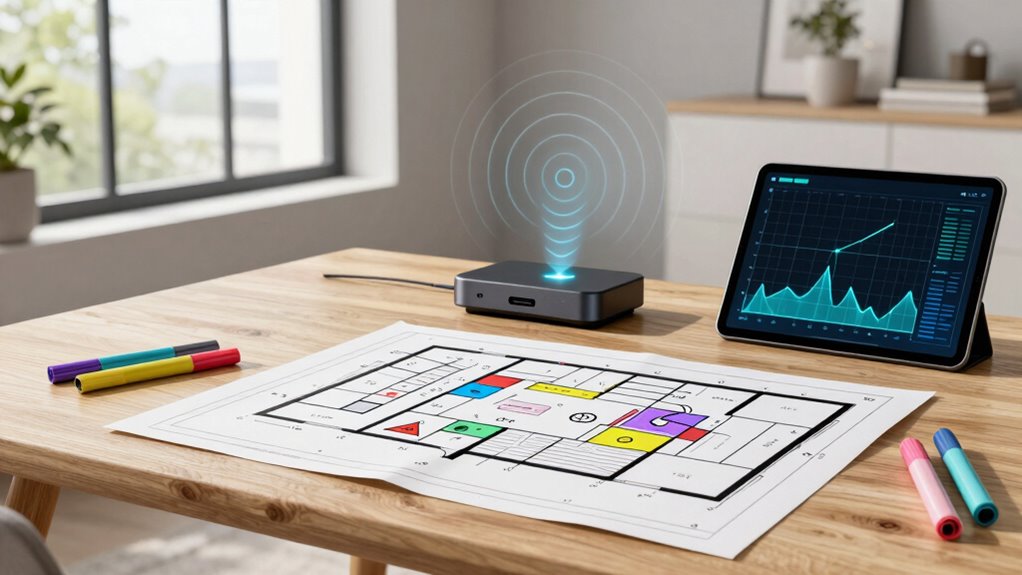

To plan access point placement without guesswork, start by conducting a site survey with Wi-Fi analysis tools to identify interference and coverage gaps. Map out your space, considering central, elevated positions, and avoid obstacles like thick walls and metal surfaces. Balance coverage and security by strategically positioning access points with some overlap for seamless progression. By following these steps, you’ll optimize your Wi-Fi network—continue exploring for detailed tips on creating a reliable, secure setup.

Get business pricing on networking and server gear
- Business-only prices and quantity discounts
- Tax-exempt purchasing
- Multiple users, one account, clear invoices
Key Takeaways
- Conduct a detailed site survey using Wi-Fi analysis tools to identify coverage gaps and interference sources.
- Map out the area and prioritize central, elevated positions for access points to maximize coverage.
- Avoid placing access points near windows, metal surfaces, or devices causing interference like microwaves.
- Ensure overlapping coverage zones for seamless transition while preventing excessive overlap that causes congestion.
- Adjust placement based on real-time signal testing and environmental factors for optimal network performance.

Proper access point placement is essential for guaranteeing reliable wireless coverage throughout your space. When you position your access points thoughtfully, you reduce dead zones, improve signal strength, and create a seamless network experience. To do this effectively, you need to take into account factors like wireless security and signal interference. Wireless security is vital, as improper placement can leave your network vulnerable to breaches. Placing your access points away from windows, doors, or areas where unauthorized individuals can easily access them helps safeguard your network. Additionally, using secure passwords and enabling encryption protocols adds another layer of protection.
Proper access point placement enhances security, reduces vulnerabilities, and safeguards your wireless network from unauthorized access.
Signal interference is another critical aspect to bear in mind. Electronic devices like microwaves, cordless phones, and Bluetooth gadgets can disrupt your Wi-Fi signals, especially if your access points are too close to these sources. To minimize interference, you should avoid placing your access points near such devices. Instead, aim for central locations within your building, ideally elevated on shelves or mounted on walls, to maximize coverage while reducing the chance of signal degradation. Remember, thick walls, metal surfaces, and large furniture can also block or weaken signals, so plan your placement to avoid these obstacles whenever possible. Conducting a site survey before installation can help identify potential interference sources and security risks, ensuring optimal placement from the start.
Before physically installing your access points, it’s wise to conduct a site survey. This involves mapping out the area and identifying potential sources of interference and security risks. If you’re working in a large or complex space, consider using Wi-Fi analysis tools or apps that can help you visualize coverage areas and detect weak spots or interference sources. These tools provide real-time data, allowing you to make informed decisions rather than relying on guesswork. During this process, walk around the space with a device connected to your network, testing signal strength at different locations to identify ideal spots. Incorporating wireless security best practices into your planning can further strengthen your network’s defenses. Taking into account signal propagation characteristics can also help you predict how signals will behave across different environments, improving your placement strategy.
Once you’ve gathered enough data, strategize your placement by positioning your access points in spots that provide the best balance between coverage, security, and minimal interference. Remember, overlapping coverage areas can help guarantee seamless transitions as users move through the space, but too much overlap might cause congestion. Adjust your placements accordingly to enhance performance. Ultimately, planning your access point placement with these considerations in mind ensures a robust, secure, and interference-free wireless network, giving you peace of mind and reliable connectivity across your entire environment.
As an affiliate, we earn on qualifying purchases.
Frequently Asked Questions
How Do Building Materials Affect Wi-Fi Signal Strength?
Building materials considerably impact Wi-Fi signal strength through material impact and signal attenuation. Dense materials like concrete, brick, and metal block or weaken signals, causing slower speeds or dead zones. To improve coverage, you should avoid placing access points behind thick walls or metallic surfaces. Understanding how different materials affect your signal helps you strategically position your access points for ideal coverage, minimizing dead spots and ensuring reliable connectivity throughout your space.
What Tools Are Best for Measuring Signal Coverage?
You should use tools like Wi-Fi analyzers or spectrum analyzers to measure signal coverage effectively. These tools assess the wireless spectrum, helping you identify dead zones and areas with high signal attenuation. By monitoring real-time signal strength, you can optimize access point placement, ensuring strong coverage. This proactive approach minimizes guesswork, enhances network reliability, and provides a clear understanding of how building materials impact your Wi-Fi signal.
How Often Should Access Points Be Repositioned?
You should reposition your access points when you notice signal drops or dead zones, typically every 6 to 12 months, to guarantee peak performance. Regular access point calibration helps maintain signal quality. Employ signal optimization strategies, like adjusting placement or adding repeaters, and re-evaluate coverage regularly. This proactive approach keeps your network reliable, minimizes interference, and ensures consistent connectivity throughout your space.
Can Existing Infrastructure Hinder Optimal Placement?
Existing infrastructure can act like hidden boulders on your wireless trail, blocking ideal access point placement. Infrastructure limitations, such as thick walls or interference from other devices, can create dead zones and weaken signals. You might think you’re placing access points perfectly, but these obstacles hinder coverage and performance. To succeed, you must identify and work around these barriers, ensuring your placement strategy considers every physical and technical limitation.
How to Manage Interference From Neighboring Networks?
You can manage interference from neighboring networks by selecting non-overlapping channels to minimize channel overlap. Use a Wi-Fi analyzer to identify crowded channels and switch to less congested ones. Additionally, reduce signal masking by adjusting your access point’s power settings and placement, ensuring your network maintains a clear, strong signal. Regularly monitoring your network helps you stay ahead of interference issues, maintaining peak performance.
Wi-Fi access point mounting brackets
As an affiliate, we earn on qualifying purchases.
As an affiliate, we earn on qualifying purchases.
Conclusion
By carefully planning your access point placement, you might just stumble upon the perfect spot that unexpectedly enhances your Wi-Fi coverage. It’s funny how the right placement can seem like a coincidence, but it’s really the result of thoughtful planning. When you avoid guesswork, you create a seamless connection that feels almost serendipitous. So, trust your planning process—you might be surprised how a little strategy leads to a big, fortunate upgrade in your network experience.
Wi-Fi interference detection device
As an affiliate, we earn on qualifying purchases.
As an affiliate, we earn on qualifying purchases.
wireless security encryption tools
As an affiliate, we earn on qualifying purchases.
As an affiliate, we earn on qualifying purchases.
Fall Picks
fall essentials
As an affiliate, we earn on qualifying purchases.