
When expanding your office, guarantee your AV support covers reliable wireless connectivity with additional access points and mesh networks, preventing disruptions during meetings. Optimize acoustic treatment with soundproofing and sound-absorbing materials for clear communication. Choose scalable, versatile AV equipment like large, high-res displays and wireless presentation systems. Invest in staff training and regular maintenance to keep everything running smoothly. Prioritizing these elements will set a solid foundation for future growth—continue to discover essential tips for your expansion success.

Get business pricing on networking and server gear
- Business-only prices and quantity discounts
- Tax-exempt purchasing
- Multiple users, one account, clear invoices
Key Takeaways
- Assess and upgrade Wi-Fi infrastructure to support increased device connectivity and seamless virtual collaboration.
- Install soundproofing and acoustic treatments to ensure clear audio during meetings and create quiet zones.
- Choose scalable, versatile AV equipment that can be easily upgraded and integrated with future technology.
- Provide staff training and troubleshooting guides to maximize AV system effectiveness and minimize disruptions.
- Plan for seamless integration of AV systems with office expansion goals, emphasizing connectivity, sound management, and user support.
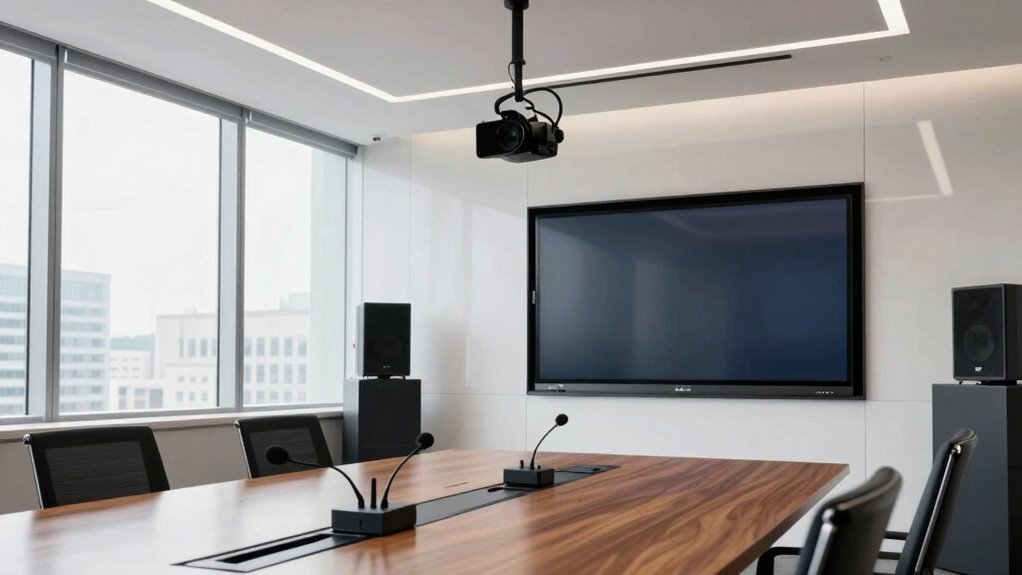
Expanding your office means more than just adding desks and chairs; it also requires robust AV support to guarantee seamless communication and collaboration. When you’re scaling up, ensuring reliable wireless connectivity becomes critical. You don’t want employees struggling with weak signals or dropped connections during important virtual meetings. To prevent this, evaluate your current Wi-Fi infrastructure and plan for additional access points that can handle increased device loads. Opt for enterprise-grade routers and mesh networks that deliver strong, consistent signals across the entire space. This way, your team can move freely without losing connectivity, and meetings can proceed smoothly regardless of where participants are located.
Ensure strong Wi-Fi and enterprise-grade routers to support seamless virtual meetings in your expanding office space.
Alongside wireless connectivity, acoustic treatment should be a top priority in your expansion plans. As your office grows, so does the potential for noise to become a distraction. Without proper acoustic solutions, conversations in one area can bleed into others, disrupting focus and productivity. Installing sound-absorbing panels, ceiling clouds, and carpets can considerably reduce echo and background noise. Consider creating designated quiet zones and soundproofing conference rooms to ensure private, undisturbed discussions. Effective acoustic treatment not only improves sound quality during calls but also enhances overall office comfort, making it easier for your team to concentrate and collaborate effectively. Incorporating proper acoustic design can significantly improve the overall work environment and communication clarity, especially when considering the importance of soundproofing in larger spaces. Additionally, understanding the biodiversity aspects of sustainable design can inspire eco-friendly acoustic solutions that also benefit the environment.
In addition to connectivity and acoustic considerations, you’ll want to guarantee your AV equipment is scalable and adaptable. This includes selecting versatile audio and video hardware that can accommodate future upgrades without major overhauls. Wireless presentation systems, for example, allow multiple users to share content effortlessly from their devices, fostering a more dynamic meeting environment. Make sure your display screens are large enough for the expanded space and equipped with high-resolution capabilities for clear visuals. Also, don’t forget to test your AV system thoroughly before fully moving in. Running comprehensive checks on microphones, speakers, and projection equipment helps identify potential issues early, so you can address them without disrupting your schedule. Incorporating integrated AV solutions can streamline setup and management, making future updates simpler. Additionally, understanding the importance of wireless connectivity can help prevent frustrating technical issues and ensure smooth operation across the entire office.
Finally, training your staff on the new AV systems is crucial. Even the most advanced equipment won’t deliver ideal results if users aren’t familiar with its features. Conduct training sessions and create quick-reference guides to help your team troubleshoot common problems. Regular maintenance and updates will keep your AV support functioning at its best, ensuring your office expansion truly enhances your team’s communication and collaboration efforts. By covering these key areas—wireless connectivity, acoustic treatment, scalable equipment, and user training—you set a solid foundation for a successful office expansion.
Products Worth Considering

DJI Mic 3 Wireless Microphone System (2 Transmitters, 1 Receiver, Charging Case)

Bose QuietComfort Wireless Bluetooth Headphones with Active Noise Cancellation, Mic, USB‑C Charging, Deep Bass, 24‑Hour Battery – White Smok

Logitech MX Mechanical Wireless Illuminated Keyboard Tactile (Graphite)
As an affiliate, we earn on qualifying purchases.
Frequently Asked Questions
How Do I Determine the Right AV Equipment for My Office Size?
To determine the right AV equipment for your office size, consider your room dimensions and how many people will use it. Focus on achieving good audio quality with appropriate microphones and speakers, and select video resolution that matches your needs for clarity and detail. Larger spaces might require additional microphones or speakers, while smaller rooms need fewer. Test equipment beforehand to guarantee peak performance and avoid issues during important meetings.
What Is the AVerage Cost of AV Support During Expansion?
The average cost of AV support during an expansion varies based on your needs, but you should start with a thorough cost analysis and budget planning. Typically, it ranges from $2,000 to $10,000, covering equipment, installation, and ongoing support. By evaluating your office’s specific requirements and setting a clear budget, you guarantee smooth integration without overspending, making your expansion both efficient and cost-effective.
How Can I Ensure AV Compatibility With Existing Systems?
Imagine you’re upgrading your conference room. To confirm AV compatibility, start by evaluating your current system’s wireless integration capabilities and acoustic enhancement features. For example, verify that new equipment supports existing wireless protocols and that speakers are tailored for room acoustics. Conduct compatibility testing before installation, and consult with AV professionals to identify potential conflicts, guaranteeing seamless integration and ideal audio-visual performance across your expanding office.
What Training Is Recommended for Staff on New AV Technology?
You should prioritize thorough user training for your staff on the new AV technology. Organize technology workshops that cover basic operations, troubleshooting, and best practices to guarantee everyone feels confident. Encourage hands-on learning and provide easy-to-follow guides. Regular refresher sessions help reinforce skills. By investing in user training, you minimize technical issues and maximize the benefits of your upgraded AV systems, boosting overall productivity and collaboration.
How Often Should AV Systems Be Maintained or Upgraded?
You should maintain your AV systems at least quarterly, but if you want headaches, go for a once-a-year maintenance schedule—good luck. Upgrade frequency depends on technology pace, ideally every 2-3 years, or sooner if your equipment becomes obsolete or starts acting like a diva. Regular maintenance and timely upgrades keep systems running smoothly, saving you from embarrassing tech failures during that essential video call or presentation.
Conclusion
By following this AV support checklist, you’ll guarantee your office expansion runs smoothly, like a well-oiled machine. Staying proactive and organized helps prevent disruptions and keeps your team connected and productive. Remember, careful planning is the backbone of successful growth—without it, your expansion could stumble like a house of cards. So, stay attentive to every detail, and your new space will thrive, fostering collaboration and innovation from the very first day.