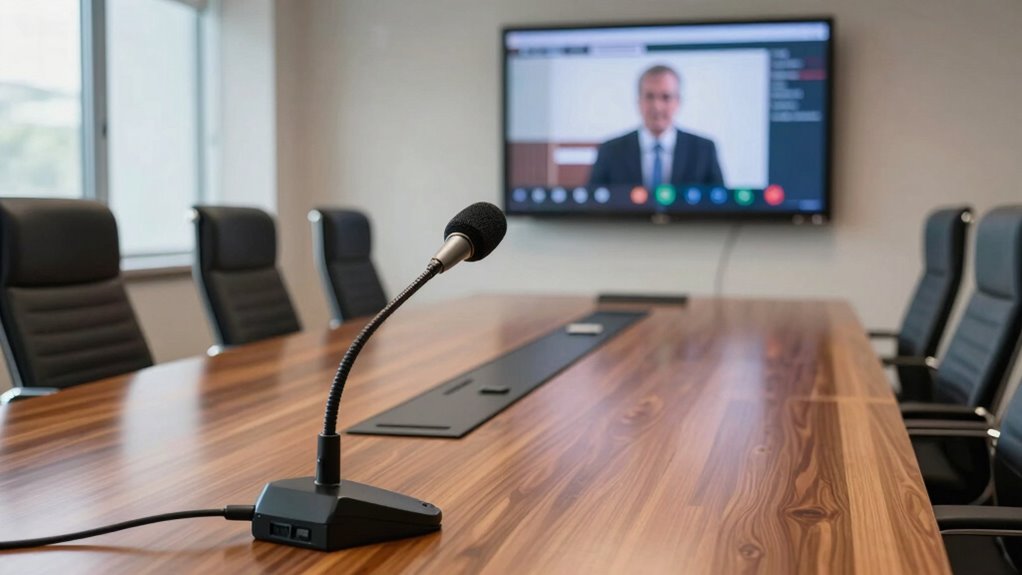

To improve hybrid meetings with better mic placement, focus on positioning your microphone close to speakers but slightly above or in front to avoid breathing sounds and mouth noise. Keep it unobstructed and avoid placing it near papers or objects that cause noise. Make certain your environment is quiet and free of echoes, and use proper lighting for clear visuals. Good mic placement makes a big difference, and if you keep exploring, you’ll discover even more ways to enhance your setup.

Get business pricing on networking and server gear
- Business-only prices and quantity discounts
- Tax-exempt purchasing
- Multiple users, one account, clear invoices
Key Takeaways
- Place the microphone close to the speaker, ensuring clear voice pickup without capturing excessive background noise.
- Position the mic slightly above or in front of the mouth to reduce breathing sounds and mouth noises.
- Keep the microphone unobstructed and visible, avoiding papers or objects that can muffle sound.
- Use directional microphones to focus on the speaker’s voice, minimizing ambient noise from the environment.
- Adjust mic placement regularly to accommodate movement and ensure consistent audio clarity throughout the meeting.

Hybrid meetings can be challenging, especially when balancing in-person and remote participants. One of the most overlooked aspects is microphone placement. Even with the best gear, if your mic isn’t positioned correctly, audio quality suffers, making it tough for remote attendees to follow along. You want your microphone close enough to pick up your voice clearly without capturing unwanted background noise. Position it slightly above or in front of you to avoid picking up breathing or mouth sounds, and guarantee it’s not obstructed by papers or other objects. Good mic placement not only improves clarity but also minimizes echoes and feedback, creating a more natural listening experience for everyone. Ensuring proper microphone placement can make a significant difference in overall audio quality. Additionally, considering your audiovisual environment helps prevent technical issues and creates a more seamless experience. Beyond sound, visual elements like virtual backgrounds and screen sharing greatly influence the effectiveness of hybrid meetings. When you’re sharing your screen, aim for a clean, organized presentation. Clear visuals help keep everyone’s attention and reduce misunderstandings. If you’re using a virtual background, choose one that’s professional and non-distracting, but also confirm that your lighting is adequate. Proper lighting ensures your virtual background looks seamless and prevents your image from flickering or blending oddly. When both your audio and video are well-optimized, it’s easier for remote participants to stay engaged and feel like they’re part of the conversation. Another key point is your physical setup. Position yourself close to your microphone and camera, ideally at eye level, so you look natural and approachable. Avoid sitting too far from your microphone or having it hidden behind other equipment, which can diminish sound quality. Also, check that your camera captures a well-lit, uncluttered space, making it easier for others to focus on you rather than distractions in the background. Creating a consistent audiovisual environment helps foster better communication and reduces technical difficulties, ensuring a smoother hybrid meeting experience. Incorporating Proper lighting not only enhances your appearance but also improves the overall quality of your virtual presence. Having a dedicated space for your meetings also minimizes background noise and distractions, further enhancing your audio-visual quality. When your visual setup is polished, it complements your audio and helps foster better communication.
directional microphone for video conferencing
As an affiliate, we earn on qualifying purchases.
As an affiliate, we earn on qualifying purchases.
Frequently Asked Questions
How Do I Determine the Optimal Mic Placement for Different Room Sizes?
To determine ideal mic placement, consider your room acoustics and the number of participants. For smaller rooms, position the mic closer to the speaker to reduce background noise, while in larger spaces, place it centrally or use multiple mics. Always calibrate your microphone settings after placement to guarantee clear audio. Adjust as needed, listening carefully to the sound quality, and tweak placement for the best clarity and minimal echo.
What Are Common Mistakes to Avoid With Microphone Positioning in Hybrid Meetings?
You should avoid placing microphones too close or too far from speakers, as microphone proximity can cause muffling or distortion. Be cautious of background noise, which can pick up easily if mics are poorly positioned. Also, steer clear of pointing mics directly at noise sources or windows. Proper placement guarantees clear sound, minimizes background noise, and maintains natural audio levels, making your hybrid meetings more effective and professional.
How Can I Ensure Consistent Audio Quality Across All Meeting Participants?
Imagine your meeting as a symphony—every instrument, or participant, must be tuned just right. To guarantee consistent audio quality, focus on audio calibration and guide participants on proper positioning, like framing each voice clearly in the soundscape. Encourage everyone to stay within designated zones and test mics beforehand. This way, you create a harmonious environment where every voice is heard loud and clear, no matter where they sit.
Are There Specific Microphone Types Best Suited for Hybrid Meeting Environments?
Wireless microphones and boundary microphones are ideal choices for hybrid meetings. Wireless mics give you flexibility, allowing speakers to move freely without losing audio clarity. Boundary microphones, placed on tables or surfaces, pick up sound evenly from everyone in the room, ensuring consistent audio quality. Using both types strategically can enhance sound capture, making sure remote participants hear clearly and in real-time, improving overall meeting effectiveness.
How Often Should Microphone Placement Be Adjusted During Recurring Meetings?
During recurring meetings, you should adjust wireless microphones whenever you notice audio quality drops or if participants shift positions. Imagine a quiet room suddenly filling with echoes—adding acoustic treatment can help, but mic placement remains key. Regularly check and tweak microphone positions, especially if the room layout changes or new speakers join, to guarantee clear sound and seamless communication every time.
desktop microphone for hybrid meetings
As an affiliate, we earn on qualifying purchases.
As an affiliate, we earn on qualifying purchases.
Conclusion
Remember, the key to better hybrid meetings isn’t just fancy gear—it’s how you position your mic. Proper placement can reduce background noise by up to 50%, making conversations clearer and more engaging. When you prioritize mic placement, you create a more inclusive environment where everyone feels heard. So, take a moment to tweak your setup; small adjustments can make a big difference. After all, better audio leads to more productive, connected meetings that everyone can enjoy.
adjustable microphone arm for PC
As an affiliate, we earn on qualifying purchases.
As an affiliate, we earn on qualifying purchases.
noise-canceling microphone for meetings
As an affiliate, we earn on qualifying purchases.
As an affiliate, we earn on qualifying purchases.
Halloween Picks
halloween
As an affiliate, we earn on qualifying purchases.