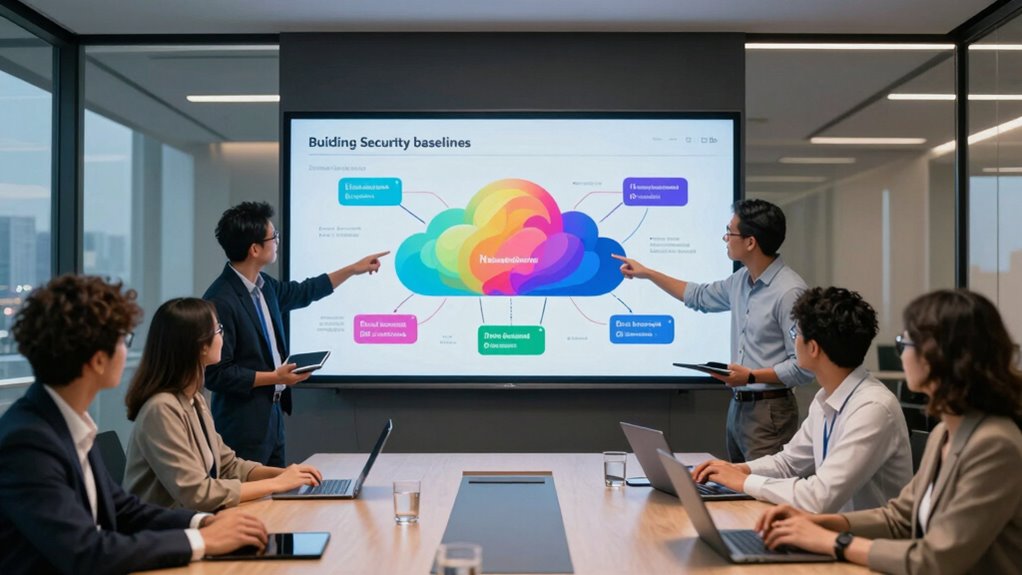

To build a security baseline for multi-team cloud environments, start by defining clear security standards that all teams follow, aligned with industry and compliance requirements. Enforce strict access controls with role-based permissions, multi-factor authentication, and centralized identity management. Regularly review access rights and automate security controls, monitoring, and audits to guarantee ongoing compliance and quick detection of vulnerabilities. Keep policies updated to adapt to evolving threats; exploring further will help you strengthen your foundation even more.

Get business pricing on networking and server gear
- Business-only prices and quantity discounts
- Tax-exempt purchasing
- Multiple users, one account, clear invoices
Key Takeaways
- Define and implement consistent security standards aligned with industry compliance requirements across all teams.
- Enforce role-based access controls and multi-factor authentication to manage secure user access.
- Automate security controls, compliance checks, and continuous monitoring for real-time vulnerability detection.
- Document policies clearly, ensure team training, and promote collaboration to reinforce security practices.
- Regularly review, update, and adapt security measures to address evolving threats and regulatory changes.

Establishing a security baseline is crucial for protecting your cloud environments from evolving threats. When you’re managing multiple teams, this becomes even more critical, as inconsistent practices can introduce vulnerabilities. Your first step is to define clear security standards that everyone must follow. This means understanding the specific compliance requirements applicable to your industry and ensuring your baseline aligns with cloud compliance regulations. By doing so, you create a foundation that not only safeguards your data but also simplifies audits and reporting.
Establishing a security baseline is essential for safeguarding multi-team cloud environments and ensuring compliance.
Access controls are a fundamental component of this baseline. You need to enforce strict policies on who can access what, and under what circumstances. Implement role-based access controls (RBAC) to restrict permissions based on job functions, making sure users only have the access necessary for their tasks. Multi-factor authentication (MFA) adds an extra layer of security, preventing unauthorized access even if credentials are compromised. Regularly review and update access rights to reflect changes in team roles or project needs, preventing privilege creep that could expose sensitive information.
In a multi-team environment, collaboration tools and cloud platforms can create complex security challenges. To mitigate these, you should establish centralized identity management, so access controls are consistent across all tools and services. Use identity federation where appropriate, allowing teams to leverage existing corporate credentials and reducing the risk of weak or reused passwords. Document your access policies clearly, and make sure every team member understands and adheres to them. Training is essential to ensure that everyone recognizes the importance of maintaining security standards. Implementing security best practices can further strengthen your security posture across teams. Additionally, integrating automated security controls**** can help streamline enforcement and monitoring efforts.
Automate security controls wherever possible. This means deploying tools that can automatically enforce policies, monitor activities, and flag suspicious behavior. Automated compliance checks help you stay aligned with cloud regulations without manual oversight, saving time and reducing human error. Incorporating logging and auditing measures is vital for maintaining visibility into security events and ensuring accountability, especially in complex multi-team environments. This data not only helps in troubleshooting and incident response but also demonstrates accountability during audits. Regularly reviewing your security measures ensures they adapt effectively to changing threats, which is critical for sustained protection. Incorporating continuous monitoring can also detect vulnerabilities in real time and prevent potential breaches before they occur.
Building a security baseline isn’t a one-time task; it’s an ongoing process. Regularly review your policies, update access controls, and refine your compliance measures to adapt to new threats and changing regulations. By taking these steps, you guarantee your multi-team cloud environment remains secure, compliant, and resilient against attacks. Ultimately, establishing this strong foundation empowers your teams to innovate confidently, knowing their work is protected by clear, consistent, and enforceable security practices.
multi-factor authentication security device
As an affiliate, we earn on qualifying purchases.
As an affiliate, we earn on qualifying purchases.
Frequently Asked Questions
How Often Should Security Baselines Be Reviewed and Updated?
You should review and update security baselines regularly, ideally every three to six months, to guarantee baseline enforcement remains effective. This frequency helps you stay aligned with evolving policies and emerging threats. Regular reviews also allow you to identify gaps, adapt controls, and maintain policy alignment across teams. By consistently updating your security baseline, you strengthen your security posture and ensure all teams adhere to the latest security standards.
What Tools Are Best for Monitoring Compliance Across Teams?
You should use tools that provide automated auditing and policy enforcement, like Prisma Cloud, AWS Config, or Azure Security Center. These tools continuously monitor compliance across teams, identify deviations, and enforce security policies automatically. They give you real-time insights and alerts, helping you maintain a consistent security posture. Regularly reviewing their reports guarantees your cloud environment stays compliant, and policy enforcement keeps everyone aligned with your security baseline.
How to Handle Conflicting Security Policies Among Teams?
Think of conflicting security policies as a tangled web. You need clear threads for team collaboration, so untangle these conflicts by establishing a unified governance framework. Engage all teams in open discussions, prioritize shared security goals, and create a centralized policy repository. Regularly review and adjust policies to guarantee consistency, fostering cooperation and reducing policy conflicts. This way, your teams work seamlessly, strengthening your security posture together.
What Training Is Recommended for Security Awareness?
You should enroll in thorough security awareness training programs that cover common threats, best practices, and organizational policies. Look for courses that include interactive modules, scenario-based learning, and regular updates to stay current. This training helps you recognize phishing attempts, secure sensitive data, and understand your role in maintaining security. Consistent participation in these programs ensures you’re well-equipped to identify risks and act responsibly within your cloud environment.
How to Measure the Effectiveness of the Security Baseline?
Coincidentally, you can gauge your security baseline’s effectiveness through security metrics and compliance audits. Regularly review key indicators like incident response times and access control logs, then compare them against your benchmarks. Conduct compliance audits to verify adherence to policies and standards. If metrics improve and audits show compliance, your security baseline is effective. Keep monitoring these consistently to guarantee ongoing protection and identify areas needing improvement.
role-based access control software
As an affiliate, we earn on qualifying purchases.
As an affiliate, we earn on qualifying purchases.
Conclusion
By establishing a solid security baseline, you set the foundation for a safer cloud environment. Remember, it’s better to be safe than sorry, so don’t cut corners when it comes to security. Keep your teams aligned, regularly update your protocols, and stay vigilant against threats. Building a strong security posture isn’t a one-time effort — it’s an ongoing journey. Stay proactive, and you’ll keep your cloud environment secure, because a chain is only as strong as its weakest link.
As an affiliate, we earn on qualifying purchases.
As an affiliate, we earn on qualifying purchases.
Halloween Picks
halloween
As an affiliate, we earn on qualifying purchases.