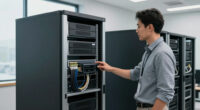
Cloud services may run beyond the office walls, but dependable infrastructure still begins with deliberate choices about computing, networking, storage, security and collaboration. Whether you are launching a small business, modernizing an established organization or supporting a distributed technical team, these layers must work together. A powerful cloud platform cannot compensate for an unreliable local network, and generous storage capacity is not enough when backups are inaccessible, unencrypted or difficult to restore.
This hub provides a practical orientation to cloud, hosting and supporting infrastructure. It explains the major decisions, shows how the components relate to one another and points to focused guides for deeper research. The goal is not to prescribe one universal architecture. It is to help you identify requirements, avoid mismatched purchases and build an environment that can evolve without unnecessary disruption.
Start With Workloads, Risk and Responsibility
Infrastructure planning should begin with what the organization needs to accomplish. List the applications, data sets, user groups and business processes the environment must support. Then document the consequences of slow performance, temporary downtime, permanent data loss or unauthorized access. A public website, an internal file archive and a security-testing workstation may all be important, but they have different performance profiles and failure risks.
It is also useful to establish who owns each layer. A hosting provider may manage physical servers while your team remains responsible for operating-system updates, application configuration, identity controls and backups. Software-as-a-service platforms reduce some administrative work, but they do not eliminate the need to manage accounts, access policies and retained data. Clarifying this shared-responsibility boundary prevents important tasks from being assumed rather than assigned.
Questions to answer before selecting technology
- Which services must remain available during an office, device or provider outage?
- How much data can the organization afford to lose between recoverable copies?
- How quickly must applications and files be restored?
- Which users, devices and locations require access?
- Are there contractual, regulatory or internal requirements for encryption and retention?
- Who will monitor, maintain and troubleshoot each component?
- How are capacity and user numbers likely to change?

Mastering Microsoft OneDrive: A Complete Beginner’s Guide to Cloud Storage, Collaboration, and File Management
As an affiliate, we earn on qualifying purchases.
As an affiliate, we earn on qualifying purchases.
Choose the Right Cloud and Hosting Model
Cloud infrastructure offers computing, storage and networking resources that can be provisioned without purchasing every underlying server. It is useful for variable demand, geographically distributed access and services that benefit from provider-managed facilities. Traditional hosting can be simpler for stable websites and applications, while colocated or on-premises equipment may suit workloads requiring direct hardware control, predictable local performance or close integration with office systems.
The best architecture is often hybrid. Public-facing applications can run with a hosting or cloud provider while large working files remain on local network storage. Backups may be distributed across local and remote destinations. Identity systems can connect office devices to cloud applications without placing every workload in the same environment.
Evaluate options according to workload needs rather than labels. Consider compute resources, storage performance, network transfer, regional availability, administrative access, backup facilities and the practical path for moving data elsewhere. Portability matters because an environment that is easy to enter but difficult to leave can constrain future decisions.
Understand the operational tradeoffs
Managed services reduce routine administration, but they can limit configuration choices. Self-managed servers provide more control while making your team responsible for patching, monitoring, hardening and recovery. Redundancy can improve resilience, but only when the duplicated components do not share the same failure point. Two virtual servers on one physical host, for example, do not protect against failure of that host.
Estimate total operational effort alongside technical capability. Include migration, staff time, monitoring, backups, security controls and support procedures. Infrastructure that looks economical in isolation may become burdensome if it requires skills or maintenance capacity the organization does not have.

Business Continuity and Disaster Recovery Planning for IT Professionals
As an affiliate, we earn on qualifying purchases.
As an affiliate, we earn on qualifying purchases.
Build a Dependable Network Foundation
The network connects users, local systems and remote services, making it a common source of hidden bottlenecks. Internet bandwidth is only one factor. Switch capacity, cabling, wireless coverage, routing, name resolution and endpoint configuration can all affect perceived cloud performance. Before replacing a service or server, determine where delay or packet loss actually occurs.
Managed switches provide visibility and configuration features that unmanaged models do not. Depending on the equipment and design, they can help separate traffic, prioritize important services and reveal port-level behavior. Acoustic noise also matters in small offices where network hardware shares space with employees. The guide to fanless managed switches for a quiet office focuses on options for environments that need network control without adding another audible fan.
Network segmentation can reduce both congestion and security exposure. Employee devices, guest access, cameras, servers and management interfaces do not necessarily belong on one unrestricted network. Segmentation should be paired with documented rules, however; creating multiple networks without a clear access model can make troubleshooting harder while providing little meaningful protection.
Plan for network failure
- Document switch ports, network ranges, wireless networks and critical dependencies.
- Keep secured copies of device configurations where they can be recovered during an outage.
- Identify services that fail when internet access, local name resolution or authentication is unavailable.
- Consider secondary connectivity for operations that cannot tolerate a single internet link.
- Monitor capacity and errors so gradual degradation is detected before it becomes an outage.

LANProbe 10/100/1000 Gigabit Ethernet/USB Bypass Network Tap
- Gigabit Ethernet Bypass Tap: Supports 10/100/1000 Mbps networks
- Isolated Monitor Ports: Monitor ports are isolated from network
- Automatic Power Fail Bypass: Bypasses device on power failure
As an affiliate, we earn on qualifying purchases.
As an affiliate, we earn on qualifying purchases.
Design Storage Around Access and Recovery
Storage decisions should account for capacity, performance, availability and protection. These are related but not interchangeable. RAID can keep data accessible after certain drive failures, yet it does not protect against accidental deletion, malware, theft, fire or corruption copied across the array. A network-attached storage system can centralize files, but it still needs independent backups and controlled administrative access.
For organizations consolidating shared data in a server cabinet, a rackmount NAS can provide structured network storage without relying on individual desktop drives. Compare drive support, network connectivity, expansion options, management features and compatibility with the intended backup workflow. The guide to rackmount NAS systems for small business offers a focused starting point for this form factor.
Direct-attached storage remains useful for large local copies, media libraries and backup staging. A multi-drive enclosure can offer more capacity and configuration flexibility than a single external drive, but the enclosure, interface and disks must suit the workload. Review the guide to USB-C RAID enclosures for large backups when planning high-capacity storage attached to a workstation or backup computer.
Separate availability from backup
A sound backup plan uses multiple independent copies and avoids keeping every copy exposed to the same account, device or physical location. At least one copy should remain recoverable if the primary environment is compromised. Cloud backup may provide geographic separation, while offline or access-restricted storage can reduce exposure to destructive software and administrative mistakes.
Recovery testing is essential. A successful backup notification confirms that a process ran; it does not prove that the required files, permissions, databases and application state can be restored within the necessary time. Test representative restores, record the procedure and revisit it when systems change.

Building Hybrid Clouds with Azure Stack: Implementing on-premises Azure infrastructure
As an affiliate, we earn on qualifying purchases.
As an affiliate, we earn on qualifying purchases.
Protect Sensitive Data and Administrative Work
Security should be integrated into architecture rather than added after deployment. Begin with identity: use individual accounts, appropriate multifactor authentication and the least access required for each role. Protect administrative interfaces from unnecessary exposure, maintain updates and centralize logs where practical. Document how credentials and recovery codes can be accessed during an emergency without leaving them broadly available.
Encryption protects data under specific conditions, so distinguish encryption in transit, software-based storage encryption and hardware-encrypted devices. Organizations moving regulated or sensitive data between systems may require removable storage with dedicated security controls. The overview of hardware-encrypted external SSDs for compliance can help frame device research, although the final choice must still be checked against the organization’s exact policy and regulatory obligations.
Security professionals also need endpoints capable of running demanding tools, virtual machines and analysis workloads without becoming impractical to carry or administer. Performance is only part of the decision; memory, storage, connectivity, operating-system compatibility and serviceability can be equally important. Consult the guide to high-performance laptops for cybersecurity professionals for a dedicated comparison of that workstation category.
Use layered safeguards
- Require strong authentication for cloud consoles, hosting panels and storage administration.
- Limit privileged access and review it when responsibilities change.
- Encrypt sensitive data during transfer and storage according to documented requirements.
- Patch internet-facing systems promptly and retire unsupported software.
- Collect useful logs and ensure alerts reach someone able to respond.
- Maintain recovery methods that do not depend entirely on the system being recovered.
Support Hybrid Meetings and Distributed Teams
Collaboration equipment is part of infrastructure because it depends on identity, networking, room layout and endpoint management. A meeting room can have ample internet bandwidth and still produce a poor experience if participants cannot be framed clearly, audio and video devices conflict or the room computer is difficult to operate.
Start with room dimensions, seating positions and typical group size. Then consider camera field of view, mounting location, connection method and compatibility with the room platform. Standardizing common room configurations can simplify user instructions and support. For Microsoft-based environments, the guide to conference cameras for Microsoft Teams Rooms narrows the research to equipment intended for that collaboration context.
Do not treat the camera as the entire room system. Microphone placement, speaker coverage, lighting, display visibility and network stability all shape the meeting. Provide a documented fallback for joining from another device or room when dedicated equipment fails.
Plan Capacity, Monitoring and Lifecycle Management
Infrastructure changes continuously. Data grows, certificates expire, applications receive updates and business priorities shift. Record renewal dates, support status, storage consumption and major configuration dependencies. Capacity alerts should provide enough lead time to act before a volume, account limit or network link becomes saturated.
Monitoring should focus on conditions that affect users or threaten recovery. Useful signals may include service availability, error rates, resource saturation, backup failures, expiring certificates and unusual authentication activity. Every important alert needs an owner and an expected response. An alert that no one reviews is merely accumulated noise.
Lifecycle planning also reduces emergency purchases. Track warranties and software support periods, then decide whether equipment will be upgraded, reassigned or retired. Secure disposal procedures should cover local drives, removable media and failed storage devices that may still contain recoverable data.
Create an Infrastructure Roadmap
A practical roadmap prioritizes risk and dependency. First document the current environment and identify unknowns. Next address single points of failure, missing backups, unsupported systems and excessive administrative access. Then improve performance, standardization and automation. This sequence helps ensure that faster or more sophisticated infrastructure is also recoverable and maintainable.
For many small organizations, the resulting architecture will combine hosted services, managed networking, shared storage, independent backups, secured endpoints and reliable meeting-room equipment. The individual products matter, but the interfaces between them matter more. Clear ownership, tested recovery and current documentation turn a collection of devices and subscriptions into dependable infrastructure.
Use the linked guides to investigate particular hardware categories, then evaluate shortlisted options against your workload, security obligations and support capacity. The most resilient environment is not necessarily the most complex one. It is the one whose dependencies are understood, whose failures have been anticipated and whose team can operate and recover it with confidence.