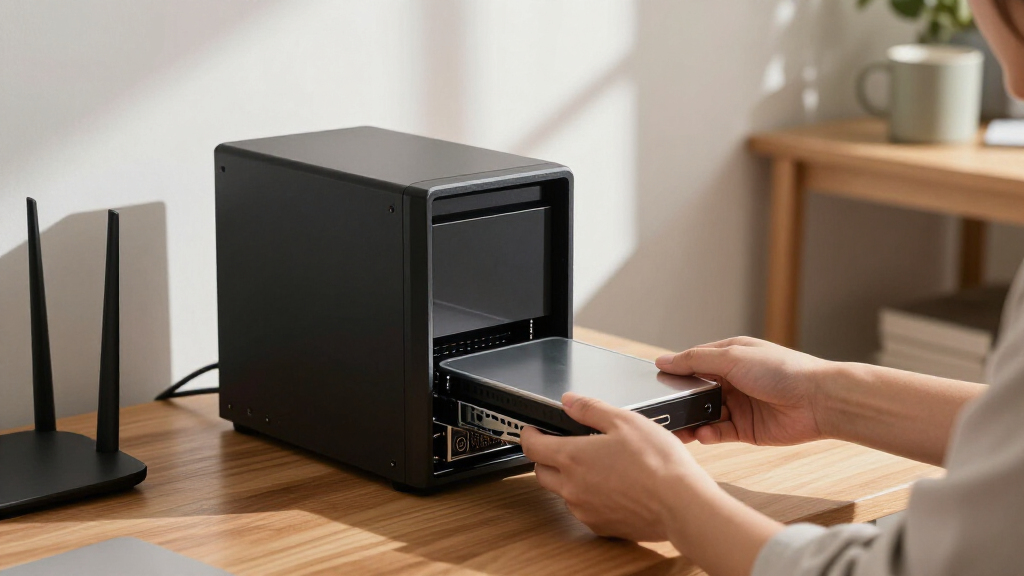

For most multi-bay home and small-office NAS systems, I’d start with the Western Digital 8TB WD Red Plus: its CMR recording and moderate 5640 RPM speed suit steady shared-storage use. The Seagate IronWolf 8TB is another sensible all-rounder, while the WD Red Pro 16TB makes more sense when higher capacity and 7200 RPM performance matter. Choosing among NAS hard drives means balancing capacity per bay, noise and heat, workload demands, and the cost of leaving room for growth. Pro models bring higher performance and larger capacities, but can be a poor fit for a quiet, lightly used home NAS. Read on for the full breakdown and guidance on matching a drive to your system.

Get business pricing on networking and server gear
- Business-only prices and quantity discounts
- Tax-exempt purchasing
- Multiple users, one account, clear invoices
Key Takeaways
- WD Red Plus 8TB is the strongest general-purpose pick in this lineup because its CMR recording and 5640 RPM design favor dependable, steady NAS use over maximum speed.
- The lineup’s Red Pro and IronWolf Pro drives reach 12TB to 20TB and run at 7200 RPM, making them better suited to demanding systems than quiet, lightly used home NAS boxes.
- Capacity choices span 3TB to 20TB; smaller drives suit modest storage needs, while larger models can reduce the number of bays consumed as a library grows.
- The WD Red Plus options at 3TB and 4TB offer lower-capacity entry points, but buyers should compare the per-bay space they need with the benefit of starting at 8TB or more.
- This comparison favors fit over headline capacity: a quieter, appropriately sized drive can be a better match than a faster Pro model if noise, heat, and light workloads matter most.



| NAS hard drife | Capacity | Interface | Form factor | Rotational speed |
|---|---|---|---|---|
| Seagate 8TB IronWolf Internal | 8 TB | SATA 6 Gb/s | 3.5 inches | 7200 rpm |
| Western Digital 8TB WD Red Plu | 8 TB | SATA 6 Gb/s | 3.5 inches | 5640 rpm |
| Seagate IronWolf Pro 12TB Ente | 12 TB | SATA 6 Gb/s | 3.5 inches | 7200 rpm |
| Western Digital 16TB WD Red Pr | 16 TB | SATA 6 Gb/s | 3.5 inches | 7200 rpm |
| Western Digital 3TB WD Red Plu | 3 TB | SATA 6 Gb/s | 3.5 inches | 5400 rpm |
| Seagate IronWolf Pro 16TB Ente | 16 TB | SATA 6 Gb/s | 3.5 inches | 7200 rpm |
| Western Digital 10TB WD Red Pl | 10 TB | SATA 6 Gb/s | 3.5 inches | 7200 rpm |
| Western Digital 4TB WD Red Plu | 4 TB | SATA 6 Gb/s | 3.5 inches | 5400 rpm |
| Seagate IronWolf 10TB NAS Inte | 10 TB | SATA 6 Gb/s | 3.5 inches | 7200 rpm |
| Western Digital 20TB WD Red Pr | 20 TB | SATA 6 Gb/s | 3.5 inches | 7200 rpm |
| Seagate IronWolf 12TB Internal | 12 TB | SATA | 3.5 inches | 7200 rpm |
| Seagate IronWolf Pro 20TB Ente | 20 TB | SATA 6 Gb/s | 3.5 inches | 7200 rpm |
More Details on Our Top Picks
Seagate 8TB IronWolf Internal NAS Hard Drive (ST8000VNZ04)
The 8TB IronWolf makes sense for a multi-user NAS where responsiveness matters more than choosing a slower, capacity-focused drive. Its 7200-rpm speed and 256MB cache are a stronger performance-oriented pairing than the WD Red Plus 8TB’s 5640-rpm design, while the two offer similar storage capacity. Seagate also specifies continuous NAS operation, health monitoring, and a 1-million-hour MTBF, which suit shared files and always-on storage better than an ordinary desktop drive. The tradeoff is that this is still an 8TB choice, not a high-capacity alternative to the IronWolf Pro 12TB or WD Red Pro 16TB. It is purpose-built for NAS use, so buyers seeking a general desktop drive or listed advanced security features should look elsewhere.
Pros:- 7200-rpm rotational speed and 256MB cache suit active multi-user storage.
- Designed for continuous operation in NAS environments.
- Health monitoring supports awareness of drive condition.
- 1-million-hour MTBF is specified.
Cons:- 8TB capacity is below the IronWolf Pro 12TB and WD Red Pro 16TB options.
- NAS-focused design is less suited to general desktop use.
- No advanced security feature is specified in the product data.
Best for: Owners of a multi-user NAS who want an 8TB drive with 7200-rpm performance for shared files and regular access.
Not ideal for: Buyers prioritizing maximum capacity, or anyone seeking a general desktop drive or specified advanced security features.
- Capacity:8 TB
- Interface:SATA 6 Gb/s
- Form factor:3.5 inches
- Rotational speed:7200 rpm
- Cache:256 MB
- Data transfer rate:210 MB/s
- MTBF:1 million hours
- Warranty:3 years
Our verdict“Choose this IronWolf for an active 8TB NAS where 7200-rpm operation matters more than enterprise-level capacity.”
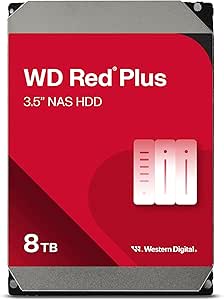
Western Digital 8TB WD Red Plus NAS Internal Hard Drive (WD80EFPX)
The WD Red Plus 8TB is the more workload-defined choice among the two 8TB drives here: its data specifies support for up to eight bays and a 180 TB/year workload, making it a clear fit for a small-business NAS that runs around the clock. It also uses CMR recording and carries 256MB of cache, useful foundations for shared storage and RAID operations. Compared with the 7200-rpm Seagate 8TB IronWolf, this model runs at 5640 rpm, so buyers focused on rotational speed may prefer the Seagate. The WD’s stated transfer rate is slightly higher at 215 MB/s, but that figure alone does not settle real-world performance. Choose this for its documented NAS workload and bay support, not as a general desktop drive.
Pros:- Specified for NAS systems with support for up to eight bays.
- 180 TB/year workload rating suits sustained business use.
- CMR recording is suited to NAS and RAID workloads.
- 256MB cache and a stated transfer rate of up to 215 MB/s.
Cons:- 5640-rpm speed is lower than the 7200-rpm Seagate 8TB IronWolf.
- The product data does not specify vibration resistance or helium fill.
- NAS-focused design is not the best fit for general desktop use.
Best for: Small-business and home-office NAS owners running up to eight bays who need a drive specified for 24/7 use and 180 TB/year workloads.
Not ideal for: Buyers who prioritize a 7200-rpm spindle or want one drive for both NAS and general desktop use.
- Capacity:8 TB
- Interface:SATA 6 Gb/s
- Form factor:3.5 inches
- Rotational speed:5640 rpm
- Cache:256 MB
- Workload rate:180 TB/year
- Bay support:Up to 8 bays
- Data transfer rate:Up to 215 MB/s
Our verdict“Pick the WD Red Plus 8TB for a small-business NAS where documented bay support and workload suitability matter more than 7200-rpm speed.”
Seagate IronWolf Pro 12TB Enterprise NAS Internal HDD
For buyers who need more than a mainstream NAS drive, the IronWolf Pro 12TB pairs 7200-rpm operation and CMR recording with a stated 2.5-million-hour MTBF and a five-year warranty. Its 12TB capacity also gives a NAS more room per bay than either 8TB option, while stopping short of the WD Red Pro 16TB’s larger single-drive capacity. Seagate lists data recovery services and IronWolf Health Management, useful additions for business storage where a drive problem can disrupt shared access. The product data’s 5000 MB/s transfer-rate figure is unusually high for a SATA hard drive, so I would not use it as a dependable performance comparison against the other listed rates. This enterprise-oriented model may be more than a casual or small-capacity NAS needs.
Pros:- 12TB capacity exceeds both 8TB drives in this group.
- 2.5-million-hour MTBF is specified.
- Five-year warranty and data recovery services are listed.
- 7200-rpm operation, CMR recording, and IronWolf Health Management.
Cons:- Enterprise-focused features may be unnecessary for a casual NAS.
- The WD Red Pro 16TB offers more capacity per bay.
- The listed 5000 MB/s transfer-rate figure is not a reliable basis for comparison with the other SATA drive rates.
Best for: Business and enterprise NAS operators who want 12TB per drive, specified health monitoring, and a five-year warranty.
Not ideal for: Casual home NAS owners who do not need enterprise-oriented warranty and reliability specifications, or buyers whose priority is the largest capacity per bay.
- Capacity:12 TB
- Interface:SATA 6 Gb/s
- Form factor:3.5 inches
- Rotational speed:7200 rpm
- Recording technology:CMR
- Cache:256 MB
- MTBF:2.5 million hours
- Warranty:5 years
Our verdict“Choose the IronWolf Pro 12TB for a business NAS that values its listed reliability and recovery provisions over the higher capacity of the WD Red Pro 16TB.”
Western Digital 16TB WD Red Pro NAS Internal Hard Drive
The WD Red Pro 16TB is the capacity-first pick here: it puts more storage in each bay than the IronWolf Pro 12TB, which can matter when a NAS has limited expansion slots. Its 7200-rpm speed, 512MB cache, and stated workload rating of up to 550 TB/year point toward a busy multi-user system rather than a light home archive. That workload figure is substantially higher than the 180 TB/year stated for the WD Red Plus 8TB and 3TB models, giving buyers a clearer case for choosing the Pro in demanding environments. The tradeoff is that 16TB may be unnecessary for a modest NAS, and the provided warranty information is less specific than the five-year warranty listed for the Seagate IronWolf Pro 12TB.
Pros:- 16TB capacity provides more storage per bay than the IronWolf Pro 12TB.
- Workload rating of up to 550 TB/year is suited to demanding NAS use.
- 7200-rpm speed and 512MB cache.
- CMR recording and data recovery service are listed.
Cons:- Capacity may be unnecessary for a small home NAS.
- Warranty duration is not specified in the supplied product data.
- The listed dimensions are larger than a typical 3.5-inch drive specification, so verify fit with the NAS manufacturer.
Best for: Businesses with limited NAS bays that need high capacity per drive and a workload rating suited to frequent multi-user use.
Not ideal for: Home users with modest storage needs, or buyers who want a clearly specified warranty term before choosing a Pro drive.
- Capacity:16 TB
- Interface:SATA 6 Gb/s
- Form factor:3.5 inches
- Rotational speed:7200 rpm
- Cache:512 MB
- Workload rate:Up to 550 TB/year
- Read speed:259 MB/s
- Weight:690 g
Our verdict“Choose the WD Red Pro 16TB when bay count makes capacity per drive the priority and your NAS can support this model.”
Western Digital 3TB WD Red Plus NAS Internal Hard Drive
The WD Red Plus 3TB suits a smaller NAS build where moderate capacity and NAS-specific recording matter more than fast access or room for a large media library. Its CMR design, NASware 3.0 compatibility, and stated 180 TB/year workload make it a more NAS-oriented choice than a basic desktop drive. It shares that workload rating with the WD Red Plus 8TB, but offers far less capacity and has a smaller 64MB cache. Its 5400-rpm speed is also below the 5640-rpm WD Red Plus 8TB and the 7200-rpm Seagate 8TB IronWolf, so it is not the performance pick in this lineup. Choose it when 3TB is enough and the NAS workload profile fits; skip it if storage growth is likely.
Pros:- CMR recording is suited to NAS and RAID use.
- 180 TB/year workload rating matches the WD Red Plus 8TB specification.
- NASware 3.0 compatibility is listed.
- SATA 6 Gb/s interface fits compatible NAS systems.
Cons:- 3TB capacity is much lower than the 8TB, 12TB, and 16TB alternatives.
- 5400-rpm speed is below the other listed NAS drives.
- 64MB cache is smaller than the 256MB and 512MB options in this roundup.
Best for: Owners of a compact home or small-office NAS who need 3TB per drive and want a model specified for NAS workloads.
Not ideal for: NAS users storing large media libraries, planning rapid capacity growth, or prioritizing higher rotational speed and cache.
- Capacity:3 TB
- Interface:SATA 6 Gb/s
- Form factor:3.5 inches
- Rotational speed:5400 rpm
- Cache:64 MB
- Workload rate:180 TB/year
- Compatibility:NASware 3.0
- Weight:13.1 ounces
Our verdict“Choose this WD Red Plus when a NAS needs a modest-capacity CMR drive, but look to an 8TB or larger option if storage demands may grow.”
Seagate IronWolf Pro 16TB Enterprise NAS Internal HDD
I’d choose the IronWolf Pro 16TB for a multi-bay NAS that stays busy around the clock and needs more capacity per drive than the 10TB models here. Its 7200 RPM CMR design, vibration sensors, and error-recovery features are aimed at RAID workloads, while the listed five-year warranty gives it a longer coverage period than the WD Red Plus 10TB’s three years. That makes it a stronger fit for a business storage pool than a basic home file server. The tradeoff is that enterprise-focused features can be unnecessary in a lightly used NAS, and this drive is still limited by the SATA interface rather than faster network or SSD storage. I’d skip it for a small, quiet setup where capacity and workload demands are modest.
Pros:- 16TB capacity reduces the number of drives needed for a large storage pool
- 7200 RPM CMR design suits sustained NAS and RAID workloads
- Vibration sensing and error-recovery features are tailored to multi-drive enclosures
- Five-year warranty is longer than the three-year coverage listed for WD Red Plus models
Cons:- Enterprise NAS features may be unnecessary for light home use
- Requires a compatible 3.5-inch SATA NAS or enclosure
- Higher-capacity, enterprise-oriented hardware can be more costly than lower-capacity options
Best for: Small businesses and NAS administrators building a multi-bay RAID system for continuous, shared storage.
Not ideal for: Home users with a lightly loaded NAS who do not need enterprise-oriented RAID features or 16TB capacity.
- Capacity:16 TB
- Interface:SATA 6 Gb/s
- Form factor:3.5 inches
- Rotational speed:7200 rpm
- Cache:256 MB
- MTBF:2.5 million hours
- Warranty:5 years
Our verdict“Choose this for a busy RAID-based NAS that needs 16TB per drive and enterprise-oriented operation, not for a lightly used home server.”
Western Digital 10TB WD Red Plus NAS Internal Hard Drive HDD – 7200 RPM, SATA 6 Gb/s, CMR, 512 MB Cache, 3.5″
The WD Red Plus 10TB takes a middle-ground approach: it pairs a 7200 RPM mechanism and 512 MB cache with a stated 180 TB/year workload rating, without stepping up to the larger enterprise drives in this list. That combination suits a small office sharing files or rebuilding RAID arrays, where responsiveness and defined workload limits matter more than maximum capacity. Compared with the Seagate IronWolf 10TB, its listed workload rating and larger cache are clear differentiators, though the Seagate includes IronWolf Health Management and specifies data recovery service. The Red Plus is still a 10TB drive with a three-year warranty, so it is not the pick for heavier enterprise duty or buyers seeking the longest coverage.
Pros:- 10TB capacity suits shared storage without moving to enterprise-sized drives
- 7200 RPM speed and 512 MB cache support responsive NAS access
- Stated 180 TB/year workload rating clarifies its intended duty level
- Designed for NAS data sharing and RAID rebuilding
Cons:- Three-year warranty is shorter than the five-year coverage listed for IronWolf Pro 16TB
- 10TB capacity may require more bays than a 16TB or 20TB option
- Workload rating makes it a less suitable choice for the heaviest enterprise environments
Best for: Small-office NAS owners who want a 10TB 7200 RPM drive for shared files and RAID use within a stated 180 TB/year workload.
Not ideal for: Enterprise operators with heavier workloads or buyers who need a longer warranty and more than 10TB per drive.
- Capacity:10 TB
- Interface:SATA 6 Gb/s
- Form factor:3.5 inches
- Rotational speed:7200 rpm
- Cache:512 MB
- Workload rate:180 TB/year
- Warranty:3 years
Our verdict“Pick the WD Red Plus 10TB for a small-business NAS that needs a defined workload rating and 7200 RPM performance without enterprise-level capacity.”
Western Digital 4TB WD Red Plus NAS Internal Hard Drive HDD – 5400 RPM, SATA 6 Gb/s, CMR, 128 MB Cache, 3.5″
For a first NAS or a modest home file server, the WD Red Plus 4TB keeps capacity and performance expectations grounded. Its 5400 RPM speed is below the 7200 RPM WD Red Plus 10TB and Seagate IronWolf 10TB, so I’d favor it for backups, family files, and media libraries rather than frequent multi-user transfers. The slower spindle can be a reasonable match for a NAS with up to eight bays, especially when the system prioritizes steady storage over maximum throughput. The main compromise is obvious: 4TB leaves less room to grow and may mean adding drives sooner. Its 128 MB cache is also smaller than the larger WD Red Plus model’s 512 MB, making this a capacity-conscious starter rather than a performance pick.
Pros:- NAS-oriented design supports continuous operation in systems with up to eight bays
- CMR recording is suited to RAID and NAS use
- 3.5-inch SATA format fits compatible NAS enclosures
- Lower rotational speed matches modest storage workloads
Cons:- 5400 RPM is slower than the 7200 RPM 10TB options for demanding transfers
- 4TB capacity can fill quickly in shared or growing storage pools
- 128 MB cache is smaller than the 512 MB cache listed for WD Red Plus 10TB
Best for: Home NAS owners and small teams storing backups, documents, and media on a NAS with up to eight bays.
Not ideal for: Users who regularly move large files, run busy multi-user workloads, or want high capacity from each drive bay.
- Capacity:4 TB
- Interface:SATA 6 Gb/s
- Form factor:3.5 inches
- Rotational speed:5400 rpm
- Cache:128 MB
- Warranty:3 years
- Designed for:NAS, business, personal
Our verdict“Choose this for a modest, capacity-conscious NAS workload, but move to a 7200 RPM 10TB model for busier file sharing.”
Seagate IronWolf 10TB NAS Internal Hard Drive, 3.5″ SATA 6Gb/s, 7200 RPM, CMR, RAID Optimized
The Seagate IronWolf 10TB is a NAS-focused 7200 RPM drive with IronWolf Health Management, error recovery, and hot-swap support listed for compatible systems. Those tools make it a practical choice for owners who want drive-health information alongside 10TB of RAID-ready storage. Against the WD Red Plus 10TB, it has a smaller listed cache at 256 MB versus 512 MB and no stated workload-rate figure, but it adds health-management features and a three-year data recovery service. Its 210 MB/s transfer-rate figure also trails the Red Plus model’s listed 260 MB/s. This is a sensible fit for a home or small-office NAS, though buyers with higher sustained workloads may prefer the WD’s specified workload rating or the IronWolf Pro’s longer warranty.
Pros:- IronWolf Health Management adds drive-health monitoring for compatible systems
- 7200 RPM CMR design is intended for NAS and RAID workloads
- Hot-swap and error-recovery features support NAS maintenance
- Includes a three-year data recovery service according to the product details
Cons:- 256 MB cache is smaller than the 512 MB listed for WD Red Plus 10TB
- Listed 210 MB/s transfer rate is below the WD Red Plus 10TB figure
- No workload-rate specification is provided in the supplied product data
Best for: Home and small-office NAS owners who value drive-health monitoring and recovery support in a 10TB RAID drive.
Not ideal for: High-workload NAS operators who want a published workload rating, a longer warranty, or the higher listed transfer rate of WD Red Plus 10TB.
- Capacity:10 TB
- Interface:SATA 6 Gb/s
- Form factor:3.5 inches
- Rotational speed:7200 rpm
- Cache:256 MB
- Data transfer rate:210 MB/s
- MTBF:1 million hours
Our verdict“Choose the IronWolf 10TB if health monitoring and recovery support matter more to you than the WD Red Plus 10TB’s larger cache and stated workload rating.”
Western Digital 20TB WD Red Pro NAS Internal Hard Drive HDD – 7200 RPM, SATA 6 Gb/s, CMR, 512 MB Cache, 3.5″
When drive bays are scarce, the WD Red Pro 20TB offers the greatest capacity in this batch, letting a NAS hold more data without filling every slot. Its 7200 RPM speed, 512 MB cache, and stated 550 TB/year workload rate point to demanding, multi-user storage rather than a simple backup box. Compared with the Seagate IronWolf Pro 16TB, it adds 4TB per drive and lists a higher workload rate, while both target continuous NAS operation. The tradeoff is that 20TB may be excessive for a small home array, and its SATA interface still depends on the NAS, network, and workload for real-world throughput. I’d select it for dense business storage, not as a default upgrade for a lightly used enclosure.
Pros:- 20TB capacity helps maximize storage in enclosures with limited bays
- 7200 RPM speed and 512 MB cache are suited to active NAS workloads
- Stated 550 TB/year workload rate fits demanding shared storage
- RAID-optimized design targets continuous multi-user NAS operation
Cons:- 20TB capacity can be unnecessary for small home storage pools
- Requires a compatible SATA NAS enclosure
- Enterprise-focused capacity and workload features may exceed modest storage needs
Best for: Businesses and NAS administrators with limited drive bays who need high-capacity, multi-user storage and a stated 550 TB/year workload rate.
Not ideal for: Home users with a lightly loaded NAS who do not need 20TB per drive or enterprise-oriented workload capacity.
- Capacity:20 TB
- Interface:SATA 6 Gb/s
- Form factor:3.5 inches
- Rotational speed:7200 rpm
- Cache:512 MB
- Data transfer rate:285 MB/s
- Workload rate:550 TB/year
Our verdict“Choose the WD Red Pro 20TB when bay efficiency and heavy NAS workloads matter more than keeping a storage build modest.”
Seagate IronWolf 12TB Internal Hard Drive for NAS, 3.5 inch, 7200 RPM
The 12TB IronWolf gives a home or small-office NAS room to grow without moving to an enterprise-focused drive. Its 7200 RPM speed and listed read and write speeds make it a better fit for shared files and active multi-user workloads than lower-capacity, slower options such as the WD Red Plus 4TB. Built-in health management is aimed at NAS operation, while the 3-year warranty offers a defined support period.
The tradeoff is capacity: buyers planning large RAID arrays may find the IronWolf Pro 20TB a more suitable choice, though that model targets larger deployments and carries a more enterprise-oriented feature set. This 12TB drive is also intended for a compatible NAS enclosure, not as a general desktop upgrade. Choose it when useful capacity and NAS-focused operation matter more than maximum storage per drive.
Pros:- 12TB capacity supports larger file libraries and backups
- 7200 RPM operation suits active multi-user NAS workloads
- Built-in health management is tailored to NAS use
- Three-year warranty and stated one-million-hour MTBF
Cons:- Requires a compatible NAS enclosure for its intended use
- Lower capacity and shorter warranty than the IronWolf Pro 20TB
- NAS-focused design makes it a less natural choice for a general desktop build
Best for: Home and small-office NAS owners who need a substantial capacity for shared files, backups, or media libraries and want NAS-oriented health management.
Not ideal for: Buyers building a high-capacity enterprise array or seeking a drive for ordinary desktop use; the 20TB IronWolf Pro is better aligned with larger storage pools, and this model is designed for NAS enclosures.
- Capacity:12 TB
- Interface:SATA
- Form factor:3.5 inches
- Rotational speed:7200 rpm
- Cache:256 MB
- Read speed:180 MB/s
- Write speed:240 MB/s
- Warranty:3 years
Our verdict“Choose this IronWolf for a multi-user home or small-office NAS that needs 12TB per drive without stepping up to an enterprise-capacity model.”
Seagate IronWolf Pro 20TB Enterprise NAS Internal HDD
When the goal is fitting more storage into each NAS bay, the IronWolf Pro 20TB is the capacity-focused choice in this pair. Its CMR recording, 7200 RPM operation, and stated 24/7 design suit multi-user RAID systems that stay online around the clock. A 5-year warranty and stated 2.5-million-hour MTBF also give it a longer support horizon than the standard IronWolf 12TB.
That extra capacity is most useful in larger storage pools; it is harder to justify in a small NAS that cannot make practical use of 20TB per bay. The standard 12TB IronWolf is a more measured fit for home and small-office storage, while this Pro model is aimed at heavier deployments. It requires compatible NAS hardware, and the enterprise positioning brings a higher-cost tradeoff. The listed data-transfer figure should be checked against the NAS and workload before treating it as expected real-world throughput.
Pros:- 20TB capacity reduces the number of drives needed for a given storage pool
- CMR recording is suited to RAID and NAS workloads
- Designed for 24/7 operation at 7200 RPM
- Five-year warranty and stated 2.5-million-hour MTBF
Cons:- Enterprise-oriented capacity and features may be unnecessary for small NAS setups
- Requires compatible NAS hardware and RAID configuration
- Higher-cost positioning than the standard IronWolf 12TB
Best for: IT teams and businesses running compatible multi-bay NAS or RAID systems that need high capacity per drive and continuous operation.
Not ideal for: Home NAS owners with modest storage needs, limited bay count, or a preference for a simpler drive; the 12TB IronWolf is a more proportionate option.
- Capacity:20 TB
- Interface:SATA 6 Gb/s
- Form factor:3.5 inches
- Recording technology:CMR
- Rotational speed:7200 rpm
- Cache:256 MB
- Average latency:4.16 ms
- Warranty:5 years
Our verdict“Pick the IronWolf Pro 20TB for a compatible, always-on business NAS where high capacity per bay and a longer warranty matter more than keeping the setup simple.”

How We Picked
I ranked these drives around the needs that make a NAS hard drive different from a general desktop drive: CMR recording, NAS-oriented positioning, capacity, rotational speed, and suitability for multi-drive systems. I also weighed practical ownership factors such as how many bays a capacity choice can occupy, whether a 7200 RPM drive’s extra performance fits the workload, and the likely tradeoffs in noise and heat. The listed specifications and product positioning guide the comparisons; I do not treat one drive as universally best for every NAS.
The WD Red Plus 8TB leads because it balances useful capacity with a more restrained spindle speed and CMR recording. The IronWolf options give buyers a close alternative across several capacities, while the Pro models rank higher for heavier workloads and large arrays, not quiet value. Smaller Red Plus drives remain relevant for modest storage plans, but their limited capacity makes them less flexible as libraries expand. Where the provided details do not identify a feature or workload rating, I avoid assuming it.
| NAS hard drife | Interface |
|---|---|
| Seagate 8TB IronWolf Internal | SATA 6 Gb/s |
| Western Digital 8TB WD Red Plu | SATA 6 Gb/s |
| Seagate IronWolf Pro 12TB Ente | SATA 6 Gb/s |
| Western Digital 16TB WD Red Pr | SATA 6 Gb/s |
| Western Digital 3TB WD Red Plu | SATA 6 Gb/s |
| Seagate IronWolf Pro 16TB Ente | SATA 6 Gb/s |
| Western Digital 10TB WD Red Pl | SATA 6 Gb/s |
| Western Digital 4TB WD Red Plu | SATA 6 Gb/s |
| Seagate IronWolf 10TB NAS Inte | SATA 6 Gb/s |
| Western Digital 20TB WD Red Pr | SATA 6 Gb/s |
| Seagate IronWolf 12TB Internal | SATA |
| Seagate IronWolf Pro 20TB Ente | SATA 6 Gb/s |
Factors to Consider When Choosing NAS Hard Drives
Choosing a NAS hard drive is less about finding the biggest number and more about matching the drive to the NAS, workload, and growth plan. I’d settle these questions before deciding between the Red Plus, IronWolf, and Pro families.
1. Match Capacity to Bays and Growth
Think about usable storage after redundancy, not just the sum of the capacities printed on the drives. RAID or similar protection reduces the space available for files, and the exact amount depends on the layout and number of drives. A smaller drive may be adequate for backups or documents, but a growing photo, video, or media library can fill it sooner than expected. Larger drives can free bays for later expansion, though they concentrate more data on each disk. Avoid buying only for today’s files if replacing or expanding the array will be difficult. I’d sketch current use, likely growth, and the space needed for protection before settling on a capacity.
2. Choose CMR and Check NAS Compatibility
For a NAS array, CMR recording is a useful baseline because it is designed for consistent write behavior under sustained workloads. Do not assume every drive with a large capacity or a NAS label uses the same recording method; verify the exact model number and specifications. Compatibility lists matter too: a NAS maker may validate particular capacities or drive families, and unsupported models can trigger warnings or limit support. Mixing different models can work, but it may complicate troubleshooting and performance expectations. Check the NAS vendor’s current drive list before ordering, especially for a new system or a business-critical array. That small check can prevent a drive that fits physically but is a poor match for the enclosure.
3. Balance RPM Against Noise, Heat, and Workload
A 7200 RPM drive can suit frequent file transfers, multiple users, or heavier NAS activity, but rotational speed is only one part of real system performance. Faster spinning can also mean more vibration, noise, and heat inside a compact enclosure. A 5400- or 5640-RPM model may be a more comfortable choice in a living space where the NAS runs all day and workloads are modest. Drive performance can also be limited by network speed, NAS processor, and the number of disks working together. Avoid paying for speed that your network and use pattern cannot take advantage of. For a quiet home setup, enclosure placement and cooling deserve attention alongside the drive specification.
4. Decide Whether a Pro-Class Drive Fits the Duty Cycle
Pro models are aimed at more demanding NAS environments, but the label alone does not mean every home user needs one. Consider how many people access the system, how often it writes data, and how costly downtime would be. A small office with frequent shared-file activity may benefit from the higher-capacity, 7200-RPM options in this lineup. A home NAS mainly holding backups may gain little from that performance and may be better served by a less aggressive drive choice. Compare the manufacturer’s workload and warranty terms for the exact model rather than relying on family names alone. Spend on a Pro drive when its intended duty and capacity solve a real need, not simply because it is the highest tier.
5. Plan Redundancy and Backups Separately
RAID is not a backup: it can help keep a system available after a drive failure, but it does not protect against accidental deletion, malware, theft, or damage to the NAS. Keep another copy of important files on a separate device or in a suitable off-site location. Before replacing or expanding drives, confirm the array’s migration procedure and retain a verified backup. Larger drives can make rebuilds and recovery planning more consequential because more data sits on each disk. Buyers sometimes spend their entire storage budget on capacity and leave no room for a backup destination. Treat protection and recovery as part of the drive plan rather than an optional later step.
6. Compare Total System Fit, Not Just Drive Specs
NAS hard drives operate as part of a system, so bay count, cooling, vibration control, and network limits can matter as much as the drive’s cache or RPM. A compact enclosure with weak airflow may be a poor home for several hot-running drives, even if each disk meets the storage target. Likewise, a single-gigabit network can constrain large transfers regardless of a faster drive’s potential. Check the NAS maker’s supported capacity per bay and leave room for the operating system or snapshots where applicable. If you plan to mix capacities, learn how your chosen RAID layout handles mismatched disks before buying. These checks help avoid spending on specifications the enclosure cannot use well.
Frequently Asked Questions
Can I mix WD Red Plus and Seagate IronWolf drives in one NAS?
Many NAS systems can use drives from different manufacturers, but compatibility with the enclosure and RAID layout matters more than matching logos. Check the NAS maker’s drive compatibility list for each exact model and capacity. Different capacities can limit usable space in some array layouts, while different performance characteristics may make behavior less uniform. Keeping models consistent can simplify replacements and troubleshooting, though it is not always required. Before mixing drives, confirm your array’s rules and keep a separate backup of important data.
Should I choose one 20TB drive or several smaller drives?
The answer depends on the number of bays, protection plan, and the impact of a single-drive failure. A 20TB drive uses fewer bays for a given raw capacity, leaving room for future expansion, but it also places more data on one disk. Several smaller drives can support redundancy in a multi-bay layout, though the usable capacity will be lower than the raw total. Check whether your NAS can support the selected capacity and how its RAID options behave. Keep an independent backup either way; neither a large disk nor an array replaces one.
Is a 7200 RPM NAS drive worth choosing for a home NAS?
It can be worthwhile when the NAS handles frequent transfers, multiple active users, or heavier workloads, but RPM alone does not determine system speed. Network throughput, NAS hardware, and the number of drives can become the limiting factors. Faster-spinning models may also add noise, vibration, and heat, which can be unwelcome in a quiet room. For backups and occasional media access, a slower drive may be a better fit. Match spindle speed to how the system is used, not to the assumption that the highest RPM is always preferable.
Do I need NAS-specific drives for a home server?
NAS-oriented drives are designed and marketed for systems that run for long periods and may contain multiple disks, so they are a sensible starting point for a dedicated NAS. Still, compatibility and intended workload should guide the purchase; not every NAS-labeled model suits every enclosure or use. A general desktop drive may lack the features or support expected by a multi-bay system, and the exact details vary by model. Check your NAS manufacturer’s approved-drive list and the drive maker’s specifications. If the server is always on or holds the only copy of important data, plan a separate backup regardless of drive type.
How should I choose between WD Red Plus, WD Red Pro, IronWolf, and IronWolf Pro?
Start with capacity, workload, and noise tolerance, then compare the exact model specifications rather than relying on the family name. In this lineup, Red Plus covers lower to mid capacities and includes slower-spinning choices, while Red Pro models offer 7200 RPM capacities up to 20TB. IronWolf spans standard and Pro options, with Pro models positioned for more demanding NAS use. Confirm recording method, workload rating, warranty, and compatibility for the specific model you plan to buy. Choose a Pro drive when its capacity or workload fit matters; for lighter home use, a standard NAS model may be the more sensible match.
Conclusion
For the broadest mix of home and small-office use, I’d choose the WD Red Plus 8TB as best overall, with CMR recording, useful capacity, and a moderate spindle speed. The best value fit depends on how much space you need: the 4TB Red Plus is a modest-capacity starting point, while the 8TB IronWolf is a stronger choice when a larger single-drive pool matters. For a high-capacity, demanding NAS, I’d look at the WD Red Pro 16TB or 20TB; the IronWolf Pro 20TB is another premium-capacity option. Beginners with a small, quiet home NAS should favor a compatible Red Plus or standard IronWolf over paying for Pro-class speed they may not use. For specific needs, choose 3TB or 4TB Red Plus for modest storage, and reserve 7200-RPM Pro drives for heavier activity or capacity-constrained bays. Match the model to your enclosure and workload, then keep a separate backup of important files.
Halloween Picks
halloween
As an affiliate, we earn on qualifying purchases.