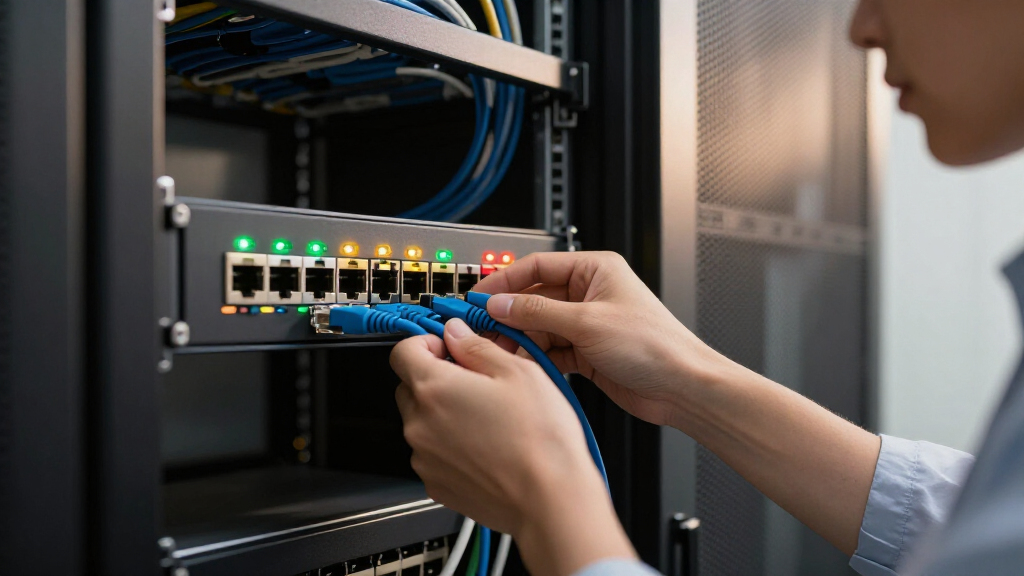

Managed network switches give you control over traffic, VLANs, and connected devices, but the right choice depends on how much control your network needs. I’d put the NETGEAR GS308EP first for a compact setup that needs PoE+ and basic management, while the TP-Link Omada ES210X-M2 stands out for 2.5GbE connections and the TP-Link TL-SG1024DE for a larger wired network. The main tradeoffs are port count, PoE capacity, faster-than-gigabit links, and how much configuration you want to handle. Easy Smart models cover common small-network tasks; they don’t offer the same depth as fully managed business switches. Read on for how all 15 options compare and which one fits your setup.

Get business pricing on networking and server gear
- Business-only prices and quantity discounts
- Tax-exempt purchasing
- Multiple users, one account, clear invoices
Key Takeaways
- The GS308EP is the most balanced compact PoE pick: its eight ports and PoE+ support suit a small group of access points, cameras, or phones, while the 16-port GS316EP fits installations that need more powered connections.
- 2.5GbE is the clearest performance step in this lineup: the Omada ES210X-M2 and ES206X-M2 serve devices with faster Ethernet ports, while the gigabit models remain a sensible match for ordinary wired clients.
- More ports do not automatically mean a better fit: the TL-SG1024DE and TL-SG1428PE address larger networks, but compact five- and eight-port options are easier to place when only a few links need management.
- PoE changes installation planning: powered devices can connect without separate injectors, though buyers should check the switch’s total power budget against the devices they plan to run.
- These Easy Smart and Smart Managed models vary in management scope: buyers who need a specific feature such as advanced routing, detailed access controls, or centralized administration should confirm the exact model’s software capabilities before choosing.
| NETGEAR 8-Port PoE+ Gigabit Easy Smart Managed Switch (GS308EP) |  | Best Compact PoE Pick | Ethernet ports: 8 x 1 Gbps | PoE ports: 8 x PoE+ | PoE power budget: 62 W | VIEW LATEST PRICE | See Our Full Breakdown |
| NETGEAR GS308E 8-Port Gigabit Easy Smart Managed Ethernet Switch |  | Best for Quiet Wired Expansion | Ports: 8 | Port speed: 1 Gbps | Interface: RJ45 | VIEW LATEST PRICE | See Our Full Breakdown |
| NETGEAR 16-Port PoE Gigabit Easy Smart Managed Switch (GS316EP) |  | Best for PoE Device Density | Ethernet ports: 15 x 1 Gbps | SFP ports: 1 x 1G | PoE ports: 15 x PoE+ | VIEW LATEST PRICE | See Our Full Breakdown |
| TP-Link TL-SG105E 5-Port Gigabit Easy Smart Switch |  | Best Compact Entry Point | Model: TL-SG105E | Ports: 5 RJ45 Gigabit Ethernet ports | Port speeds: 10/100/1000 Mbps | VIEW LATEST PRICE | See Our Full Breakdown |
| TP-Link TL-SG1428PE 28-Port Gigabit Easy Smart PoE+ Switch |  | Best for Larger PoE Installations | PoE+ ports: 24 | Additional Gigabit ports: 2 non-PoE | SFP slots: 2 | VIEW LATEST PRICE | See Our Full Breakdown |
| TP-Link TL-SG108PE V3 8-Port Gigabit Easy Smart PoE Switch |  | Best for Small PoE Setups | Ports: 8 auto-sensing Gigabit Ethernet ports | PoE ports: 4 × 802.3af | PoE power per port: Up to 15.4W | VIEW LATEST PRICE | See Our Full Breakdown |
| TP-Link Omada ES210X-M2 8-Port 2.5G Easy Managed Switch |  | Best for Multi-Gig Workspaces | RJ45 ports: 8 × 2.5 Gbps | SFP+ uplinks: 2 × 10 Gbps | Management: TP-Link Omada SDN cloud management | VIEW LATEST PRICE | See Our Full Breakdown |
| TP-Link TL-SG1016DE 16-Port Gigabit Easy Smart Managed Switch |  | Best for Expanding Wired Networks | Ports: 16 Gigabit Ethernet ports | Jumbo frame: 9K | Network features: Port mirroring, loop prevention, and cable diagnostics | VIEW LATEST PRICE | See Our Full Breakdown |
| NETGEAR GS110TP 10-Port Gigabit PoE+ Smart Managed Switch |  | Best for PoE Plus and Fiber Uplinks | Total ports: 10 | Ethernet ports: 8 × 1.0 Gbps | PoE+ ports: 8 | VIEW LATEST PRICE | See Our Full Breakdown |
| NETGEAR 5-Port Gigabit Easy Smart Managed Network Switch (GS305E) |  | Best Compact Managed Switch | Ethernet ports: 5 × 1.0 Gbps with auto-negotiation | Management: Easy Smart Managed | Features: VLAN, QoS, port monitoring, and network security management | VIEW LATEST PRICE | See Our Full Breakdown |
| TP-Link TL-SG1024DE 24-Port Gigabit Easy Smart Managed Switch |  | Best for Larger Wired Networks | Ports: 24 RJ45 | Port speed: 10/100/1000 Mbps | Management: Easy Smart managed | VIEW LATEST PRICE | See Our Full Breakdown |
| TP-Link 16-Port Gigabit Easy Smart Managed Switch (TL-SG116E) |  | Best for Flexible Desktop or Wall Mounting | Ports: 16 RJ45 | Port speed: 10/100/1000 Mbps | Management: Web user interface and downloadable utility | VIEW LATEST PRICE | See Our Full Breakdown |
| TP-Link Omada ES206X-M2 5-Port 2.5G Easy Managed Switch |  | Best for Multi-Gig Desktop Networks | RJ45 ports: 5 × 2.5 Gbps | SFP+ slot: 1 × 10 Gbps | Data transfer rate: 15 Gbps | VIEW LATEST PRICE | See Our Full Breakdown |
| TP-Link TL-SG108E 8-Port Gigabit Easy Smart Switch |  | Best Compact Managed Pick | Ports: 8 Gigabit Ethernet | Management: Web interface or free software | VLAN capacity: Up to 32 VLANs | VIEW LATEST PRICE | See Our Full Breakdown |
| NETGEAR GS105Ev2 5-Port Gigabit Easy Smart Managed Switch |  | Best for Quiet, Basic Managed Connectivity | Ports: 5 Gigabit Ethernet | Data transfer rate: 1000 Mbps | Interface: RJ45 | VIEW LATEST PRICE | See Our Full Breakdown |
| managed network switch | Management | Mounting | Ports |
|---|---|---|---|
| NETGEAR 8-Port PoE+ Gigabit Ea | Easy Smart Managed | Desktop or wall mount | — |
| NETGEAR GS308E 8-Port Gigabit | — | Desktop or wall mount | 8 |
| NETGEAR 16-Port PoE Gigabit Ea | Easy Smart Managed | Desktop or wall mount | — |
| TP-Link TL-SG105E 5-Port Gigab | — | — | 5 RJ45 Gigabit Ethernet ports |
| TP-Link TL-SG1428PE 28-Port Gi | Web-based Easy Smart management | — | — |
| TP-Link TL-SG108PE V3 8-Port G | Web-based interface and configuration utility | — | 8 auto-sensing Gigabit Ethernet ports |
| TP-Link Omada ES210X-M2 8-Port | TP-Link Omada SDN cloud management | — | — |
| TP-Link TL-SG1016DE 16-Port Gi | — | — | 16 Gigabit Ethernet ports |
| NETGEAR GS110TP 10-Port Gigabi | Smart managed; SNMP support | — | — |
| NETGEAR 5-Port Gigabit Easy Sm | Easy Smart Managed | Desktop or wall mount | — |
| TP-Link TL-SG1024DE 24-Port Gi | Easy Smart managed | Desktop or rackmount | 24 RJ45 |
| TP-Link 16-Port Gigabit Easy S | Web user interface and downloadable utility | Desktop or wall mount | 16 RJ45 |
| TP-Link Omada ES206X-M2 5-Port | Omada app or web interface | Desktop or wall | — |
| TP-Link TL-SG108E 8-Port Gigab | Web interface or free software | — | 8 Gigabit Ethernet |
| NETGEAR GS105Ev2 5-Port Gigabi | Managed via software | Desktop or wall mount | 5 Gigabit Ethernet |
More Details on Our Top Picks
NETGEAR 8-Port PoE+ Gigabit Easy Smart Managed Switch (GS308EP)
For a small office or home setup that needs managed PoE without a noisy rack unit, the GS308EP combines eight Gigabit ports with PoE+ on every port. Its 62W power budget suits a modest group of access points, cameras, or phones, while VLANs, QoS, port monitoring, and per-port PoE controls give an administrator useful ways to organize and troubleshoot the network. Compared with the NETGEAR GS308E, this model can power devices directly, but the GS308E is the simpler fit when all connected equipment has its own power. The main constraint is shared PoE capacity: eight powered ports do not mean eight high-draw devices can run at full demand. The fanless metal case and desktop or wall mounting make it easy to place near users.
Pros:- Eight Gigabit ports each support PoE+
- VLAN, QoS, port monitoring, and per-port PoE controls
- Silent fanless metal enclosure
- Desktop and wall-mount placement
Cons:- The 62W shared PoE budget limits the load across powered devices
- Easy Smart management requires configuration for features such as VLANs
Best for: Small offices or home networks powering a few access points, cameras, or VoIP phones while using VLANs and QoS.
Not ideal for: Installations with many high-draw PoE devices or buyers who need more than 62W of total PoE capacity.
- Ethernet ports:8 x 1 Gbps
- PoE ports:8 x PoE+
- PoE power budget:62 W
- Management:Easy Smart Managed
- Features:VLAN, QoS, port monitoring, per-port PoE controls, uninterrupted PoE
- Mounting:Desktop or wall mount
- Design:Fanless metal enclosure
- Energy efficiency:IEEE 802.3az Energy Efficient Ethernet
Our verdict“Choose the GS308EP when a quiet, compact switch must power a modest number of managed network devices.”
NETGEAR GS308E 8-Port Gigabit Easy Smart Managed Ethernet Switch
The GS308E is the straightforward choice when the goal is to add managed Gigabit connections without paying for PoE hardware you will not use. Its eight RJ45 ports and web GUI support VLANs, QoS, IGMP snooping, and traffic monitoring, giving a home lab or small office more control than an unmanaged switch. Compared with the NETGEAR GS308EP, it cannot power access points or cameras, but that tradeoff keeps the job focused on connecting devices that already have power. The interface works across Windows, Mac, and Linux, though the available settings still call for some network familiarity. A fanless metal housing keeps operation silent and supports desktop or wall placement. Choose this model for quiet wired expansion; skip it if PoE is part of the plan.
Pros:- Eight 1 Gbps RJ45 ports
- Web management includes VLANs, QoS, IGMP snooping, and traffic monitoring
- Supports up to 64 VLANs
- Fanless metal housing runs silently
Cons:- No PoE output for connected devices
- Managed features require configuration
Best for: Home lab owners and small offices adding wired computers, printers, or servers that have separate power.
Not ideal for: Buyers connecting access points, cameras, or phones that need the switch to supply PoE.
- Ports:8
- Port speed:1 Gbps
- Interface:RJ45
- Management interface:Web GUI
- VLANs:Up to 64
- Housing:Fanless metal
- Noise level:0 dBA
- Mounting:Desktop or wall mount
Our verdict“Pick the GS308E for silent, managed Gigabit expansion when connected devices have their own power.”
NETGEAR 16-Port PoE Gigabit Easy Smart Managed Switch (GS316EP)
When a network has outgrown eight powered connections, the GS316EP raises capacity to 15 PoE+ Gigabit ports and a 180W total budget. That makes it better suited than the GS308EP to a small business with cameras, phones, and access points spread across one site. VLANs, QoS, port monitoring, and security management help organize that larger device group, while a 1G SFP port provides a fiber connection option. There is a practical port-count wrinkle: the sixteenth port is SFP, not another RJ45 Gigabit port, so copper-only deployments get 15 Ethernet connections. It remains an Easy Smart switch, so buyers needing advanced enterprise controls should look elsewhere. Desktop and wall mounting offer flexibility, but the supplied details do not specify warranty coverage.
Pros:- 15 PoE+ Gigabit Ethernet ports
- 180W total PoE power budget
- 1G SFP port supports fiber connectivity
- VLAN, QoS, port monitoring, and security management
Cons:- Only 15 ports are RJ45 Gigabit Ethernet; the remaining port is SFP
- Easy Smart feature set may not meet advanced enterprise management needs
- Warranty details are not provided in the supplied product data
Best for: Small businesses deploying a larger set of PoE cameras, phones, and access points with a fiber uplink option.
Not ideal for: Copper-only networks that require 16 RJ45 ports or teams needing advanced enterprise management.
- Ethernet ports:15 x 1 Gbps
- SFP ports:1 x 1G
- PoE ports:15 x PoE+
- PoE power budget:180 W
- Management:Easy Smart Managed
- Features:VLAN, QoS, port monitoring, security management
- Mounting:Desktop or wall mount
- Cabling compatibility:Cat5e or Cat6
Our verdict“Choose the GS316EP when a small business needs many PoE+ connections and can use an SFP uplink.”
TP-Link TL-SG105E 5-Port Gigabit Easy Smart Switch
The TL-SG105E fits a desk, media cabinet, or small work area where five managed Gigabit connections are enough. Plug-and-play operation handles basic switching, while the web interface adds VLANs, QoS, IGMP snooping, port mirroring, loop prevention, and cable diagnostics when the network needs more control. That gives it a broader troubleshooting toolkit than a basic unmanaged switch, in a compact metal case. Compared with the NETGEAR GS308E, it offers three fewer ports, so it is easier to place but less useful as a central connection point for a growing office. Its energy-saving feature can reduce power use, though advanced controls require setup through the web interface. This is a good small-scale managed option, not a switch for a busy network that is likely to outgrow five ports.
Pros:- Five Gigabit RJ45 ports
- VLAN, QoS, IGMP snooping, port mirroring, and loop prevention
- Cable diagnostics help troubleshoot wired connections
- Compact metal desktop casing with plug-and-play basic setup
Cons:- Five ports can be limiting as the network grows
- Advanced features require web-interface configuration
Best for: Remote workers, home labs, and small shops that need a few managed Gigabit connections in a compact desktop unit.
Not ideal for: Growing offices that need more than five wired ports or buyers who want PoE output.
- Model:TL-SG105E
- Ports:5 RJ45 Gigabit Ethernet ports
- Port speeds:10/100/1000 Mbps
- Management features:QoS, VLAN, IGMP snooping, port mirroring, loop prevention, cable diagnostics
- Setup:Plug and play for basic use
- Casing:Metal
- Form factor:Desktop
- Energy savings:Up to 75% power consumption reduction
Our verdict“Choose the TL-SG105E for a small, managed wired network where compact size matters more than port count.”
TP-Link TL-SG1428PE 28-Port Gigabit Easy Smart PoE+ Switch
For a site wiring many powered devices, the TL-SG1428PE brings 24 PoE+ Gigabit ports together with two additional non-PoE Gigabit ports and two SFP slots. Its 250W PoE budget and up-to-30W-per-port support give it more room for cameras, access points, and phones than the smaller NETGEAR GS316EP, though the total budget still has to be shared across active devices. VLAN segmentation and automatic PoE recovery help manage a larger installation, but recovery must be configured to act on unresponsive equipment. The web-based Easy Smart controls suit modest network administration; buyers needing advanced managed-switch features should compare more capable options. At 3.1 kg and 17.3 inches wide, it is a substantial metal unit, so it makes most sense in a dedicated network area.
Pros:- 24 PoE+ ports with up to 30W per port
- 250W total PoE budget
- Two additional non-PoE Gigabit ports and two SFP slots
- VLAN segmentation and PoE auto recovery
Cons:- The 250W shared budget may constrain simultaneous high-draw devices
- PoE auto recovery requires configuration
- Large 17.3-inch chassis takes dedicated space
Best for: Small businesses, schools, or security installations connecting many PoE cameras, access points, and phones.
Not ideal for: Home users with few devices, copper-only networks needing a compact switch, or teams requiring advanced enterprise management.
- PoE+ ports:24
- Additional Gigabit ports:2 non-PoE
- SFP slots:2
- Maximum power per PoE port:30 W
- Total PoE power budget:250 W
- PoE standards:802.3at/af
- Management:Web-based Easy Smart management
- Dimensions:17.3 x 8.7 x 1.73 in
- Warranty:3 years
Our verdict“Pick the TL-SG1428PE when a larger installation needs many PoE+ ports, SFP options, and basic managed controls.”
TP-Link TL-SG108PE V3 8-Port Gigabit Easy Smart PoE Switch
The TL-SG108PE V3 suits a small office or home network that needs basic traffic controls and power for a few devices. Four 802.3af PoE ports can supply access points, phones, or cameras, while VLANs and QoS help separate or prioritize traffic. Compared with the NETGEAR GS110TP, it has fewer PoE ports and no listed SFP uplinks, but its eight-port layout keeps the setup straightforward when fiber connectivity is unnecessary. The 57W total PoE budget is useful for modest deployments, though the 15.4W per-port ceiling limits higher-draw devices. Its web interface offers monitoring and cable diagnostics, but those managed features require configuration, so buyers seeking plug-and-play simplicity may prefer an unmanaged switch.
Pros:- Four 802.3af ports power compatible network devices without separate adapters.
- VLAN and QoS controls help segment or prioritize traffic.
- Port monitoring and cable diagnostics aid basic troubleshooting.
- Web-based management provides access to configuration features.
Cons:- Only four of the eight ports provide PoE.
- Each PoE port is limited to 15.4W, which may not suit higher-draw devices.
- Managed features need configuration before they can help organize traffic.
Best for: Home offices and small businesses powering up to four standard PoE access points, phones, or cameras while using VLANs or QoS.
Not ideal for: Installations needing PoE on most ports, higher per-port power, or fiber uplinks.
- Ports:8 auto-sensing Gigabit Ethernet ports
- PoE ports:4 × 802.3af
- PoE power per port:Up to 15.4W
- Total PoE budget:57W
- Switching capacity:16 Gbps non-blocking
- Management:Web-based interface and configuration utility
- Management features:VLAN, QoS, IGMP snooping, monitoring, port mirroring, loop prevention, and cable diagnostics
- Warranty:Limited lifetime warranty
Our verdict“Choose it for a compact Gigabit network that needs managed controls and power for a handful of standard PoE devices.”
TP-Link Omada ES210X-M2 8-Port 2.5G Easy Managed Switch
For a workspace where Gigabit links have become the bottleneck, the ES210X-M2 offers eight 2.5 Gbps RJ45 ports and two 10 Gbps SFP+ uplinks. That combination gives fast access to compatible NAS units and access points while leaving higher-capacity paths for servers or a core switch. It is a sharper fit for multi-gig traffic than the TP-Link TL-SG108PE V3, which adds PoE but keeps all Ethernet ports at Gigabit speeds. The tradeoff is that the ES210X-M2 has no listed PoE support, so powered access points need separate power. Omada SDN offers centralized management, and fanless cooling suits quiet offices, but buyers who only need ordinary Gigabit switching may not benefit from its faster links.
Pros:- Eight 2.5 Gbps RJ45 ports support faster links to compatible devices.
- Two 10 Gbps SFP+ uplinks provide high-capacity connections to servers or network cores.
- Fanless design avoids switch noise in quiet work areas.
- Omada SDN enables centralized management.
Cons:- No PoE support is listed, so powered devices need separate power sources.
- The faster ports may go unused in networks built around Gigabit devices.
- Omada cloud management may be unnecessary overhead for a small standalone setup.
Best for: Small studios and offices connecting multi-gig access points, NAS devices, or workstations, especially where Omada centralized management is useful.
Not ideal for: Buyers who need PoE from the switch or whose devices and internet connection are limited to Gigabit speeds.
- RJ45 ports:8 × 2.5 Gbps
- SFP+ uplinks:2 × 10 Gbps
- Management:TP-Link Omada SDN cloud management
- Features:VLAN, IGMP Snooping, and Auto Loop Prevention
- Cooling:Fanless
- Casing:Metal
Our verdict“Pick the ES210X-M2 when multi-gig wired connections and fast uplinks matter more than built-in PoE.”
TP-Link TL-SG1016DE 16-Port Gigabit Easy Smart Managed Switch
The TL-SG1016DE prioritizes port count: its 16 Gigabit connections give growing offices room for computers, printers, and shared storage without adding another switch. VLANs, IGMP snooping, and port- or tag-based QoS provide more traffic control than a basic desktop model such as the NETGEAR GS305E, while port mirroring and cable diagnostics can help track down network issues. 9K jumbo frames support large transfers when the connected devices are configured to use them. This is a wired-capacity choice, not a device-powering option: no PoE is listed, and its ports remain Gigabit rather than multi-gig. The three-year warranty and weekday support add reassurance, though the listed support hours are limited to weekdays.
Pros:- Sixteen Gigabit ports accommodate many wired endpoints in one switch.
- VLAN, IGMP snooping, and QoS help organize and prioritize network traffic.
- Port mirroring, loop prevention, and cable diagnostics support troubleshooting.
- 9K jumbo frame support can help with large transfers on compatible networks.
Cons:- No PoE capability is listed for powering access points, phones, or cameras.
- All listed Ethernet ports are Gigabit, limiting faster links to multi-gig devices.
- Technical support is listed for weekdays only.
Best for: Small offices adding wired endpoints that need VLANs, traffic controls, and monitoring across a 16-port Gigabit network.
Not ideal for: Buyers who need PoE, multi-gig Ethernet, or a compact switch for only a few devices.
- Ports:16 Gigabit Ethernet ports
- Jumbo frame:9K
- Network features:Port mirroring, loop prevention, and cable diagnostics
- Traffic management:VLAN, IGMP snooping, and port- and tag-based QoS
- Warranty:3 years
- Technical support hours:6am–6pm PST, Monday–Friday
Our verdict“Choose the TL-SG1016DE when a growing office needs many managed Gigabit ports and does not need PoE.”
NETGEAR GS110TP 10-Port Gigabit PoE+ Smart Managed Switch
The GS110TP brings together eight PoE+ ports and two 1G SFP ports, making it a practical fit when a small network needs both powered devices and fiber connectivity. Compared with the TP-Link TL-SG108PE V3, it provides PoE across all eight Ethernet ports and adds SFP connections, although its total PoE budget is 55W and the product data does not specify a per-port power limit. The smart management interface and SNMP support suit users who want visibility into a modest deployment, while the included year of NETGEAR Insight adds a centralized management option. Its desktop or wall-mount placement helps fit different wiring areas. Buyers who need faster-than-Gigabit uplinks or a stated PoE power budget per port should check those requirements before choosing.
Pros:- All eight Gigabit Ethernet ports support PoE+.
- Two 1G SFP ports provide fiber connectivity.
- SNMP and smart management support network visibility.
- Metal construction supports desktop or wall-mount installation.
Cons:- The 55W total PoE budget must be shared across connected devices.
- SFP uplinks are 1G, not multi-gig or 10G.
- The product data does not state a per-port PoE power limit.
Best for: Small offices or shops powering several PoE+ devices while connecting a fiber link and monitoring the network with SNMP or NETGEAR Insight.
Not ideal for: Networks needing multi-gig ports, a higher stated total PoE budget, or a specified per-port power allowance before purchase.
- Total ports:10
- Ethernet ports:8 × 1.0 Gbps
- PoE+ ports:8
- PoE power budget:55W
- SFP ports:2 × 1G
- Management:Smart managed; SNMP support
- NETGEAR Insight:1 year included
- Mounting and construction:Desktop or wall mount; metal construction
Our verdict“Choose the GS110TP for a small managed network that needs eight PoE+ ports and fiber connectivity at Gigabit speeds.”
NETGEAR 5-Port Gigabit Easy Smart Managed Network Switch (GS305E)
The GS305E is a compact choice for a desk, small office, or home network where a few wired devices need basic management. Its five Gigabit ports support VLANs, QoS, and port monitoring, giving buyers a step up in control from an unmanaged switch without taking on the larger footprint of the TP-Link TL-SG1016DE. The fanless metal enclosure keeps operation quiet and supports desktop or wall placement. That compactness comes with a firm capacity limit: five ports leave little room for expansion, and no PoE capability is listed for powering access points or cameras. It also supports IEEE 802.3az energy-efficient Ethernet, while the stated regional compatibility restricts this model to the U.S. and Canada. Buyers outside those markets should skip it.
Pros:- Five Gigabit ports fit a compact wired setup.
- VLAN, QoS, and port monitoring add useful management controls.
- Fanless metal design operates silently.
- Desktop and wall-mount placement give installation flexibility.
Cons:- Five ports leave limited capacity for expansion.
- No PoE support is listed for powering network devices.
- Regional compatibility is limited to the U.S. and Canada.
Best for: U.S. and Canadian home offices or small work areas adding managed VLAN and QoS controls to a handful of wired devices.
Not ideal for: Buyers outside the U.S. and Canada, networks needing more than five ports, or installations that require PoE.
- Ethernet ports:5 × 1.0 Gbps with auto-negotiation
- Management:Easy Smart Managed
- Features:VLAN, QoS, port monitoring, and network security management
- Mounting:Desktop or wall mount
- Design:Fanless metal enclosure
- Energy efficiency:IEEE 802.3az Energy Efficient Ethernet
- Regional compatibility:U.S. and Canada
Our verdict“Choose the GS305E for a quiet, compact managed setup with up to five wired devices in the U.S. or Canada.”
TP-Link TL-SG1024DE 24-Port Gigabit Easy Smart Managed Switch
I’d choose the TL-SG1024DE when a small office or workshop needs many wired connections and basic traffic controls in one switch. Its 24 Gigabit ports give it twice the capacity of the TL-SG116E, reducing the need to daisy-chain smaller switches as desks and devices accumulate. VLAN, QoS, link aggregation, and port mirroring help organize traffic and troubleshoot connections; cable diagnostics and loop prevention add practical safeguards. The tradeoff is its larger footprint and the extra configuration that comes with managed features. Unlike compact picks such as the TL-SG108E, this model is aimed at a rack or a dedicated network area, and the supplied data doesn’t specify PoE. I’d skip it if only a handful of devices need wired access.
Pros:- 24 Gigabit RJ45 ports accommodate a growing wired network
- VLAN and QoS provide basic traffic segmentation and prioritization
- Link aggregation, port mirroring, and cable diagnostics aid network management
- Desktop or rack mounting offers flexible placement
Cons:- Larger than compact options such as the TL-SG108E
- Managed settings require more setup than an unmanaged switch
- PoE support is not specified
Best for: Small offices, studios, or labs that need up to 24 Gigabit wired connections and basic network segmentation.
Not ideal for: Home users with only a few wired devices, or buyers who need PoE to power access points and cameras.
- Ports:24 RJ45
- Port speed:10/100/1000 Mbps
- Management:Easy Smart managed
- Network features:VLAN, QoS, IGMP snooping, link aggregation, port mirroring
- Mounting:Desktop or rackmount
- Case:Metal
- Dimensions:11.6 × 7.1 × 1.7 in
- Weight:3.7 lb
Our verdict“Choose the TL-SG1024DE when port capacity matters more than a compact footprint or PoE.”
TP-Link 16-Port Gigabit Easy Smart Managed Switch (TL-SG116E)
The TL-SG116E suits buyers who need more connections than an 8-port switch provides but don’t need the TL-SG1024DE’s 24-port capacity. Its 16 Gigabit ports leave room for computers, printers, and access points, while VLAN, QoS, IGMP, and link aggregation bring useful traffic controls. Plug-and-play setup gets the switch connected without requiring configuration first; web management is available when you want to apply those controls. The metal case and desktop or wall mounting make it easier to fit into a home office or small business space than a larger rack-oriented switch. The description doesn’t specify port mirroring, cable diagnostics, or PoE, so buyers needing those capabilities should compare models that list them. I’d pick this over the TL-SG108E when extra port capacity is the priority.
Pros:- 16 Gigabit ports provide room for more wired devices than an 8-port switch
- Plug-and-play setup allows basic operation without initial configuration
- Web interface and utility provide access to managed features
- Metal casing supports desktop or wall mounting
Cons:- PoE support is not specified
- Port mirroring and cable diagnostics are not listed in the supplied data
- Less port capacity than the TL-SG1024DE
Best for: Home offices and small businesses that need 16 Gigabit connections, basic management, and desktop or wall placement.
Not ideal for: Installations that need PoE, more than 16 ports, or listed troubleshooting tools such as cable diagnostics.
- Ports:16 RJ45
- Port speed:10/100/1000 Mbps
- Management:Web user interface and downloadable utility
- Setup:Plug and play
- Features:QoS, VLAN, IGMP, link aggregation
- Casing:Metal
- Mounting:Desktop or wall mount
- Power efficiency:Green technology
Our verdict“Choose the TL-SG116E for a flexible 16-port setup when you don’t need PoE or a 24-port switch.”
TP-Link Omada ES206X-M2 5-Port 2.5G Easy Managed Switch
The Omada ES206X-M2 is the specialist pick for a compact network where multi-gig connections matter more than port count. Its five 2.5 Gbps RJ45 ports can serve compatible computers or storage faster than the Gigabit ports on the NETGEAR GS105Ev2, while a 10 Gbps SFP+ slot provides a high-speed uplink. Omada app or web management, VLAN, IGMP snooping, and loop prevention cover the core controls for a small managed network. Because it is fanless, it can sit quietly on a desktop or wall. Capacity is the clear compromise: five RJ45 ports leave little room to grow, and the data doesn’t specify PoE. I’d favor this over the GS105Ev2 only when connected devices can use the faster speeds or the SFP+ uplink.
Pros:- Five 2.5 Gbps RJ45 ports serve compatible multi-gig devices
- 10 Gbps SFP+ slot supports a fast uplink
- Omada app or web interface provides management access
- Fanless metal design suits quiet desktop or wall installations
Cons:- Only five RJ45 ports limit expansion
- PoE support is not specified
- Faster port speeds require compatible connected devices
Best for: Small studios or home labs with multi-gig computers or storage and a compatible SFP+ uplink.
Not ideal for: Buyers needing many wired connections, PoE, or a switch whose ports are all conventional Gigabit.
- RJ45 ports:5 × 2.5 Gbps
- SFP+ slot:1 × 10 Gbps
- Data transfer rate:15 Gbps
- Management:Omada app or web interface
- Features:VLAN, auto loop prevention, IGMP snooping
- Cooling:Fanless
- Casing:Metal
- Mounting:Desktop or wall
Our verdict“Choose the ES206X-M2 for a small managed network where multi-gig RJ45 and SFP+ connectivity outweigh port count.”
TP-Link TL-SG108E 8-Port Gigabit Easy Smart Switch
The TL-SG108E brings useful managed controls to a compact, eight-port switch for a small office or home network. VLAN support for up to 32 VLANs, QoS, IGMP snooping, and link aggregation help organize traffic without moving to a larger unit like the TL-SG1024DE. Port mirroring, loop prevention, and cable diagnostics add tools for tracking down connection problems, while energy-efficient power adjustment responds to port activity and cable length. Its metal housing and desktop or wall mounting suit shelves and work areas with limited space. The main limitation is scope: this is a basic smart-switch model, not an advanced enterprise platform, and its management options require web or software configuration. The supplied data doesn’t specify PoE, so I wouldn’t select it to power network devices.
Pros:- Eight Gigabit ports fit a compact wired network
- Supports VLANs, QoS, IGMP snooping, and link aggregation
- Port mirroring and cable diagnostics aid troubleshooting
- Metal housing supports desktop or wall installation
Cons:- Management requires setup through a web interface or software
- Designed for basic smart-switch management rather than advanced enterprise networking
- PoE support is not specified
Best for: Home offices and small businesses that need eight managed Gigabit ports, VLANs, and basic troubleshooting features.
Not ideal for: Growing networks that need more than eight ports, PoE, or advanced enterprise management.
- Ports:8 Gigabit Ethernet
- Management:Web interface or free software
- VLAN capacity:Up to 32 VLANs
- Features:QoS, IGMP snooping, link aggregation, port mirroring
- Troubleshooting:Loop prevention and cable diagnostics
- Installation:Desktop or wall mount
- Construction:Metal housing with shielded ports
- Warranty:3 years
Our verdict“Choose the TL-SG108E when eight compact Gigabit ports and straightforward management features are enough.”
NETGEAR GS105Ev2 5-Port Gigabit Easy Smart Managed Switch
The NETGEAR GS105Ev2 makes sense when a few wired devices need managed controls and the switch will live in a quiet room. Its five Gigabit ports cover a small desktop setup, while software management adds VLANs, QoS, port monitoring, and security settings. The fanless design avoids adding fan noise, and desktop or wall mounting gives it placement flexibility. Compared with the TP-Link Omada ES206X-M2, this model offers standard Gigabit connections rather than 2.5 Gbps ports and a 10 Gbps SFP+ uplink; that makes it a simpler fit for ordinary wired devices, but less useful for multi-gig storage or workstations. The description also limits regional compatibility to the U.S. and Canada. Buyers should check that limitation and be ready to configure features through the software interface.
Pros:- Five Gigabit RJ45 ports suit a small wired setup
- Fanless cooling keeps operation quiet
- Management software includes VLAN, QoS, port monitoring, and security settings
- Desktop or wall mounting and IEEE 802.3az support flexible placement and power efficiency
Cons:- Regional compatibility is listed for the U.S. and Canada
- Managed features require setup through the software interface
- Standard Gigabit ports lack the multi-gig speeds and SFP+ uplink of the Omada ES206X-M2
Best for: U.S. and Canadian home offices needing a quiet, five-port Gigabit switch with basic VLAN and QoS controls.
Not ideal for: Buyers outside the listed regions, or networks needing multi-gig speeds, PoE, or more than five ports.
- Ports:5 Gigabit Ethernet
- Data transfer rate:1000 Mbps
- Interface:RJ45
- Management:Managed via software
- Cooling:Fanless
- Mounting:Desktop or wall mount
- Power-saving standard:IEEE 802.3az Energy Efficient Ethernet
- Regional compatibility:U.S. and Canada
Our verdict“Choose the GS105Ev2 for quiet, basic managed Gigabit connectivity when five ports and its regional compatibility fit.”

How We Picked
I compared the 15 switches by the jobs buyers are likely to assign them: connecting a few wired devices, powering access points or cameras, adding ports to a small office, or supporting faster 2.5GbE clients. I gave weight to port count, PoE support and power budget, link speed, and the practical value of management features such as VLANs and traffic prioritization. Those details affect installation and everyday network control more than a feature list alone.
The order favors models that balance useful management with a clear fit for common small-network needs. The GS308EP leads as a compact PoE+ option; the 2.5GbE Omada switches earn attention for faster local links, and higher-port-count models suit wiring-heavy setups. Simpler five-port switches rank as focused entry points, while buyers needing deeper business controls should verify that an Easy Smart model supports their specific requirements.
| managed network switch | Mounting |
|---|---|
| NETGEAR 8-Port PoE+ Gigabit Ea | Desktop or wall mount |
| NETGEAR GS308E 8-Port Gigabit | Desktop or wall mount |
| NETGEAR 16-Port PoE Gigabit Ea | Desktop or wall mount |
| TP-Link TL-SG105E 5-Port Gigab | — |
| TP-Link TL-SG1428PE 28-Port Gi | — |
| TP-Link TL-SG108PE V3 8-Port G | — |
| TP-Link Omada ES210X-M2 8-Port | — |
| TP-Link TL-SG1016DE 16-Port Gi | — |
| NETGEAR GS110TP 10-Port Gigabi | — |
| NETGEAR 5-Port Gigabit Easy Sm | Desktop or wall mount |
| TP-Link TL-SG1024DE 24-Port Gi | Desktop or rackmount |
| TP-Link 16-Port Gigabit Easy S | Desktop or wall mount |
| TP-Link Omada ES206X-M2 5-Port | Desktop or wall |
| TP-Link TL-SG108E 8-Port Gigab | — |
| NETGEAR GS105Ev2 5-Port Gigabi | Desktop or wall mount |
Factors to Consider When Choosing Managed Network Switches
Before choosing a managed switch, map the devices and network changes you actually expect. That prevents paying for unused ports or buying a switch whose management level falls short once you start segmenting traffic.
Count connections, then plan for growth
Count every wired connection at the switch, including the router uplink, access points, printers, cameras, and any connection reserved for another switch. Leave some spare capacity if you expect to add devices, since an uplink also occupies a physical port on many compact models. A five-port unit can be a tidy choice for a handful of clients, but it leaves little room to expand. A 16- or 24-port model may simplify a fixed wiring closet even when several ports start unused. Think about cable runs too: a central switch with enough local ports can be easier to maintain than several small switches spread around the building. Port count matters most when it matches the layout, not as a goal by itself.
Match PoE capacity to the devices
PoE can send power and data over one Ethernet cable, reducing the need for outlets or separate injectors near access points, cameras, and phones. Check both how many ports provide PoE and the total power budget; a switch can have several PoE ports yet still have a shared limit across them. Add up the device requirements and leave room for startup draw or future replacements. Also confirm the PoE standard required by each endpoint, since compatibility and available power affect what can be connected. If only one device needs power, an injector may be simpler than buying a PoE switch. For a growing set of powered devices, a larger PoE model can reduce cabling clutter, but it adds power and heat to the switch location.
Buy faster Ethernet where the whole path can use it
A 2.5GbE switch can speed transfers between compatible computers, storage, and access points, but every link in the path must support the higher rate to benefit. Check the Ethernet ports on the router, server, and client devices before treating a faster switch as a network-wide upgrade. A mixed network can still use gigabit devices, though those connections remain limited to their own link speed. For internet access, the service plan and router may be the bottleneck instead of the switch. Faster ports are most useful for local file transfers, shared storage, and high-capacity access points. If those workloads are absent, extra ports or PoE may solve a more immediate problem.
Choose management depth around the job
Managed features help when you need to separate guest and work devices, prioritize voice or video traffic, or monitor link behavior. Easy Smart products often target a narrower set of controls than full enterprise switches, so read the feature list for the exact model rather than relying on the word “managed.” Make a short list of must-have tasks, such as VLAN tagging or link aggregation, and confirm support at both ends of each connection. VLANs also require a compatible router or firewall if traffic between networks needs controlled routing. Centralized management can be useful when maintaining several switches, but it brings a software and setup dependency. For a network that only needs additional ports, simpler controls may be easier to live with.
Check placement, noise, and mounting
A switch’s physical design affects where it can live and how easy it is to service. Measure the shelf or rack space, check whether mounting hardware is included, and leave room for ventilation around the chassis. PoE models can draw more power and produce more heat when powering several devices, which makes enclosed cabinets a poor placement choice without airflow. Fan noise also matters in a home office or living area, so confirm the cooling design for the specific model. Plan cable paths before installation; a port layout that works on a rack shelf may be awkward on a desk. A compact switch can simplify placement, but a larger unit may make labeling and cable management easier in a fixed wiring area.
Consider support and management over time
Management features are useful only if you can keep access to them and understand the configuration. Before deployment, check how the model is configured, whether it supports local management, and what documentation is available for firmware and recovery. Save the configuration after making changes and label VLANs and ports so another person can understand the setup. If this switch supports cameras or business-critical access points, consider what happens when it needs a reboot or replacement. A model with a familiar management interface can reduce routine work even if another option has more features. For a one-switch home setup, simplicity may matter more than a broad administration toolkit.
Frequently Asked Questions
Will a managed switch improve my internet speed?
Usually, a switch does not raise the speed of your internet connection by itself. Your service plan, router, and the speed of the connected devices set the limits for traffic going online. A 2.5GbE model can help with local transfers when both endpoints and their links support that speed. It may also prevent a gigabit uplink from constraining traffic in a suitable setup. Check which link is currently the bottleneck before upgrading.
Can I use VLANs with an Easy Smart switch?
Some Easy Smart switches support VLAN features, but the exact options differ by model. Confirm the switch supports the VLAN mode and tagging behavior your router, access points, and other switches require. A VLAN can separate traffic at the switch, but communication between VLANs generally depends on a router or firewall. If you need guest network isolation, verify the complete path from access point to router rather than checking the switch alone. For advanced policies, an Easy Smart model may not provide enough control.
How do I know whether I need PoE+?
Start with the power requirements listed for each device you plan to connect, then check how many powered ports and how much total power the switch provides. PoE+ can support devices that need more power than basic PoE, but the endpoint and switch must use compatible standards. Add the device loads together instead of assuming every port can deliver its maximum at once. If the switch will power cameras or access points, allow headroom for later additions. For one low-demand endpoint, a separate injector may be a more direct solution.
Should I choose a 2.5GbE switch if most of my devices are gigabit?
Only if you have a near-term use for the faster links, such as a compatible NAS, workstation, or access point. Gigabit devices can still connect, but they will not gain faster link rates from a 2.5GbE switch. A faster uplink is helpful only when the router or other switch on the other end also supports it. If your main need is more wired connections or PoE, a gigabit model may address it better. Check device specifications and cable runs before choosing the faster tier.
Is a managed switch worth it for a home network?
It can be worthwhile if you want to separate guest, work, or smart-home devices, prioritize traffic, or monitor connections. For a network that only needs more Ethernet ports, a basic unmanaged switch may be easier to configure and maintain. Before buying, identify the specific feature you want and confirm your router or firewall can work with it. Management also adds setup choices that can interrupt connectivity if configured incorrectly. A small managed model is a reasonable step when you want those controls without installing a larger business switch.
Conclusion
For most small networks that need managed controls and powered devices, I’d choose the NETGEAR GS308EP as the best overall fit. The TP-Link TL-SG108E is a straightforward value option for buyers who need basic management without PoE, while the five-port models are better for beginners with only a few connections to organize. For faster local links, the Omada ES210X-M2 is the premium pick in this group; for more PoE endpoints, look at the TL-SG1428PE or GS316EP according to port needs. If your priority is a larger gigabit installation, the TL-SG1024DE offers more room for wired devices. Match the model to your planned ports, power draw, and required management features, then confirm those features in the exact product specification.
Columbus Day / Indigenous Peoples' Day Picks
long weekend sales
As an affiliate, we earn on qualifying purchases.