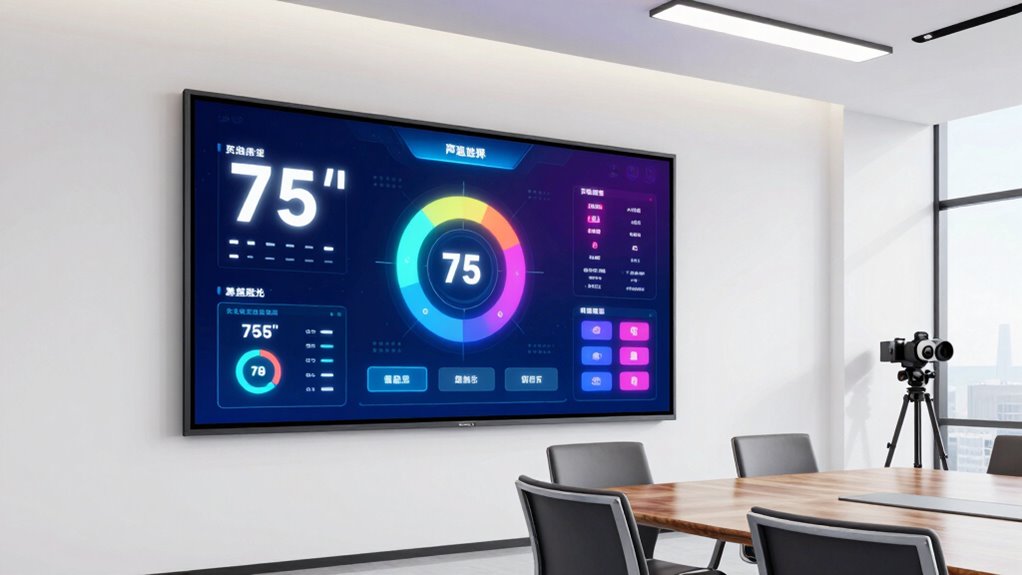

Choosing the right 75 inch interactive display for training rooms involves balancing performance, usability, and budget. The Promethean ActivPanel 10 Premium stands out for its versatile 4K visuals and flexible OS options, making it ideal for varied training needs. Meanwhile, the Gtek 75-inch 4K Interactive Smart Board offers dual OS functionality at a competitive price, perfect for organizations that need multi-platform compatibility. A key tradeoff in this category is between high-end features like AI integration and the cost, which can escalate quickly. Keep reading to see how these options compare and find the best fit for your training environment.

Get business pricing on networking and server gear
- Business-only prices and quantity discounts
- Tax-exempt purchasing
- Multiple users, one account, clear invoices
Key Takeaways
- Top displays offer a balance of 4K resolution and touch responsiveness for clear, interactive training sessions.
- Flexible OS support (Android, Windows, or both) remains a critical factor for compatibility with existing training tools.
- Built-in support and warranty options are vital for minimizing downtime in a professional setting.
- Pricing varies significantly based on features like AI capabilities, camera integration, and advanced whiteboard tools.
- Choosing a display with future-proof connectivity options ensures the device remains relevant over time.




| inch interactive display for training room | Resolution | Size | Operating System |
|---|---|---|---|
| 75” 4K UHD Smart Interactive | 4K UHD | — | Android 13 |
| Promethean ActivPanel 10 Premi | 4K UHD | 75 inches | — |
| Gtek 75-inch 4K Interactive Sm | 4K | — | — |
| 75-Inch Smart Board for Busine | 4K UHD | — | Android 14 |
| ActivPanel 10 Premium 75" Digi | — | — | — |
| Promethean ActivPanel LE 75” H | 4K UHD | 75 inches | Android |
| Promethean ActivPanel 10 75" D | 4K UHD | 75 inches | — |
| 75 inch 4K Smart Interactive W | — | 75 inches | Android 14 |
| Gtek 75" 4K Interactive Whiteb | 4K | 75 inches | Android 13 & Windows |
| JAV 75" Smart Board Pro Google | 4K UHD | 75 inches | Android 14 |
| Promethean ActivPanel 10 Premi | 4K UHD | 75 inches | — |
| 75 Inch AI Smart Board with 4K | 4K | — | — |
More Details on Our Top Picks
75” 4K UHD Smart Interactive Whiteboard with Touchscreen and Android 13
This 75-inch 4K UHD whiteboard stands out for its comprehensive feature set, combining a high-resolution display, Android 13 system, and integrated camera and microphone. Compared to the Promethean ActivPanel 10 Premium, it offers a more streamlined, self-contained solution without needing external devices, making setup simpler for smaller spaces. However, its higher cost and limited repair options outside the U.S. could be drawbacks for budget-conscious or global users. The large display and wireless sharing support make it ideal for interactive classrooms and remote meetings where an all-in-one device simplifies logistics.
Pros:- Vibrant 4K display enhances visual clarity and color accuracy
- Built-in camera and microphone support seamless remote conferencing
- Wireless screen sharing from multiple devices enhances interactivity
- All-in-one design reduces setup complexity
Cons:- Price point may be prohibitive for smaller budgets
- Device compatibility required for wireless sharing
- Limited repair options outside the U.S.
Best for: Educational institutions or small to medium-sized businesses seeking an all-in-one, wireless-capable display for teaching and collaboration.
Not ideal for: Large organizations requiring extensive customization or users needing easy international service, due to higher price and repair limitations.
- Display Size:75 inches
- Resolution:4K UHD
- Touch Technology:20-point infrared touch
- Operating System:Android 13
- RAM:8GB
- Storage:128GB
- Camera:Built-in HD
- Microphone:Built-in microphone array
Our verdict“This model suits organizations wanting a high-res, self-contained interactive display with integrated conferencing capabilities.”
Promethean ActivPanel 10 Premium 75″ Digital Whiteboard for Office or Classroom, 4K UHD, OS Flexible, Panel Included, 3-Year Onsite Support
The Promethean ActivPanel 10 Premium excels with its adaptability, supporting multiple operating systems like Windows, Chrome, and Android, making it highly versatile for various use cases. Unlike the Gtek 75-inch 4K Smart Board, which is more straightforward but less flexible, this panel’s customizable configuration and dual OS support cater well to institutions needing tailored setups. The tradeoff is its potentially steep learning curve and higher cost, which might deter smaller organizations or those seeking simplicity. Its robust 3-year onsite support and flexible OS options make it ideal for tech-savvy educational or corporate environments that value adaptability.
Pros:- Supports multiple operating systems for maximum flexibility
- Customizable configuration options to fit different needs
- Includes 3-year onsite support for peace of mind
- Enhanced collaboration features like dual-source interaction
Cons:- High price point and complex setup process
- Large physical size requires significant space and installation effort
- Potentially overwhelming feature set for basic use
Best for: Large schools or corporations with technical staff seeking a customizable, multi-OS interactive display.
Not ideal for: Small teams or users who prioritize quick deployment and minimal setup, due to complexity and cost.
- Size:75 inches
- Resolution:4K UHD
- Supported OS:Windows, Chromebox, Android
- Support:3-year onsite
- Panel Type:Digital whiteboard
- Additional Features:Dual-source interaction, built-in soundbar
Our verdict“This pick is best for organizations looking for a highly adaptable, multi-OS interactive whiteboard with robust support options.”
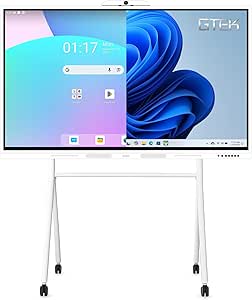
Gtek 75-inch 4K Interactive Smart Board with Dual OS (Android 13 & Windows i7)
This 75-inch Gtek smart board offers exceptional multi-touch support with up to 40 touch points, making it ideal for collaborative learning or busy business sessions. Its ability to switch seamlessly between Android 13 and Windows i7 OS outperforms the Promethean ActivPanel 10 by providing a true dual-OS experience, especially appealing to users needing both educational apps and Windows-based productivity tools. The tradeoff involves its weight, larger footprint, and the need for technical calibration, which could be an obstacle for spaces with limited room or less tech support. It’s suited for environments demanding high interactivity and OS flexibility.
Pros:- Supports up to 40 touch points for large group interactions
- Switches seamlessly between Android 13 and Windows i7
- Multiple connectivity options including HDMI, USB, and Type-C
- Long warranty coverage enhances reliability
Cons:- Expensive for limited budgets
- Heavy and large, requiring substantial installation space
- Requires technical calibration and setup expertise
Best for: Educational or corporate users requiring high-touch interactivity and dual OS capabilities for intensive collaboration.
Not ideal for: Smaller rooms or users seeking plug-and-play simplicity, due to setup complexity and size.
- Screen Size:75 inches
- Resolution:4K
- Touch Points:40
- OS Support:Android 13, Windows i7
- RAM/Storage:8GB/128GB (Android), 16GB/256GB (Windows)
- Warranty:4-year limited for whiteboard, 1-year for accessories
Our verdict“This display is best for environments that need extensive multi-user interactivity combined with powerful OS flexibility.”
75-Inch Smart Board for Business with 4K Touchscreen, Screen Sharing, and Android 14
This 75-inch smart board runs on Android 14 and boasts a 4K display with multi-touch support, combined with a built-in computer offering ample RAM and storage. Compared to the ActivPanel 10 Premium, it provides more integrated conferencing tools, including a 13MP camera and 8-array microphone, making it especially suitable for remote training and hybrid meetings. Its large size and complex setup might challenge smaller or less tech-savvy users, but the advanced features support dynamic, remote, and in-person collaboration effortlessly. It’s an excellent choice for organizations prioritizing interactive content sharing and conferencing in a single device.
Pros:- High-resolution 4K display with multi-touch functionality
- Built-in computer with substantial RAM and storage
- Supports wireless and wired sharing for versatile content delivery
- Comprehensive conferencing features including camera and microphone
Cons:- Size may require significant space and careful installation
- Setup process can be complex for non-technical users
- Premium price reflecting advanced features
Best for: Training centers or large conference rooms needing integrated video conferencing and flexible content sharing.
Not ideal for: Small offices or classrooms with space constraints or minimal technical support, due to size and setup complexity.
- Display Size:75 inches
- Resolution:4K UHD
- Touch Technology:20-point infrared
- Operating System:Android 14
- RAM:8GB
- Storage:128GB
- Camera:13MP auto-focus
- Microphone:8-array microphone
Our verdict“This device suits organizations seeking a feature-rich, integrated conferencing display for large training or meeting environments.”
ActivPanel 10 Premium 75″ Digital Whiteboard with 4K UHD Display and Windows OPS Bundle
The ActivPanel 10 Premium provides a large, crisp 4K UHD display combined with a Windows OPS module, enabling users to run Windows applications directly on the screen. Unlike the Gtek 75-inch 4K Smart Board, which offers multi-OS support but lacks Windows integration, this model streamlines Windows-based workflows. Its support for dual-source interaction and picture-in-picture enhances collaboration, while the included accessories like the ActivPen make it a complete package. However, the high price and the need for proper mounting could be barriers for smaller teams or less experienced users. It’s particularly suited for offices and classrooms where Windows applications are essential.
Pros:- Large 4K UHD display delivers sharp, clear visuals
- Includes Windows OPS module for full Windows experience
- Supports dual-source interaction and picture-in-picture
- Comes with interactive accessories like ActivPen and remote
Cons:- Higher price point can be a barrier
- Requires wall or panel mounting setup
- Potential complexity for non-technical users
Best for: Organizations that rely heavily on Windows-based software and want seamless integration with minimal external equipment.
Not ideal for: Users seeking a simple, plug-and-play display or those with limited installation space, due to size and setup requirements.
- Display Size:75 inches
- Display Resolution:4K UHD
- Display Type:LED
- Aspect Ratio:16:9
- Refresh Rate:144 Hz
- Ports:2 HDMI, 3 USB
- Warranty:3 years onsite
Our verdict“Ideal for Windows-centric environments seeking a large, interactive display with integrated Windows capabilities.”
Promethean ActivPanel LE 75” High Specification Digital Whiteboard, 4K UHD, Interactive Display, Android OS, EDLA Certified, 3 Year Onsite Support
The Promethean ActivPanel LE stands out for its stunning 4K UHD resolution, delivering crisp visuals that elevate any training or presentation. Its Android OS makes it exceptionally user-friendly, requiring no extensive training—ideal for those who want a straightforward setup. Compared with the Promethean ActivPanel 10, which offers more configuration options, the LE focuses on simplicity, but that means fewer customization capabilities. Its reliance on external components for complete system integration can be a drawback for larger setups. Nonetheless, its high-quality display and easy operation make it a top choice for basic training rooms where visual clarity is paramount.
Pros:- Sharp 4K UHD display enhances visual clarity for detailed content
- User-friendly interface requires no special training
- Versatile as it supports Android apps and can integrate with other systems
Cons:- Requires additional components for full system integration
- Limited to 75-inch size, which may not suit smaller rooms
Best for: Training coordinators or educators seeking a high-res display with minimal setup and easy usability
Not ideal for: Tech-savvy users wanting extensive customization or integrated system solutions
- Size:75 inches
- Resolution:4K UHD
- Operating System:Android
- Certification:EDLA Certified
- Support:3 Year Onsite Support
Our verdict“This option works best for users prioritizing visual clarity and straightforward operation over extensive customization.”
Promethean ActivPanel 10 75″ Digital Whiteboard for Office or Classroom, 4K UHD, Flexible OS, 3-Year Onsite Support
The Promethean ActivPanel 10 offers exceptional flexibility, supporting multiple operating systems—Windows, Android, and Chromebox—making it suitable for varied training and collaboration needs. Its customizable configuration options can cater to more complex setups compared to the LE, but this also means setup and calibration might be more involved. Its dual-source interaction and built-in audio elevate collaborative presentations, yet the higher price point could be a barrier for some. Compared with the Gtek 75″ with dual OS, the ActivPanel 10’s broader OS support provides a more seamless experience for mixed-device environments, though it demands more technical setup.
Pros:- Supports multiple OS platforms for versatile device pairing
- Customizable configurations for specific workspace needs
- Enhanced collaboration with dual-source interaction and integrated audio
Cons:- Higher cost due to extensive features and customization
- Setup and calibration require technical expertise
Best for: Tech-oriented organizations needing system versatility and advanced collaboration features
Not ideal for: Small teams or budget-conscious buyers who prefer plug-and-play simplicity
- Size:75 inches
- Resolution:4K UHD
- Supported OS:Windows, Chromebox, Android
- Support:3 Year Onsite
- Features:Dual-source interaction
Our verdict“Ideal for organizations that need multi-OS compatibility and flexible configurations, despite longer setup times.”
75 inch 4K Smart Interactive Whiteboard Touch Screen
This 75-inch smart whiteboard with Android 14 delivers a responsive 6 ms touch response, making it suitable for dynamic meetings and classrooms. Its large 4K display offers immersive visuals, and the device’s support for app downloads via Android 14 extends its use beyond basic presentations. Compared with the Promethean models, it stands out because of its modern Android 14 OS and ample RAM, though it lacks detailed information about included accessories and built-in audio features. Its price is not specified, which makes budget planning difficult. This pick makes the most sense for users who want a high-res touchscreen that can run a variety of apps for diverse training activities.
Pros:- Large 4K UHD display for clear, engaging visuals
- Runs Android 14 with 8GB RAM for versatile app use
- Multiple ports for easy device connectivity
Cons:- Limited info on included accessories and audio features
- Price details not provided, complicating budget decisions
Best for: Educators or corporate trainers seeking a flexible, app-rich display with Android 14
Not ideal for: Users needing built-in audio or a dedicated video conferencing system without additional accessories
- Size:75 inches
- Display Resolution:4K UHD
- Operating System:Android 14
- RAM:8GB
- Storage:128GB
- Response Time:6 ms
Our verdict“Best suited for users wanting a high-resolution touchscreen capable of running various apps without complex setup.”
Gtek 75″ 4K Interactive Whiteboard with Android 13, Touch Screen Digital Electronic Whiteboard for Classroom, Office, Business, and Home
The Gtek 75″ 4K Interactive Whiteboard combines high-precision multi-touch support with dual OS slots, allowing seamless switching between Android 13 and Windows—making it highly adaptable for classrooms and offices. Its 40-point multi-touch provides robust interaction, and with extensive connectivity options, it supports complex setups. Compared to the Promethean ActivPanel 10, Gtek’s dual OS feature offers more flexible device integration, but its relatively high price and complex setup might deter less technical users. Its wider OS support makes it suitable for environments that need to run specialized software or multiple operating systems easily.
Pros:- High-res 4K display with precise multi-touch support
- Switches seamlessly between Android 13 and Windows
- Extensive connectivity for diverse device integration
Cons:- Setup can be complex and might need technical assistance
- Higher price may not suit budget-sensitive users
Best for: Businesses and educational institutions requiring dual OS support and extensive touch capabilities
Not ideal for: Small or simple training rooms where ease of use and quick setup are priorities
- Size:75 inches
- Resolution:4K
- Operating System:Android 13 & Windows
- Touch Points:40
- Connectivity:HDMI, USB, Type-C
- Warranty:4-year limited
Our verdict“Best for environments that need versatile OS support and advanced multi-touch interaction, despite more involved setup.”
JAV 75″ Smart Board Pro Google EDLA Certified 4K UHD Interactive Whiteboard with AI Camera and Soundbar
The JAV 75″ Smart Board Pro elevates collaboration with its integrated AI camera and 100W soundbar, making it ideal for engaging presentations and remote learning. Its 4K UHD display ensures crisp visuals, comparable to the Promethean models, but with added AI-driven features that enhance interactive learning and conferencing. The device’s seamless Google Workspace integration makes it particularly appealing for users already invested in Google’s ecosystem. However, its complex setup and premium pricing mean it’s better suited for larger, well-funded training rooms or conference centers rather than small spaces with limited budgets.
Pros:- High-resolution 4K display with multi-touch support
- Built-in AI camera and high-power soundbar for clear audio and video
- Seamless Google Workspace integration enhances collaboration
Cons:- Complex installation process requiring technical expertise
- Higher price point may limit accessibility for some users
Best for: Organizations seeking advanced audio-visual features and Google ecosystem integration for training or conferencing
Not ideal for: Small teams or budget-restricted environments where setup complexity and cost are concerns
- Size:75 inches
- Resolution:4K UHD
- Touch Points:20-point multi-touch
- Camera:48MP AI Camera
- Soundbar:100W
- Operating System:Android 14
Our verdict“Ideal for large, tech-savvy training or conference rooms that need premium AV features integrated with Google services.”
Promethean ActivPanel 10 Premium Smart Board 75″ Digital Whiteboard
The Promethean ActivPanel 10 Premium stands out for its broad device compatibility, supporting multiple operating systems like Windows, Android, and Chrome, which makes it highly adaptable in diverse training environments. Compared with the 75 Inch AI Smart Board, which excels with AI features and integrated cameras, this model prioritizes flexible connectivity over built-in AI tools. Its inclusion of a mobile stand simplifies setup and repositioning, especially in multipurpose rooms. However, this flexibility comes with a tradeoff: the setup can be complex given the multiple OS options, and no clear pricing info makes budgeting uncertain. This pick makes the most sense for organizations needing a highly adaptable display that can serve varied tech ecosystems without sacrificing mobility.
Pros:- Supports multiple operating systems for maximum device compatibility
- Includes a mobile stand for easy repositioning and flexible use
- Features dual-source interaction with Picture-in-picture support
Cons:- Setup can be complicated due to multiple OS configurations
- Lacks specific pricing details, making budget planning difficult
Best for: Educational institutions or corporate training centers that require compatibility with various devices and operating systems
Not ideal for: Small meeting rooms or classrooms where simplicity and quick setup are prioritized over multi-OS flexibility
- Size:75 inches
- Resolution:4K UHD
- Includes:Mobile stand
- Operating Systems:i5 Windows OPS, N97 Windows OPS, Chromebox, Android OPS
Our verdict“This model is ideal for users who need a versatile, adaptable display that can integrate seamlessly into varied tech setups and mobility needs.”
75 Inch AI Smart Board with 4K Display and Interactive Whiteboard Features
The 75 Inch AI Smart Board offers cutting-edge AI capabilities, including live transcription, multilingual translation, and AI-organized notes, making it ideal for dynamic, collaborative training sessions. Its 4K display with 50 touch points and vibrant color coverage ensures a visually engaging experience, surpassing the basic interaction of the Promethean ActivPanel 10 Premium. The built-in dual 48MP cameras and 12-microphone array provide exceptional audio-visual clarity, perfect for hybrid meetings. The main tradeoff involves its high cost and complexity — setup and calibration demand technical expertise, and its large size may not fit smaller rooms. This option makes the most sense for organizations seeking AI-driven features and sophisticated multimedia integration to enhance collaboration.
Pros:- Multiple connectivity options for flexible device integration
- Large touch surface with 50 touch points enhances interactivity
Cons:- High price point may be prohibitive for some budgets
- Requires technical knowledge for setup and calibration
- Large size may limit placement options in smaller rooms
Best for: Tech-forward training centers or large classrooms that prioritize AI tools and multimedia features for interactive learning
Not ideal for: Small offices or classrooms with limited space or budget constraints, where simple displays suffice
- Display Size:75 inches
- Resolution:4K
- Touch Points:50
- Cameras:Dual 48MP
- Microphone Array:12 microphones
- Connectivity:Wi-Fi 6, Bluetooth 5.4, USB-C, HDMI, USB 3.0
Our verdict“This device suits organizations seeking a high-tech, AI-enhanced display that elevates interactive and hybrid training experiences.”

How We Picked
The selection process focused on performance, build quality, ease of use, and value for money. I evaluated each display’s resolution, touch responsiveness, OS compatibility, and support services. Durability, ease of installation, and software ecosystem also played key roles, especially for training environments where reliability is paramount. Products were ranked based on how well they balance these factors, with a preference for models that deliver high-quality visuals, intuitive interfaces, and long-term support, ensuring they meet the demands of active training rooms.| inch interactive display for training room | Operating System |
|---|---|
| 75” 4K UHD Smart Interactive | Android 13 |
| Promethean ActivPanel 10 Premi | — |
| Gtek 75-inch 4K Interactive Sm | — |
| 75-Inch Smart Board for Busine | Android 14 |
| ActivPanel 10 Premium 75" Digi | — |
| Promethean ActivPanel LE 75” H | Android |
| Promethean ActivPanel 10 75" D | — |
| 75 inch 4K Smart Interactive W | Android 14 |
| Gtek 75" 4K Interactive Whiteb | Android 13 & Windows |
| JAV 75" Smart Board Pro Google | Android 14 |
| Promethean ActivPanel 10 Premi | — |
| 75 Inch AI Smart Board with 4K | — |
Factors to Consider When Choosing 75 Inch Interactive Display For Training Rooms
When selecting a 75 inch interactive display for training rooms, several factors can influence your decision. Beyond just screen size and resolution, consider compatibility with your existing hardware and software ecosystem. Durability and ease of maintenance are also important, especially in busy training environments. Budget constraints often lead to tradeoffs—high-end features like AI and advanced whiteboarding may come at a premium. Additionally, support and warranty terms can significantly impact the total cost of ownership over time. Keep these considerations in mind to make a choice that balances features with practical needs.Display Quality and Resolution
High-resolution screens, such as 4K UHD, ensure clear visuals, which are essential for engaging training sessions. Sharp images and precise touch response can enhance interactivity, especially when presenting detailed diagrams or videos. However, higher resolution displays tend to cost more and consume more power. It’s important to assess whether your training environment benefits from ultra-high resolution or if a 1080p display suffices to save costs without sacrificing clarity.
Operating System Compatibility
Different displays support various OS platforms like Android, Windows, or a combination of both. Compatibility with your existing training software and ease of switching between platforms are key considerations. An OS-flexible display can reduce integration headaches, but may introduce complexity in management. If your organization relies heavily on Windows-based apps, a Windows-compatible display might be more suitable. Conversely, Android-based models often excel in app variety and ease of use.
Durability and Support
Training rooms require devices that can withstand frequent use and possible mishandling. Look for displays with sturdy build quality and comprehensive warranty options. Support services, such as onsite repairs and extended warranties, can prevent costly downtime. In high-use environments, investing in a display with a proven track record of reliability and easy maintenance can save money and frustration over time.
Connectivity and Future-Proofing
Multiple connectivity options, including HDMI, USB-C, and wireless sharing, ensure your display can integrate seamlessly with various devices. Future-proofing features like HDMI 2.1, USB-C, and Wi-Fi 6 can keep your setup compatible with new devices years down the line. Avoid models with limited ports or outdated connectivity standards to prevent future upgrade costs and compatibility issues.
Advanced Features and AI Integration
Some models include AI-powered tools, facial recognition, and built-in cameras, which can enhance interactivity and engagement. These features are particularly useful for remote or hybrid training, enabling more personalized experiences. However, they often come at a higher price and may require more complex setup. Evaluate whether such features align with your training goals and budget before opting for these premium options.
Frequently Asked Questions
Is a 75 inch display large enough for a training room?
Yes, a 75 inch display provides ample viewing area for most training rooms, allowing clear visibility from multiple angles. It strikes a good balance between size and space efficiency, especially in medium to large rooms. However, in very large spaces, additional projection or multiple displays might be needed to ensure everyone can see comfortably. Consider your room size and seating arrangement when assessing if 75 inches is sufficient.
What OS should I choose for my training display?
The best OS depends on your existing infrastructure and software needs. Android-based displays are user-friendly and support a wide range of apps, ideal for quick setup and ease of use. Windows support offers better compatibility with enterprise and productivity tools, making it suitable for more complex training environments. Choosing a display with flexible OS support can provide the most versatility and future-proofing for your organization.
Are AI features worth the extra cost?
AI features can significantly enhance engagement through personalized interactions, facial recognition, and smart annotations. They are beneficial in hybrid or remote training settings, providing more interactive experiences. However, these features come with a higher price tag and potential complexity in setup. Evaluate your specific training goals and whether AI capabilities align with your needs before investing in premium models.
How important is warranty and support for these displays?
Warranty and support are critical, especially in busy training environments where device downtime can disrupt schedules. A comprehensive warranty with onsite support reduces repair times and minimizes operational interruptions. Many high-end displays include multi-year support packages, which can be cost-effective over time. Always review what support services are included, such as remote diagnostics or on-site repairs, to ensure your investment remains protected.
Can I mount these displays easily in my training room?
Most 75 inch displays are designed for wall mounting, but installation complexity varies by model. Look for mounts that are compatible with VESA standards and ensure the weight and dimensions fit your space. Some models come with dedicated mounting hardware and detailed instructions, making installation smoother. In larger or more complex rooms, professional installation may be advisable to guarantee safety and optimal positioning.
Conclusion
For organizations seeking the best all-around performance, the Promethean ActivPanel 10 Premium offers a reliable, versatile choice with excellent visuals and OS flexibility. Budget-conscious buyers will appreciate the Gtek 75-inch 4K Interactive Smart Board, delivering solid features at a competitive price. Those looking for premium features like AI and advanced whiteboarding should consider models like the JAV 75″ Smart Board Pro or ActivPanel LE. Beginners or smaller setups may prefer simpler, easy-to-use models, while larger training facilities should prioritize durability and support. Tailor your choice to your specific training needs and budget to get the best value.