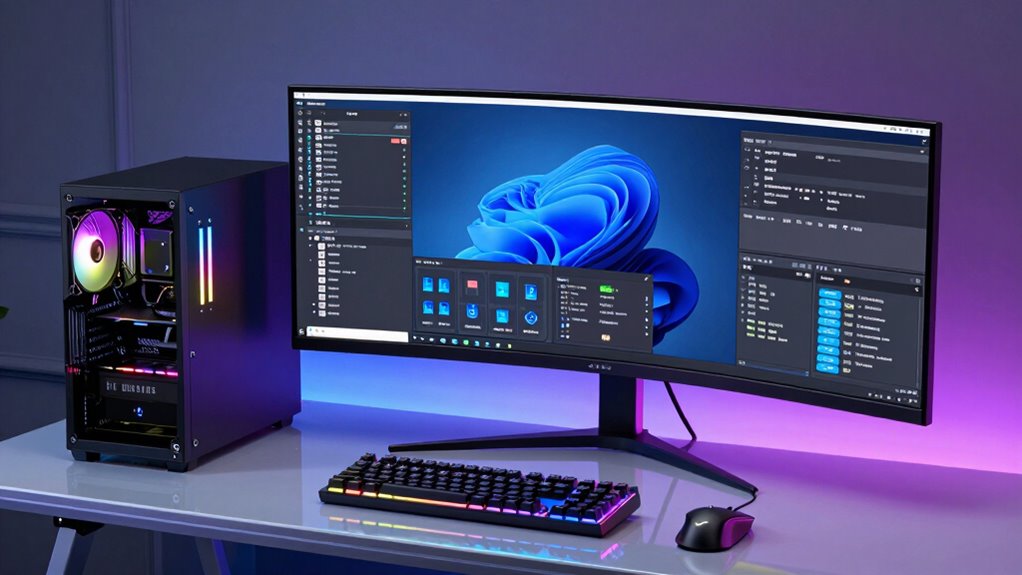

Finding the right desktop workstation for running multiple virtual machines requires balancing raw power, expandability, and reliability. The best overall pick, the Dell Precision T7820, offers a robust Xeon processor and ample RAM for demanding workloads. For those on a tighter budget, the Dell Desktop Tower with Core i7-12700K delivers strong performance at a more accessible price. Meanwhile, the Lenovo ThinkStation P3 provides a high-end option with advanced GPU support for intensive virtualization scenarios. The main challenges in this category involve managing cost versus capacity and choosing between workstation-class durability or more flexible, consumer-grade builds. Keep reading for a detailed comparison to help you find the best fit for your VM workload.

Get business pricing on networking and server gear
- Business-only prices and quantity discounts
- Tax-exempt purchasing
- Multiple users, one account, clear invoices
Complete the kit



Key Takeaways
- High-core-count Xeon workstations excel at multi-VM performance but come with a higher price tag.
- Memory capacity and fast SSDs are critical for smooth virtualization; 128GB RAM is a common threshold for heavy workloads.
- GPU support varies; workstations with professional graphics cards benefit GPU-accelerated VMs or graphics-intensive tasks.
- Expandability and future-proofing are key; look for models with multiple RAM slots and PCIe slots for upgrades.
- Budget options can handle basic multi-VM setups but may struggle with large-scale or intensive workloads.
| Dell Precision T7820 Workstation Desktop with Xeon Silver-4114, 192GB RAM, 1TB SSD, Windows 11 Pro (Renewed) |  | Best Overall for Heavy Virtualization and Professional Workloads | Processor: Intel Xeon Silver-4114 | RAM: 192GB DDR4 | Storage: 1TB PCIe NVMe SSD | VIEW ON AMAZON | See Our Full Breakdown |
| Dell Precision T7810 Workstation with Dual Intel Xeon E5-2670 v3, 128GB RAM, 480GB SSD, No Operating System |  | Best for High-Performance Dual-Processor Setups | Processors: 2x Intel Xeon E5-2670 v3 12-Core | Memory: 128GB DDR4 | Storage: 480GB SSD | VIEW ON AMAZON | See Our Full Breakdown |
| Dell Desktop Tower with Intel Core i7-12700K, 32GB DDR5 RAM, 1TB SSD, Dual 4K Monitor Support, Windows 11 Pro |  | Best for High-Performance Desktop Virtualization & Content Creation | Processor: Intel Core i7-12700K | RAM: 32GB DDR5 | Storage: 1TB PCIe SSD | VIEW ON AMAZON | See Our Full Breakdown |
| Dell Desktop Computer with Intel Core i7-14700, 16GB DDR5 RAM, 1TB PCIe SSD |  | Best for Business Professionals and Remote Work with VM Needs | Processor: Intel Core i7-14700 | RAM: 16GB DDR5 | Storage: 1TB PCIe SSD | VIEW ON AMAZON | See Our Full Breakdown |
| HP Z2 SFF G1i Workstation Desktop, Intel Core Ultra 5 235, 32GB DDR5, 1TB SSD |  | Best Compact Workstation for Professional 3D and CAD VMs | Processor: Intel Core Ultra 5 235 | Cores/Threads: 14 cores, 14 threads | RAM: 32GB DDR5 | VIEW ON AMAZON | See Our Full Breakdown |
| Dell Pro Tower Business Desktop with 14th Gen Intel Core i5-14500 vPro |  | Best Overall for Balanced Power and Manageability | Processor: Intel Core i5-14500 vPro (14 cores, up to 5.0GHz) | RAM: 128GB DDR5 | Storage: 4TB PCIe SSD | VIEW ON AMAZON | See Our Full Breakdown |
| Dell Precision T7820 Workstation Desktop (2018) | Core Xeon Silver – 1TB SSD + 1TB HDD – 32GB RAM | | Best for Heavy-Duty Professional Workloads | Processor: Intel Xeon Silver-4214R, 12 cores, 3.5 GHz | RAM: 32GB DDR4 | Storage: 1TB SSD, 1TB HDD | VIEW ON AMAZON | See Our Full Breakdown |
| Dell Pro Tower Business Desktop, Intel Core i5-14500 vPro | | Best for Mid-Range Power with Enterprise Security | Processor: Intel Core i5-14500 vPro (14 cores, up to 5.0GHz) | RAM: 16GB DDR5 | Storage: 512GB PCIe SSD | VIEW ON AMAZON | See Our Full Breakdown |
| Dell Precision 5820 Tower Workstation with Xeon W-2145, 32GB RAM, 512GB SSD, Quadro P2000 |  | Best for Professional-Grade 3D and CAD Work | Processor: Intel Xeon W-2145, 8-core | RAM: 32GB | Storage: 512GB SSD | VIEW ON AMAZON | See Our Full Breakdown |
| Dell T7810 Precision Tower Workstation – Dual Xeon E5-2690 v4, 128GB DDR4, Quadro K620 2GB, No HDD/OS |  | Best for Customizable High-Performance Virtualization | Processor: 2x Intel Xeon E5-2690 v4 (14 cores each) | RAM: 128GB DDR4 | Graphics Card: Nvidia Quadro K620 2GB | VIEW ON AMAZON | See Our Full Breakdown |
| MINISFORUM MS-01 Workstation Core i9-13900H Mini PC 32GB RAM 1TB SSD Micro Computer |  | Best Compact Power for Demanding Tasks | Processor: Intel Core i9-13900H | RAM: 32GB | Storage: 1TB SSD | VIEW ON AMAZON | See Our Full Breakdown |
| Lenovo ThinkStation P3 Tower with Intel Core Ultra 9 285, 64GB DDR5, NVIDIA RTX 2000 |  | Best High-End Workstation for Heavy Virtualization and Complex Tasks | Processor: Intel Core Ultra 9 285 vPro | Memory: 64GB DDR5 | Storage: 1TB SSD | VIEW ON AMAZON | See Our Full Breakdown |
| desktop workstation for running multiple vm | Processor | Storage | RAM | Operating System |
|---|---|---|---|---|
| Dell Precision T7820 Workstati | Intel Xeon Silver-4114 | 1TB PCIe NVMe SSD | 192GB DDR4 | Windows 11 Pro |
| Dell Precision T7810 Workstati | — | 480GB SSD | — | Not Included |
| Dell Desktop Tower with Intel | Intel Core i7-12700K | 1TB PCIe SSD | 32GB DDR5 | Windows 11 Pro |
| Dell Desktop Computer with Int | Intel Core i7-14700 | 1TB PCIe SSD | 16GB DDR5 | Windows 11 Pro |
| HP Z2 SFF G1i Workstation Desk | Intel Core Ultra 5 235 | 1TB PCIe NVMe SSD | 32GB DDR5 | — |
| Dell Pro Tower Business Deskto | Intel Core i5-14500 vPro (14 cores, up to 5.0GHz) | 4TB PCIe SSD | 128GB DDR5 | Windows 11 Pro |
| Dell Precision T7820 Workstati | Intel Xeon Silver-4214R, 12 cores, 3.5 GHz | 1TB SSD, 1TB HDD | 32GB DDR4 | Windows 11 Pro |
| Dell Pro Tower Business Deskto | Intel Core i5-14500 vPro (14 cores, up to 5.0GHz) | 512GB PCIe SSD | 16GB DDR5 | Windows 11 Pro |
| Dell Precision 5820 Tower Work | Intel Xeon W-2145, 8-core | 512GB SSD | 32GB | Windows 11 Pro |
| Dell T7810 Precision Tower Wor | 2x Intel Xeon E5-2690 v4 (14 cores each) | — | 128GB DDR4 | — |
| MINISFORUM MS-01 Workstation C | Intel Core i9-13900H | 1TB SSD | 32GB | — |
| Lenovo ThinkStation P3 Tower w | Intel Core Ultra 9 285 vPro | 1TB SSD | — | — |
More Details on Our Top Picks
Dell Precision T7820 Workstation Desktop with Xeon Silver-4114, 192GB RAM, 1TB SSD, Windows 11 Pro (Renewed)
The Dell Precision T7820 stands out for its massive 192GB RAM and powerful Xeon Silver-4114 processor, making it ideal for running multiple VMs smoothly without bottlenecks. Compared with the HP Z2 SFF G1i, which offers a compact design but only 32GB RAM, this workstation delivers unmatched multitasking capacity. Its 1TB NVMe SSD ensures quick data access, essential when managing several VMs simultaneously. However, it lacks integrated WiFi and Bluetooth, which might require additional upgrades, and being a renewed product, the warranty could be limited. This pick makes the most sense for professionals who need maximum RAM and CPU core count for VM hosting and demanding workloads, accepting the tradeoff of potential connectivity limitations.
Pros:- Exceptional 192GB RAM for extensive VM hosting
- High-core Xeon processor for multitasking
- Fast 1TB NVMe SSD for data throughput
- Professional-grade Nvidia Quadro P2000 graphics
Cons:- Renewed product may have limited warranty
- No WiFi or Bluetooth built-in, requiring additional hardware
Best for: IT professionals and developers running multiple VMs, needing high RAM and CPU cores for intensive multitasking
Not ideal for: Casual users or those with limited space, since the tower’s size and power requirements are substantial
- Processor:Intel Xeon Silver-4114
- RAM:192GB DDR4
- Storage:1TB PCIe NVMe SSD
- Graphics Card:Nvidia Quadro P2000 5GB
- Operating System:Windows 11 Pro
- Warranty:3 years with on-site Next Business Day Service
Our verdict“This is the best choice for users who prioritize raw performance and maximum RAM for virtual machine environments.”
Dell Precision T7810 Workstation with Dual Intel Xeon E5-2670 v3, 128GB RAM, 480GB SSD, No Operating System
The Dell Precision T7810 with dual Xeon E5-2670 v3 processors offers substantial processing power ideal for VM environments that benefit from multiple cores. While it provides 128GB RAM, which is ample for many VM setups, it lags behind the Precision T7820 in sheer memory capacity, making it less suited for extremely high-memory demands. Its 480GB SSD supports quick VM storage and retrieval but may fall short for users managing very large datasets. The absence of an operating system and an older graphics card limit immediate usability, particularly for graphics-intensive VMs or desktop environments. This machine makes sense for those who need robust CPU performance and large RAM but are okay with additional setup and potential hardware upgrades.
Pros:- Dual Xeon E5-2670 v3 processors for parallel workloads
- 128GB RAM suitable for multiple VMs
- Fast SSD storage for quick data access
- Multiple USB and network ports for connectivity
Cons:- No operating system included, requiring setup
- Older graphics card may limit GPU-dependent VM tasks
Best for: Power users who need dual CPUs and lots of RAM, primarily for server-like VM hosting or complex computational tasks
Not ideal for: Users seeking an out-of-the-box ready machine or gaming/graphics-intensive VM workloads, due to older GPU and lack of OS
- Processors:2x Intel Xeon E5-2670 v3 12-Core
- Memory:128GB DDR4
- Storage:480GB SSD
- Graphics Card:Quadro NVS 315 1GB
- Operating System:Not Included
- Power Supply:685W PSU
Our verdict“This workstation suits those needing dual processors and large RAM for VM hosting with a willingness to configure and upgrade.”
Dell Desktop Tower with Intel Core i7-12700K, 32GB DDR5 RAM, 1TB SSD, Dual 4K Monitor Support, Windows 11 Pro
The Dell i7-12700K desktop offers a compelling balance of power and modern features, including a 12-core CPU, 32GB DDR5 RAM, and a 1TB SSD. Compared with the Pro Tower with i7-14700, which has a slightly newer processor, this model still provides excellent performance for VM hosting alongside productivity tasks like content creation. Its support for dual 4K monitors and comprehensive ports makes it a solid choice for professional multitasking. However, it lacks a dedicated graphics card, which could limit its ability to handle high-end graphics VMs or gaming workloads. This pick is ideal for users who need a powerful, versatile desktop for running multiple VMs alongside other high-resolution workflows.
Pros:- Powerful i7-12700K CPU with high core count
- Fast DDR5 RAM and 1TB SSD for smooth multitasking
- Dual 4K monitor support for enhanced productivity
- Rich connectivity including Wi-Fi and Bluetooth
Cons:- No dedicated graphics card for GPU-accelerated VMs
- Potentially higher power consumption due to high-end components
Best for: Content creators and professionals who need a reliable, high-performance machine for VM hosting and multimedia tasks
Not ideal for: Gamers or users needing high-end dedicated GPU support for graphics-intensive VMs, due to lack of discrete GPU
- Processor:Intel Core i7-12700K
- RAM:32GB DDR5
- Storage:1TB PCIe SSD
- Monitor Support:Dual 4K
- Connectivity:Wi-Fi, Bluetooth, USB-C, HDMI, DP, Ethernet
- Operating System:Windows 11 Pro
Our verdict“This desktop makes a strong case for users needing high CPU and display output for VM workloads combined with multimedia tasks.”
Dell Desktop Computer with Intel Core i7-14700, 16GB DDR5 RAM, 1TB PCIe SSD
The Dell i7-14700 desktop offers impressive processing power with its 20-core, 28-thread CPU, complemented by 16GB DDR5 RAM and a fast 1TB SSD. It’s tailored for professional environments where VM hosting supports remote work, data analysis, or enterprise applications. Its dual 4K monitor support enhances productivity, and enterprise security features make it attractive for business use. Compared with higher-RAM options like the T7820, this model trades some memory capacity for a sleek, more compact design, and the lack of Wi-Fi may require additional adapters. This machine is best for professionals who prioritize CPU performance and security, accepting some hardware limitations.
Pros:- High-end 20-core i7-14700 CPU for multitasking
- Fast 1TB PCIe SSD for quick VM access
- Supports dual 4K displays for productivity
- Enterprise security features with Windows 11 Pro
Cons:- No built-in Wi-Fi, requiring additional modules
- Limited USB-C ports and no optical drive
Best for: Business users and remote workers running multiple VMs for productivity and data tasks
Not ideal for: Power users needing extensive RAM for large-scale VM environments, or gamers requiring high-end GPU support
- Processor:Intel Core i7-14700
- RAM:16GB DDR5
- Storage:1TB PCIe SSD
- Display Support:Dual 4K
- Connectivity:Ethernet, USB ports
- Operating System:Windows 11 Pro
Our verdict“This desktop suits business professionals who need CPU power and security features for VM workloads but can handle some hardware upgrades.”
HP Z2 SFF G1i Workstation Desktop, Intel Core Ultra 5 235, 32GB DDR5, 1TB SSD
The HP Z2 SFF G1i offers a compact yet capable platform for running multiple VMs, especially in CAD, 3D modeling, or simulation environments. Its Intel Core Ultra 5 235 processor with 14 cores supports multi-threaded workloads efficiently. With 32GB DDR5 RAM and a 1TB NVMe SSD, it handles VM storage and processing well, while its small form factor allows flexible deployment. Connectivity options like multiple USB ports and DisplayPorts support multi-monitor setups. However, it relies on integrated graphics, limiting GPU-intensive VM tasks unless upgraded, and the resealed design might concern some buyers about original condition and upgrade potential. This makes sense for professionals who need a space-efficient machine for demanding workloads that don’t rely heavily on GPU acceleration.
Pros:- Compact design ideal for space-constrained environments
- Powerful 14-core processor for multi-threaded tasks
- Rich connectivity supporting multi-display setups
- Fast 1TB NVMe SSD for VM storage
Cons:- No dedicated GPU for high-end graphics or GPU-accelerated VMs
- Resealed packaging might raise upgrade or warranty concerns
Best for: CAD designers, 3D artists, and engineers running professional VMs in a limited space
Not ideal for: High-end gaming or GPU-accelerated VM workloads, due to limited graphics capabilities
- Processor:Intel Core Ultra 5 235
- Cores/Threads:14 cores, 14 threads
- RAM:32GB DDR5
- Storage:1TB PCIe NVMe SSD
- Graphics:Intel Graphics
- Connectivity:Multiple USB-C, USB-A, DisplayPort
Our verdict“This workstation fits professionals needing a small but powerful machine for VM tasks that are CPU- and memory-intensive but not GPU-dependent.”
Dell Pro Tower Business Desktop with 14th Gen Intel Core i5-14500 vPro
This Dell Pro Tower stands out for offering a strong combination of processing power, memory, and security features. Its 14th Gen Intel Core i5-14500 vPro processor with 14 cores and hyperthreading delivers excellent multitasking capabilities, comparable to the more specialized Dell Precision models but with a more streamlined setup. With 128GB DDR5 RAM and a 4TB PCIe SSD, it excels at running multiple VMs smoothly, especially when paired with multi-monitor support. However, its lack of wireless connectivity and limited upgrade options due to its compact chassis could be limiting for some users. Compared to the Dell Precision T7820, it sacrifices some expandability but gains a more user-friendly form factor and enterprise management features. This pick is ideal for professionals who need a reliable, secure, and high-performing workstation without specialized GPU requirements.
Pros:- High-performance 14th Gen Intel Core i5 vPro processor with security features
- 128GB DDR5 RAM and 4TB SSD for fast multitasking and ample storage
- Supports dual 4K monitors for extended workspace
- Enterprise-grade security and remote management
Cons:- No wireless LAN included, limiting mobility
- Limited upgrade options due to compact design
- Wired connectivity only
Best for: IT professionals and system administrators requiring enterprise-grade security and manageability for VM hosting
Not ideal for: Creative professionals needing high-end GPU acceleration or extensive hardware upgrades
- Processor:Intel Core i5-14500 vPro (14 cores, up to 5.0GHz)
- RAM:128GB DDR5
- Storage:4TB PCIe SSD
- Graphics:Intel UHD Graphics 770
- Operating System:Windows 11 Pro
- Dimensions:12.77 in. x 6.06 in. x 11.54 in.
Our verdict“A well-rounded choice for those who prioritize security, multitasking, and manageability in a desktop workstation.”
Dell Precision T7820 Workstation Desktop (2018) | Core Xeon Silver – 1TB SSD + 1TB HDD – 32GB RAM
Compared with the Dell Pro Tower, the Precision T7820 offers a more specialized workstation experience, with a Xeon Silver processor, larger RAM capacity, and dual storage options. Its 12-core Xeon Silver-4214R handles intensive multitasking and professional applications like CAD or 3D modeling with ease. While it lacks integrated wireless connectivity and comes as a renewed product, its expandability and raw power make it suitable for users needing dedicated workstation features. The tradeoff involves a bulkier form factor and potentially limited warranty coverage. For those whose primary goal is maximum performance for demanding tasks, this model outperforms most general-purpose desktops like the Dell Pro Tower, but it’s overkill for simpler VM setups. This model fits best for professionals in design, engineering, or analytics who need a reliable, expandable workstation.
Pros:- Powerful 12-core Xeon Silver processor for heavy multitasking
- Dual storage with 1TB SSD and 1TB HDD for flexibility
- High 32GB DDR4 RAM ensures smooth performance under load
- Designed for professional-grade applications
Cons:- No integrated wireless connectivity, requiring wired setup
- Renewed status may limit warranty and future upgrades
- Bulkier and less portable than smaller desktops
Best for: Engineers, CAD specialists, and 3D artists running multiple VMs for demanding workloads
Not ideal for: Casual users or those with limited space who don’t require extensive workstation features
- Processor:Intel Xeon Silver-4214R, 12 cores, 3.5 GHz
- RAM:32GB DDR4
- Storage:1TB SSD, 1TB HDD
- Graphics:Integrated graphics with 32GB RAM utilization
- Operating System:Windows 11 Pro
- Form Factor:Workstation Desktop
Our verdict“This workstation excels in demanding professional environments where maximum power and expandability are essential.”
Dell Pro Tower Business Desktop, Intel Core i5-14500 vPro
This Dell Pro Tower provides a balanced setup with a 14th Gen Intel Core i5-14500 vPro, making it suitable for running multiple VMs with moderate to high resource demands. Its 16GB DDR5 RAM and 512GB SSD deliver quick responsiveness, comparable to the 128GB model but at a more accessible capacity for most users. Support for multi-monitor setups, including 4K displays, enhances productivity, especially when managing several VMs simultaneously. However, its smaller chassis limits upgrade potential, and it lacks a dedicated GPU, restricting use for graphics-intensive workloads. Compared to the 128GB RAM model, this desktop offers a more modest memory footprint but remains capable for virtualization tasks. It suits users who want enterprise security features without needing the absolute maximum hardware specs.
Pros:- Powerful 14th Gen i5 vPro processor for demanding workloads
- Fast 16GB DDR5 RAM and 512GB SSD for quick system responsiveness
- Supports multiple monitors with 4K capability
- Enterprise security features with Windows 11 Pro and vPro
Cons:- Limited upgrade space due to small chassis
- No dedicated graphics card for GPU-dependent tasks
- Price details not specified
Best for: SMBs and professionals needing secure, reliable VM hosting with mid-range hardware
Not ideal for: Power users running highly complex or GPU-accelerated virtual environments
- Processor:Intel Core i5-14500 vPro (14 cores, up to 5.0GHz)
- RAM:16GB DDR5
- Storage:512GB PCIe SSD
- Graphics:Intel UHD Graphics 770
- Operating System:Windows 11 Pro
- Display Support:Supports dual 4K monitors
Our verdict“A practical, security-focused choice for mid-level virtualization needs in professional settings.”
Dell Precision 5820 Tower Workstation with Xeon W-2145, 32GB RAM, 512GB SSD, Quadro P2000
The Precision 5820 is tailored for users who need serious GPU acceleration alongside powerful CPU performance, making it ideal for running multiple VMs that demand graphics rendering or CAD processing. Its Xeon W-2145 processor, combined with 32GB RAM and a Quadro P2000 GPU, outperforms standard desktops like the Dell Pro Tower in both CPU and GPU tasks. While the system excels in demanding workloads like 3D modeling, its overkill nature and higher cost might be unnecessary for simpler VM environments. As a renewed product, warranty and future upgrades could be limited. Compared to more general-purpose desktops, this machine is best suited for technical professionals requiring both CPU and GPU horsepower in a workstation form factor.
Pros:- Professional-grade NVIDIA Quadro P2000 GPU for rendering and CAD
- Xeon W-2145 processor with 8 cores and high clock speed
- Large 32GB RAM for multitasking
- Ideal for graphics-heavy virtual environments
Cons:- Renewed product with possible warranty limitations
- Higher cost and power consumption
- Overkill for basic virtualization tasks
Best for: 3D artists, CAD professionals, and engineers running resource-intensive virtual machines
Not ideal for: Casual or lightweight virtualization users who don’t need high-end GPU capabilities
- Processor:Intel Xeon W-2145, 8-core
- RAM:32GB
- Storage:512GB SSD
- Graphics:NVIDIA Quadro P2000
- Operating System:Windows 11 Pro
- Condition:Renewed
Our verdict“This workstation is best suited for users needing top-tier GPU and CPU performance for demanding virtualized workflows.”
Dell T7810 Precision Tower Workstation – Dual Xeon E5-2690 v4, 128GB DDR4, Quadro K620 2GB, No HDD/OS
The T7810 offers unmatched upgrade flexibility with dual Xeon E5-2690 v4 processors and 128GB DDR4 RAM, making it a prime candidate for hosting multiple VMs with heavy workloads. Its professional-grade Quadro K620 GPU is suitable for light graphical tasks, but for GPU-accelerated virtualization, more capable cards might be needed. Its lack of pre-installed storage or OS means users must configure their own storage solutions, adding complexity but providing customization opportunities. Compared to the other models, the T7810 demands more setup effort but rewards with exceptional raw performance and expandability. This model is ideal for users who want a highly customizable, high-power system for intensive VM and workstation tasks, provided they are comfortable with assembly and configuration.
Pros:- Dual Xeon E5-2690 v4 processors for peak multitasking power
- 128GB DDR4 RAM supports large VM loads
- Highly upgradeable chassis for storage, GPU, and other components
- High-end professional CPU architecture
Cons:- No included HDD or operating system, requiring setup
- Requires technical expertise to assemble and configure
- Older CPU architecture may lag behind newer models in efficiency
Best for: Power users building custom virtualization servers or workstations requiring maximum hardware flexibility
Not ideal for: Users seeking a ready-to-use, plug-and-play workstation with minimal configuration
- Processor:2x Intel Xeon E5-2690 v4 (14 cores each)
- RAM:128GB DDR4
- Graphics Card:Nvidia Quadro K620 2GB
- HDD/OS:Not included
- Condition:No OS, no HDD
Our verdict“This system caters to advanced users seeking maximum hardware flexibility for intensive virtualization tasks.”
MINISFORUM MS-01 Workstation Core i9-13900H Mini PC 32GB RAM 1TB SSD Micro Computer
This mini PC stands out for packing high-end performance into a tiny form factor, making it a solid choice for users who need a versatile workstation that can run multiple VMs without occupying much space. Compared to the Lenovo ThinkStation P3, which offers more expandability and a dedicated GPU, the MS-01 sacrifices some upgrade flexibility for its small size. Its Intel Core i9-13900H and 32GB RAM deliver impressive speed, and support for discrete RTX 3050 graphics enhances VM graphics workloads. The multiple high-speed network ports, including 10G SFP+, make it well-suited for network-heavy virtualization environments. However, its compact design can limit thermal management, risking thermal throttling under heavy loads, and upgrading components isn’t straightforward for beginners. Price details are unclear, which could impact overall value. This pick makes the most sense for space-constrained environments where performance is still a priority, but advanced upgradeability isn’t essential.
Pros:- High-performance Intel Core i9-13900H processor for demanding workloads
- Multiple high-speed network ports including 10G SFP+ for network-heavy VM setups
- Supports discrete graphics like RTX 3050 for GPU-accelerated tasks
- Compact footprint ideal for space-constrained environments
Cons:- Limited upgrade options due to small form factor and thermal constraints
- Complex for novices to upgrade or troubleshoot
Best for: Small offices or home labs where space efficiency and decent performance are needed for running multiple VMs.
Not ideal for: Power users requiring extensive internal upgrades or dedicated high-end graphics, as the mini form factor limits expandability and thermal capacity.
- Processor:Intel Core i9-13900H
- RAM:32GB
- Storage:1TB SSD
- Graphics:Intel Iris Xe, supports discrete RTX 3050
- Network Ports:2x 10G SFP+, 2x 2.5G RJ45
- Video Outputs:HDMI 4K@60Hz, 2x USB4 8K@30Hz/4K@144Hz
- Expansion Slots:2x M.2 PCIe4.0, 1x PCIe4.0x8
Our verdict“This mini PC is a strong choice for those who need high performance in a compact size, but it’s less suited for users who want easy expandability or heavy thermal loads.”
Lenovo ThinkStation P3 Tower with Intel Core Ultra 9 285, 64GB DDR5, NVIDIA RTX 2000
The Lenovo ThinkStation P3 Tower is designed for users who need serious power and expandability, making it ideal for running multiple VMs that demand large memory and graphics capabilities. Compared with the MINISFORUM MS-01, which is small and less expandable, the P3 offers a larger chassis, more room for upgrades, and a dedicated professional-grade GPU, which benefits complex simulation or graphics-intensive VM workloads. Its Intel Core Ultra 9 285 processor, coupled with 64GB DDR5 RAM, ensures swift multitasking, while the NVIDIA RTX 2000 graphics supports GPU-accelerated virtualization. The extensive connectivity options, including multiple USB ports, HDMI, and DisplayPort, make it flexible for multiple monitor setups. The main tradeoffs involve its weight and size, requiring a dedicated space, and a premium price point that might be prohibitive for some. This workstation is best suited for demanding enterprise environments or advanced users with space and budget flexibility.
Pros:- 64GB DDR5 RAM for exceptional multitasking and VM performance
- Powerful Intel Core Ultra 9 285 processor for demanding workloads
- NVIDIA RTX 2000 GPU accelerates graphics and GPU-based VMs
- Numerous connectivity options for multi-monitor setups
Cons:- Heavy and large footprint requiring dedicated space
- No optical drive included, which may inconvenience some workflows
- Premium price may be out of reach for budget-conscious buyers
Best for: Power users and professionals running intensive virtual environments that benefit from high memory and GPU resources.
Not ideal for: Users with limited space or budget constraints, as the large size and premium price may be prohibitive.
- Processor:Intel Core Ultra 9 285 vPro
- Memory:64GB DDR5
- Storage:1TB SSD
- Graphics Card:NVIDIA RTX 2000 16GB GDDR6
- Connectivity:Multiple USB ports, HDMI 2.1, DisplayPort 1.4
- Dimensions:7.09 x 14.57 x 16.34 inches
- Weight:Approximately 32 lbs
Our verdict“This workstation excels for large-scale virtualization and intensive tasks, making it ideal for advanced users with ample space and a higher budget.”

How We Picked
These products were chosen based on their hardware specifications, expandability, reliability, and user reviews centered around virtualization performance. Priority was given to systems with high core-count CPUs, substantial RAM capacity, and fast SSD storage, all essential for running multiple VMs efficiently. We also considered build quality, expandability options, and overall value, balancing premium features against cost. The ranking reflects how well each system supports demanding virtualization workloads while considering real-world tradeoffs like price and complexity.| desktop workstation for running multiple vm | Operating System | Graphics |
|---|---|---|
| Dell Precision T7820 Workstati | Windows 11 Pro | — |
| Dell Precision T7810 Workstati | Not Included | — |
| Dell Desktop Tower with Intel | Windows 11 Pro | — |
| Dell Desktop Computer with Int | Windows 11 Pro | — |
| HP Z2 SFF G1i Workstation Desk | — | Intel Graphics |
| Dell Pro Tower Business Deskto | Windows 11 Pro | Intel UHD Graphics 770 |
| Dell Precision T7820 Workstati | Windows 11 Pro | Integrated graphics with 32GB RAM utilization |
| Dell Pro Tower Business Deskto | Windows 11 Pro | Intel UHD Graphics 770 |
| Dell Precision 5820 Tower Work | Windows 11 Pro | NVIDIA Quadro P2000 |
| Dell T7810 Precision Tower Wor | — | — |
| MINISFORUM MS-01 Workstation C | — | Intel Iris Xe, supports discrete RTX 3050 |
| Lenovo ThinkStation P3 Tower w | — | — |
Factors to Consider When Choosing Desktop Workstation For Running Multiple Vms
Choosing a desktop workstation for running multiple VMs involves several key considerations. Beyond raw specifications, it’s important to understand how each factor affects your virtualization experience and future scalability. This guide highlights the most important aspects to evaluate to ensure you get a system that meets your current needs without sacrificing upgrade potential or performance stability.CPU Power and Core Count
The CPU is the heart of your VM host, with multi-core processors offering better performance for concurrent virtual machines. Workstations with Xeon or high-end i7/i9 CPUs typically excel at handling multiple VMs, especially when paired with hyper-threading. Be wary of models with lower core counts or consumer-grade CPUs, as these may bottleneck your VM operations, leading to sluggish response times and reduced productivity.
Memory Capacity and Speed
Memory is often the most critical factor for running multiple VMs smoothly. Aim for at least 64GB of RAM for light workloads, with 128GB or more recommended for intensive or numerous VMs. Fast DDR4 or DDR5 RAM, combined with ample capacity, minimizes swapping and enhances overall stability. Missing out on sufficient memory can lead to frequent crashes and degraded performance, so prioritize systems with expandable RAM slots.
Storage Solutions
Fast SSD storage significantly reduces VM load times and improves responsiveness. A 1TB NVMe PCIe SSD offers a good balance of capacity and speed for most virtualization setups. Consider systems that allow adding additional storage or replacing existing drives easily. Avoid relying solely on traditional HDDs, which can become bottlenecks during high I/O workloads common in VM environments.
Graphics Support and Expandability
While not always a priority for basic VM use, GPU support becomes important for graphics-intensive workloads or GPU-accelerated virtual machines. Workstations with professional-grade graphics cards or multiple PCIe slots provide higher flexibility for future expansion. If your VM environment involves GPU passthrough or high-end rendering tasks, prioritize systems with robust GPU capabilities.
Build Quality and Upgradeability
Investing in a durable, well-constructed system with easy access to components pays off in the long run. Look for models with multiple RAM slots, PCIe expansion, and straightforward access panels. An expandable system helps adapt to growing workload demands and reduces the need for premature replacements, offering better value over time. Be cautious of compact or all-in-one designs that limit upgrade potential.
Frequently Asked Questions
How much RAM do I need for running multiple VMs?
The amount of RAM depends on the number and type of VMs you plan to run. For basic multi-VM setups, 64GB can suffice, but for more intensive workloads or numerous VMs, 128GB or more becomes essential. Upgrading RAM is often the most cost-effective way to improve virtualization performance, so choose a system with ample, expandable memory slots to future-proof your setup.
Is a Xeon processor worth the extra cost for VM workloads?
Yes, Xeon processors are designed for heavy multitasking and multi-threaded workloads, making them ideal for running multiple VMs reliably. They usually support higher core counts, larger caches, and more memory channels, which directly benefit virtualization environments. However, they also come at a premium price, so if your workload is moderate, a high-end consumer CPU like an i9 might deliver similar performance at a better value.
Should I prioritize GPU support in my workstation for VMs?
If your virtual machines will handle graphics-intensive tasks or GPU passthrough, then investing in a system with dedicated professional GPU support is wise. Standard workstations often have integrated graphics or basic cards, which may not suffice for demanding 3D rendering or AI workloads within VMs. For most general virtualization needs, GPU support is a secondary consideration, but it becomes critical for specific use cases.
How important is expandability for future VM growth?
Expandability is vital if you anticipate your VM environment will grow or require additional resources over time. Systems with multiple RAM slots, PCIe expansion, and easy drive upgrades provide flexibility, extending the lifespan of your workstation. Skimping on expandability might lead to early obsolescence or costly upgrades, so weigh this factor carefully during your decision-making process.
Is it better to buy a prebuilt workstation or build my own?
Prebuilt workstations offer reliability, warranty support, and tested compatibility, making them a safer choice for many users. Building your own can be cost-effective and allow for tailored specs, but it requires technical expertise and long-term maintenance. For running multiple VMs, a prebuilt system with proven reliability and vendor support often provides peace of mind and quicker deployment, especially if you lack hardware experience.
Conclusion
For users seeking the best overall performance and reliability, the Dell Precision T7820 stands out as a top choice, especially for demanding multi-VM workloads. Those on a budget or looking for a solid, expandable system should consider the Core i7-12700K-based Dell Desktop for excellent value. Premium users or professionals requiring advanced GPU support might opt for the Lenovo ThinkStation P3. Beginners or those new to virtualization should prioritize systems with straightforward upgrade paths and strong support, like the Dell Precision line. Understanding your workload scope and future needs will help you choose the right workstation to keep your virtual environments running smoothly.
Columbus Day / Indigenous Peoples' Day Picks
long weekend sales
As an affiliate, we earn on qualifying purchases.