When selecting a NAS for Active Directory integration, compatibility and seamless user management are key. The Synology DiskStation DS925+ stands out as the best overall choice because of its robust software support and easy AD integration. The TerraMaster F4-425 Pro offers a compelling combination of performance and affordability, making it ideal for small to medium-sized setups. However, many options in this category require tradeoffs between cost, complexity, and expandability. Continue reading for a detailed breakdown of the top picks and what makes each unique.
Listen free for 30 days with Audible
Thousands of audiobooks and originals — cancel anytime.
Start your free trialAs an affiliate, we earn on qualifying purchases.
Key Takeaways
- The top-performing NAS for Active Directory offers effortless integration with minimal setup complexity.
- Expandability and hardware versatility are critical for future-proofing your AD environment.
- Price often correlates with features; more expensive models tend to support larger user bases and advanced management.
- Many devices include additional features like multimedia support or AI tools, but may complicate AD integration.
- Ease of use and software support are decisive factors for non-technical users.
| Synology DiskStation DS925+ 4-Bay NAS (Diskless) |  | Best Overall NAS for Active Directory Integration | Model: DS925+ | Drive Bays: 4 | Storage Configuration: Diskless | VIEW ON AMAZON | See Our Full Breakdown |
| TerraMaster F4-425 Pro 4-Bay NAS with Intel N305, 8GB RAM and Dual 5GbE |  | Best for Power Users with Virtualization and AD Needs | Drive Bays: 4 | Processor: Intel N305 8-core | Memory: 8GB RAM | VIEW ON AMAZON | See Our Full Breakdown |
| UGREEN NAS DXP4800 GT 4-Bay Desktop NAS with AMD Ryzen R2514, 8GB DDR4, Dual 10GbE, M.2 NVMe Slots, 4K HDMI, Diskless |  | Best for High-Performance, Advanced Networking and AD Compatibility | CPU: AMD Ryzen R2514 | RAM: 8GB DDR4, expandable | Network: 2x 10GbE | VIEW ON AMAZON | See Our Full Breakdown |
| UGREEN NAS DXP4800 Plus 4-Bay NAS with Intel Pentium Gold 8505, 8GB DDR5 RAM, 128GB SSD, 10GbE, 4K HDMI, Diskless |  | Best for Small Offices and Home Users Needing AD and High-Speed Networking | Processor: Intel Pentium Gold 8505 | RAM: 8GB DDR5 | SSD: 128GB built-in | VIEW ON AMAZON | See Our Full Breakdown |
| UGREEN NAS DH4300 Plus 4-Bay Network Attached Storage (Diskless) with 128TB Support, AI Photo Album, 8GB RAM, 2.5GbE, 4K HDMI |  | Best Entry-Level NAS for Home and Light Office AD Use | Support Capacity: Up to 128TB | RAM: 8GB LPDDR4X | Network: 2.5GbE | VIEW ON AMAZON | See Our Full Breakdown |
| Synology DS223 Home & Office 2-Bay Diskless NAS |  | Best for Entry-Level Home & Small Office Use | Brand: Synology | Model Number: DS223 | Item Type: NAS | VIEW ON AMAZON | See Our Full Breakdown |
| Synology DS725+ 2-Bay Expandable Diskless NAS |  | Best for Growing Small Businesses and Power Users | Drive Bays: 2 | Maximum Capacity: Up to 140 TB with DX525 | Expansion Support: Yes, DX525 | VIEW ON AMAZON | See Our Full Breakdown |
| Synology DS225+ Private Cloud Media Server – 2-Bay Diskless NAS with Intel CPU |  | Best for Multi-device Media Streaming and High-Speed Backup | Storage: 2-Bay Diskless NAS | Processor: Intel CPU | Transfer Speed: 282 MB/s | VIEW ON AMAZON | See Our Full Breakdown |
| UGREEN NAS DXP2800 2-Bay Network Attached Storage for Content Creators |  | Best for Content Creators with Large Storage and AI Features | Processor: Intel N100 Quad-Core | RAM: 8GB DDR5 | Storage Capacity: Up to 80TB | VIEW ON AMAZON | See Our Full Breakdown |
More Details on Our Top Picks
Synology DiskStation DS925+ 4-Bay NAS (Diskless)
The Synology DiskStation DS925+ stands out for its reliable performance and seamless integration with Windows Active Directory, making user management straightforward for IT environments. Compared to the UGREEN NAS DXP4800 Plus, which offers more raw power with AMD Ryzen but less focus on AD compatibility, the DS925+ prioritizes network stability and user control. Its dual 2.5GbE ports deliver high-speed transfers and redundancy, essential for maintaining AD-based permissions and user accounts. The device’s support for file sharing, backups, and virtualization complements its AD capabilities, although buyers should note that drives are not included, requiring additional investment. The limited drive compatibility list could also restrict some users. Overall, this NAS is ideal for organizations seeking a dependable, AD-compatible storage solution with solid performance.
Pros:- Fast sequential read/write performance up to 522/565 MB/s
- Dual 2.5GbE ports for network speed and redundancy
- Supports virtualization, surveillance, and comprehensive file management
- Three-year limited hardware warranty
Cons:- Drives are not included, adding to initial cost
- Drive compatibility limited to Synology’s official list
Best for: Small to medium-sized businesses needing reliable AD integration and network redundancy
Not ideal for: Home users or small offices without active directory requirements, due to enterprise-focused features
- Model:DS925+
- Drive Bays:4
- Storage Configuration:Diskless
- Sequential Read Throughput:Up to 522 MB/s
- Sequential Write Throughput:Up to 565 MB/s
- Network Ports:Dual 2.5GbE
- Warranty:3-year limited hardware
Our verdict“This NAS is best suited for organizations that prioritize reliable Active Directory integration combined with high network throughput.”
TerraMaster F4-425 Pro 4-Bay NAS with Intel N305, 8GB RAM and Dual 5GbE
The TerraMaster F4-425 Pro offers robust hardware with an 8-core Intel N305 processor and 8GB RAM, making it suitable for demanding environments that require both active directory support and virtual machine hosting. Unlike the Synology DS925+, which emphasizes network performance, this model excels in multitasking and running multiple VMs, thanks to its powerful CPU and RAID flexibility. Its dual 5GbE ports ensure high-speed networking, critical for AD authentication, file sharing, and virtualization workloads. However, the device’s drive compatibility is limited to drives on the official list, and advanced setup processes may challenge less technical users. The focus on virtual environments makes it a good fit for organizations running AD alongside server applications, but it may be overkill for simple file storage. Overall, this NAS suits technically skilled users who need AD integration plus virtualization capabilities.
Pros:- High-performance 8-core Intel N305 CPU
- Fast dual 5GbE ports for network throughput
- Supports RAID 0, 1, 5, 6, 10 and TRAID for flexible storage
- Runs a comprehensive TOS 7 OS supporting media, containers, and VMs
Cons:- Storage drives are not included, requiring extra purchase
- Setup complexity may be overwhelming for non-technical users
Best for: IT professionals managing AD and virtualized workloads in small to medium enterprises
Not ideal for: Home users or those seeking plug-and-play simplicity, due to complex setup and enterprise focus
- Drive Bays:4
- Processor:Intel N305 8-core
- Memory:8GB RAM
- Networking:Dual 5GbE
- RAID Support:RAID 0, 1, 5, 6, 10, TRAID
- Maximum Speed:Up to 1020 MB/s
Our verdict“Ideal for technical users who need a powerful NAS capable of running Active Directory alongside virtualization tasks.”
UGREEN NAS DXP4800 GT 4-Bay Desktop NAS with AMD Ryzen R2514, 8GB DDR4, Dual 10GbE, M.2 NVMe Slots, 4K HDMI, Diskless
The UGREEN NAS DXP4800 GT delivers top-tier hardware with an AMD Ryzen R2514 processor and dual 10GbE ports, making it a standout choice for advanced users needing high-speed network access and robust performance, especially in AD-integrated environments. Compared to the Intel-based TerraMaster, its Ryzen CPU offers competitive multitasking and virtualization capabilities, but the setup complexity can be daunting for less experienced users. Its multiple M.2 slots support NVMe SSDs for caching, boosting performance for demanding directory services. The device’s surveillance feature and security options make it an attractive option for security-conscious organizations. However, drives are sold separately, and the configuration can be complex. This NAS is best for those who need maximum performance and are comfortable with advanced setup procedures.
Pros:- Powerful AMD Ryzen R2514 CPU with 4 cores up to 3.70GHz
- Dual 10GbE ports with Link Aggregation support
- Supports U.2 NVMe SSDs for caching and high performance
- Built-in surveillance center for security management
Cons:- Drives are not included, additional investment needed
- Complex setup for virtualization and advanced features
Best for: Tech-savvy businesses or advanced users requiring high-speed network and AD integration
Not ideal for: Small offices or home users seeking a simple, plug-and-play solution due to its complexity
- CPU:AMD Ryzen R2514
- RAM:8GB DDR4, expandable
- Network:2x 10GbE
- Storage Capacity:Up to 144TB
- M.2 Slots:2x U.2 NVMe
- Security:TLS/SSL, RSA, AES
Our verdict“Best suited for organizations demanding high performance, AD integration, and complex network capabilities with technical expertise.”
UGREEN NAS DXP4800 Plus 4-Bay NAS with Intel Pentium Gold 8505, 8GB DDR5 RAM, 128GB SSD, 10GbE, 4K HDMI, Diskless
The UGREEN NAS DXP4800 Plus combines a capable Intel Pentium Gold 8505 processor with 8GB DDR5 RAM, offering a balanced mix of performance and ease of use for small business or home environments that rely on Active Directory. Its 10GbE network port ensures swift data access and AD authentication, comparable to more enterprise-oriented models like the TerraMaster F4-425 Pro but with a more straightforward setup. The device’s built-in 128GB SSD accelerates operations, and it supports various RAID configurations for data safety. While it does not support virtual machines, it provides sufficient performance for typical AD-related tasks and shared storage. The need to purchase drives separately remains a consideration. Overall, this NAS is a sensible choice for small offices integrating AD without the complexity of enterprise features.
Pros:- Powerful Intel Pentium Gold processor
- High-speed 10GbE port for rapid AD authentication
- Supports RAID and compatibility with third-party drives
- Includes built-in 128GB SSD for faster operations
Cons:- Storage drives are not included, additional cost
- No virtual machine support, limiting flexibility for some users
Best for: Small business or advanced home users seeking AD support with simple setup and fast network speeds
Not ideal for: Large enterprises or those requiring virtualization and extensive virtual machine support
- Processor:Intel Pentium Gold 8505
- RAM:8GB DDR5
- SSD:128GB built-in
- Network Ports:10GbE
- Support Capacity:Up to 128TB
- Connectivity:Wired Ethernet only
Our verdict“A practical, high-performance NAS for small offices needing AD integration with straightforward setup and fast networking.”
UGREEN NAS DH4300 Plus 4-Bay Network Attached Storage (Diskless) with 128TB Support, AI Photo Album, 8GB RAM, 2.5GbE, 4K HDMI
The UGREEN NAS DH4300 Plus is designed as an accessible option for home media and light office use, supporting up to 128TB with drives purchased separately. While it lacks the enterprise features of the other models, it still provides active directory support and AI-powered photo management, making it suitable for smaller environments that need simple user management and media sharing. Its 8GB RAM and 2.5GbE network port offer decent performance, though its wired-only connectivity may limit flexibility. Compared to the more advanced models like the DXP4800 GT, it sacrifices some power and features for ease of use. Drive compatibility and the absence of virtual machine support make it less suitable for more demanding AD scenarios. This NAS fits well for users who prioritize straightforward setup and basic AD integration.
Pros:- Supports up to 128TB with compatible drives
- User-friendly setup and remote access
- AI photo album for recognition and classification
- Decent hardware with 8GB RAM
Cons:- Drives sold separately, increasing total cost
- Only wired Ethernet, no Wi-Fi connectivity
- No support for virtual machines
Best for: Home users or small offices needing basic AD support and media features
Not ideal for: Medium or large organizations requiring virtualization or extensive storage and security features
- Support Capacity:Up to 128TB
- RAM:8GB LPDDR4X
- Network:2.5GbE
- Video Output:4K HDMI
- Connectivity:Wired Ethernet only
- Supports Virtual Machines:No
Our verdict“A suitable entry-level NAS for small environments seeking basic Active Directory integration and media management.”
Synology DS223 Home & Office 2-Bay Diskless NAS
The Synology DS223 stands out as a straightforward choice for users needing simple central data management without complex features. Compared with the DS725+, it offers fewer bays and expansion options, making it ideal for smaller storage needs but less suited for growing environments. Its support for private cloud setup and built-in surveillance tools deliver versatile functions, though setup may challenge users unfamiliar with NAS configurations. The hardware reliability and 2-year warranty provide peace of mind, but the limited to 2 bays restricts large-scale storage or RAID configurations. This pick makes the most sense for home users or small offices with modest data consolidation needs who prioritize ease of use over advanced expansion.
Pros:- Easy to centralize and access data across multiple devices
- Supports private cloud creation with built-in solutions
- Includes surveillance features with IP camera monitoring
- Reliable hardware backed by a 2-year warranty
Cons:- Limited to 2 bays, restricting storage capacity
- Entry-level features may lack advanced capabilities
- Requires some technical knowledge for setup
Best for: Home users or small office teams seeking straightforward data sharing and surveillance features with minimal complexity
Not ideal for: Growing businesses or data-heavy environments that require extensive storage capacity and expansion options
- Brand:Synology
- Model Number:DS223
- Item Type:NAS
- Unit Count:1
- Warranty:2 years
- UPC:846504004775
Our verdict“This NAS best suits users with modest storage needs who want simple, reliable data sharing and monitoring without complexity.”
Synology DS725+ 2-Bay Expandable Diskless NAS
The Synology DS725+ offers a significant step up in capacity and features for users with expanding storage or surveillance needs. Unlike the DS223, it supports RAID, snapshots, and can expand to 140 TB with an additional DX525 unit, making it ideal for small businesses or advanced home labs. Its support for up to 30 IP cameras and three-year warranty add to its appeal for security-focused environments. The drawback is that drives are not included, and the maximum capacity requires a separate purchase, which can increase initial costs. It’s best for those who need a robust, expandable platform and are willing to handle a bit more setup complexity to future-proof their investment.
Pros:- Expandable to up to 140 TB with an additional expansion unit
- Supports RAID, snapshots, and automated backups
- Can monitor up to 30 IP cameras for security
- Three-year warranty for peace of mind
Cons:- Drives are sold separately, increasing initial cost
- Maximum capacity depends on additional expansion units
- More complex setup compared to entry-level models
Best for: Small businesses or tech-savvy users needing expandable storage and surveillance capabilities
Not ideal for: Users who prefer a simple, all-in-one solution with included drives or have minimal storage needs
- Drive Bays:2
- Maximum Capacity:Up to 140 TB with DX525
- Expansion Support:Yes, DX525
- Additional Drive Bays:Up to 5
- Camera Support:Up to 30 IP cameras
- Warranty:3 years
Our verdict“This NAS is best suited for small enterprises or power users who need scalable storage and surveillance with room for growth.”
Synology DS225+ Private Cloud Media Server – 2-Bay Diskless NAS with Intel CPU
The Synology DS225+ is tailored for users who prioritize fast media streaming and multi-device sharing, thanks to its Intel CPU and high transfer speeds of 282 MB/s. Compared to the DS223, its more powerful processor allows for smoother 4K media streaming and robust data protection, including RAID and snapshots. However, its two-bay design means it can’t match the capacity of larger models, and additional disks must be purchased separately. Its complexity might challenge beginners, but for those comfortable with setup, it offers a high-performance private cloud solution that supports up to 30 IP cameras for surveillance. It’s ideal for media professionals or tech-savvy home users who want speed and multi-functionality.
Pros:- High transfer speeds support smooth streaming and backups
- Multi-layered data protection with RAID and snapshots
- Supports AI-based surveillance with up to 30 IP cameras
- Powered by an Intel CPU for performance
Cons:- Requires additional disks to utilize its full capacity
- Setup can be complex for less experienced users
- Limited to 2 drive bays, restricting maximum storage
Best for: Media enthusiasts or small office teams needing fast backups and 4K streaming with high data protection
Not ideal for: Users seeking large-scale storage or a simple plug-and-play experience without additional disk purchases
- Storage:2-Bay Diskless NAS
- Processor:Intel CPU
- Transfer Speed:282 MB/s
- Warranty:3 Years
- Supports:Up to 30 IP cameras
Our verdict“This NAS is perfect for users needing speedy media access and high-performance data protection, provided they’re comfortable with some setup complexity.”
UGREEN NAS DXP2800 2-Bay Network Attached Storage for Content Creators
The UGREEN NAS DXP2800 is aimed at content creators who demand large storage and smart organization tools. With up to 80TB capacity, it surpasses the other 2-bay options in raw storage, making it suitable for large multimedia projects. Its Intel N100 quad-core CPU, 8GB DDR5 RAM, and 2.5 GbE network provide a capable platform for multi-device access and quick transfers. AI-powered photo organization and 4K HDMI output add creative value, but it’s not a plug-and-play device; initial setup and network configuration are necessary. Since drives are not included, the total cost rises with additional disks. This device is best for experienced users needing high capacity, AI features, and media output in a single, centralized system.
Pros:- High storage capacity up to 80TB for large projects
- User-friendly setup with multi-device access
- AI-powered photo organization simplifies media management
- Supports 4K HDMI output for direct media display
Cons:- Requires additional disks, adding to initial cost
- Network setup can be complex for less experienced users
- Limited to 2 bays, which may restrict future expansion
Best for: Content creators and professionals needing extensive storage and AI-powered media management
Not ideal for: Users seeking a budget-friendly or simple NAS solution without the need for large capacity or AI features
- Processor:Intel N100 Quad-Core
- RAM:8GB DDR5
- Storage Capacity:Up to 80TB
- Network:2.5GbE
- Video Output:4K HDMI
Our verdict“This NAS suits content creators needing high storage and smart organization features, best for those comfortable with initial setup and extra disk purchases.”
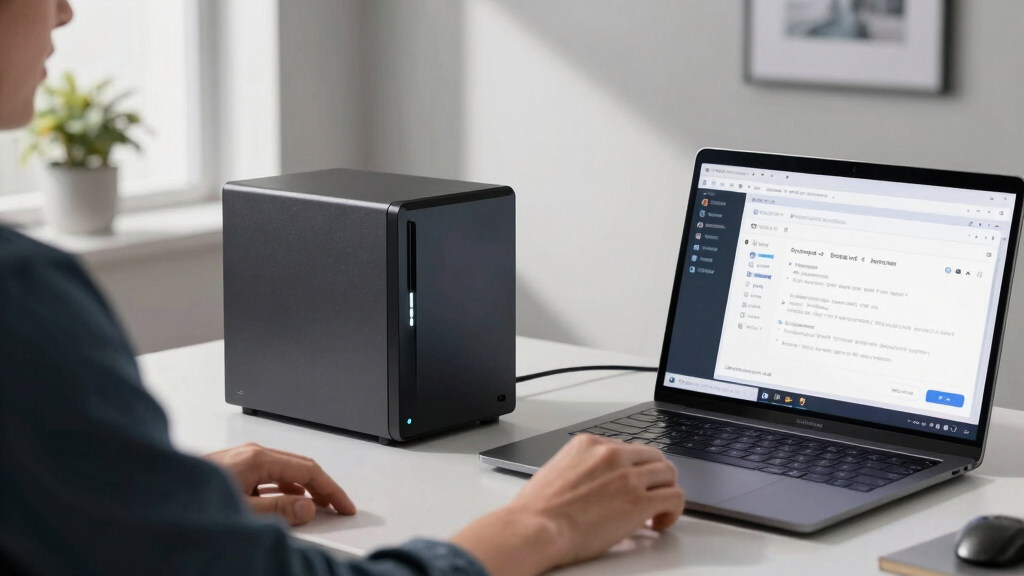
How We Picked
The products were selected based on their compatibility with Active Directory, performance benchmarks, ease of setup, hardware expandability, and overall build quality. Priority was given to models widely recognized for their enterprise-level support, intuitive management interfaces, and reliable firmware updates. Devices were ranked by balancing these factors with value for money, ensuring options suited both small teams and larger organizations. We also considered user reviews and the prominence of the vendor in the NAS and enterprise markets to ensure reliability and ongoing support.Factors to Consider When Choosing Nas For Active Directory Integration
Choosing a NAS for Active Directory integration involves several considerations that go beyond basic storage needs. It’s important to evaluate how well the device supports seamless user management, future expansion, and security features. These factors influence long-term efficiency, ease of administration, and overall cost of ownership. The following sections highlight critical points to help you make an informed decision.Compatibility and Software Support
Ensuring the NAS supports active directory integration out of the box is vital. Look for devices with robust software ecosystems, like Synology DiskStation Manager or QNAP QTS, which offer straightforward AD configuration and ongoing updates. Compatibility issues can lead to additional setup time or incomplete integration, so verify vendor documentation and user community feedback before purchasing. Devices with mature software platforms also tend to provide better security and management tools, simplifying ongoing administration.
Hardware Performance and Expandability
Performance influences how smoothly your AD environment operates, especially if the NAS handles multiple users or services. Processors like Intel or AMD Ryzen with ample RAM ensure responsive management tasks. Expandability through additional drive bays or PCIe slots allows future growth, which is critical if your user base or data volume increases. Be cautious with models that cut corners on CPU power or RAM, as these can hinder performance during peak loads or complex directory operations.
Security and Reliability Features
Active Directory environments demand high security, so look for NAS models with robust encryption, VPN support, and regular firmware updates. Redundant storage options and RAID configurations help prevent data loss, while snapshot capabilities aid in recovery. Devices with enterprise-grade security features often come at a higher price but are worthwhile investments for sensitive or critical environments. Avoid cheaper models with limited security updates or hardware redundancies that could compromise your directory or data integrity.
Ease of Setup and Management
Intuitive management interfaces and straightforward setup procedures make a significant difference, especially for teams without dedicated IT staff. Devices with clear AD integration wizards and comprehensive documentation reduce setup time and errors. Cloud management options can also streamline oversight across multiple locations. Beware of models with complex interfaces or poor documentation that could prolong deployment and complicate ongoing administration.
Cost and Total Cost of Ownership
While budget models might seem attractive upfront, they often lack expandability or robust support, leading to higher costs over time. Consider the long-term value, including hardware durability, software updates, and support services. Premium devices typically cost more initially but may save money through lower maintenance and higher reliability. Evaluate whether the additional features justify the price increase based on your specific needs and growth plans.
Frequently Asked Questions
Can I use any NAS for Active Directory integration?
Not all NAS devices support Active Directory integration, so it’s important to verify compatibility before purchasing. Devices from reputable brands like Synology, QNAP, and TerraMaster typically include built-in AD support, but some budget or less enterprise-focused models may lack this feature or require complex workarounds. Ensuring that the NAS has native or well-supported AD integration features will save you configuration headaches and improve system stability.
What hardware specifications are most important for AD performance?
For smooth Active Directory management, prioritize NAS models with at least a quad-core processor, 8GB of RAM or more, and Gigabit or higher network interfaces. These specifications ensure responsive user authentication, group policy application, and directory management. Higher-end models with SSD caching or 10GbE ports can further improve performance, especially in larger environments with many simultaneous connections.
Is it better to choose a NAS with more bays or more powerful hardware?
Both matter, but the decision depends on your needs. More bays support greater storage capacity and redundancy, which is critical if you store large amounts of data alongside AD. However, powerful hardware is essential for handling complex directory services and multiple users efficiently. If your primary concern is supporting a large user base with active directory management, prioritize processing power and RAM. For extensive data storage, expandability through more bays is equally important.
How do I ensure future-proofing when buying a NAS for AD?
Look for models with upgrade paths, such as additional RAM slots, PCIe expansion, and support for larger drives. Choosing a device with higher processing power and modern interfaces (like 10GbE) can also extend its relevance. Vendor reputation and ongoing firmware support are critical for long-term reliability. Avoid overly budget-oriented models that may quickly become obsolete or lack necessary features for future needs.
Are enterprise NAS devices necessary for small business AD setups?
Not necessarily; many small businesses can effectively use high-quality consumer or prosumer NAS devices that support Active Directory. However, enterprise-grade models offer advanced security, redundancy, and management features that can simplify scaling and improve reliability as your business grows. If your environment is simple and your budget limited, a well-supported mid-range device may suffice. For larger or more sensitive environments, investing in enterprise features can provide peace of mind and long-term savings.
Conclusion
For most small to medium-sized businesses, the Synology DiskStation DS925+ offers a balanced combination of ease of use, performance, and expandability, making it the best overall choice. Budget-conscious buyers should consider the TerraMaster F4-425 Pro for reliable AD support without overspending. Larger organizations or those prioritizing security and future growth may find the UGREEN NAS DXP4800 Plus with its advanced hardware features worth the investment. Beginners or those new to NAS devices will appreciate models like the Synology DS223 for straightforward setup. Ultimately, your choice should align with your current needs and anticipated growth, ensuring a seamless Active Directory experience in 2026.
Flea & tick season Picks
flea and tick prevention
As an affiliate, we earn on qualifying purchases.