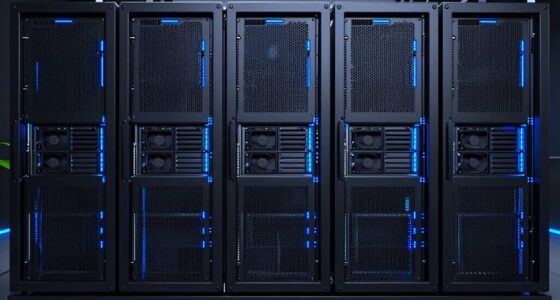

When replacing a Windows file server, choosing the right NAS can significantly impact your data management, security, and ease of use. The best options balance performance, expandability, and compatibility with Windows environments. The Synology DS423 stands out for its user-friendly interface and reliable performance, making it ideal for most small to medium setups. The QNAP TS-233-US offers a budget-friendly, ARM-based solution for home users, while the Asustor Lockerstor 2 Gen2 provides robust multimedia features for power users. Read on to see how these and other models compare, along with the key tradeoffs you should consider.

Get business pricing on networking and server gear
- Business-only prices and quantity discounts
- Tax-exempt purchasing
- Multiple users, one account, clear invoices
Key Takeaways
- The most versatile options balance performance with ease of use, favoring brands like Synology and QNAP.
- Expandability and hardware features vary significantly; higher-end models often include multiple M.2 slots or faster network ports.
- Budget models with included drives can be appealing but may sacrifice long-term flexibility and performance.
- Power users should prioritize models with multi-Gigabit Ethernet, hardware transcoders, or higher RAM capacity.
- Compatibility with Windows environments is generally strong across all tested models, but management interfaces differ in complexity.
| Asustor Drivestor 2 Pro Gen2 AS3302T v2 2-Bay NAS |  | Best for Compact Home Media Streaming | Processor: Realtek quad-core | RAM: 2GB DDR4 | Network Connectivity: 2.5GbE | VIEW ON AMAZON | See Our Full Breakdown |
| QNAP TS-233-US 2-Bay Desktop NAS with ARM Cortex-A55 Quad-core Processor and 2GB DDR4 RAM | 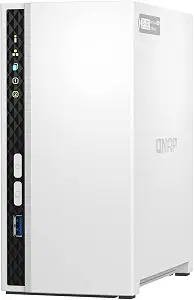 | Best Budget-Friendly Entry-Level NAS | Processor: ARM Cortex-A55 quad-core 2.0GHz | RAM: 2 GB DDR4 | Storage Bays: 2 | VIEW ON AMAZON | See Our Full Breakdown |
| Synology DS423 4-Bay Diskless NAS for Backup, File Sharing, and Video Surveillance |  | Best for Versatile Data Security and Surveillance | Number of Bays: 4 | Type: Diskless NAS | Warranty: 2 years | VIEW ON AMAZON | See Our Full Breakdown |
| Asustor Drivestor 4 Pro Gen2 AS3304T v2 4-Bay NAS |  | Best for Flexible RAID and Small Office Use | Processor: Realtek quad-core | RAM: 2GB DDR4 | Network: 2.5GbE Ethernet | VIEW ON AMAZON | See Our Full Breakdown |
| BUFFALO LinkStation SoHo 220 2-Bay Personal Cloud NAS 8TB with Hard Drives Included |  | Best for Out-of-the-Box Ready Personal Cloud Storage | Digital Storage Capacity: 8 TB | Hard Disk Interface: Serial ATA-300 | Connectivity Technology: Ethernet | VIEW ON AMAZON | See Our Full Breakdown |
| Asustor Lockerstor 2 Gen2 AS6702T – 2 Bay NAS Plex Media Server (Diskless) |  | Best Overall for High-Performance Windows File Server Replacement | Processor: Intel Celeron N5105 quad-core, 2 GHz max | Memory: 4GB DDR4, expandable to 16GB | Storage Bays: 2 | VIEW ON AMAZON | See Our Full Breakdown |
| Asustor AS5402T 2-Bay NAS with Intel Quad-Core 2.0GHz, 4GB RAM, 4 M.2 NVMe Slots, Dual 2.5GbE Ports, HDMI & USB 3.2 |  | Best for Power Users Wanting Versatile Connectivity and Performance | Processor: Intel N5105 Quad-Core 2.0GHz | RAM: 4GB DDR4, expandable to 16GB | SSD Slots: 4x M.2 NVMe | VIEW ON AMAZON | See Our Full Breakdown |
| Synology Diskless RackStation RS1619xs+ 4-Bay NAS with 8GB DDR4 |  | Best for Small to Medium Business Scalability and Reliability | Processor: Intel Xeon D-1527 | RAM: 8GB DDR4, expandable to 64GB | Drive Bays: 4 | VIEW ON AMAZON | See Our Full Breakdown |
| BUFFALO LinkStation SoHo 220 2-Bay Personal Cloud NAS 4TB with Hard Drives Included |  | Best for Small Office/Home Users on a Budget | Storage Capacity: 4 TB | Hard Disk Interface: SATA-300 | Connectivity: Ethernet | VIEW ON AMAZON | See Our Full Breakdown |
| BUFFALO LinkStation SoHo 220 2-Bay Personal Cloud NAS 12TB (2x6TB) with Hard Drives Included | | Best for Large Storage Needs in Small Office/Home Environments | Storage Capacity: 12 TB | Hard Disk Interface: SATA-300 | Connectivity: Ethernet | VIEW ON AMAZON | See Our Full Breakdown |
| nas for windows file server replacement | Processor | RAM |
|---|---|---|
| Asustor Drivestor 2 Pro Gen2 A | Realtek quad-core | 2GB DDR4 |
| QNAP TS-233-US 2-Bay Desktop N | ARM Cortex-A55 quad-core 2.0GHz | 2 GB DDR4 |
| Synology DS423 4-Bay Diskless | — | — |
| Asustor Drivestor 4 Pro Gen2 A | Realtek quad-core | 2GB DDR4 |
| BUFFALO LinkStation SoHo 220 2 | — | — |
| Asustor Lockerstor 2 Gen2 AS67 | Intel Celeron N5105 quad-core, 2 GHz max | — |
| Asustor AS5402T 2-Bay NAS with | Intel N5105 Quad-Core 2.0GHz | 4GB DDR4, expandable to 16GB |
| Synology Diskless RackStation | Intel Xeon D-1527 | 8GB DDR4, expandable to 64GB |
| BUFFALO LinkStation SoHo 220 2 | — | — |
| BUFFALO LinkStation SoHo 220 2 | — | — |
More Details on Our Top Picks
Asustor Drivestor 2 Pro Gen2 AS3302T v2 2-Bay NAS
This NAS shines for users prioritizing media streaming and simple backups in a small home setup. Its 2.5GbE network provides faster data transfer compared to standard Gigabit models like the QNAP TS-233-US, making it ideal for streaming high-resolution media smoothly. The quad-core processor and 4K transcoding support enable media playback on multiple devices simultaneously. However, with only 2 drive bays, it limits total storage capacity, which can be a drawback for users with growing data needs. The moderate customer satisfaction score suggests it may have reliability or software quirks. Compared to the larger DS423, it’s less versatile for extensive data sharing but excels in compact media-focused environments.
Pros:- High-speed 2.5GbE network for faster media transfer
- Supports 4K media transcoding for smooth streaming
- Easy, tool-free drive installation
Cons:- Limited to 2 drive bays, restricting total storage
- Customer satisfaction indicates potential reliability issues
- No included drives, leading to extra initial cost
Best for: Small households or individuals seeking a straightforward media server with easy setup.
Not ideal for: Power users needing large or scalable storage solutions or enterprise-grade features.
- Processor:Realtek quad-core
- RAM:2GB DDR4
- Network Connectivity:2.5GbE
- Number of Bays:2
- Drive Interface:Diskless
- Model Number:AS3302T v2
Our verdict“This model suits media enthusiasts wanting quick setup and fast streaming in a small, home environment.”
QNAP TS-233-US 2-Bay Desktop NAS with ARM Cortex-A55 Quad-core Processor and 2GB DDR4 RAM
The QNAP TS-233-US offers a practical entry point for those new to network storage, especially when compared with the more media-centric Asustor Drivestor 2 Pro. Its ARM Cortex-A55 processor and 1GbE network make it suitable for basic file sharing, backups, and multimedia streaming. While its hardware is modest—limited RAM and only 2 bays—it remains affordable and compact, perfect for light home use. The absence of higher-speed networking and fewer features compared to the DS423 means it’s less suited for demanding environments but excels in simplicity and cost-effectiveness. It’s ideal for users who want reliable basic storage without overpaying for features they won’t use.
Pros:- Affordable price point for entry-level NAS
- Compact and easy to set up desktop design
- Supports multimedia streaming and file backups
Cons:- Limited RAM may hinder heavy multitasking
- No included drives, diskless setup
- Basic hardware limits performance under load
Best for: Beginners or budget-conscious users seeking simple file sharing and media streaming at home.
Not ideal for: Power users or small offices requiring advanced backup options or larger storage capacity.
- Processor:ARM Cortex-A55 quad-core 2.0GHz
- RAM:2 GB DDR4
- Storage Bays:2
- SATA Ports:2 x SATA 6Gb/s
- Supported Drives:3.5/2.5 inch
- Network:1 x GbE
Our verdict“This NAS makes the most sense for users new to network storage needing basic functionality at an accessible price.”
Synology DS423 4-Bay Diskless NAS for Backup, File Sharing, and Video Surveillance
Compared to the two-bay options, the Synology DS423 provides greater flexibility with 4 bays, making it suitable for users with larger storage needs or more complex setups. Its comprehensive data protection features, including snapshots and multi-destination backups, are ideal for critical data environments. Additionally, its support for up to 30 IP cameras broadens its utility beyond simple file sharing, perfect for small businesses or home security. However, its reliance on separate camera licenses and the absence of included drives increase initial costs. For those prioritizing data security and surveillance integration, this NAS offers a compelling balance—though it’s less straightforward for purely media-focused use.
Pros:- Supports comprehensive data protection with snapshots
- Enables remote file sharing via private cloud
- Supports up to 30 IP cameras with optional licenses
Cons:- Requires additional purchase of camera licenses
- No included drives, adding to upfront costs
- Limited to 4 bays, which may restrict future expansion
Best for: Small businesses or security-conscious users needing extensive data protection and surveillance support.
Not ideal for: Users primarily seeking media streaming or simple backups without surveillance features.
- Number of Bays:4
- Type:Diskless NAS
- Warranty:2 years
- Brand:Synology
- Model Number:DS423
- UPC:846504004911
Our verdict“This NAS is ideal for users who need robust data security and surveillance capabilities in a small office or home setting.”
Asustor Drivestor 4 Pro Gen2 AS3304T v2 4-Bay NAS
The Asustor Drivestor 4 Pro addresses users needing more storage and RAID flexibility than the smaller models. Its 4 bays and support for RAID 0, 1, 5, 6, and JBOD provide tailored data protection options, unlike the more limited DS423. The quad-core processor and 2.5GbE networking support faster data transfers, making it suitable for small offices or advanced home setups. However, with only 2GB RAM, it might struggle under heavy multitasking loads, especially with multiple users. Compared to the DS423, it offers more storage options but less built-in security or surveillance features. This makes it a good choice for those balancing storage needs with performance, but less so for security-focused applications.
Pros:- Supports multiple RAID configurations for data safety
- High-speed 2.5GbE connectivity for faster transfers
- Easy tool-free drive installation
Cons:- Limited 2GB RAM may hinder multitasking under heavy load
- No included drives, requiring additional purchase
- Basic hardware specs compared to higher-end NAS models
Best for: Small offices or advanced home users needing scalable storage with flexible RAID options.
Not ideal for: Home users with simple needs or those requiring extensive security features without additional licensing costs.
- Processor:Realtek quad-core
- RAM:2GB DDR4
- Network:2.5GbE Ethernet
- Number of Bays:4
- Supported RAID:0, 1, 5, 6, JBOD
- Operating System:Linux
Our verdict“This NAS excels for small-scale professional environments needing flexible storage and RAID options without excess complexity.”
BUFFALO LinkStation SoHo 220 2-Bay Personal Cloud NAS 8TB with Hard Drives Included
The Buffalo LinkStation SoHo 220 offers a straightforward, all-in-one solution for users wanting immediate storage with drives included. Its 8TB capacity in a 2-bay enclosure makes it appealing for small households or home offices. The pre-installed drives and simple setup make it ideal for users who prefer plug-and-play convenience over customization. However, the drives are 5400 rpm, which may limit transfer speeds, especially when compared to the faster network speeds of the BUFFALO 12TB model. Its basic hardware and lack of advanced features make it less suitable for intensive tasks but perfect for basic backups and file sharing, especially for those who want a ready-to-use product without additional setup hassle.
Pros:- Includes hard drives, ready to use out of the box
- Supports RAID and encryption for data security
- USB direct copy for quick backups
Cons:- Limited to 5400 rpm drives, reducing transfer speeds
- Basic hardware limits performance under heavy loads
- Lacks advanced remote management features
Best for: Home users or small offices seeking a ready-to-use NAS with included drives and basic cloud features.
Not ideal for: Power users or those needing high-speed performance and advanced security features.
- Digital Storage Capacity:8 TB
- Hard Disk Interface:Serial ATA-300
- Connectivity Technology:Ethernet
- Hard Drives Included:Yes
- Hard Disk Form Factor:3.5 inches
- Hard Drive Speed:5400 rpm
Our verdict“This NAS is best suited for users who want an easy, pre-configured storage solution for everyday backups and sharing.”
Asustor Lockerstor 2 Gen2 AS6702T – 2 Bay NAS Plex Media Server (Diskless)
The Asustor Lockerstor 2 Gen2 stands out because it combines fast network connectivity with robust hardware features, making it suitable for replacing a Windows file server in demanding environments. Its dual 2.5GbE ports support high-speed data transfers, surpassing typical Gigabit Ethernet options, while the support for four M.2 NVMe SSDs provides excellent caching and storage options. Compared to the Synology RS1619xs+, it offers easier setup for smaller setups but lacks the scalability and Xeon power that business-focused units provide. The hardware transcoding and HDMI output also make it versatile for multimedia use, but the diskless setup and Windows 10 Home OS mean users must invest in drives and handle some technical configuration. This pick makes the most sense for tech-savvy small offices or advanced home users needing speed and multimedia flexibility without extensive expansion.Pros:- Dual 2.5GbE ports enable fast data transfer speeds
- Supports four NVMe SSDs for cache and storage expansion
- Hardware transcoding and HDMI output for multimedia versatility
- Expandable RAM up to 16GB for demanding multitasking
Cons:- Requires technical expertise for initial setup and configuration
- Diskless configuration adds upfront cost for drives
- Limited to Windows 10 Home, which may lack enterprise features
Best for: Small business or power user environments seeking high-speed, multimedia-capable NAS replacement for Windows file sharing
Not ideal for: Beginners or those preferring a simpler, plug-and-play setup without extensive hardware configuration
- Processor:Intel Celeron N5105 quad-core, 2 GHz max
- Memory:4GB DDR4, expandable to 16GB
- Storage Bays:2
- Network Connectivity:Dual 2.5GbE Ethernet ports
- Supported SSDs:4x M.2 NVMe
- Video Output:HDMI
- Dimensions:9.06 x 4.25 x 6.44 inches
- Weight:2.42 kg
- Operating System:Windows 10 Home
Our verdict“This model is ideal for experienced users needing high performance, multimedia support, and flexible storage in a compact form.”
Asustor AS5402T 2-Bay NAS with Intel Quad-Core 2.0GHz, 4GB RAM, 4 M.2 NVMe Slots, Dual 2.5GbE Ports, HDMI & USB 3.2
The Asustor AS5402T provides a compelling mix of processing power and flexible connectivity, making it an excellent choice for replacing a Windows file server in environments that demand multitasking and multimedia capabilities. Its quad-core Intel processor is a step above the Celeron in the Lockerstor 2, handling heavier workloads with ease. The support for four NVMe SSDs enhances caching, similar to the Lockerstor but with added flexibility for demanding applications. Compared with the Synology RS1619xs+, it offers more connectivity options like HDMI and USB 3.2, though it lacks the same enterprise scalability. While its advanced features come at a higher price and complexity, this NAS suits users comfortable with setup and looking for a highly capable device with multimedia output, making it perfect for media-rich, multi-user environments.Pros:- Powerful quad-core processor for multitasking
- Supports four NVMe SSDs for caching or storage
- Flexible connectivity including HDMI and USB 3.2
- Expandable RAM up to 16GB for demanding workloads
Cons:- Requires more technical knowledge to configure
- Higher price point due to advanced features
- Diskless setup incurs additional costs for drives
Best for: Tech-savvy professionals or advanced home users needing multitasking, media, and high-speed network features
Not ideal for: Beginners or those seeking a simple, budget-friendly file server replacement
- Processor:Intel N5105 Quad-Core 2.0GHz
- RAM:4GB DDR4, expandable to 16GB
- SSD Slots:4x M.2 NVMe
- Network Ports:2x 2.5GbE
- Video Output:HDMI 2.0b
- Dimensions:9.06 x 4.49 x 6.69 inches
- Weight:1500 g
- Operating System:ADM
Our verdict“This NAS is best suited for users who need robust performance, multimedia support, and flexible connectivity for demanding Windows file server replacement.”
Synology Diskless RackStation RS1619xs+ 4-Bay NAS with 8GB DDR4
The Synology RS1619xs+ is engineered for business environments requiring high reliability and scalability. Its Xeon D-1527 processor offers significant computing power for demanding file services and virtualization, surpassing the performance of consumer-grade options like the Lockerstor 2 or AS5402T. The 8GB DDR4 RAM, expandable to 64GB, supports intensive multitasking, while the built-in M.2 SSD slots facilitate caching for faster access. Compared with the AS5402T, it excels in scalability but is more complex and costly to set up. Its rackmount design emphasizes enterprise use, making it less suitable for small offices or home environments. For organizations prioritizing data integrity, extensive expansion, and long-term durability, this NAS provides a solid foundation, though it requires technical expertise.Pros:- Xeon processor delivers enterprise-grade performance
- Supports up to 16 drives with expansion units
- Built-in M.2 SSD slots for caching
- 5-year warranty ensures long-term reliability
Cons:- Complex setup and management for less experienced users
- Higher cost and size unsuitable for small offices
- Limited to 4 bays without expansion units
Best for: Small to medium-sized businesses needing scalable, reliable Windows file server replacement with enterprise features
Not ideal for: Home users or small offices with limited IT support and scalability needs
- Processor:Intel Xeon D-1527
- RAM:8GB DDR4, expandable to 64GB
- Drive Bays:4
- Network:Optional 10GbE NIC
- Included Accessories:AC cords, quick guide
- Warranty:5 years
Our verdict“This NAS is tailored for organizations requiring scalable storage and high reliability for Windows file sharing in a business setting.”
BUFFALO LinkStation SoHo 220 2-Bay Personal Cloud NAS 4TB with Hard Drives Included
The Buffalo LinkStation SoHo 220 4TB offers straightforward, reliable storage ideal for personal or small office use replacing a basic Windows file server. It includes pre-installed drives, simplifying setup compared to diskless models like the Lockerstor 2, and provides RAID options for data security. Its 5400 rpm drives, however, limit speed compared to the SSD-enhanced options, making it less suitable for high-performance needs. Compared with the 12TB version, this 4TB model is more affordable but offers less capacity, suitable for users with modest storage needs. Its familiar desktop form factor and simple network setup make it accessible, but it lacks advanced features such as multimedia transcoding or high-speed networking, making it best for light-duty file sharing and backups.Pros:- Pre-installed drives simplify setup
- RAID options for data security
- Easy to use for non-technical users
- Includes US-based support and 3-year warranty
Cons:- Limited to 5400 rpm drives, affecting speed
- Basic features lacking high-speed networking or transcoding
- Potential slower performance for large files
Best for: Home users or small offices needing easy, affordable Windows file server replacement with included drives
Not ideal for: Power users or environments requiring high speed or large capacity
- Storage Capacity:4 TB
- Hard Disk Interface:SATA-300
- Connectivity:Ethernet
- Hard Drives Included:Yes
- Form Factor:Desktop
- Hard Drive Speed:5400 rpm
Our verdict“This NAS is suited for budget-conscious users who prioritize ease of use and basic file sharing over speed or advanced features.”
BUFFALO LinkStation SoHo 220 2-Bay Personal Cloud NAS 12TB (2x6TB) with Hard Drives Included
The Buffalo LinkStation 12TB provides ample storage capacity with RAID support for secure, shared access in small offices or demanding home setups. Its plug-and-play design with included drives simplifies deployment compared to diskless models, making it a practical choice for users wanting quick setup for Windows file sharing. Although the drives are 5400 rpm, the large capacity compensates for slower speeds during large transfers. In comparison to the 4TB version, it offers significantly more space but at a similar performance level. Its basic network features and absence of advanced caching or transcoding mean it’s best for straightforward storage and backups, not multimedia streaming or high-speed operations. For users who prioritize capacity and ease of use, this device hits the mark.Pros:- Large 12TB capacity with RAID options
- Pre-installed drives for quick deployment
- Supports secure file sharing and automatic backups
- US-based support and 3-year warranty
Cons:- 5400 rpm drives limit transfer speeds
- No high-speed networking or transcoding features
- Basic performance may slow with large files
Best for: Home or small office users needing large storage capacity with simple setup and reliable data sharing
Not ideal for: Power users or those needing fast access or multimedia features
- Storage Capacity:12 TB
- Hard Disk Interface:SATA-300
- Connectivity:Ethernet
- Hard Drives Included:Yes
- Hard Disk Speed:5400 rpm
- Form Factor:Desktop
Our verdict“This NAS suits users with large storage needs who prefer an easy-to-set-up, reliable device for data sharing and backups in small environments.”

How We Picked
Products were evaluated based on performance, ease of use, build quality, expandability, and value. We prioritized models that can serve as reliable Windows file server replacements, emphasizing those with strong network performance, robust data protection features, and straightforward management interfaces. The ranking reflects a balance between cost and capability, with higher-rated models offering more advanced hardware and software features suitable for professional environments. Devices with proven stability, good firmware support, and compatibility with Windows protocols like SMB were ranked higher. Cost-effectiveness was also considered, ensuring options suit a range of budgets without compromising essential features.| nas for windows file server replacement | Processor |
|---|---|
| Asustor Drivestor 2 Pro Gen2 A | Realtek quad-core |
| QNAP TS-233-US 2-Bay Desktop N | ARM Cortex-A55 quad-core 2.0GHz |
| Synology DS423 4-Bay Diskless | — |
| Asustor Drivestor 4 Pro Gen2 A | Realtek quad-core |
| BUFFALO LinkStation SoHo 220 2 | — |
| Asustor Lockerstor 2 Gen2 AS67 | Intel Celeron N5105 quad-core, 2 GHz max |
| Asustor AS5402T 2-Bay NAS with | Intel N5105 Quad-Core 2.0GHz |
| Synology Diskless RackStation | Intel Xeon D-1527 |
| BUFFALO LinkStation SoHo 220 2 | — |
| BUFFALO LinkStation SoHo 220 2 | — |
Factors to Consider When Choosing Nas For Windows File Server Replacement
When selecting a NAS to replace a Windows file server, several factors should guide your decision beyond basic specifications. Understanding your specific needs—such as storage capacity, network speed, or multimedia support—will help you choose the right model. Consider how future expansion, data security, and management complexity impact your setup. A well-chosen NAS balances current requirements with potential growth, avoiding common pitfalls like underestimating storage needs or overpaying for unnecessary features.Performance and Network Capabilities
For a replacement to your Windows file server, reliable network performance is paramount. Look for models with Gigabit Ethernet at minimum, but if you anticipate heavy access or multiple users, consider 2.5GbE or 10GbE ports. CPU performance affects data transfer speeds and multitasking, so a quad-core or better processor helps. Avoid models with underpowered CPUs if you plan to run multiple services or handle large files regularly.
Storage Capacity and Expandability
Assess your current storage needs and future growth. 2-bay NAS units are affordable but limited in scalability, making them suited for small environments or backup duties. 4-bay or larger models provide room for RAID configurations and additional drives. Check if the NAS supports expanding storage via expansion units or external drives, which can save money in the long run and accommodate data growth without replacement.
Ease of Use and Management
An intuitive interface is vital, especially if you or your team aren’t tech-savvy. Synology’s DiskStation Manager and QNAP’s QTS are widely praised for their user-friendliness, while some brands like Asustor offer more straightforward setups. Consider the availability of mobile apps and management tools that simplify backups, user access, and security settings. Complex setups can lead to mistakes or increased maintenance time.
Data Security and Backup Features
Replacing a Windows server means safeguarding your data against loss or breach. Look for NAS devices with integrated backup solutions, snapshots, and encryption. Support for RAID configurations helps protect against drive failures, while features like automatic backups to cloud storage or external drives add an extra layer of security. Ignoring these features can expose you to data loss or security vulnerabilities.
Cost and Total Ownership
Initial price is just part of the total cost. Consider the price of drives, potential expansion units, and ongoing maintenance. Some models come with pre-installed drives, which might seem cheaper upfront but limit upgrade options. Higher-end models often cost more but deliver better performance, reliability, and future-proofing. Balance your budget with your needs to avoid overspending or underbuying.
Frequently Asked Questions
Can these NAS devices fully replace a Windows file server?
Most of these NAS options are designed to serve as direct replacements for Windows file servers, supporting standard Windows protocols like SMB and AFP. They can handle file sharing, user management, and permissions similarly to a Windows server. However, if your environment relies heavily on specialized Windows Server features like Active Directory, DNS, or Hyper-V, additional configuration or hybrid setups might be necessary. For most small to medium setups, these NAS units provide a seamless transition with comparable performance and security.
What should I prioritize: speed or expandability?
This depends on your immediate needs versus future growth plans. If you require fast data access now, models with 2.5GbE or 10GbE ports and powerful CPUs are worth the investment. On the other hand, if you expect your data needs to grow significantly, prioritize expandability features like additional drive bays, expansion ports, or support for external drives. Balancing both factors often leads to choosing a slightly higher-end model that offers good speed and room for future upgrades.
Are pre-configured drives necessary for a reliable NAS setup?
Pre-configured drives can simplify initial setup and ensure compatibility, but they tend to be more expensive. Many users prefer buying drives separately to customize capacity and to choose drives optimized for NAS environments, which might offer better longevity and performance. It’s important to select drives with NAS-specific firmware, such as WD Red or Seagate IronWolf, to maximize reliability and reduce failure risks over time.
How important is software support and updates?
Regular firmware updates and software support are vital for security, performance, and feature enhancements. Replacing a Windows server means your NAS will likely handle sensitive data and critical tasks, so staying current with updates minimizes vulnerabilities. Brands like Synology and QNAP are known for their active update cycles and user-friendly management software, making them safer choices for long-term reliability.
Should I choose a NAS with built-in media or surveillance features?
If your primary goal is file sharing and backup, these features are less relevant. However, if multimedia streaming or surveillance are also priorities, selecting a NAS with integrated media servers or camera management can add value. Be aware that such features often increase complexity and cost, so they should only influence your choice if they align with your broader needs.
Conclusion
For most small businesses and advanced home users, the Synology DS423 offers a reliable, easy-to-manage solution with room to grow, making it the best overall pick. Budget-conscious buyers should consider the QNAP TS-233-US for its affordability and decent performance. Those needing high-end features or multimedia support may prefer the Asustor Lockerstor 2 Gen2. Beginners benefit from models with straightforward interfaces like Synology or BUFFALO, while power users should look at units with multi-Gigabit networking and expandability. Ultimately, your choice should reflect your current needs and future plans to avoid costly upgrades down the line.Halloween Picks
halloween
As an affiliate, we earn on qualifying purchases.