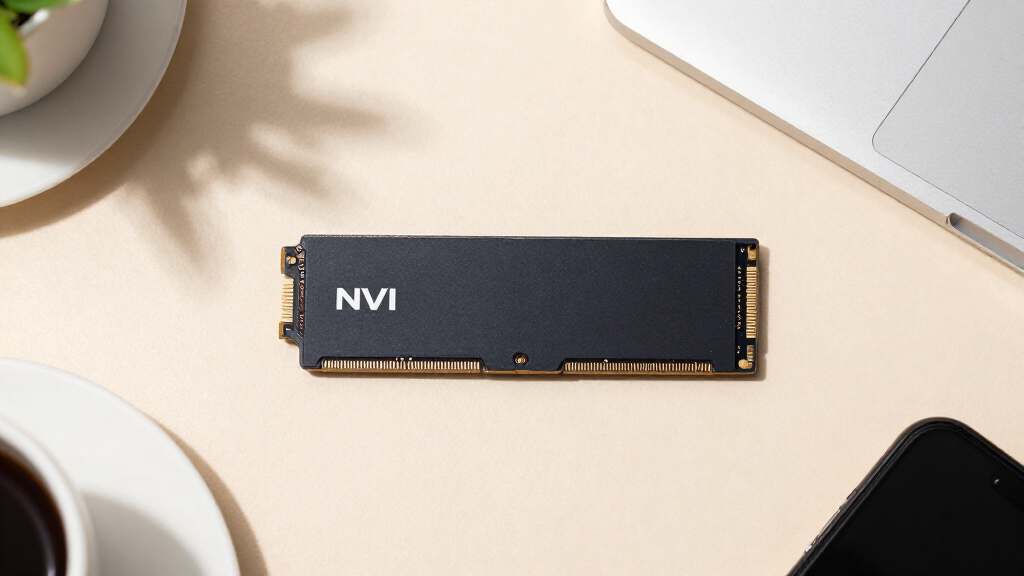

Choosing the right NVMe SSDs for servers comes down to matching endurance and form factor to your actual workload, because enterprise drives differ sharply from consumer models. The Samsung PM9A3 7.68TB U.2 stands out as the best overall pick for its combination of high capacity, consistent sustained performance, and datacenter-grade reliability. The Micron 9300 Max 6.4TB is the stronger choice for write-heavy workloads thanks to its high-endurance TLC NAND, while the Micron 7450 PRO 960GB M.2 offers a compact, budget-friendly entry point for boot drives and light-duty nodes. The main tradeoffs you will face are U.2 versus M.2 form factors, read-intensive versus mixed-use endurance ratings, and capacity per dollar versus drive density. Read on for the full breakdown of all eight drives.

Get business pricing on networking and server gear
- Business-only prices and quantity discounts
- Tax-exempt purchasing
- Multiple users, one account, clear invoices
Key Takeaways
- Samsung‘s PM9A3 family dominated this comparison, with the 7.68TB U.2 model taking best overall and the 960GB M.2 variant winning on value — the lineup’s consistent firmware maturity and power-loss protection set it apart.
- Endurance class mattered more than raw speed: the Micron 9300 Max’s write-intensive rating makes it the only pick here suited for heavy database writes, while read-intensive drives like the SanDisk Optimus 5100 should never handle sustained writes.
- Form factor was the biggest compatibility trap in this roundup — U.2 drives (PM9A3 3.84TB, 9300 Max) need backplanes or adapters, while the Intel DC P4511’s longer 22110 M.2 format fits fewer boards than standard 2280.
- Older-generation drives like the Intel DC P4511 still work for archival and secondary tiers, but their PCIe 3.0 interface and dated firmware make them poor value compared with current PCIe 4.0 options at similar capacity points.
- Small-capacity enterprise M.2 drives (Micron 7450 PRO, Kingston DC2000B, PM9A3 960GB) are best reserved for boot volumes and caching, not primary storage — pairing one with a larger U.2 data drive is the smarter server architecture.


| NVMe SSDs for server | Capacity | Interface | Form Factor | Read Speed |
|---|---|---|---|---|
| Samsung PM9A3 3.84TB Internal | 3.84 TB (3840 GB) | PCIe 4.0 x4 NVMe (U.2) | 2.5-inch, 7mm | 6900 MB/s |
| Micron 7450 PRO 960 GB Solid S | 960 GB | PCIe 4.0 x4 NVMe | M.2 2280 | — |
| Samsung PM9A3 MZ-QL27T600 SSD | 7.68 TB | U.2 PCIe 4.0 x4 NVMe | Internal SSD (2.5-inch U.2) | — |
| Kingston DC2000B 960GB Enterpr | 960 GB | PCIe 4.0 NVMe Gen 4×4 | M.2 | 7000 MB/s |
| Samsung PM9A3 960GB M.2 NVMe P | 960 GB | PCIe Gen4 x4 NVMe | M.2 22110 | 6800 MB/s |
| Micron 9300 Max 6.4TB NVMe U.2 | 6.4 TB | NVMe | 2.5-inch U.2 | — |
| SanDisk Optimus 5100 1TB NVMe | 1 TB | PCIe 4.0 x4 | M.2 2280 | Up to 7,100 MB/s |
| Intel DC P4511 2TB SSD | 2 TB | PCIe x4 | M.2 22110 | — |
More Details on Our Top Picks
Samsung PM9A3 3.84TB Internal NVMe PCIe 4.0 x4 U.2 Solid State Drive
Samsung PM9A3 3.84TB hits the sweet spot most server builders actually need: serious capacity, strong PCIe 4.0 throughput (up to 6900 MB/s reads), and the proven reliability of Samsung’s enterprise line. Compared with the Micron 7450 PRO, it trades slightly tighter QoS latency for double the usable capacity at a similar class of hardware, which matters more for virtualization hosts and shared storage than for pure caching.
The tradeoff is the U.2 form factor — a genuine constraint. If your chassis or HBA lacks U.2 bays or SFF-8643 cabling, this drive is a non-starter, and adapters add cost and clutter. For buyers whose infrastructure already supports U.2, this pick makes the most sense as a general-purpose workhorse that balances speed, endurance, and capacity better than any M.2 option in this lineup.
Pros:- Large 3.84TB capacity handles mixed enterprise workloads comfortably
- PCIe 4.0 x4 speeds up to 6900 MB/s reads
- Proven Samsung enterprise reliability and firmware support
- Standard 2.5-inch 7mm U.2 form factor fits dense server bays
Cons:- U.2 connectivity is absent from most consumer and even many prosumer motherboards
- Enterprise pricing makes it a poor value for general desktop storage
Best for: Data center operators and homelab builders with U.2-capable servers who need a balanced mix of capacity and throughput for virtualization or databases
Not ideal for: Owners of standard consumer desktops or M.2-only servers — the U.2 interface requires adapters or cabling most consumer boards simply don’t have
- Capacity:3.84 TB (3840 GB)
- Interface:PCIe 4.0 x4 NVMe (U.2)
- Form Factor:2.5-inch, 7mm
- Read Speed:6900 MB/s
- Write Speed:4100 MB/s
- Weight:4.8 ounces
- Installation Type:Internal
Our verdict“Buy this if you need a do-everything enterprise NVMe drive and your server already speaks U.2.”
Micron 7450 PRO 960 GB Solid State Drive – M.2 2280 – PCIe NVMe 4.0 x4 – Read Intensive – TAA Compliant
Where the Micron 7450 PRO separates itself from everything else here is predictability. Its sub-2ms QoS latency matters more than peak throughput for databases serving consistent response times, and the TAA compliance opens doors the others can’t — government and regulated enterprise procurement often requires it, and no other drive in this lineup advertises it.
Modern 176-layer NAND and the M.2 2280 form factor make it easier to slot into standard server boards than the U.2-based Samsung PM9A3 drives, but the read-intensive focus is the real constraint. Push heavy sustained writes at it and you’ll feel the endurance ceiling far sooner than on the Samsung PM9A3 M.2, which is rated at 1 DWPD. This model is better suited to boot drives, caching, and read-mostly application storage than as a scratch disk or logging target.
Pros:- Sub-2ms QoS latency for consistent application performance
- TAA compliance for government and regulated procurement
- Secure Execution Environment adds firmware-level data protection
- Standard M.2 2280 form factor fits most modern server boards
Cons:- Read-intensive endurance rating limits sustained write workloads
- Enterprise pricing per gigabyte is higher than consumer M.2 drives
Best for: Government contractors, regulated enterprises, and operators running read-mostly workloads like databases, virtual desktop images, and content delivery where consistent latency matters
Not ideal for: Write-heavy workloads such as logging servers, video ingest, or analytics scratch disks — the read-intensive endurance rating will wear it down prematurely
- Capacity:960 GB
- Form Factor:M.2 2280
- Interface:PCIe 4.0 x4 NVMe
- Workload Type:Read Intensive
- NAND Technology:176-Layer
- Compliance:TAA Compliant
- Latency:Sub-2ms QoS
Our verdict“Choose this when compliance requirements or latency consistency matter more than raw capacity or write endurance.”
Samsung PM9A3 MZ-QL27T600 SSD – 7.68TB U.2 PCIe 4.0 x4 NVMe
When 3.84TB isn’t enough, the PM9A3 7.68TB doubles down. For storage-dense servers, virtualization hosts running many VMs, or media archives, halving your drive count per usable terabyte reduces cabling, power draw, and failure points — a calculation the Micron 9300 Max 6.4TB makes attractive too, though the Samsung carries the newer PCIe 4.0 interface rather than PCIe 3.0-era speeds.
Compared with its 3.84TB sibling, the tradeoff is straightforward: same U.2 hardware requirement, but a higher cost per purchase that’s harder to justify if you don’t genuinely need the density. Capacity-optimized drives like this one typically carry lower write endurance per gigabyte than their smaller siblings, so tier it accordingly — bulk data, not hot write logs. Skip it entirely if your infrastructure is M.2-only, because the U.2 dependency is even harder to swallow on an expensive drive.
Pros:- Massive 7.68TB capacity maximizes storage per drive bay
- PCIe 4.0 x4 interface outpaces older PCIe 3.0 enterprise drives like the Micron 9300 Max
- Samsung enterprise-grade reliability and support ecosystem
- Reduces drive count, cabling, and power in dense deployments
Cons:- U.2 interface demands compatible backplanes or adapters
- Large single-drive capacity concentrates risk without RAID or redundancy
Best for: Data center operators consolidating storage into fewer bays — virtualization clusters, backup targets, and archive servers that need maximum capacity per U.2 slot
Not ideal for: M.2-only servers and buyers with light storage needs — the U.2 requirement and high capacity make it an expensive mismatch for small deployments
- Manufacturer:Samsung
- Model Number:MZ-QL27T600
- Capacity:7.68 TB
- Interface:U.2 PCIe 4.0 x4 NVMe
- Form Factor:Internal SSD (2.5-inch U.2)
- Class:Enterprise / Data Center
Our verdict“This is the pick when capacity density per bay is your primary constraint and you’re already committed to U.2 infrastructure.”
Kingston DC2000B 960GB Enterprise PCIe 4.0 NVMe M.2 SSD (SEDC2000BM8/960G)
Kingston DC2000B is purpose-built for a job the others treat as an afterthought: server boot. Hardware-based power loss protection is the headline — it’s what keeps your OS intact through an unexpected shutdown, and neither the Samsung PM9A3 M.2 nor the Micron 7450 PRO emphasizes it as clearly. Add the integrated aluminum heatsink, consistent IOPS, and 7000 MB/s reads, and you have a drive that boots fast and stays healthy in thermally packed 1U chassis.
The honest limitation is endurance: 0.4 DWPD is fine for boot and read-heavy caching but well below the Samsung PM9A3 M.2’s 1 DWPD rating. Don’t build a write-heavy array around it. Compared with the PM9A3, you give up endurance headroom but gain the heatsink and PLP at a boot-appropriate capacity — a fair exchange for its intended role.
Pros:- Hardware-based power loss protection guards boot volumes against dirty shutdowns
- Integrated aluminum heatsink improves compatibility in airflow-constrained servers
- 7000 MB/s read speed leads this lineup for boot and cache responsiveness
- 5-year warranty with hardware encryption included
Cons:- 0.4 DWPD endurance is modest for sustained write workloads
- 960GB capacity limits its use beyond boot and caching roles
Best for: IT teams provisioning boot drives or application caches in rack-mount servers who need power loss protection and thermal headroom in dense chassis
Not ideal for: Heavy-write workloads like logging or database scratch — 0.4 DWPD endurance will be consumed far faster than on 1 DWPD drives
- Capacity:960 GB
- Interface:PCIe 4.0 NVMe Gen 4×4
- Form Factor:M.2
- Read Speed:7000 MB/s
- NAND Type:3D TLC
- Power Loss Protection:Yes (hardware-based on-board PLP)
- Heatsink:Integrated aluminum
- Write Endurance:0.4 DWPD
- Warranty:5 years
Our verdict“If you’re speccing boot drives or read-mostly caches for servers where data integrity on power loss is non-negotiable, this is the one to buy.”
Samsung PM9A3 960GB M.2 NVMe PCIe Gen4 Enterprise SSD
For buyers who want enterprise-grade reliability without enterprise capacity pricing, this 960GB PM9A3 is the most accessible door into Samsung’s data center line. Its standout number is 1 DWPD endurance over 5 years — double the write-rated durability of the Kingston DC2000B at the same capacity, which makes it the safer choice if your small drive will absorb mixed read/write traffic rather than sitting quietly as a boot volume.
The M.2 22110 length is the catch worth checking: many consumer motherboards and some server boards only accept 2280, so verify your slot clearance before ordering — something the Micron 7450 PRO (2280) handles more gracefully. At 960GB it also won’t replace a capacity drive like the 7.68TB PM9A3; this is a boot-plus-cache-plus-light-workload drive. Low power draw and heat output make it a natural fit for tightly packed servers where every watt counts.
Pros:- 1 DWPD endurance for 5 years doubles the Kingston DC2000B’s write rating
- 6800 MB/s read speed for fast boot and cache duties
- Low power consumption and heat generation suit dense servers
- Enterprise firmware and reliability at an entry capacity
Cons:- M.2 22110 length may not fit slots designed for 2280 drives only
- 960GB capacity is limiting for primary storage roles
Best for: Small-business server builders and homelab operators who want data center endurance and low power draw at entry capacity for boot, cache, or light mixed workloads
Not ideal for: Buyers needing bulk storage — 960GB fills up fast — or those with M.2 slots that only support the shorter 2280 form factor
- Brand:Samsung
- Model Number:MZ1L2960HCJR-00A07
- Capacity:960 GB
- Form Factor:M.2 22110
- Interface:PCIe Gen4 x4 NVMe
- Read Speed:6800 MB/s
- Endurance:1 DWPD for 5 years
- Operating Temperature:0 – 70°C
- Use Case:Enterprise, Data Centers, Servers
Our verdict“The smart low-cost entry into enterprise NVMe — buy it for endurance and efficiency in a small package, not for capacity.”
Micron 9300 Max 6.4TB NVMe U.2 Enterprise Solid State Drive
Where drives like the Samsung PM9A3 7.68TB are tuned for read-heavy virtualization and general datacenter duty, the Micron 9300 Max is built for the opposite problem: sustained sequential writes with the lowest write latency in its class. That matters for anyone logging telemetry, ingesting video streams, or running write-intensive analytics, where drives with weaker write profiles start throttling. It pushes past 3.5 GB/s of sequential throughput while keeping IOPS per watt efficient, which trims power costs in dense racks. The 6.4TB capacity gives you HDD-scale storage without the latency penalty. The catch is fit: this is a 2.5-inch U.2 drive, so it needs a server backplane, HBA, or adapter — it simply won’t slot into a desktop M.2 board the way the Kingston DC2000B does.
Pros:- Industry-leading sequential write performance with the lowest write latency on the market
- 6.4TB capacity combines HDD-scale storage with NVMe speed
- Consistent throughput above 3.5 GB/s under sustained loads
- Better IOPS per watt efficiency reduces operating cost in dense deployments
Cons:- Requires U.2 interface compatibility, ruling out most desktop and consumer builds
- Enterprise-grade pricing and specs are overkill for light or mixed server duty
Best for: Datacenter operators running write-intensive workloads like logging, streaming ingestion, or high-performance computing
Not ideal for: Homelab builders or desktop users without U.2 connectivity — the form factor demands server-class infrastructure
- Capacity:6.4 TB
- Interface:NVMe
- Connectivity:PCIe, U.2
- Form Factor:2.5-inch U.2
- Sequential Speed:3500+ MB/s read and write
- Weight:100 g
- Intended Use:Data Centers, High-Performance Computing
Our verdict“This pick makes the most sense for write-dominated datacenter workloads where write latency and sustained throughput directly impact performance.”
SanDisk Optimus 5100 1TB NVMe SSD (PCIe 4.0, M.2 2280)
In a roundup dominated by datacenter tanks like the Micron 9300 Max, the SanDisk Optimus 5100 plays a different role: it brings PCIe 4.0 speeds up to 7,100 MB/s read and 6,700 MB/s write to compact edge servers, workstation-class builds, and portable rigs where power draw actually matters. Its power-efficient architecture helps in systems that run on batteries or tight thermal budgets. Compared with the Samsung PM9A3 M.2 enterprise drives, it’s faster on paper for raw transfers, but the QLC NAND underneath trades sustained write endurance for speed — a real limitation for a server that writes all day. The bundled SanDisk Dashboard monitoring and Acronis migration software soften deployment friction, though you’ll need your own enclosure and cable to clone an existing drive.
Pros:- PCIe 4.0 speeds up to 7,100 MB/s read and 6,700 MB/s write
- Power-efficient design suits battery-powered and thermally constrained systems
- SanDisk Dashboard monitoring plus free Acronis True Image migration software
- 5-year limited warranty for long deployment cycles
Cons:- QLC NAND delivers lower sustained write performance and endurance than TLC enterprise drives
- Top speeds only apply to 1TB and 2TB models; migration needs a separate cable and enclosure
Best for: Edge server and workstation builders who prioritize transfer speed and power efficiency over heavy sustained write duty
Not ideal for: Primary datacenter storage — QLC NAND and consumer-grade endurance don’t hold up to constant enterprise write loads
- Capacity:1 TB
- Interface:PCIe 4.0 x4
- Form Factor:M.2 2280
- Read Speed:Up to 7,100 MB/s
- Write Speed:Up to 6,700 MB/s
- NAND Type:8th-gen SanDisk BiCS QLC 3D CBA NAND
- Cache Technology:SanDisk nCache 4.0
- Endurance:Up to 1,200 TBW (4TB model)
- Warranty:5-year limited
Our verdict“This option stands out for speed-focused edge deployments and workstations, but skip it if your server writes heavily around the clock.”
Intel DC P4511 2TB SSD (M.2 22110, PCIe x4)
Not every server build needs the raw throughput of the Micron 9300 Max. The Intel DC P4511 takes a simpler position: genuine datacenter-grade 3D TLC NAND in a compact M.2 package at a capacity and performance level that handles boot duty, caching, and read-heavy tiering without straining budgets. Its 2,000 MB/s sequential reads are modest next to the SanDisk Optimus 5100’s headline numbers, but unlike that consumer-leaning QLC drive, the P4511’s 64-layer 3D TLC holds up better under sustained server writes. The 14-gram weight is a non-issue in dense blade or micro-server deployments. Two real limitations: the M.2 22110 length won’t fit every slot, and the 1-year warranty is thin compared with the multi-year coverage typical of enterprise drives elsewhere in this lineup.
Pros:- Enterprise-grade 64-layer 3D TLC NAND for dependable sustained performance
- 2TB capacity handles data-intensive caching and boot workloads
- Featherweight 14-gram design suits dense and compact server chassis
- 2,000 MB/s sequential reads comfortably cover read-heavy tiering
Cons:- M.2 22110 form factor doesn’t fit many consumer boards or shorter M.2 slots
- Only a 1-year warranty, well short of typical enterprise drive coverage
Best for: Builders adding reliable enterprise TLC storage to micro-servers or blade systems for boot, cache, or read-heavy duty
Not ideal for: Anyone wanting long warranty protection or maximum throughput — the 1-year coverage and 2,000 MB/s ceiling limit both
- Brand:Intel
- Model Number:SSDPELKX020T801
- Capacity:2 TB
- Form Factor:M.2 22110
- Interface:PCIe x4
- NAND Type:64-Layer 3D TLC
- Sequential Read Speed:Up to 2000 MB/s
- Weight:14 g
- Warranty:1 Year
Our verdict“This model is better suited to budget-conscious server builders who want true enterprise NAND in M.2 form and can live with modest speeds and short warranty coverage.”

How We Picked
I evaluated each drive against the criteria that actually determine whether a server SSD succeeds in production: endurance rating (DWPD), sustained write consistency under mixed load, form factor compatibility with common server platforms, power-loss protection, and capacity per dollar within its class. Enterprise drives live or die on their ability to hold steady performance during long write bursts, so I prioritized models with proven firmware maturity and consistent QoS behavior over headline sequential numbers, which rarely reflect real database or virtualization workloads.
The ranking is ordered by workload fit rather than pure performance. The PM9A3 7.68TB takes the top spot because it balances capacity, endurance, and availability across the widest range of deployments. The Micron 9300 Max earns the premium slot for write-heavy use cases, while the smaller M.2 drives are ranked by how well they serve as boot and cache drives. Older PCIe 3.0 hardware was included only where it still makes sense as a value or secondary-tier option.
Factors to Consider When Choosing NVMe SSDs For Servers
Before committing to any of the drives above, it helps to understand the broader decision framework for server storage. The most expensive mistakes in this category rarely come from buying a slow drive — they come from mismatched endurance, incompatible form factors, or overpaying for capacity you will never use.
Endurance Class: Match DWPD to Your Write Load
The single most common mistake when buying server SSDs is treating all enterprise drives as interchangeable. Manufacturers rate drives as read-intensive (typically 1 DWPD or less), mixed-use (around 3 DWPD), or write-intensive (10 DWPD or more), and exceeding that rating shortens the drive’s life dramatically. A read-intensive drive in a heavy database write role can burn through its rated endurance in under two years, voiding the reliability assumptions your infrastructure depends on. Estimate your daily write volume honestly — most web and file servers write far less than operators assume, making read-intensive drives the smarter buy. Only log aggregation, databases, and virtual desktop infrastructure genuinely need write-intensive NAND. Buying more endurance than you need is wasted budget; buying less is a ticking failure clock.
Form Factor and Server Compatibility
U.2, M.2 2280, and M.2 22110 drives are not interchangeable, and this trips up buyers more than any performance question. U.2 drives require a compatible backplane, PCIe adapter, or native U.2 ports, which many 1U servers lack without extra hardware. Standard M.2 2280 drives fit most modern motherboards, but the longer 22110 format — like the Intel DC P4511 — needs dedicated mounting points that many boards simply do not have. Check your server’s spec sheet for M.2 slot support, PCIe lane bifurcation, and whether the slot shares lanes with other devices. Also confirm thermal management: some M.2 slots sit directly under GPUs or in dead-air zones where enterprise drives will throttle. Adapters exist for nearly every combination, but they add cost, cabling complexity, and points of failure in racks where clean airflow matters.
Capacity Strategy: One Big Drive vs. Multiple Smaller Drives
A single 7.68TB drive looks simpler and cheaper per terabyte, but it creates a blast radius problem — one failure takes down everything on that drive. For RAID or ZFS deployments, multiple mid-capacity drives often deliver better rebuild times, better parallelism, and lower recovery risk. For boot drives and caching, small 960GB-class enterprise drives are usually plenty, and pairing them with larger data drives is the standard architecture for good reason. Resist the urge to buy maximum capacity for future-proofing when your workload is stable; storage prices per terabyte keep falling, and buying later is often cheaper than buying ahead. The exception is dense virtualization or analytics, where filling every drive bay matters and larger drives pay off immediately.
Power-Loss Protection and Firmware Maturity
Every drive in this roundup is an enterprise model, but power-loss protection (PLP) quality and firmware maturity still vary between vendors and generations. PLP uses onboard capacitors to flush writes during sudden power loss, protecting data integrity — without it, a power event can corrupt databases even if the drive itself survives. Samsung’s PM9A3 line and Micron’s 7450/9300 series have long production track records, which matters because enterprise firmware bugs surface over years, not weeks. Older drives like the Intel DC P4511 still receive updates, but their firmware is aging alongside a platform generation that Intel has moved past. If your workload cannot tolerate data corruption or unexpected hangs, favor vendors with current-generation firmware and documented update cadences over discounted end-of-line stock.
PCIe Generation: When Older Interfaces Still Make Sense
PCIe 4.0 drives roughly double the peak bandwidth of PCIe 3.0 models, but most real-world server workloads never saturize either interface. Databases and virtualization are far more limited by random I/O latency and queue depth handling than sequential throughput, which means a well-tuned PCIe 3.0 drive can outperform a poorly tuned 4.0 one. Where PCIe 4.0 genuinely pays off is high-core-count hosts running many parallel VMs, analytics scanning large datasets, or shared storage serving many clients. Also confirm your server’s actual slot capability — a PCIe 4.0 drive in a PCIe 3.0 slot runs at 3.0 speeds with zero penalty or incompatibility, just wasted headroom. Buying older-generation drives at a discount makes sense for secondary tiers and archives; it rarely makes sense for your primary hot tier.
New vs. Pulled Enterprise Drives
Enterprise NVMe drives frequently appear on the secondary market as pulls from decommissioned hyperscale servers, often at steep discounts. The risk is that SMART data is not always surfaced accurately on OEM-branded drives, and previous owners may have burned substantial endurance you cannot verify. Vendor-specific tools like Samsung’s Magician or Micron’s Storage Executive often cannot read OEM firmware variants, leaving you blind to remaining life. New-old-stock and genuine retail enterprise drives with intact warranty are the safer path for anything production-critical. Secondary-market drives can work for lab environments, scratch space, and archives where a failure costs you time rather than data. Budget for the failure rate you are implicitly accepting: if one in five pulled drives dies early, the discount shrinks fast.
Frequently Asked Questions
Can I use a consumer NVMe SSD like a Samsung 990 Pro in my server instead of an enterprise model?
You can physically install one, but consumer drives lack the features servers depend on: power-loss protection, consistent sustained write performance, and high DWPD ratings. Consumer firmware is tuned for bursty desktop workloads and can throttle hard under continuous mixed load, causing latency spikes that databases and VMs feel immediately. Consumer TLC and QLC NAND also loses capacity for SLC cache under sustained writes, dropping to a fraction of rated speed. That said, for a homelab or lightly loaded file server with backups in place, a consumer drive is a reasonable cost cut. For anything production-facing, enterprise models like the PM9A3 or 7450 PRO justify their price the first time power flickers.
Is a 960GB enterprise SSD enough for a server, or should I buy larger?
It depends entirely on role. For a boot or hypervisor drive, 960GB is usually generous — ESXi, Proxmox, or Windows Server installs occupy a fraction of that, and smaller drives mean faster rebuilds if you mirror them. For primary application storage, 960GB fills up surprisingly fast once you account for databases, logs, and snapshots. The smarter architecture for most servers is a small mirrored pair of 960GB drives for the OS plus one or more larger U.2 drives for data. That separation isolates storage failure domains and lets you match endurance class to each role independently. Buying one large drive for everything works, but it couples your boot reliability to your data tier.
Do I need a PCIe 4.0 drive if my server only supports PCIe 3.0?
A PCIe 4.0 drive will work perfectly in a PCIe 3.0 slot — the interface negotiates down automatically with no compatibility issues. The question is whether paying for 4.0 performance you cannot use makes sense. If the price premium over a comparable 3.0 drive is small, buying 4.0 gives you forward compatibility for your next server refresh, which is a reasonable hedge. If the premium is large, a proven PCIe 3.0 enterprise drive like the Intel DC P4511 delivers nearly identical real-world random I/O for database and virtualization workloads, since those rarely touch sequential bandwidth limits. Just be aware you are buying into an older firmware generation with a shorter remaining support lifecycle.
What does DWPD actually mean and how do I calculate what I need?
DWPD stands for Drive Writes Per Day — how many times you can overwrite the drive’s full capacity daily over its warranty period (usually five years). To estimate yours, divide your expected daily write volume by the drive capacity. A server writing 2TB per day to a 3.84TB drive is doing roughly 0.5 DWPD, comfortably within a read-intensive 1 DWPD rating. The trap is underestimating writes: databases with aggressive logging, monitoring stacks, and VM swap activity can multiply apparent workloads several-fold. Monitor an existing server’s SMART write counters for a week before buying if you can — real data beats estimates every time. When in doubt, one endurance class up costs less than premature replacement.
Is U.2 better than M.2 for server storage?
Neither is universally better — they solve different problems. U.2 drives offer higher capacities, better cooling, and hot-swap capability in servers with compatible backplanes, making them the standard for primary data tiers. M.2 drives save space, draw power directly from the motherboard, and are ideal for boot drives — but they typically max out at lower capacities and cannot be hot-swapped. If your chassis supports front-drive U.2 bays, use them for data and keep M.2 for the OS. If you are running a compact 1U or edge server with no U.2 connectivity, quality enterprise M.2 drives like the Kingston DC2000B or Micron 7450 PRO handle both roles adequately. Adapters can bridge the gap, but they add cabling and failure points that pure native slots avoid.
Conclusion
For best overall, the Samsung PM9A3 7.68TB U.2 is the clear pick — it combines datacenter capacity, mature firmware, and balanced endurance that fits most primary storage tiers. If value is your priority, the Samsung PM9A3 960GB M.2 delivers enterprise reliability at an entry price, ideal for boot drives and small nodes, with the Micron 7450 PRO as a close TAA-compliant alternative for government and regulated deployments. Buyers who need premium write endurance should step up to the Micron 9300 Max 6.4TB, the only drive here built for punishing write-heavy database workloads. For beginners building a first server, the Kingston DC2000B 960GB offers straightforward M.2 installation with enterprise power-loss protection, while the SanDisk Optimus 5100 1TB suits light read-heavy duty. Specific needs: the PM9A3 3.84TB hits a sweet spot of capacity and affordability for growing storage pools, and the Intel DC P4511 2TB remains a sensible budget choice for secondary tiers and archives where PCIe 3.0 speeds are enough. Match the endurance class to your writes, confirm your form factor, and any of these picks will serve reliably.
Halloween Picks
halloween
As an affiliate, we earn on qualifying purchases.