

Understanding the difference between logical and physical backups is essential for effective data recovery. Logical backups export database structure and data as SQL scripts, making them portable but slower to restore, while physical backups copy actual database files, allowing quick, full restores on compatible systems. Your choice depends on your needs for speed, flexibility, and system compatibility. If you’re curious about which strategy fits best, exploring further can help you make informed decisions.
Key Takeaways
- Logical backups export database schema and data as readable SQL scripts, ideal for small, cross-platform restores.
- Physical backups copy database files at the binary level, enabling faster, comprehensive recovery of entire databases.
- Compatibility factors like version, OS, and hardware impact the success of restoring backups across different environments.
- Logical backups offer flexibility and portability; physical backups provide speed and efficiency for large-scale restorations.
- Combining both backup types creates a hybrid strategy, optimizing recovery speed, flexibility, and data security.

MySQL Made Easy: Learn Database Design, SQL Queries, Joins, Stored Procedures, Transactions, Security, Performance Tuning, Backup, and Real-World Application Development
As an affiliate, we earn on qualifying purchases.
As an affiliate, we earn on qualifying purchases.
Understanding Logical and Physical Backup Basics

Have you ever wondered how different types of database backups work and when to use them? Logical backups capture the structure and data of a database in readable formats like SQL statements. You can create these using tools like mysqldump, making them easy to inspect and modify. They’re ideal for smaller databases or situations requiring cross-platform recovery, as you can restore data on different systems. Physical backups, on the other hand, copy the actual database files at the binary level, allowing for incredibly fast restorations by simply replacing files. They preserve all database states, including indexes and logs, and are best suited for large, high-volume systems where speed matters. Understanding these differences helps you choose the right backup method based on your needs. Choosing the right backup method depends on understanding the differences between logical and physical backups. Additionally, recognizing the importance of database consistency ensures your backups are reliable and recoverable in critical situations. Properly managing backup strategies can also prevent data loss and minimize downtime during recovery procedures. Being aware of backup types can help you optimize your data protection approach for various operational scenarios.
Incorporating Free Floating elements like organizational structure or backup planning can further enhance your data protection strategy.

MySoftware Company, Mysoftware My Database
Pre-designed templates for both business and personal use
As an affiliate, we earn on qualifying purchases.
As an affiliate, we earn on qualifying purchases.
How Logical Backups Are Created and Restored

Creating logical backups involves exporting your database’s structure and data into a readable format, typically using specialized tools like mysqldump. You run the tool with commands specifying which databases or tables to back up. The output is a SQL script containing CREATE, INSERT, and other statements. Restoring is straightforward: you import this script into a new database instance using commands like mysql or a GUI tool. During restoration, the script re-creates the schema and populates data, allowing you to recover specific tables or entire databases. This process is flexible and platform-independent, making it ideal for migration or version upgrades. Keep in mind, the restore process can be slower for larger databases, as each statement must execute sequentially. Properly establishing and restoring logical backups ensures data integrity and portability. Additionally, backup consistency is essential to ensure that all data reflects the database state at the time of backup, especially in active environments. Implementing transactional consistency can help achieve this by capturing the database at a specific point in time without partial updates. Using version control for backup scripts can further enhance reliability by tracking changes over time. Ensuring backup reliability is also crucial, as regular testing of restore procedures confirms that backups are valid and can be effectively used when needed. Moreover, integrating monitoring tools can help identify issues with backup processes before they impact data recovery.
SQL dump backup utility
As an affiliate, we earn on qualifying purchases.
As an affiliate, we earn on qualifying purchases.
The Process of Physical Backup and Its Restoration

When performing a physical backup, you copy the actual database files directly, creating a complete snapshot of your data. To restore, you typically replace these files following specific steps to guarantee consistency and integrity. Keep in mind, compatibility considerations like matching database versions and platforms are essential for a smooth restoration process. Additionally, understanding database integrity is crucial to prevent data corruption during backup and restore procedures. Being aware of backup validation practices can help ensure your backups are reliable and ready for recovery when needed. Proper documentation of your backup procedures can further enhance restoration success and reduce downtime during recovery. Incorporating automated backup verification can further reduce errors and ensure ongoing backup reliability, especially when dealing with complex database configurations.
Backup File Creation
Ever wondered how physical backups are created and restored in database systems? You copy the database files directly at the file or block level, guaranteeing quick restoration by replacing the files. In this process, the backup contains all database states, including indexes and logs, making recovery straightforward. To visualize:
| Step | Action | Result |
|---|---|---|
| Initiate Backup | Copy database files | Creates a complete snapshot |
| Store Backup | Save files securely | Ready for future restore |
| Restoration | Replace existing files | Restores database to saved state |
| Verification | Confirm integrity | Ensures backup validity |
This method requires the same platform and version, but it offers fast recovery, ideal for enterprise environments. Additionally, understanding how backup files are created and used can help ensure data integrity and streamline recovery processes. Recognizing the importance of storage media and its impact on backup speed and reliability can further optimize backup strategies. Moreover, selecting appropriate backup types can influence recovery time and data safety, making it essential to evaluate different approaches based on organizational needs. Also, choosing suitable backup storage locations can enhance the overall effectiveness of your backup strategy.
Restoration Procedure Steps
Have you ever needed to restore a database from a physical backup? The process is straightforward but requires precision. First, verify the backup files are accessible and compatible with your current database version and platform. Next, stop the database service or put it in a restricted mode if possible, to prevent changes during restoration. Then, replace the existing database files with the backup files, copying them directly into the database’s data directory. After that, restart the database service and verify the database’s integrity. Finally, check the logs and perform consistency checks to confirm a successful restoration. This method allows for rapid recovery, especially for large databases, because it involves direct file replacement, minimizing downtime and ensuring a quick return to operational status. Understanding the physical backup process is essential for effective disaster recovery strategies.
Compatibility Considerations
Restoring a physical backup is straightforward and fast, but it demands careful attention to compatibility. If the backup was taken on a different database version or platform, restoration may fail or cause data corruption. Always verify your target environment matches the backup’s original configuration. Additionally, being aware of brewing methods and their effects can help in understanding how different environments might affect database performance and compatibility. Ensuring that software dependencies are consistent is also essential for a successful restore process. Moreover, understanding database schema compatibility can prevent structural conflicts during restoration. It is also important to consider backup formats and their compatibility with your current system to avoid restoration issues. Furthermore, checking storage media compatibility can prevent potential data access problems during recovery. Compatibility Factor | Impact |
| —————————- | —————————————————– |
|---|---|
| Database Version | Mismatched versions can lead to errors or data loss |
| Operating System | Different OS may cause file incompatibility |
| Hardware Architecture | 32-bit vs. 64-bit differences matter |
| Storage Format | Binary format requires identical formats |
| Database Configuration | Settings affect restore success and integrity |
Failure to verify these factors can result in costly downtime or data loss. Always test restores in a controlled environment before production.

iRecovery Stick | iPhone & iPad Data Extraction Tool | Extract Messages, Contacts, Photos & Call History | Phone Backup Recovery | Windows | Lifetime License
The iRecovery Stick extracts messages, call history, contacts, web history, calendar appointments, photos, voice memos, email accounts, and…
As an affiliate, we earn on qualifying purchases.
As an affiliate, we earn on qualifying purchases.
Comparing Advantages and Use Cases of Both Methods

When choosing between logical and physical backups, you need to contemplate their flexibility and speed. Logical backups offer greater portability and are easier to modify, while physical backups provide faster restoration and efficiency. Understanding these differences helps you select the best method for your specific recovery and operational needs. Additionally, considering the Rhythm Failure context, employing the appropriate backup strategy ensures the integrity and preservation of your critical data assets during unforeseen failures.
Flexibility and Portability
Are you trying to decide which backup method offers more flexibility and portability for your database needs? Logical backups excel here because they generate platform-independent files, such as SQL dumps, that you can restore across different systems and database versions. This makes them ideal for migrations, upgrades, or moving data between environments. You can also selectively restore specific tables or schemas, giving you more control. Physical backups, on the other hand, are tied to the specific database version and platform since they copy actual database files. While they’re less portable, they offer speed and simplicity for large, consistent restores within the same environment. Your choice depends on whether you prioritize cross-platform flexibility or rapid, environment-specific recovery.
Speed and Efficiency
Physical backups excel in speed and efficiency, especially when restoring large databases. By copying actual database files directly, you can quickly replace entire databases without reprocessing data or schemas. This method minimizes downtime, making it ideal for disaster recovery and high-volume environments. Restoring is straightforward: simply overwrite existing files, which saves significant time compared to logical restores. However, physical backups require the same database version and platform, limiting flexibility across environments. Logical backups, on the other hand, generate readable, platform-independent data, allowing for more granular restores but at the cost of longer restore times. If speed and efficiency are your top priorities—especially with large datasets—physical backups offer the fastest, most straightforward solution. Use them when minimizing downtime is critical for your operations.
Factors Influencing the Choice Between Logical and Physical Backups

Choosing between logical and physical backups depends on several critical factors, including your recovery objectives, system size, and operational environment. For example, if you need quick restores and minimal downtime, physical backups are ideal. Conversely, if you require flexibility for migrations or cross-platform restores, logical backups work better. Consider the following factors:
| Factor | Logical Backup | Physical Backup |
|---|---|---|
| Speed | Slower, especially for large data | Faster, suitable for full restores |
| Flexibility | High, supports partial restores | Limited, tied to environment |
| Storage | Requires more space | More efficient with binary data |
| Compatibility | Platform-independent | Environment-specific |
Your choice hinges on balancing speed, flexibility, and environment compatibility to meet your data recovery needs.
Implementing a Hybrid Backup Strategy for Optimal Data Security
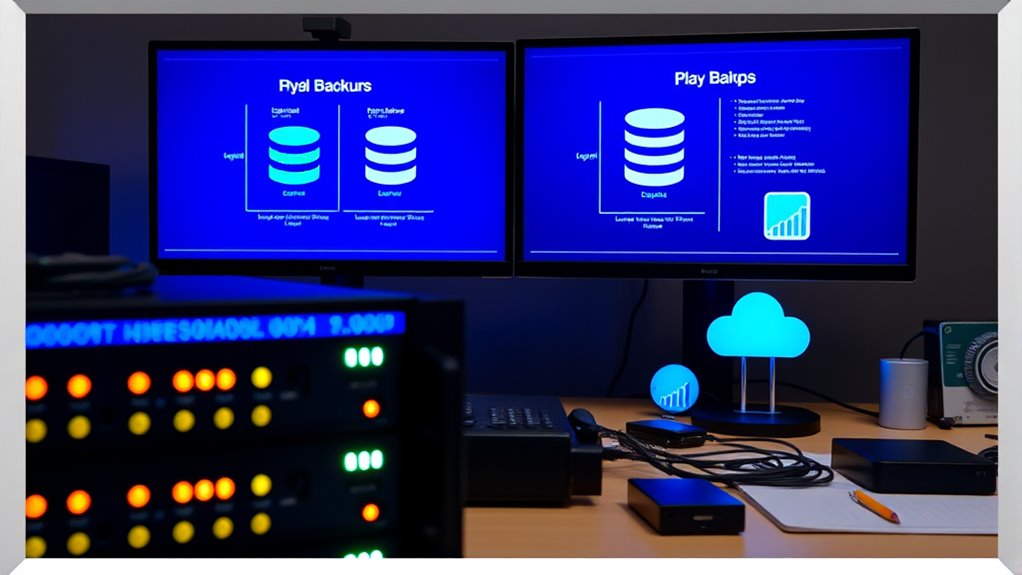
To achieve ideal data security, implementing a hybrid backup strategy combines the strengths of both logical and physical backups, ensuring extensive protection and flexibility. This approach lets you quickly restore large datasets while maintaining portability and detailed recovery options. You can use physical backups for fast, full restores, and logical backups to recover specific tables or perform migrations. By blending these methods, you reduce downtime and improve resilience against failures or cyberattacks.
- Balance speed and flexibility for different recovery needs
- Minimize downtime with rapid physical restores
- Enable selective recovery and platform independence with logical backups
Frequently Asked Questions
Can Logical Backups Handle Database Corruption or Hardware Failures?
Logical backups can help restore data after corruption or hardware failures, but they may not be the fastest or most reliable solution. You’ll need to have recent exports to re-import, which might be time-consuming for large databases. For critical systems, combining logical backups with physical ones is best, as physical backups offer faster recovery and preserve complete database states, reducing downtime during failures.
Are Physical Backups Suitable for Cloud-Based or Virtualized Environments?
Physical backups are perfect for cloud or virtual environments because they’re lightning-fast, allowing you to restore entire databases in the blink of an eye. You can directly copy or replace files, making them ideal for large, high-volume systems where downtime costs a fortune. Just remember, they require matching platforms and versions, but for rapid disaster recovery in the cloud, physical backups are your secret weapon, unmatched in speed.
How Do Backup Encryption and Security Differ Between Logical and Physical Methods?
You, as a user, should know that backup encryption and security differ between logical and physical methods. Logical backups often use built-in encryption tools or scripts, making them easier to customize but potentially less secure if not properly managed. Physical backups, however, store raw files that require strong access controls and encryption at the storage level. Both methods need proper security measures, but physical backups demand stricter access management due to their raw data nature.
What Are the Licensing or Cost Implications of Each Backup Type?
You’ll find that licensing and costs vary between logical and physical backups. Logical backups often involve open-source tools like mysqldump, so costs are lower or free, but you may need extra storage and time for larger data. Physical backups usually require enterprise licenses for specialized tools, which can increase expenses, but they offer faster restores. Assess your budget, scale, and recovery needs to choose the most cost-effective option for your environment.
How Do Incremental or Differential Backups Integrate With Logical and Physical Strategies?
You can integrate incremental and differential backups with both logical and physical strategies to optimize your backup process. For logical backups, you regularly export only changed data or schemas, reducing storage and time. For physical backups, you capture only the modified files or blocks since the last full backup, speeding up recovery. Combining these methods streamlines your backups, minimizes downtime, and guarantees efficient, scalable recovery options tailored to your system’s needs.
Conclusion
To protect your data properly, prioritize planning and pick the perfect backup method. Whether you prefer logical layers or physical precision, understanding their differences makes all the difference. By blending backups wisely, you build a robust, reliable restore routine. Don’t delay—deploy decisive, dynamic data defenses today, and guarantee your information stays intact, invulnerable, and instantly accessible whenever you need it. Protect, preserve, and prevail with a powerful backup plan.