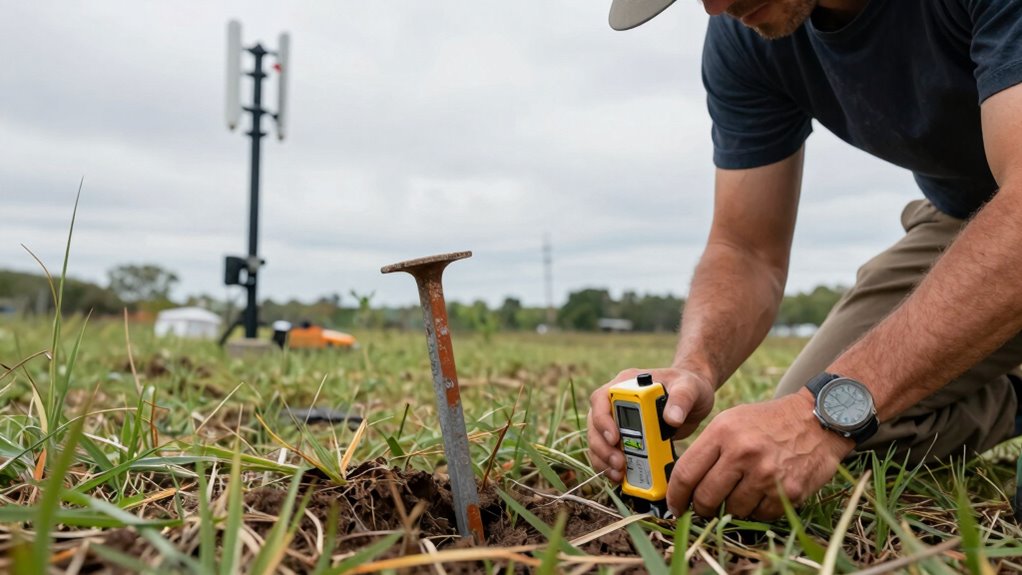

Many wireless bridge projects fail because you might skip crucial site survey steps like spectrum analysis, examining physical obstructions, or choosing the right antenna type. Without this information, interference issues, poor signal strength, and unexpected obstacles can derail your project. Skipping these steps can lead to costly troubleshooting and rework later on. If you keep these steps in mind, you’ll be better equipped to guarantee your wireless bridge performs reliably and efficiently.

Get business pricing on networking and server gear
- Business-only prices and quantity discounts
- Tax-exempt purchasing
- Multiple users, one account, clear invoices
Key Takeaways
- Skipping site surveys can lead to unforeseen interference issues and unstable wireless connections post-deployment.
- Failing to assess physical obstructions may cause signal degradation or failure in long-distance links.
- Neglecting spectrum analysis risks selecting congested or interference-prone frequencies.
- Omitting environmental considerations can result in equipment failure due to weather or terrain factors.
- Overlooking detailed planning increases troubleshooting costs and delays after installation.

Wireless bridge projects are an effective way to extend network connectivity over long distances without the need for extensive cabling. But before you start installing equipment, skipping the site survey can lead to significant issues down the line. Many underestimate the importance of this step, thinking it’s just a formality. In reality, a thorough survey lays the foundation for a reliable and high-performing wireless link.
One of the most overlooked aspects of a site survey is frequency planning. Without it, you risk interference from other wireless devices or competing networks operating on similar channels. You need to identify the least congested frequency band to ensure your bridge maintains a stable connection. This involves scanning the area for existing Wi-Fi signals and understanding the spectrum environment. Proper frequency planning helps you select the optimal channel, reducing latency and packet loss, and ultimately improving overall network performance. Spectrum analysis is a crucial component to accurately assess the wireless environment during your site survey.
Effective frequency planning minimizes interference, ensuring a stable, high-performance wireless bridge connection.
Equally critical is antenna selection. Many project planners choose antennas based solely on range specifications without considering the environment or physical obstructions. During your survey, you should evaluate the terrain, potential obstacles, and line-of-sight conditions. Based on these factors, you can select antennas that are suited to the specific site, whether directional or omnidirectional. For long-distance links, directional antennas are often ideal because they focus the signal, reducing interference and increasing gain. For shorter or more complex environments, omnidirectional antennas might be better suited. Making the right choice ensures your signal stays strong and stable, even in challenging conditions.
Failing to perform a detailed site survey means you’ll likely face unexpected problems once the system is operational. You might discover that a chosen frequency suffers from interference or that the antenna you selected isn’t capable of overcoming physical barriers. These issues often lead to costly troubleshooting and reconfiguration. An effective survey uncovers potential challenges before they happen, giving you the chance to plan accordingly and avoid costly mistakes. Incorporating knowledge of biodiversity and sustainable practices can also help in environmentally sensitive areas, ensuring your project aligns with conservation efforts. Additionally, understanding the spectrum environment allows for better planning of wireless deployments in complex areas. Conducting a comprehensive site survey helps identify potential physical obstructions that could impair signal quality. Furthermore, considering environmental factors such as weather conditions can be crucial for maintaining reliable connections over time.
In the end, skipping these critical steps—proper frequency planning and antenna selection—only sets you up for failure. A well-conducted site survey informs your decisions, helping you choose the right equipment and configuration. This proactive approach guarantees a reliable, high-performance wireless bridge, saving you time and money in the long run. Remember, thorough planning isn’t just a step; it’s the key to a successful wireless project.
As an affiliate, we earn on qualifying purchases.
Frequently Asked Questions
How Do I Choose the Right Wireless Bridge Hardware?
To select the appropriate wireless bridge hardware, focus on frequency planning and hardware compatibility. You need equipment that operates on the same frequency bands your network uses, whether 2.4 GHz or 5 GHz, to guarantee peak performance. Check that the hardware is compatible with your existing network infrastructure and supports necessary features like encryption or PoE. Doing this helps you avoid interference issues and guarantees seamless integration with your current setup.
What Environmental Factors Affect Wireless Bridge Signal Strength?
Environmental factors like interference sources and weather conditions greatly impact your wireless bridge signal strength. Interference from other electronic devices, dense foliage, or nearby metal structures can weaken your connection. Additionally, weather conditions such as rain, fog, or snow can cause signal degradation. To guarantee reliable performance, you should assess these factors during your site survey, choosing ideal locations and using weather-resistant hardware to mitigate their effects.
How Often Should Site Surveys Be Updated?
You should update your site surveys at least annually to account for changing interference sources and ongoing environmental shifts that could impact signal best. Regular updates help identify new obstacles or interference sources, ensuring your wireless bridge maintains peak performance. If your environment experiences frequent changes or increased interference, consider more frequent surveys. Staying proactive allows you to fine-tune your setup, minimize signal disruptions, and keep your network running smoothly.
Can Existing Network Infrastructure Impact Bridge Setup?
Your existing network infrastructure can dramatically impact your bridge setup. Interference sources, like nearby wireless devices or thick walls, can turn your project into a nightmare if not identified early. Legacy systems might also cause compatibility issues, slowing down or disrupting communication. Always evaluate your current infrastructure thoroughly during the site survey. Overlooking these factors is like building on quicksand—you’re setting yourself up for failure before you even begin.
What Are Common Troubleshooting Steps After Installation?
After installation, you should first check for interference sources like nearby electronic devices or thick walls that could disrupt the signal. Next, verify the power supply to guarantee the wireless bridge is receiving stable power. If issues persist, restart the devices, reconfigure settings, or update firmware. These troubleshooting steps help you quickly identify and resolve common problems, ensuring a reliable wireless connection.
As an affiliate, we earn on qualifying purchases.
Conclusion
Skipping site survey steps can lead to overlooked obstacles, unexpected interference, and unreliable connections. By neglecting thorough assessments, you risk wasting time, increasing costs, and facing future frustrations. Emphasize proper planning, precise measurements, and detailed analysis. Prioritize preparation, anticipate challenges, and verify conditions. Because a successful wireless bridge depends on careful site survey steps, because a strong connection relies on accurate data, because your project’s integrity depends on thoroughness—don’t skip the vital groundwork that guarantees long-term success.
directional outdoor Wi-Fi antenna
As an affiliate, we earn on qualifying purchases.
As an affiliate, we earn on qualifying purchases.
As an affiliate, we earn on qualifying purchases.
Evergreen bestsellers Picks
bestsellers
As an affiliate, we earn on qualifying purchases.