
The best data center server overall in this roundup is the Dell PowerEdge R740xd 18-Bay, which pairs dual Xeon Silver 4116 processors with 256GB of RAM and substantial SAS capacity. For compute-heavy work in a 1U chassis, the Dell PowerEdge R640 with dual Xeon Gold 6130 is a stronger fit, while the HP ProLiant ML350 Gen10 offers a tower format and Windows Server 2019 for teams that do not need rack deployment. The main tradeoff is between storage density, processor performance, rack space, and the work required to verify a renewed system’s configuration and support. I ranked these servers by how well their listed hardware suits distinct data center workloads, not by headline specifications alone. Read on for the full breakdown and the checks I recommend before buying.

Get business pricing on networking and server gear
- Business-only prices and quantity discounts
- Tax-exempt purchasing
- Multiple users, one account, clear invoices
Key Takeaways
- The R740xd 18-Bay leads for storage-heavy deployments: its listed 108TB of SAS storage and 256GB of RAM make it the most capacity-focused option here, though buyers should confirm the drive layout and RAID configuration.
- The R640 with Xeon Gold 6130 is the compute-focused 1U pick: 32 listed CPU cores and 256GB of RAM suit dense workloads, but its 7.7TB SSD configuration provides less bulk capacity than the large-drive R740xd models.
- Rack density and expansion pull in different directions: the R640 and R630 models save rack space, while the 2U R740 and R740xd systems offer more room for storage and expansion.
- The ML350 Gen10 is the distinct beginner-friendly option: its tower design and included Windows Server 2019 can simplify a small office deployment, but it is not a substitute for a rack server in a dense data center.
- Renewed listings need configuration checks: the exact drive count, RAID controller, rails, firmware, and warranty can matter as much as CPU and RAM when planning a production installation.


| data center server | Memory | Storage | Processors | RAID Controller |
|---|---|---|---|---|
| Dell PowerEdge R640 1U Rack Se | 256GB DDR4 | 4 × 1.92TB SATA SSDs (7.7TB total) | 2 × Intel Xeon Gold 6130 (16 cores each) | Dell H730 with 1GB cache |
| Dell PowerEdge R740xd 12-Bay S | 192GB PC4-2133R DDR4 | 12 × 6TB 7.2K SAS HDDs | 2 × Intel Xeon Silver 4210 (10 cores each) | PERC H740p |
| Dell PowerEdge R630 1U Server | 128GB DDR4 | 2 × 1TB SATA SSDs | 2 × Intel Xeon E5-2690 v4 (14 cores each) | PERC H730 |
| HP ProLiant ML350 Gen10 Tower | 64GB DDR4 | 4 × 1.92TB SATA III SSDs (7.68TB total) | 2 × Intel Xeon Silver 4110 (8 cores each) | — |
| Dell PowerEdge R640 10-Bay SFF | 128 GB | 1.6 TB (Dual 800 GB SSDs) | — | H730 |
| Dell PowerEdge R740XD 18-Bay R | 256GB DDR4, 2133 MHz | 18 × 6TB 7,200 RPM SAS hard drives; 108TB total | 2 × Intel Xeon Silver 4116, 2.1 GHz, 12 cores each | Dell PERC H730p |
| Dell PowerEdge R630 Server | 128GB DDR4 SDRAM | 8TB SAS 6G HDDs | — | — |
| Dell PowerEdge R740 2U Rack Se | 512GB DDR4 stated in title; product information conflicts, listing 2GB installed and 32GB maximum | 15.36TB enterprise SSD | 2 × Intel Xeon Gold 6148 | — |
More Details on Our Top Picks
Dell PowerEdge R640 1U Rack Server, 32-Core Xeon Gold 6130, 256GB RAM, 7.7TB SSD, Rails (Renewed)
This server stands out for its high core density and SSD-based storage, making it ideal for latency-sensitive applications. With 32 cores and 256GB of RAM, it handles virtualization and databases more efficiently than the lower-core Dell PowerEdge R740xd. The inclusion of sliding rails and a one-year warranty adds reliability that many renewed options lack. However, the 1U form factor limits internal expansion compared to larger chassis. It is a strong choice for those prioritizing performance per rack unit.
Pros:- 32 total cores provide strong parallel processing power
- 256GB RAM supports heavy virtualization workloads
- 7.7TB of SSD storage ensures fast data access
- Includes rails and a one-year warranty for peace of mind
Cons:- Operating system is not included
- 1U chassis limits physical expansion options
- Renewed condition may show cosmetic wear
Best for: IT managers needing high-performance virtualization or database hosts in space-constrained racks.
Not ideal for: Users requiring massive bulk storage capacity, as the 8-bay chassis limits drive count.
- Processors:2 × Intel Xeon Gold 6130 (16 cores each)
- Total Cores:32
- Memory:256GB DDR4
- Storage:4 × 1.92TB SATA SSDs (7.7TB total)
- RAID Controller:Dell H730 with 1GB cache
- Form Factor:1U Rack Server
- Warranty:1 Year
- Remote Management:iDRAC9 Express
Our verdict“This pick makes the most sense for buyers seeking a balance of high CPU power, fast SSD storage, and included mounting hardware in a compact 1U package.”
Dell PowerEdge R740xd 12-Bay Server, Dual Xeon Silver 4210, 192GB RAM, 12 × 6TB SAS Drives (Renewed)
While the Dell PowerEdge R640 focuses on speed, this R740xd prioritizes capacity. It ships with twelve 6TB SAS drives, offering a massive 72TB raw storage pool ideal for archives or media servers. The 12-bay chassis provides ample room for future drive additions. However, the 7.2K RPM SAS drives are slower than the SSDs found in the R640, making it less suitable for high-IOPS tasks. It also lacks rails and an OS, requiring extra purchases for a complete setup.
Pros:- 12 × 6TB drives provide huge storage capacity
- 12-bay chassis allows for significant expansion
- 192GB RAM is sufficient for most storage workloads
- Dual 10-core processors handle parallel data tasks well
Cons:- Rails and bezel are not included
- No operating system is pre-installed
- 7.2K RPM drives are slower than SSD alternatives
Best for: Organizations building file servers, backup appliances, or media libraries needing high TB-per-dollar value.
Not ideal for: Performance-critical applications like real-time databases, where HDD latency would be a bottleneck.
- Model:PowerEdge R740xd
- Processors:2 × Intel Xeon Silver 4210 (10 cores each)
- Memory:192GB PC4-2133R DDR4
- Storage:12 × 6TB 7.2K SAS HDDs
- RAID Controller:PERC H740p
- Chassis:3.5-inch, 12-bay
- Warranty:90 Days
- Included Accessories:None (Rails/Bezel sold separately)
Our verdict“This model is better suited to buyers who need maximum storage volume in a single 2U slot and can tolerate slower mechanical drive speeds.”
Dell PowerEdge R630 1U Server, Dual Xeon E5-2690 v4, 128GB RAM, 2×1TB SSD (Renewed)
This R630 offers a cost-effective entry into enterprise rack servers. With 28 cores and 128GB RAM, it delivers solid performance for mid-tier tasks. Compared to the newer R640, it uses an older DDR4 generation and lacks the latest iDRAC9 features, but the price difference is significant. The 2TB SSD storage is adequate for boot drives or small databases but falls short of the R640’s 7.7TB. It is a pragmatic choice for those with budget constraints who still need rack-mounted reliability.
Pros:- Dual 14-core processors provide good multi-threaded performance
- 128GB RAM supports moderate virtualization needs
- Includes dual power supplies and RAID controller
- Significantly more affordable than newer R640/R740 models
Cons:- Only 2TB of SSD storage included
- Rails and bezel are not included
- Limited 90-day warranty coverage
Best for: Small businesses or homelab enthusiasts seeking enterprise-grade hardware at a lower entry cost.
Not ideal for: Users requiring the latest security features or maximum memory bandwidth, as the platform is older.
- Model:PowerEdge R630
- Processors:2 × Intel Xeon E5-2690 v4 (14 cores each)
- Total Cores:28
- Memory:128GB DDR4
- Storage:2 × 1TB SATA SSDs
- RAID Controller:PERC H730
- Warranty:90 Days
- Remote Management:iDRAC 8 Express
Our verdict“This option stands out for buyers who want reliable 1U performance without paying the premium for the latest processor generation.”
HP ProLiant ML350 Gen10 Tower Server, Dual Xeon Silver 4110, 64GB RAM, 7.68TB SSD, RAID, Windows Server 2019 (Renewed)
Unlike the rack-mounted Dell options, this HP ML350 is a tower server, making it easier to deploy in small offices without a rack. It comes with Windows Server 2019 pre-installed, saving setup time and licensing hassles common with the Dell models. The 7.68TB SSD storage matches the capacity of the R640 but in a quieter, standalone form factor. However, the 16 total cores are fewer than the 32 cores in the R640, limiting its scaling potential for heavy virtualization. It is best for those who value ease of deployment over raw density.
Pros:- Windows Server 2019 is pre-installed
- Tower form factor fits under desks or in closets
- 7.68TB SSD storage provides fast access
- Redundant power supplies enhance reliability
Cons:- Lower core count (16 total) than rack competitors
- Only 64GB RAM included, limiting virtualization
- Renewed condition with no warranty details specified
Best for: Small businesses needing a plug-and-play server for file sharing or basic apps in a non-rack environment.
Not ideal for: Data centers requiring high-density rack mounting or maximum CPU core counts.
- Model:HP ProLiant ML350 Gen10
- Form Factor:Tower
- Processors:2 × Intel Xeon Silver 4110 (8 cores each)
- Memory:64GB DDR4
- Storage:4 × 1.92TB SATA III SSDs (7.68TB total)
- Operating System:Windows Server 2019 (Included)
- Power Supplies:Redundant
- Condition:Renewed
Our verdict“This pick makes the most sense for non-technical users or small offices that need a ready-to-use server without rack infrastructure.”
Dell PowerEdge R640 10-Bay SFF Server, 2.10 GHz 24-Core, 128 GB RAM, 1.6 TB Storage (Renewed)
This R640 variant offers a middle ground between the high-spec 32-core model and the budget R630. With 24 cores and 128GB RAM, it provides strong performance for standard web hosting or application servers. The 1.6TB SSD storage is smaller than the 7.7TB in the higher-tier R640, making it less ideal for large databases. However, it includes rack rails, unlike the base R630 or R740xd options. This configuration is balanced for users who need reliable performance without the premium cost of top-tier specs.
Pros:- 24 cores offer good performance for general workloads
- 128GB RAM supports multiple virtual machines
- Includes rack rails for easy installation
- SSD storage ensures fast boot and application load times
Cons:- 1.6TB storage is limited for enterprise data
- Operating system is not included
- Renewed condition requires careful inspection
Best for: Developers or IT staff needing a reliable 1U server for web hosting or application testing.
Not ideal for: Users with large storage needs, as 1.6TB may require immediate expansion.
- Model:PowerEdge R640
- Processor:2.10 GHz, 24-core
- Memory:128 GB
- Storage:1.6 TB (Dual 800 GB SSDs)
- RAID Controller:H730
- Drive Bays:10 SFF
- Included Accessories:Rack rails, power cords
- Condition:Renewed
Our verdict“This model is better suited to buyers who want a balanced 1U server with included mounting hardware and sufficient power for standard enterprise tasks.”
Dell PowerEdge R740XD 18-Bay Rack Server, 2× Xeon Silver 4116, 256GB RAM, 108TB SAS Storage (Renewed)
The 18-bay R740XD is the storage-focused pick here: its 18 drive bays are populated with 108TB of SAS capacity, backed by a PERC H730p RAID controller. That makes it a stronger fit for bulk data, backups, and storage-heavy workloads than the R740 with 15.36TB of enterprise SSDs, which favors faster access over raw capacity. Its 24 Xeon Silver cores and 256GB of memory also leave room for server workloads beyond simple file storage. Dual power supplies and iDRAC 9 Enterprise add useful operational features for a rack deployment. The tradeoffs are its 45-pound chassis, missing rails and operating system, and a 90-day hardware replacement warranty. Buyers seeking faster SSD storage or a longer support horizon should compare other configurations.
Pros:- 18 populated 3.5-inch bays provide 108TB of SAS storage.
- Dual 12-core Xeon Silver processors provide 24 total cores.
- PERC H730p RAID controller and iDRAC 9 Enterprise are included.
- Dual platinum-efficiency power supplies support rack deployment.
Cons:- Rails and an operating system are not included.
- The 90-day hardware replacement warranty offers a limited support window.
- SAS hard drives are less suited to latency-sensitive workloads than the SSD storage in the PowerEdge R740 configuration.
Best for: Data center teams needing high-capacity SAS storage for shared files, backups, or storage-heavy services, with the skills to supply rails and install an operating system.
Not ideal for: Teams prioritizing low-latency SSD workloads, a ready-to-deploy software setup, or a longer warranty; this renewed unit has SAS hard drives, no included OS or rails, and only 90 days of hardware replacement coverage.
- Chassis:18-bay 3.5-inch LFF rack server
- Processors:2 × Intel Xeon Silver 4116, 2.1 GHz, 12 cores each
- Total cores:24
- Memory:256GB DDR4, 2133 MHz
- Storage:18 × 6TB 7,200 RPM SAS hard drives; 108TB total
- RAID controller:Dell PERC H730p
- Remote access:iDRAC 9 Enterprise
- Warranty:90-day hardware replacement
- Not included:Rails and operating system
Our verdict“Choose this R740XD when high-capacity SAS storage and 24 cores matter more than SSD speed, included rails, or a longer warranty.”
Dell PowerEdge R630 Server, 20-Core 2.60 GHz, 128 GB RAM, 8 TB SAS HDDs, with Rails (Renewed)
This renewed PowerEdge R630 is the most deployment-ready choice of these three for a buyer who wants an included operating system and mounting hardware: the listing specifies Windows Server 2019, rails, and power cords. Its 20-core, 2.60 GHz processor, 128GB of memory, and 8TB of SAS storage make it a more modest starting point than the R740XD’s 24 cores and 108TB, but that smaller storage footprint can suit an established environment that does not need a large drive array. The R740, by comparison, brings 512GB of listed memory and enterprise SSD storage, making it a better match for heavier workloads. This R630 is renewed, and the listing does not identify the processor model or describe its storage layout in detail, so buyers should confirm configuration needs before ordering.
Pros:- Includes Windows Server 2019, rails, and power cords.
- 20-core 2.60 GHz processor and 128GB of DDR4 memory.
- Includes 8TB of SAS 6G hard-drive storage.
- Renewed listing states that the unit was professionally inspected and tested.
Cons:- 8TB of SAS storage is far below the R740XD’s 108TB capacity.
- The processor model and storage-drive layout are not specified in the supplied product data.
- Renewed condition may not suit buyers requiring new hardware.
Best for: IT teams seeking a renewed rack server with Windows Server 2019, rails, and power cords included for a moderate compute and SAS-storage workload.
Not ideal for: Storage-heavy deployments or teams needing a clearly specified CPU model, a large drive array, or the R740’s higher listed memory and enterprise SSD capacity.
- Model:Dell PowerEdge R630
- Processor:20-core, 2.60 GHz; model not specified
- Memory:128GB DDR4 SDRAM
- Storage:8TB SAS 6G HDDs
- Operating system:Microsoft Windows Server 2019
- Included accessories:Rails and power cords
- Weight:49.2 pounds
- Condition:Renewed
Our verdict“Pick this R630 for a moderate server workload when included Windows Server, rails, and power cords are more useful than a large storage array.”
Dell PowerEdge R740 2U Rack Server with Dual Xeon Gold 6148 Processors
The PowerEdge R740 is the performance-oriented choice in this group, pairing two Xeon Gold 6148 processors with 15.36TB of enterprise SSD storage. Compared with the R740XD, it gives up substantial raw capacity—the XD has 108TB of SAS drives—but the SSD setup better suits workloads where storage responsiveness matters more than holding the largest volume of data. The listed 512GB of DDR4 memory also exceeds the R630’s 128GB, and the package includes Windows Server 2022 Standard, RAID, dual power supplies, iDRAC, and rails. There is a serious configuration caveat: product information conflicts on memory, with the title stating 512GB while another detail lists only 2GB installed and 32GB maximum. I would confirm the actual memory before buying; without that clarification, this server is a risky choice for memory-dependent deployments.
Pros:- Dual Intel Xeon Gold 6148 processors are suited to demanding compute workloads.
- 15.36TB of enterprise SSD storage favors faster access than the SAS hard drives in the R740XD.
- Includes RAID, dual power supplies, and iDRAC.
- Windows Server 2022 Standard and a rail kit are listed as included.
Cons:- Memory details conflict: the title says 512GB, while product information lists 2GB installed and a 32GB maximum.
- Its 15.36TB SSD capacity is much lower than the R740XD’s 108TB SAS capacity.
- The server is renewed rather than new.
Best for: Data center teams seeking dual Xeon Gold processors, enterprise SSD storage, and a bundled operating system and rail kit for compute-heavy services.
Not ideal for: Buyers who need verified memory capacity or maximum bulk storage; the listing has conflicting RAM details, and the R740XD offers much more total drive capacity.
- Form factor:2U rack server
- Processors:2 × Intel Xeon Gold 6148
- Processor speed:2.4 GHz
- Memory:512GB DDR4 stated in title; product information conflicts, listing 2GB installed and 32GB maximum
- Storage:15.36TB enterprise SSD
- Operating system:Windows Server 2022 Standard
- Included features:RAID, dual power supplies, and iDRAC
- Included accessory:Rail kit
- Condition:Renewed
Our verdict“Choose this R740 for Xeon Gold compute and enterprise SSD storage only after confirming its actual memory configuration with the seller.”
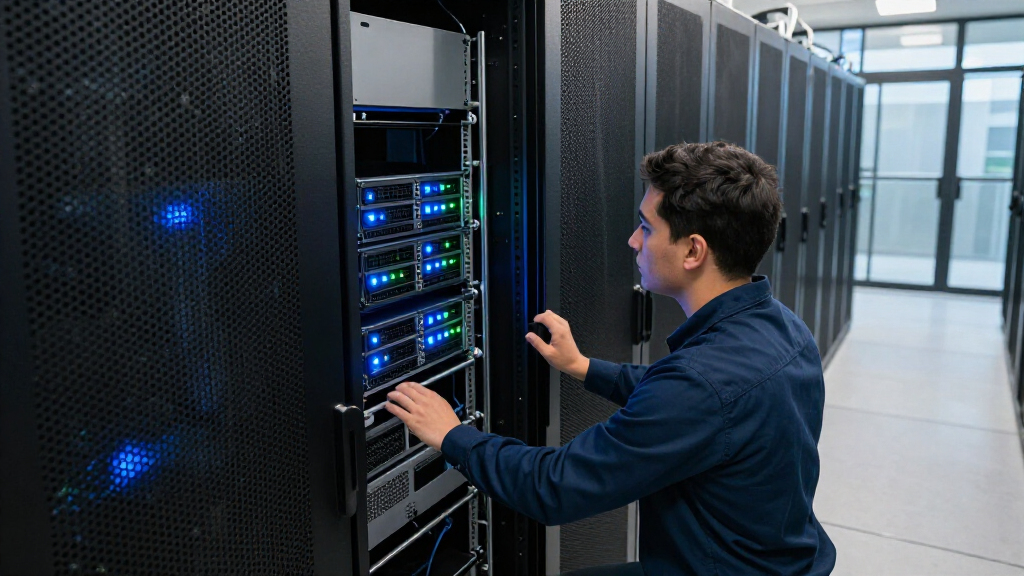
How We Picked
I compared the eight listings by workload fit, using processor tier and core count, memory capacity, stated storage type and capacity, and chassis form factor. I also weighed practical deployment details such as included rails or operating system, since they can change how much setup a buyer must handle. The listed configurations vary widely, so I treated specifications as listing claims rather than assuming every unit has the same parts or support history.
The ranking favors systems with a clear role and a useful balance of compute, memory, and storage. The R740xd 18-Bay ranks first for its combination of high stated storage capacity, dual processors, and 256GB RAM; the R640 Gold 6130 follows for dense compute in 1U. Other models rank by more specific advantages, such as a tower form, a large 12-drive SAS set, or compact rack deployment. I lower the fit of listings where key workload details are less clear or the configuration is more specialized, and I recommend verifying drive health, RAID support, networking, firmware, and warranty before purchase.
| data center server | RAID Controller | Model |
|---|---|---|
| Dell PowerEdge R640 1U Rack Se | Dell H730 with 1GB cache | — |
| Dell PowerEdge R740xd 12-Bay S | PERC H740p | PowerEdge R740xd |
| Dell PowerEdge R630 1U Server | PERC H730 | PowerEdge R630 |
| HP ProLiant ML350 Gen10 Tower | — | HP ProLiant ML350 Gen10 |
| Dell PowerEdge R640 10-Bay SFF | H730 | PowerEdge R640 |
| Dell PowerEdge R740XD 18-Bay R | Dell PERC H730p | — |
| Dell PowerEdge R630 Server | — | Dell PowerEdge R630 |
| Dell PowerEdge R740 2U Rack Se | — | — |
Factors to Consider When Choosing Best Data Center Servers
Choosing a data center server starts with the job it must do and the environment it must fit. A large core count cannot make up for insufficient storage throughput, and a high-capacity drive set may be a poor match for latency-sensitive applications. I would settle the following points before comparing individual configurations.
Match the server to the workload, not just the CPU
Start by separating workloads that need parallel compute from those that need fast storage or high memory capacity. Virtualization hosts often benefit from a balanced mix of cores, RAM, and fast storage, while bulk file or backup systems may favor drive bays and capacity. Database and transaction workloads can be sensitive to storage latency, so drive type and controller support deserve close attention. Check whether the listed CPU generation supports the software and instruction features your applications require. A server with more cores can still be the wrong choice if licensing costs are tied to cores or the software cannot use them. I would map expected users, virtual machines, and data growth before treating any single spec as a deciding factor.
Plan rack space, power, and cooling together
A 1U server saves rack space, but it does not automatically make a better data center purchase. Dense systems can concentrate heat and may need careful airflow planning, while a 2U chassis usually provides more room for drives and expansion. Tower servers avoid rack mounting and can suit offices without a server cabinet, but they take floor or desk space and may not fit standardized rack workflows. Check chassis depth, rail compatibility, power supply configuration, and the airflow direction against the destination rack. Also estimate power draw under the intended workload rather than relying on the processor name alone. A server that fits physically but exceeds the site’s cooling or power capacity is not a practical fit.
Treat storage capacity and storage performance as separate decisions
Drive capacity tells you how much data may fit; it does not tell you how quickly applications can read or write it. SSDs generally suit latency-sensitive work, while large SAS HDD arrays can serve bulk storage, backup, and other capacity-oriented roles. Confirm whether stated capacity is raw or usable after RAID, and check the planned RAID level before estimating available space. Ask for drive models, interface type, bay count, and controller details, especially when a listing describes a large storage total without explaining its layout. Mixing drive types or capacities can also affect performance and rebuild behavior. Leave room for growth and spare drives rather than sizing only to today’s data.
Verify renewed hardware and the support path
Renewed servers can offer established enterprise hardware, but the exact unit may differ from the configuration headline. Ask for a complete inventory of processors, memory modules, drives, RAID controller, network adapters, power supplies, and included accessories. Request drive health information and confirm whether any components are replacements or refurbished parts. Check the seller’s warranty terms, return window, and process for diagnosing a failed component before placing a production system into service. Firmware and management tools may also need updates, and older platforms can have limits around current security features or vendor support. If the server will host critical services, plan for replacement parts and a tested recovery path.
Account for memory, networking, and expansion headroom
Installed RAM is only one part of a memory plan: check the number of populated slots, supported module types, and the cost and availability of compatible upgrades. A server with spare slots may be easier to grow than one already filled with modules, even if both list the same capacity. Networking needs can also change the decision; verify port speed, adapter type, and whether the configuration has room for the required NICs or storage cards. Look at PCIe slots and riser configuration before assuming an expansion card will fit. For virtualization, calculate memory needs across host overhead and guest workloads rather than assigning every gigabyte to virtual machines. Buying some headroom can prevent an early replacement, but excess capacity that the workload cannot use adds complexity without benefit.
Check operating system, licensing, and deployment readiness
An included operating system can shorten setup, but it does not settle licensing or compatibility questions. Confirm the Windows Server edition, activation status, license transfer rights, and whether the planned applications support that release. For systems without an OS, check hardware compatibility with the intended Linux distribution or hypervisor and allow time for driver and firmware validation. A listing that includes rails can save a separate procurement step, but verify they match the server and rack. Confirm power cords, bezel, management access, and any required security settings as well. A deployment checklist helps distinguish a ready-to-install server from a bare chassis that needs additional parts and configuration work.
Frequently Asked Questions
Should I choose the 1U R640 or a 2U R740xd for a virtualization host?
Choose the R640 when rack density and compute per rack unit matter more than a large internal drive set; the Gold 6130 listing also includes 256GB of RAM and SSD storage. The R740xd 18-Bay is a better starting point when local drive capacity and expansion are central to the host design. Neither choice is automatically better for virtualization: estimate memory per virtual machine, storage IOPS, and network needs first. Confirm the exact RAID controller, drive configuration, and available PCIe slots for the unit being sold. If you plan shared storage, the R640’s smaller listed capacity may be less restrictive than it appears.
How much should I trust the storage capacity shown on a renewed server listing?
Use the stated capacity as a starting point, not as a guarantee of usable space or drive condition. Ask whether the figure is raw capacity or capacity after RAID, and request the number, type, and model of installed drives. RAID level, hot spares, and formatting reduce the space available to applications. For used drives, request health data and check the seller’s process if a drive arrives with errors. Keep backups separate from the server; a large internal array does not replace a recovery plan.
Is a renewed enterprise server suitable for a production workload?
It can be, provided the hardware condition, warranty, and support plan match the workload’s risk. Confirm the exact component inventory, drive health, firmware status, and whether the seller covers individual replacement parts. Check that your team can source compatible memory, drives, power supplies, and controllers if a failure occurs later. For critical services, test the server under load and validate backups and failover before assigning production traffic. A renewed system may be a sensible fit for noncritical services or a properly supported cluster, but a single unsupported unit creates a larger operational risk.
Does the HP ProLiant ML350 Gen10 make sense if my organization already has a rack?
It may still suit a small office, lab, or branch role where tower access is convenient and rack density is not a priority. If the server needs to join an established rack workflow, compare its footprint, mounting options, airflow, and remote management with the rack systems already in place. A rack server can simplify standardization and make better use of cabinet space, while a tower can be easier to place where no rack is available. The included Windows Server 2019 is useful only if its edition and licensing fit your deployment. Check the exact OS and hardware configuration before treating the listing as ready to install.
What should I verify before buying a server with many listed cores?
Confirm whether the core count refers to physical cores and check the number and model of processors installed. Then compare the CPU generation and supported features with your applications, hypervisor, and licensing rules. More cores can help parallel workloads, but they do not compensate for limited memory bandwidth, slow storage, or inadequate networking. Review power and cooling capacity as well, particularly when the server will run at sustained utilization. Finally, ask for the exact configuration and firmware details, since a headline specification alone does not confirm the condition or readiness of a renewed system.
Conclusion
For a broad storage-oriented data center deployment, I would start with the Dell PowerEdge R740xd 18-Bay as the best overall pick, subject to confirming its drive layout, RAID, and condition. The Dell PowerEdge R640 with Xeon Gold 6130 is my best choice for dense compute in 1U, while the R630 models are worth examining when compact rack deployment or a particular mix of SAS and SSD storage matters more than newer platform features. For a beginner or small office that wants a tower and an included operating system, the HP ProLiant ML350 Gen10 is the easiest starting point. Buyers seeking a more premium processor configuration should look closely at the PowerEdge R740 with dual Xeon Gold 6148, but its listing provides fewer configuration details, so verify memory, storage, and included components before choosing it. The best fit comes down to workload, rack or room constraints, and the support you can secure for renewed hardware.