
Installation readiness checks help you catch potential issues early, preventing costly delays and equipment failures. By verifying hardware compatibility, ensuring tools are available, and training your team, you reduce the risk of mistakes that can lead to extended downtime or expensive repairs. While extended warranties offer protection later, readiness checks keep problems from happening in the first place. Keep exploring how these proactive steps safeguard your investment and minimize trouble down the line.
Key Takeaways
- Readiness checks identify issues early, preventing costly failures that warranties may only address after problems occur.
- Proper verification ensures hardware compatibility, reducing the risk of installation errors and subsequent system failures.
- Training and preparation minimize on-site mistakes, decreasing downtime and service calls that warranties do not prevent.
- Ensuring tools, parts, and site conditions are ready avoids delays and surprises that warranties cannot compensate for.
- Proactive planning improves system reliability and performance, reducing long-term maintenance costs beyond warranty coverage.
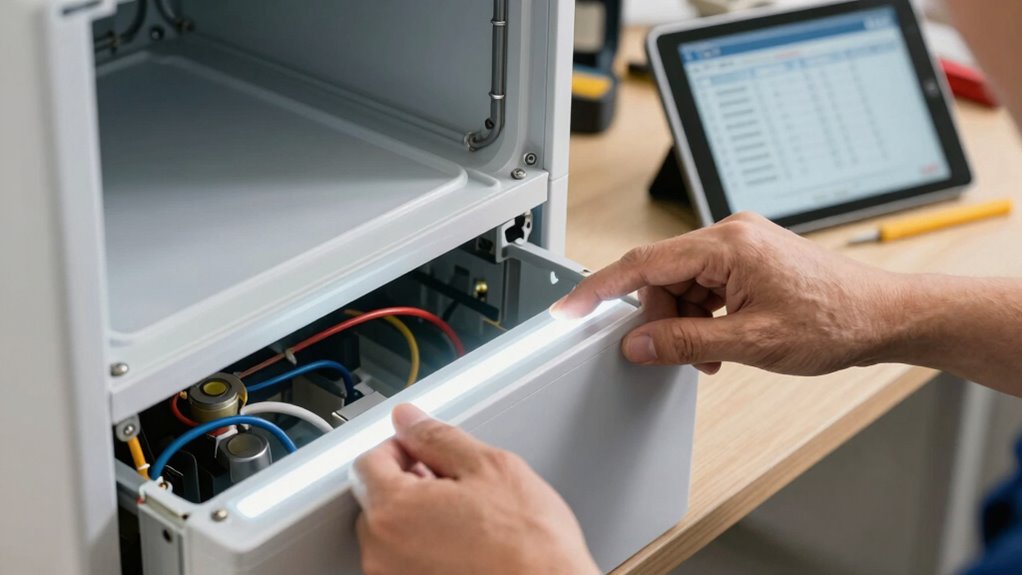
Before beginning an installation, it’s crucial to perform readiness checks to guarantee everything is set for a smooth process. These checks aren’t just formalities; they’re your first line of defense against costly delays and issues down the line. One of the most critical areas to review is hardware compatibility. If the equipment you’re installing isn’t compatible with existing systems, you risk encountering unexpected failures or the need for costly replacements. Verifying hardware compatibility upfront saves you time and money, ensuring that all components work seamlessly together. It also helps identify potential bottlenecks, allowing you to address them before the installation begins, rather than dealing with the fallout afterward. Conducting these checks early also helps prevent unexpected failures, which can be costly and disruptive.
Perform readiness checks to ensure hardware compatibility and prevent costly installation issues.
Another essential aspect of readiness checks involves technician training. Properly trained technicians understand the nuances of the equipment and the installation process, which minimizes errors. If your team is well-prepared, they can troubleshoot problems on the spot, reducing downtime and avoiding the need for costly service calls or extended warranties. Conversely, untrained personnel might overlook key steps or misinterpret technical specifications, leading to installation failures that could have been prevented. Investing in technician training as part of your readiness checks ensures that everyone involved is confident and capable, making the entire process smoother and more efficient.
Performing thorough readiness checks also highlights other potential issues. For example, you can verify that all necessary tools and spare parts are available, that the site is prepared, and that safety protocols are in place. These proactive measures prevent last-minute surprises that could derail your schedule. When you catch these problems early, you can plan accordingly, avoiding delays that often lead to extended warranties or service contracts that might not fully cover the root causes of recurring issues.
Ultimately, meticulous installation readiness checks serve as a safeguard, ensuring your equipment functions correctly from the start. They help you avoid the false sense of security that extended warranties provide, which often only cover problems after they occur instead of preventing them. Proper planning and verification mean fewer breakdowns, less downtime, and lower ongoing costs. By prioritizing readiness checks, you’re investing in a more reliable, efficient system that minimizes trouble and maximizes performance from day one. When you take the time to do it right upfront, you’ll find that the need for extended warranties diminishes because many issues are prevented before they happen.
hardware compatibility testing tools
As an affiliate, we earn on qualifying purchases.
As an affiliate, we earn on qualifying purchases.
Frequently Asked Questions
How Do Readiness Checks Impact Installation Timelines?
Readiness checks greatly speed up installation timelines by reducing potential delays. When you focus on readiness accuracy, you identify and resolve issues early, preventing unexpected installation delays later. This proactive approach ensures all prerequisites are met, streamlining the process. By prioritizing thorough readiness assessments, you minimize disruptions and keep the project on schedule, saving time and avoiding costly troubleshooting that can arise from overlooked details.
Are Readiness Checks Necessary for All Types of Installations?
Readiness checks are essential for most installations, especially when dealing with complex setups or equipment compatibility issues. They help you identify potential problems early, reducing delays and ensuring smoother installation processes. While simpler projects might not need extensive checks, skipping them for complex or incompatible equipment can lead to costly errors. As a result, conducting readiness checks tailored to your installation’s complexity ultimately saves time, money, and frustration.
What Tools Are Used to Perform Installation Readiness Checks?
You’ll use specialized software tools and diagnostic utilities to perform installation readiness checks. Visualize these tools as your digital inspectors, scanning systems to identify potential issues before they escalate. They analyze hardware compatibility, network configurations, and software dependencies, providing real-time insights. By leveraging these tools, you catch problems early, ensuring the installation process proceeds smoothly and avoiding surprises that could cause delays or failures down the line.
Can Readiness Checks Identify Potential Future Issues?
Readiness checks can indeed identify potential future issues, helping you spot risks before they escalate. By thoroughly evaluating system components, configurations, and dependencies, you actively mitigate risks and prevent costly failures. This proactive approach guarantees your installation proceeds smoothly, reducing downtime and future troubleshooting. Ultimately, readiness checks serve as an essential risk mitigation tool, giving you confidence that your system is prepared for future challenges and minimizing trouble down the line.
Who Is Responsible for Conducting Readiness Checks?
You’re the captain steering the ship, so responsibility for conducting readiness checks lands squarely on your shoulders. You’ll need to follow check procedures carefully, ensuring every system is seaworthy before setting sail. Assign responsibilities clearly within your team, like crew members handling different tasks, so nothing gets overlooked. By taking charge and executing thorough checks, you prevent potential storms—avoiding delays, costs, and trouble down the line.
As an affiliate, we earn on qualifying purchases.
Conclusion
Skipping installation readiness checks might seem like saving time, but it’s a gamble you can’t afford. Without them, you risk facing a disaster so colossal, it’s like releasing a hurricane of problems on your project. These checks are your fortress against chaos, ensuring everything runs smoothly and preventing costly delays. Don’t let overlooked details turn your installation into a catastrophe—embrace readiness checks and keep your project on the path to success!
installation readiness checklists
As an affiliate, we earn on qualifying purchases.
As an affiliate, we earn on qualifying purchases.
site preparation tools for equipment installation
As an affiliate, we earn on qualifying purchases.
As an affiliate, we earn on qualifying purchases.