
The biggest mistake you can make is designing a meeting room with poor acoustics and improper technology placement. Hard surfaces cause echoes, and audio isn’t clear, making it hard for remote participants to follow along. If microphones and cameras aren’t positioned correctly, it can lead to miscommunications and frustration. Focusing on sound quality, layout, and tech setup can transform your meetings. If you want to avoid these pitfalls, keep exploring to discover how to create a truly effective space.

Get business pricing on networking and server gear
- Business-only prices and quantity discounts
- Tax-exempt purchasing
- Multiple users, one account, clear invoices
Key Takeaways
- Failing to consider acoustic treatment leads to echo, background noise, and poor sound clarity for remote participants.
- Poor placement of cameras and microphones results in missed facial cues and audio issues.
- Inadequate room layout hampers face-to-face engagement and eye contact, reducing interaction quality.
- Using hard surfaces without sound-absorbing materials creates distracting reflections and muffled audio.
- Neglecting the integration of technology and room design causes miscommunication and disconnects during virtual meetings.

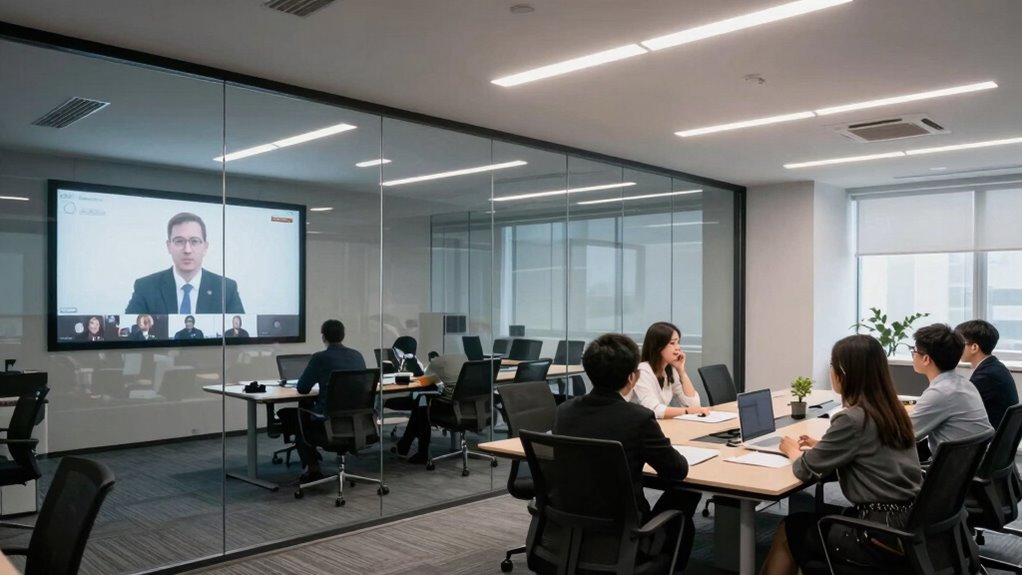
Many meeting rooms are designed without considering how people actually work and interact, which can lead to productivity issues and frustration. This oversight becomes especially problematic when teams rely on virtual collaboration. When a room isn’t set up properly, remote participants often struggle to hear or be heard clearly, making it difficult to contribute effectively. These issues can cause delays, miscommunications, and a sense of disconnect that hampers team cohesion. It’s tempting to focus solely on video screens and technology, but the physical environment plays a vital role in shaping the quality of remote interactions.
Poor room design hampers remote collaboration and causes miscommunication and frustration.
One of the most common mistakes is neglecting proper acoustic treatment. Without sound-absorbing materials, echo and background noise become major distractions. When acoustics are poor, voices bounce off hard surfaces, creating a noisy, uncomfortable atmosphere that diminishes focus. For remote participants, it’s even worse—they might hear muffled voices or struggle to distinguish who’s speaking. This often leads to people talking over each other, pauses, and frustration on both ends. Investing in acoustic treatment isn’t just about comfort; it’s about creating an environment where everyone can communicate clearly, regardless of whether they’re physically present or joining virtually. Additionally, acoustic treatment can significantly improve the overall user experience by reducing distractions and supporting better concentration during meetings. Recognizing the importance of room acoustics ensures a more effective and engaging meeting environment. Moreover, paying attention to sound quality can prevent many common communication breakdowns that occur during virtual meetings. Improving indoor air quality can also contribute to a healthier, more alert environment that enhances focus and reduces fatigue during long meetings. Proper room design, including sound insulation, can also help prevent external noises from interrupting meetings and enhance overall clarity.
The design of the room should prioritize clarity and ease of interaction. This means selecting furniture and layout that facilitate face-to-face engagement and promote eye contact, which is essential for natural communication. When you incorporate acoustic panels, carpeting, and other sound-absorbing elements, you improve the overall audio quality, helping remote participants feel as if they’re in the same room. This setup encourages more natural, spontaneous conversations and reduces misunderstandings caused by poor sound.
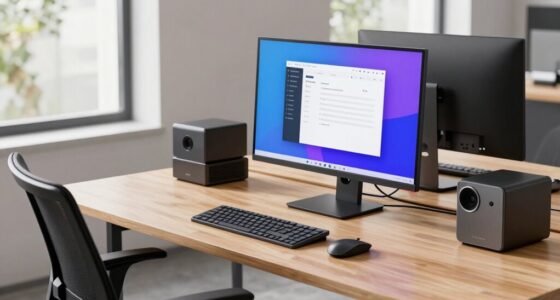
Another critical aspect you might overlook is the placement of cameras and microphones. These should be positioned to capture clear visuals and audio from everyone in the room. When your technology aligns with good acoustic design, it enhances virtual collaboration. This means remote attendees can see facial expressions and hear tone of voice, making interactions more engaging and productive. When the physical environment supports these technological tools, it creates a seamless experience that bridges the gap between in-person and remote participants.
In essence, avoiding the mistake of ignoring acoustic treatment and the room’s physical design is essential for effective virtual collaboration. When you create a space that prioritizes sound clarity and thoughtful layout, you foster better communication, increase engagement, and ultimately make remote meetings more productive. Remember, a well-designed meeting room isn’t just about hardware or aesthetics—it’s about enabling real, meaningful interactions, no matter where your team is located.
acoustic panels for meeting rooms
As an affiliate, we earn on qualifying purchases.
As an affiliate, we earn on qualifying purchases.
Frequently Asked Questions
How Can Lighting Affect Remote Meeting Experiences?
Lighting greatly impacts your remote meeting experience by affecting visibility and comfort. Poor ambient illumination can cause glare or shadows, making it hard to see participants clearly. Using the right color temperature, like warm or neutral tones, helps create a welcoming atmosphere and reduces eye strain. Adjusting lighting so it’s even and natural guarantees everyone stays focused and engaged, preventing distractions caused by inadequate or harsh lighting conditions.
What Are Common Audio Issues in Poorly Designed Meeting Rooms?
In poorly designed meeting rooms, you often face audio issues like echoes, background noise, and muffled sound. These problems happen when acoustic treatment isn’t properly applied or soundproofing is inadequate. Without proper acoustic treatment, sound reflections bounce around, creating echo. Insufficient soundproofing allows external noise to seep in, disrupting conversations. To improve, add acoustic panels, carpets, and seal gaps to enhance sound clarity and reduce distractions during remote meetings.
How Does Room Size Impact Remote Collaboration?
Imagine stepping into a room where the proportions feel just right—neither cramped nor cavernous—your voice naturally resonates, and everyone can hear clearly. Room size directly impacts remote collaboration; too large, and sound dissipates, making conversations disjointed. Proper acoustic optimization and well-considered proportions guarantee your voice stays focused and clear. When room size aligns with purpose, remote participants feel connected, engaged, and able to contribute seamlessly.
What Technology Is Essential for Effective Remote Meetings?
You need reliable video conferencing tools, high-quality microphones, and cameras to guarantee effective remote meetings. These technologies boost virtual collaboration and enhance digital connectivity, making it easier to communicate clearly and stay engaged. Investing in a secure, fast internet connection is vital to prevent lag and disruptions. With these essentials, you create a seamless experience that keeps remote team members connected, engaged, and productive.
How Can Furniture Placement Improve Remote Engagement?
You can greatly boost remote engagement by thoughtfully placing furniture. Studies show that ergonomic seating reduces fatigue and enhances focus, so prioritize comfortable chairs. Use flexible layouts to encourage natural movement and interaction, making remote participants feel more connected. Position screens and cameras for clear sightlines, ensuring everyone feels included. When furniture supports comfort and adaptability, it fosters a more dynamic, engaging meeting environment that keeps remote attendees involved.
conference room microphone and camera setup
As an affiliate, we earn on qualifying purchases.
As an affiliate, we earn on qualifying purchases.
Conclusion
Remember, a chain is only as strong as its weakest link. If your meeting room design overlooks remote participants, it can turn productive sessions into frustrating experiences. Pay attention to layout, tech, and acoustics to guarantee everyone feels included. Don’t let poor design be the obstacle that hinders collaboration. When you prioritize thoughtful planning, you set the stage for seamless, engaging meetings that truly connect everyone—because in teamwork, every detail counts.
As an affiliate, we earn on qualifying purchases.
audio-visual equipment for remote meetings
As an affiliate, we earn on qualifying purchases.
As an affiliate, we earn on qualifying purchases.
Fall Picks
fall essentials
As an affiliate, we earn on qualifying purchases.