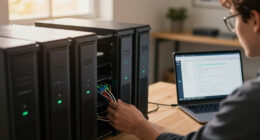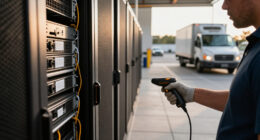

A locked door alone isn’t enough to keep your server room secure because threats like insider access, environmental hazards, and physical sabotage still exist. You need access controls, surveillance, and environmental monitoring to protect your equipment fully. Power stability, fire prevention, and physical barriers also play crucial roles. Implementing a layered security approach minimizes risks and guarantees your data stays safe. If you continue exploring, you’ll discover how to build stronger, all-encompassing protections.

Get business pricing on networking and server gear
- Business-only prices and quantity discounts
- Tax-exempt purchasing
- Multiple users, one account, clear invoices
Key Takeaways
- Locked doors alone cannot prevent insider threats or unauthorized access by determined individuals.
- Combining access control with surveillance ensures comprehensive monitoring of entry points.
- Environmental and power monitoring protect hardware from damage beyond physical theft.
- Additional measures like fire suppression and physical barriers mitigate risks from disasters and theft.
- A layered security approach enhances overall protection and reduces vulnerabilities beyond a simple lock.
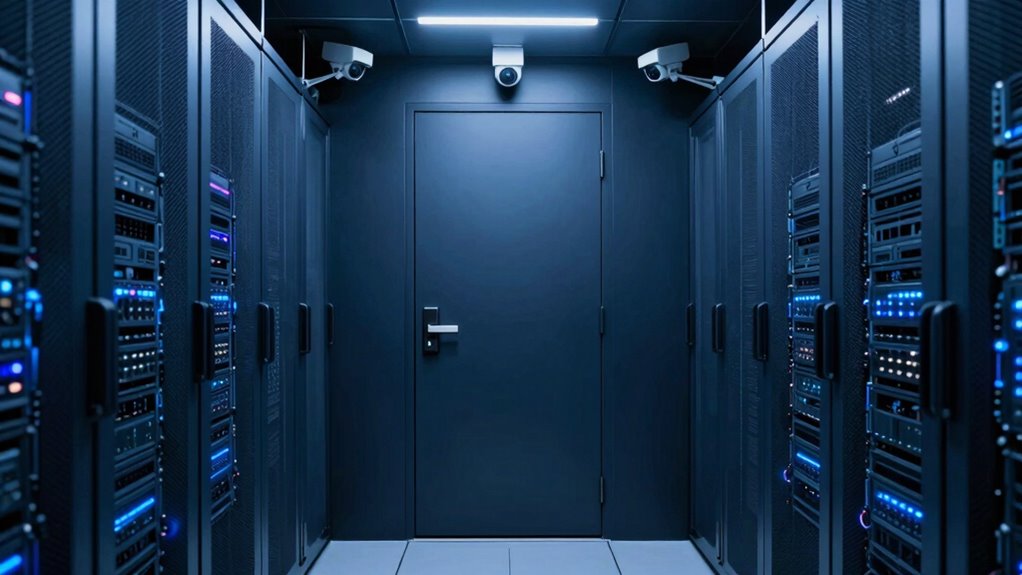
Server room security is essential for protecting your organization’s sensitive data and ensuring smooth operations. While locking the door is a good start, it’s far from enough to secure your server environment fully. Cyber threats and physical risks are constantly evolving, demanding a thorough approach that goes beyond mere locks. You need to implement robust access control measures that restrict entry to authorized personnel only. This means using keycards, biometric scans, or PIN codes to verify identities before allowing access. Relying solely on a traditional lock leaves your servers vulnerable to insider threats or someone gaining unauthorized entry. Proper access control not only prevents accidental mishandling but also deters malicious intent, ensuring that only trusted individuals can reach critical equipment. Additionally, access control systems can be integrated with surveillance cameras to monitor and record all entry points, further enhancing security. Equally important is environmental monitoring, which involves keeping a close eye on the physical conditions within your server room. Temperature and humidity levels must stay within ideal ranges to prevent hardware overheating or damage caused by moisture. An environmental monitoring system can alert you immediately if conditions become unsafe, allowing you to respond swiftly before any damage occurs. Power supply stability is another critical aspect; power surges, outages, or fluctuations can cause data corruption or hardware failure. Continuous monitoring of electrical systems helps you identify issues early, enabling quick action to maintain uptime. Combining environmental monitoring with access control creates a layered security approach that protects your servers on multiple fronts. Simply locking the door doesn’t address threats like natural disasters, fire, or theft. Fire detection and suppression systems, such as smoke alarms and gas-based extinguishers, are crucial additions. You should also consider physical barriers like security cages or reinforced doors to prevent unauthorized physical access, even if someone manages to bypass initial controls. Regular audits of your security protocols and physical infrastructure help identify vulnerabilities and keep your defenses up to date. In the end, safeguarding your server room requires more than just locking the door. A layered security strategy—integrating access control, environmental monitoring, fire safety, and physical barriers—provides thorough protection. You need to think holistically about potential risks and implement proactive measures to mitigate them. This includes understanding physical security threats and how to effectively counter them. It’s also vital to stay informed about emerging security vulnerabilities, which can pose unforeseen risks to your infrastructure. Staying updated on security best practices ensures your defenses evolve alongside potential threats. Only then can you guarantee your critical data remains secure, your systems stay operational, and your organization avoids costly downtime or data breaches.
Products Worth Considering

Samsung 32-Inch Odyssey OLED G8 (G80SH) 4K Gaming Monitor

LG UltraGear 32GX850A-B 32-Inch 4K UHD Glossy OLED Gaming Monitor

Samsung 27-inch Odyssey OLED G6 QD-OLED QHD Gaming Monitor
As an affiliate, we earn on qualifying purchases.
Frequently Asked Questions
How Often Should Server Room Security Protocols Be Reviewed?
You should review your server room security protocols at least quarterly. During these reviews, update access procedures, guarantee visitor logs are current, and assess physical barriers. Regular checks help identify vulnerabilities and adapt to new threats. By consistently maintaining these protocols, you ensure only authorized personnel access sensitive equipment, reducing risks. Stay proactive, and don’t wait for an incident to prompt your security review—make it part of your routine.
What Are Common Overlooked Physical Security Vulnerabilities?
Think of your server room as a fortress—yet, common vulnerabilities like unauthorized access and equipment tampering often go unnoticed. You might lock the door, but neglecting surveillance, access logs, or environmental controls leaves gaps. Be vigilant about securing entry points, monitoring activity, and controlling access privileges. Overlooking these vulnerabilities allows intruders or insiders to exploit weak spots, risking data breaches or hardware damage. Strengthen your defenses before an attack finds its way in.
How Can Access Control Be Effectively Monitored?
You can effectively monitor access control by regularly reviewing access logs and conducting security audits. Keep detailed records of who enters and exits, noting any unusual activity. Implement automated alerts for unauthorized access attempts, and schedule routine audits to verify compliance. This proactive approach helps you identify vulnerabilities early, ensuring your server room remains secure beyond just locking the door. Consistent monitoring is key to maintaining a strong security posture.
What Role Does Environmental Monitoring Play in Security?
Environmental monitoring plays a vital role in security by using environmental sensors to detect issues like temperature fluctuations, humidity, or water leaks that could damage equipment. You can promptly respond to these threats, minimizing downtime. It also enhances disaster preparedness by providing early warnings, helping you protect sensitive data and maintain operational continuity in emergencies. Regularly monitoring these factors guarantees a secure, resilient server environment.
Are Biometric Systems Worth the Investment for Server Rooms?
Biometric barriers boost your server room’s security with cutting-edge biometric authentication, making unauthorized entry nearly impossible. You get precise access logging, providing a clear record of who entered and when. While the investment might seem steep, the security, simplicity, and speed it offers are worth it. You’ll sleep easier knowing that only authorized personnel access vital infrastructure, making biometric systems a wise, worthwhile upgrade for your server room’s safety.
Conclusion
Remember, securing your server room is like guarding the Holy Grail—you need more than just a locked door. Think of it as building a fortress around your digital kingdom. Implement layered security measures, monitor access, and stay vigilant. Just as heroes protect what’s precious, you must defend your data from unseen threats. Don’t leave your server’s safety to chance; be the vigilant guardian your digital future depends on.