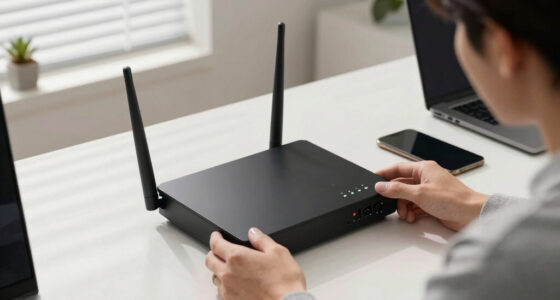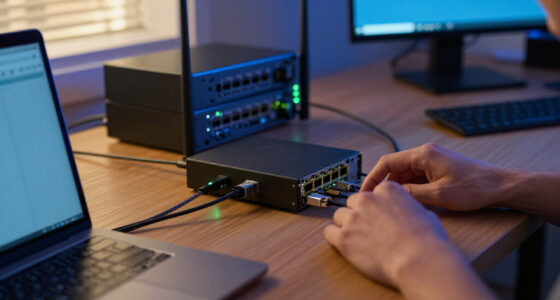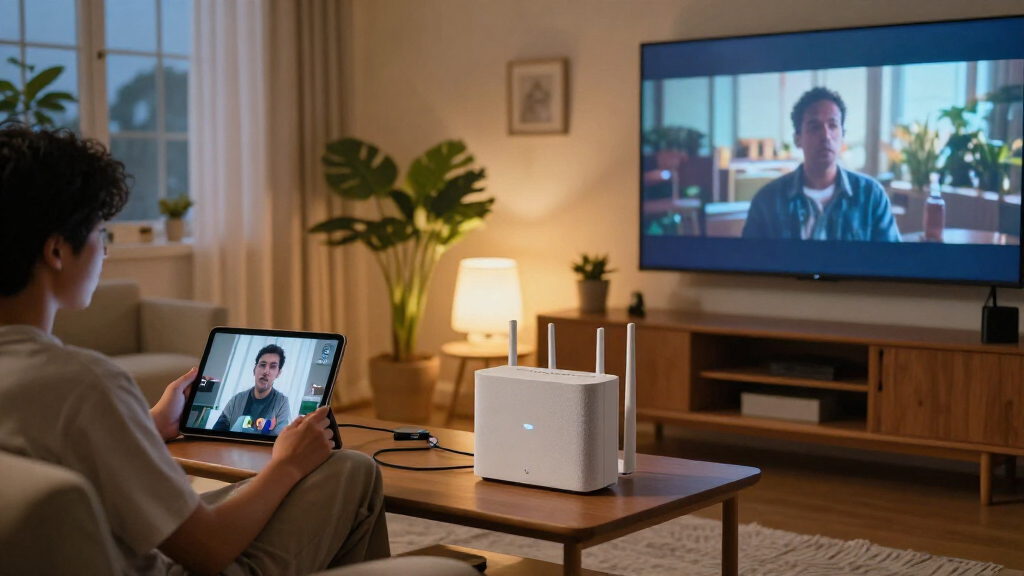

Choosing the best WiFi 7 router comes down to one big tradeoff: raw tri-band speed versus practical whole-home coverage at a price that makes sense. For most homes, the TP-Link Deco 7 Pro Tri-Band Mesh System is my top pick because it balances BE10000 speeds, easy setup, and multi-room coverage without the premium pricing of gaming-focused flagships. If you want a single-router solution instead of a mesh, the NETGEAR Nighthawk RS700S delivers serious tri-band throughput for large homes, while the TP-Link Archer BE230 is the smart budget entry point for smaller spaces that just want WiFi 7 compatibility. Hard-core gamers and power users should look at the ASUS ROG Rapture GT-BE98 Pro, though its price reflects it. Below, I break down all 15 routers, who each one is for, and which ones aren’t worth your money.

Get business pricing on networking and server gear
- Business-only prices and quantity discounts
- Tax-exempt purchasing
- Multiple users, one account, clear invoices
Key Takeaways
- Mesh systems dominated the top of this comparison: the amazon.com/dp/B0D954FD8R?tag=eucloudservers-20&ascsubtag=dc-1116319″ target=”_blank” rel=”nofollow sponsored noopener”>amazon.com/dp/B0D9555PBN?tag=eucloudservers-20&ascsubtag=dc-1116319″ target=”_blank” rel=”nofollow sponsored noopener”>amazon.com/dp/B0CN8QLS4K?tag=eucloudservers-20&ascsubtag=dc-1116319″ target=”_blank” rel=”nofollow sponsored noopener”>TP-Link Deco 7 Pro and NETGEAR Orbi 370 covered multi-room homes more reliably than any single router at similar cost.
- Dual-band WiFi 7 routers like the TP-Link Archer BE230 and Amazon eero 7 cost far less than tri-band models but give up the dedicated backhaul band that makes mesh shine in larger homes.
- The ASUS ROG Rapture GT-BE98 Pro is the performance ceiling of this lineup, but it only makes sense if you actually have multi-gig internet and latency-sensitive gaming or streaming needs.
- Several NETGEAR models overlap heavily — the RS700S, RS90, and BE9300 differ mainly in band count and port speed, so paying more only pays off with a multi-gig plan to match.
- Buying a BE10000-class router for a sub-gig internet plan wastes money; in my ranking, port configuration and coverage footprint mattered more than headline speed numbers.
| TP-Link Deco 7 Pro Tri-Band Wi-Fi 7 BE10000 Whole-Home Mesh System |  | Best for Large Homes | Wi-Fi standard: Wi-Fi 7 (BE10000) | System type: Tri-band whole-home mesh | Package quantity: 3-pack | VIEW LATEST PRICE | See Our Full Breakdown |
| NETGEAR Nighthawk BE9300 Tri-Band WiFi 7 Router |  | Best Standalone Tri-Band Pick | Wi-Fi standard: Wi-Fi 7 | Bands: Tri-band: 2.4 GHz, 5 GHz, and 6 GHz | Maximum speed: Up to 9.3 Gbps | VIEW LATEST PRICE | See Our Full Breakdown |
| NETGEAR Nighthawk RS90 WiFi 7 Dual-Band Router |  | Best Entry-Level WiFi 7 Router | Wi-Fi standard: Wi-Fi 7 | Bands: Dual-band: 2.4 GHz and 5 GHz | Maximum speed: Up to 3.6 Gbps | VIEW LATEST PRICE | See Our Full Breakdown |
| NETGEAR Nighthawk RS700S Tri-Band WiFi 7 Router |  | Best for 10 Gig Networking | Wi-Fi standard: Wi-Fi 7 | Bands: Tri-band: 2.4 GHz, 5 GHz, and 6 GHz | Maximum speed: Up to 19 Gbps | VIEW LATEST PRICE | See Our Full Breakdown |
| Amazon eero 7 Dual-Band Mesh Wi-Fi 7 Router, 2-Pack |  | Best for Easy Mesh Expansion | Wi-Fi standard: Wi-Fi 7 | Bands: Dual-band | Pack size: 2 routers | VIEW LATEST PRICE | See Our Full Breakdown |
| TP-Link Deco 7 BE5000 Dual-Band Wi-Fi 7 Mesh System |  | Best for Large Homes | Wi-Fi standard: Wi-Fi 7 | Bands: Dual-band, 2.4 GHz and 5 GHz | Maximum listed speed: 5 Gbps (BE5000) | VIEW LATEST PRICE | See Our Full Breakdown |
| TP-Link Archer BE230 BE3600 Dual-Band Wi-Fi 7 Router |  | Best for Wired Connections on a Budget | Wi-Fi standard: Wi-Fi 7 | Bands: Dual-band, 2.4 GHz and 5 GHz; no 6 GHz | Maximum advertised speeds: Up to 2,882 Mbps on 5 GHz and 688 Mbps on 2.4 GHz | VIEW LATEST PRICE | See Our Full Breakdown |
| NETGEAR Nighthawk RS140 Dual-Band WiFi 7 Router |  | Best for Busy Small Homes | Wi-Fi standard: WiFi 7 | Bands: Dual-band, 2.4 GHz and 5 GHz | Maximum speed: Up to 5 Gbps | VIEW LATEST PRICE | See Our Full Breakdown |
| Amazon eero 7 Dual-Band Mesh Wi-Fi 7 Router, 1-Pack |  | Best for Simple Setup | Wi-Fi standard: Wi-Fi 7 | Bands: Dual-band | Coverage: Up to 2,000 sq. ft. | VIEW LATEST PRICE | See Our Full Breakdown |
| ASUS ROG Rapture GT-BE98 Pro WiFi 7 Gaming Router |  | Best for High-End Gaming Setups | Wi-Fi standard: Wi-Fi 7 (802.11be) | Frequency bands: Quad-band | Maximum data transfer rate: 30 Gbps | VIEW LATEST PRICE | See Our Full Breakdown |
| TP-Link Archer BE600 Tri-Band Wi-Fi 7 Router (BE9700) |  | Best Multi-Gig Wired Connectivity | Wi-Fi standard: Wi-Fi 7 | Bands: Tri-band (6 GHz, 5 GHz, 2.4 GHz) | Maximum combined speed: Up to 9.7 Gbps | VIEW LATEST PRICE | See Our Full Breakdown |
| NETGEAR Orbi 370 Series WiFi 7 Mesh System (3-Pack) |  | Best Whole-Home Mesh Coverage | Wi-Fi standard: Wi-Fi 7 (dual-band) | Coverage: Up to 6,000 sq. ft. | Max speed: Up to 5 Gbps | VIEW LATEST PRICE | See Our Full Breakdown |
| TP-Link Archer BE550 Tri-Band Wi-Fi 7 Router |  | Best Value Tri-Band Router | Wi-Fi standard: Wi-Fi 7 | Bands: Tri-band (2.4 GHz, 5 GHz, 6 GHz) | Maximum combined speed: Up to 9.2 Gbps | VIEW LATEST PRICE | See Our Full Breakdown |
| TP-Link Archer BE400 BE6500 Dual-Band Wi-Fi 7 Router |  | Best Budget Entry to Wi-Fi 7 | Wi-Fi standard: Wi-Fi 7 | Bands: Dual-band (2.4 GHz, 5 GHz) | Total bandwidth: Up to 6.5 Gbps | VIEW LATEST PRICE | See Our Full Breakdown |
| Amazon eero Pro 7 Tri-Band Mesh Wi-Fi 7 Router (1-Pack) |  | Best Ecosystem Pick and Warranty | Wi-Fi standard: Wi-Fi 7 | Bands: Tri-band | Max internet plan support: 5 Gbps | VIEW LATEST PRICE | See Our Full Breakdown |
| WiFi 7 router | Wi-Fi standard | Coverage | Bands |
|---|---|---|---|
| TP-Link Deco 7 Pro Tri-Band Wi | Wi-Fi 7 (BE10000) | Up to 7,600 sq. ft. | — |
| NETGEAR Nighthawk BE9300 Tri-B | Wi-Fi 7 | Up to 2,500 sq. ft. | Tri-band: 2.4 GHz, 5 GHz, and 6 GHz |
| NETGEAR Nighthawk RS90 WiFi 7 | Wi-Fi 7 | Up to 2,000 sq. ft. | Dual-band: 2.4 GHz and 5 GHz |
| NETGEAR Nighthawk RS700S Tri-B | Wi-Fi 7 | Up to 3,500 sq. ft. | Tri-band: 2.4 GHz, 5 GHz, and 6 GHz |
| Amazon eero 7 Dual-Band Mesh W | Wi-Fi 7 | Up to 4,000 sq. ft. | Dual-band |
| TP-Link Deco 7 BE5000 Dual-Ban | Wi-Fi 7 | Up to 6,600 sq. ft. | Dual-band, 2.4 GHz and 5 GHz |
| TP-Link Archer BE230 BE3600 Du | Wi-Fi 7 | Up to 2,000 sq. ft. | Dual-band, 2.4 GHz and 5 GHz; no 6 GHz |
| NETGEAR Nighthawk RS140 Dual-B | WiFi 7 | Up to 2,250 sq. ft. | Dual-band, 2.4 GHz and 5 GHz |
| Amazon eero 7 Dual-Band Mesh W | Wi-Fi 7 | Up to 2,000 sq. ft. | Dual-band |
| ASUS ROG Rapture GT-BE98 Pro W | Wi-Fi 7 (802.11be) | — | — |
| TP-Link Archer BE600 Tri-Band | Wi-Fi 7 | Up to 2,600 sq. ft. | Tri-band (6 GHz, 5 GHz, 2.4 GHz) |
| NETGEAR Orbi 370 Series WiFi 7 | Wi-Fi 7 (dual-band) | Up to 6,000 sq. ft. | — |
| TP-Link Archer BE550 Tri-Band | Wi-Fi 7 | — | Tri-band (2.4 GHz, 5 GHz, 6 GHz) |
| TP-Link Archer BE400 BE6500 Du | Wi-Fi 7 | — | Dual-band (2.4 GHz, 5 GHz) |
| Amazon eero Pro 7 Tri-Band Mes | Wi-Fi 7 | Up to 2,000 sq. ft. | Tri-band |
More Details on Our Top Picks
TP-Link Deco 7 Pro Tri-Band Wi-Fi 7 BE10000 Whole-Home Mesh System
I’d choose the Deco 7 Pro when the priority is spreading Wi-Fi 7 across a large home, rather than maximizing the speed of one standalone router. Its three-unit mesh is rated for up to 7,600 sq. ft. and more than 200 devices, while tri-band operation gives it a 6 GHz band alongside 2.4 and 5 GHz. Compared with the eero 7 two-pack, it offers a higher advertised speed ceiling and more 2.5G ports, but eero supports internet plans up to 2.5 Gbps and may suit buyers who want a simpler mesh setup. The Deco’s four 2.5G WAN/LAN ports and USB 3.0 add useful wired options. It takes more space and needs a separate modem; wireless performance also depends on layout, obstacles, and placement.
Pros:- Three-unit mesh is rated to cover up to 7,600 sq. ft.
- Tri-band Wi-Fi 7 with advertised combined speeds up to 10,086 Mbps
- Four 2.5G WAN/LAN ports and a USB 3.0 port
- Supports wired or wireless backhaul, VPN features, and app-based setup
Cons:- Requires a separate modem for internet service
- Wired backhaul requires at least two Deco units
- Coverage and throughput can fall with distance, walls, and interference
Best for: Households with a large or multi-floor home, many connected devices, and a need for multiple multi-gig wired connections.
Not ideal for: Apartment dwellers or buyers who only need one router; a three-unit mesh is more equipment than their coverage needs call for.
- Wi-Fi standard:Wi-Fi 7 (BE10000)
- System type:Tri-band whole-home mesh
- Package quantity:3-pack
- Coverage:Up to 7,600 sq. ft.
- Supported devices:Over 200
- Maximum advertised speeds:5,188 Mbps (6 GHz), 4,324 Mbps (5 GHz), 574 Mbps (2.4 GHz)
- Ethernet ports:Four 2.5G WAN/LAN ports
- USB port:USB 3.0
- Backhaul:Wired or wireless; at least two Deco units required
Our verdict“Choose the Deco 7 Pro if you want a feature-rich tri-band Wi-Fi 7 mesh system for a large home and can use its three units and multi-gig ports.”
NETGEAR Nighthawk BE9300 Tri-Band WiFi 7 Router
The Nighthawk BE9300 is a strong fit for buyers who want tri-band Wi-Fi 7 from a single router without stepping up to the RS700S’s 10 Gig networking. It is rated for up to 9.3 Gbps, coverage up to 2,500 sq. ft., and as many as 100 devices. Its 2.5 Gig WAN port and two 2.5 Gig LAN ports give wired devices more headroom than the Nighthawk RS90, which has a 2.5 Gig WAN port but only 1 Gig LAN ports. The RS90 may be a more modest match for smaller device loads; the BE9300 adds a 6 GHz band and greater stated capacity. A separate modem or gateway is required, and NETGEAR Armor moves to a paid subscription after its trial. Walls and internet-plan limits can also reduce real-world results.
Pros:- Tri-band Wi-Fi 7 with advertised speeds up to 9.3 Gbps
- Rated for up to 2,500 sq. ft. and 100 devices
- Includes one 2.5 Gig WAN port and two 2.5 Gig LAN ports
- USB 3.0, app management, and built-in security features
Cons:- Requires a separate modem or gateway with an RJ45 Ethernet port
- NETGEAR Armor requires a paid subscription after the 30-day trial
- Coverage and speed depend on obstacles, connected devices, and internet service
Best for: Households that want a single tri-band Wi-Fi 7 router, have a compatible modem or gateway, and connect several multi-gig wired devices.
Not ideal for: Buyers needing whole-home mesh coverage or 10 Gig wired networking; the Deco 7 Pro is better suited to broad coverage, while the RS700S has 10 Gig ports.
- Wi-Fi standard:Wi-Fi 7
- Bands:Tri-band: 2.4 GHz, 5 GHz, and 6 GHz
- Maximum speed:Up to 9.3 Gbps
- Coverage:Up to 2,500 sq. ft.
- Device capacity:Up to 100 devices
- Processor:Quad-core 2.0 GHz
- WAN port:1 × 2.5 Gigabit Ethernet
- LAN ports:2 × 2.5 Gigabit Ethernet; 2 × 1 Gigabit Ethernet
- USB port:1 × USB 3.0
Our verdict“Pick the BE9300 for a single-router setup that needs tri-band Wi-Fi 7 and several 2.5 Gig Ethernet connections without 10 Gig hardware.”
NETGEAR Nighthawk RS90 WiFi 7 Dual-Band Router
The Nighthawk RS90 brings Wi-Fi 7 to a smaller, simpler setup: it is a dual-band router rated for up to 3.6 Gbps, 2,000 sq. ft., and 50 devices. I’d place it ahead of routers with larger speed and coverage claims for buyers whose needs are limited to a few rooms and a moderate number of devices. Compared with the Nighthawk BE9300, it drops the 6 GHz band and multi-gig LAN ports, so it is less suited to busy homes or wired multi-gig gear. Its 2.5 Gig WAN port can still accommodate a faster internet connection, while four 1 Gig LAN ports handle common wired devices. It needs an existing modem or gateway, and NETGEAR Armor requires a subscription after the 30-day trial.
Pros:- Wi-Fi 7 with advertised speeds up to 3.6 Gbps
- Rated for up to 2,000 sq. ft. and 50 devices
- 2.5 Gig WAN port plus four 1 Gig LAN ports
- Nighthawk app supports setup, speed tests, device pausing, and guest networks
Cons:- Dual-band design omits the 6 GHz band available on the Nighthawk BE9300
- Requires an existing modem or gateway and an active internet connection
- NETGEAR Armor requires a subscription after its 30-day trial
Best for: People upgrading a small or mid-sized home to Wi-Fi 7 who want app-guided setup and several standard Ethernet ports.
Not ideal for: Large households with many simultaneous high-bandwidth users or buyers who need 6 GHz Wi-Fi and multi-gig LAN ports.
- Wi-Fi standard:Wi-Fi 7
- Bands:Dual-band: 2.4 GHz and 5 GHz
- Maximum speed:Up to 3.6 Gbps
- Coverage:Up to 2,000 sq. ft.
- Supported devices:Up to 50
- WAN port:1 × 2.5 Gig Ethernet
- LAN ports:4 × 1 Gig Ethernet
- Setup and management:Nighthawk app for iOS and Android
- NETGEAR Armor:30-day free trial; subscription required afterward
Our verdict“Choose the RS90 for a straightforward Wi-Fi 7 upgrade in a smaller home where dual-band coverage and 1 Gig LAN ports are enough.”
NETGEAR Nighthawk RS700S Tri-Band WiFi 7 Router
For buyers building around very fast wired connections, the Nighthawk RS700S is the standout single-router option here. Its 10 Gig WAN and 10 Gig LAN ports can connect a high-speed internet service and a compatible wired device or switch, while four additional 1 Gig LAN ports cover everyday equipment. The router is rated for up to 19 Gbps, 3,500 sq. ft., and 200 devices. Compared with the Nighthawk BE9300, it offers much faster wired interfaces and a higher advertised wireless ceiling, but those capabilities matter most in a network with compatible service and devices. The RS700S does not replace a mesh system when a home needs multiple access points; the Deco 7 Pro is designed for wider whole-home coverage. A separate gateway or modem is required, and NETGEAR Armor needs a paid subscription after its trial.
Pros:- Tri-band Wi-Fi 7 with advertised speeds up to 19 Gbps
- Rated for up to 3,500 sq. ft. and 200 devices
- 10 Gig WAN and 10 Gig LAN ports
- Four additional 1 Gig LAN ports and app-based management
Cons:- Requires an existing modem or gateway
- 10 Gig ports offer limited benefit without compatible internet service and wired devices
- NETGEAR Armor requires a subscription after the 30-day trial
Best for: Power users with multi-gig internet, 10 Gig wired equipment, and a home suited to one high-capacity router.
Not ideal for: Buyers who need mesh coverage across a large or obstructed home, or who have no 10 Gig devices or service to use its fastest ports.
- Wi-Fi standard:Wi-Fi 7
- Bands:Tri-band: 2.4 GHz, 5 GHz, and 6 GHz
- Maximum speed:Up to 19 Gbps
- Coverage:Up to 3,500 sq. ft.
- Device capacity:Up to 200 devices
- Design:12-stream
- WAN port:1 × 10 Gig Ethernet
- LAN ports:1 × 10 Gig Ethernet and 4 × 1 Gig Ethernet
- Security:Advanced Router Protection, automatic firmware updates, and 30-day NETGEAR Armor trial
Our verdict“Choose the RS700S if your network can use its 10 Gig ports and you want high-capacity tri-band Wi-Fi 7 from one router.”
Amazon eero 7 Dual-Band Mesh Wi-Fi 7 Router, 2-Pack
The eero 7 two-pack suits buyers who want Wi-Fi 7 coverage across more than one part of the home and value a mesh system that can join earlier eero generations. It is rated for up to 4,000 sq. ft. and more than 120 devices, with two auto-sensing 2.5 GbE ports on each router. Those ports give wired equipment flexibility as the network grows, although the stated wireless speed is up to 1.8 Gbps and the system supports internet plans up to 2.5 Gbps. The Deco 7 Pro offers tri-band Wi-Fi 7, a higher advertised speed ceiling, and more 2.5G ports per unit, making it a better match for demanding throughput needs. Eero’s simpler dual-band approach has less headroom, and advanced security features require an optional eero Plus subscription.
Pros:- Two routers are rated to cover up to 4,000 sq. ft.
- Supports more than 120 devices
- Two auto-sensing 2.5 GbE ports on each router
- Backward compatible with previous eero generations
Cons:- Dual-band wireless speed is listed up to 1.8 Gbps
- Supports internet plans up to 2.5 Gbps
- Advanced security features require an optional eero Plus subscription
Best for: Households seeking a two-node mesh for moderate broadband service, with the option to expand an existing eero setup.
Not ideal for: Buyers with multi-gig wireless throughput needs or a preference for tri-band mesh; the Deco 7 Pro has a higher advertised speed ceiling and adds 6 GHz.
- Wi-Fi standard:Wi-Fi 7
- Bands:Dual-band
- Pack size:2 routers
- Coverage:Up to 4,000 sq. ft.
- Maximum supported internet plan:Up to 2.5 Gbps
- Wireless speed:Up to 1.8 Gbps
- Ethernet ports:Two auto-sensing 2.5 GbE ports per router
- Device capacity:More than 120 devices
- Warranty:3 years
Our verdict“Pick the eero 7 two-pack for convenient expandable mesh coverage when its dual-band speed ceiling fits your internet plan and household.”
TP-Link Deco 7 BE5000 Dual-Band Wi-Fi 7 Mesh System
I’d choose the Deco 7 BE5000 when one router needs help reaching rooms across a larger home. Its stated coverage of up to 6,600 sq. ft. and support for more than 150 devices give it a broader whole-home brief than the single-unit eero 7, which covers up to 2,000 sq. ft. per unit. Wired backhaul can also help multiple Deco units communicate over Ethernet, while wireless backhaul avoids running cable. That flexibility comes with a practical catch: backhaul requires at least two units, and a separate modem is needed. Its dual-band design also lacks the 6 GHz band found on some tri-band alternatives, so buyers focused on extra band capacity should compare it with the Deco 7 Pro. I’d shortlist this for reach and mesh expansion, not maximum band count.
Pros:- Stated coverage up to 6,600 sq. ft. for broader whole-home reach
- Supports more than 150 devices
- Wired and wireless backhaul options, with 2.5G Ethernet
- AI-assisted roaming, VPN support, and app-based management
Cons:- Backhaul requires at least two Deco units
- A separate modem is required
- Dual-band configuration has no 6 GHz band
Best for: Households with a large or multi-floor home, many connected devices, and room to add multiple Deco units
Not ideal for: Buyers who need a one-box setup, have no separate modem, or want a 6 GHz band
- Wi-Fi standard:Wi-Fi 7
- Bands:Dual-band, 2.4 GHz and 5 GHz
- Maximum listed speed:5 Gbps (BE5000)
- 5 GHz speed:Up to 4,324 Mbps
- 2.4 GHz speed:Up to 688 Mbps
- Coverage:Up to 6,600 sq. ft.
- Device capacity:Over 150 devices
- Ethernet:2.5G Ethernet
- Modem requirement:Separate modem required
Our verdict“Choose the Deco 7 BE5000 if broad coverage and an expandable mesh matter more than having a 6 GHz band.”
TP-Link Archer BE230 BE3600 Dual-Band Wi-Fi 7 Router
The Archer BE230 suits buyers who want Wi-Fi 7 features and several wired connections in a straightforward single-router setup. It has two 2.5 Gbps ports plus three gigabit LAN ports, giving a desktop, console, or network storage a faster wired path than the NETGEAR Nighthawk RS140, which has one 2.5 Gig WAN port and three 1 Gig LAN ports. The tradeoff is its modest stated reach: up to 2,000 sq. ft. and 60 devices, below the RS140’s device capacity and the mesh-oriented Deco 7 BE5000’s coverage claim. Its dual-band radio has no 6 GHz support, so Wi-Fi 7 here does not mean access to that band. EasyMesh can support expansion, though buyers should plan for additional compatible equipment. A separate modem is also required.
Pros:- Two 2.5 Gbps ports and three 1 Gbps LAN ports
- Supports Wi-Fi 7 features including Multi-Link Operation
- EasyMesh support for compatible network expansion
- Tether app provides setup and management
Cons:- No 6 GHz band
- Stated coverage is up to 2,000 sq. ft.
- Separate modem required
Best for: Apartment or small-home buyers with several wired devices who want Wi-Fi 7 and EasyMesh expansion
Not ideal for: Large households seeking 6 GHz Wi-Fi, extensive coverage from one router, or capacity beyond 60 devices
- Wi-Fi standard:Wi-Fi 7
- Bands:Dual-band, 2.4 GHz and 5 GHz; no 6 GHz
- Maximum advertised speeds:Up to 2,882 Mbps on 5 GHz and 688 Mbps on 2.4 GHz
- Ethernet ports:1 × 2.5 Gbps WAN/LAN, 1 × 2.5 Gbps LAN, 3 × 1 Gbps LAN
- Processor:2.0 GHz quad-core
- Coverage:Up to 2,000 sq. ft.
- Maximum connected devices:Up to 60
- Mesh support:EasyMesh
- Modem requirement:Separate modem required
Our verdict“Pick the Archer BE230 for a small home with multiple wired devices, provided its dual-band coverage and capacity fit your needs.”
NETGEAR Nighthawk RS140 Dual-Band WiFi 7 Router
For a busy household that wants a single router, the Nighthawk RS140 pairs stated support for up to 80 devices with coverage up to 2,250 sq. ft. That gives it a little more listed reach and device capacity than the TP-Link Archer BE230, though the Archer offers more Ethernet LAN ports and EasyMesh support. The RS140’s 2.5 Gig WAN port can accommodate a faster incoming connection, while its three gigabit LAN ports handle wired devices. App management and automatic firmware updates make routine network upkeep less hands-on. NETGEAR Armor adds a 30-day trial, but continued use requires a subscription, so I wouldn’t count it as a permanent included extra. As a dual-band router, it also lacks the 6 GHz band available on tri-band choices such as the Nighthawk BE9300. A separate modem or gateway is required.
Pros:- Supports up to 80 devices
- Coverage listed up to 2,250 sq. ft.
- 2.5 Gig WAN port plus three 1 Gig LAN ports
- App management and automatic firmware updates
Cons:- Dual-band design does not include 6 GHz
- NETGEAR Armor requires a subscription after its 30-day trial
- Requires a separate modem or gateway
Best for: Small households with many phones, computers, and smart-home devices who want app-managed Wi-Fi 7
Not ideal for: Buyers who need 6 GHz, several multi-gig LAN ports, or a security subscription included long term
- Wi-Fi standard:WiFi 7
- Bands:Dual-band, 2.4 GHz and 5 GHz
- Maximum speed:Up to 5 Gbps
- Coverage:Up to 2,250 sq. ft.
- Device capacity:Up to 80 devices
- WAN port:1 × 2.5 Gig Ethernet
- LAN ports:3 × 1 Gig Ethernet
- Security:Advanced Router Protection and automatic firmware updates
- NETGEAR Armor:30-day trial; subscription required afterward
Our verdict“Choose the RS140 for a device-heavy small home that values app management and a 2.5 Gig WAN connection.”
Amazon eero 7 Dual-Band Mesh Wi-Fi 7 Router, 1-Pack
The one-pack eero 7 is a sensible entry point for buyers who want Wi-Fi 7 in a compact, app-managed mesh system without starting with several units. It covers up to 2,000 sq. ft. and supports more than 120 devices, a higher stated device count than the Archer BE230. Two auto-sensing 2.5 GbE ports offer flexibility for the internet connection and a wired device, while compatibility with previous eero generations can help households extend an existing system. Its listed wireless speed is up to 1.8 Gbps, so the 2.5 Gbps plan support should not be mistaken for that same wireless throughput. Compared with the Deco 7 BE5000, this single unit has a much smaller stated coverage area; larger homes may need additional eeros. The dual-band design also skips 6 GHz.
Pros:- Supports more than 120 devices
- Two auto-sensing 2.5 GbE ports
- Works with previous eero generations
- Supports internet plans up to 2.5 Gbps
Cons:- One unit covers up to 2,000 sq. ft.
- Dual-band system has no 6 GHz band
- Listed wireless speed is up to 1.8 Gbps
Best for: Existing eero households and small-home buyers who want app-managed Wi-Fi 7 with room to add compatible units
Not ideal for: Large-home buyers expecting one unit to cover several floors or users seeking a 6 GHz band or high listed wireless speed
- Wi-Fi standard:Wi-Fi 7
- Bands:Dual-band
- Coverage:Up to 2,000 sq. ft.
- Internet plan support:Up to 2.5 Gbps
- Wireless speed:Up to 1.8 Gbps
- Ethernet ports:2 auto-sensing 2.5 GbE ports
- Device support:120+ devices
- Compatibility:Previous eero generations; eero Built-in on select Amazon Echo devices
- Package quantity:1
Our verdict“The eero 7 one-pack fits small homes and existing eero networks that prioritize simple expansion over maximum wireless speed.”
ASUS ROG Rapture GT-BE98 Pro WiFi 7 Gaming Router
The ASUS ROG Rapture GT-BE98 Pro is the most specialized option in this batch: a quad-band Wi-Fi 7 router built around high-capacity wireless and wired connections. Its listed 30 Gbps maximum rate and 320 MHz channels in the 6 GHz band give it a larger performance ceiling than the dual-band Nighthawk RS140, while Multi-Link Operation can connect across multiple bands. For gaming setups with capable wired gear, dual 10 Gbps ports and four 2.5 Gbps ports provide far more multi-gig connectivity than the Archer BE230. That hardware makes the most sense when the internet service, client devices, and local network can use it; the headline rate alone does not guarantee faster game sessions. It also brings external antennas and gaming controls, but the product data gives no coverage figure, making it harder to match to a home’s layout.
Pros:- Quad-band Wi-Fi 7 with 320 MHz channels in the 6 GHz band
- Dual 10 Gbps and four 2.5 Gbps ports
- Multi-Link Operation connects across multiple bands
- Gaming acceleration, QoS, guest mode, and parental controls
Cons:- High-capacity features may go unused with basic internet plans and client devices
- No coverage figure is provided in the supplied product data
- Actual speed and coverage vary with network and environmental conditions
Best for: Enthusiast gamers and power users with multi-gig internet or local devices that can use multiple 10 Gbps and 2.5 Gbps ports
Not ideal for: Casual users with basic broadband, few wired devices, or a need to compare routers by stated home coverage
- Wi-Fi standard:Wi-Fi 7 (802.11be)
- Frequency bands:Quad-band
- Maximum data transfer rate:30 Gbps
- 6 GHz channel width:320 MHz
- Ports:Dual 10 Gbps and four 2.5 Gbps
- LAN port bandwidth:10 Gigabit
- Features:Access Point Mode, Guest Mode, Internet Security, Parental Control, QoS
- Antenna type:Fixed
Our verdict“Pick the GT-BE98 Pro when your gaming network can use its quad-band Wi-Fi and extensive multi-gig ports.”
TP-Link Archer BE600 Tri-Band Wi-Fi 7 Router (BE9700)
What separates the Archer BE600 from similarly priced Wi-Fi 7 routers is its port selection: a 10 Gbps WAN/LAN port plus four additional 2.5 Gbps ports. Compared with the Archer BE550, which caps out at 2.5 Gbps across all five ports, this model makes far more sense for anyone on a multi-gig fiber plan or moving large files across a wired network. The tri-band radio with a 6 GHz band delivers up to 9.7 Gbps combined, and the 2,600 sq. ft. coverage claim positions it comfortably above dual-band options like the Archer BE400 for demanding households.
The tradeoff is that full Wi-Fi 7 speeds require compatible client devices — older laptops and phones will sit on the 5 GHz band and never touch the headline numbers. Coverage claims also depend heavily on wall placement.
Pros:- 10 Gbps WAN/LAN port plus four 2.5 Gbps ports for multi-gig wired setups
- Tri-band Wi-Fi 7 with a dedicated 6 GHz band up to 5,765 Mbps
- Rated for up to 120 devices across 2,600 sq. ft.
- Built-in VPN client/server and HomeShield management tools
Cons:- Wi-Fi 7 speeds only materialize with compatible client devices
- Real coverage falls short of the 2,600 sq. ft. claim in homes with dense walls or multiple floors
Best for: Multi-gig fiber subscribers and home office users who need 10 Gbps WAN plus multiple 2.5 Gbps wired connections for servers, NAS drives, or workstations
Not ideal for: Households where every client is a Wi-Fi 6 or older device — the premium port and 6 GHz hardware goes largely unused
- Wi-Fi standard:Wi-Fi 7
- Bands:Tri-band (6 GHz, 5 GHz, 2.4 GHz)
- Maximum combined speed:Up to 9.7 Gbps
- Coverage:Up to 2,600 sq. ft.
- Maximum devices:Up to 120
- Ports:1 × 10 Gbps WAN/LAN, 1 × 2.5 Gbps WAN/LAN, 3 × 2.5 Gbps LAN, USB 3.0
- Processor:Quad-core CPU
- Management:TP-Link Tether app or web interface
Our verdict“This pick makes the most sense for multi-gig internet users who want to wire a fast local network today without replacing the router in two years.”
NETGEAR Orbi 370 Series WiFi 7 Mesh System (3-Pack)
If your problem is square footage rather than raw speed, the Orbi 370 3-pack is the answer in this lineup. Covering up to 6,000 sq. ft. with a router and two satellites, it out-covers the single-unit routers here — the Archer BE600 tops out at a claimed 2,600 sq. ft. — and it can be expanded with additional satellites for another 2,000 sq. ft. The dual-band Wi-Fi 7 radio with Enhanced Backhaul reaches up to 5 Gbps, which is plenty for most households, though tri-band options like the eero Pro 7 dedicate less bandwidth contention to backhaul in dense setups.
The real drawback is the subscription tax: NETGEAR Armor security requires a paid plan after 30 days, while TP-Link’s HomeShield at least keeps basic protections free. It’s also sold for US use only.
Pros:- Up to 6,000 sq. ft. of seamless mesh coverage out of the box
- Expandable with additional Orbi 370 satellites for 2,000 more sq. ft.
- Handles up to 70 devices with Wi-Fi 7 speeds up to 5 Gbps
- Guided setup through the Orbi app
Cons:- Advanced security (NETGEAR Armor) requires a separate paid subscription after the 30-day trial
- Dual-band design shares backhaul and client traffic, limiting speeds versus tri-band mesh rivals
- US-only regional availability
Best for: Owners of large or multi-story homes (4,000+ sq. ft.) who want seamless roaming coverage and don’t want to run Ethernet between rooms
Not ideal for: Buyers who object to recurring security subscriptions after the Armor trial, or anyone outside the US
- Wi-Fi standard:Wi-Fi 7 (dual-band)
- Coverage:Up to 6,000 sq. ft.
- Max speed:Up to 5 Gbps
- Connected devices:Up to 70
- Included units:Router + 2 satellites (3-pack)
- Expansion:Add satellites for up to 2,000 sq. ft. additional coverage
- ISP compatibility:Any cable or fiber provider, up to 2.5 Gbps plans
- Security:Advanced Router Protection, auto firmware updates, 30-day Armor trial
Our verdict“This system is the clear choice when coverage area matters more than headline throughput — just budget for the security subscription or skip Armor entirely.”
TP-Link Archer BE550 Tri-Band Wi-Fi 7 Router
The Archer BE550 hits a sweet spot that most routers in this roundup miss: full tri-band Wi-Fi 7 with 320 MHz channels and 4K-QAM, plus five 2.5 Gbps Ethernet ports, at a price point well below the flagship tier. Compared with the Archer BE600, you give up the 10 Gbps port and a little headline speed (9.2 vs 9.7 Gbps combined), but for gigabit-and-change internet plans, that difference is theoretical rather than practical. Against the dual-band Archer BE400, the dedicated 6 GHz band here means your Wi-Fi 7 phones and laptops get a clean, uncongested highway all to themselves.
EasyMesh support lets you expand coverage later with compatible nodes instead of replacing everything. The catch: it’s a modem-required router like the rest of the Archer line, and real throughput depends on your ISP plan and environment.
Pros:- Tri-band Wi-Fi 7 with 320 MHz channels and 4K-QAM at a mid-tier price
- Five 2.5 Gbps Ethernet ports (1 WAN + 4 LAN)
- EasyMesh compatibility for expandable coverage
- HomeShield security, WPA3, separate IoT network, and VPN support included
Cons:- No 10 Gbps port limits future multi-gig WAN headroom
- Requires a separate modem, and real speeds depend on ISP plan and network environment
Best for: Value-conscious buyers upgrading from Wi-Fi 6 who want tri-band Wi-Fi 7 and multi-gig wired ports without flagship pricing
Not ideal for: Households on 2 Gbps+ fiber plans who would leave the missing 10 Gbps WAN port on the table — step up to the BE600
- Wi-Fi standard:Wi-Fi 7
- Bands:Tri-band (2.4 GHz, 5 GHz, 6 GHz)
- Maximum combined speed:Up to 9.2 Gbps
- Band speeds:6 GHz: 5760 Mbps; 5 GHz: 2880 Mbps; 2.4 GHz: 574 Mbps
- Ethernet ports:1 × 2.5 Gbps WAN, 4 × 2.5 Gbps LAN
- Antennas:6
- Mesh compatibility:EasyMesh
- Security:HomeShield, WPA3, separate IoT network
Our verdict“For most gigabit-class homes, this router delivers 90% of the flagship experience at a friendlier price — the best balance of cost and capability in the lineup.”
TP-Link Archer BE400 BE6500 Dual-Band Wi-Fi 7 Router
For buyers who want Wi-Fi 7’s efficiency gains — Multi-Link Operation, Multi-RUs, and 4K-QAM — without paying for a 6 GHz band they can’t use yet, the Archer BE400 is the sensible entry point. It undercuts the Archer BE550 by dropping tri-band and one 2.5 Gbps port, but keeps the features that actually improve real-world performance on Wi-Fi 6-era devices: better congestion handling and higher per-device throughput. The 2.4 GHz + 5 GHz dual-band design covers up to 2,400 sq. ft. and 90 devices, which handles a typical three-bedroom home comfortably.
Compared with the cheaper Archer BE230, the BE400’s second 2.5 Gbps port gives multi-gig plan subscribers a wired option. Just note it won’t mesh with TP-Link’s Deco systems, so future expansion means staying within EasyMesh hardware.
Pros:- Wi-Fi 7 efficiency features (MLO, Multi-RUs, 4K-QAM) at a budget-friendly price
- Two 2.5 Gbps ports for multi-gig internet and one fast wired client
- Covers up to 2,400 sq. ft. with support for 90 devices
- EasyMesh expansion plus HomeShield security and VPN included
Cons:- No 6 GHz band means Wi-Fi 7 client devices can’t hit peak wireless speeds
- Not compatible with TP-Link Deco mesh systems, limiting expansion options
Best for: First-time Wi-Fi 7 upgraders on gigabit or slower plans whose devices are mostly Wi-Fi 6 or older
Not ideal for: Early adopters with Wi-Fi 7 laptops and phones — without a 6 GHz band, those devices can’t reach their top wireless speeds
- Wi-Fi standard:Wi-Fi 7
- Bands:Dual-band (2.4 GHz, 5 GHz)
- Total bandwidth:Up to 6.5 Gbps
- Maximum coverage:Up to 2,400 sq. ft.
- Maximum supported devices:Up to 90
- Ports:1 × 2.5 Gbps WAN/LAN, 1 × 2.5 Gbps LAN, 3 × 1 Gbps LAN
- Mesh compatibility:EasyMesh (not compatible with Deco)
- Security:HomeShield, WPA3, IoT network support
Our verdict“This is the right pick if you want Wi-Fi 7 benefits today at the lowest sensible price and can live without the 6 GHz band for another device generation.”
Amazon eero Pro 7 Tri-Band Mesh Wi-Fi 7 Router (1-Pack)
The eero Pro 7 plays a different game than every router above: it’s less about raw specs and more about simplicity, ecosystem, and longevity. Two auto-sensing 5 GbE ports actually beat the port speeds of both Archer models here, and support for internet plans up to 5 Gbps means it won’t bottleneck a serious fiber connection. Where the Orbi 370 locks you into its own satellite family, the eero Pro 7 is backward compatible with previous eero generations, so existing eero owners can add it as a gateway and keep their old units as satellites. The three-year warranty is the longest in this roundup.
The tradeoffs are real: a single unit covers only 2,000 sq. ft., so larger homes need additional eeros, and its 3.9 Gbps wireless throughput trails the Archer BE550 despite the faster wired ports. Advanced features also lean on the paid eero Plus tier.
Pros:- Two auto-sensing 5 GbE ports supporting internet plans up to 5 Gbps
- Backward compatible with previous eero generations for mixed setups
- 200+ device capacity and TrueMesh software for smooth roaming
- Three-year warranty — the longest coverage in this lineup
Cons:- Single unit covers only 2,000 sq. ft., requiring added eeros for larger homes
- Wireless speeds up to 3.9 Gbps trail rival tri-band routers despite faster wired ports
- Wi-Fi 7 benefits require compatible client devices
Best for: Amazon-ecosystem households and existing eero owners who value effortless app-based management and long-term support over spec-sheet supremacy
Not ideal for: Tinkerers who want deep manual control, or large homes unwilling to buy multiple units to cover the space
- Wi-Fi standard:Wi-Fi 7
- Bands:Tri-band
- Max internet plan support:5 Gbps
- Wireless speed:Up to 3.9 Gbps
- Coverage:Up to 2,000 sq. ft.
- Ethernet ports:2 × auto-sensing 5 GbE
- Devices supported:200+
- Warranty:3 years
Our verdict“Buy this if you prioritize a polished, expandable ecosystem and best-in-class warranty over maximum throughput — and skip it if you want one box to cover a big house alone.”

How We Picked
My ranking is built around what actually changes a buyer’s experience, not spec-sheet bragging rights. The first filter was band configuration: tri-band models with a dedicated backhaul or high-band 6 GHz radio earned higher placement for larger homes, while dual-band units were judged as budget or small-home options. The second was coverage approach — mesh systems (Deco, eero, Orbi) were evaluated as whole-home solutions and compared against each other, while standalone routers were judged on square-footage claims, antenna design, and port speed.
I also weighed setup and management, since a router that demands network knowledge loses points for most buyers, plus port configuration (multi-gig WAN/LAN support determines whether the router’s speed is even usable), and value positioning within the lineup. Where two products overlap heavily — a recurring theme among the NETGEAR Nighthawks and the eero 1-pack versus 2-pack — I separated them by who each one logically serves, so no two picks in this list play the same role.
| WiFi 7 router | Wi-Fi standard |
|---|---|
| TP-Link Deco 7 Pro Tri-Band Wi | Wi-Fi 7 (BE10000) |
| NETGEAR Nighthawk BE9300 Tri-B | Wi-Fi 7 |
| NETGEAR Nighthawk RS90 WiFi 7 | Wi-Fi 7 |
| NETGEAR Nighthawk RS700S Tri-B | Wi-Fi 7 |
| Amazon eero 7 Dual-Band Mesh W | Wi-Fi 7 |
| TP-Link Deco 7 BE5000 Dual-Ban | Wi-Fi 7 |
| TP-Link Archer BE230 BE3600 Du | Wi-Fi 7 |
| NETGEAR Nighthawk RS140 Dual-B | WiFi 7 |
| Amazon eero 7 Dual-Band Mesh W | Wi-Fi 7 |
| ASUS ROG Rapture GT-BE98 Pro W | Wi-Fi 7 (802.11be) |
| TP-Link Archer BE600 Tri-Band | Wi-Fi 7 |
| NETGEAR Orbi 370 Series WiFi 7 | Wi-Fi 7 (dual-band) |
| TP-Link Archer BE550 Tri-Band | Wi-Fi 7 |
| TP-Link Archer BE400 BE6500 Du | Wi-Fi 7 |
| Amazon eero Pro 7 Tri-Band Mes | Wi-Fi 7 |
Factors to Consider When Choosing Best WiFi 7 Routers
WiFi 7 is the first standard where buying more router than you need has become genuinely easy to do. Before choosing from the fifteen models above, here are the broader factors that should shape your decision.Match the Router Class to Your Internet Plan
The most common mistake in this category is buying a BE10000 router for a 300 Mbps plan. A router can never make your internet faster than what your ISP delivers — it can only avoid being the bottleneck. If your plan is under 1 Gbps, dual-band models like the Archer BE230 or Archer BE400 will fully use your connection at a fraction of the cost. Tri-band flagships only justify themselves with multi-gig internet plans (2 Gbps and above) or dense internal traffic like NAS transfers and local game streaming. Check your modem’s WAN port speed too: pairing a 10 Gbps router with a 1 Gbps modem caps everything at 1 Gbps regardless of what you spent.
Mesh Versus Single Router: Coverage First, Speed Second
The single biggest performance differentiator in real homes isn’t the speed class — it’s whether the signal reaches your rooms at full strength. A modest BE5000 mesh like the Deco 7 or eero 7 2-pack will outperform a powerful standalone router in a two-story house with distant bedrooms, because mesh nodes eliminate dead zones entirely. Single routers like the Nighthawk RS700S work best in open-plan homes under roughly 2,500 square feet where one central placement covers everything. If you’re constantly rebooting your current router or leaning on extenders, that’s a coverage problem, not a speed problem — buy nodes, not horsepower.
Tri-Band Versus Dual-Band: The Backhaul Question
Dual-band WiFi 7 routers split traffic between 2.4 GHz and 5 GHz, which is fine for a handful of devices. Tri-band adds a 6 GHz band, and in mesh systems that band typically serves as backhaul — the dedicated link between nodes that keeps satellite speeds close to what you get near the main unit. This is why the tri-band Deco 7 Pro and eero Pro 7 rank above their dual-band siblings for anything beyond apartment-scale deployments. The tradeoff is real: tri-band hardware costs noticeably more, and older devices can’t use 6 GHz at all. If your device list is mostly laptops and phones from the last two years, that tradeoff starts to pay off; if it’s smart bulbs and legacy printers, it doesn’t.
Port Speed Is the Hidden Spec Everyone Ignores
A router advertising BE9700 wireless speeds with only 1 Gbps LAN ports is selling you a car with a bicycle trailer hitch. Before buying, check whether the WAN and LAN ports support 2.5 Gbps or 10 Gbps — this determines whether you can ever use multi-gig internet or wired backbone connections. Models like the Archer BE550 became popular largely because they brought multi-gig ports to midrange pricing, not because of wireless gains. If you plan to wire a gaming PC, NAS, or mesh backhaul via Ethernet, port count and speed should influence your choice as much as the WiFi class printed on the box. This is also where the pricier Nighthawk models earn their keep, since cheap routers rarely include 10 G ports.
Ecosystem and Subscription Lock-In
TP-Link, NETGEAR, ASUS, and Amazon each push their own app ecosystem, and the differences matter more than buyers expect. eero’s setup is the simplest in this lineup but leans on an optional subscription for advanced parental controls; TP-Link’s HomeShield follows a similar pattern with a free tier that covers basics. NETGEAR and ASUS generally include more features without a subscription, at the cost of interfaces that assume some networking comfort. If household management — profiles, time limits, device pausing — is your priority, weigh the free feature set, not the marketing page. And if you already own devices from one brand, staying in that ecosystem usually makes expansion painless.
Device Count and Future-Proofing
WiFi 7’s headline features — Multi-Link Operation (MLO), wider channels, and higher device capacity — benefit busy households most. If you’re running 40+ connected devices including cameras, TVs, consoles, and smart home gear, the extra capacity of a tri-band model reduces congestion-related slowdowns that no speed test will fully reveal. For light users with a laptop, phone, and a TV, that capacity sits unused. My advice on future-proofing: buy one tier above your current needs, not three. Standards keep evolving, and an ultra-premium router bought for a someday-upgrade is usually a worse value than a solid midrange unit replaced sooner.
Frequently Asked Questions
Is WiFi 7 worth it if my devices don’t support it yet?
Partially. WiFi 7 routers are backward compatible, so every older device will connect fine — it just won’t see WiFi 7 speeds. The value case rests on how quickly your household refreshes devices: phones and laptops from the last couple of years increasingly include WiFi 7 radios, and a router lasts five to seven years on average. If you’re replacing a dying router anyway, buying WiFi 7 now is sensible insurance. But if your current WiFi 6 router works and your devices are older, waiting a year or two costs you nothing and saves real money on hardware that would run underutilized.
Do I need a mesh system or is one router enough?
The rule of thumb: single routers handle open layouts up to roughly 2,000–2,500 square feet, while anything larger, multi-story, or built with dense walls calls for mesh. A powerful standalone unit like the Nighthawk RS700S can cover a large single floor, but it can’t fix a dead zone in a converted garage. Mesh systems like the Deco 7 Pro or Orbi 370 solve coverage by placing nodes where the signal is needed, though they cost more and add complexity. One middle path: buy a mesh system’s 1-pack or 2-pack now and add nodes later, which eero and Deco both support seamlessly.
What’s the real difference between the budget and flagship WiFi 7 routers here?
Three things: band count, port speed, and processing headroom. Budget dual-band models like the Archer BE230 handle normal browsing and streaming perfectly well but share bandwidth across two bands and typically include 1 Gbps ports. Flagships like the GT-BE98 Pro add a 6 GHz band, 10 Gbps ports, stronger CPUs for many-device households, and gaming features like low-latency QoS. The honest answer is that most homes would notice zero difference in daily use between a $150 and $600 router on a typical internet plan. Pay up when you have multi-gig internet, heavy local traffic, or serious gaming latency requirements.
Are tri-band WiFi 7 routers really necessary for gaming?
For online gaming specifically, bandwidth demands are surprisingly low — most games use under 50 Mbps. What gamers actually benefit from is latency stability, and this is where tri-band helps: offloading other household traffic to the 6 GHz band keeps your console’s connection uncontested. Features like MLO and gaming QoS (strongest on the ASUS ROG models) further reduce jitter. But if you live alone or game on a wired connection, a midrange dual-band router delivers nearly identical in-game performance. Tri-band gaming routers earn their price in busy households, not solo ones.
Can I mix WiFi 7 mesh nodes with my existing WiFi 6 mesh system?
Generally no — mesh nodes from different generations or brands won’t form a single mesh network, even if they share a network name. Your realistic options are replacing the whole system at once or running the old units in access-point mode alongside the new mesh, which works but creates handoff hiccups. This is why I’d lean toward buying a mesh platform you can expand later within the same family: eero, Deco, and Orbi all sell add-on nodes, and mixing a Deco 7 Pro with Deco 7 dual-band units does work. If budget forces a split purchase, start with the main coverage area and expand outward with matching hardware.
Conclusion
After comparing all fifteen, the right choice depends less on specs and more on your home and habits. For best overall, the TP-Link Deco 7 Pro Tri-Band Mesh System hits the sweet spot of tri-band speed, whole-home coverage, and painless setup that suits the widest range of buyers. The best value pick is the TP-Link Archer BE230 (or the Archer BE400 if you want a speed bump), which brings WiFi 7 to small homes without the flagship tax. For beginners, nothing beats the Amazon eero 7 2-pack — setup takes minutes and the app manages everything for you. The best premium option is the ASUS ROG Rapture GT-BE98 Pro for gamers and multi-gig households who will actually use its ceiling, with the Nighthawk RS700S as the premium single-router alternative for large open homes. And for specific needs: the Orbi 370 3-pack for the biggest houses, the Archer BE550 for wired-heavy setups that need multi-gig ports on a budget, and the eero Pro 7 for expandable tri-band mesh with room to grow. Whatever you pick, match the router to your internet plan and floor plan first — everything else is secondary.
Halloween Picks
halloween
As an affiliate, we earn on qualifying purchases.