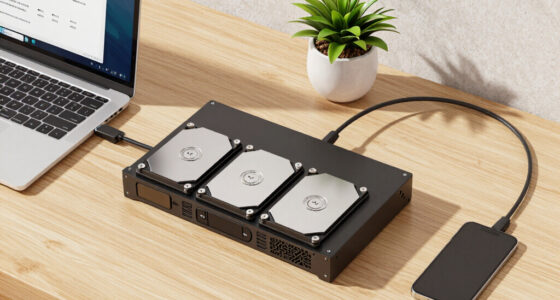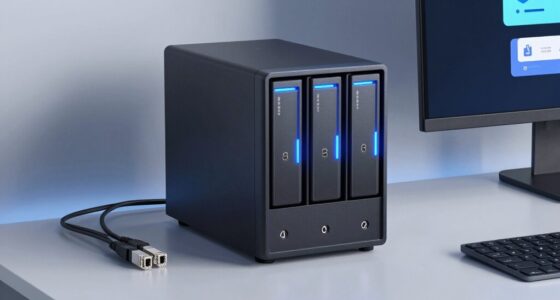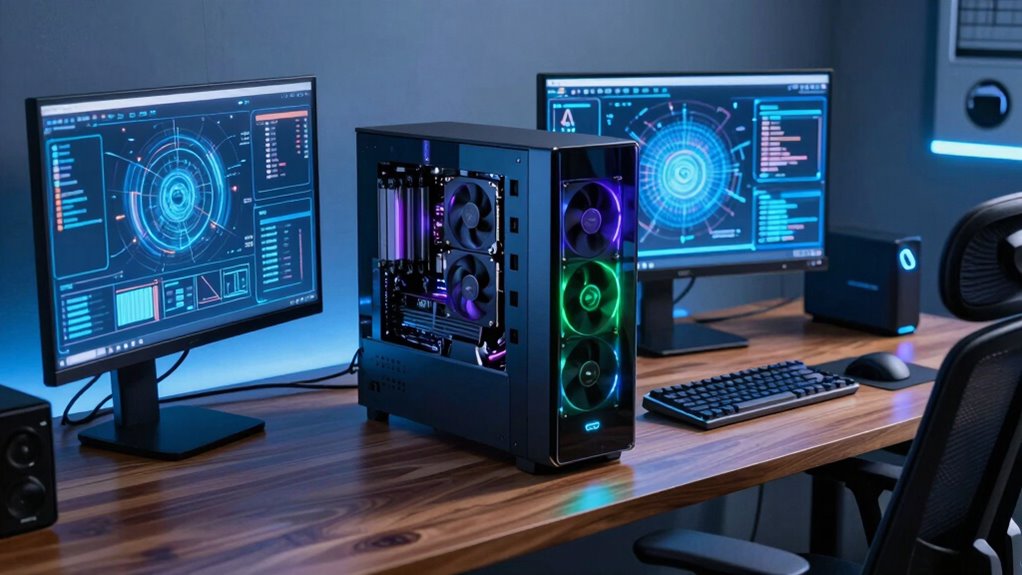

For a desktop PC for AI inference at your desk, my best overall pick is the GMKtec EVO-X2, whose Ryzen AI Max+ 395 platform and large unified-memory capacity suit local models better than conventional mini PCs. The MINISFORUM MS-S1 MAX is a stronger workstation-style alternative, while NVIDIA DGX Spark stands out for buyers who want a dedicated personal AI system. The main tradeoffs are memory available to the model, software compatibility, sustained performance, and the noise and space a system brings to a desk. Compact Ryzen AI 9 HX 370 models can be sensible for lighter workloads, but they are not interchangeable with 128GB-class systems. Read on for the full comparison and guidance on matching a machine to your models and workflow.

Get business pricing on networking and server gear
- Business-only prices and quantity discounts
- Tax-exempt purchasing
- Multiple users, one account, clear invoices
Key Takeaways
- Memory capacity separates the lineup: the 128GB configurations are the more relevant choices when model fit matters more than gaming or general desktop graphics.
- Ryzen AI Max+ 395 systems lead the compact x86 group: several products share the same broad platform, so cooling, ports, storage, and software setup help distinguish them.
- MINISFORUM’s MS-S1 MAX options emphasize workstation utility: multiple video outputs and dual M.2 storage give them a different appeal from smaller, simpler mini PCs.
- Ryzen AI 9 HX 370 models are a lighter-workload tier: the GEEKOM A9 Max and MINISFORUM AI X1 Pro trade the largest memory configurations for a more conventional compact-PC profile.
- DGX Spark and the AMD Halo platforms are distinct software choices: buyers should weigh supported frameworks and operating-system preference alongside hardware specifications.
| GMKtec EVO-X2 AI Mini PC with AMD Ryzen AI Max+ 395 |  | Best Overall for Balanced Desk Inference | Processor: AMD Ryzen AI Max+ 395, 16 cores, 32 threads, up to 5.1GHz | Graphics: Integrated AMD Radeon 8090S, RDNA 3.5, 40 CUs | Memory: 64GB LPDDR5X, 8000MT/s, eight-channel | VIEW ON AMAZON | See Our Full Breakdown |
| GEEKOM GT1 Mega AI Mini PC with 14th Gen Intel Core Ultra 9 185H, 32GB DDR5, 1TB SSD | 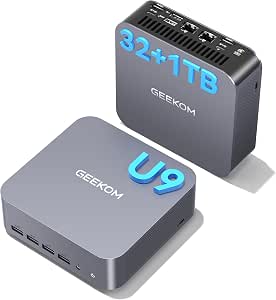 | Best for Expandable Intel-Based Workflows | Processor: 14th Gen Intel Core Ultra 9 185H, 16 cores | Graphics: Intel Arc Graphics | Memory: 32GB DDR5, expandable up to 96GB | VIEW ON AMAZON | See Our Full Breakdown |
| AMD Ryzen AI Halo Personal AI Desktop Computer Developer Platform Linux OS |  | Best for Linux Model Development | Processor: AMD Ryzen 395, 16 cores, 32 threads, Zen 5 architecture | Graphics: AMD Radeon 8060S, 40 RDNA 3.5 compute units | Memory: 128GB LPDDR5x, 8000MT/s, 256GB/s bandwidth | VIEW ON AMAZON | See Our Full Breakdown |
| GEEKOM A9 Max Mini PC with AMD Ryzen AI 9 HX 370, 32GB DDR5 RAM, 2TB SSD, Radeon 890M Graphics, Windows 11 |  | Best Upgradeable Windows Mini PC | Processor: AMD Ryzen AI 9 HX 370, 12 cores, 24 threads, up to 5.2GHz | Graphics: AMD Radeon 890M | AI performance: Up to 86 TOPS; NPU up to 55 TOPS | VIEW ON AMAZON | See Our Full Breakdown |
| NVIDIA DGX Spark™ – Personal AI Desktop Supercomputer |  | Best Premium NVIDIA AI Platform | Architecture: NVIDIA Grace Blackwell | AI performance: Up to 1 petaFLOP | Memory: 128GB unified memory | VIEW ON AMAZON | See Our Full Breakdown |
| MINISFORUM AI X1 Pro-370 Mini PC with AMD Ryzen AI 9 HX370, 32GB DDR5, 1TB PCIe 4.0 SSD, 8K Support, WiFi 7, Bluetooth 5.4 |  | Best for Smaller Local Models | Processor: AMD Ryzen AI 9 HX370, 12 cores / 24 threads, up to 5.1GHz | Graphics: AMD Radeon 890M | Memory: 32GB DDR5, upgradeable to 128GB | VIEW ON AMAZON | See Our Full Breakdown |
| BOSGAME M5 AI PC MAX+ 395, 128GB LPDDR5X |  | Best for Multi-Display AI Work | Processor: AMD Ryzen AI Max+ 395, 16 cores / 32 threads, up to 5.1GHz | Memory: 128GB LPDDR5X | Graphics: Radeon 8060S, 2900MHz | VIEW ON AMAZON | See Our Full Breakdown |
| MINISFORUM MS-S1 MAX Mini AI Workstation PC, AMD Ryzen AI Max+ 395, 128GB RAM, 2TB SSD, RDNA 3.5 GPU, Dual M.2 PCIe 4.0, Wi-Fi 7 |  | Best for Expansion | Processor: AMD Ryzen AI Max+ 395, 16 cores / 32 threads, up to 5.1GHz | Graphics: RDNA 3.5 | Memory: 128GB LPDDR5X-8000MT/s | VIEW ON AMAZON | See Our Full Breakdown |
| AMD Ryzen AI Halo – Personal AI Desktop Computer – Windows 11 Pro |  | Best for Windows AI Development | Operating system: Windows 11 Pro | Processor: AMD Ryzen Max+ 395, 16 cores, 3GHz base and up to 5.1GHz | Memory: 128GB listed; maximum 192GB, 8000MHz | VIEW ON AMAZON | See Our Full Breakdown |
| BOSGAME Mini PC M5, Ryzen AI Max+ 395, 128GB LPDDR5 RAM, 2TB NVMe SSD |  | Best Value Configuration | Processor: AMD Ryzen AI Max+ 395, 16 cores / 32 threads, up to 5.1GHz | Memory: 128GB LPDDR5X-8000 | Graphics: Radeon 8060S, 40 RDNA 3.5 compute units | VIEW ON AMAZON | See Our Full Breakdown |
| GMKtec EVO-X3 AI Mini PC Ryzen AI Max+ 395, 128GB LPDDR5X, 2TB PCIe 4.0 SSD |  | Best for Fast Local Inference in a Compact Desk Setup | Processor: AMD Ryzen AI Max+ 395, 16 cores / 32 threads, up to 5.1GHz | Graphics: AMD Radeon 8060S, RDNA 3.5, 40 compute units, up to 2900MHz | AI performance: Up to 126 TOPS; 50 TOPS dedicated NPU | VIEW ON AMAZON | See Our Full Breakdown |
| MINISFORUM MS-S1 Max Mini Workstation AMD Ryzen AI Max+ 395, 128GB LPDDR5, 2TB SSD, 5 Video Outputs, WiFi 7, BT 5.4, Radeon 8060S Graphics |  | Best for a Multi-Display AI Workstation | Processor: AMD Ryzen AI Max+ 395, 16 cores / 32 threads, up to 5.1GHz | Graphics: AMD Radeon 8060S, RDNA 3.5 | Memory: 128GB LPDDR5, 8000MHz | VIEW ON AMAZON | See Our Full Breakdown |
| gpu desktop for ai inference at the desk | Memory | Processor | Graphics | Storage |
|---|---|---|---|---|
| GMKtec EVO-X2 AI Mini PC with | 64GB LPDDR5X, 8000MT/s, eight-channel | AMD Ryzen AI Max+ 395, 16 cores, 32 threads, up to 5.1GHz | Integrated AMD Radeon 8090S, RDNA 3.5, 40 CUs | Dual M.2 2280 PCIe 4.0 x4 slots, up to 8TB |
| GEEKOM GT1 Mega AI Mini PC wit | 32GB DDR5, expandable up to 96GB | 14th Gen Intel Core Ultra 9 185H, 16 cores | Intel Arc Graphics | 1TB SSD |
| AMD Ryzen AI Halo Personal AI | 128GB LPDDR5x, 8000MT/s, 256GB/s bandwidth | AMD Ryzen 395, 16 cores, 32 threads, Zen 5 architecture | AMD Radeon 8060S, 40 RDNA 3.5 compute units | 2TB SSD |
| GEEKOM A9 Max Mini PC with AMD | 32GB DDR5, expandable up to 128GB | AMD Ryzen AI 9 HX 370, 12 cores, 24 threads, up to 5.2GHz | AMD Radeon 890M | 2TB PCIe Gen4 NVMe SSD; dual slots, up to 8TB |
| NVIDIA DGX Spark™ | 128GB unified memory | — | — | — |
| MINISFORUM AI X1 Pro-370 Mini | 32GB DDR5, upgradeable to 128GB | AMD Ryzen AI 9 HX370, 12 cores / 24 threads, up to 5.1GHz | AMD Radeon 890M | 1TB PCIe 4.0 SSD, expandable to 12TB |
| BOSGAME M5 AI PC MAX+ 395 | 128GB LPDDR5X | AMD Ryzen AI Max+ 395, 16 cores / 32 threads, up to 5.1GHz | Radeon 8060S, 2900MHz | SSD; capacity and type not specified |
| MINISFORUM MS-S1 MAX Mini AI W | 128GB LPDDR5X-8000MT/s | AMD Ryzen AI Max+ 395, 16 cores / 32 threads, up to 5.1GHz | RDNA 3.5 | 2TB SSD; dual M.2 PCIe 4.0 slots |
| AMD Ryzen AI Halo | 128GB listed; maximum 192GB, 8000MHz | AMD Ryzen Max+ 395, 16 cores, 3GHz base and up to 5.1GHz | AMD Radeon 8060S, 40 RDNA 3.5 compute units | 2TB SSD |
| BOSGAME Mini PC M5 | 128GB LPDDR5X-8000 | AMD Ryzen AI Max+ 395, 16 cores / 32 threads, up to 5.1GHz | Radeon 8060S, 40 RDNA 3.5 compute units | 2TB PCIe 4.0 NVMe SSD; second M.2 slot for expansion |
| GMKtec EVO-X3 AI Mini PC Ryzen | 128GB LPDDR5X, 8000MT/s | AMD Ryzen AI Max+ 395, 16 cores / 32 threads, up to 5.1GHz | AMD Radeon 8060S, RDNA 3.5, 40 compute units, up to 2900MHz | 2TB PCIe 4.0 SSD |
| MINISFORUM MS-S1 Max Mini Work | 128GB LPDDR5, 8000MHz | AMD Ryzen AI Max+ 395, 16 cores / 32 threads, up to 5.1GHz | AMD Radeon 8060S, RDNA 3.5 | 2TB M.2 PCIe 4.0 SSD; additional PCIe 4.0 SSD slot supports up to 8TB |
More Details on Our Top Picks
GMKtec EVO-X2 AI Mini PC with AMD Ryzen AI Max+ 395
I’d put the GMKtec EVO-X2 first for buyers who want one compact machine for local inference, general computing, and graphics work without committing to a Linux developer platform. Its 16-core Ryzen AI Max+ 395 and 64GB of fast, eight-channel memory give the integrated Radeon 8090S a strong foundation for memory-hungry workloads. Compared with the GEEKOM A9 Max, this pick offers more listed memory capacity at purchase, while the A9 Max counters with expandable RAM and storage. The EVO-X2 also has dual M.2 slots and broad display connectivity, so it can serve as a capable desk hub. The tradeoff is that its 64GB memory is soldered; buyers planning to grow model workloads later should look instead at the 128GB AMD Ryzen AI Halo or an expandable system.
Pros:- 16-core Ryzen AI Max+ 395 processor paired with Radeon 8090S integrated graphics
- 64GB eight-channel LPDDR5X memory running at 8000MT/s
- Dual M.2 PCIe 4.0 slots support up to 8TB of listed storage capacity
- Wi-Fi 7, 2.5GbE, USB4, and support for up to four 8K displays
Cons:- Soldered memory cannot be upgraded beyond the installed 64GB
- At 3.24 kg, it is substantially heavier than many mini PCs
- RGB lighting may be distracting in a work-focused desk setup
Best for: Desk-based AI users who want a powerful all-purpose mini PC, fast shared memory, and integrated graphics without setting up a dedicated Linux developer appliance.
Not ideal for: Buyers who need upgradeable memory or expect to run larger models over time; its 64GB LPDDR5X is soldered, unlike the GEEKOM A9 Max’s expandable RAM.
- Processor:AMD Ryzen AI Max+ 395, 16 cores, 32 threads, up to 5.1GHz
- Graphics:Integrated AMD Radeon 8090S, RDNA 3.5, 40 CUs
- Memory:64GB LPDDR5X, 8000MT/s, eight-channel
- Storage:Dual M.2 2280 PCIe 4.0 x4 slots, up to 8TB
- Connectivity:Wi-Fi 7, Bluetooth 5.4, 2.5GbE Ethernet
- Video outputs:HDMI 2.1, DisplayPort 1.4, dual USB4; up to four 8K displays
- Cooling and power:Triple-fan cooling; listed power consumption 65W
- Weight:3.24 kg
Our verdict“Choose the EVO-X2 for a fast, versatile inference desktop with generous memory, but not if you need a future memory upgrade path.”
GEEKOM GT1 Mega AI Mini PC with 14th Gen Intel Core Ultra 9 185H, 32GB DDR5, 1TB SSD
The GEEKOM GT1 Mega is the flexible choice for someone whose inference setup also needs a strong CPU, multiple network connections, and room to add memory. Its 32GB DDR5 is expandable to 96GB, a practical advantage over the GMKtec EVO-X2’s fixed 64GB, especially if the workload changes after purchase. The Intel Core Ultra 9 185H and Arc graphics make it a capable general-purpose desk computer, but the supplied information gives less detail about GPU inference performance than it does for the AMD Radeon systems or NVIDIA DGX Spark. I’d rank it below those purpose-built options for ambitious local models. Its Linux and Ubuntu compatibility, dual 2.5G LAN, and four-display support make it a better fit for adaptable development and office setups than for buyers choosing primarily by AI accelerator performance.
Pros:- DDR5 memory can be expanded from 32GB up to 96GB
- Dual 2.5G LAN, Wi-Fi 7, USB4, HDMI, and an SD card slot
- Supports up to four displays, including 8K output
- Listed compatibility with Linux and Ubuntu
Cons:- Intel Arc GPU inference performance is not specified in the supplied product data
- The included 32GB RAM is less than the 64GB in the GMKtec EVO-X2
- The 1TB SSD offers less listed capacity than the 2TB drives in the AMD Ryzen AI Halo and GEEKOM A9 Max
Best for: Developers and technical office users who want an Intel mini PC for mixed workloads, Linux compatibility, dual wired networking, and the option to expand memory.
Not ideal for: People prioritizing documented GPU inference capability or large-model memory from day one; the AMD Ryzen AI Halo and NVIDIA DGX Spark offer clearer large-model positioning.
- Processor:14th Gen Intel Core Ultra 9 185H, 16 cores
- Graphics:Intel Arc Graphics
- Memory:32GB DDR5, expandable up to 96GB
- Storage:1TB SSD
- Connectivity:Wi-Fi 7, Bluetooth 5.4, dual 2.5G LAN, USB4, HDMI, SD card slot
- Display support:Up to four displays, with 8K quad-display support
- Operating system compatibility:Pre-installed OS; Linux and Ubuntu compatibility listed
- Dimensions and weight:8.94 x 6.92 x 5.27 inches; 1.5 pounds
Our verdict“Pick the GT1 Mega if upgradeable memory and flexible Intel-based development matter more than a clearly specified AI GPU platform.”
AMD Ryzen AI Halo Personal AI Desktop Computer Developer Platform Linux OS
For a buyer whose desk is primarily an AI development station, the AMD Ryzen AI Halo is the most directly targeted AMD option here. Its 128GB of unified memory gives it a larger stated memory pool than the GMKtec EVO-X2, while the Ryzen 395 and Radeon 8060S combine CPU and integrated GPU resources in one compact system. The supplied description also lists Linux and ROCm support, which makes this a more natural fit for users building and running AMD-based local inference workflows than the Windows-oriented GEEKOM A9 Max. It is not the easygoing choice: the platform is explicitly aimed at advanced users, and expandability details are limited. I’d favor the NVIDIA DGX Spark instead when the NVIDIA software stack is a requirement; choose this Halo for a Linux-first AMD environment.
Pros:- 128GB unified LPDDR5x memory supports larger local model workloads than the EVO-X2’s 64GB
- Linux platform with AMD ROCm support listed
- Ryzen 395 processor combines 16 Zen 5 cores and 32 threads
- 10GbE, Wi-Fi 7, and a 2TB SSD suit a developer desk setup
Cons:- Aimed at advanced users rather than casual desktop buyers
- Product data does not specify memory or storage upgrade options
- AMD software support may be a less suitable fit for NVIDIA-dependent workflows than the DGX Spark
Best for: Experienced Linux users and AI developers who want 128GB of unified memory, ROCm support, and a compact AMD platform for local model work.
Not ideal for: Casual users seeking a ready-to-go everyday mini PC, or buyers who depend on NVIDIA-specific software; the DGX Spark is the clearer NVIDIA-stack option.
- Processor:AMD Ryzen 395, 16 cores, 32 threads, Zen 5 architecture
- Graphics:AMD Radeon 8060S, 40 RDNA 3.5 compute units
- Memory:128GB LPDDR5x, 8000MT/s, 256GB/s bandwidth
- NPU:AMD XDNA 2, up to 50 TOPS
- Storage:2TB SSD
- Operating system:Linux
- Connectivity:10GbE LAN, Wi-Fi 7, Bluetooth 5.4, USB-C, HDMI 2.1b
- Dimensions:6 x 6 x 2 inches
Our verdict“Choose the Ryzen AI Halo for Linux-first AMD inference work that benefits from 128GB of unified memory and ROCm support.”
GEEKOM A9 Max Mini PC with AMD Ryzen AI 9 HX 370, 32GB DDR5 RAM, 2TB SSD, Radeon 890M Graphics, Windows 11
The GEEKOM A9 Max makes sense for Windows users who want useful AI acceleration now and a clear upgrade path for memory and storage. Its Ryzen AI 9 HX 370 lists up to 86 TOPS of AI performance, while the Radeon 890M provides integrated graphics for a broad mix of desk tasks. The key difference from the GMKtec EVO-X2 is flexibility: the A9 Max starts with 32GB of DDR5 but supports up to 128GB, whereas the EVO-X2 arrives with more memory but cannot be upgraded. That makes this a sensible choice for buyers who expect their workload to grow. It remains an integrated-graphics mini PC, not a substitute for the 128GB AMD Ryzen AI Halo or NVIDIA DGX Spark when the main goal is running the largest models available.
Pros:- Ryzen AI 9 HX 370 lists up to 86 TOPS of AI performance, including an NPU rated up to 55 TOPS
- DDR5 memory supports expansion up to 128GB
- Dual M.2 storage slots allow expansion up to 8TB total
- Windows 11, USB4, Wi-Fi 7, dual 2.5GbE, and four-display support
Cons:- Ships with 32GB RAM, below the installed memory capacity of the EVO-X2, Ryzen AI Halo, and DGX Spark
- Integrated Radeon 890M graphics do not match a dedicated discrete GPU for demanding 3D workloads
- The supplied product data does not specify local inference performance by model or workload
Best for: Windows professionals who want a compact AI-capable desktop with upgradeable memory, dual 2.5GbE, and room to expand NVMe storage.
Not ideal for: Buyers who need 128GB of memory immediately or prioritize a dedicated AI software platform; the Ryzen AI Halo and DGX Spark are more directly geared to large-model development.
- Processor:AMD Ryzen AI 9 HX 370, 12 cores, 24 threads, up to 5.2GHz
- Graphics:AMD Radeon 890M
- AI performance:Up to 86 TOPS; NPU up to 55 TOPS
- Memory:32GB DDR5, expandable up to 128GB
- Storage:2TB PCIe Gen4 NVMe SSD; dual slots, up to 8TB
- Connectivity:USB4, HDMI 2.1, dual 2.5GbE LAN, Wi-Fi 7
- Display support:Up to four independent displays, with 8K output
- Operating system and warranty:Windows 11; 3-year limited warranty
Our verdict“Choose the A9 Max if you want a Windows mini PC whose memory and storage can grow with your local AI workload.”
NVIDIA DGX Spark™ – Personal AI Desktop Supercomputer
The NVIDIA DGX Spark is the specialist pick for buyers who want a compact desktop centered on NVIDIA AI software and large-model experimentation, rather than a general-purpose mini PC with AI features added. Its 128GB unified memory and stated support for models up to 200 billion parameters at FP4 distinguish it from the GMKtec EVO-X2, whose 64GB capacity is better suited to smaller workloads. NVIDIA lists performance up to 1 petaFLOP, but that figure should not be treated as a direct comparison with NPU TOPS figures on the GEEKOM A9 Max: they describe different performance measures. The tradeoff is a narrower, more technical role and little hardware detail in the supplied data beyond architecture and memory. I’d choose the AMD Ryzen AI Halo for a Linux/ROCm-focused workflow, but the DGX Spark for NVIDIA-stack development.
Pros:- Grace Blackwell architecture with stated AI performance up to 1 petaFLOP
- 128GB of unified memory
- Listed support for models up to 200 billion parameters at FP4
- Compact desktop format designed for energy-efficient AI and HPC work
Cons:- The product data provides limited detail on ports, storage, and upgrade options
- A technical AI platform may be more involved to operate than the Windows-oriented GEEKOM A9 Max
- Its enterprise-oriented feature set may be unnecessary for general desktop use
Best for: AI practitioners and developers who specifically need an NVIDIA-centered desktop platform and want to experiment with large models in a compact system.
Not ideal for: Buyers seeking a conventional mini PC with detailed port, storage, or upgrade specifications, or users without the technical background to manage an AI-focused platform.
- Architecture:NVIDIA Grace Blackwell
- AI performance:Up to 1 petaFLOP
- Memory:128GB unified memory
- Supported model size:Up to 200 billion parameters at FP4
- Form factor:Personal desktop AI supercomputer
- Primary use:AI development, inference, experimentation, and high-performance computing
Our verdict“Choose the DGX Spark when NVIDIA software support and large-model experimentation matter more than general-purpose flexibility.”
MINISFORUM AI X1 Pro-370 Mini PC with AMD Ryzen AI 9 HX370, 32GB DDR5, 1TB PCIe 4.0 SSD, 8K Support, WiFi 7, Bluetooth 5.4
I’d choose the MINISFORUM AI X1 Pro-370 for desk-side inference when compact size, everyday responsiveness, and broad display connectivity matter more than fitting the largest models in memory. Its Ryzen AI 9 HX370 and Radeon 890M give it a different role from the 128GB Ryzen AI Max+ 395 systems in this roundup: the X1 Pro is a lighter-duty option for smaller local models and mixed office workloads, not the better pick for memory-hungry inference. The included 32GB RAM is the main constraint, though it can be expanded. Dual USB4 and OCuLink also offer useful connection and expansion paths, while Wi-Fi 7 and 2.5GbE suit a well-connected desk. Compared with the more inference-focused BOSGAME M5, this is easier to justify for general use, but less suited to large-model work.
Pros:- Ryzen AI 9 HX370 offers 12 CPU cores and 24 threads for varied desk workloads.
- Upgradeable memory can reach 128GB, giving owners a path beyond the included 32GB.
- Dual USB4 and OCuLink provide useful high-speed peripheral and expansion options.
- Supports up to four 4K displays, with Wi-Fi 7 and 2.5Gbps Ethernet.
Cons:- The included 32GB memory is far below the 128GB configurations of the Ryzen AI Max+ 395 systems here.
- Integrated Radeon 890M graphics are a different performance class from the Radeon 8060S in the BOSGAME M5.
- High-performance components can produce substantial heat under sustained workloads.
Best for: Desk users running smaller local models alongside office tasks, multi-display work, and occasional creative applications.
Not ideal for: AI developers who need 128GB of shared memory for larger models or sustained, memory-intensive inference.
- Processor:AMD Ryzen AI 9 HX370, 12 cores / 24 threads, up to 5.1GHz
- Graphics:AMD Radeon 890M
- Memory:32GB DDR5, upgradeable to 128GB
- Storage:1TB PCIe 4.0 SSD, expandable to 12TB
- Display support:Up to four 4K displays
- Connectivity:Wi-Fi 7, Bluetooth 5.4, 2.5Gbps Ethernet
- Ports:Dual USB4, OCuLink, HDMI 2.1, DisplayPort 2.0
- Power:135W adapter; listed maximum consumption of 65W
Our verdict“Choose the AI X1 Pro-370 for a versatile desk mini PC and smaller-model inference, but pick a 128GB Ryzen AI Max+ system for larger local models.”
BOSGAME M5 AI PC MAX+ 395, 128GB LPDDR5X
The BOSGAME M5 AI PC MAX+ 395 pairs a Ryzen AI Max+ 395 with 128GB LPDDR5X, making it a stronger fit for local inference than the 32GB MINISFORUM AI X1 Pro-370 when model size and shared memory are priorities. Its Radeon 8060S and support for four 8K displays also suit a desk where AI work shares space with a dense visual workspace. The tradeoff is uncertainty: the supplied details don’t state the SSD capacity or type, so I can’t compare its out-of-box storage directly with the 2TB MINISFORUM MS-S1 MAX or BOSGAME M5. That matters if local models and datasets will live on the system drive. Vapor-chamber cooling is a welcome feature for heavy use, but buyers should confirm storage and setup details before treating it as a ready-to-run workstation.
Pros:- 128GB LPDDR5X gives more room for memory-intensive local models than the 32GB MINISFORUM AI X1 Pro-370.
- Ryzen AI Max+ 395 has 16 cores and 32 threads for parallel workloads.
- Radeon 8060S graphics and support for four 8K displays suit a workstation-style desk.
- Vapor-chamber cooling and dual USB4 ports support intensive work and fast peripherals.
Cons:- SSD capacity and type are not specified in the supplied product details.
- Four 8K display support may matter little to buyers focused on inference rather than display-heavy work.
- The system may require more technical setup than a simpler general-purpose mini PC.
Best for: AI practitioners who need 128GB of memory and a multi-monitor workstation, and who are comfortable checking storage details before purchase.
Not ideal for: Buyers who want a clearly specified, ready-to-use storage configuration or prefer the documented 2TB SSD in the BOSGAME Mini PC M5.
- Processor:AMD Ryzen AI Max+ 395, 16 cores / 32 threads, up to 5.1GHz
- Memory:128GB LPDDR5X
- Graphics:Radeon 8060S, 2900MHz
- Storage:SSD; capacity and type not specified
- Display outputs:Four 8K@60Hz displays; HDMI 2.1 and DisplayPort 1.4
- Ports:USB4 Type-C, USB4, HDMI, DisplayPort, SD 4.0
- Networking:Wi-Fi 7, 2.5G Ethernet, Bluetooth 5.4
- Cooling and software:Vapor-chamber cooling; Windows 11 Pro, Linux Ubuntu compatible
Our verdict“Pick this BOSGAME when 128GB memory and an expansive display setup lead your priorities, but verify its SSD configuration first.”
MINISFORUM MS-S1 MAX Mini AI Workstation PC, AMD Ryzen AI Max+ 395, 128GB RAM, 2TB SSD, RDNA 3.5 GPU, Dual M.2 PCIe 4.0, Wi-Fi 7
I’d put the MINISFORUM MS-S1 MAX on the shortlist for buyers who want a compact AI workstation with more room to grow than a typical sealed mini PC. It combines the Ryzen AI Max+ 395 and 128GB LPDDR5X with a 2TB SSD, dual M.2 slots, and a listed full-length PCIe x16 expansion slot. That gives it a more workstation-oriented pitch than the AMD Ryzen AI Halo, whose supplied details emphasize a compact AI desktop and Windows 11 Pro rather than these expansion options. Dual 10GbE is another standout for fast networked data movement. Still, the product information doesn’t specify an operating system, and the listed dimensions are unusual for a workstation, so I’d confirm configuration and fit before buying. Its 320W power supply also suggests a more substantial setup than the X1 Pro-370.
Pros:- 128GB LPDDR5X and Ryzen AI Max+ 395 target demanding local AI and multimedia workloads.
- Included 2TB SSD plus dual M.2 slots provide specified storage and room for expansion.
- Dual 10GbE LAN can benefit users moving data across a fast wired network.
- A listed PCIe x16 slot offers expansion beyond the options on more conventional mini PCs.
Cons:- The operating system is not specified in the supplied product details.
- A 320W power supply points to a more demanding setup than the 135W-adapter MINISFORUM AI X1 Pro-370.
- Its dimensions are listed as 0.79 inches on each side, an unusual measurement that merits confirmation.
Best for: Technical users building a desk-side AI workstation who want 128GB memory, local SSD capacity, fast networking, and expansion options.
Not ideal for: Buyers seeking a simple plug-and-play system with a clearly specified operating system, or a low-power mini PC for routine office work.
- Processor:AMD Ryzen AI Max+ 395, 16 cores / 32 threads, up to 5.1GHz
- Graphics:RDNA 3.5
- Memory:128GB LPDDR5X-8000MT/s
- Storage:2TB SSD; dual M.2 PCIe 4.0 slots
- Expansion:Full-length PCIe x16 slot
- Networking:Wi-Fi 7, dual 10GbE LAN
- Video output:HDMI 2.1, up to 8K@60Hz
- Power supply:320W
Our verdict“Choose the MS-S1 MAX if you want a high-memory mini workstation with storage and networking expansion, and are prepared to verify its configuration.”
AMD Ryzen AI Halo – Personal AI Desktop Computer – Windows 11 Pro
The AMD Ryzen AI Halo is the most explicitly AI-focused Windows option in this group: its listed 128GB unified memory, Radeon 8060S graphics, and XDNA 2 NPU are aimed at local development and inference rather than general mini-PC duties alone. The 2TB SSD also gives model files more breathing room than the BOSGAME M5 AI PC MAX+ 395 listing, which leaves storage capacity unspecified. Against the MINISFORUM MS-S1 MAX, the Halo’s clearest advantage is its stated Windows 11 Pro configuration; the MS-S1 MAX instead lists dual 10GbE and expansion slots. The compact 6 x 6 x 2-inch enclosure suits a crowded desk, but the supplied details don’t describe upgrade options. I’d choose it for a Windows-based AI workflow, not for buyers who want hardware flexibility or a modest general-use machine.
Pros:- 128GB listed memory supports larger local workloads than the 32GB MINISFORUM AI X1 Pro-370.
- 2TB SSD capacity is specified, unlike the BOSGAME M5 AI PC MAX+ 395 listing.
- Radeon 8060S graphics and an XDNA 2 NPU provide multiple AI-relevant compute components.
- Windows 11 Pro is specified, and the 6 x 6 x 2-inch dimensions suit a compact desk.
Cons:- The supplied specifications don’t describe upgrade options, limiting confidence about future expansion.
- Its AI-oriented hardware may be unnecessary for casual users and everyday office computing.
- The listing’s memory description combines “unified” memory with DDR5 terminology, so buyers should verify the exact configuration.
Best for: Windows-based AI developers who want a compact desk system with 128GB memory, a 2TB SSD, and specified NPU hardware.
Not ideal for: Buyers who prioritize component upgrades, Linux as the stated default operating system, or ordinary computing needs that won’t use its AI-focused hardware.
- Operating system:Windows 11 Pro
- Processor:AMD Ryzen Max+ 395, 16 cores, 3GHz base and up to 5.1GHz
- Memory:128GB listed; maximum 192GB, 8000MHz
- Graphics:AMD Radeon 8060S, 40 RDNA 3.5 compute units
- NPU:AMD XDNA 2, up to 50 TOPS
- Storage:2TB SSD
- Networking:10GbE LAN, Wi-Fi 7, Bluetooth 5.4
- Dimensions:6 x 6 x 2 inches
Our verdict“Choose the Ryzen AI Halo for a compact, Windows-ready local AI workstation with clearly listed 128GB memory and 2TB storage.”
BOSGAME Mini PC M5, Ryzen AI Max+ 395, 128GB LPDDR5 RAM, 2TB NVMe SSD
The BOSGAME Mini PC M5 makes a strong case for buyers who want the core ingredients for desk-side inference spelled out: Ryzen AI Max+ 395, Radeon 8060S, 128GB LPDDR5X, and a 2TB NVMe SSD. Unlike the BOSGAME M5 AI PC MAX+ 395 listing, which doesn’t specify SSD capacity, this model gives buyers a clear starting point for storing local models. Its second M.2 slot adds room to grow, while Wi-Fi 7, 2.5GbE, dual USB4, and a card reader make it practical as a compact work machine. It has the same 128GB memory class as the AMD Ryzen AI Halo, but the supplied details emphasize storage expansion and display connectivity rather than an NPU’s TOPS figure. Radeon 8060S is integrated graphics, not a dedicated GPU, so buyers focused on discrete-GPU inference should look elsewhere.
Pros:- 128GB LPDDR5X and Radeon 8060S target memory-heavy AI and creative workloads.
- The 2TB PCIe 4.0 NVMe SSD is specified, with a second M.2 slot for additional storage.
- Supports up to four displays, including 8K@60Hz output.
- Wi-Fi 7, 2.5GbE, dual USB4, and an SD 4.0 reader suit a connected desk setup.
Cons:- Radeon 8060S is integrated graphics, not a dedicated GPU for buyers specifically seeking a discrete accelerator.
- The high-end hardware may be unnecessary for everyday browsing and office tasks.
- The supplied details don’t specify an upgrade path for the 128GB LPDDR5X memory.
Best for: Local AI users who want a clearly specified 128GB memory and 2TB storage configuration, plus a second M.2 slot for more models.
Not ideal for: Buyers who require a dedicated graphics card or expect memory and graphics to be independently upgraded.
- Processor:AMD Ryzen AI Max+ 395, 16 cores / 32 threads, up to 5.1GHz
- Memory:128GB LPDDR5X-8000
- Graphics:Radeon 8060S, 40 RDNA 3.5 compute units
- Storage:2TB PCIe 4.0 NVMe SSD; second M.2 slot for expansion
- Display support:Up to four displays; up to 8K@60Hz
- Networking:Wi-Fi 7, Bluetooth 5.4, 2.5GbE
- Ports:Dual USB4, HDMI 2.1, DisplayPort 1.4, SD 4.0 card reader
- Operating system:Windows 11 Pro
Our verdict“Pick the BOSGAME Mini PC M5 for a well-specified 128GB, 2TB local AI setup with storage expansion, but not for discrete-GPU workloads.”
GMKtec EVO-X3 AI Mini PC Ryzen AI Max+ 395, 128GB LPDDR5X, 2TB PCIe 4.0 SSD
The GMKtec EVO-X3 pairs a Ryzen AI Max+ 395 with 128GB of LPDDR5X memory, giving local inference workloads substantial shared memory without the footprint of a tower. Its Radeon 8060S graphics and 50-TOPS NPU offer different routes for AI tasks, while the 16-core CPU also suits concurrent development and creator workloads. Compared with the MINISFORUM MS-S1 Max, the EVO-X3 has less specified wired networking and fewer listed video outputs, but its OCuLink eGPU connection provides a clear path to add graphics capacity outside the chassis. That flexibility comes with extra setup and hardware decisions; the integrated GPU remains the simpler desk-ready starting point. The 2TB SSD is useful out of the box, though the product data gives no internal storage expansion details, so larger model libraries may call for external storage.
Pros:- 128GB LPDDR5X memory supports memory-intensive local workloads.
- Ryzen AI Max+ 395 combines 16 CPU cores with a 50-TOPS NPU.
- OCuLink PCIe Gen4 x4 allows external GPU expansion.
- Dual HDMI 2.1 and USB4 support high-resolution display setups.
Cons:- An external GPU setup adds cost, cabling, and configuration work.
- The listed 2TB SSD may be restrictive for extensive model and dataset libraries.
- A three-fan cooling system and high-performance components can draw substantial power under load.
Best for: Local-AI developers who want a compact system with 128GB of memory and the option to attach an external GPU as workloads grow.
Not ideal for: Buyers who want a turnkey multi-drive workstation or several high-speed wired network ports without planning external expansion.
- Processor:AMD Ryzen AI Max+ 395, 16 cores / 32 threads, up to 5.1GHz
- Graphics:AMD Radeon 8060S, RDNA 3.5, 40 compute units, up to 2900MHz
- AI performance:Up to 126 TOPS; 50 TOPS dedicated NPU
- Memory:128GB LPDDR5X, 8000MT/s
- Storage:2TB PCIe 4.0 SSD
- Display outputs:Dual HDMI 2.1 and USB4; supports 8K
- Networking:Wi-Fi 7, 2.5G LAN, Bluetooth 5.4
- Expansion and cooling:OCuLink PCIe Gen4 x4 for external GPU; three-fan thermal system
Our verdict“Choose the EVO-X3 if you want high-memory local inference in a compact machine and value an OCuLink upgrade path over the MS-S1 Max’s richer listed networking and display connectivity.”
MINISFORUM MS-S1 Max Mini Workstation AMD Ryzen AI Max+ 395, 128GB LPDDR5, 2TB SSD, 5 Video Outputs, WiFi 7, BT 5.4, Radeon 8060S Graphics
The MINISFORUM MS-S1 Max is the stronger fit when a desk inference system also needs to anchor a multi-monitor workspace. Its Ryzen AI Max+ 395, Radeon 8060S, and 128GB of LPDDR5 memory broadly match the GMKtec EVO-X3’s core compute profile, but MINISFORUM lists five video outputs and dual 10G LAN. Those connections are useful for monitor-heavy development or moving data across a fast wired network; they do not, by themselves, guarantee faster model inference. The additional PCIe SSD slot, with support up to 8TB, also gives this workstation a clearer storage growth route than the EVO-X3’s listed 2TB drive. The tradeoff is a bulkier chassis with a more elaborate cooling setup, and configuring its expansion options may suit technically confident buyers better than someone seeking a minimal plug-in desktop.
Pros:- Five video outputs support a broad multi-monitor workstation setup.
- Dual 10G LAN offers high-speed wired networking options.
- An additional PCIe 4.0 SSD slot supports storage expansion up to 8TB.
- Ryzen AI Max+ 395 and Radeon 8060S provide substantial CPU and integrated graphics capability.
Cons:- The larger cooling system takes more desk space than a simpler compact setup.
- Expansion and workstation connectivity can make setup more involved.
- Power draw may rise substantially when the system is under full load.
Best for: AI practitioners who run local models alongside several monitors and need high-speed wired networking and room to expand SSD storage.
Not ideal for: Desk users prioritizing the smallest, simplest mini PC, or buyers who do not need multiple displays, 10G networking, or extra storage capacity.
- Processor:AMD Ryzen AI Max+ 395, 16 cores / 32 threads, up to 5.1GHz
- Graphics:AMD Radeon 8060S, RDNA 3.5
- Memory:128GB LPDDR5, 8000MHz
- Storage:2TB M.2 PCIe 4.0 SSD; additional PCIe 4.0 SSD slot supports up to 8TB
- Video outputs:Five: one HDMI 8K@60Hz and four USB4/USB4 V2
- Networking:Dual 10G LAN, Wi-Fi 7, Bluetooth 5.4
- Expansion slots:One PCIe 4.0 x4 slot and one PCIe x16 slot
- Cooling:Copper substrate, six heat pipes, dual centrifugal fans
Our verdict“Pick the MS-S1 Max over the GMKtec EVO-X3 if multi-monitor output, dual 10G networking, and expandable SSD storage matter more to your desk-based AI workflow than a smaller, simpler configuration.”

How We Picked
I ranked these systems for local AI inference at a desk, not as general-purpose mini PCs. The main criteria were memory capacity and how that capacity could support larger models, GPU and platform capability, storage and connectivity for a working setup, and the likely effort involved in getting an inference stack running. I also weighed practical desk use: a compact enclosure is useful only if its cooling, ports, and upgrade options fit the workload.
The 128GB Ryzen AI Max+ 395 systems rise above the 32GB Ryzen AI 9 HX 370 models for buyers whose priority is keeping larger models in local memory. Among similar configurations, I give more weight to workstation-oriented connectivity and usable system details than to small differences in naming. DGX Spark and the AMD Ryzen AI Halo platforms are ranked for buyers willing to choose a more specific software ecosystem or operating system. Exact performance varies with model, quantization, drivers, and cooling; I treat listed specifications as decision signals rather than a guarantee of inference speed.
Factors to Consider When Choosing Gpu Desktop For Ai Inference At The Desk
Before choosing a machine, I would start with the model and software you plan to run, then work outward to the computer. A desktop can look powerful on paper yet fail to fit a workload because the model needs more memory, the preferred framework lacks support, or the system cannot sustain operation quietly on a desk.
Match Memory to the Model, Not the Marketing Label
For local inference, memory capacity often sets the practical ceiling before headline compute figures do. Model weights, context length, runtime overhead, and other active applications all draw from the available pool, so a model that barely fits may still feel constrained during real use. Unified-memory designs can let the integrated GPU access a larger shared pool, but that is not the same as a discrete GPU with dedicated VRAM and identical bandwidth. Leave headroom for longer prompts and concurrent tasks instead of shopping to the exact size of the model file. If you mostly run small quantized models, a 32GB system may be adequate; larger local models point toward the 128GB options in this roundup.
Check Framework and Operating-System Support Before Buying
Hardware capability matters only when your inference software can use it. CUDA-based workflows, ROCm support, vendor runtimes, and CPU fallback paths can differ in setup effort and feature coverage, so check the exact framework and model-serving stack you expect to use. Dedicated platforms such as DGX Spark or AMD Halo may make sense when their intended software path matches your work, but they are less appealing if you need a standard Windows desktop or a highly customized Linux environment. Verify support for your target model formats, quantization methods, and acceleration features before choosing. A familiar, well-supported setup can save more time than a modest theoretical performance advantage.
Treat Integrated Graphics and Dedicated VRAM as Different Tools
Several systems here use powerful integrated graphics alongside a shared memory pool, which can be useful when a compact machine needs to run models without a separate graphics card. That arrangement does not automatically match the behavior of a desktop GPU with dedicated VRAM, especially for bandwidth-sensitive workloads. Think about inference latency, concurrent requests, and how much of the model must remain resident rather than relying on graphics branding alone. If your work depends on a specific GPU software stack or high throughput, confirm that the platform supports it before accepting an integrated design. For personal experimentation and desk-friendly systems, shared memory may be a worthwhile trade; for production-like serving, workload testing is more informative than the GPU name.
Plan for Sustained Cooling, Noise, and Desk Placement
Inference can keep a processor and integrated GPU busy for long stretches, so a small enclosure’s ability to shed heat matters beyond short benchmark bursts. Restricted airflow, warm room conditions, and nearby monitors or walls can affect sustained behavior and fan noise. Check the physical dimensions, ventilation direction, and whether the machine needs clear space around its vents. A larger workstation-style enclosure may take more desk area but can be a better fit for continuous sessions than the smallest box. If the computer will run overnight or beside a microphone, prioritize thermal design and acoustic reports over a compact silhouette.
Choose Storage and Ports for the Whole Workflow
Model files, checkpoints, datasets, and caches can consume storage quickly, so a drive that looks ample for office use may become limiting in an AI workspace. Consider whether the system offers additional M.2 slots or practical external storage connections, and check whether adding a drive affects cooling or service access. Multiple video outputs are useful for a desk setup, but they do not make inference faster; judge them by the number and type of displays you actually connect. Network speed can also matter when models or data live on a shared server. Build the complete setup on paper before paying for ports or storage you will not use.
Pay More for Headroom or a Better-Fitting Platform
Spending more can be justified when it buys memory headroom, easier storage expansion, a software stack that suits your work, or a chassis better equipped for sustained use. It is harder to justify extra capability that your models cannot use or that requires a different runtime than your preferred tools. Buyers new to local inference may benefit from a standard operating system and a modest first workload before committing to a specialized platform. Developers who already know their framework may value platform-specific support more than a familiar desktop interface. Compare the full system configuration, since similarly named products can differ in memory, storage, operating system, and connectivity.
Frequently Asked Questions
Can a 32GB mini PC run local AI models, or should I choose a 128GB system?
A 32GB machine can run smaller or quantized models, particularly when you keep context lengths and other open applications modest. The 128GB configurations provide substantially more room for larger models and longer prompts, though memory capacity alone does not guarantee faster responses. Check the actual memory requirements for your model, quantization, and inference runtime before purchasing. If you are still learning and expect to use small models, a lower-capacity system can be a reasonable starting point. If fitting larger models locally is the point of the purchase, prioritize the higher-capacity options.
Is an integrated GPU enough for AI inference, or do I need a desktop graphics card?
An integrated GPU can be useful for personal inference when the system provides enough shared memory and your software supports its acceleration path. A dedicated graphics card may offer different performance characteristics, especially for workloads that depend on dedicated VRAM, bandwidth, or a specific GPU ecosystem. Neither choice is universally better: model size, latency needs, framework support, and power or space limits all matter. Check whether your preferred tools can use the integrated GPU rather than silently falling back to CPU execution. For sustained or high-throughput serving, compare results on the workload you intend to run.
Should I choose NVIDIA DGX Spark or a Ryzen AI Max+ 395 desktop?
I would choose based on the software environment and workflow, not the platform name alone. DGX Spark is a dedicated personal AI desktop option, while Ryzen AI Max+ 395 systems offer a compact x86 route with configurations that include large shared-memory pools. Confirm supported frameworks, model formats, operating-system needs, and the amount of memory available in the exact configuration. Developers tied to a particular stack should verify compatibility before committing, especially if their existing scripts depend on specific GPU features. Buyers who value a more general desktop environment may favor an x86 mini workstation, while those seeking a purpose-built AI platform may prefer DGX Spark.
Does a 128GB specification mean the whole amount is available to the GPU?
Not necessarily. On unified-memory systems, the CPU and integrated GPU share system memory, and the operating system and active applications also need a portion of it. The amount a runtime can allocate may depend on firmware settings, drivers, operating-system policy, and the software stack. Check the manufacturer’s configuration details and the inference runtime’s memory behavior rather than assuming the full listed capacity is usable for model weights. Leave extra space for context, caches, and background services when estimating whether a model will fit.
What should I verify before using one of these desktops as an always-on inference server?
Check cooling behavior under sustained load, fan noise, power use, network connectivity, and whether the system can run your serving software reliably for long sessions. Confirm how updates, remote access, automatic restarts, and storage backups will work in your operating system. A compact PC designed for desk use may not have the serviceability or redundant components expected of a dedicated server. Run a representative workload with realistic prompts and concurrent requests before relying on it for regular access. For important services, keep model files and configuration backed up and plan for downtime during maintenance.
Conclusion
My best overall pick is the GMKtec EVO-X2 for buyers who want a compact Ryzen AI Max+ 395 system suited to local inference. For a workstation-style setup, I would look at the MINISFORUM MS-S1 MAX, especially if its port and storage configuration fits the desk. The best value direction is a 128GB Ryzen AI Max+ 395 model with the storage and connectivity you will actually use, rather than paying for unused display features. For beginners, the GEEKOM A9 Max or MINISFORUM AI X1 Pro offers a more conventional compact-PC starting point for smaller workloads, though their 32GB configurations are less suited to larger models. Choose NVIDIA DGX Spark or an AMD Ryzen AI Halo when its intended software environment aligns with your development needs; for specialized large-model inference, prioritize available memory and confirmed framework support over brand alone.
Fall Picks
fall essentials
As an affiliate, we earn on qualifying purchases.